What2Eat
Inspiration
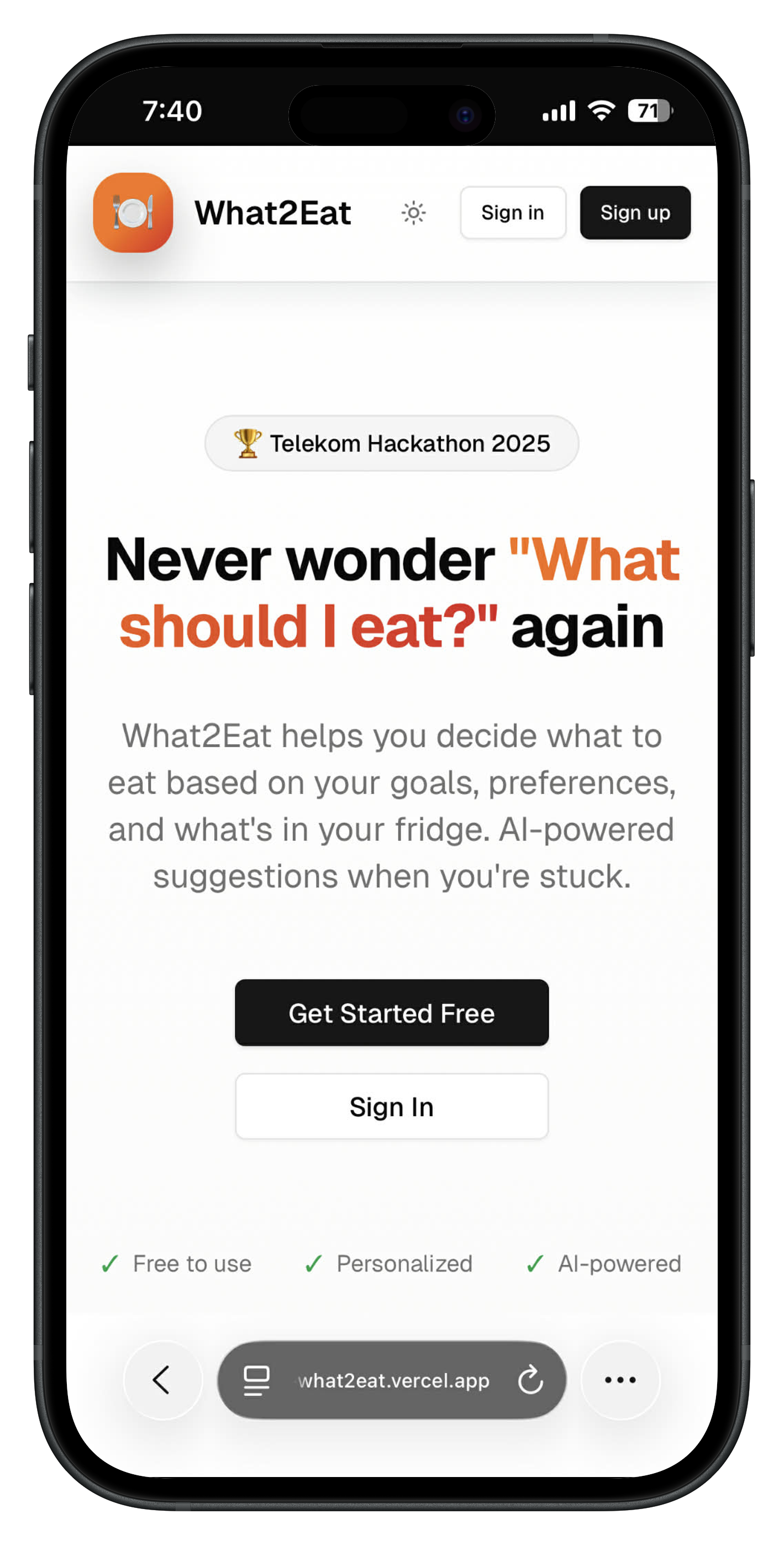
The inspiration for What2Eat came from a universal, daily struggle: standing in front of a full fridge and having no idea what to cook. This often leads to decision fatigue, food waste, and unhealthy choices like ordering takeout. We wanted to create a smart, simple solution that removes the stress from meal planning and empowers people to eat better using the food they already have.
What it does
What2Eat is an AI-powered personal nutrition assistant designed to be your go-to kitchen companion. Here’s what it does:
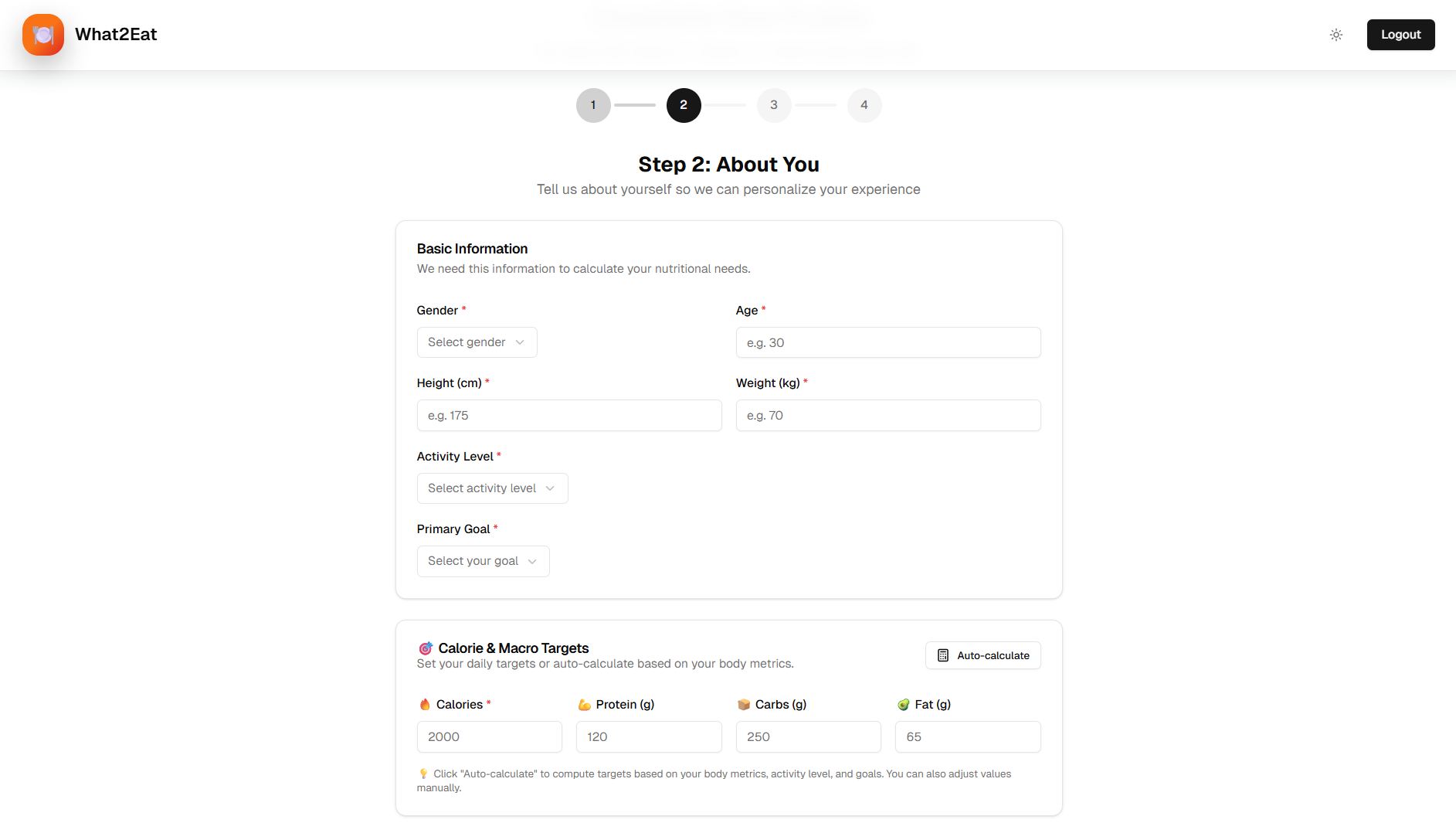
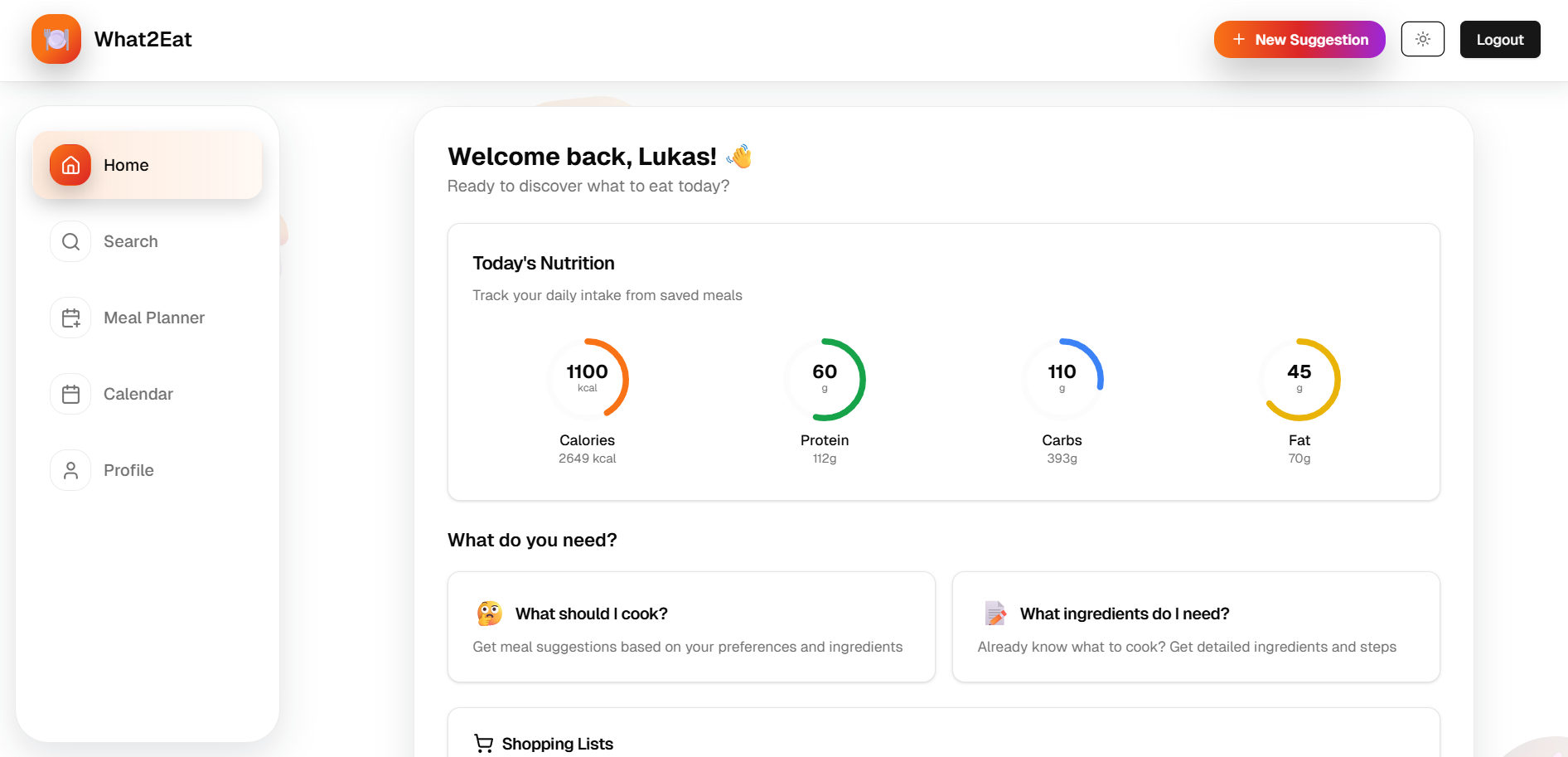
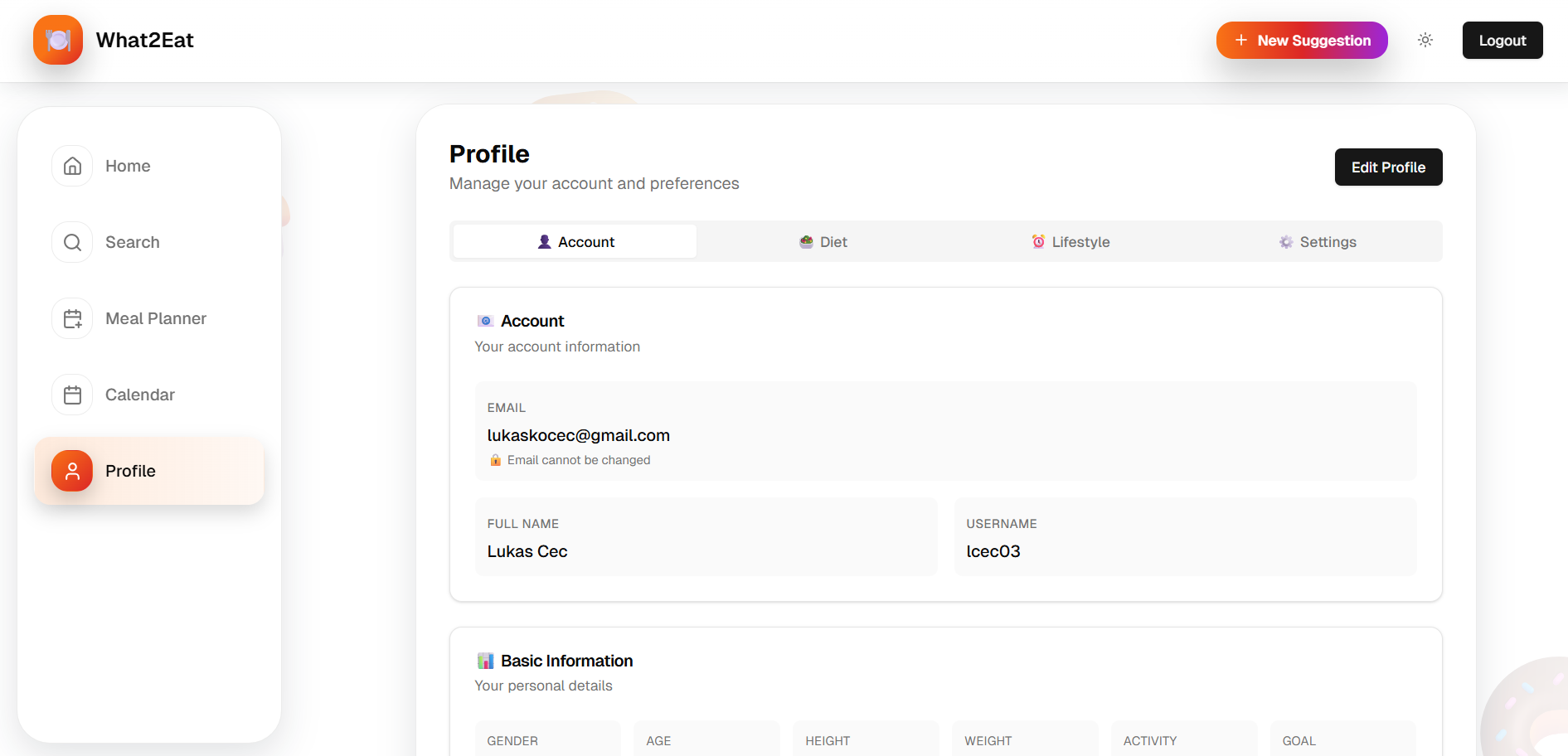
- Personalized Nutrition Tracking: It calculates your daily targets for calories, protein, carbs, and fat based on your profile. The dashboard provides a beautiful, at-a-glance view of your progress with animated circular progress bars.
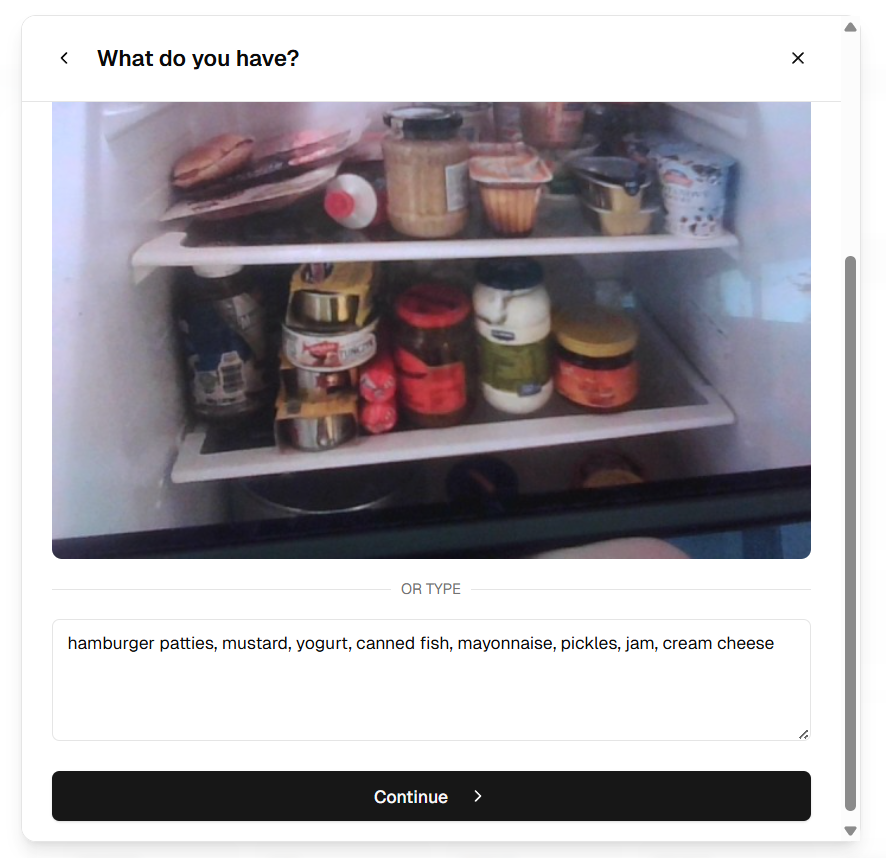
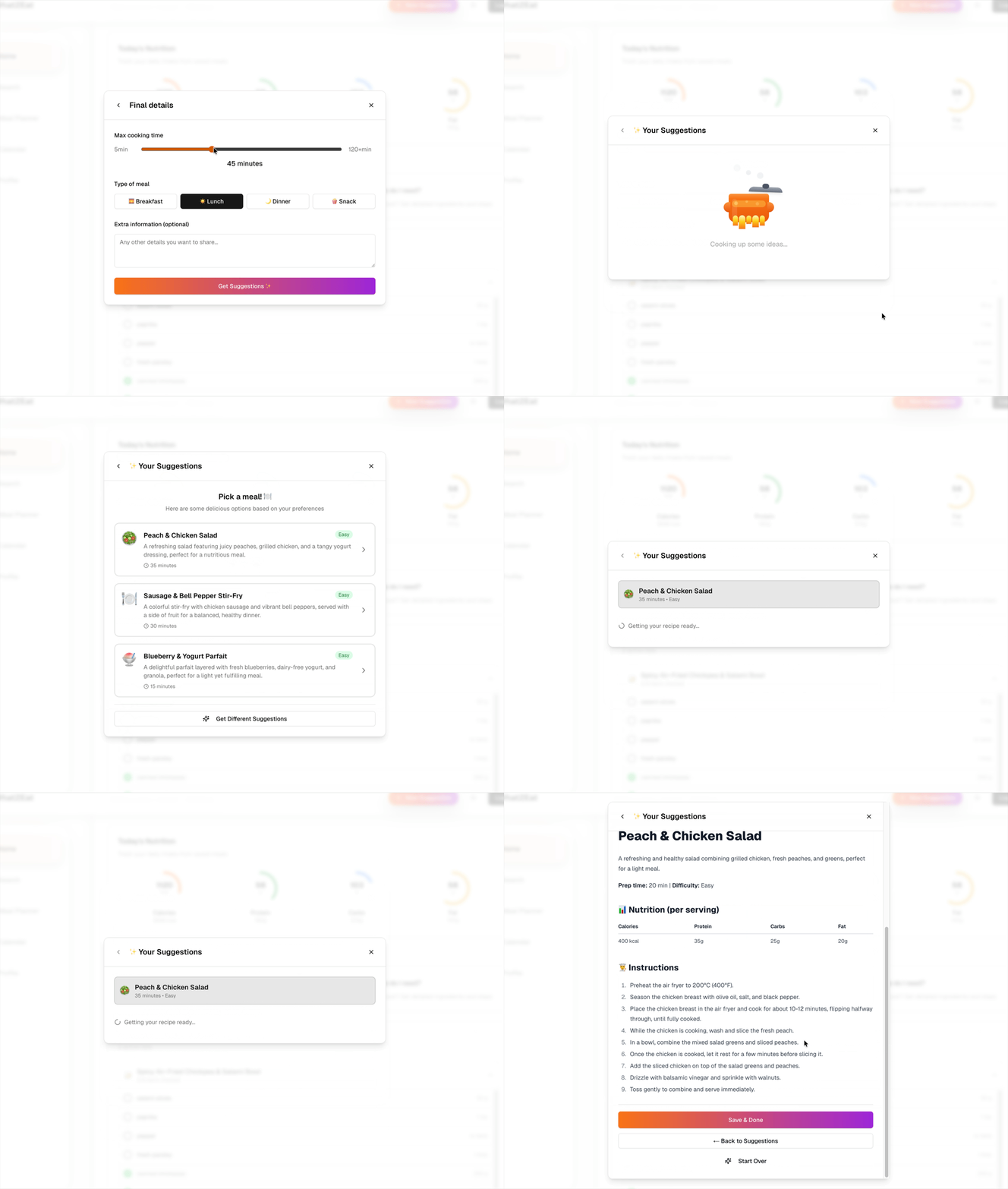
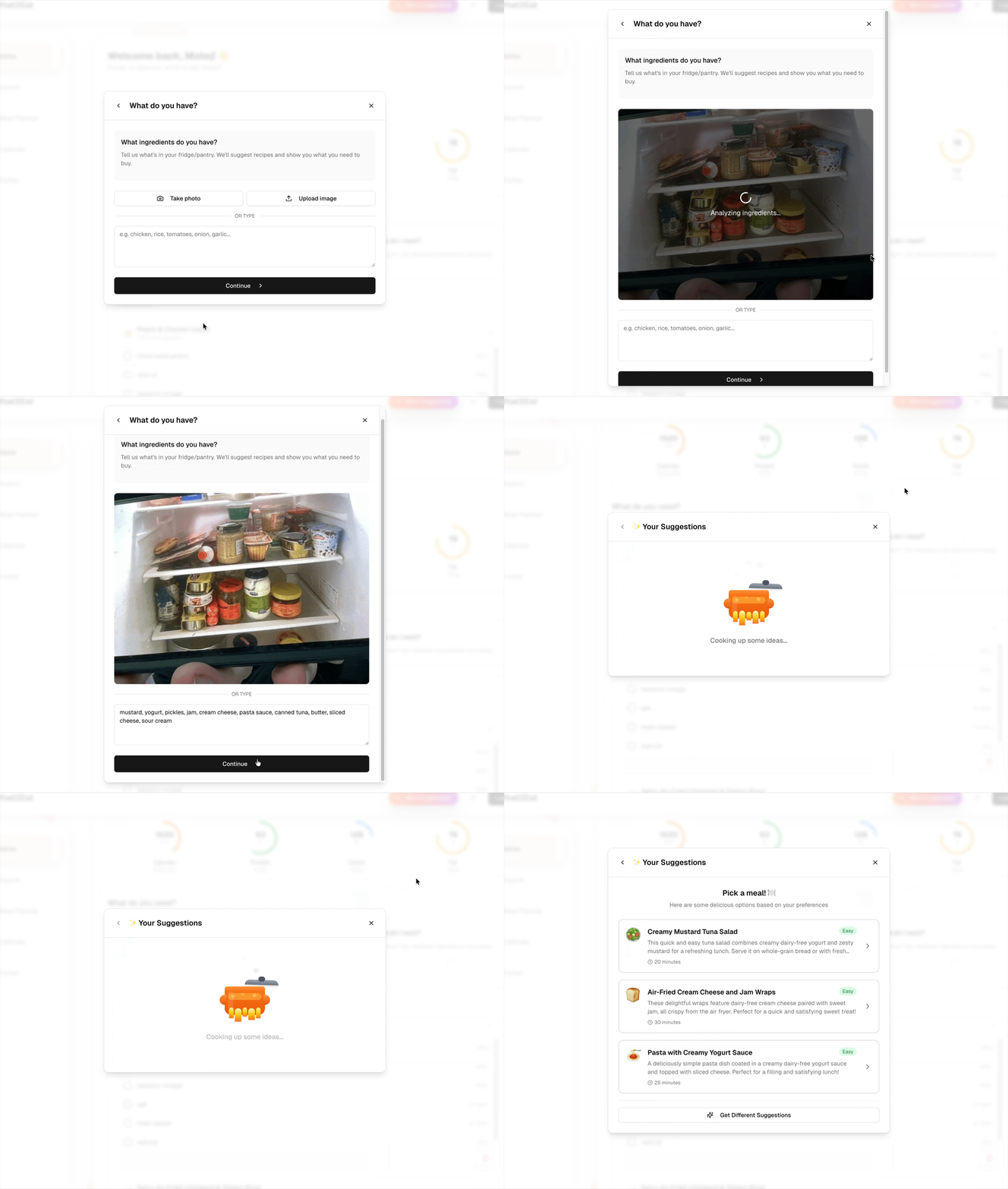
- Smart Meal Suggestions: Don't know what to cook? Tell the app what ingredients you have on hand, and our AI wizard will generate delicious meal ideas for you.
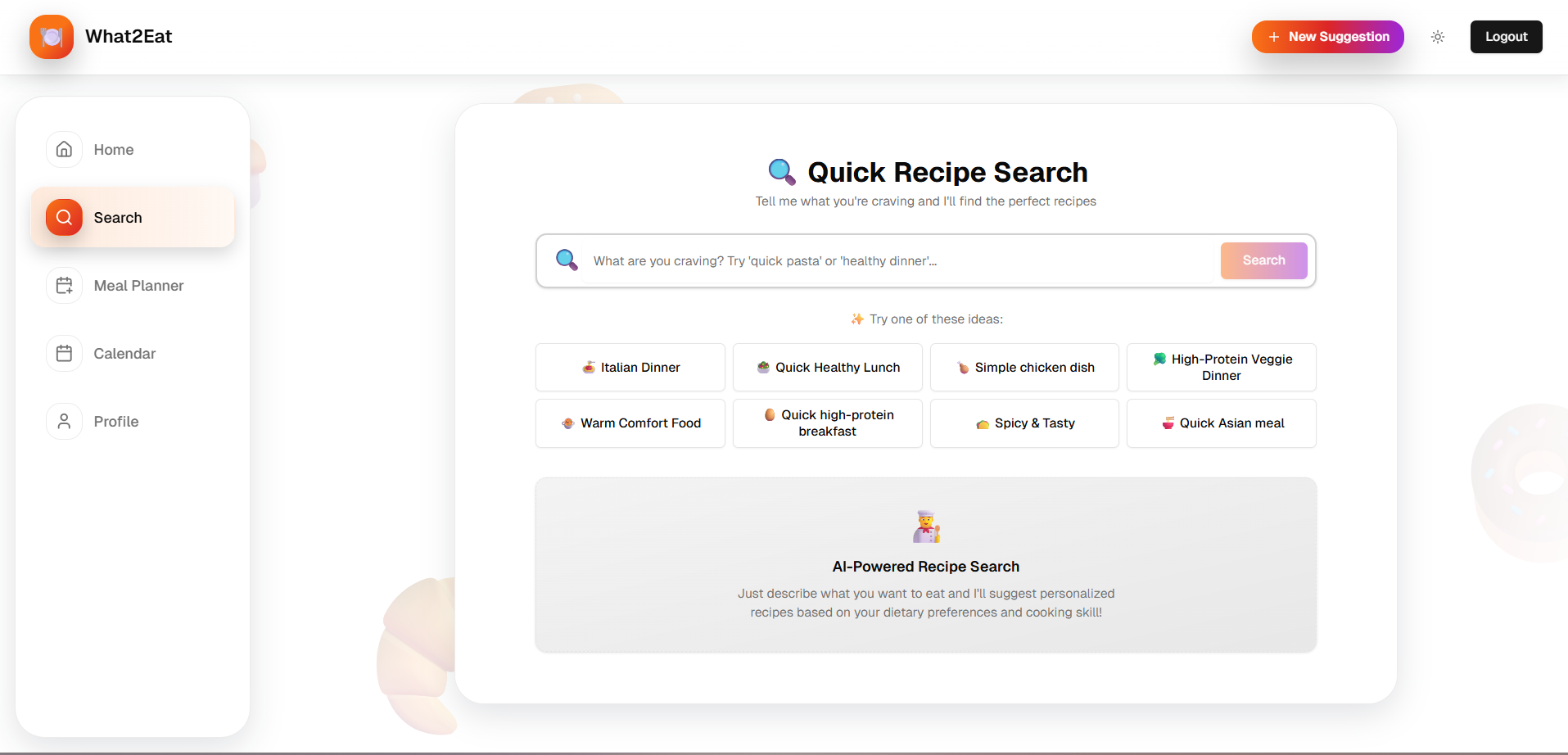
- Instant Recipe Finder: Already know what you want to make? Instantly get a detailed recipe with ingredients and step-by-step instructions.
- Automatic Shopping Lists: Every recipe you choose can automatically generate a shopping list, so you never forget an ingredient at the store again.
Our goal is to help users reduce food waste, achieve their health goals, and bring joy back to cooking.
How we built it
What2Eat is a modern web application built with a focus on a clean user experience and a robust technical foundation.
- Frontend: We used Next.js with React and TypeScript to build a fast, server-rendered, and type-safe application.
- UI/UX: The user interface was crafted using shadcn/ui for its excellent, accessible component library, styled with Tailwind CSS. We designed custom components, like the
CircularProgressSVG element, to create a unique and intuitive data visualization experience. - State Management: Client-side state and interactivity are managed using React Hooks (
useState,useEffect). We implemented a customuseWizardhook to handle the modal flows for our core features, ensuring a smooth user journey. - Backend: A Next.js API route (
/api) serves as the endpoints to fetch dynamic user data, and communicates with the OpenAI API.
Challenges we ran into
One of the biggest challenges was figuring out how AI should work inside the app. There were so many potential directions - meal planning, fridge detection, grocery optimization, macro analysis - and we had to clearly define what problems our assistant should actually solve. This required a lot of brainstorming, prototyping, and refining before we even started coding.
Another major challenge was designing the user interface and overall user experience. Our goal was to make the app feel simple, intuitive, and “grandma-proof,” even though it performs complex AI-driven tasks. Creating a smooth onboarding flow, meal suggestion interactions, and recipe generation UI pushed us to rethink layout, user choices, and how to present AI results in a clear and friendly way.
Accomplishments that we're proud of
We are especially proud of our ingredient detection from fridge photos. Being able to take a picture, run it through AI, and automatically identify what's inside the fridge felt like a huge breakthrough for the user experience. Seeing those detected items appear in the pantry list made the app feel instantly useful and surprisingly smart.
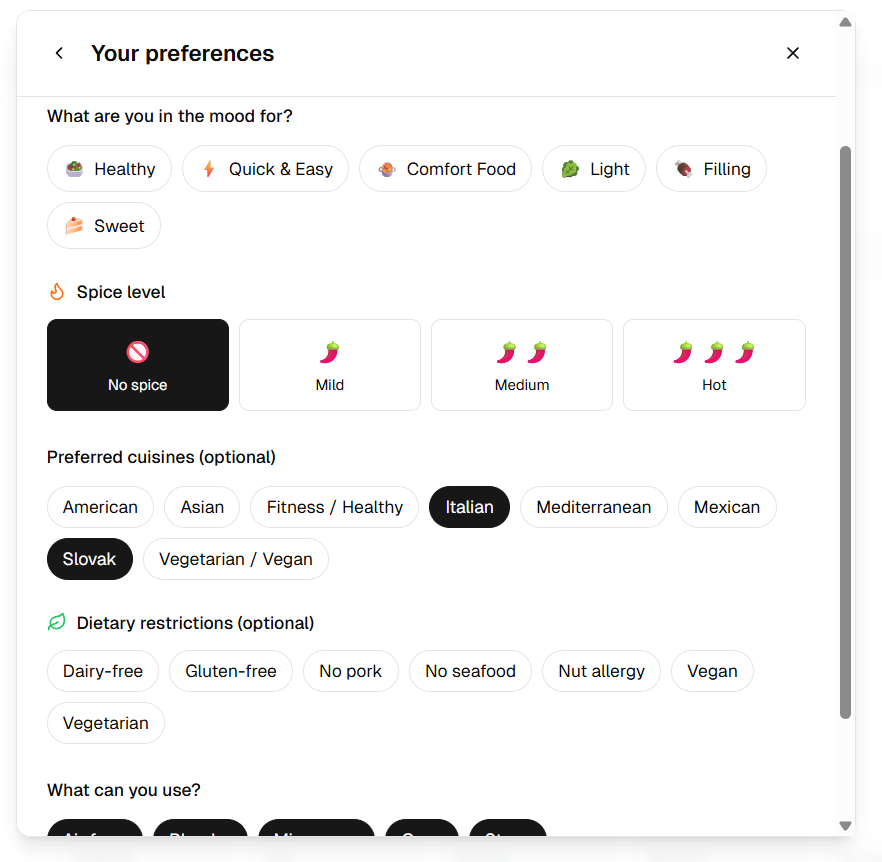
We're also proud of our detailed and thoughtful onboarding process. By collecting the user’s goals, preferences, dietary restrictions, and cooking habits, we were able to tailor AI prompts with high precision. This led to highly personalized and accurate recommendations throughout the app.
Another accomplishment is the quality of the AI-generated meal suggestions and full recipes. With careful prompt engineering and refinement, the AI consistently delivered meals that matched the user’s preferences, available ingredients, and cooking skill level. The accuracy and usefulness of these results exceeded our expectations and really brought the assistant to life.
What we learned
We gained a lot of experience working with modern AI tooling and full-stack technologies. From using the OpenAI SDK for streaming recipe generation, to designing database schemas and exporting typed definitions from Supabase, we learned how to integrate powerful backend services with a clean, responsive frontend. This project also gave us hands-on practice with structured prompt design, AI-driven UX flows, and building a seamless user experience around intelligent features.
What's next for What2Eat
The future for What2Eat is bright! Our roadmap includes:
- Grocery Delivery Integration: Allowing users to send their shopping list directly to services like Instacart.
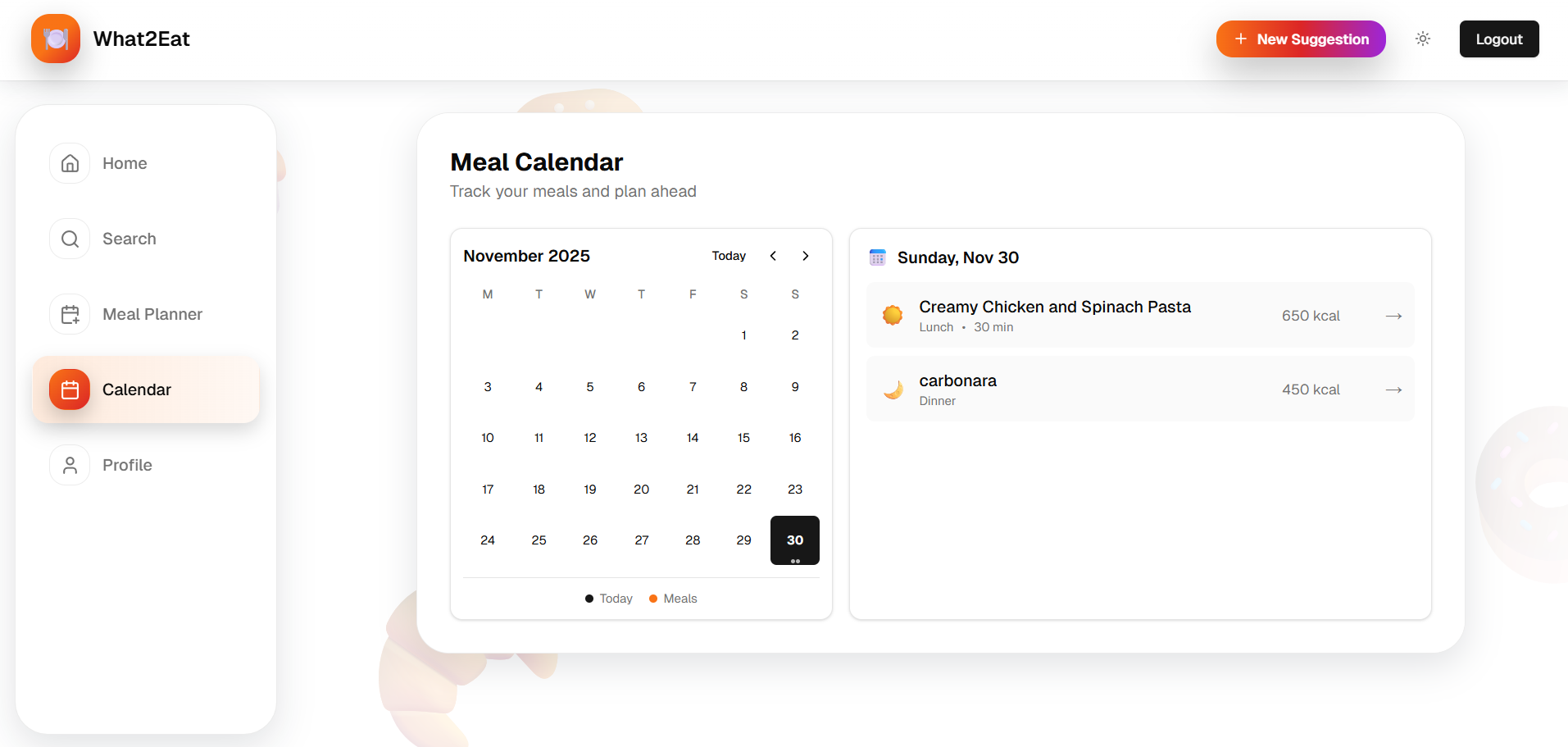
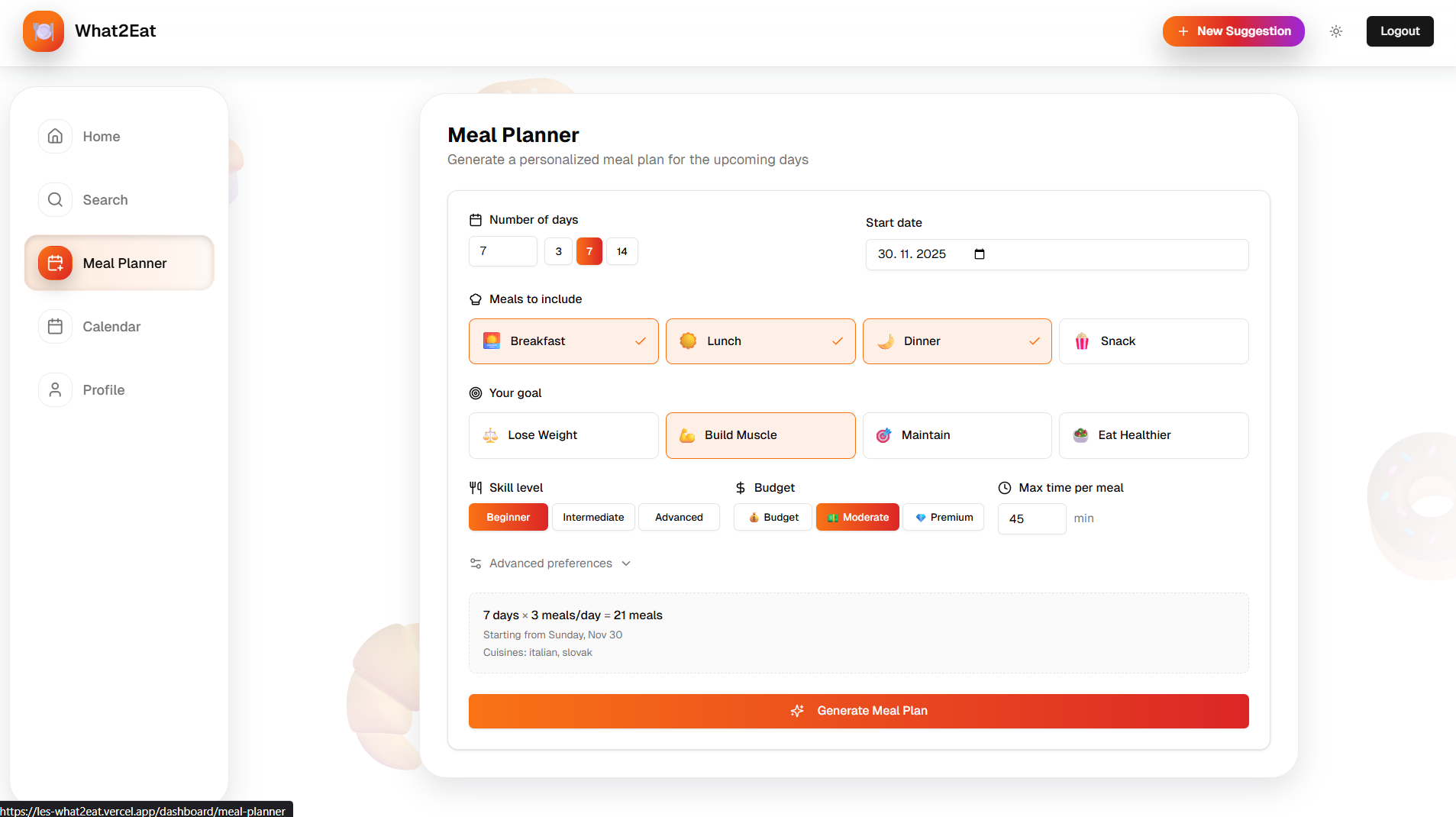
- Automatic Weekly Meal Planning: Generating a full week's worth of meals based on user preferences and goals.
- Dietary Preferences: Adding filters for vegetarian, vegan, gluten-free, and other dietary needs.
- Pantry Tracking: Allowing users to maintain a virtual pantry of their ingredients.
Built With
- Next.js - React Framework
- TypeScript - Programming Language
- Tailwind CSS - CSS Framework
- Supabase - Backend-as-a-service
- AI SDK - AI Toolkit for TypeScript
- Shadcn/ui - Component Library
- React Hook Form - Form Handling
- Zod - TypeScript schema validation
- Vercel - Deployment
Try it out
GitHub Repo
Presentation url
Built With
- ai-sdk
- nextjs
- react-hook-form
- shadcn/ui
- supabase
- tailwindcss
- typescript
- vercel
- zod


Log in or sign up for Devpost to join the conversation.