-
-
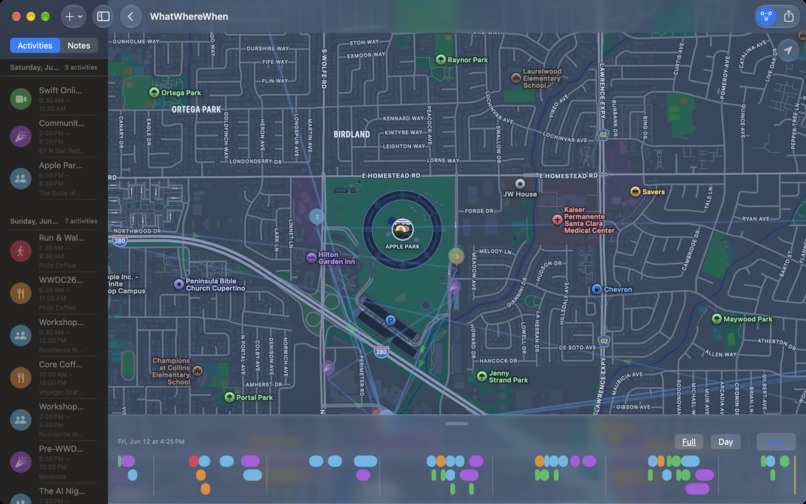
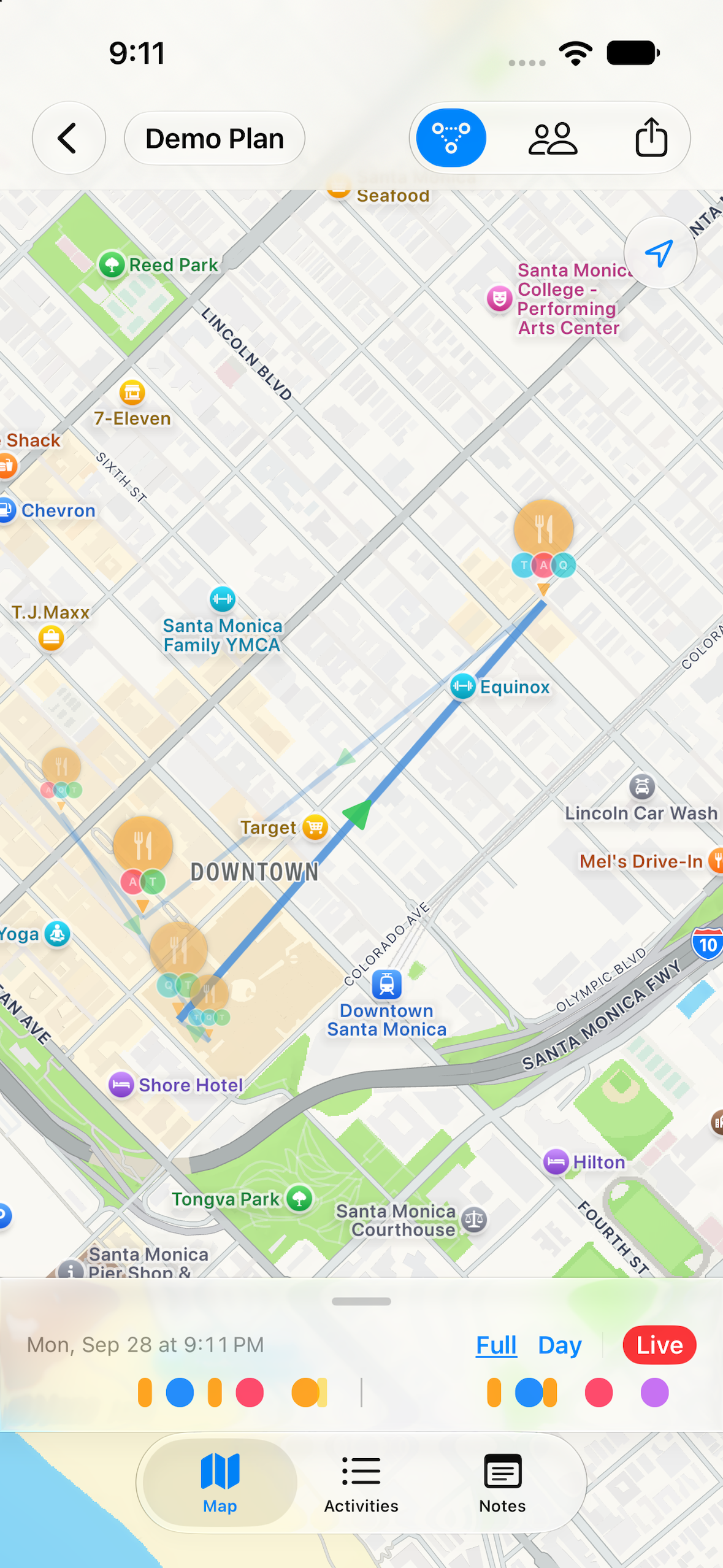
Plan Map View
-
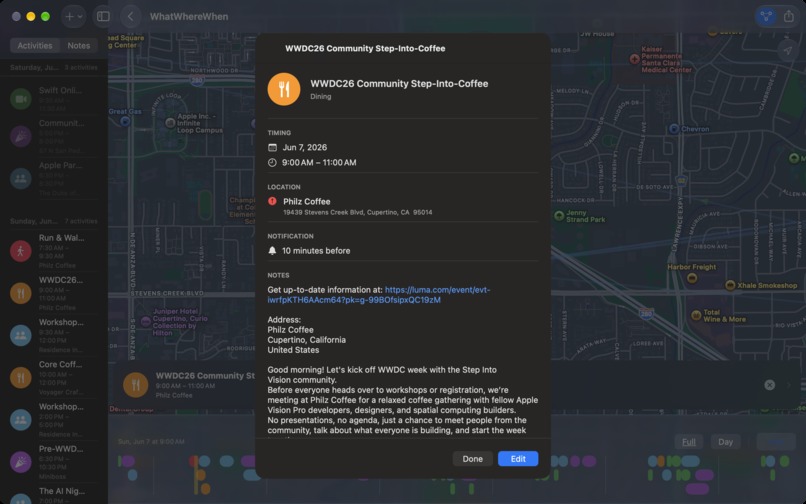
Plan Activity Details
-
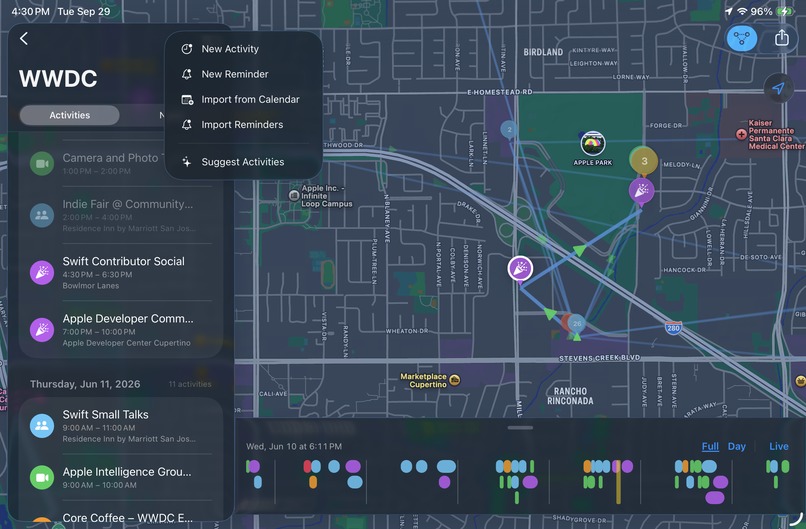
Add to Plan
-
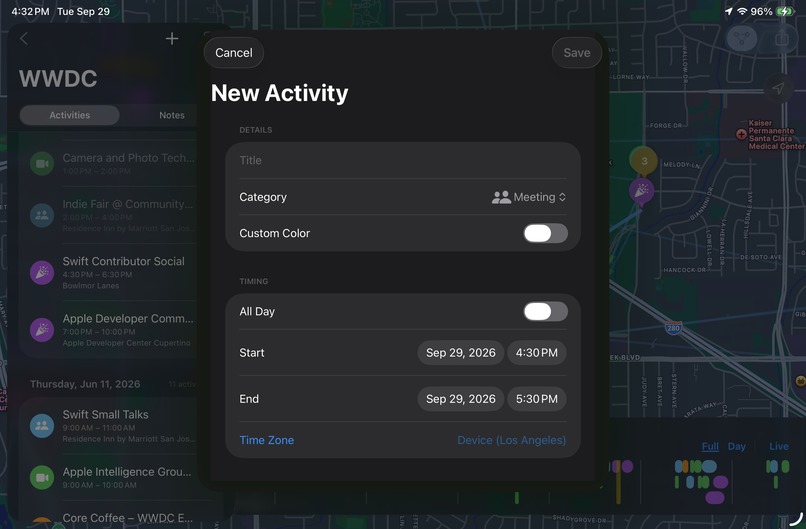
Add Activity to Plan
-
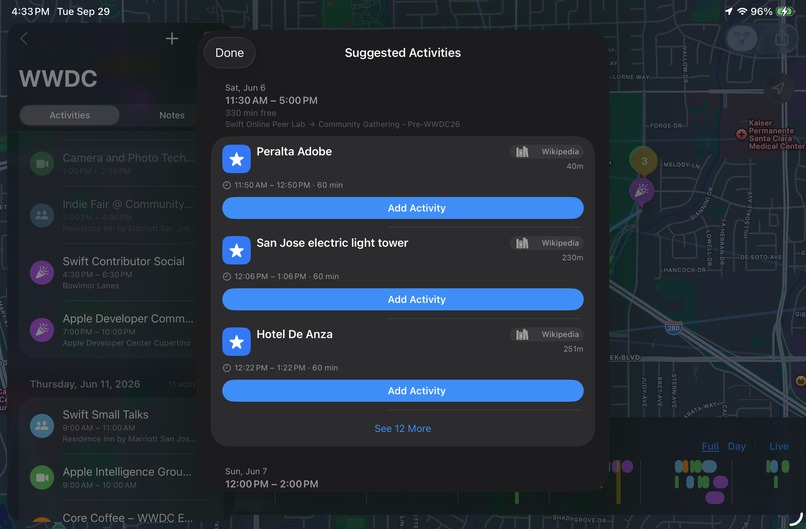
Add AI Suggestion to Plan
-
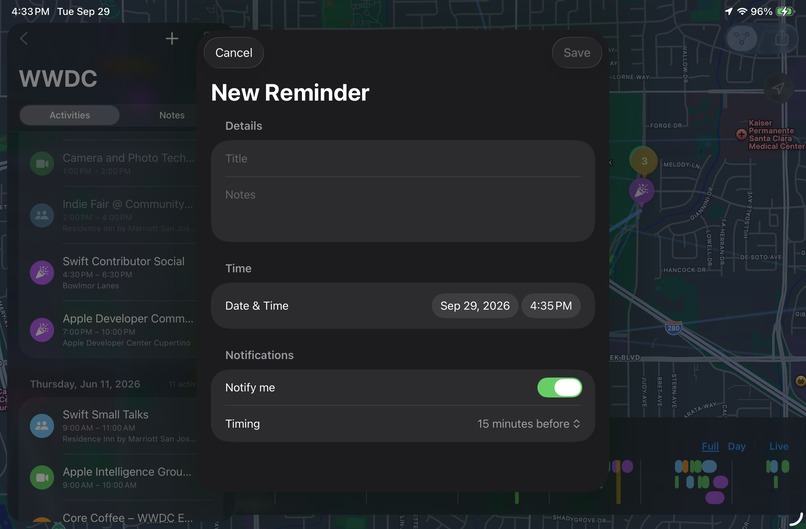
Add Reminder to Plan
-
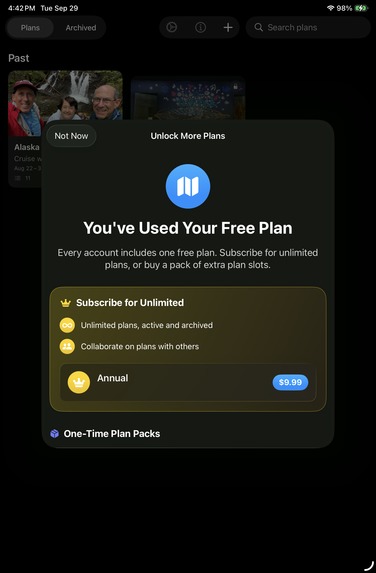
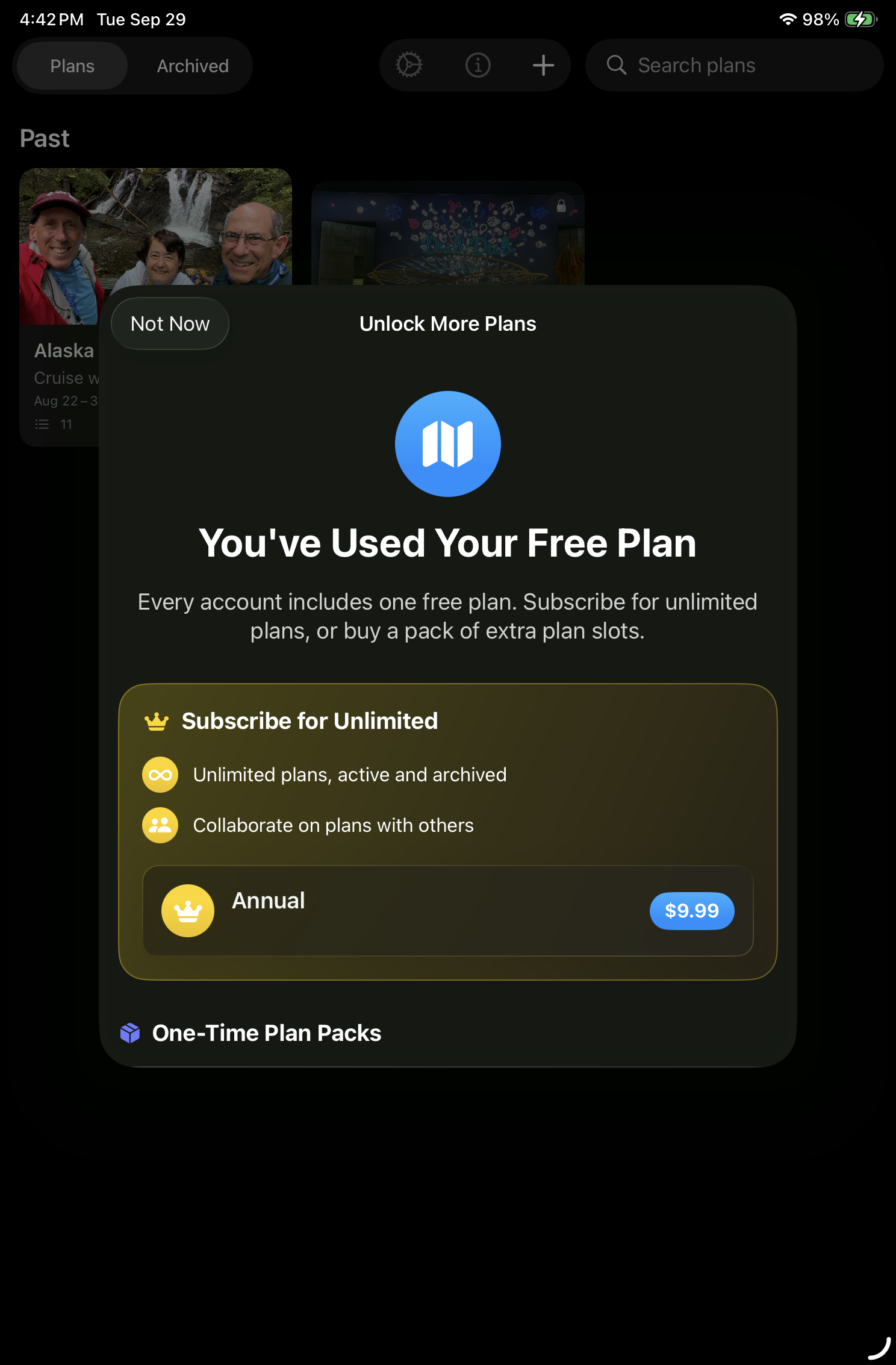
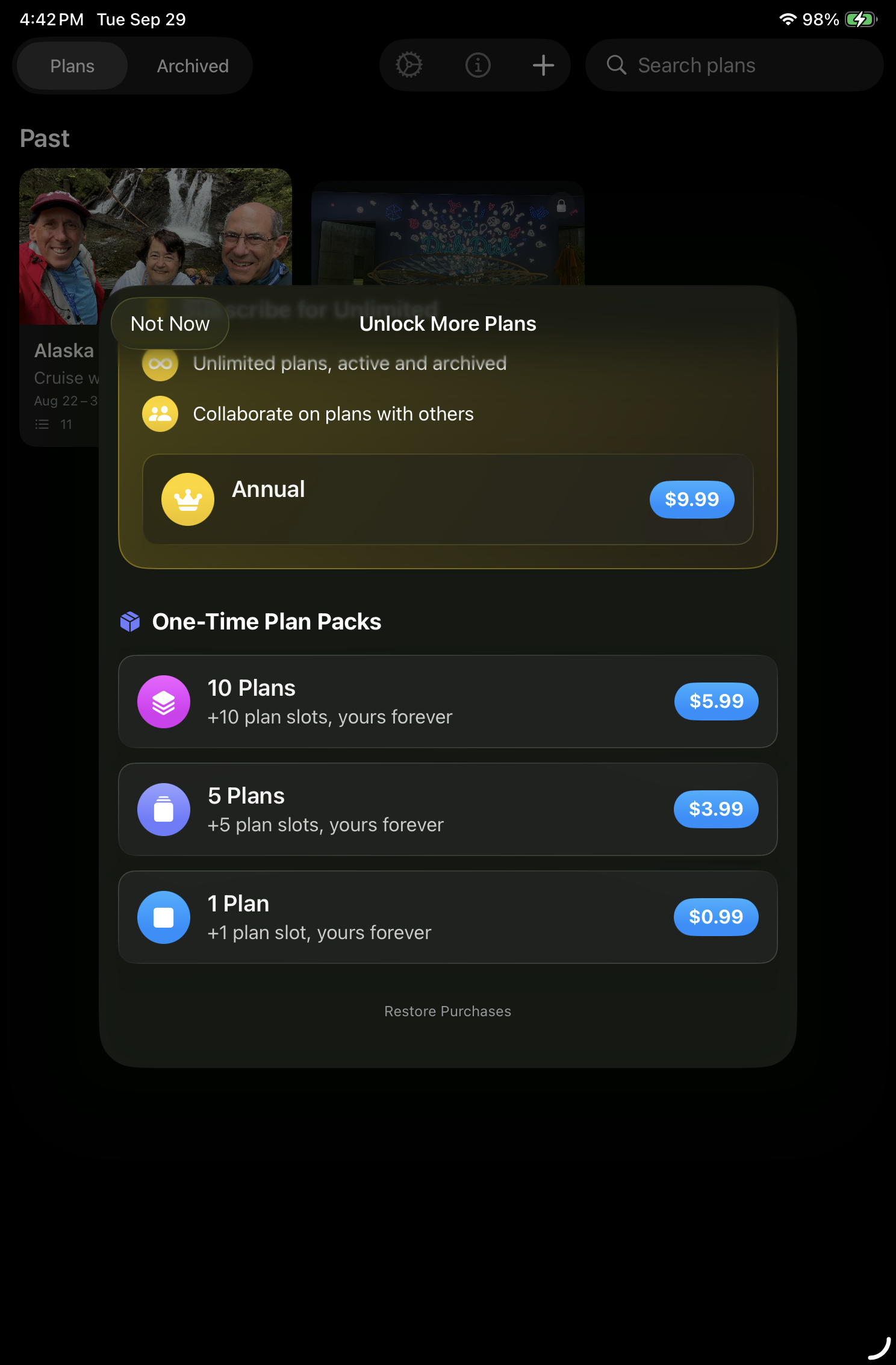
Subscribe for unlimited Plans and collaboration
-
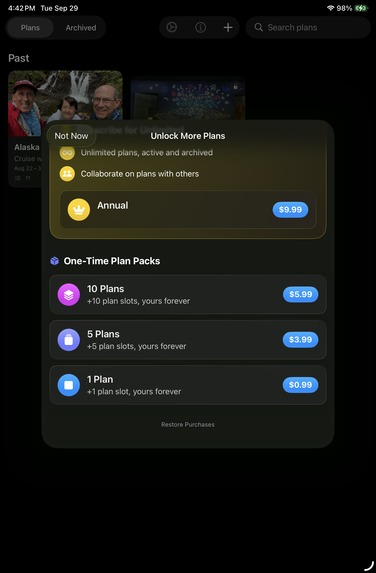
Purchase additional Plans
-
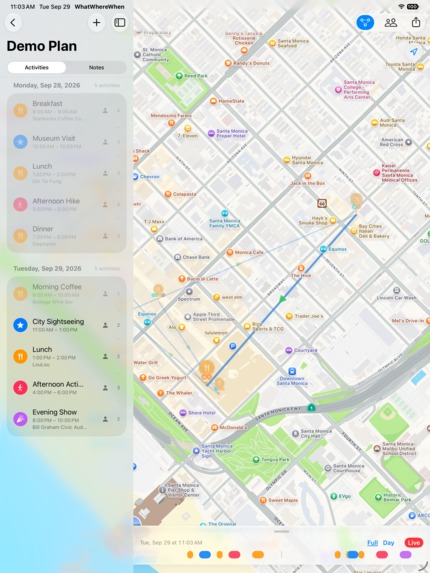
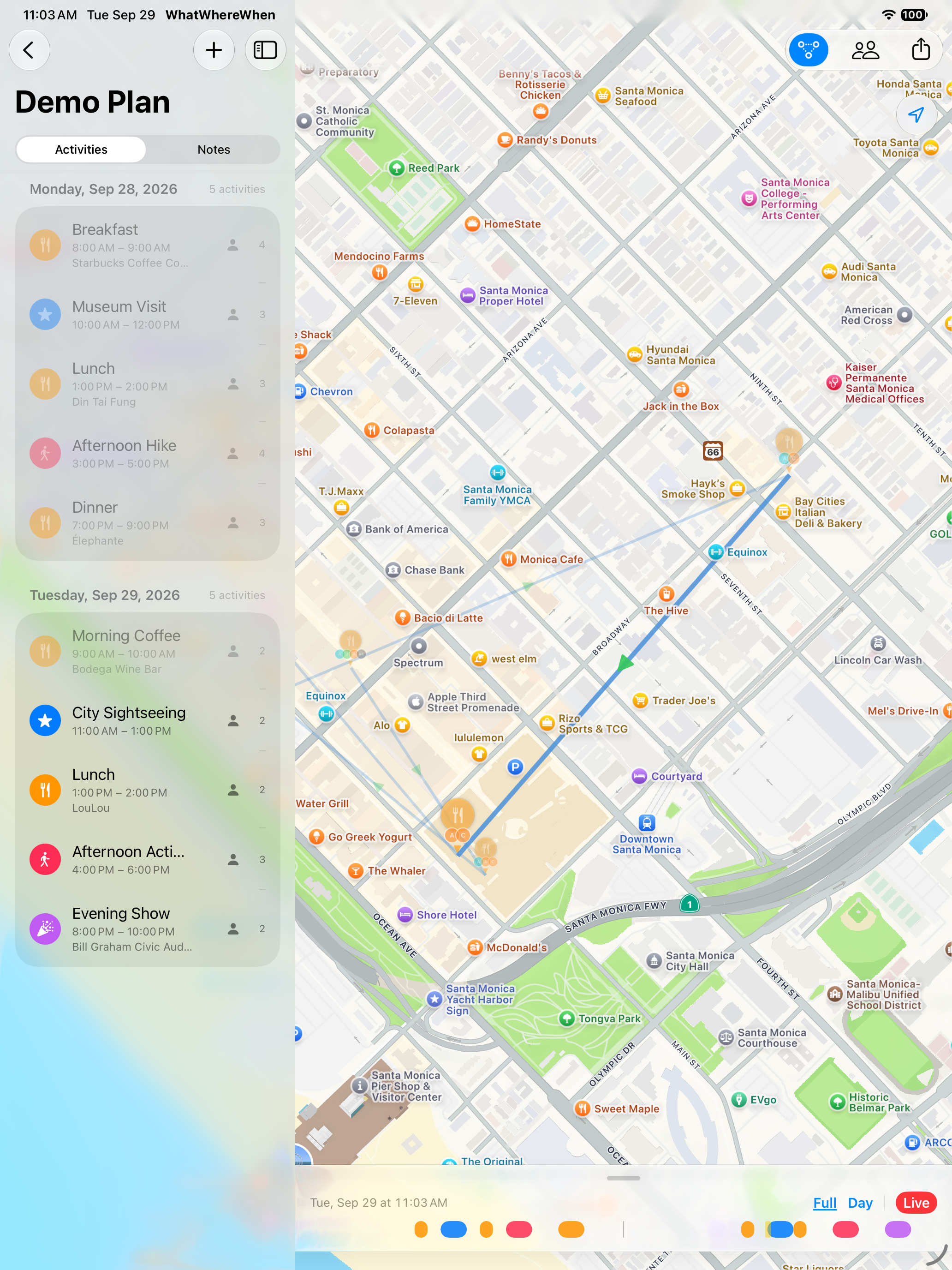
Map view on iPad portrait
-

App Icon
-
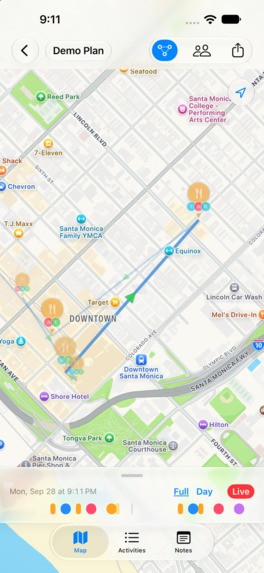
1179 x 1556 Screenshot

Inspiration
Trip planning is scattered across a spreadsheet, a calendar, a Maps app, and a dozen group texts — and none of them show you where you'll be and when at a glance. I wanted a single planning surface built around the two things that actually define a trip: place and time. The map should be the itinerary, not an afterthought bolted onto a list.
What it does
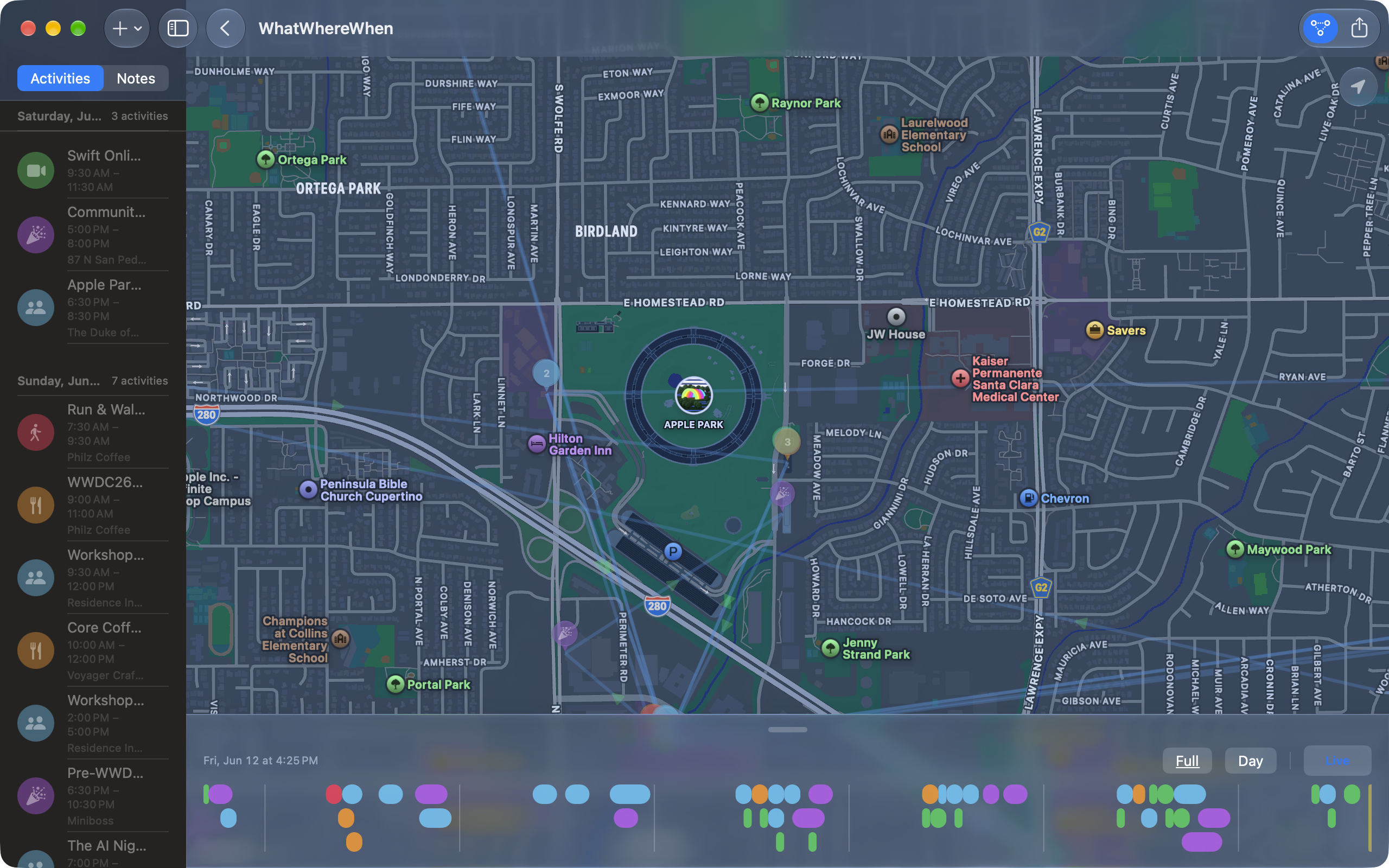
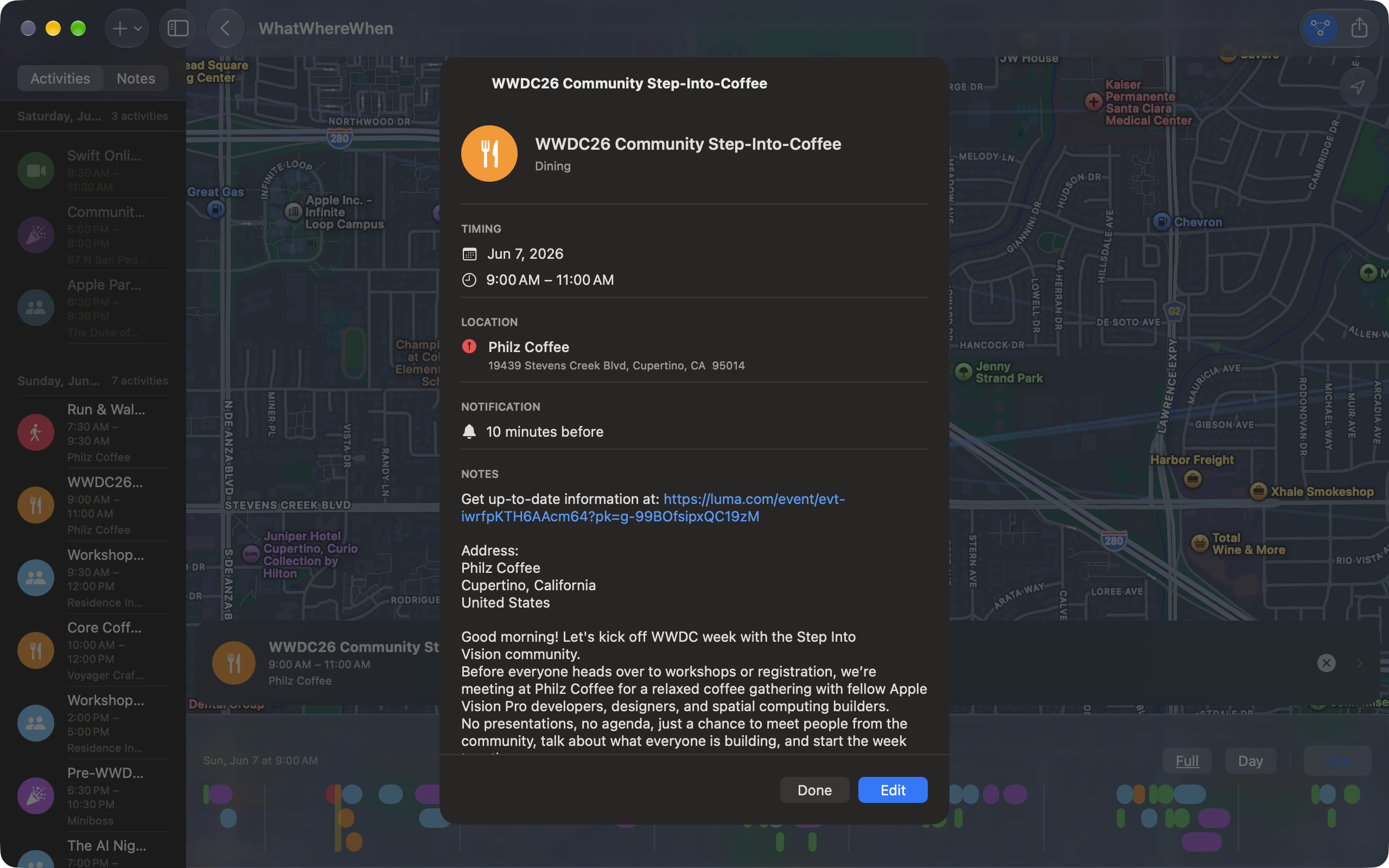
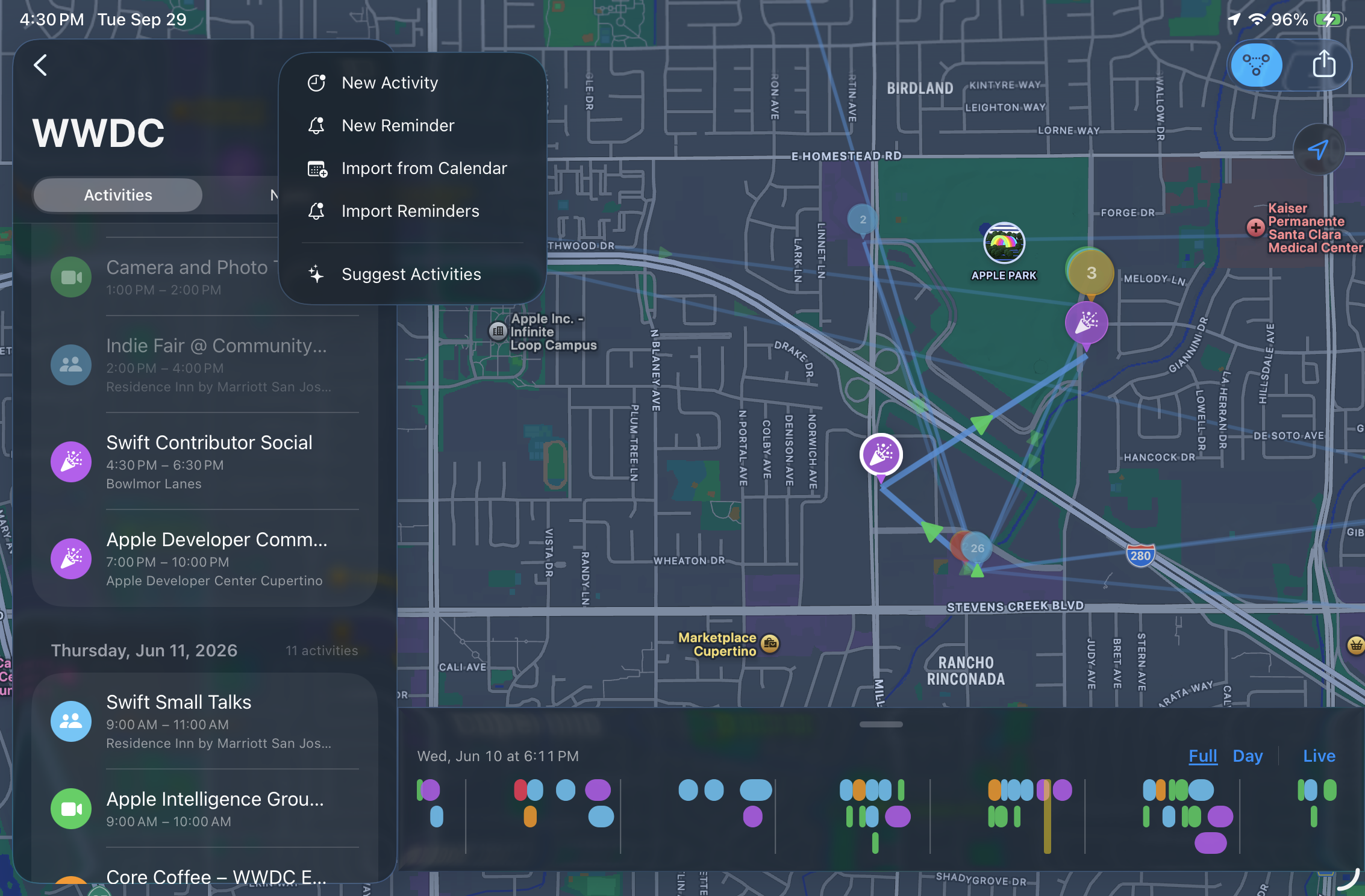
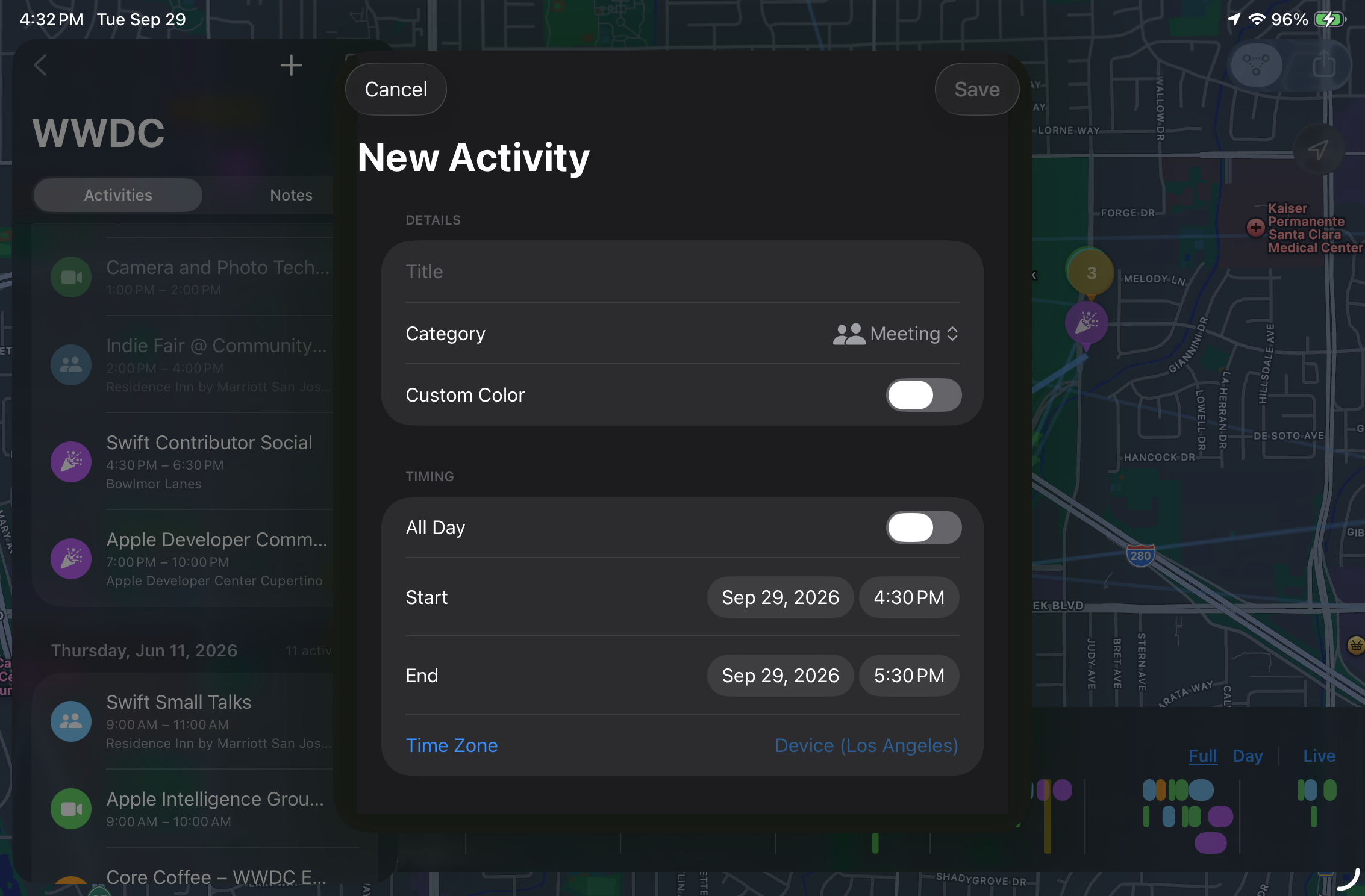
WhatWhereWhen turns a trip or event into a Plan: a title, a date range, a cast of participants, and a list of Activities, each with its own category, time zone, and location. The centerpiece is a map with a time scrubber — drag it and pins scale, fade, and highlight to show exactly what's past, current, or next, connected by a route line with directional arrows.
Beyond that:
- Calendar import — pull events straight from EventKit into a Plan, with automatic category detection (flight → Transport, dinner reservation → Dining) and re-sync if the source event changes.
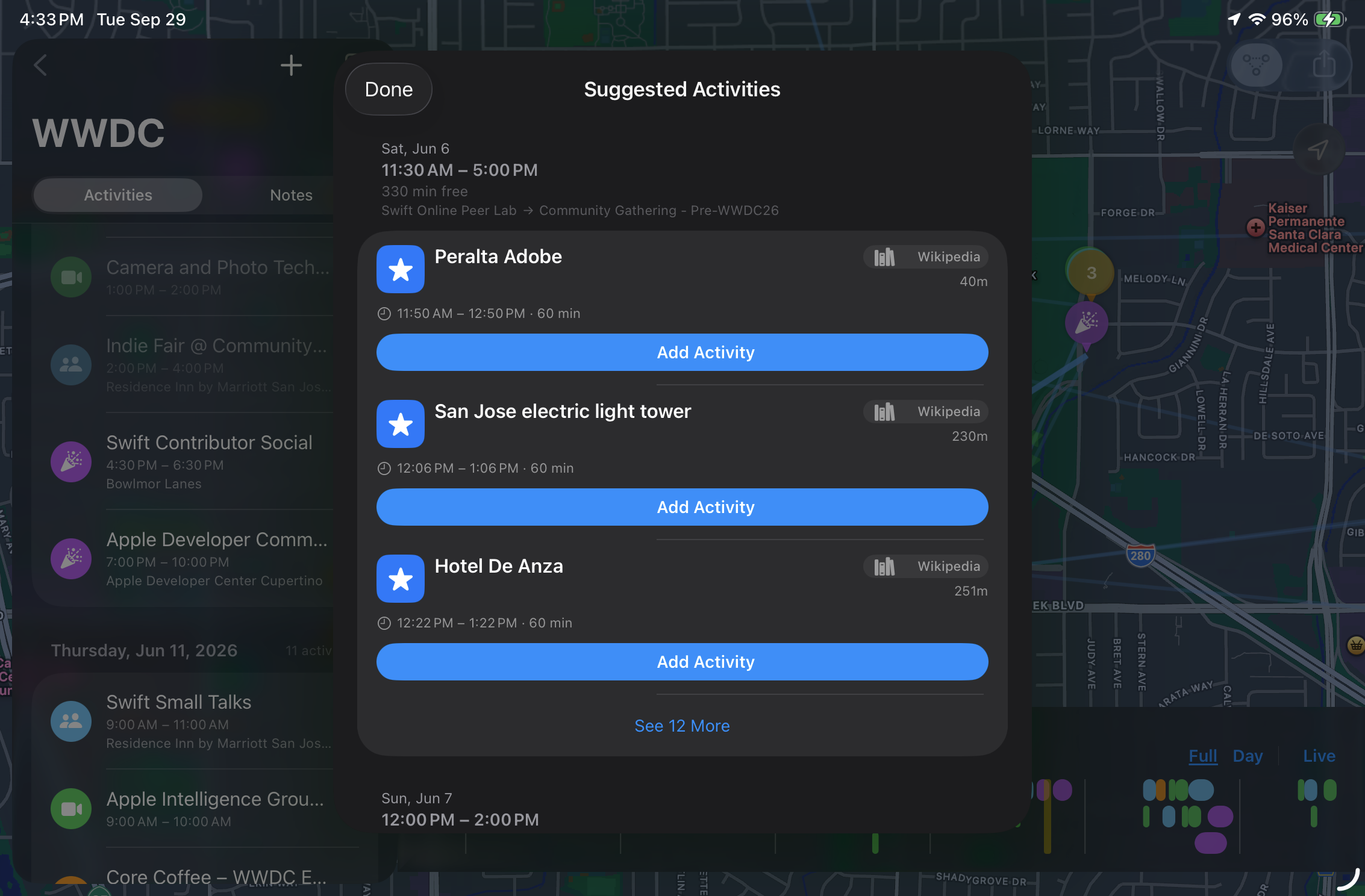
- On-device AI activity suggestions — the app scans a Plan for schedule gaps and, using Apple's on-device Foundation Models together with Apple Maps/Wikipedia/OpenStreetMap lookups, proposes nearby things to do — restaurants, attractions, points of interest — that fit the gap. Nothing is sent to a server.
- Participant-aware filtering — chip filters over the map show just one person's schedule.
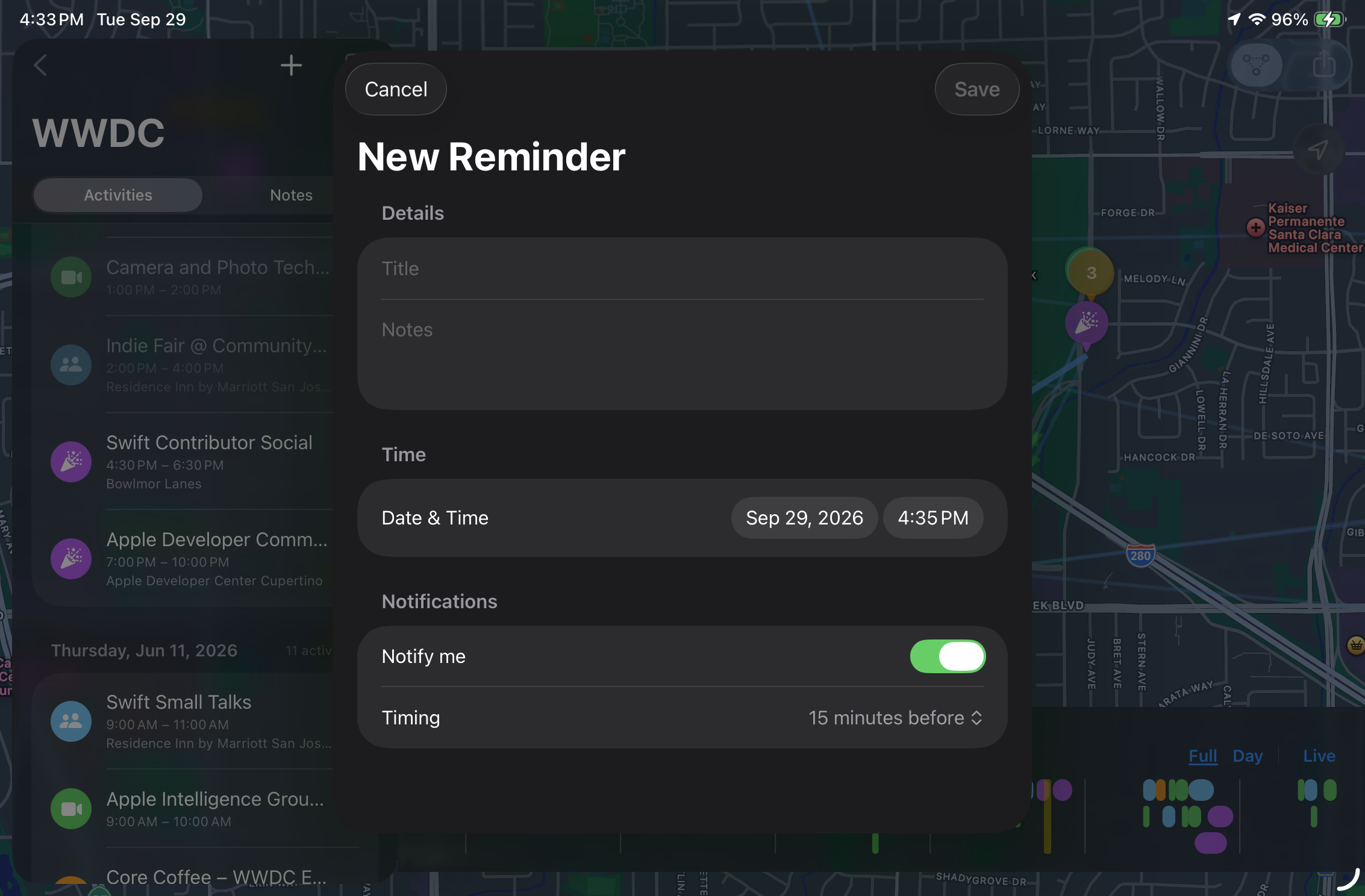
- Reminders tied to each activity, with all-day handling and configurable lead time.
- iCloud sync and sharing — Plans sync across a user's own devices automatically; any Plan can be shared as a free read-only link, or opened up for real-time collaborative editing with a subscription.
- Fully native on iPhone, iPad, and Mac from one SwiftUI codebase, with adaptive layouts (NavigationStack on compact, NavigationSplitView on regular width), VoiceOver labels, Dynamic Type, and Reduce Motion support throughout.
How we built it
- SwiftUI, single multiplatform target for iOS 26 / iPadOS 26 / macOS 26 — no Mac Catalyst.
- SwiftData + CloudKit for persistence and sync, with two
ModelConfigurations: a"Synced"CloudKit-backed store for Plans/Activities/Locations/Participants/Notes, and a local-only"Journals"store, since AI-generated journals are personal and never shared. - MapKit for SwiftUI (
Map,Annotation,MapPolyline) drives the map — route lines are straight-line segments between activities in time order, deliberately skippingMKDirectionsto avoid rate limits and keep the UI predictable. - FoundationModels, Apple's on-device LLM framework, powers AI activity suggestions entirely on-device.
- CloudKit
CKSharehandles Plan sharing with.readOnlyand.readWriteparticipant permissions. - EventKit for read-only calendar import, with dedup by
calendarItemExternalIdentifierand change detection viaEKEventStoreChangedNotification. - RevenueCat, the app's one approved third-party dependency, wraps StoreKit 2 for the free tier (1 active plan), consumable plan-slot packs, and the collaboration subscription.
- Modern Swift concurrency end to end:
async/await,actor,@Observable, and a@ModelActorpattern for background work —PersistentIdentifiercrosses actor boundaries, never@Modelinstances, converting to plain Sendable value types before touching a background actor.
Challenges we ran into
- Keeping SwiftData actor-safe.
@Modelinstances aren'tSendable, so any background work (AI suggestions, future journal generation) had to be restructured around passingPersistentIdentifierand refetching on a@ModelActor, converting to plain value types (likePlanContext) as early as possible. - Proximity-aware map state, not just binary past/future — pins needed continuous scale and opacity interpolation as the scrubber approaches or leaves an activity's time window, without retriggering full map layout on every drag frame (solved with a shared
@ObservableScrubberViewModelinjected via environment instead of prop-drilling a@Binding<Date>). - CloudKit's constraints: every synced
@Modelproperty has to be optional or defaulted, no#Uniqueconstraints — which pushed real validation logic into the app layer instead of the schema. - Grounding AI suggestions in reality — combining on-device language generation with live Apple Maps/Wikipedia/OpenStreetMap lookups so suggestions are real, nearby places rather than plausible-sounding hallucinations.
Accomplishments that we're proud of
- A time scrubber that actually feels alive — snapping to activity boundaries, dimming the past, and animating the future into focus.
- AI-assisted planning that runs entirely on-device, with no server round-trip and no user data leaving the device.
- One SwiftUI codebase, adaptive across iPhone, iPad, and Mac, with accessibility (VoiceOver, Dynamic Type, Reduce Motion) built in from the start rather than retrofitted.
- A sharing and monetization model where sharing itself stays free — the paywall only ever gates how many plans you can hold, not who you can invite.
What we learned
- SwiftData is not tied to SwiftUI views — only
@Queryis. PlainModelContext/FetchDescriptorand@ModelActorwork fine off the main actor, which made the async AI-suggestion flow much cleaner than expected. - Designing the free/paid boundary around a clear, single rule (slot-based plan limits, sharing always free) made both the UI and the RevenueCat integration dramatically simpler than a feature-by-feature paywall would have been.
What's next
- AI journal generation — synthesizing a completed Plan's activities, notes, and camera-roll photos into a narrative using the same on-device Foundation Models approach.
- Bidirectional real-time collaboration for subscribers, with append-only notes and conflict resolution.
- Widgets, Siri/App Intents shortcuts, and a watchOS companion.


Log in or sign up for Devpost to join the conversation.