-
-
Conceptualisation of WHATTHESCRAP
Inspiration
Makerspaces around Singapore often have dedicated recycling points for users to drop off excess material leftover from their projects. This allows other fellow makers to pick up usable material to offset their own project costs.
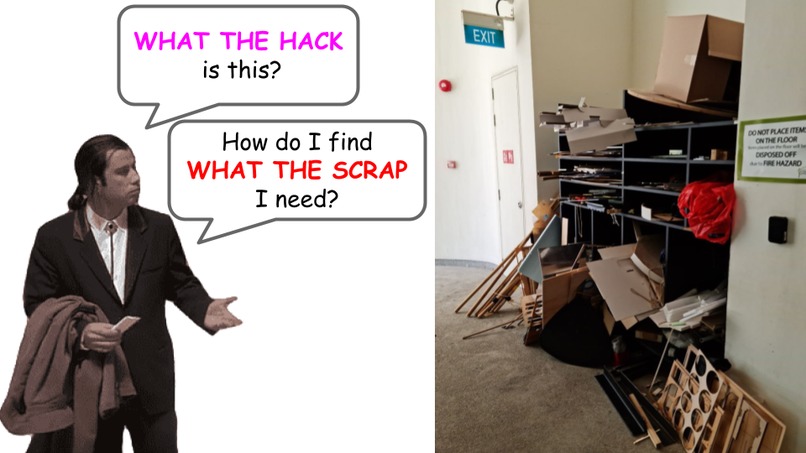
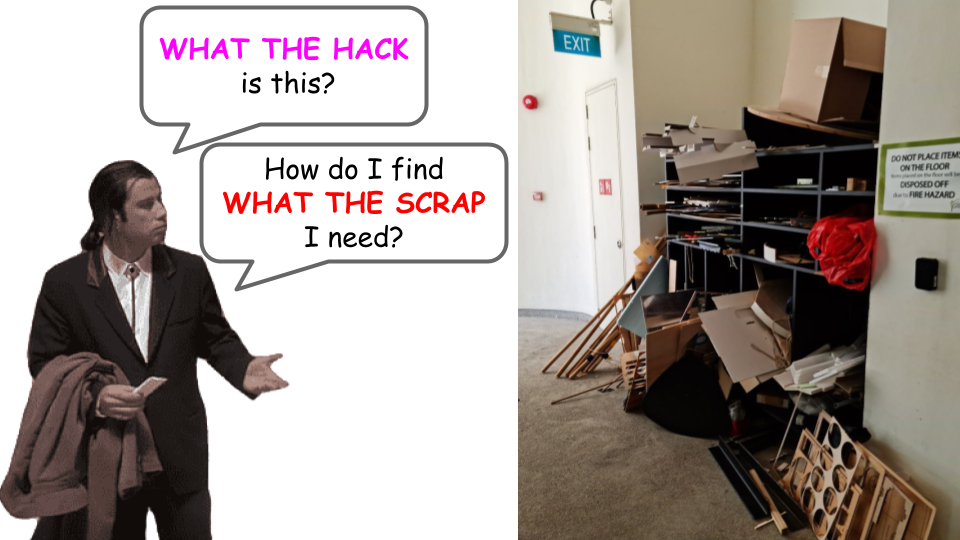
At SUTD’s FabLab (makerspace), we have a recycling point of our own. However, our team noticed that the area tends to be disorganised and results in makers often leaving, not being able to find any usable material because of the mess. This turns the good intentions of the maker community into a pile of trash that few bother to dig through.
Thus, our team decided to tackle this issue and improve the process of donating and identifying useful material through digital cataloging, allowing users to know what the scraps available are.
What it does
Our solution is a community driven web platform that catalogs and organises leftover materials, streamlining the upcycling process for donors to conveniently donate excess materials and recipients to easily identify useful materials by searching through the database.
The current system is a “dump and go” system, leading to a huge pile up of potentially usable material. Makers looking for useful scraps would have to spend time digging through the pile, hoping to strike gold and find something useful.
What The Scrap consists of 3 main components that complement existing recycling points :
- A camera + screen module for material identification
- Database to store data of currently available material
- Web application for users to virtually browse through the recycling point
User Experience Map:
Part 1 (Leftovers):
Student A finishes project and has lots of remaining materials, heads to the regular FabLab recycling point.
Part 2 (Material identification and organisation):
Student A registers the material with the imaging system of the WHAT THE SCRAP user interface at FabLab recycling point, images identifies material type and dimension, Student A checks that the output is correct and confirms it. WHAT THE SCRAP tells him where to put it. Student A puts it in shelf F:9 and leaves.
Part 3 (Database):
Once the material is successfully registered, the properties are uploaded onto the WHAT THE SCRAP database, which can be browsed via webapp.
Part 4 (Needing scrap material):
Student B is doing his project and has miscalculated his materials. He urgently needs a bit more cardboard to complete his prototype, but he is reluctant to go out to purchase more material when all he needs is a tiny piece. If only there was a way to get usable scrap materials.
Part 5 (Webapp/material browsing):
He uses WHAT THE SCRAP, which potentially saves his project (and wallet). He visits the WHAT THE SCRAP web application and searches for what materials there are at the FabLab recycling point. What student B requires is cardboard material of 20cm x 50cm dimensions. On the web app, he saw a cardboard piece of 30cm x 80cm dimension that student A has recycled and it satisfies his requirements. Student B heads to FabLab to collect the material
Part 6 (Collection):
Upon reaching the location, Student B heads to the WHAT THE SCRAP user interface there. He specifies the material he wants and confirms the request. The interface then tells him which shelf it is in, namely F:9. Student B is a happy man and heads back to do his project.
Part 7 (Database):
On the web application, the data of the material that student B took is removed from the database
How we built it
Our team utilised the opencv and tensorflow libraries from python to build a detection system for the material that the user would like to donate. The opencv library helps to determine the dimensions of the material to be donated, after which we run the image of the material through a EffNetV2-XL(21k) model which suggests to the user what it thinks the material is. This allows the user to skip the process of manually inputting details about the donated material.
Challenges we ran into
As our team started working on the hackathon on the day itself, we had to rush against time to ideate and come up with a feasible solution that we believed we could produce within the time limit with our skill sets and yet pick new skills in the process.
We ran into many versioning problems for our code packages and had to dig into multiple code documentations to better understand the functions and code as it was our first time using many of these libraries. An apt example would be tensorflow as it had many dependencies such as cuDNN and CUDA.
Our team also intended to build a web application with React to manage our database as well as user interface so that it would be a more complete product. However, with the time constraint and complexity due to our inexperience, we were unable to produce a functioning prototype for that.
Accomplishments that we're proud of
We were able to build, train and have a working machine learning model predict images that we input with good accuracy. We also had lots of fun learning and working with each other.
What we learned
We manage to pick up skills in machine learning such as transfer learning, data exploratory analysis and preprocessing as well as knowledge on image classification models.
What's next for What The Scrap
We see ourselves implementing our project at our school's FabLab, making our school a better place by design. Perhaps we can continue this project with the support of the school and continue to improve it (:
We hope to develop the front end of the application with React similar to the ecommerce platforms that many of us are familiar with. The web application would be able to interface with a database and display all available materials at the recycling point. We can also improve the materials identification model with better data such that it will be able to categorise a wider range of materials in varying conditions.


Log in or sign up for Devpost to join the conversation.