What If Something Happens? – Alexa Emergency Assistant
Inspiration
My inspiration came from hearing news about people losing their lives in unexpected emergencies. It made me think about the questions families might ask afterward: What if I had known what to do? What if I could have helped sooner?
Emergencies can be frightening and confusing, especially when someone struggles to communicate or does not know where to find understandable guidance.
I wanted to explore how technology could make emergency preparedness more accessible to everyone, including people with disabilities, children, older adults, parents, and caregivers. Everyone deserves access to clear, understandable information that can help them prepare for unexpected situations.
What it does
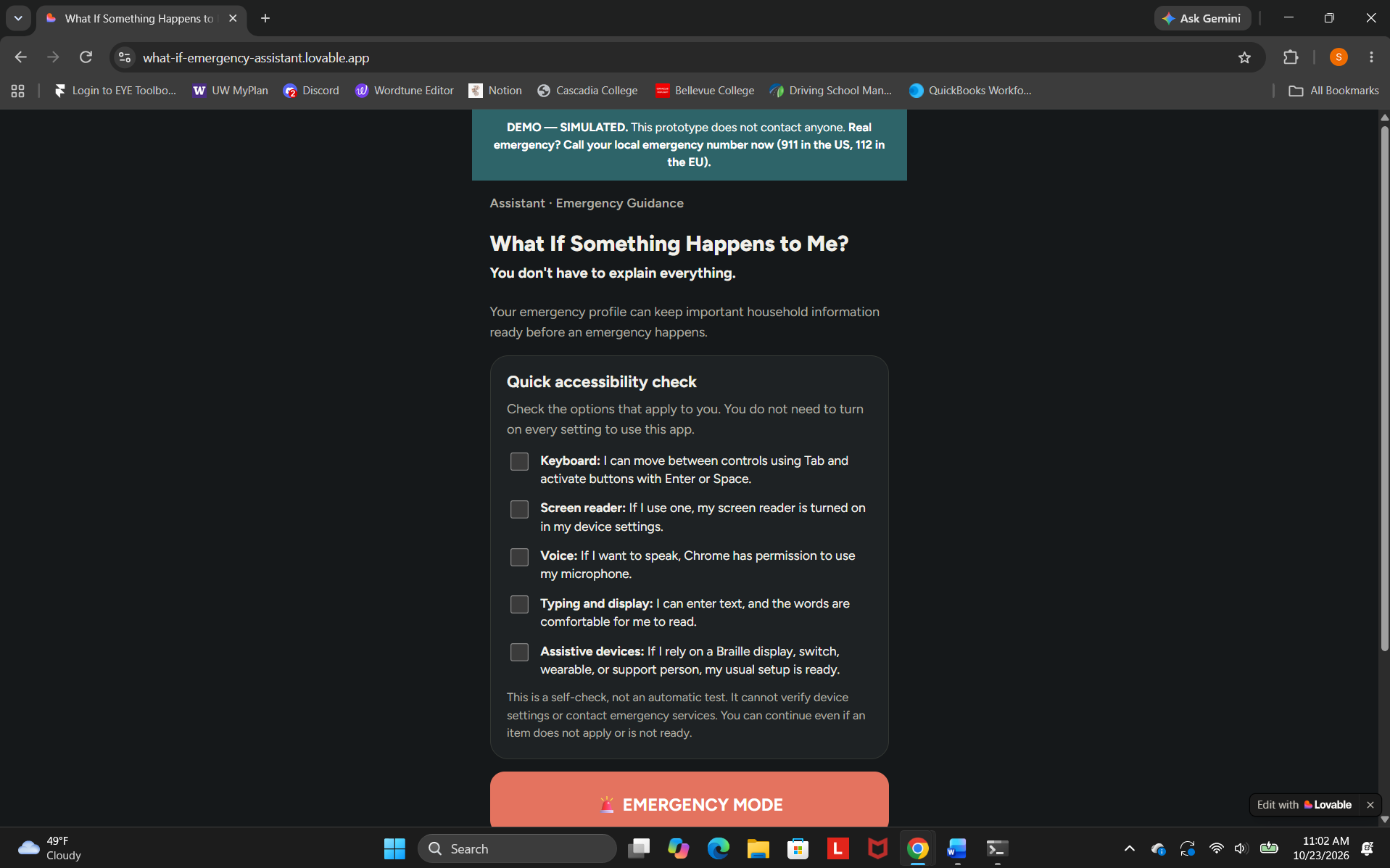
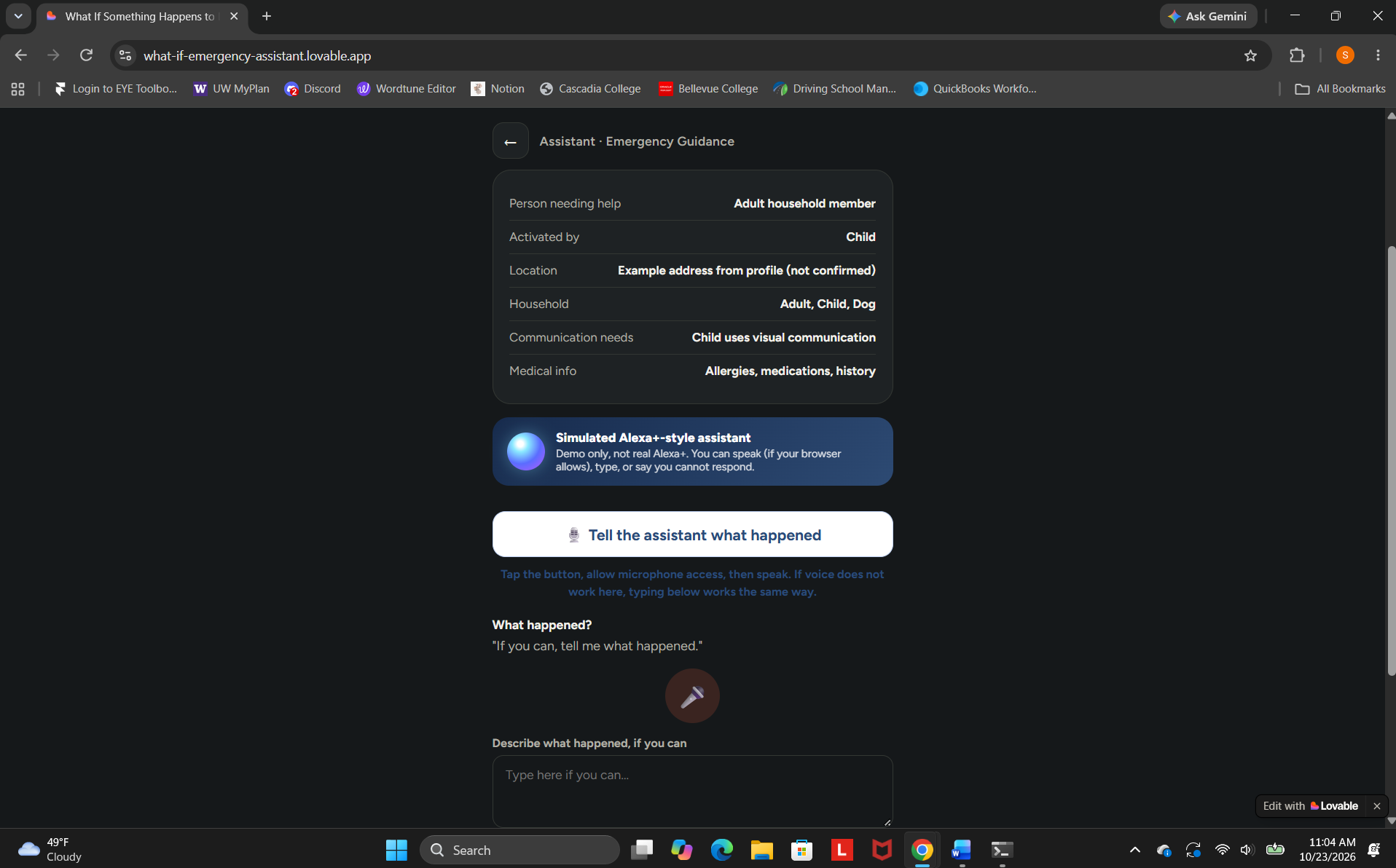
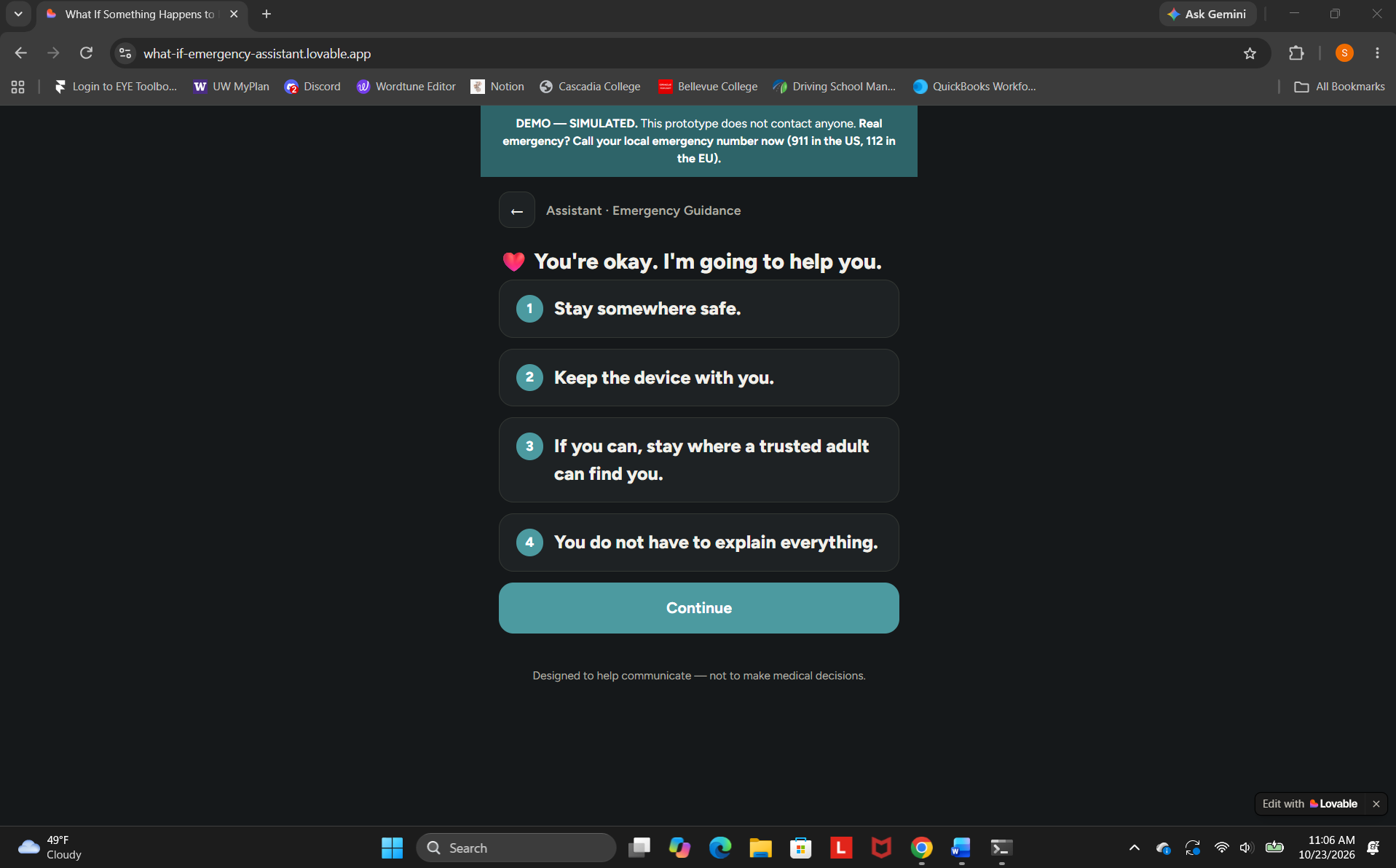
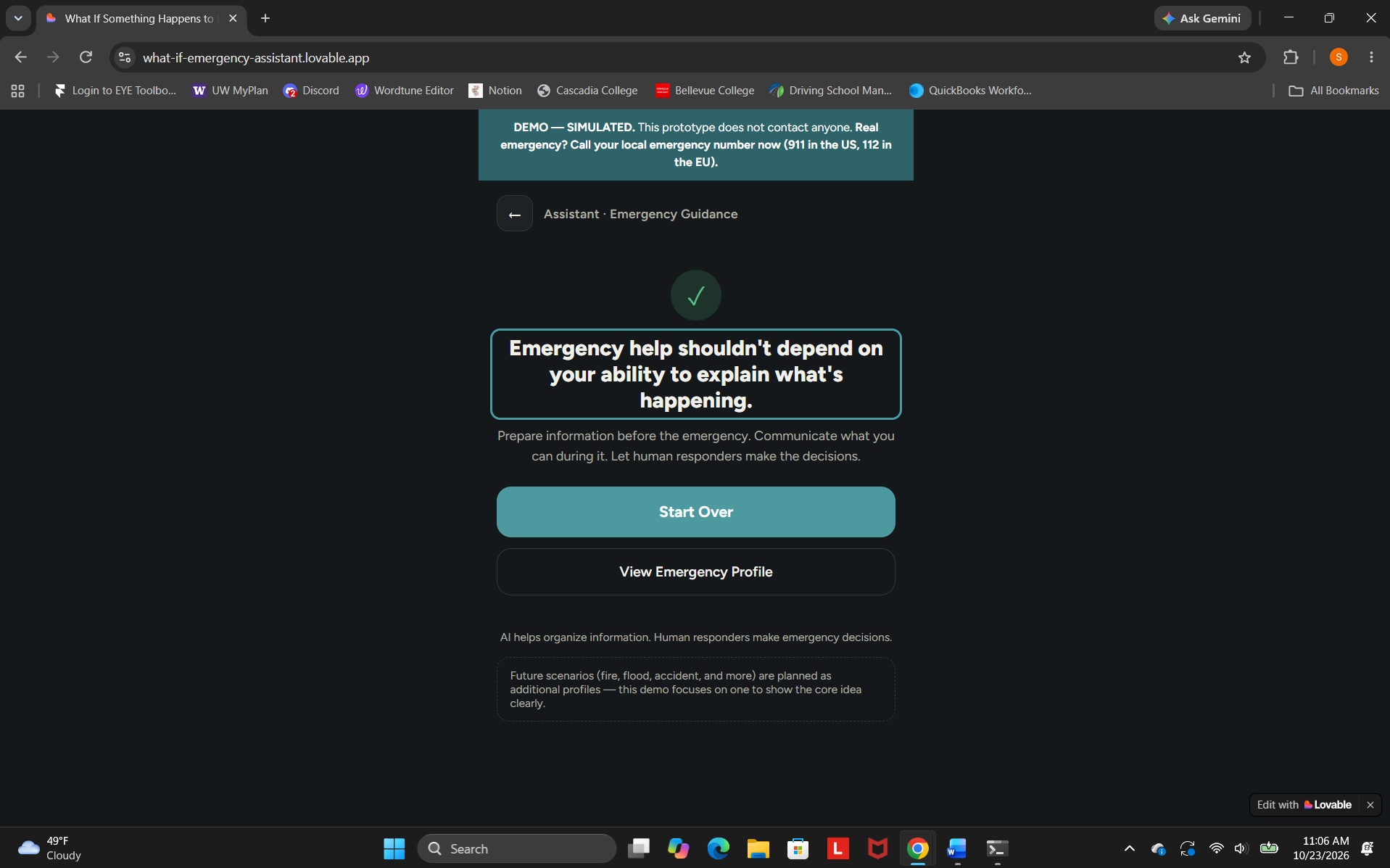
What If Something Happens? – Alexa Emergency Assistant is an emergency preparedness project focused on accessibility and inclusive design.
The project currently includes two separate prototypes:
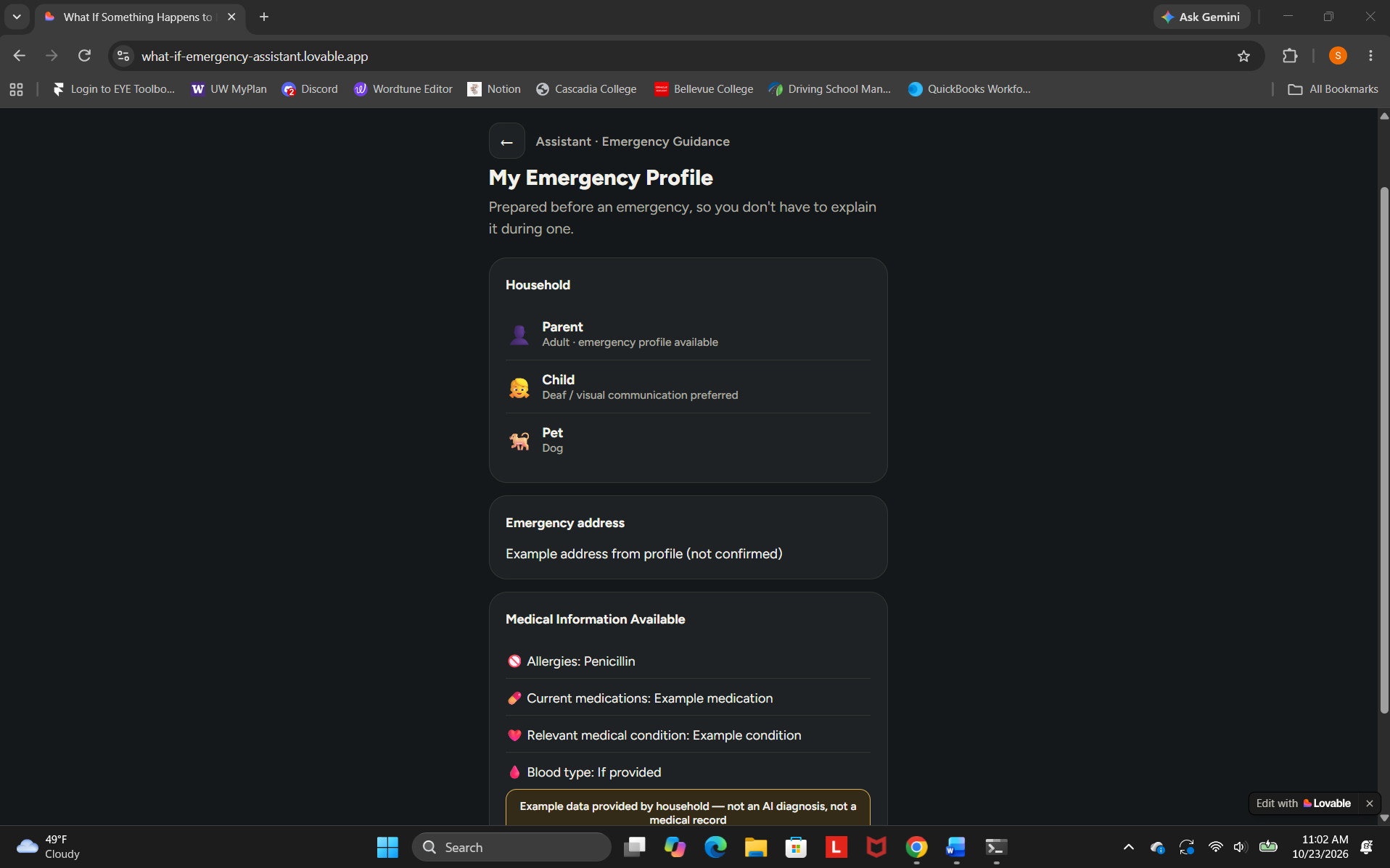
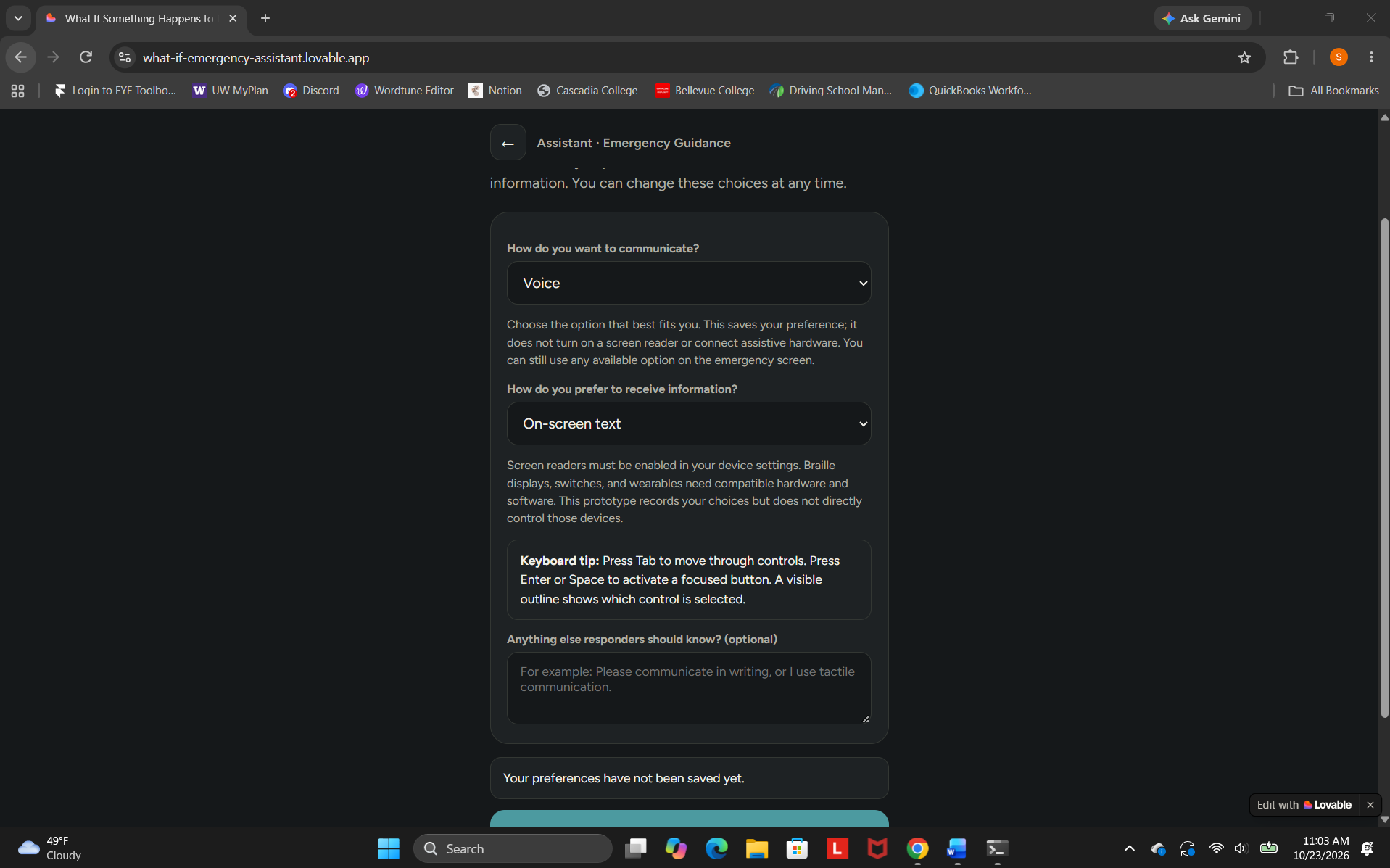
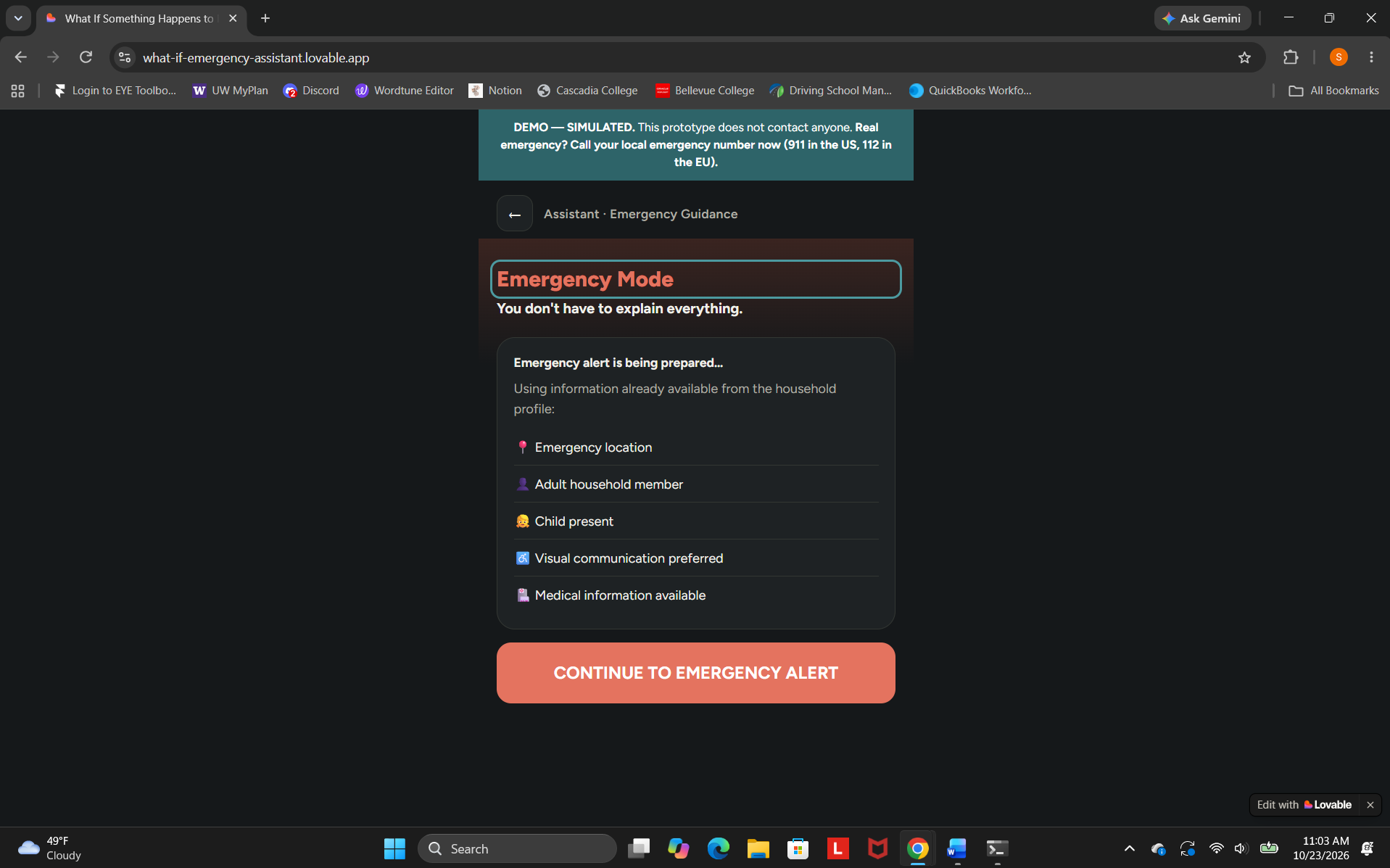
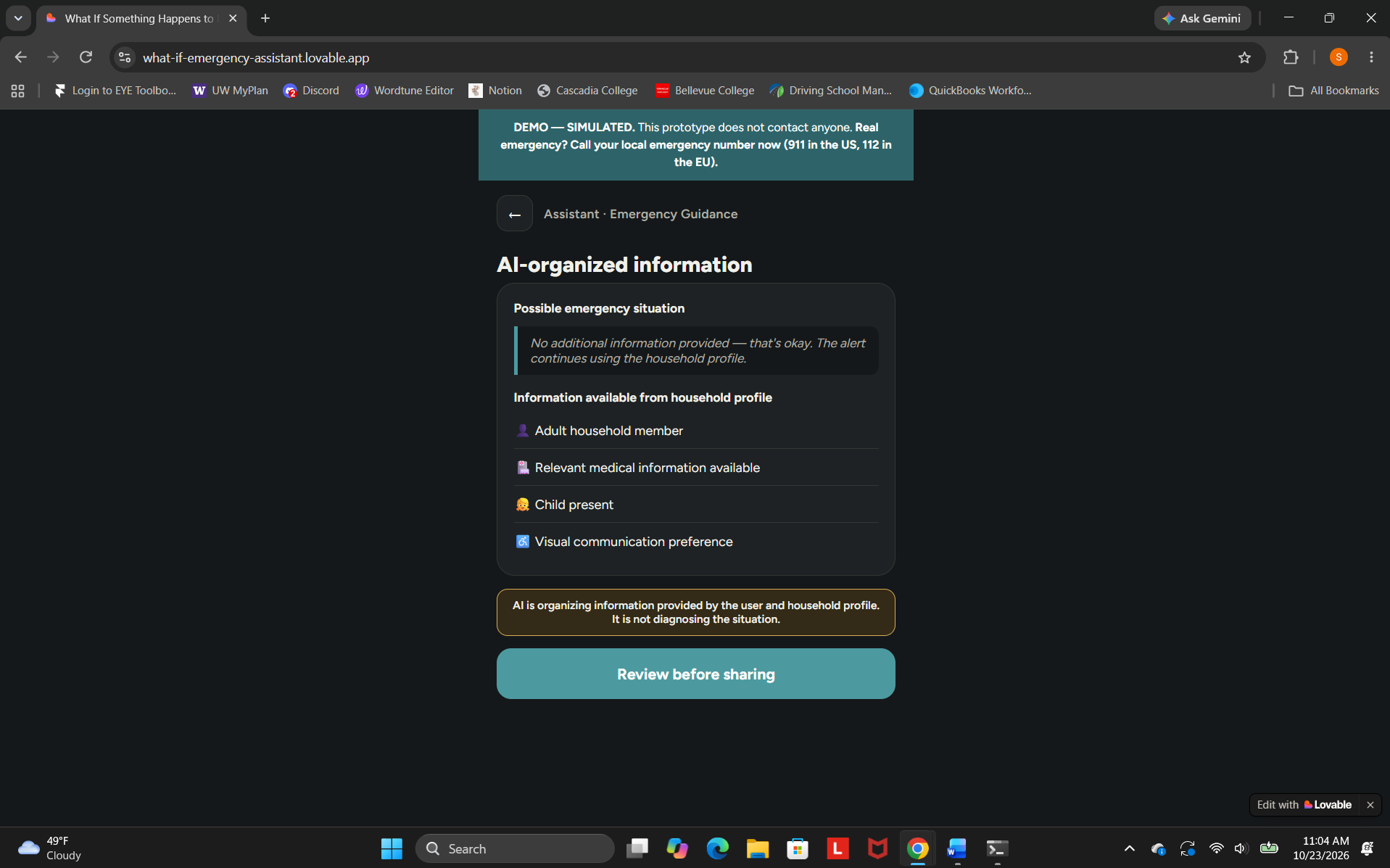
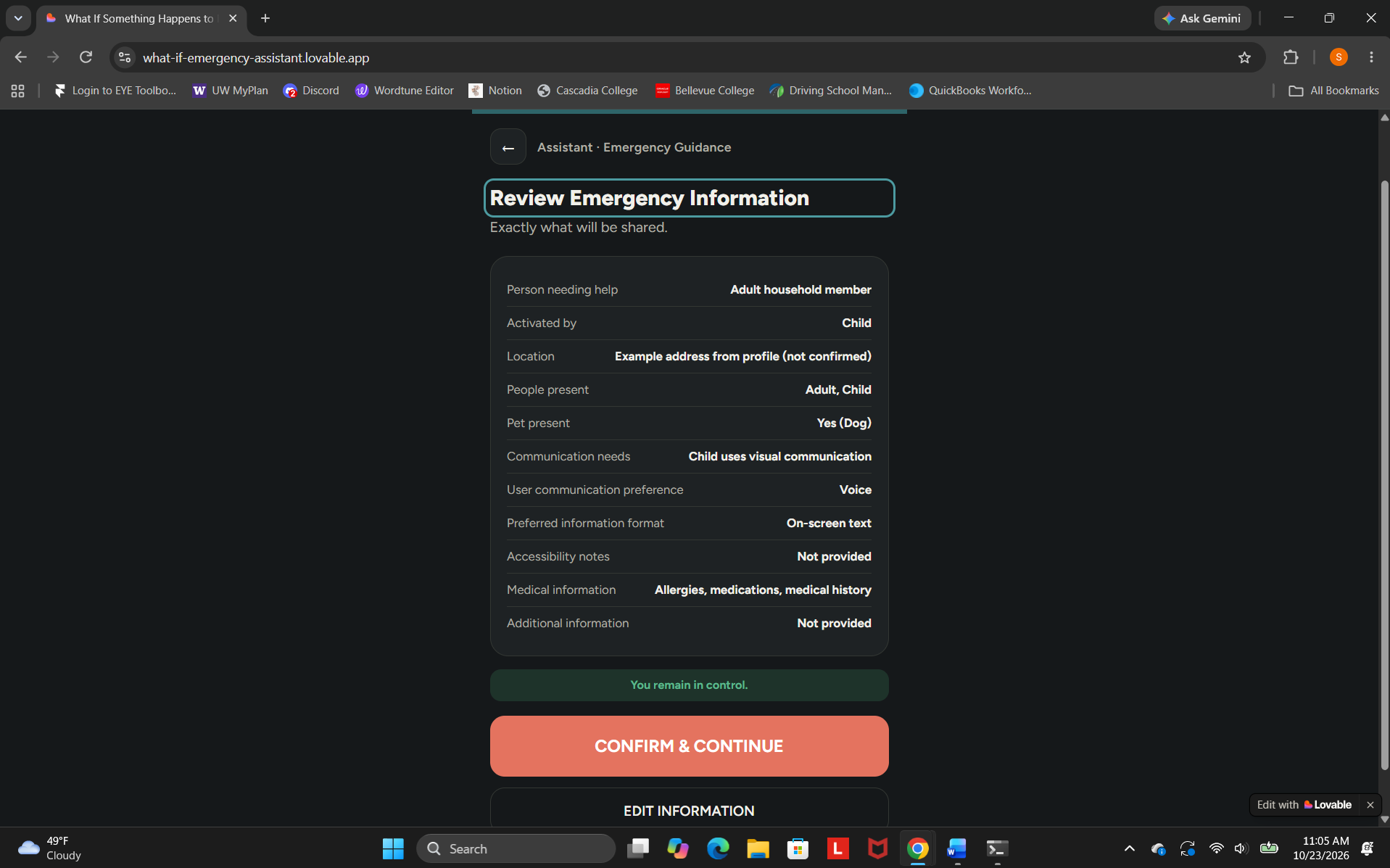
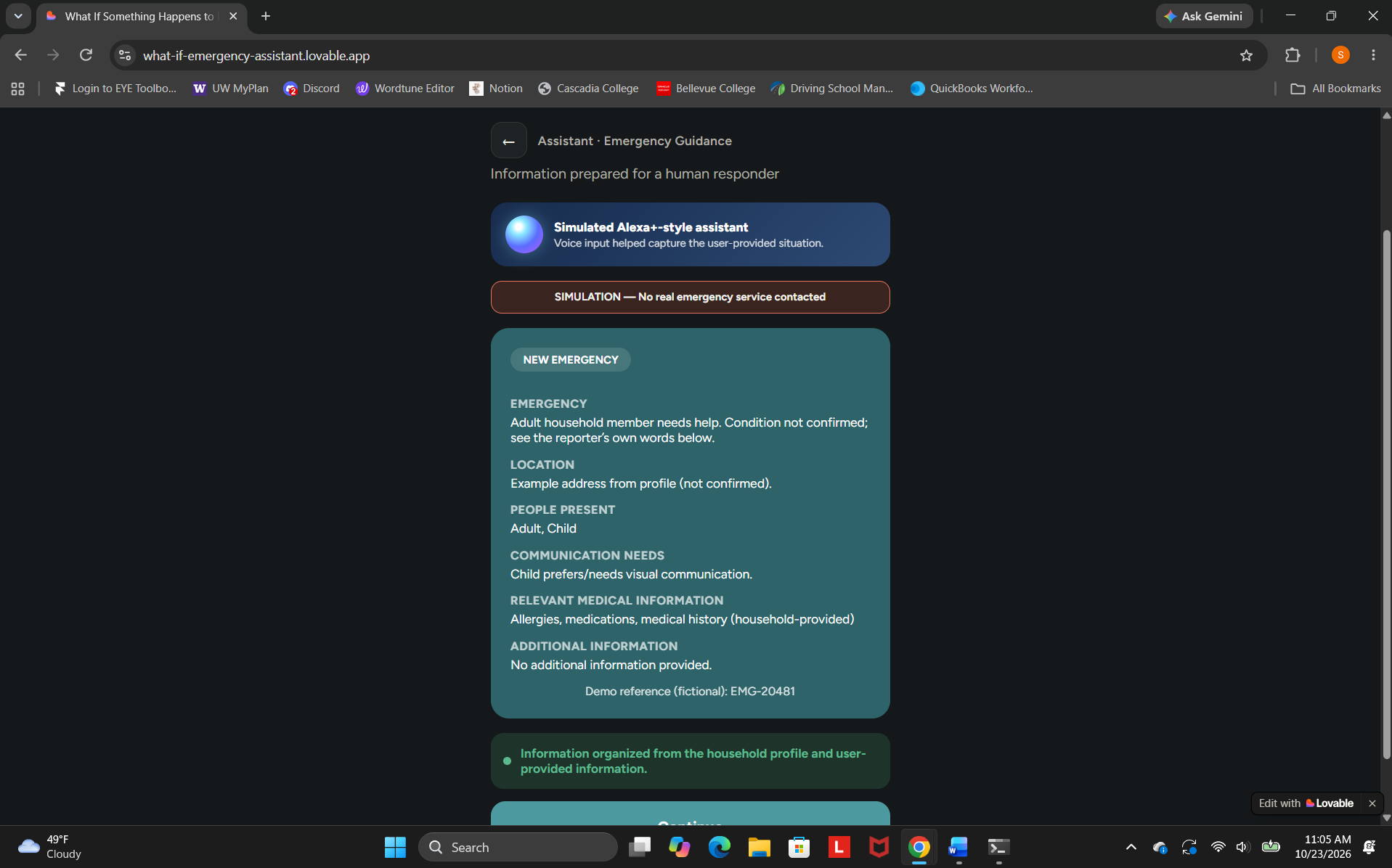
- Web prototype: A mobile-friendly interface that presents the emergency assistant concept.
- Alexa skill: A voice-enabled experience that provides basic emergency preparedness guidance.
The Alexa skill offers reminders about preparing essential supplies, keeping emergency contacts available, learning local emergency exits, creating a household emergency plan, and considering how to receive emergency alerts.
Key features and design goals include:
- Simple interface: Makes the concept straightforward to explore.
- Voice interaction: Lets users request preparedness guidance through the Alexa skill.
- Accessibility-minded design: Considers different abilities and communication needs.
- Mobile-friendly experience: Aims to provide a clear interface across screen sizes.
- Preparedness guidance: Encourages practical planning before an emergency occurs.
My broader vision is to explore how technology could help people organize important information and communicate their needs during stressful situations, particularly when explaining what happened is difficult.
How I built it
I used Lovable AI to turn my idea into a web prototype. I also created a separate Alexa skill using the Alexa Skills Kit and Alexa-hosted Node.js.
1. Web prototype
I used Lovable AI to develop the web interface and present the emergency assistant concept in a simple, accessible-minded format.
2. Alexa skill
I configured a custom skill in the Amazon Developer Console and implemented its request-handling logic using Node.js and the Alexa Skills Kit.
The skill includes a launch greeting, an emergency preparedness guidance intent, help and stop responses, and a fallback response for requests it does not understand.
I tested the skill in the Alexa Developer Console's Development stage. It successfully responds to the launch command and provides preparedness guidance.
I also published the project source code on GitHub and made the web prototype available through a live demo.
Technologies used:
- Lovable AI
- Amazon Alexa Skills Kit
- Alexa-hosted Node.js
- GitHub
Challenges I ran into
- Turning an emotional idea into a practical project: I wanted to address a serious real-world concern while building something achievable as a prototype.
- Learning new technologies: I had to learn how to develop a web interface and configure a custom Alexa skill.
- Considering accessibility: I wanted the concept to account for people with different abilities and communication needs.
- Developing separate experiences: The web prototype and Alexa skill have separate implementations and are not yet connected.
- Prioritizing safety: Emergency-related technology requires careful attention to reliability and clear limitations.
Accomplishments I'm proud of
I'm proud that I turned an idea rooted in concern for human life into working prototypes.
I'm especially proud that I:
- Built a web prototype using Lovable AI.
- Created an Alexa skill that responds to voice requests.
- Implemented and tested basic emergency preparedness guidance.
- Considered accessibility and inclusive design from the beginning.
- Published my source code on GitHub.
- Explored how technology might make preparedness information easier to access.
Most importantly, I took the first step toward an idea that I hope to develop further to help people prepare for unexpected situations.
What I learned
This project taught me how to use AI-assisted development to bring an idea to life and how to configure a custom Alexa skill.
I also learned the importance of:
- Accessibility and inclusive design.
- Creating straightforward experiences for stressful situations.
- Using voice interaction as another way to access information.
- Publishing and sharing code through GitHub.
- Being realistic about the capabilities and limitations of early prototypes.
- Considering safety and reliability when designing emergency-related technology.
Most importantly, I learned that useful technology starts with understanding people's needs and the challenges they may face.
What's next for What If Something Happens?
I want to continue improving the web prototype and Alexa skill while exploring how they could become part of a more useful emergency preparedness experience.
My future plans include:
- Expanding preparedness guidance for different emergencies.
- Improving accessibility and communication options.
- Making reliable emergency preparedness resources easier to find.
- Gathering feedback from people with different abilities and backgrounds.
- Exploring ways to help users organize relevant household and medical information.
- Investigating safe ways to help people communicate essential information to emergency responders, with appropriate review and confirmation.
My long-term goal is to make emergency preparedness easier to understand and more accessible. Although no application can prevent every emergency, helping people prepare and find useful information can be a meaningful step forward.
Safety and limitations
This project is currently an early emergency preparedness prototype. The Alexa skill provides general preparedness guidance. It does not call 911, automatically contact emergency contacts, dispatch emergency services, or connect to the web prototype to process emergency reports.
The prototypes do not verify medical information or replace professional emergency response. In an immediate emergency in the United States, call 911 directly and follow the dispatcher's instructions.

Log in or sign up for Devpost to join the conversation.