-
-
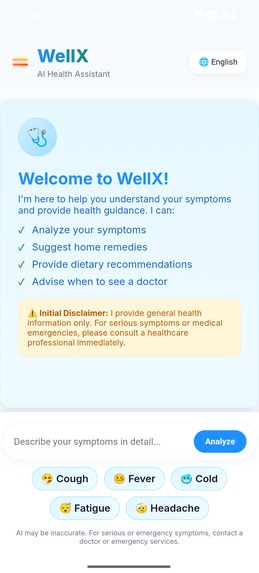
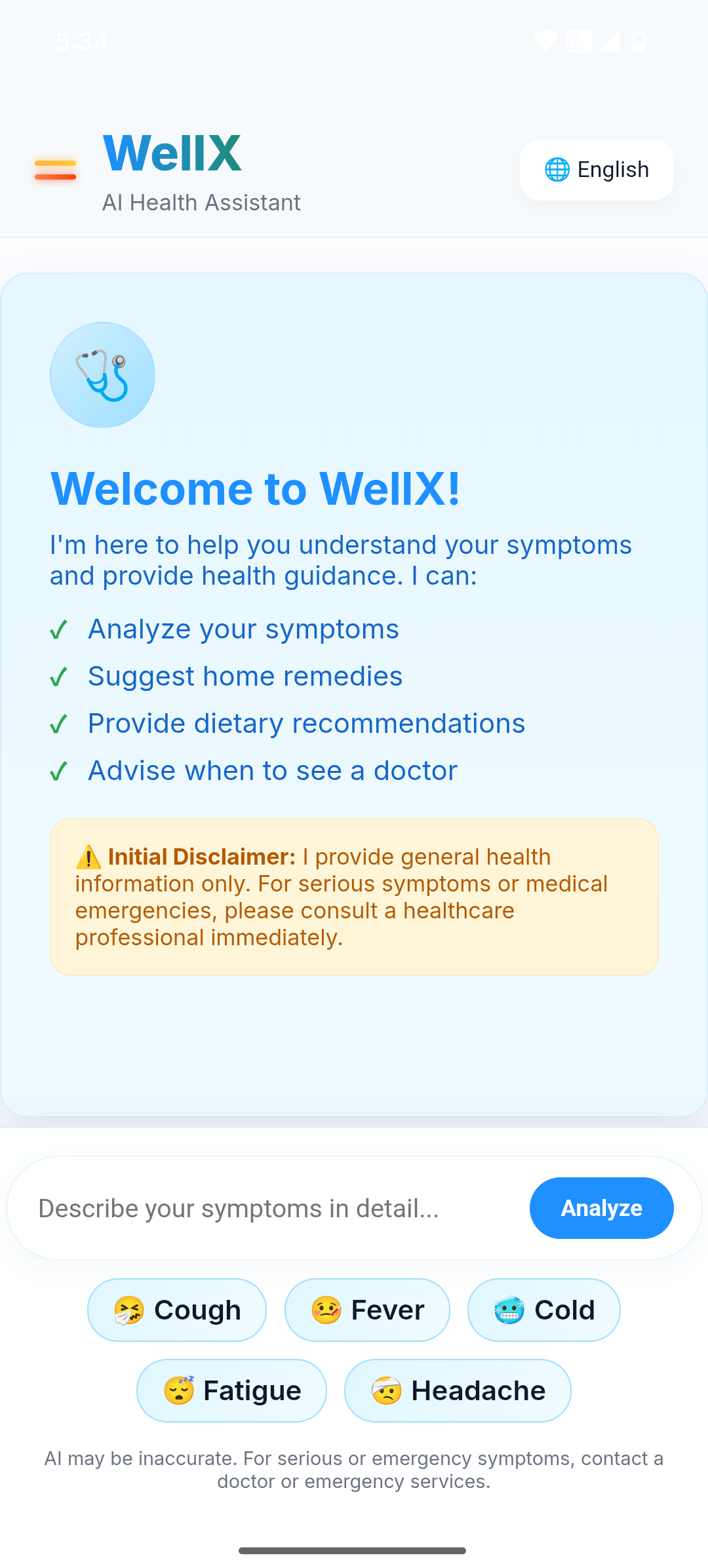
Home Page
-
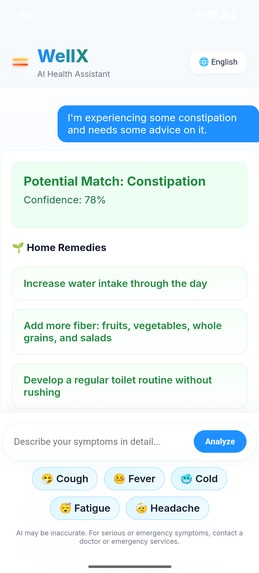
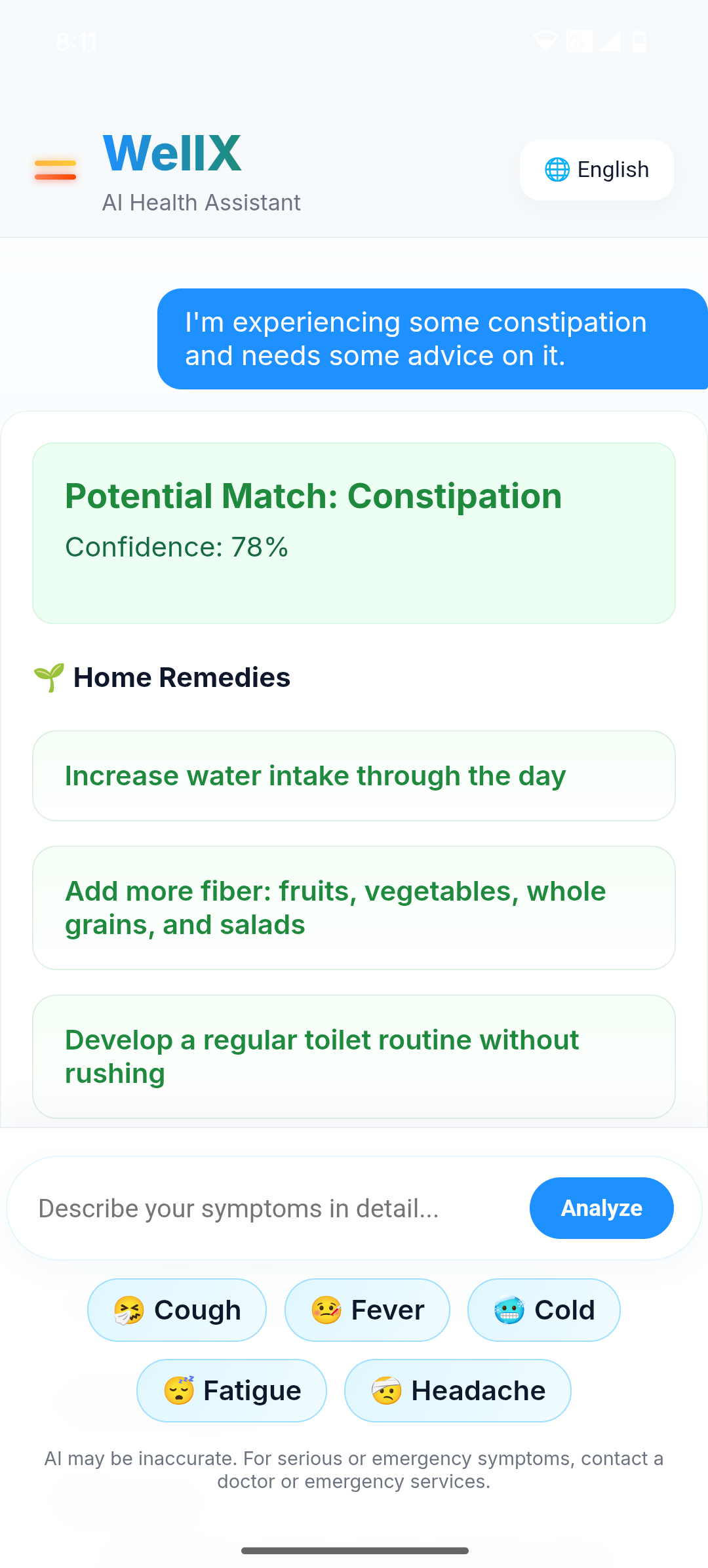
Result (Home remedies)
-
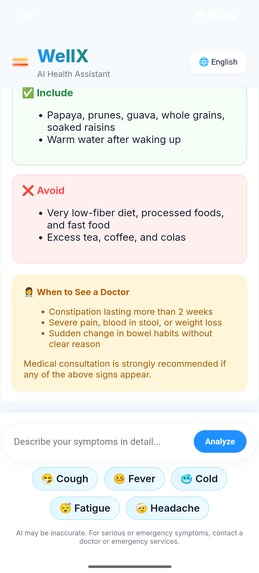
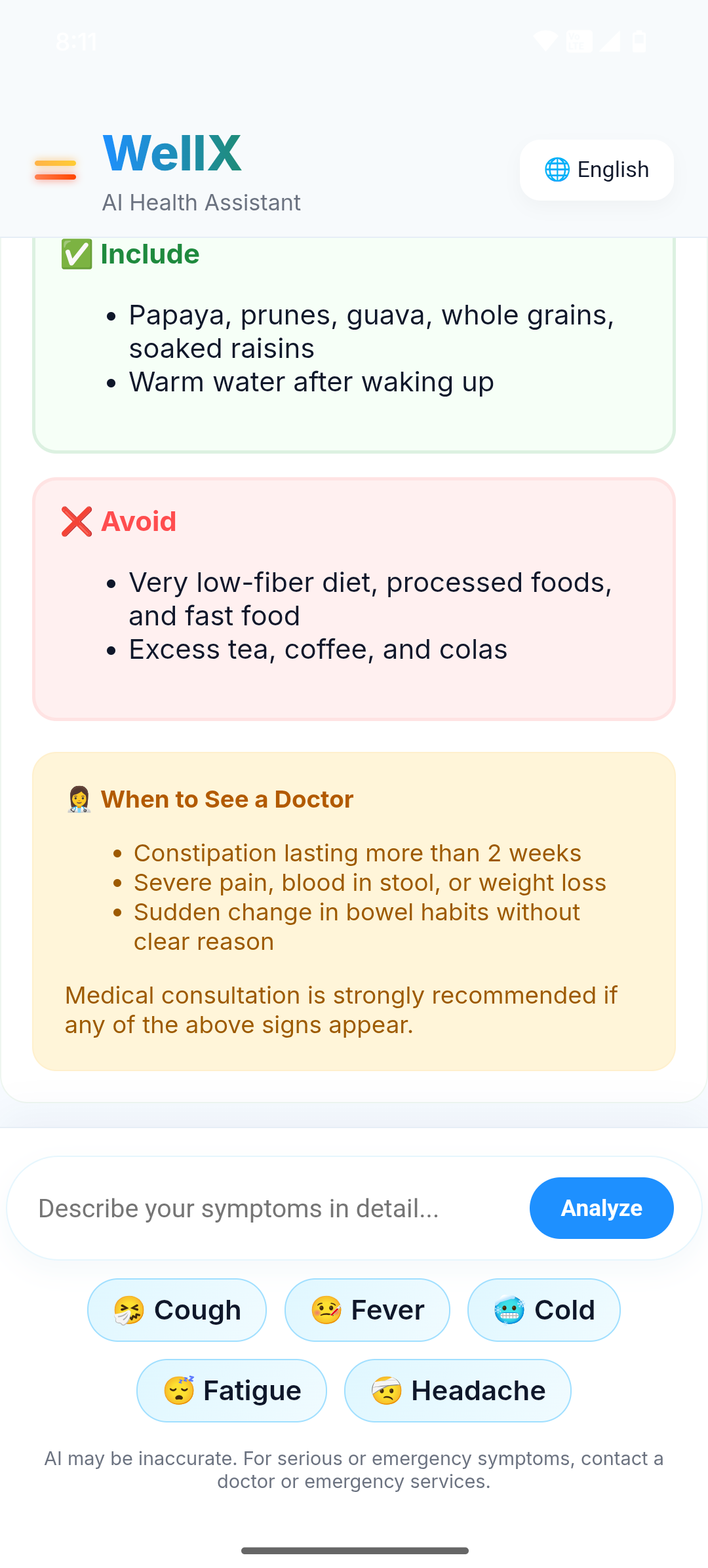
Result (Dietary Advice + When to see a doctor)
-
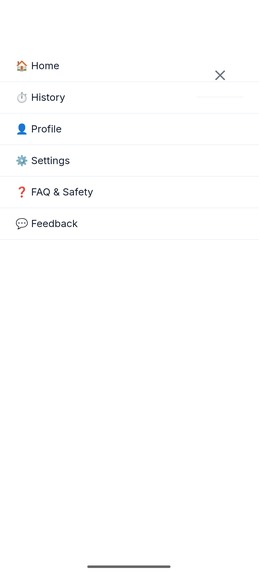
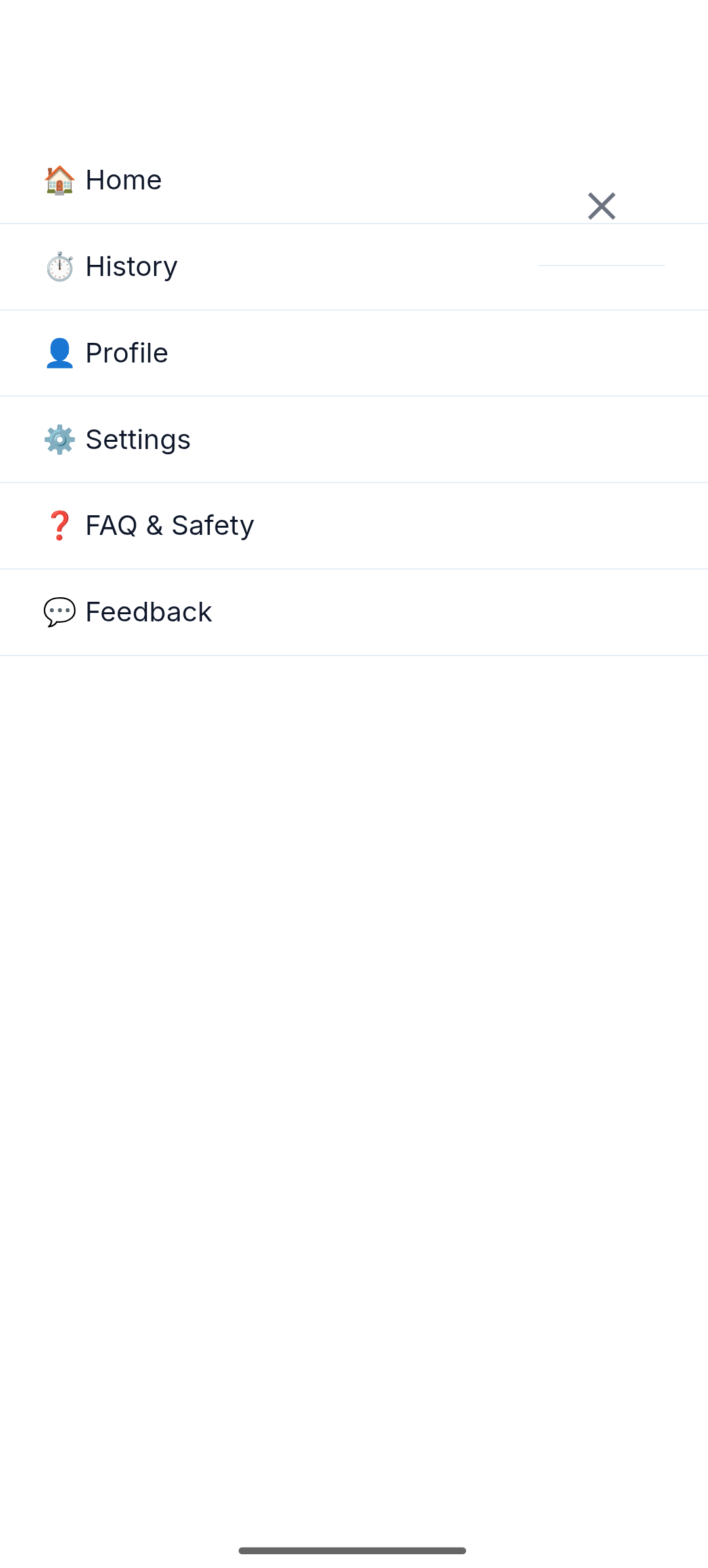
Options Under Menu
-
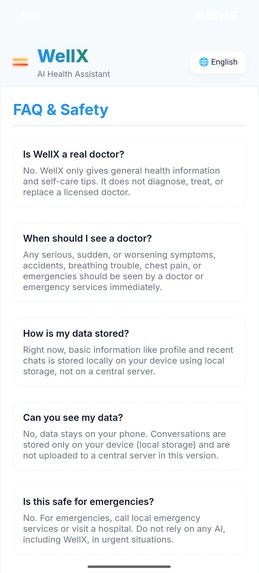
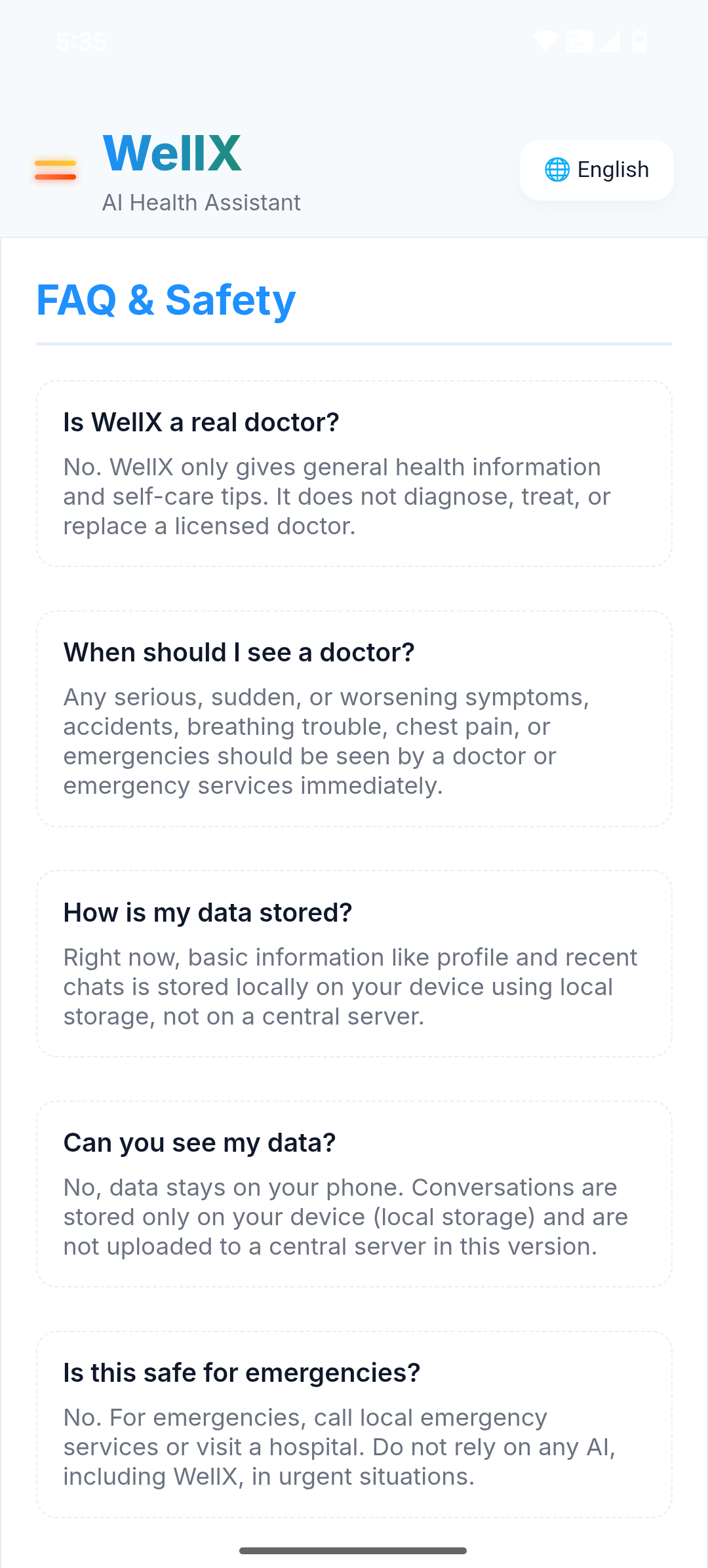
FAQ's
Inspiration
Whenever people feel unwell, the first most common thing they do is to search their symptoms online — and the results are often confusing, results on multiple sites, unclear & overwhelming . I wanted to build something simple: a tool that explains symptoms in a clear, calm, and straightforward way.
Since I’m still learning programming, I took a different approach. I focused on the idea, structure, dataset, and user experience, and used AI tools (ChatGPT, Gemini, Perplexity) to help generate and refine the code. My role was to guide the development step-by-step, decide how the app should work, and repeatedly direct the AI until the output matched the vision.
That’s how WellX started.
What it does
WellX allows users to:
Type their symptoms in simple language
Get quick explanations of what those symptoms might indicate
See home remedies and diet suggestions (what to eat & what to avoid)
Clear guidance on when a condition is mild and when medical attention is needed
Use app in multiple languages.
The aim is not to replace doctors but to make early health guidance understandable, reliable and to reduce uncertainity.
App Flow
                 ┌────────────────┐
                 │   Home Screen  │
                 └───────┬────────┘
                         │
                         ▼
              ┌────────────────────┐
              │   Enter Symptoms   │
              └─────────┬──────────┘
                        │
                        ▼
              ┌────────────────────┐
              │  User Inputs Data  │
              └─────────┬──────────┘
                        │
                        ▼
              ┌────────────────────┐
              │    Results Page    │
              └─────────┬──────────┘
                        │
 ┌──────────────────────────────────────────────────────┐
 │                      Results Show:                   │
 │  • Possible condition(s)                             │
 │  • Home remedies                                     │
 │  • Diet suggestions                                  │
 │  • When to see a doctor                              │
 └──────────────────────────────────────────────────────┘
                        │
                        ▼
             ┌──────────────────────┐
             │   Menu / More Options│
             └──────────┬───────────┘
                        │
    ┌─────────────────────────────────────────────┐
    │                  Includes:                  │
    │  • Language selection                       │
    │  • FAQs                                     │
    │  • Switch theme (Light/Dark)                │
    │  • Recent history                           │
    │  • Set profile                              │
    │  • Feedback (email)                         │
    └─────────────────────────────────────────────┘
How I built it
As a solo developer, Instead of traditional coding, I worked like a product designer combined with a project manager. I created the logic, the dataset, the UI structure, and the app direction. AI tools generated the code, but I controlled how everything needed to be built.
I designed the flow of the app, decided how each screen should work, and created a health dataset with different conditions. Then, using ChatGPT, Gemini, and Perplexity, I repeatedly generated Android WebView code and frontend components (HTML, CSS, JavaScript). Whenever something didn’t work, I tested it, identified the issue, and guided the AI to rewrite or adjust the code until the output matches the design. Most of the development happened through repetition: Giving detailed prompts, reviewing the results, asking for changes, and improving the structure step by step. This process allowed me to shape the entire app despite not being an advanced programmer yet.
Challenges I ran into
Keeping the design clean and easy to navigate
Working with the dataset and formatting it correctly
Getting AI-generated code to work consistently across multiple components
Ensuring accurate communication between Java, Kotlin, and JavaScript
Maintaining UI consistency across different devices
Managing the entire build while still learning the fundamentals of Android development
Accomplishments that I'm proud of
Built a fully functional MVP as a solo developer using AI-assisted engineering
Directed multiple AI systems in an iterative way, similar to managing a development team
Designed a clean, simple, and reliable user interface
Achieved a smooth symptom-checking flow entirely offline
Completed the full MVP and demo video within a short timeline
Completed the concept, build, and app from scratch
What I learned
How to use AI as a development partner instead of a replacement
How to structure a product from idea to MVP
How to refine and debug AI-generated code
How to handle WebView, HTML, CSS, JS, and Android communication
How to simplify health information so it’s easy for anyone to understand
How to manage and complete a solo project end-to-end
What's next for WellX
Expand dataset (100+ conditions)
Add AI-based symptom analysis (by using api key - for better & accurate results)
Enable user accounts & history tracking for personalised results
Add voice-based symptom input + more languages
Include calorie/nutrition tracker
Optional doctor-consult connect feature
Add offline mode & full backend/API integration

Log in or sign up for Devpost to join the conversation.