-
-
App icon
-
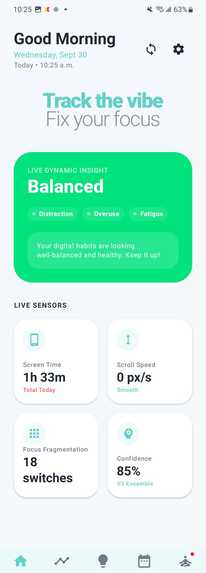
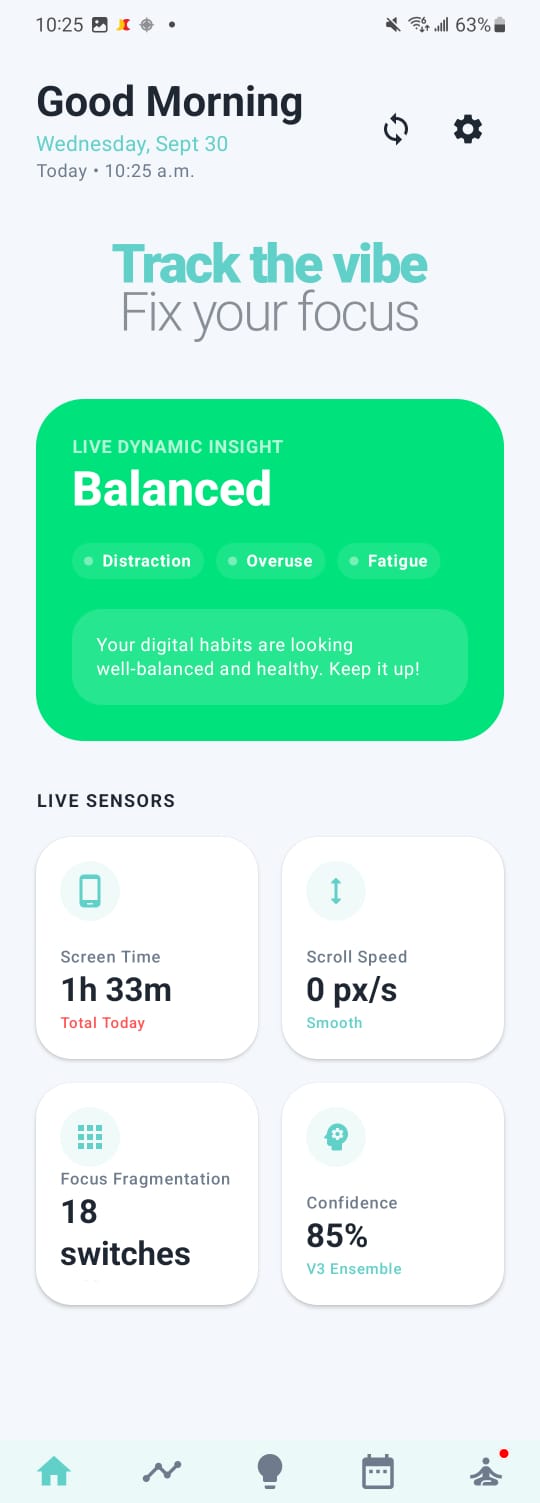
Home Screen
-
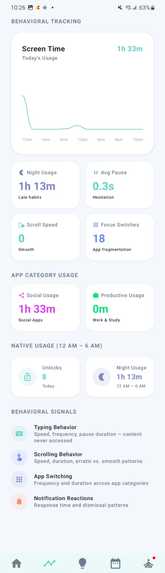
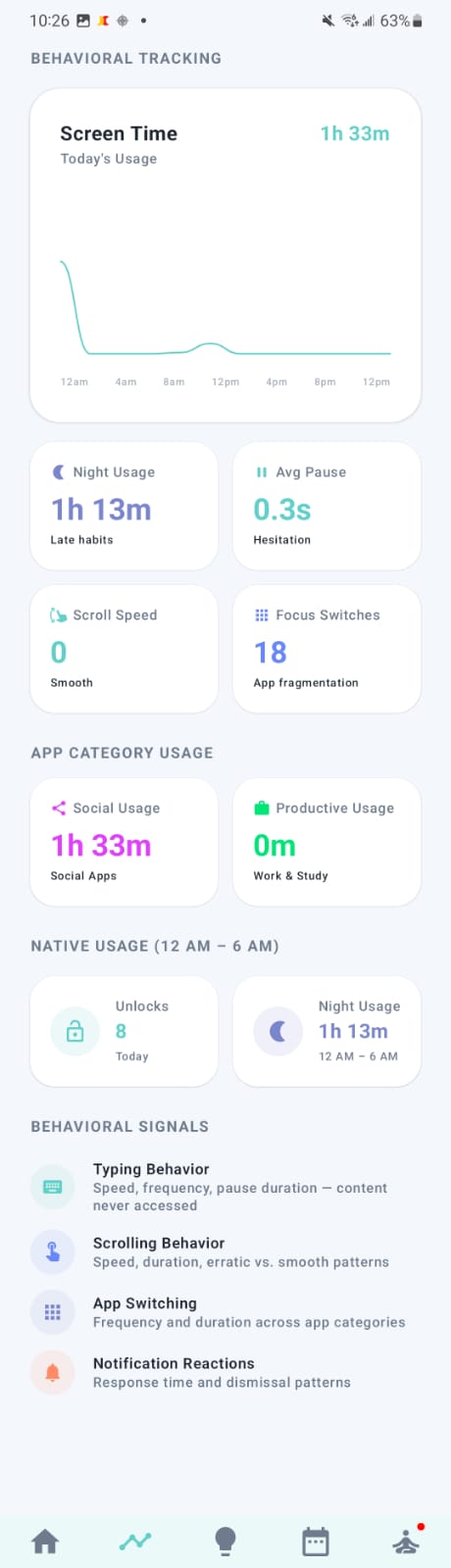
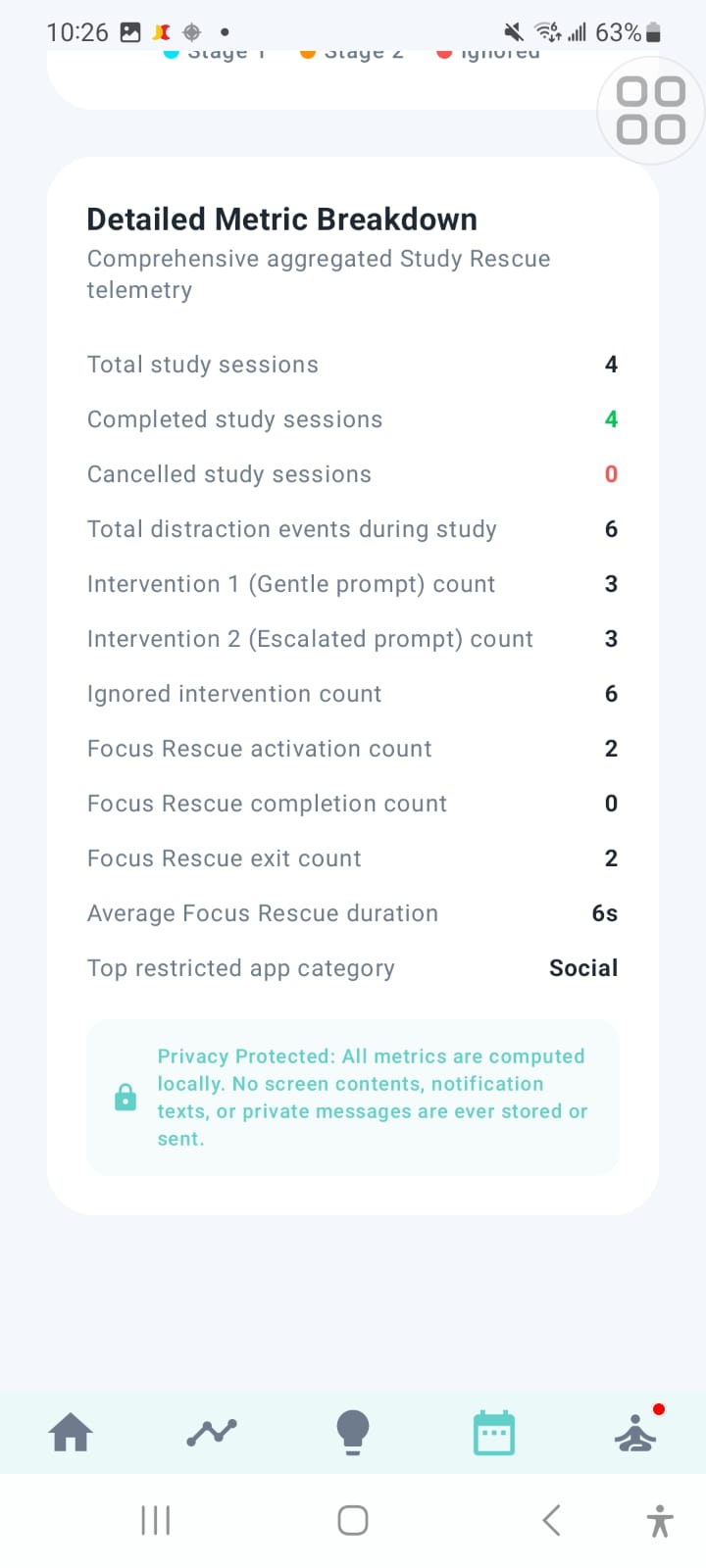
Behavioral Tracking Screen describing app category usage & behavioral signals
-
-
-
-
-
-
-
-
-
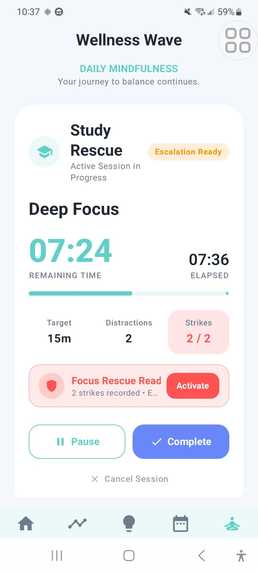
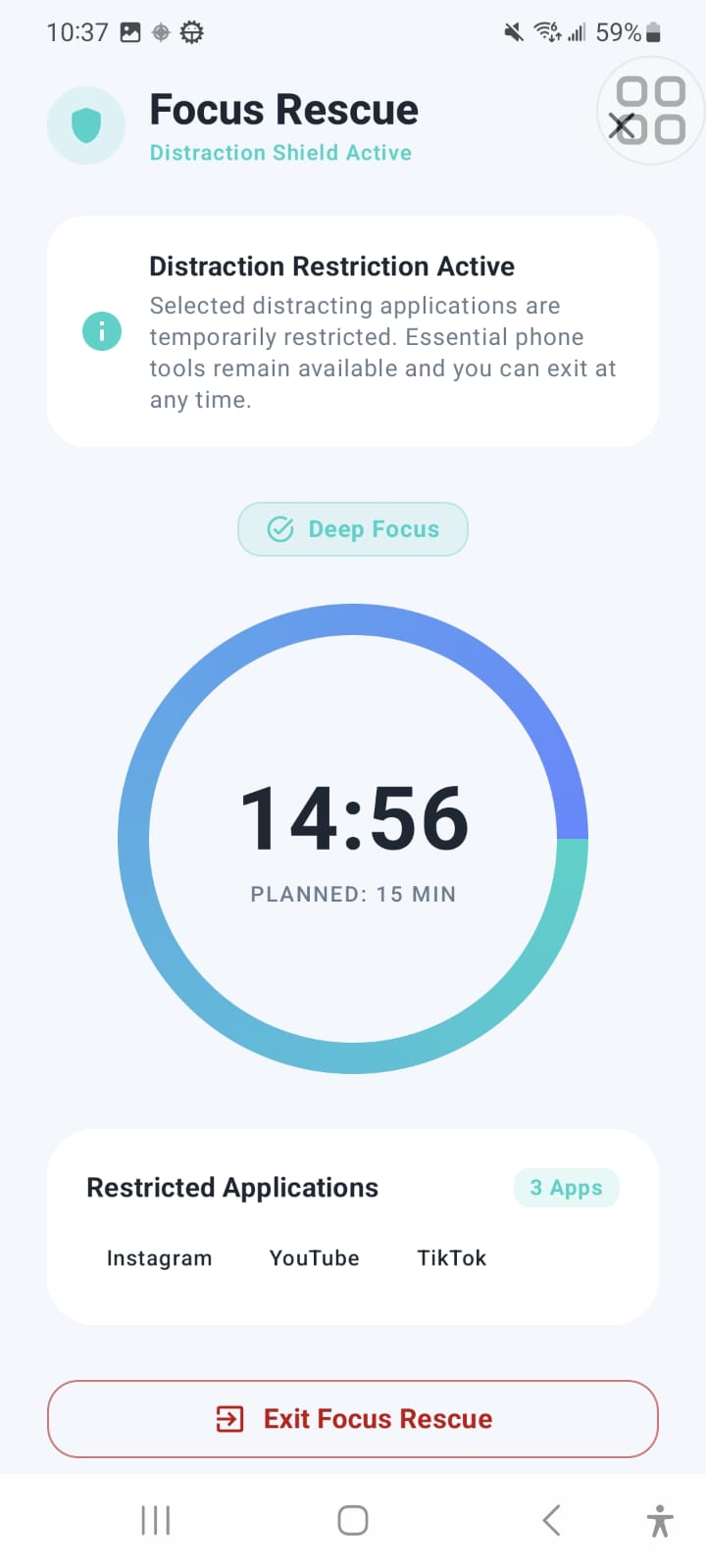
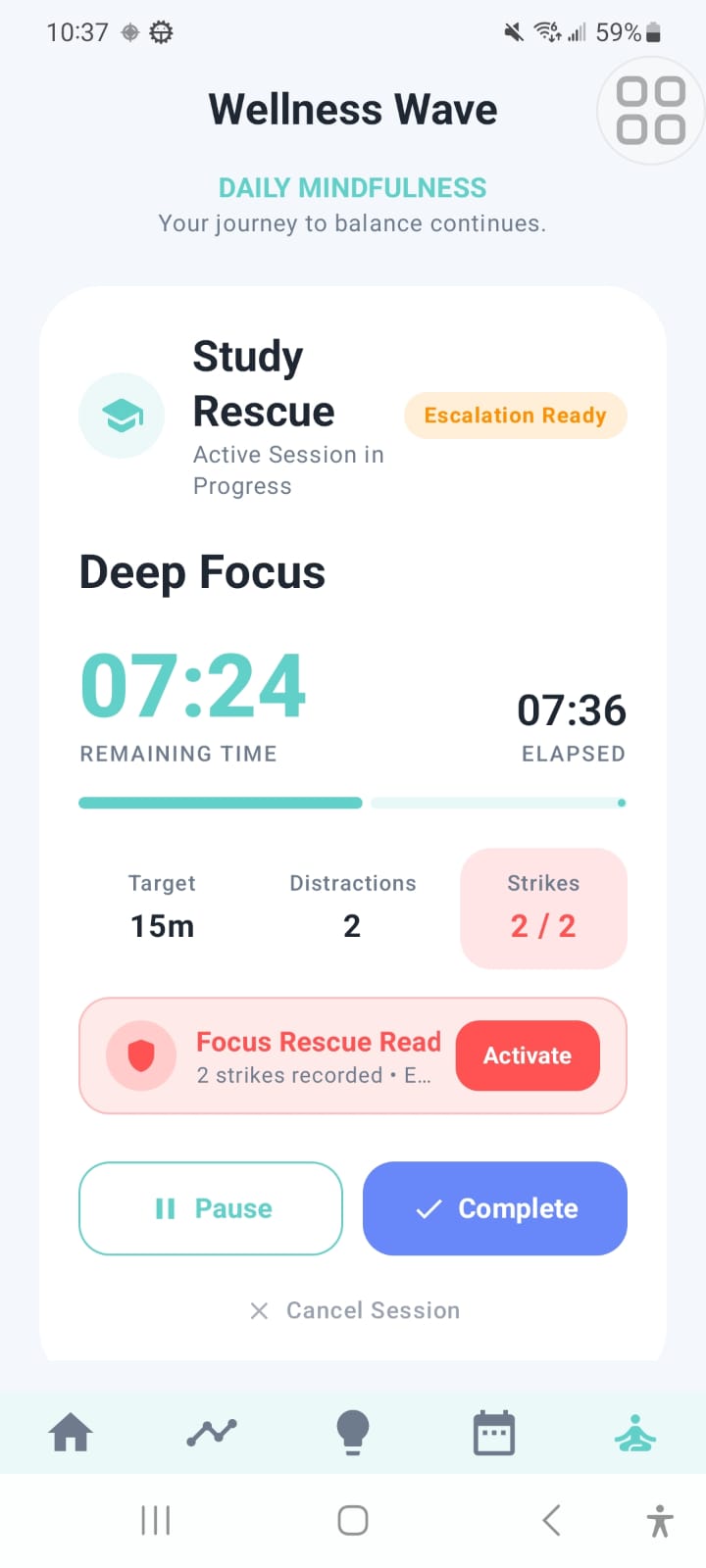
Study rescue Screen design for more focus
-
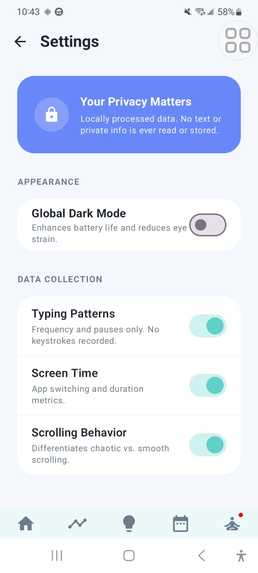
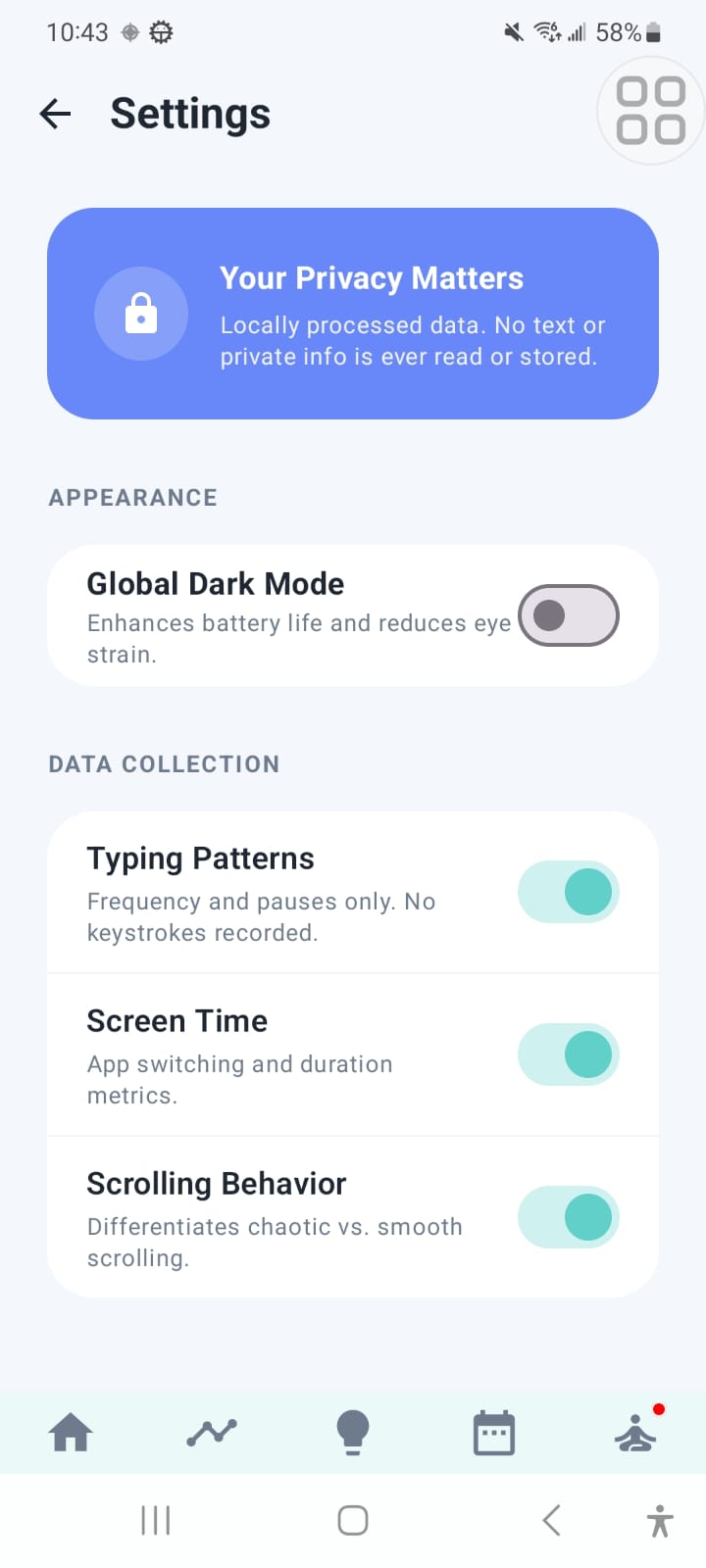
Settings or privacy screen
-
-
🌊 Wellness Wave: your phone shouldn't win the study session
"I only opened it for a second." Every student has said it. Nobody notices the second becoming forty minutes.
Inspiration
Picture a student sitting down to study. The laptop is open, the notes are ready, and the plan is two focused hours. Then a notification arrives, and a quick check turns into a scroll. Ten minutes later she is switching between apps she never meant to open. Now look at what today's wellbeing tools would say about it. They'd show a screen-time total at the end of the day, when the damage is already done.
That is the gap that bothered us. Existing tools measure how long you used your phone. They ignore how you used it and when it mattered. Ten calm minutes of reading and ten minutes of frantic app-switching look identical on a screen-time chart, but they are very different for your mind.
We didn't want another dashboard that makes people feel guilty after the fact. We wanted a tool that notices the drift while it is happening and offers a gentle way back.
That became Wellness Wave.
What it does
Wellness Wave is an AI-powered digital wellbeing app for Android. It reads real behavioral signals from how you use your phone:
| Signal | What it tells us |
|---|---|
| ⏱️ Screen time | Overall exposure |
| 🔀 App switches | Restlessness and fragmented attention |
| 📜 Scroll speed | Passive, compulsive consumption |
| ⌨️ Typing speed | Engagement and agitation |
| 🔓 Unlock count | Compulsive checking |
| 🌙 Night usage time | Late-night use that cuts into sleep and recovery |
| 💼 Productive apps time | Time spent on study, work, and other purposeful apps |
| 📱 Social apps time | Time spent on social media and other attention-hungry apps |
Night usage, productive app time, and social app time are each measured separately, so you can see not just how much time you spend, but where it goes and when.
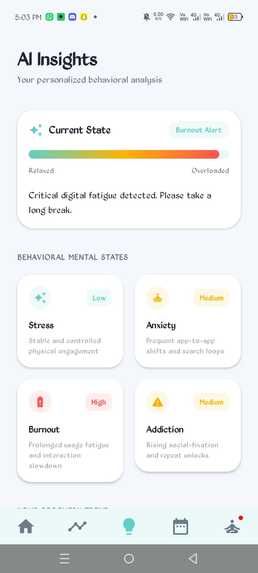
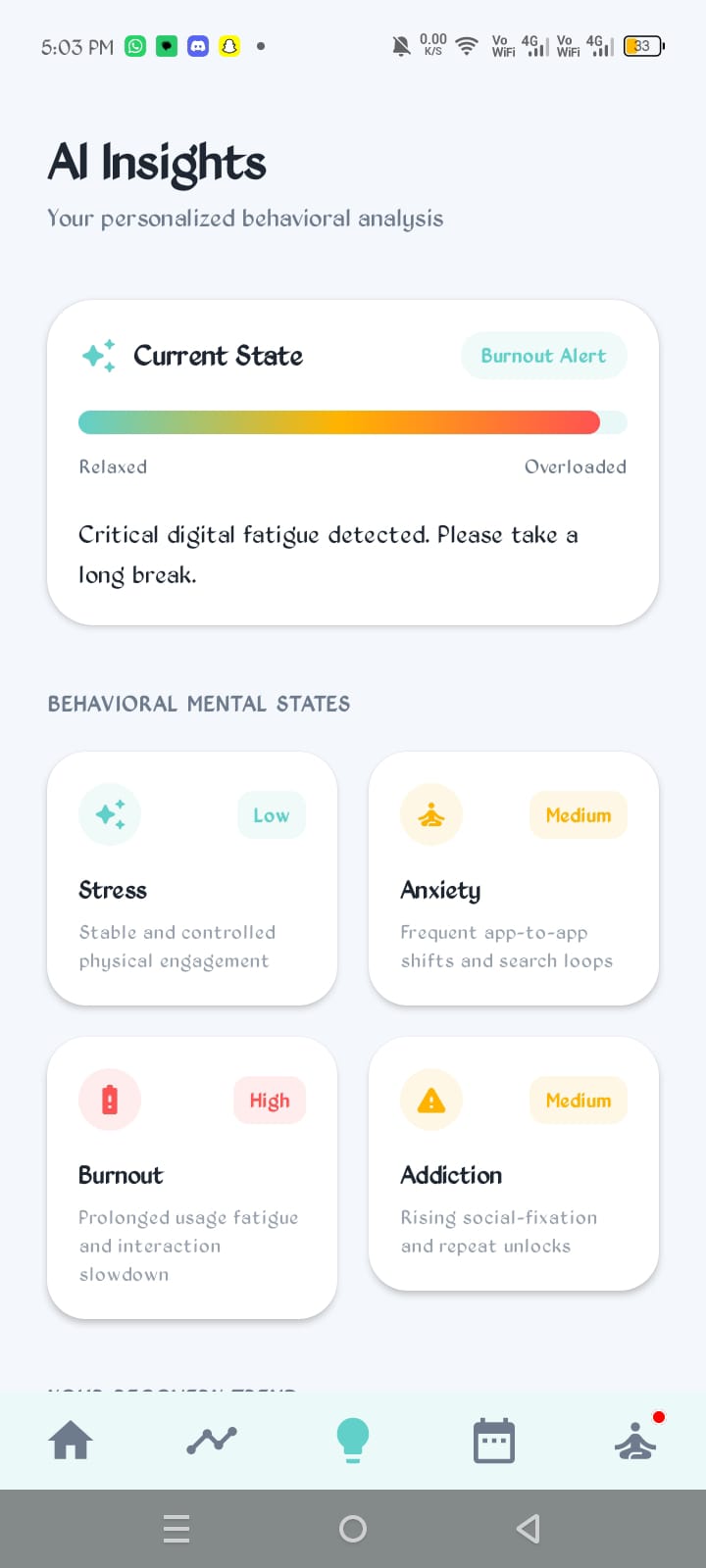
A machine learning model turns these signals into a real-time wellbeing state and delivers short, human suggestions instead of raw statistics. Wellness Wave describes your state and offers help. It never lectures.
🎓 Study Rescue (Premium): a rescue mission for your focus
Study Rescue is our flagship feature. It answers one sharp question: "Is my study session drifting right now?"
Here is what it looks like in practice:
- You start a session. Type a task like "Operating Systems, Chapter 5" and pick a planned duration.
- Wellness Wave watches quietly. It reuses the behavioral tracking already running in the app, so there are no extra background trackers and no extra battery drain.
- It reads the drift, not just the app. A transparent, rules-based engine moves through three levels:
NO_ACTION → POSSIBLE_DISTRACTION → RESCUE_RECOMMENDED
A few seconds in another app does nothing. Long exposure raises a flag. Long exposure plus repeatedly returning to the same app or switching triggers a rescue. Every decision comes with a plain-language reason, so you always know why the app spoke up.
- You get a rescue nudge with three choices: Resume Focus, Take a Break, or Ignore. A dedicated cooldown keeps it from nagging.
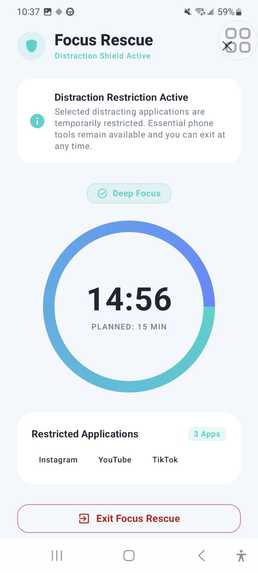
- You can call in Focus Rescue. One tap starts a temporary 10-minute focus window with a visible countdown. It is always opt-in, never permanent, and you can end it whenever you like.
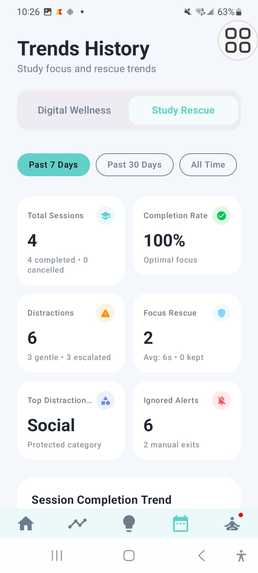
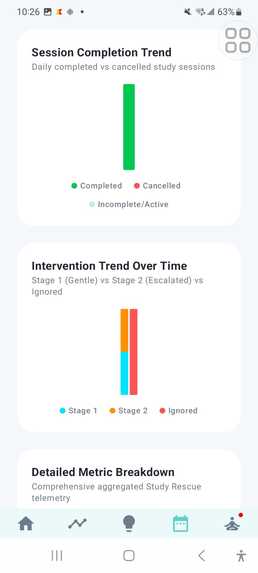
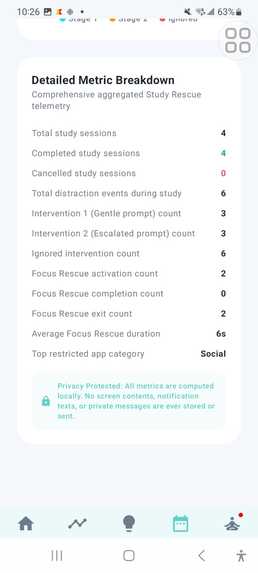
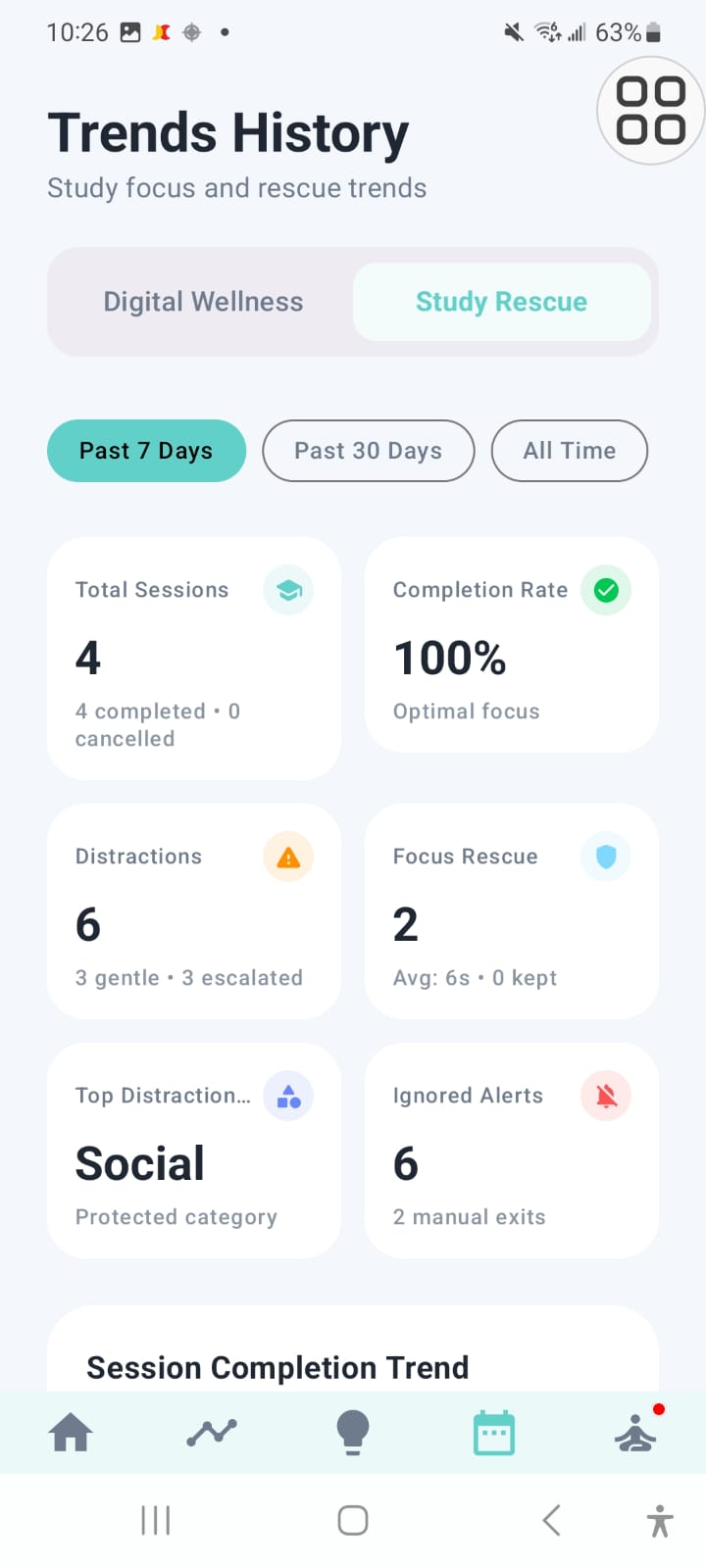
- You get an honest summary. After every session you see the task, planned vs. actual time, estimated focused vs. distracted time, how many interventions happened, and the final status. The numbers come only from real stored data.
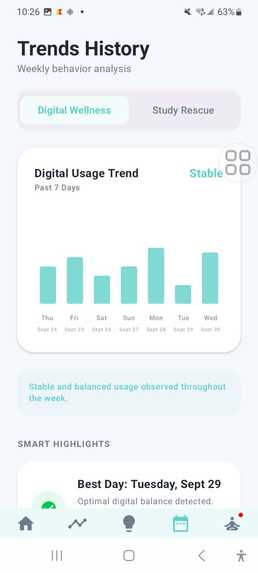
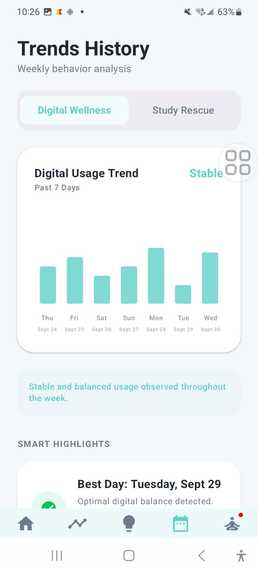
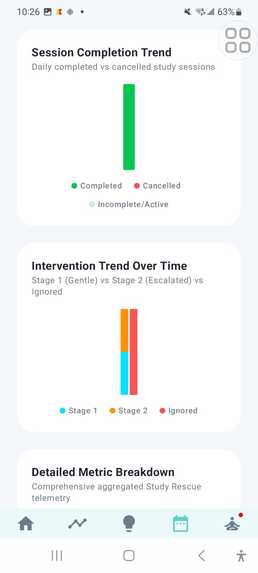
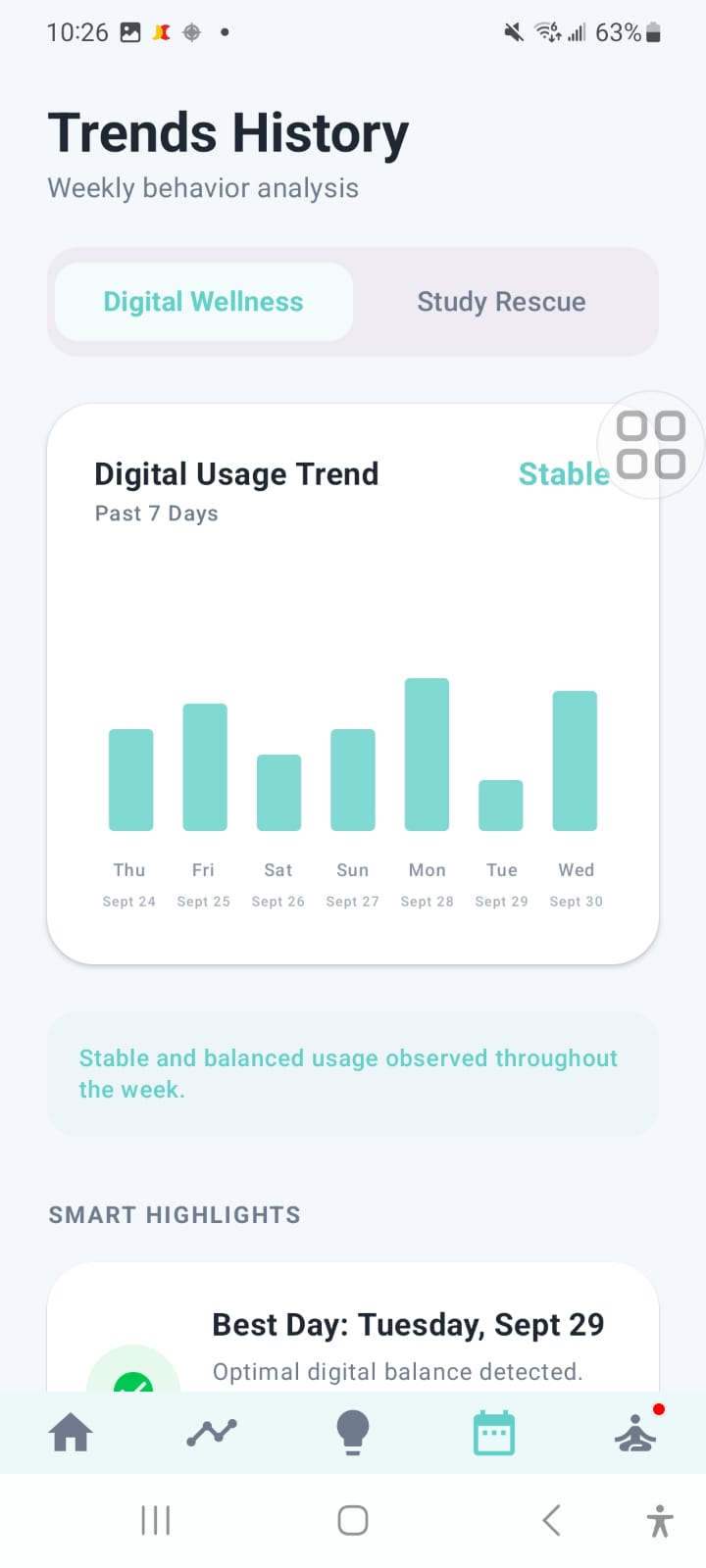
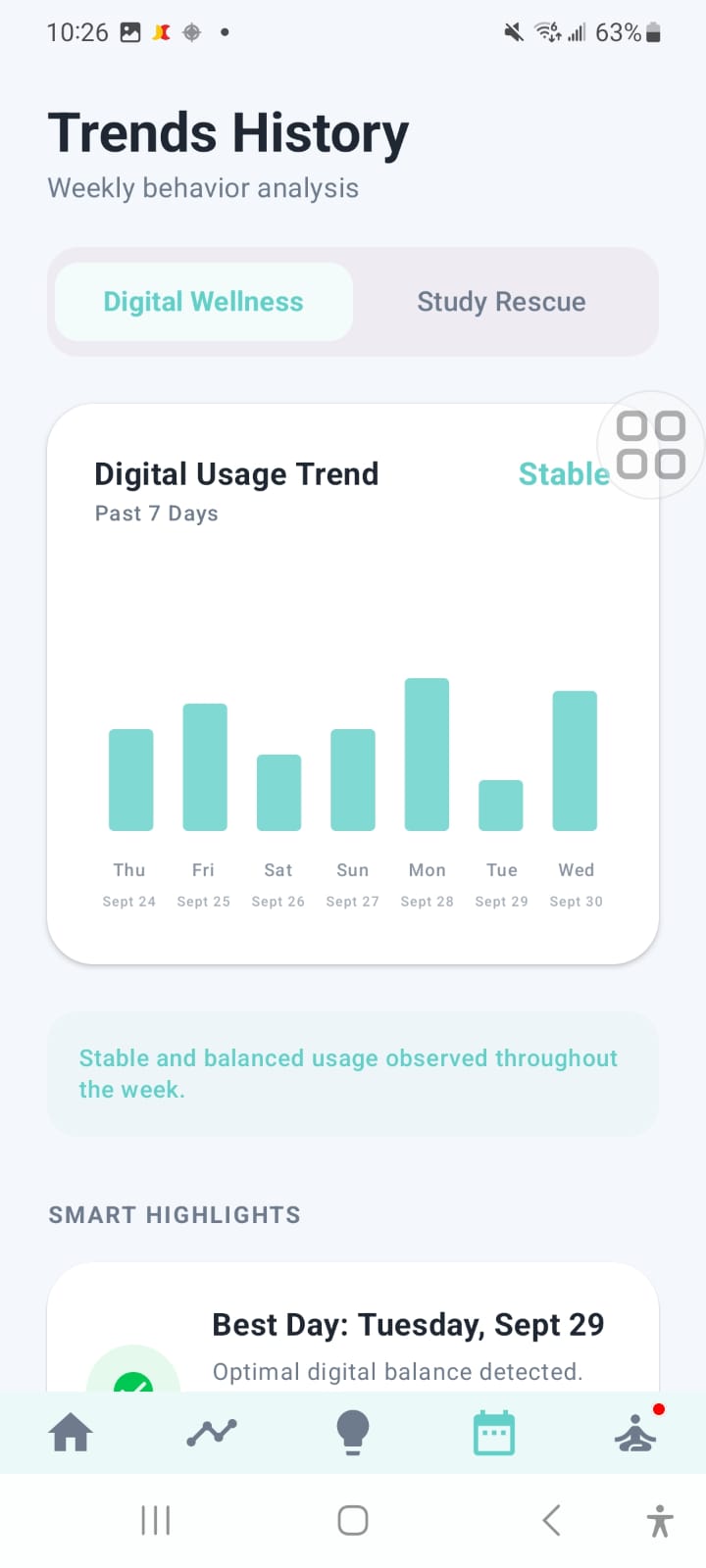
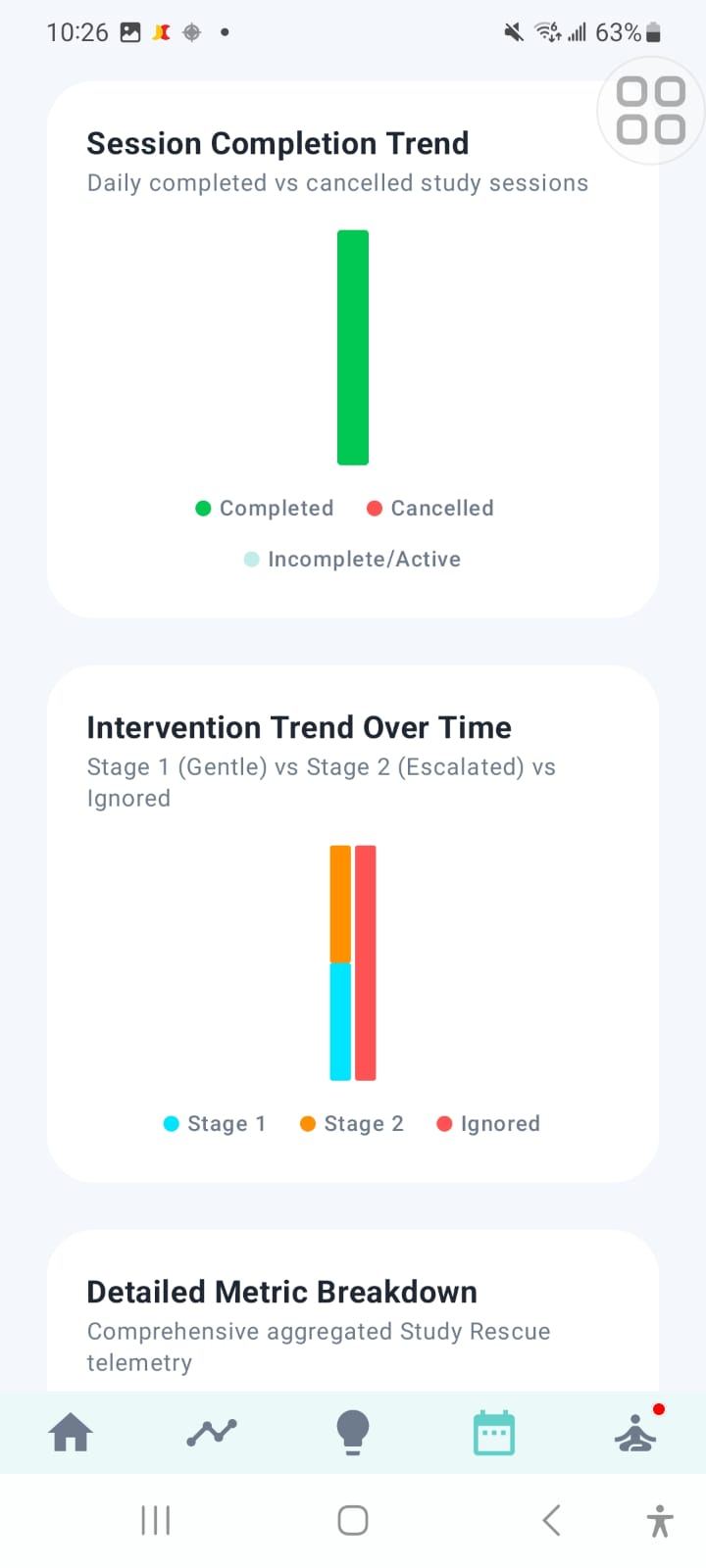
- You watch yourself improve. Study sessions, planned and completed study time, distraction time, and rescue interventions flow into the Trends screen, so progress shows up week over week.
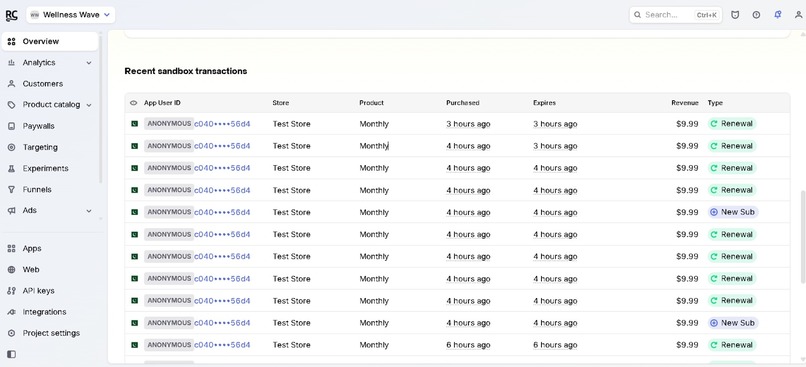
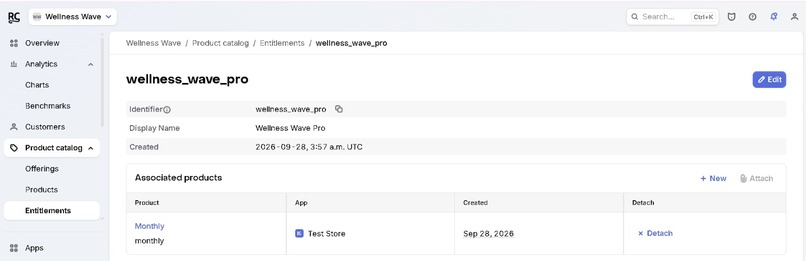
💎 A real product: Premium with RevenueCat
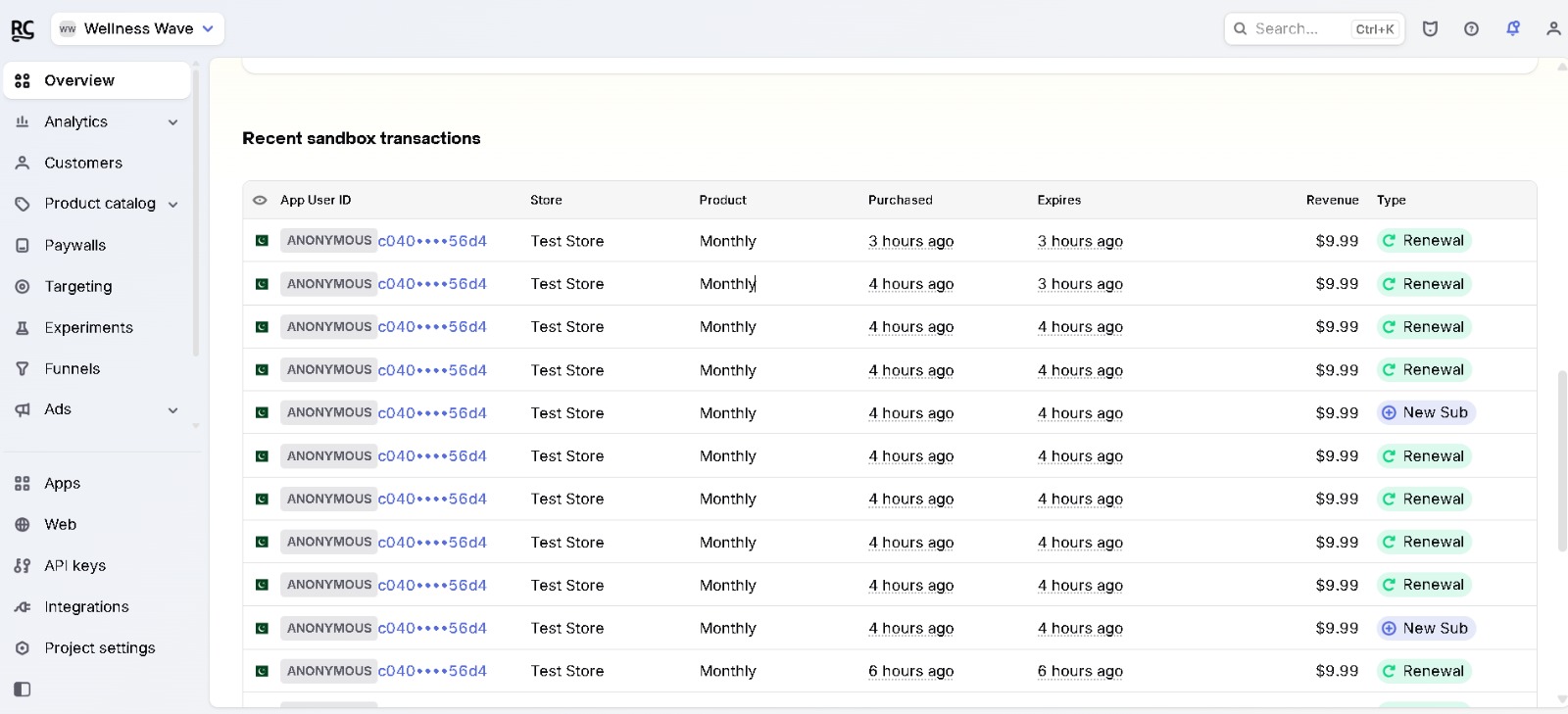
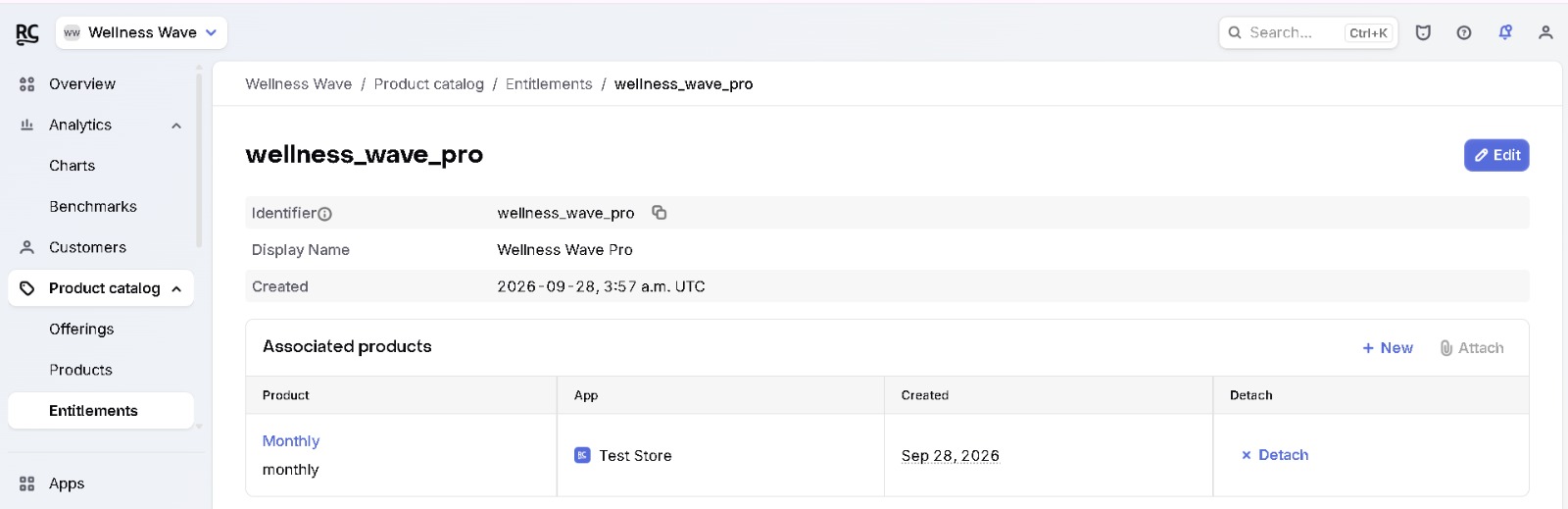
Study Rescue is Wellness Wave's premium tier, with subscriptions, entitlements, and feature gating handled by RevenueCat. [Add: what's free vs. premium, e.g. free = core wellbeing tracking and predictions, premium = Study Rescue. Mention your paywall, plans/pricing, restore purchases, and free trial if you have them.]
This is more than a demo. Wellness Wave has a sustainable path to revenue and a foundation for shipping more premium features.
How we built it
The stack
- 📱 Android app: on-device collection of usage stats, foreground-app detection, and interaction signals through an accessibility service. [Add: Kotlin / Jetpack Compose if applicable.]
- 🧠 Machine learning: a Random Forest classifier trained on engineered behavioral features (rates and time windows, not raw events). We chose it because it handles noisy, mixed signals well and exposes feature importances, so we could check that the model was learning something meaningful. [Add: dataset, number of classes, accuracy / F1.]
- ⚡ Backend: a FastAPI service for low-latency inference.
- 🗄️ Room database: study sessions and interventions persist locally, so a session survives Activity recreation and app restarts.
- 💳 RevenueCat: subscription management, entitlement checks, and premium gating. [Add: SDK, offerings, paywall.]
The architecture behind Study Rescue
Study Rescue was designed as an extension of Wellness Wave, not a replacement. Each piece has one job:
- Session engine: start, pause, resume, complete, and cancel using real timestamps and correct remaining-time math. Only one session can be active at a time.
- Tracking adapter: consumes the existing tracking data (foreground app, usage duration, app switches, screen time, unlock count) without touching the existing calculations.
- Distraction engine: deterministic and fully configurable. The same inputs always produce the same output, so it is testable and explainable.
- Notification layer: built on our existing
NotificationHelper, with an independent Study Rescue cooldown and every response saved to Room. - Summary and Trends: calculation logic kept separate from the UI and built strictly from stored data.
The process
We shipped Study Rescue in ten disciplined modules: audit, database, session engine, tracking integration, distraction detection, notifications, Focus Rescue, summary, Trends, and a final QA pass. After every module we compiled, tested, and reviewed before moving on. That kept a large feature from breaking an app that already worked.
Challenges we ran into
- Not building a second tracker. The easy path was to spin up another accessibility service or usage tracker for Study Rescue. That would have doubled battery cost and created conflicting data, so we reused the existing infrastructure instead.
- Detecting drift without crying wolf. A tool that interrupts you every time you glance at your phone is worse than no tool. We tuned the thresholds so a brief peek is ignored and only sustained, repeated behavior triggers a rescue.
- Android's guardrails. Android doesn't reliably support aggressive app blocking, and we didn't want to build it anyway. Focus Rescue is temporary, user-started, and never interferes with calls, emergency functions, or system UI.
- Being honest with data. Exact focused and distracted time can't be measured perfectly. Our summary uses real timestamps and stored interventions and reports the most defensible estimate instead of false precision.
- Bulletproof sessions. One active session at a time, correct pause/resume math, and clean recovery after Activity recreation took careful state design.
- Notification fatigue. A dedicated cooldown, separate from our wellness notifications, keeps nudges helpful and rare.
- Premium gating. [Add your real RevenueCat challenge, e.g. keeping entitlement state in sync, handling restores, or testing sandbox purchases.]
Accomplishments that we're proud of
- 🎯 Building Study Rescue, a feature that helps during a study session instead of reporting afterward.
- 🔍 A distraction engine where every intervention comes with a reason.
- 🧱 Adding a feature this large to a working app without regressions.
- 💎 Shipping a real monetization layer with RevenueCat, not just a prototype.
- 🌊 A full pipeline from on-device behavior, to ML inference, to real-time, respectful help.
- [Add: accuracy, tester feedback, user numbers, or placement.]
What we learned
- The shape of usage matters more than the total. Behavior over time beats a single number.
- Explainable beats clever. A transparent, rules-based first version earned more trust than a black box would have.
- Good wellbeing design respects the user. It is opt-in, easy to dismiss, and never punishing.
- Extend before you rebuild. Auditing an existing codebase and integrating minimally is a skill in itself.
- Shipping a subscription product takes more than code: entitlements, gating, and edge cases all matter, and RevenueCat made the hard parts manageable.
What's next for Wellness Wave
- 🧠 Personalized focus models that learn each student's baseline and best study hours.
- 🤝 Hybrid detection: blend our explainable rules with ML for adaptive thresholds.
- 📈 Richer Trends: focus streaks, weekly study reports, and goal tracking.
- 💎 More premium features on top of the RevenueCat foundation.
- 🔒 On-device inference for stronger privacy and lower latency.
- 🎓 Campus pilots, starting with university students, the people who feel this problem most.
Wellness Wave doesn't fight your phone. It helps you win back your focus, one study session at a time. 🌊
Built With
- android
- android-accessibility-service
- android-studio
- fastapi
- jetpack-compose
- kotlin
- machine-learning
- mvvm
- python
- random-forest
- rest-api
- revenuecat
- room
- scikit-learn
- sqlite
- stateflow
- usagestatsmanager
- viewmodel
- workmanager


Log in or sign up for Devpost to join the conversation.