Inspiration
As a student, I noticed that having a calendar does not automatically mean being organized. A normal calendar shows events, but it does not explain whether a week is overloaded, where free study time exists, or which deadlines need attention first.
That inspired me to build WeekPilot AI, an AI-powered planning assistant that analyzes a student's Google Calendar and turns it into a clear weekly action plan.
Instead of only showing events, WeekPilot AI helps answer questions like:
- Which day is the busiest?
- Where do I still have free time?
- Am I overloaded this week?
- When should I study?
- Are there any possible conflicts or risky gaps in my schedule?
What it does
WeekPilot AI connects to Google Calendar, reads upcoming events, analyzes the structure of the week, and generates a smart summary for the user.
The app can:
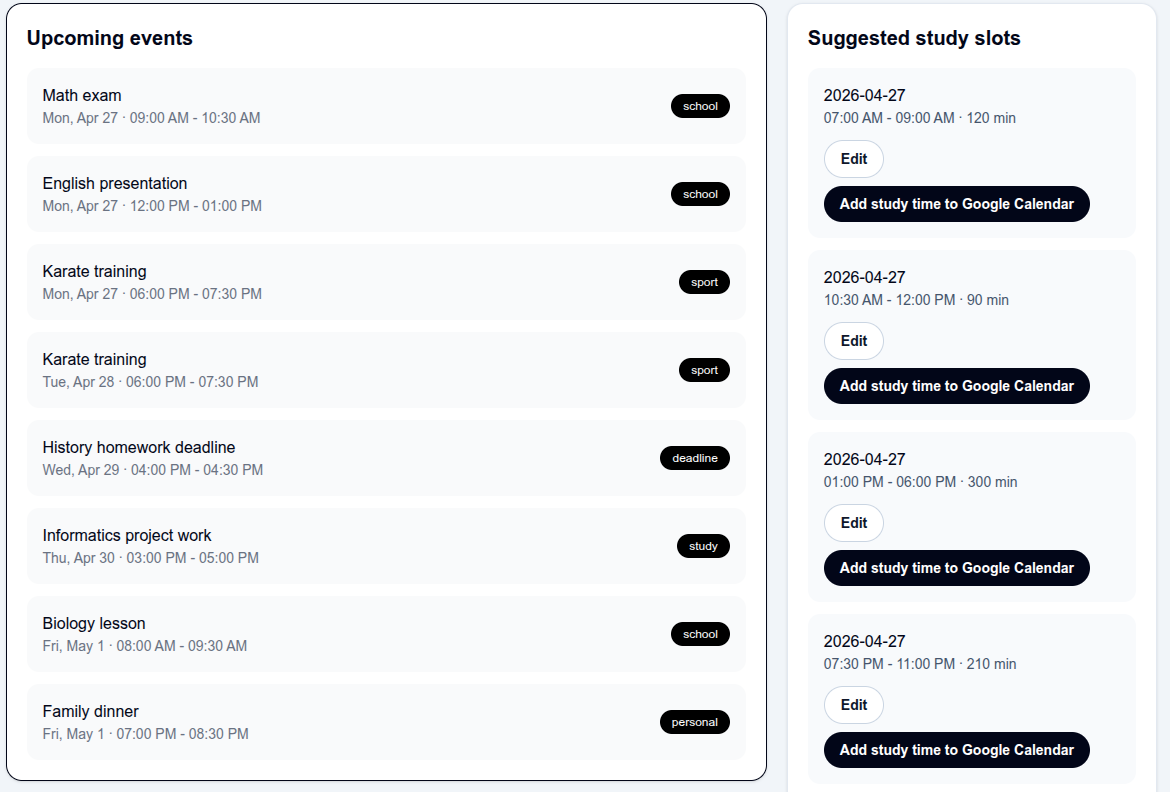
- Show upcoming calendar events in a clean dashboard
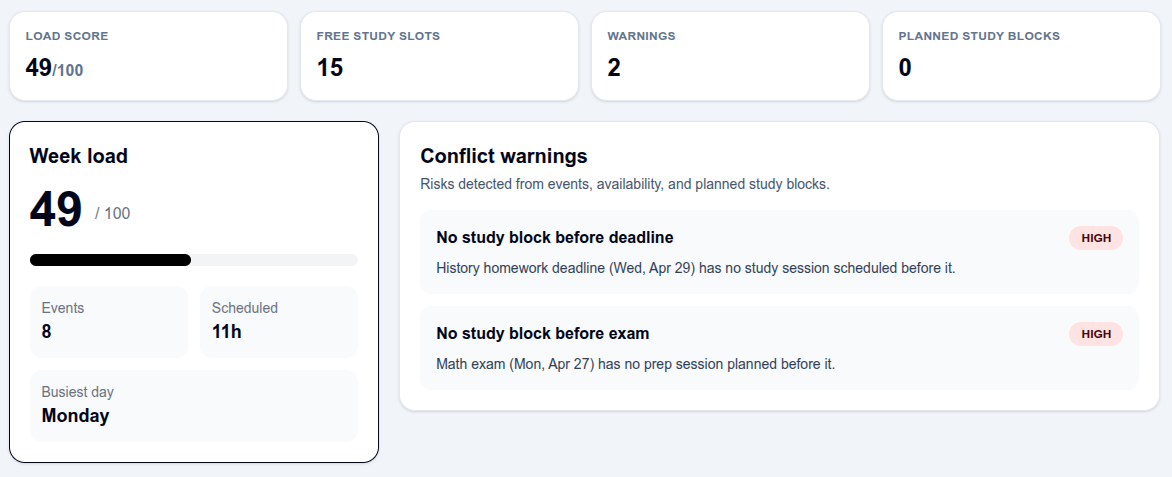
- Calculate how much time is already scheduled
- Detect busy days and free time slots
- Estimate a weekly stress/load score
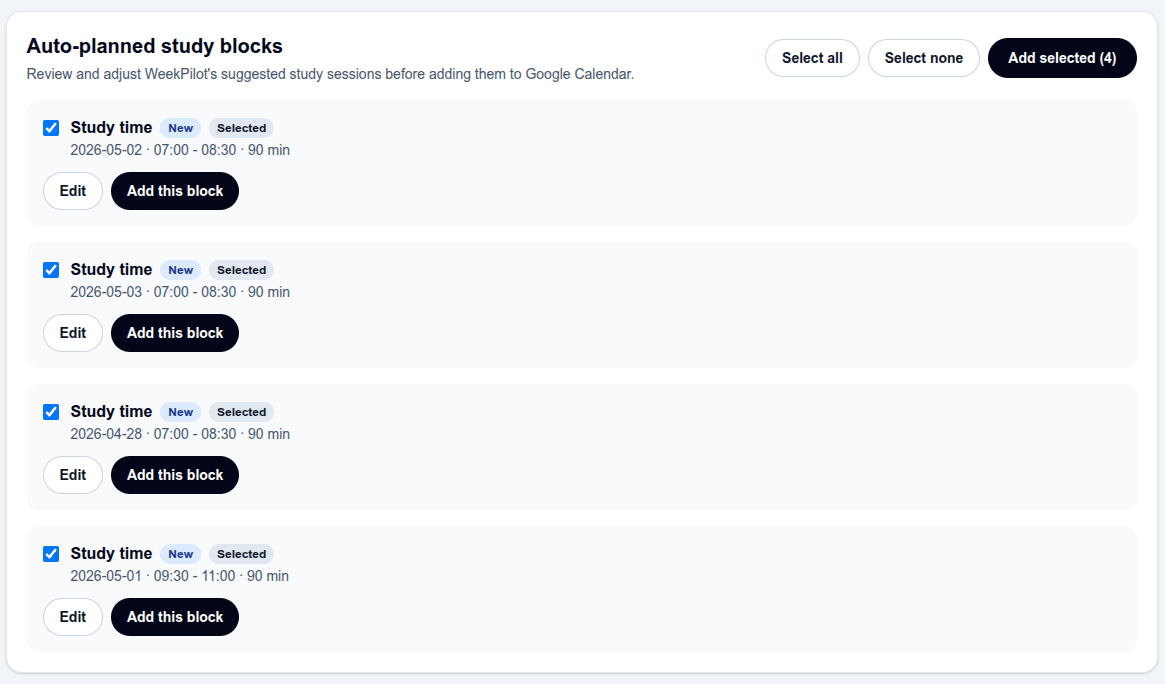
- Suggest possible study blocks
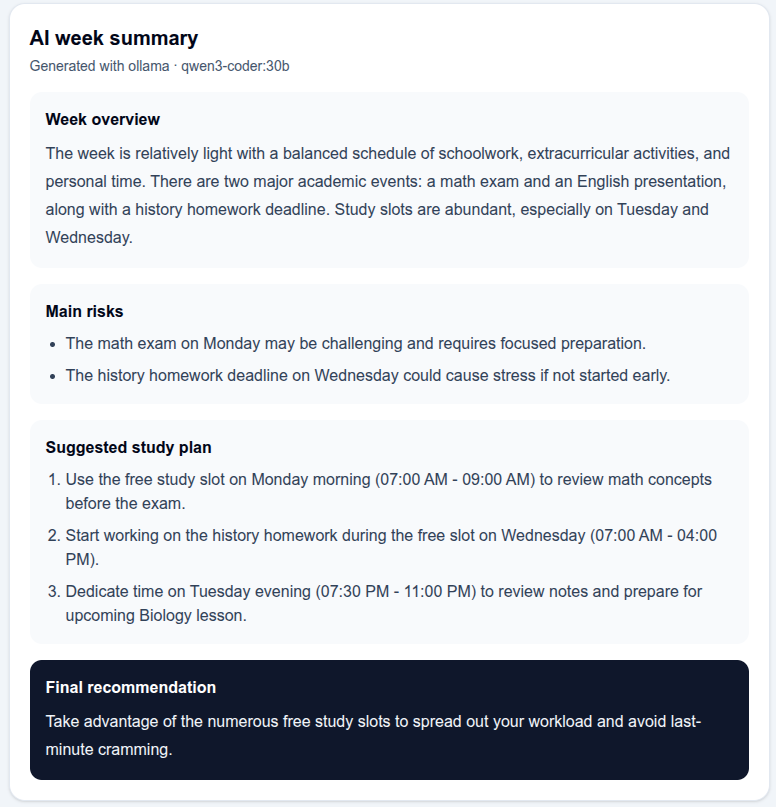
- Generate an AI summary of the week in natural language
The goal is to turn calendar data into something actually useful: a simple plan that helps students manage their time better.
How I built it
I built the project with a web-based architecture:
- Frontend: Next.js for the dashboard and user interface
- Backend: API routes / server logic for handling calendar data
- Google Calendar API: Used to fetch calendar events
- AI layer: Used to summarize the week and generate recommendations
- Event analysis logic: Custom logic to calculate free time, busy days, total scheduled hours, and workload
The basic flow is:
- The user connects their Google Calendar.
- The app fetches upcoming events.
- Events are normalized into a simple internal format.
- The app calculates statistics such as scheduled hours and free blocks.
- The AI generates a readable weekly action plan.
A simplified version of the workload score is:
$$ \text{Load Score}=\min\left(100,\max\left(0,\operatorname{round}(h\cdot5+e\cdot3-f\cdot2)\right)\right) $$
Where:
- (h) = total scheduled hours
- (e) = number of events in the selected week
- (f) = number of useful free time blocks
This score is not meant to be perfect, but it gives users a quick way to understand how intense their week looks.
Challenges I faced
One challenge was working with calendar data because events can have different formats. Some events have exact start and end times, while others are all-day events. Handling these correctly is important because a wrong date or time can make the whole plan inaccurate.
Another challenge was deciding what information is actually useful for students. A calendar can contain a lot of data, but too much information makes the app confusing. I had to focus on the most helpful insights: free time, busy days, deadlines, and simple recommendations.
I also had to think about how to make the AI useful instead of just adding a chatbot. The AI should not only repeat the calendar events. It should explain the week in a way that helps the user make better decisions.
What I learned
While building WeekPilot AI, I learned more about working with real user data, calendar APIs, and time-based logic. I also learned how important it is to design AI features around a real problem.
The biggest lesson was that a good AI product does not need to be complicated. It needs to solve a clear problem and make the user's life easier.
What's next
In the future, WeekPilot AI could become more personalized by learning the user's habits and preferences. For example, it could know that a student prefers studying in the afternoon, avoids late-night work, or needs more preparation time before exams.
Possible future features include:
- Automatic study plan generation
- Deadline detection
- Exam preparation mode
- Family or team calendar support
- Notifications before overloaded days
- A privacy-focused local AI mode
WeekPilot AI is built around one simple idea: students should not just see their schedule — they should understand it.
Built With
- approuter
- auth.js
- deepseek
- google-calendar-api
- next.js
- ollama
- openai
- react
- tailwindcss
- typescript

Log in or sign up for Devpost to join the conversation.