-
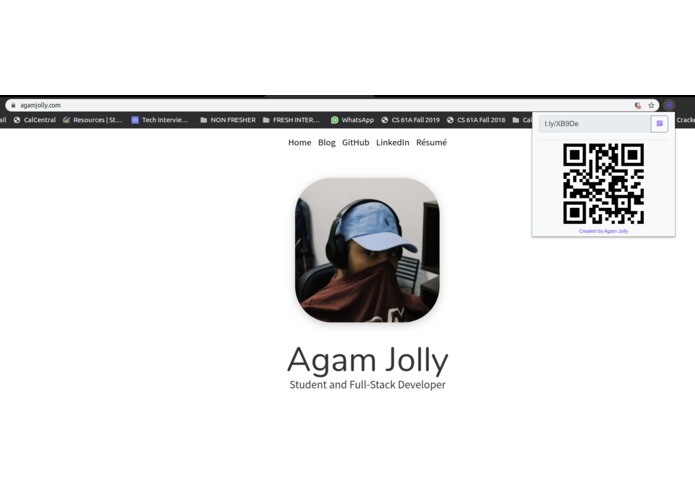
Extensions bar - clicking on the icon automatically shortens and copies the link to the clipboard and generates a QR code for easy sharing.
-
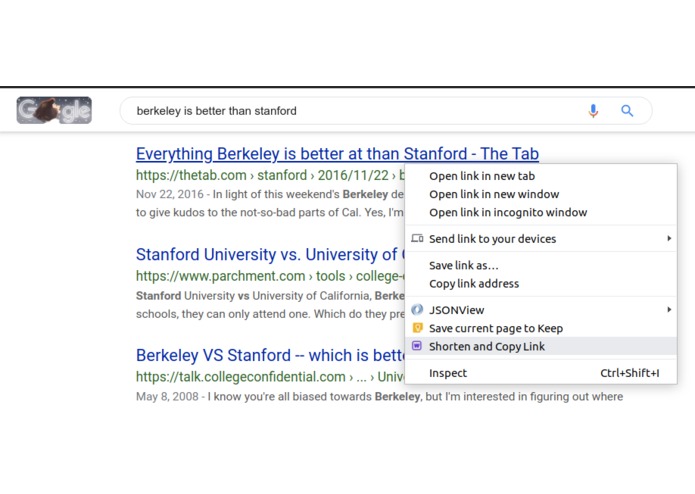
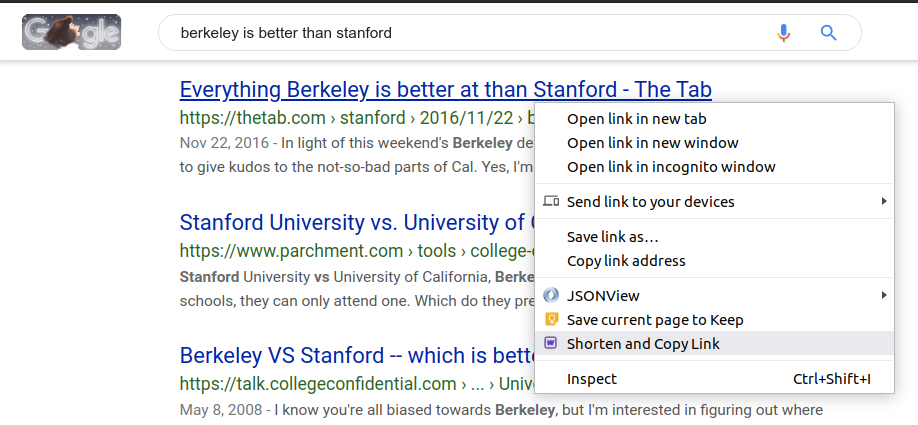
Search results - the extension has an option to shorten hyperlinks and copy the shortened links to the clipboard for easy sharing.

Inspiration
As a college student, working on mutual projects can be particularly hard because of the impending challenge of sharing URLs and links with each other. Not only does this hamper productivity, but also makes it a lot harder to focus on a given problem. The name is unique in itself -- Wee! -- which in literal terms means small, which is essentially what the extensions aims at making your work to be!
What it does
Wee! tracks every URL that you visit and shortens it right when you press the icon on the extensions tab and make it active. The shortened URL is automatically copied to your clipboard and you're good to go! Another cool thing that Wee! does is that when you're scrolling Google to find search queries relevant to a study, you can right click at any given URL, shorten it, and it automatically gets copied to the clipboard -- easy for you to share! The extension also generates a quick QR code so that you can easily scan and remain in-sync with all your devices.
How I built it
The browser extension is built in pure Javascript, while the "unofficial" REST APIs required for communication to-and-from the shortening service (self-made) were built with Selenium (Python). I made the URL shortener myself by implementing hash functions and then using redirects to avert all traffic to the site the user intended to visit.
Challenges I ran into
I made the URL shortener all by myself (too much of a challenge, I know) and implemented hash functioning. There was also very limited support available for most shortening service APIs on the internet, with most of them being paid.
Accomplishments that I'm proud of
Single-handedly handled an extremely intricate and complex project, while manually making "unofficial" APIs for a popular URL shortening service.
What I learned
I learned how hash functions work and tremendously improved my JavaScript and Bash skills. Got to explore Koa JS and realised that making Chrome extensions is not easy!
What's next for Wee! - URL Shortener
I will try to add more functionality to the extension, by allowing the user to choose between different URL shortening microservices and this filter in their personal API keys for the same for a more tailored experience.
I look forward to making studying and working productive for more people!
Built With
- api
- javascript
- koa
- rest
- t.ly

Log in or sign up for Devpost to join the conversation.