-
-
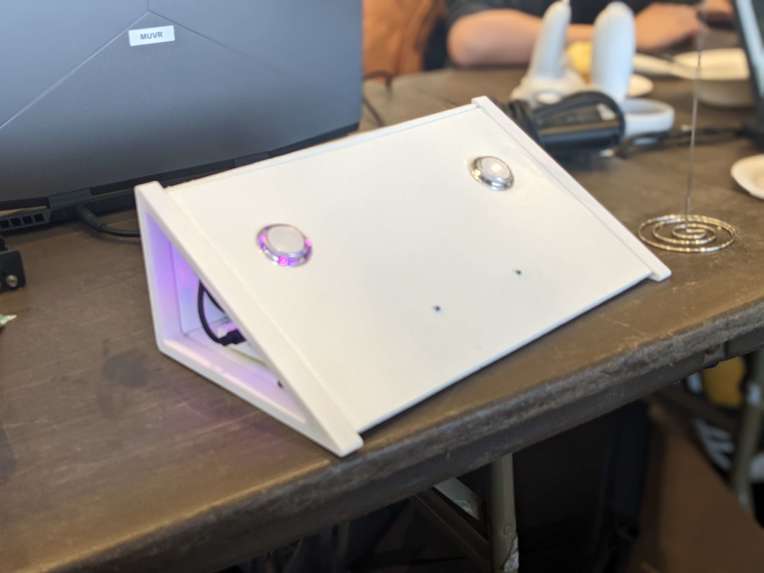
WEDGE: Wireless, Ergonomic, Dynamic Gesture Enhancer
-
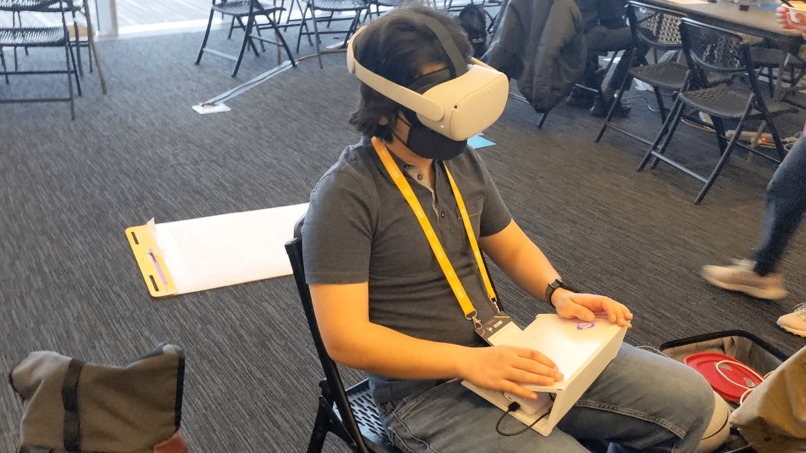
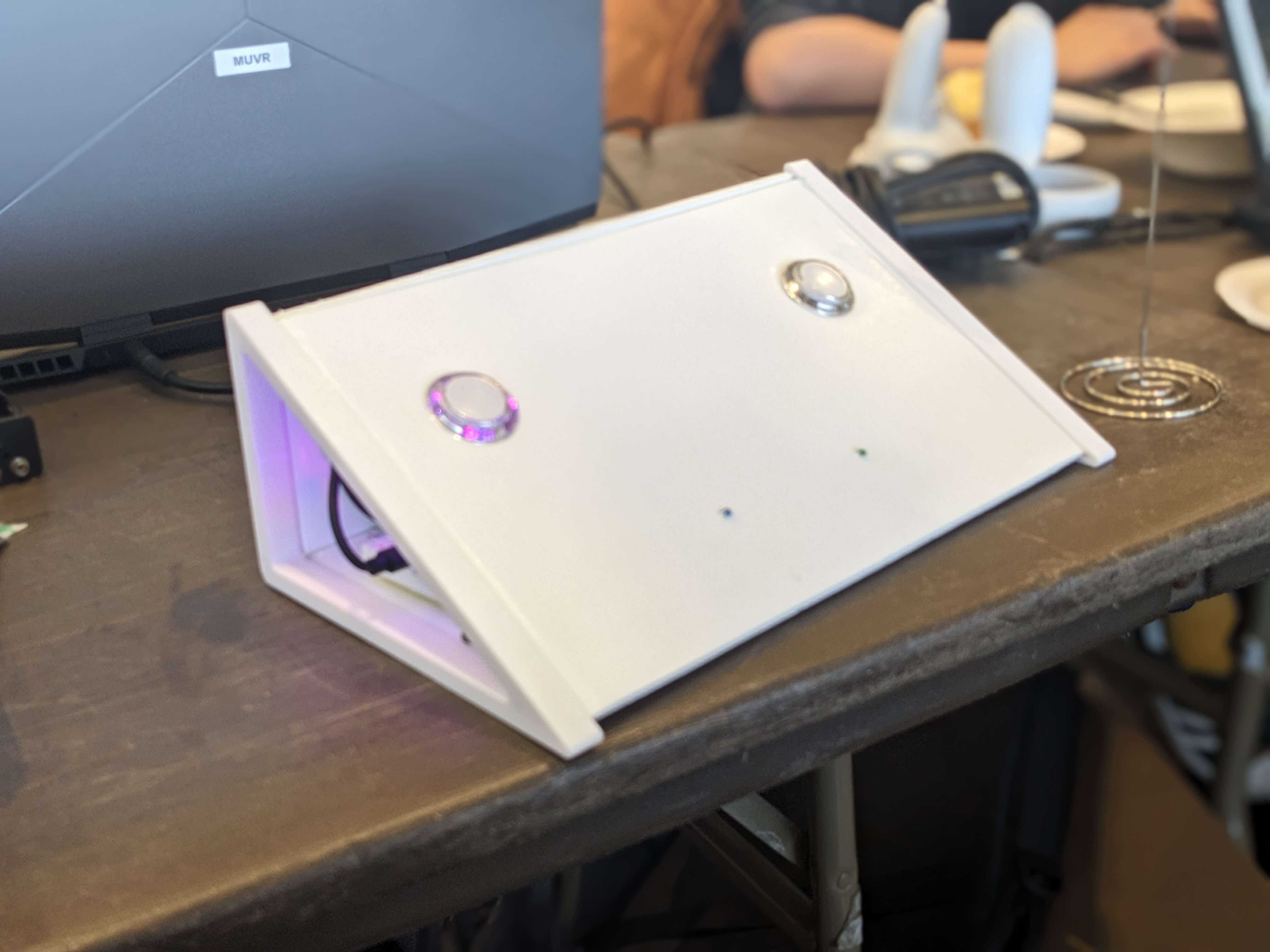
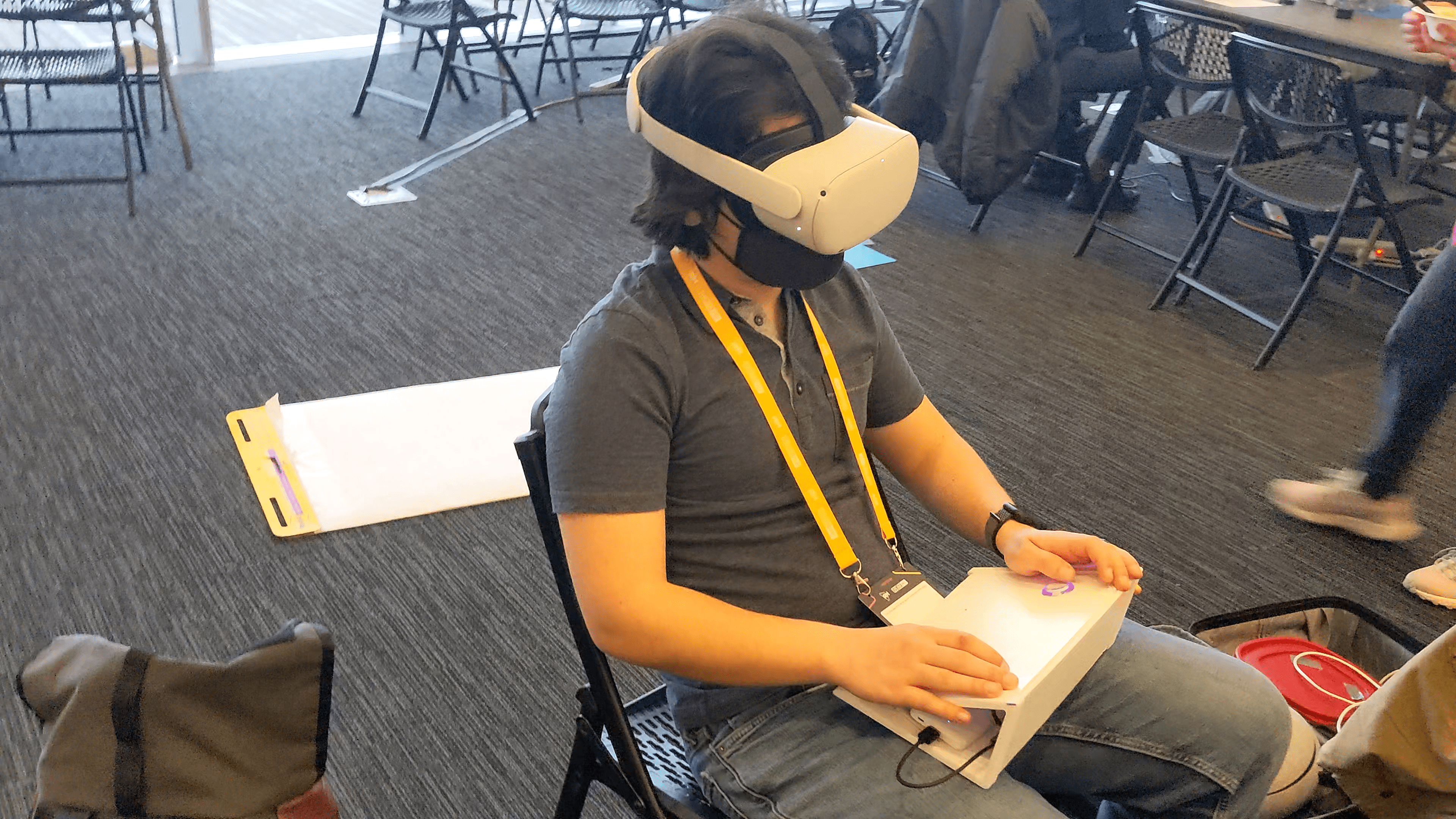
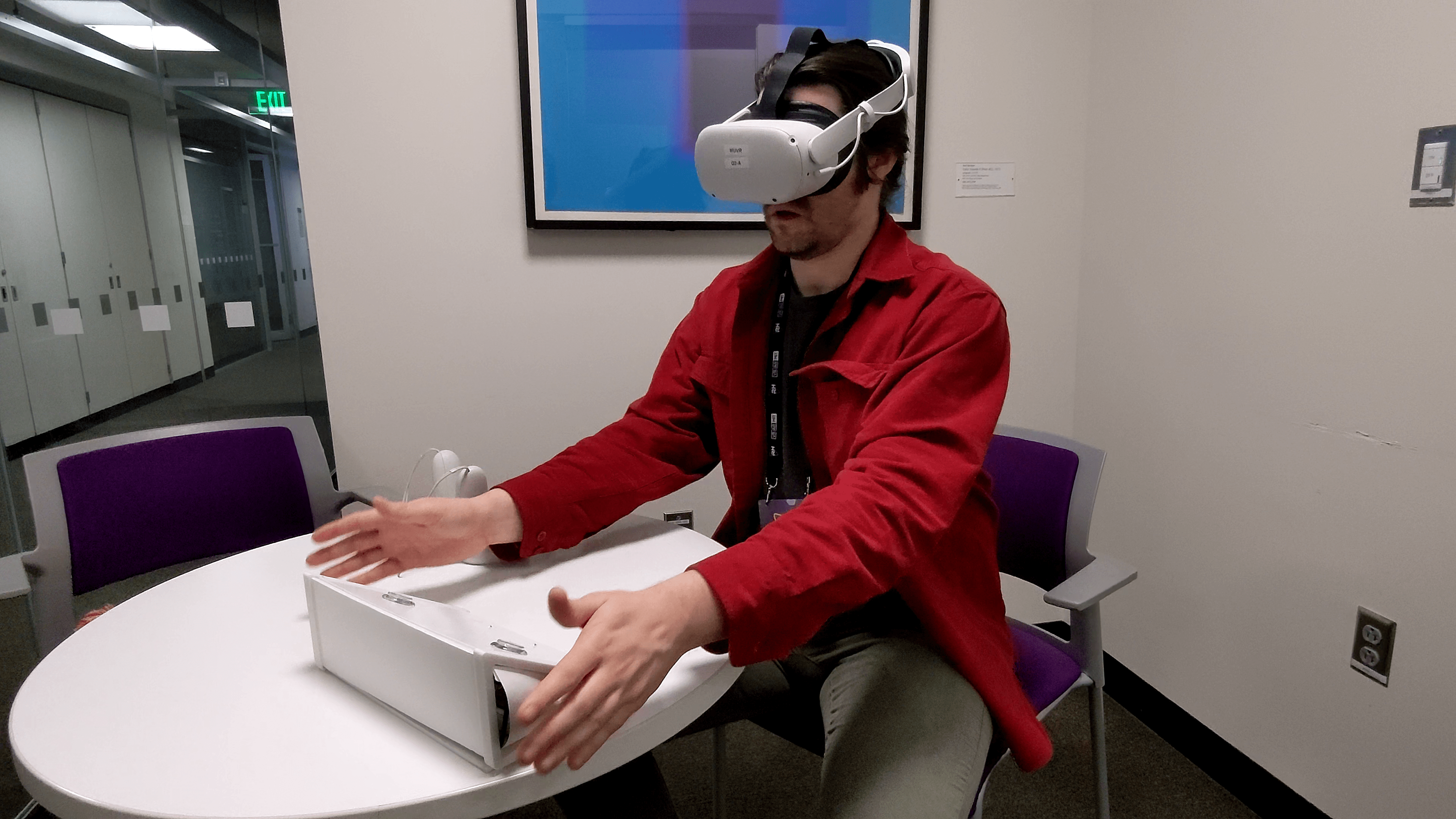
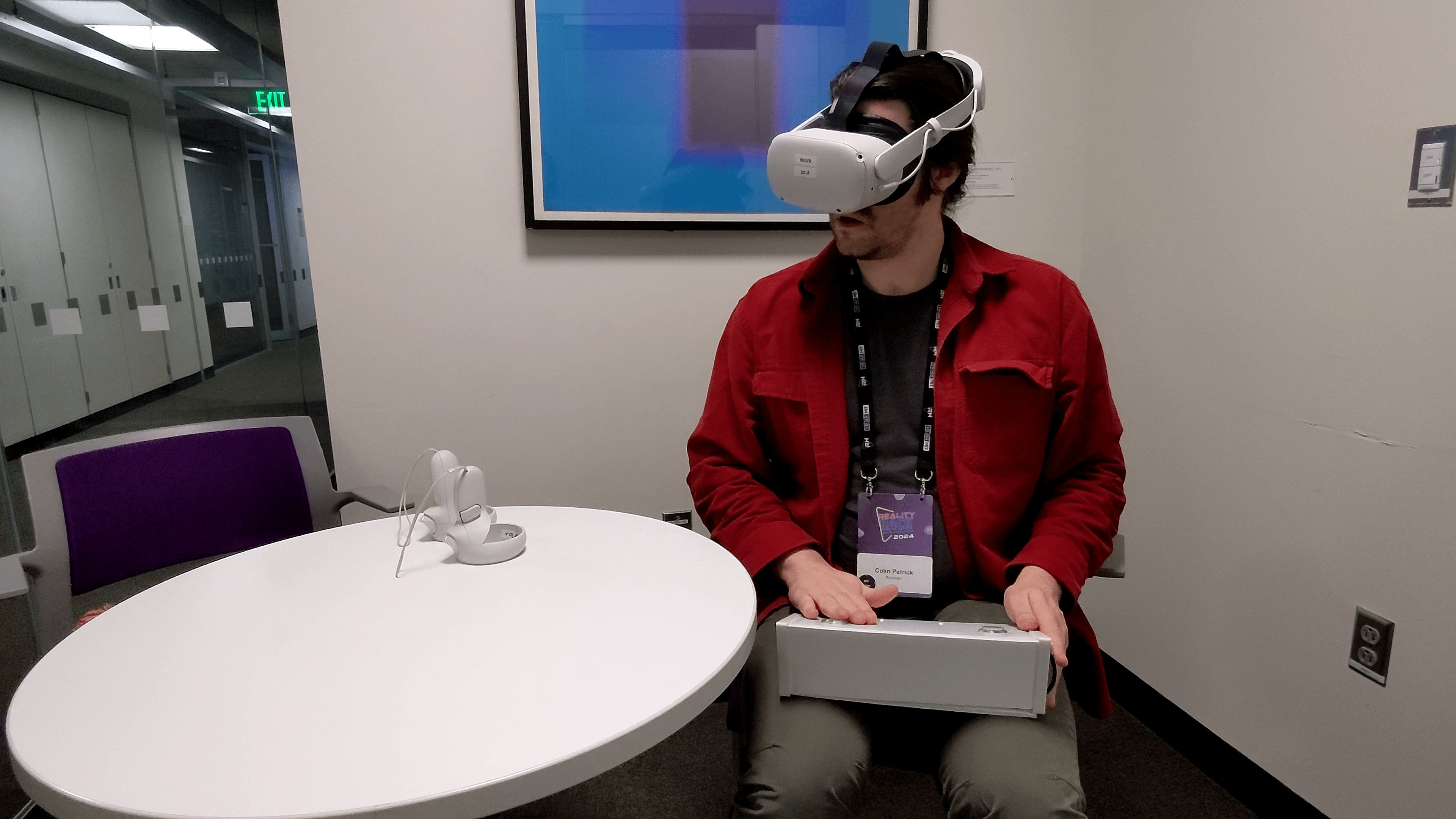
Lap controls on the Wedge are ergonomic and proprioperceptory
-
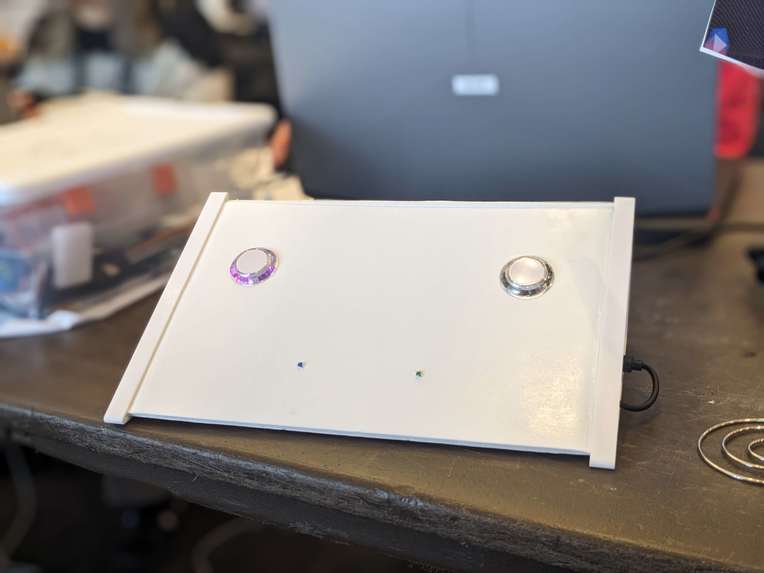
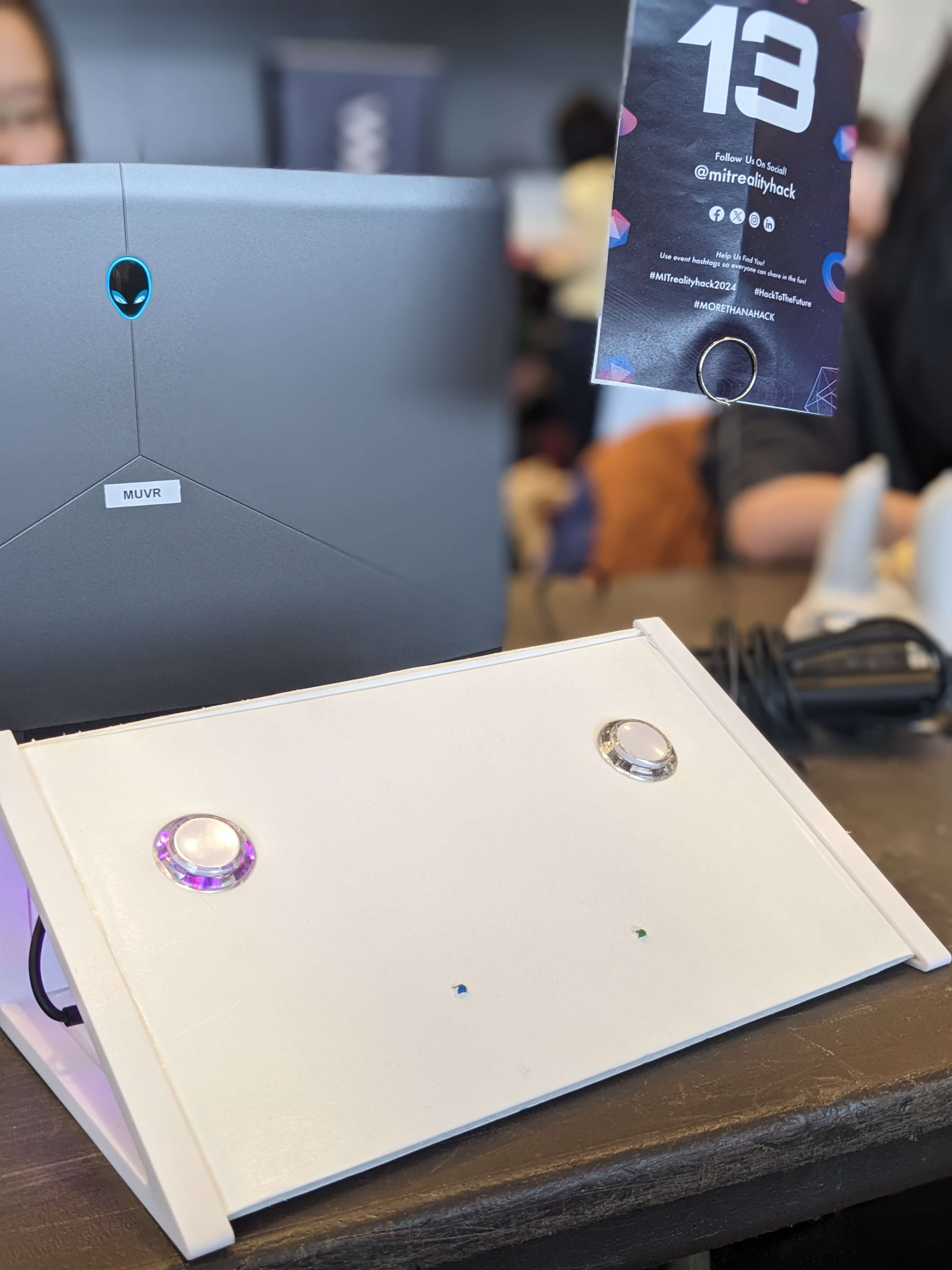
A minimal faceplate design is readily re-mappable by users
-
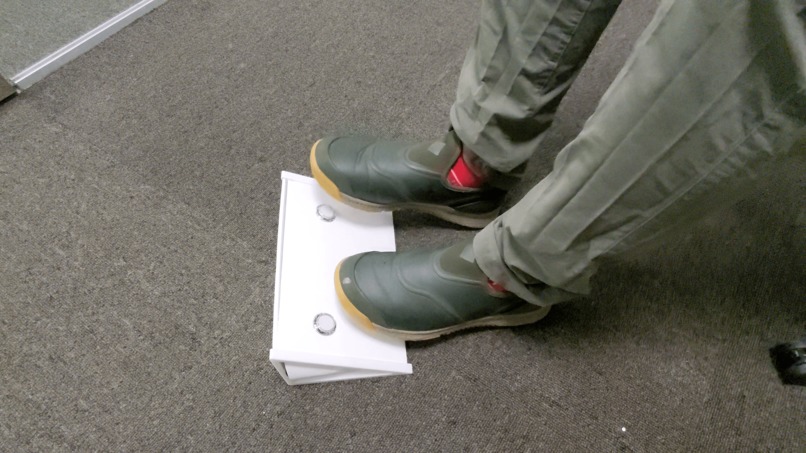
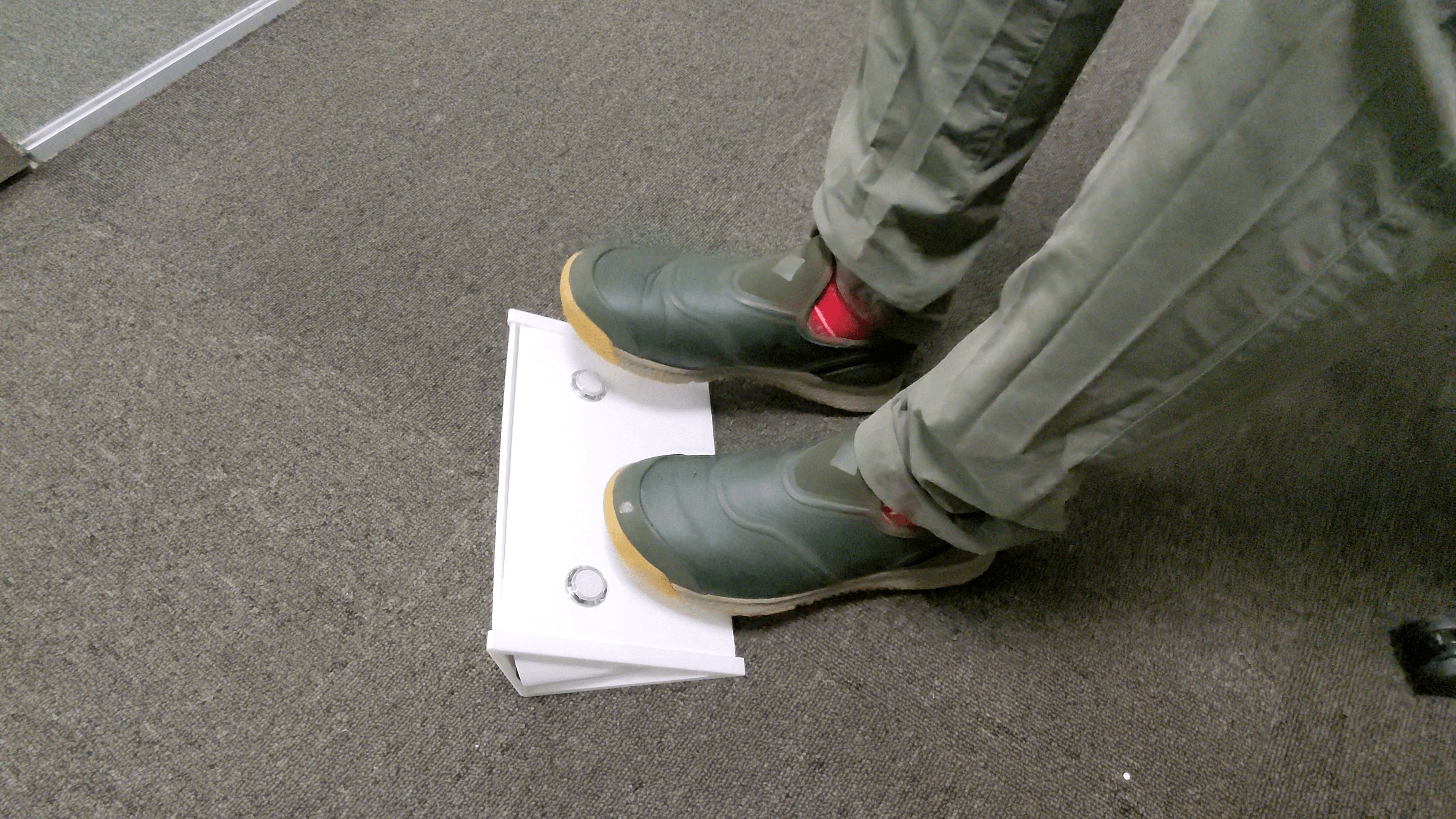
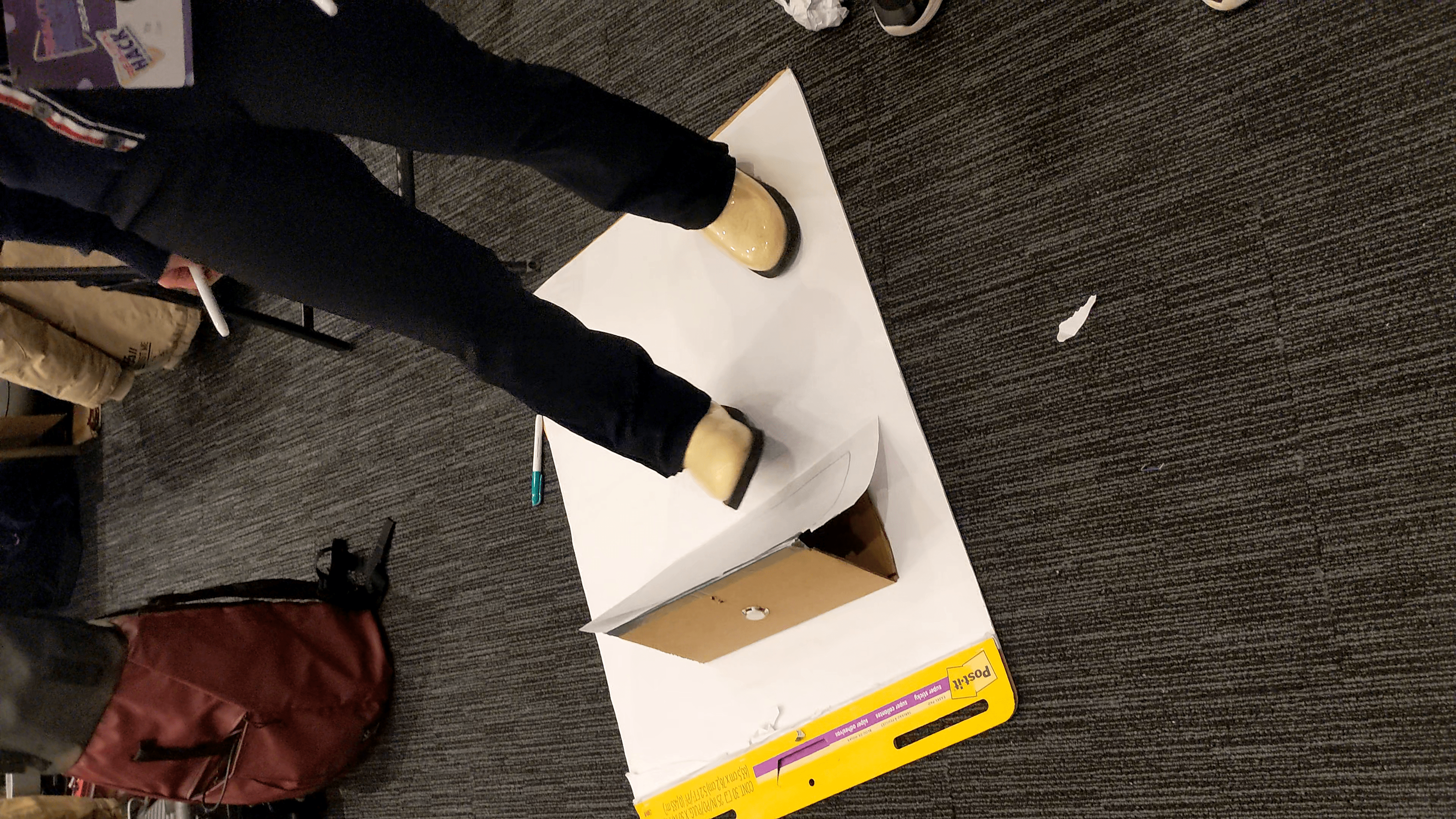
Pedal and foot interaction functionality
-
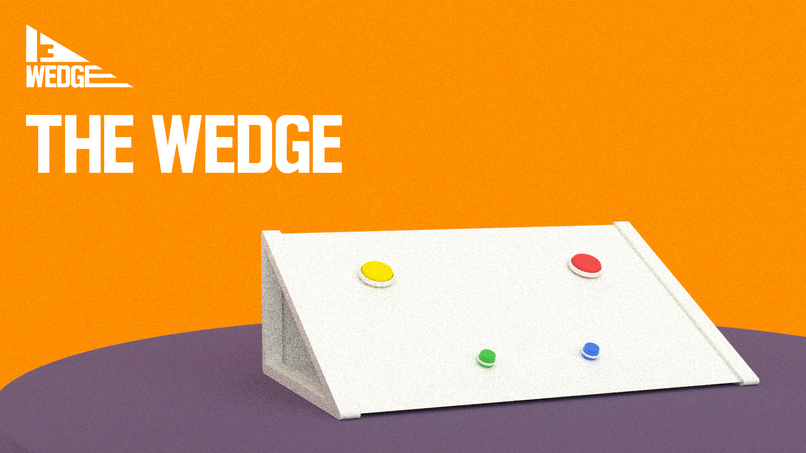
The WEDGE promo
-
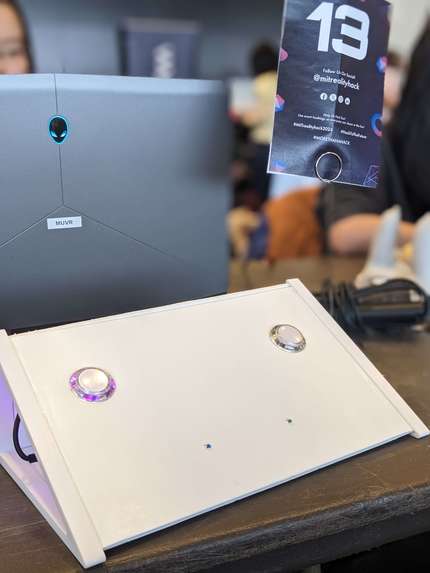
It's the best wedge out there!
-
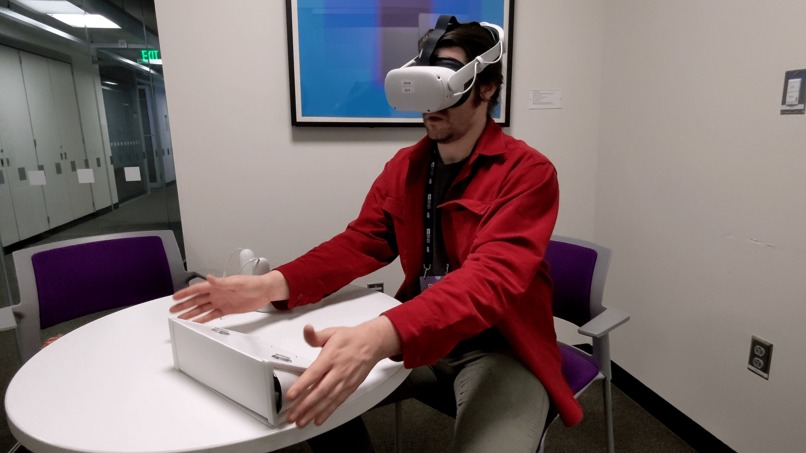
Desktop functionality for exhibits and collaborative editing
-
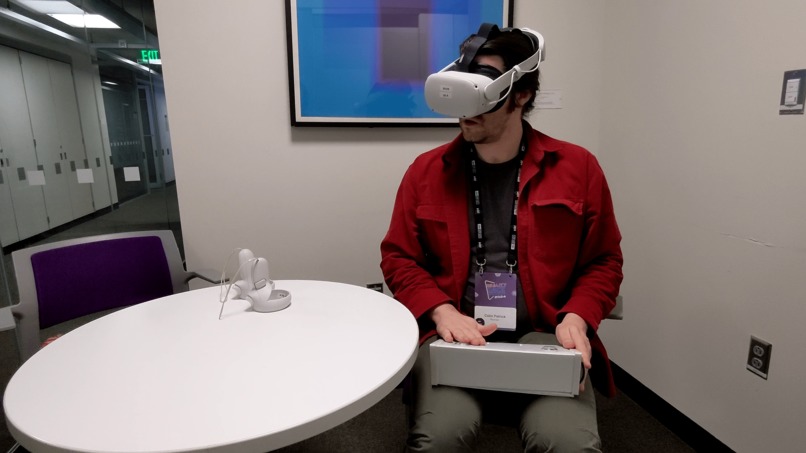
Laptop interaction ergonomics for virtual environments
-

WEDGE: Wireless, Ergonomic, Dynamic Gesture Enhancer
-
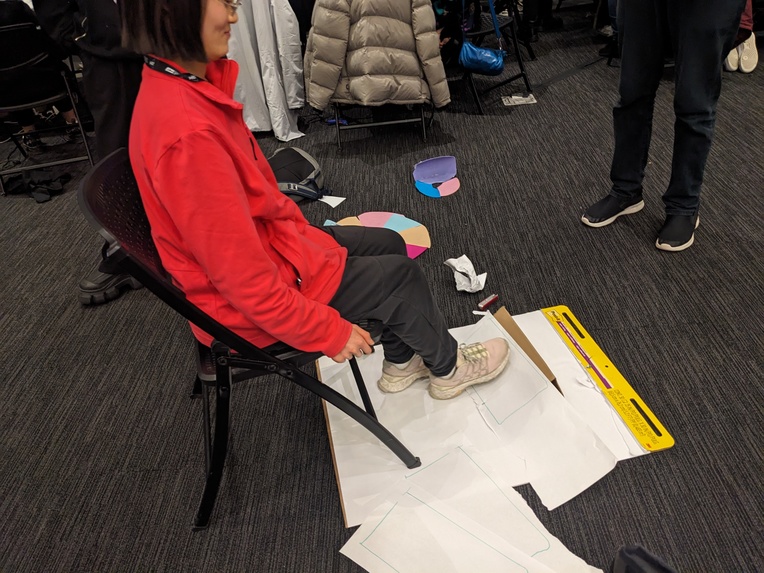
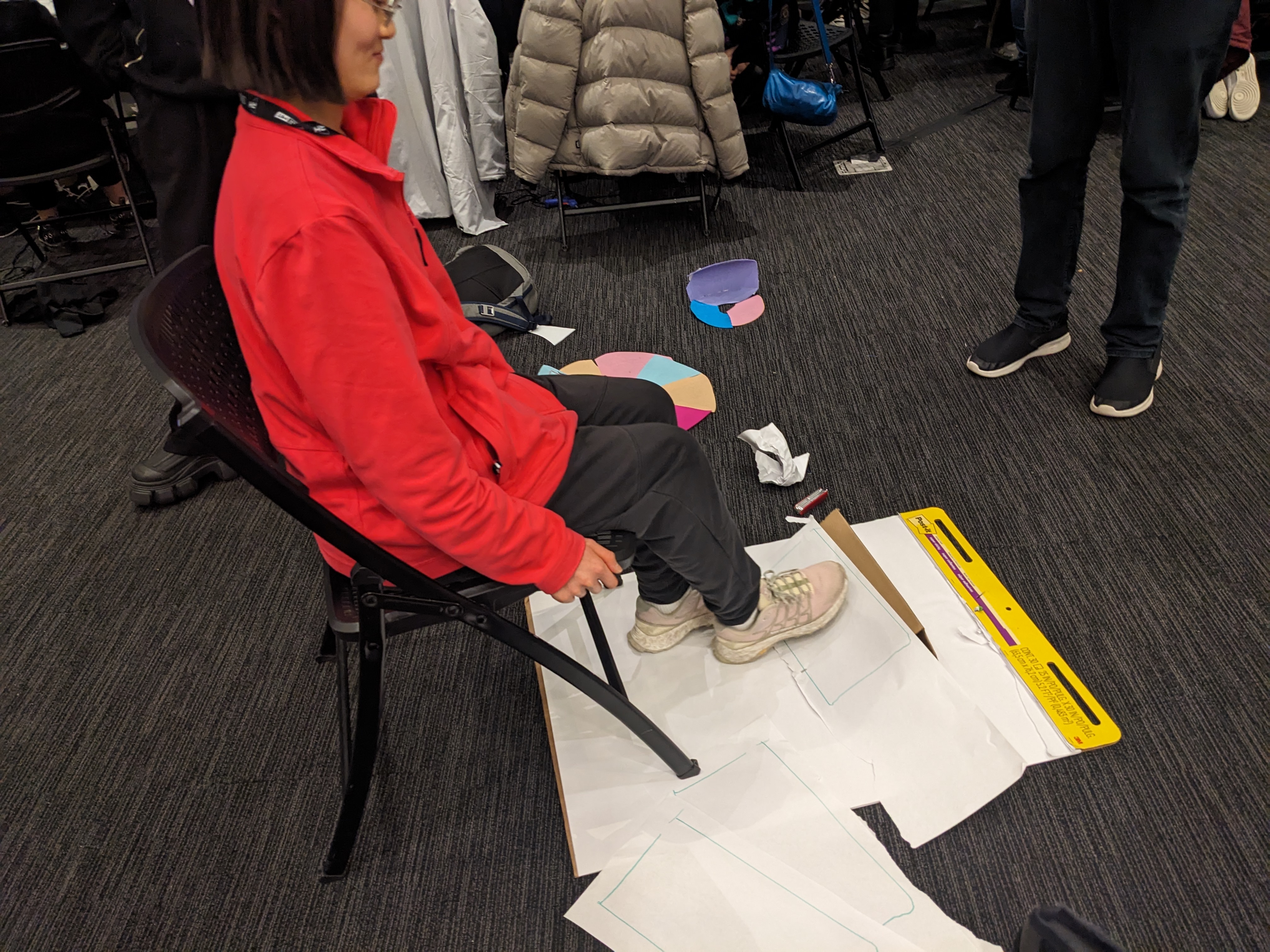
Low Fidelity Collaborative Prototyping exercise
-
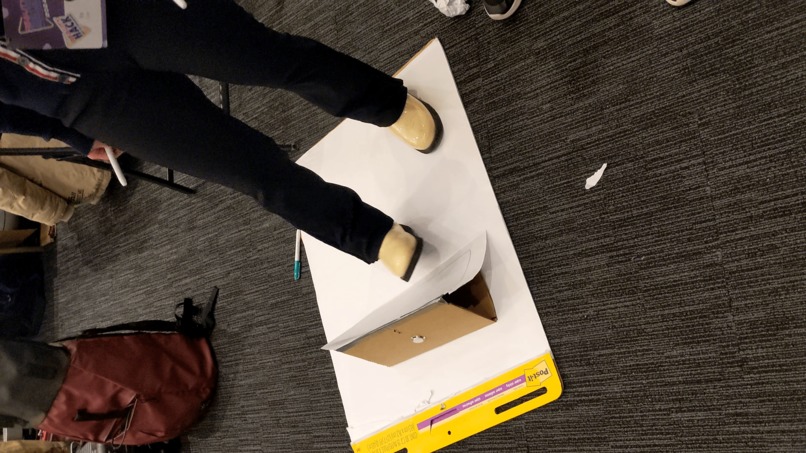
Low Fidelity Collaborative Prototyping exercise
-
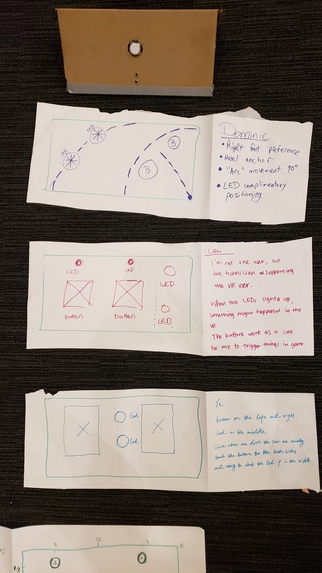
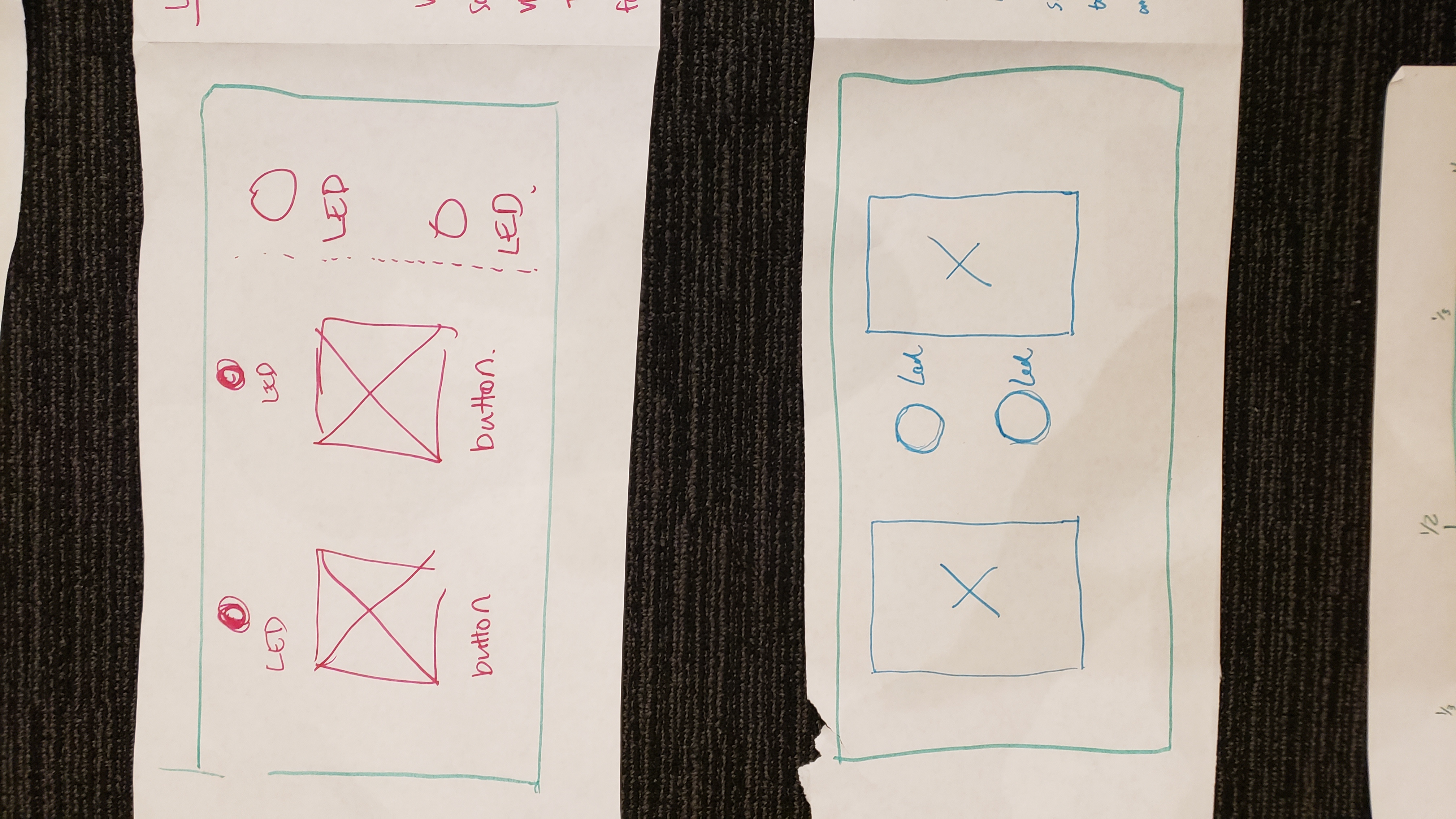
Team responses for button and LED placements from Low Fidelity Collaborative Prototyping exercise
-
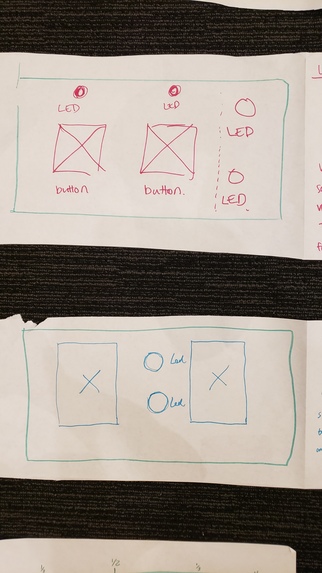
Close up of some team responses for button and LED placements




Project Information
Team Members: Dominic Barrett, Colin Keenan, Ye Tian, Lifei Wang, Erika Zhou
Team Lead: Dominic Barrett
Location: MIT Media Lab, 6th floor, Table A212
Hardware Used and Target Platform:
- Oculus/Meta Quest 2 headset, or another compatible headset such as Meta Quest 3 or Meta Quest Pro
- The WEDGE
- Featuring ESP-32 microcontroller, buttons, and LED lights
Hackathon Theme: Connection
Main Tracks: Hardware Hack, Augmented Productivity (Purpose Track)
Additional Tracks: Bezi, Social XR
Inspiration
At MIT Reality Hack 2024, Team 13 converged around the concept of asymmetrical XR interactions and a fascination with feet interaction. Identifying a gap for peripherals that connect to users outside the VR headset, we envisioned WEDGE – a tool to facilitate shared virtual experiences. Our backgrounds in crafting XR exhibits and educational software have often highlighted the challenges of integrating standalone VR with interactive devices.
WEDGE is our answer to creating the versatility of PC peripherals like Xbox accessibility controllers and MIDI devices for the standalone VR realm. We thought about the Figma Creator Micro, which allows keybinds to be mapped to single buttons, and the Xbox Adaptive Controller, an alternative means of input for differently-abled gamers.
What it does
WEDGE is a multi-faceted XR peripheral, bridging the digital divide between virtual interactions and tangible IoT applications. Designed for remapping and multipurpose use, it transcends gaming to augment utility tasks, creative displays, classroom learning, and accessibility. With a simple interface of two buttons and LEDs, WEDGE introduces a new dimension of control within XR environments. An advantage of the WEDGE is that people outside of VR can see feedback from the LEDs
Four compelling use cases
- Education: One-to-many educational activities facilitated by an instructor, who can use WEDGE as a control panel
- Gaming: Tactile controls for racing games and flight simulations. Hotkey bindings. Music rhythm game controller.
- Creativity or Makers: Control panel for VR DJs. Stage lighting controls. Massive multitasking, switching between VR or AR "virtual desktops."
- Accessibility: Input device for people with motor control disabilities.
How we built it
Our design process was rooted in collaborative prototyping, focusing on the ergonomics of foot-based interaction. Through iterations of 3D models, we arrived at an optimized triangular wedge shape, providing stability at angles of 30, 60, and 90 degrees. The team's expansion with the addition of Ye (a.k.a. Maggie) was a turning point, enriching our product vision and development.
Unity was our workhorse for digital prototyping and an ESP-32 microcontroller enabled WEDGE to come to life for the physical build. The Singularity library allowed bi-directional communication between the ESP-32 and the Quest 2 headset. Bezi was used early in the development process to mock up UI screens, and also later on to rapidly create 3D assets for the Unity demo. Meshy was used to quickly generate some of the 3D assets.
Challenges we ran into
The ergonomic design for versatile foot interaction posed a significant challenge. We researched pedal designs and engaged in rapid prototyping to refine the wedge's shape for functional and intuitive use. Each team member who drew their preferences on paper after trying out the cardboard prototype came up with a different layout for the two buttons and two LEDs. Most of us preferred a symmetrical layout, so we chose to go this route. We also discussed the versatility of the device with regards to physical orientations, such as being used while sitting; standing; or held on the lap. The team had varying levels of experience working with command line Git, and we overcame some issues through sending Unity packages, coordinating who would work on what, and having members with more Git experience handle most of the Git operations.
Early in development, our idea focused on productivity with the foot controls allowing the user to move through "virtual desktops" that could have multiple windows, allowing the user's hands or hand controllers to do fine movements. However, we realized that the foot control was much more versatile than that, and this led to us reimagining our "Footwork" device as a general-purpose input/output device with a variety of uses.
The communication between the ESP-32 and Quest 2 headset was a major challenge for the project. There were several milestones: getting the ESP-32 and Quest 2 connected over Bluetooth with The Singularity, getting button presses to work, and overcoming a button delay issue (which turned out to be because the ESP-32 was attempting to simultaneously send and receive serial data). With the help of mentors and Dominic's skills and persistence, the problems were solved.
Accomplishments that we're proud of
Our Unity demo scene offers a sample of our vision, demonstrating the impactful simplicity of WEDGE’s design. With just two buttons and LEDs, we’ve created a device that can significantly enhance XR interactions and IoT integration. We were happy that the challenges of connecting the ESP-32 to the Quest 2 were overcome, and that the Unity demos were linked to the button interactions in a cute and engaging way. We liked that the WEDGE device was physically customizable, because users can detach the face panels from the end triangles and attach longer or shorter panels with different button, light, or sensor configurations.
What we learned
Our journey reinforced the critical role of ergonomic design in creating intuitive user experiences. We learned that rapid prototyping can be very helpful in understanding how users may interact with a device, and that insights may be gained from individuals' reasoning behind their preferences. We’ve deepened our understanding of Unity’s version control and prefab workflows, which may be invaluable in our future work. We also learned that leveraging AI tools such as Meshy or ChatGPT may be helpful when building quick proof-of-concepts or getting code to work in a time crunch.
What's next for WEDGE: Wireless, Ergonomic, Dynamic Gesture Enhancer
WEDGE is poised for evolution, with plans to expand connectivity through Bluetooth and Wi-Fi and adapt to a broad spectrum of consumer and industrial needs. A modular faceplate design is also in development, catering to the diverse preferences of our users, including those with disabilities or limited mobility. As a contribution to the open source hardware community, WEDGE has potential to provide value to multiple audiences and be built or modded by interested hackers. The 3D-printed side pieces allow the face boards to be interchanged, so users can move or add buttons, lights, or sensors as they please to extend or remix the functionality of WEDGE.
Team Journey
Team 13's path was highlighted by a collective drive towards enhancing asymmetrical XR interactions and building a device for foot interactions, which are comparatively underutilized in the XR space. The integration of our fifth team member, Ye, solidified our direction, contributing to a robust product vision. WEDGE stands not just as a device but as a bridge across XR and IoT landscapes, ready to adapt and grow with the technologies of tomorrow.
Development Tools Used
- 3D printed plastic side pieces
- Adobe Photoshop
- Adobe Premiere Pro 2024 for video editing
- Arcade buttons, LED lights, wires, breadboard, foam board. Cardboard used during rapid prototyping.
- Arduino IDE https://www.arduino.cc/en/software
- Bezi https://www.bezi.com/
- Bezi Unity Integration, Bezi Unity Bridge https://github.com/bezi3d/bezi_unity_bridge.git?path=/BeziUnityBridgePlugin#main
- ChatGPT/GPT-4 https://chat.openai.com/ Used for help with coding, Unity development, and/or miscellaneous tasks.
- ESP-32 microcontroller
- Figma https://www.figma.com/
- glTFast Unity package. Needed for Bezi-Unity integration.
- Meshy, for generating 3D models https://www.meshy.ai/
- Newtonsoft JSON framework https://www.newtonsoft.com/json
- Oculus/Meta Quest 2 VR headset
- Prusa Slicer & MK3 printer for 3D printing
- Rhino https://www.rhino3d.com/
- RunwayML audio cleanup https://runwayml.com/
- SideQuest https://sidequestvr.com/
- Suno AI text-to-Audio diffusion model https://www.suno.ai/
- The Singularity https://github.com/VRatMIT/TheSingularity-Unity
- Unity game engine
- Unity XR Interaction Toolkit https://docs.unity3d.com/Packages/[email protected]/manual/index.html
Assets
- Wagner Modern Font for Logo
- “Raindrops in Super Slow Motion” (https://www.videvo.net/video/raindrops-in-super-slow-motion/3313/#rs=video-box) by Beachfront is licensed under CC-BY 3.0.
- "Bubble Pop Gallery" (https://skfb.ly/o6FUz) by ellasuper is licensed under Creative Commons Attribution 4.0 http://creativecommons.org/licenses/by/4.0/.
This 3D model was used for the demo environment. - “Lonely Tree at Sunset (slow motion) CC-BY NatureClip” (https://www.videvo.net/video/lonely-tree-at-sunset-slow-motion-cc-by-natureclip/2148/#rs=video-box) by NatureClip is licensed under CC-BY 3.0.
- “Macro Seedling Time-Lapse CC-BY NatureClip” (https://www.videvo.net/video/macro-seedling-time-lapse-cc-by-natureclip/2150/#rs=video-box) by NatureClip is licensed under CC-BY 3.0.
- “Morning Clouds CC-BY NatureClip” (https://www.videvo.net/video/morning-clouds-cc-by-natureclip/2144/#rs=video-box) by NatureClip is licensed under CC-BY 3.0.
“Lonely Tree at Sunset (slow motion) CC-BY NatureClip” (https://www.videvo.net/video/lonely-tree-at-sunset-slow-motion-cc-by-natureclip/2148/#rs=video-box) by NatureClip is licensed under CC-BY 3.0.
“Macro Seedling Time-Lapse CC-BY NatureClip” (https://www.videvo.net/video/macro-seedling-time-lapse-cc-by-natureclip/2150/#rs=video-box) by NatureClip is licensed under CC-BY 3.0.
“Morning Clouds CC-BY NatureClip” (https://www.videvo.net/video/morning-clouds-cc-by-natureclip/2144/#rs=video-box) by NatureClip is licensed under CC-BY 3.0.
References/Resources
- “Bezi + Unity Integration Demo” by Bezi on YouTube. https://www.youtube.com/watch?v=H-Xxes3UGSk&t=24s
- “Change author information of previous commits.” gist by IamFaizanKhalid on GitHub. https://gist.github.com/IamFaizanKhalid/c0f0475a58a2e331735feb1dd1c7ac59
- Note: Erika Zhou made pushes to our Codeberg repo and realized that her Git username and email were set to something different than what she used for her Codeberg account. This was because she had her Git username set to her university login username (zhoue) and had a different email configured in Git. She didn’t change the configuration before starting to push to Codeberg. She was using a computer borrowed from a university student organization. After some time after finding out about this, the username and email were configured, and Erika spent some time to change the author information of previous commits that had the wrong Git username. Please ask Erika Zhou if you would like clarification or further explanation. I apologize for my mistake.
- “ESPs, Arduino, the Singularity” slides from MIT Reality Hack 2024 workshop https://docs.google.com/presentation/d/1oQrXYDs7UZmUIMiwRm-VoYjyhoI2zvGtCqbZ5bfcDvg/edit#slide=id.p
- "Unity Integration" - Bezi Documentation https://bezi3d.notion.site/Unity-Integration-f897f3ad575c4cfb9e685b51122893c5#7dca916b770c4c23b6d58d34d06cd1d5
- “XRTK for Oculus Quest 2” slides from MIT Reality Hack 2024 workshop https://docs.google.com/presentation/d/1CiPYIz61ANj-T_KTU9drycy6XUjfOIP1mAXNGilUi1I/edit#slide=id.g1cf1714baaf_0_92
Built With
- 3d-printing-technologies
- arduino
- bezi-+-unity-integration-demo?)
- bezi-unity-bridge
- bezi-unity-integration
- buttons
- chatgpt/gpt-4
- esps
- figma
- github-gists-and-repositories
- gltfast-unity-package
- google-slides-presentations-(e.g.
- led-lights)
- oculus/meta-quest-2-headset
- prusa-slicer-&-mk3-printer
- runwayml
- sidequest
- suno-ai
- the-singularity-(open-source-library)
- the-singularity?
- the-wedge-device-(featuring-esp-32-microcontroller
- unity-game-engine-(version-2022.3.12f1-lts)
- unity-xr-interaction-toolkit
- xrtk-for-oculus-quest-2?)
- youtube-demonstrations-(e.g.


Log in or sign up for Devpost to join the conversation.