-
-
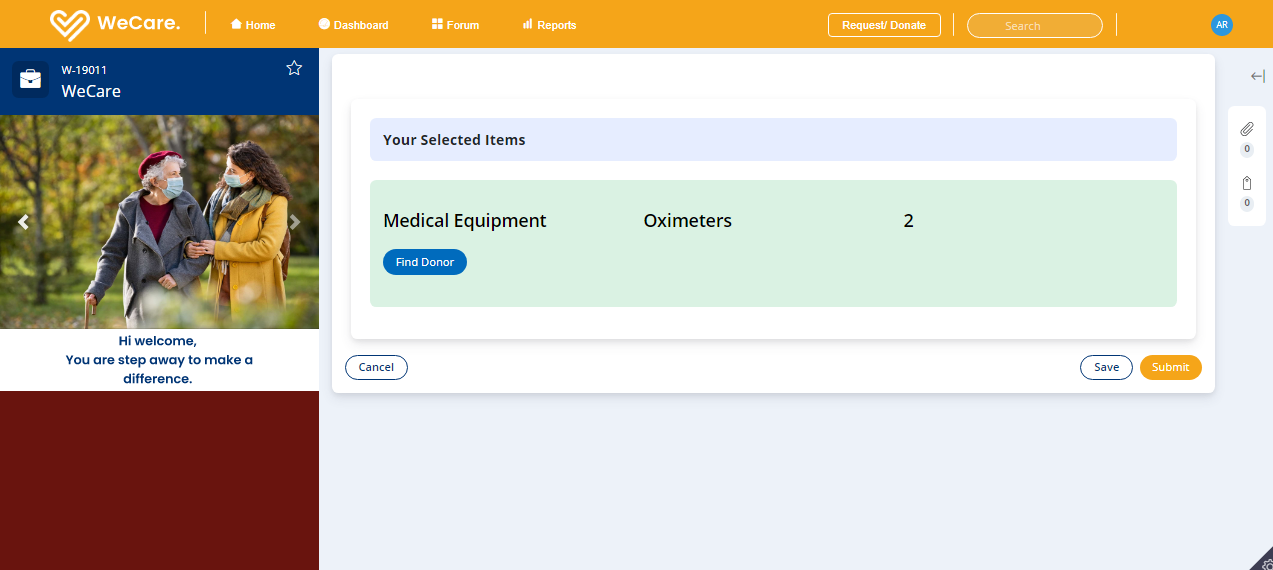
SelectedItems
-
AddItem
-
Request/Donate
-
AttachDocs
-
BasicDetails
-
NGODetails
-

SelectResponse
-
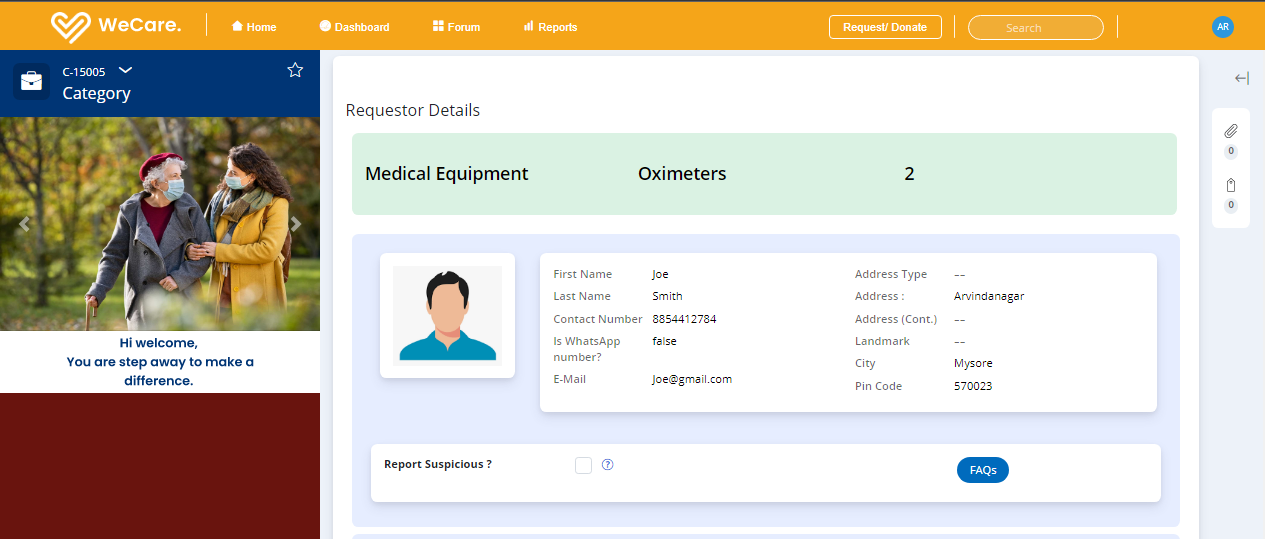
RequestorDetails
-
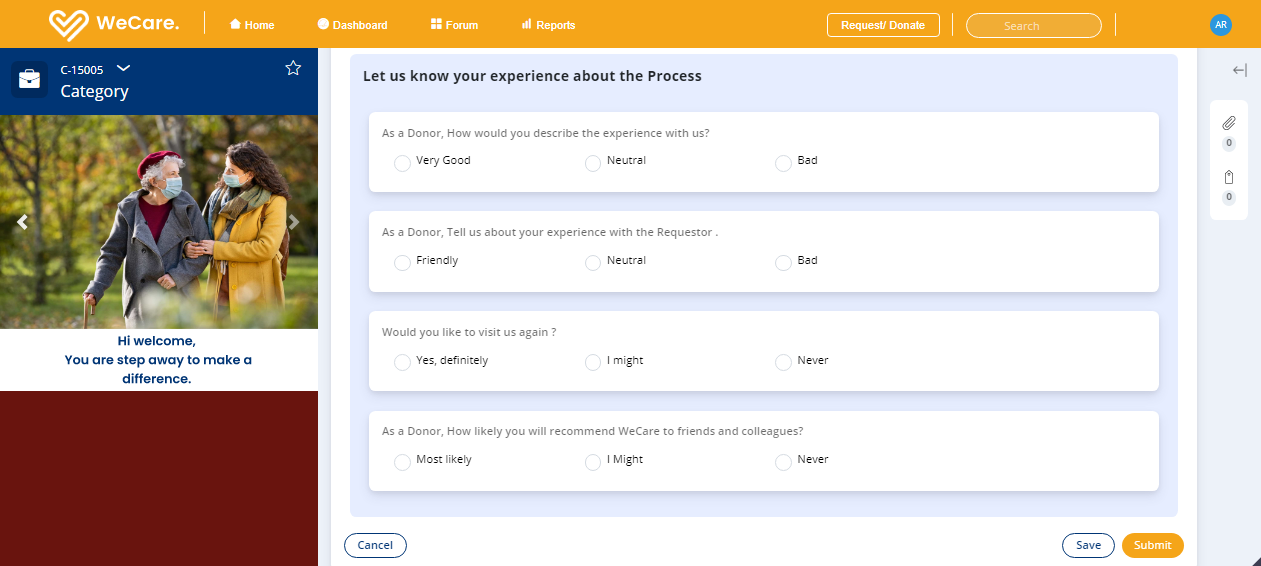
DonorFeedback
-
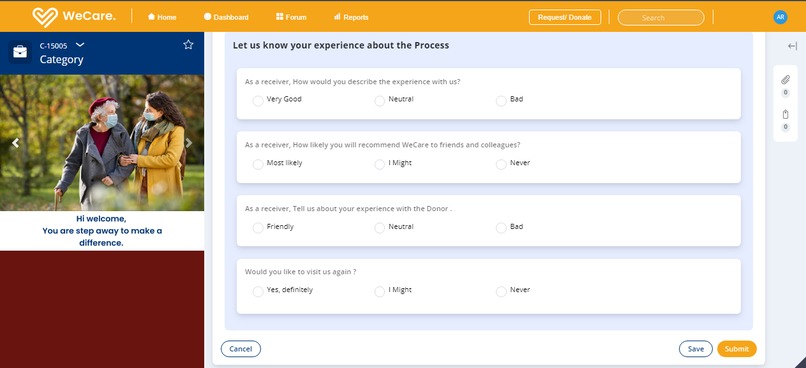
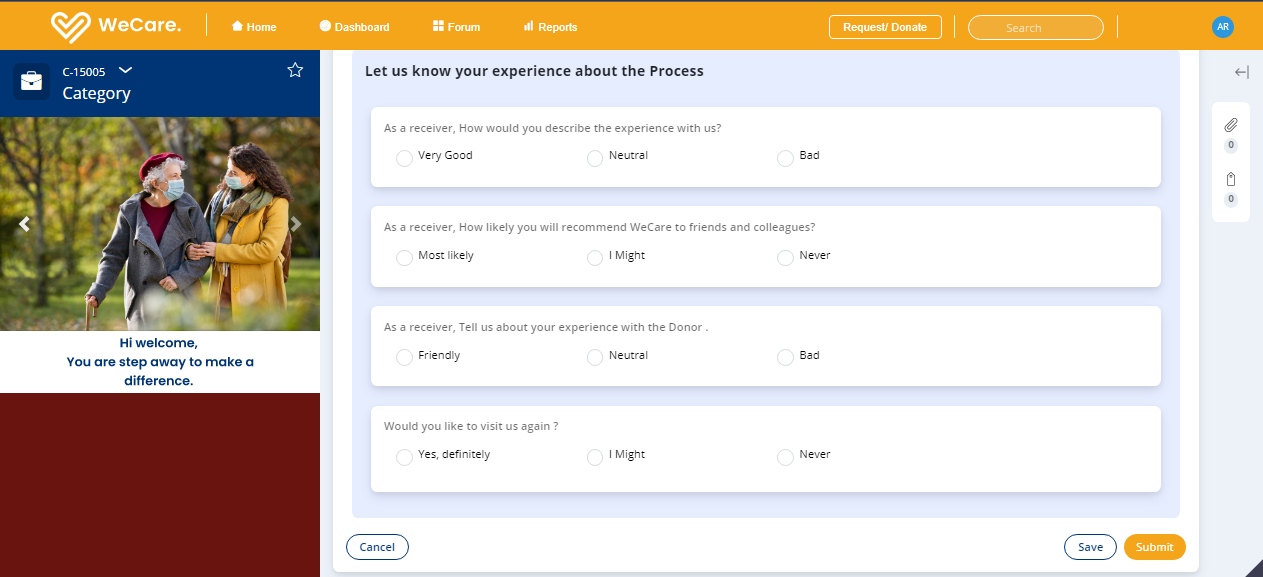
ReceiverFeedback
-
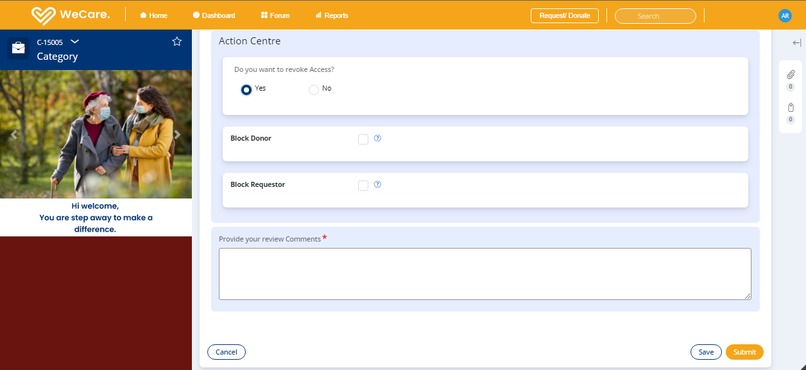
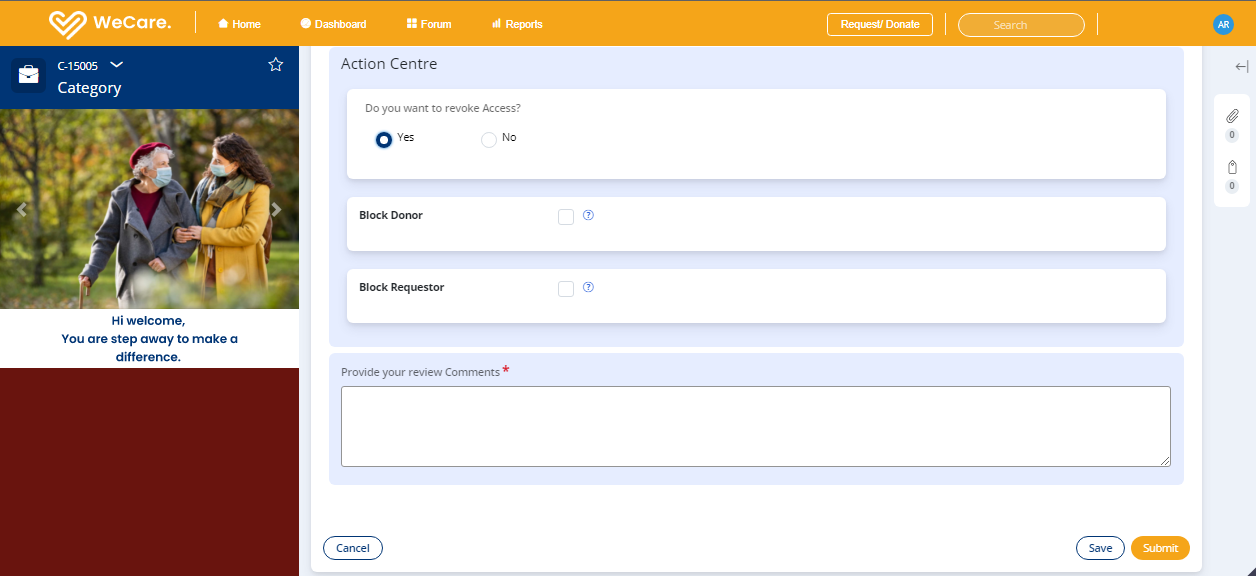
ModeratorReview
-
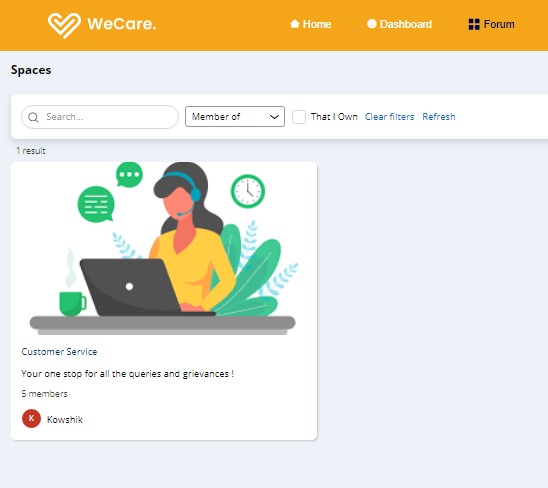
Spaces


Inspiration
We have always known and used Pega to build process workflows to meet and enhance technical requirements posed by our clients, but what if this technology with tremendous capabilities, can be applied for solving one of the major cause. One such attempt is the idea below which we have presented for Pega Hackathon.
Problem Statement/ Cause
Last couple of years have been really difficult for people all over the world. We were forced to contend with new normal. Covid brought in an unprecedented changes to humanity and normal life not only for human beings but also for all living beings on this earth. People were forced to adapt to new routine of life which mankind would have never foreseen. As the saying goes every problems comes with infinite opportunities when the external factors are influencing on how you carry out your day to day activities. This project was conceptualized when we started reaching out to impacted human beings wherein they struggled for basic life sustenance like food, water and clothing. People couldn’t even bid a dignified good bye to their loved ones and the dead were treated like commodities than human beings. Many kids lost their parents, many families lost their only earning member, many parents lost their children and the list never ends. Some negative elements used this opportunity to capitalize on kids who were orphaned to push them onto prostitution rackets, child labour etc. as government agencies were not timely informed about their situation. Even during such distress time, there were people who wanted to provide maximum support and go above and beyond to help the impacted ones by providing required medical supplies, home cooked food, foster care for loved ones, foster care for pets etc.. We have seen people caring for each other, serving the needy and showing humanity unconditionally. This is our contribution to society by bringing this application to help those in needy in trying times.
“We make a living by what we GET, but we make a life by what we GIVE” – Winston Churchill
What it does
To address the cause, we have come up with a solution which would use Pega’s robust and strong capabilities like Case Management, Integration Services, Pega’s Theme Cosmos and Reporting Solutions to effectively address this cause. Our proposed solution:
• Capture Requestor / Donor Data: The requestor and donor both are given single role based access as an “End user” who can login into the application and can either request or donate items. Data related to Requestor’s / Donor’s Personal information, Contact information, the category of items that are been requested or donated is captured to process the data.
• Analyse / Process the Data: The details captured are then stored in different local data storage for processing. With the data in the system available, we would then determine the nearest donor available for requested item for requestor.
How we built it
The proposed application is built on Pega 8.6.2 version and we have utilised Theme Cosmos: 03-01 built on the workflow components and user interface.
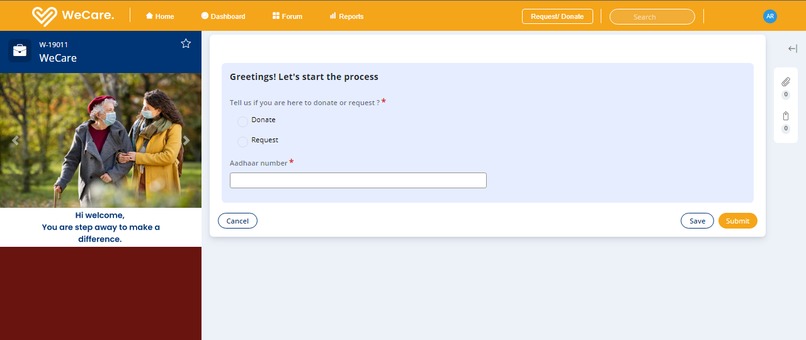
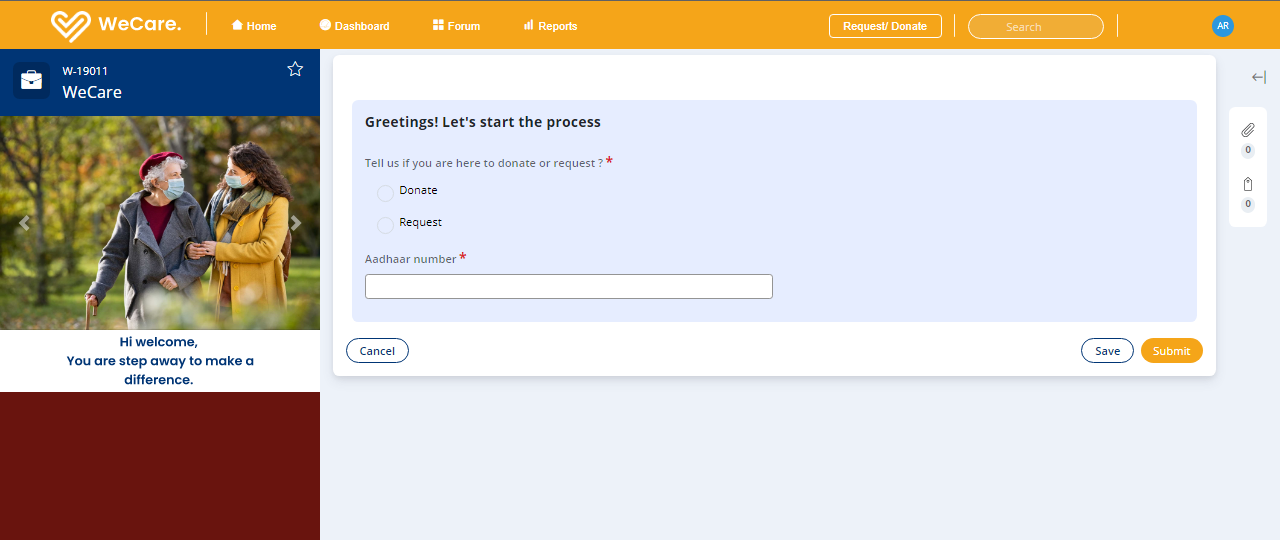
• Request / Donate: The user should access to Pega application by logging in and can either raise a request or make a donation.
Once they click on Request/Donate button available on the portal, the user will be prompted with screen to enter Aadhar number and to select if the user wishes to make a donation or raise a request.
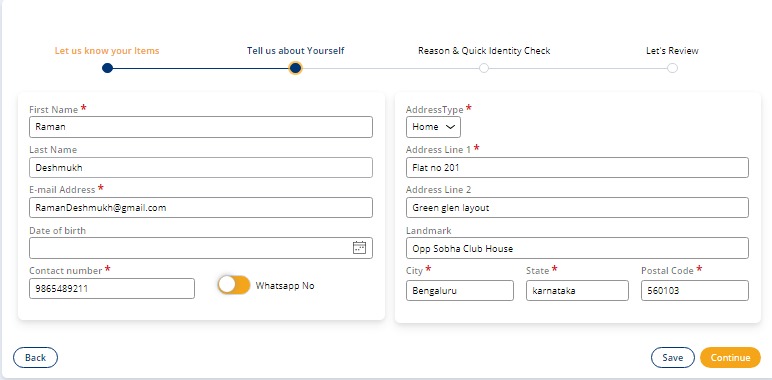
If the user has already made a donation or raised a request before, then all the personal information will be pre filled in the form as we save the Requestor/Donor details based on the Aadhar number once the request / donation is submitted else the user will be needed to fill all the relevant mandatory details.


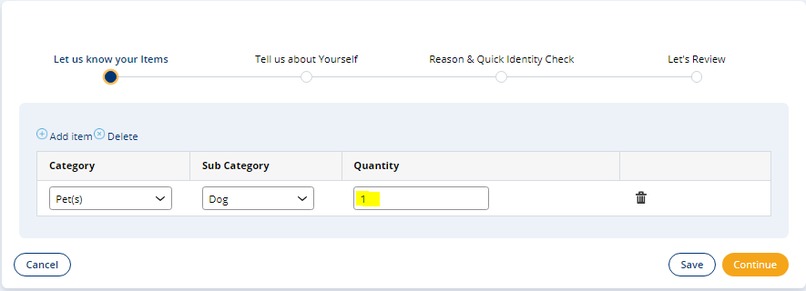
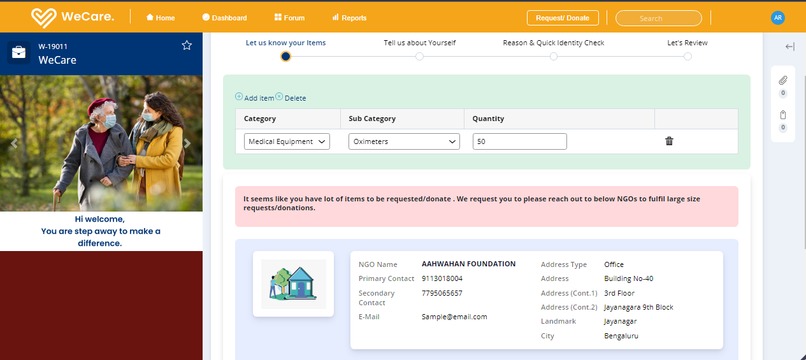
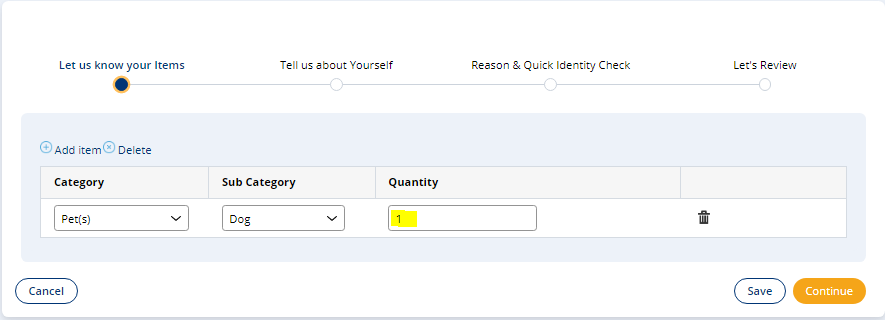
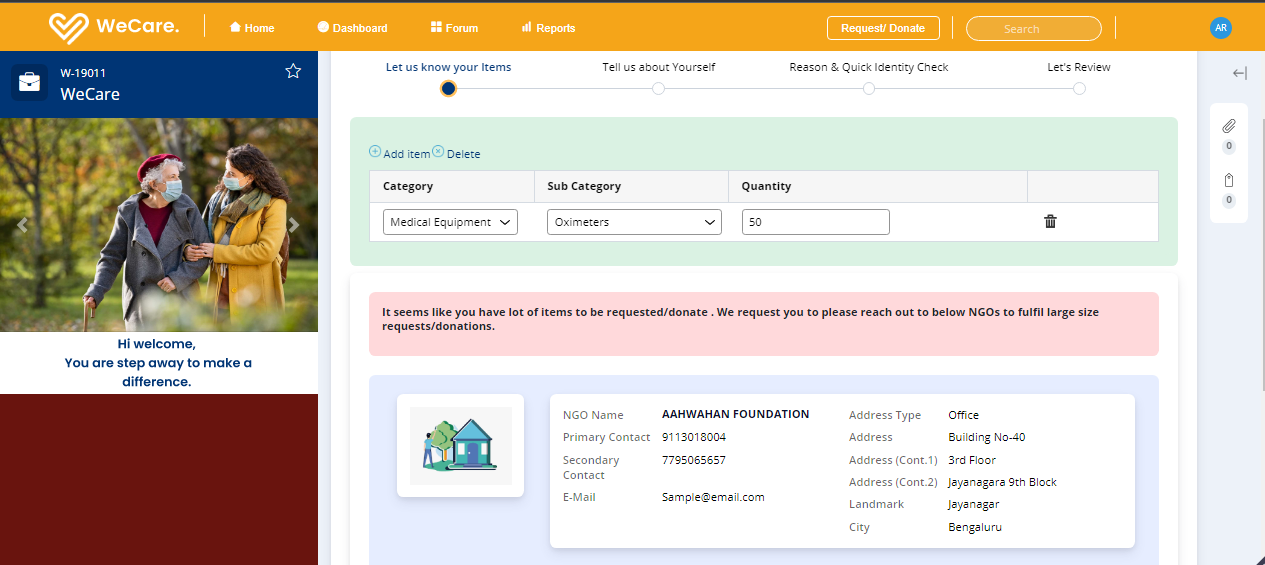
• Requested / Donated items: After the requestor /donor details has been captured, the items that is requested or donated is captured. For now we have limited no of category and sub category of items that can be requested and donated with limited quantity. If the user (Requestor/Donor) needs a request/ donation in bulk quantity, we display the list of NGO with contact details to the user.
For example, form below if the receiver requests more than 1 pet, then the list of NGO’s will be displayed with contact details to fulfil the request. Here the threshold is set as 1 for pets in the system so when the receiver request more than the threshold value , list of NGO with contact details will be displayed.


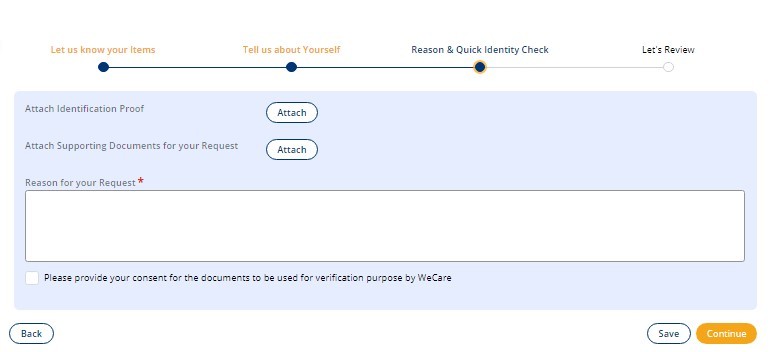
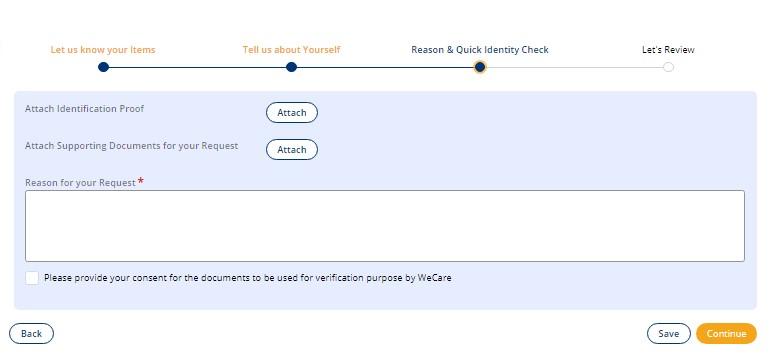
• Capturing Supporting Documents: After the items that is requested/ Donated has been captured, the user will be prompted to submit the supporting documents like Aadhar card, any valid document that support the request for items.

After the attachment of supporting documents, the review page will be prompted to user to review all the details. The user can click on “Back” button to change any of the details or “Finish” to finish the stage. After this stage, the donor/donation details gets stored in the local data storage within the application and the form gets resolved.
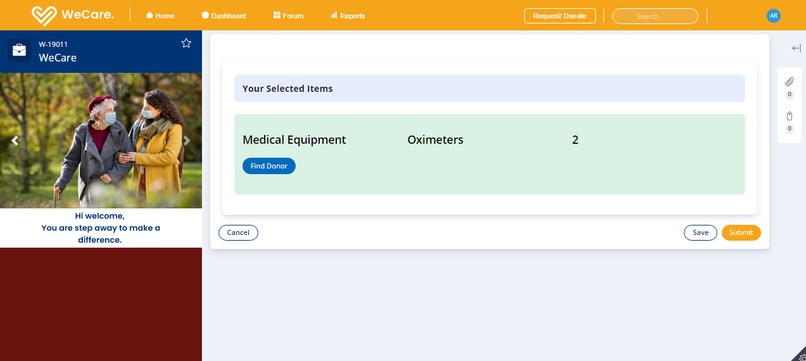
• Finding Donor for the requestor: Once the requestor attaches the supporting documents and submit the form, the requestor will be prompted will be prompted with button “Find Donor: for each category/subcategory requested. Once clicked on “Find Donor” a search in the background is made for each category / subcategory against the donation details available in the system.
- If no donor is available, then requested will be prompted with “Notify Me” button.
- If the donor(s) is found for a category/subcategory, the list of donors will be visible to the requestor to select from. The list is determined based the distance that is nearby requestor’s location. This distance is determined by integrating with google API to find the shortest distance based on latitude and longitude.
• Notify Me: When there no donors available for the requested items, the requestor has an option to subscribe to Notify Me by clicking on it or just click on submit resulting in closure of the request. Once the user click on Notify Me button, the details of requestor along with requested items will be stored in the system. The requestor will receive an email whenever a donor donates the items requested by requestor and will ask requestor to raise a new request for the items available.
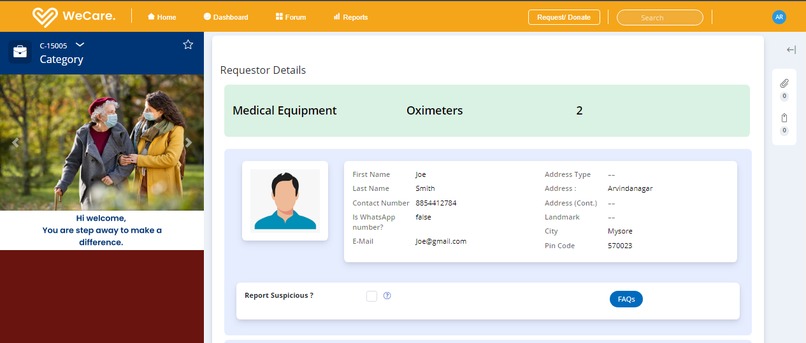
• Fulfilment of Donation: Once the Requestor select the donor from the list and submits the form, a new child case is created for each category/subcategory and two forms are created, one is assigned to requestor and one is assigned to Donor. Once the donor donates the items and receiver receives the items, only then the child case will be resolved and donation is fulfilled. The form assigned to Donor will have receiver details and a question asking whether the donation is made or not and an “Is Suspicious” check box.
The form assigned to Receiver will have Donor details and a questions asking whether the donation has been received and an “Is Suspicious” check box.


• Dealing with Suspicion: If there is any discrepancies between the receiver and donor, then one of them can route the form to moderator (Customer service) by clicking on “report suspicious” button for further investigation on the case.
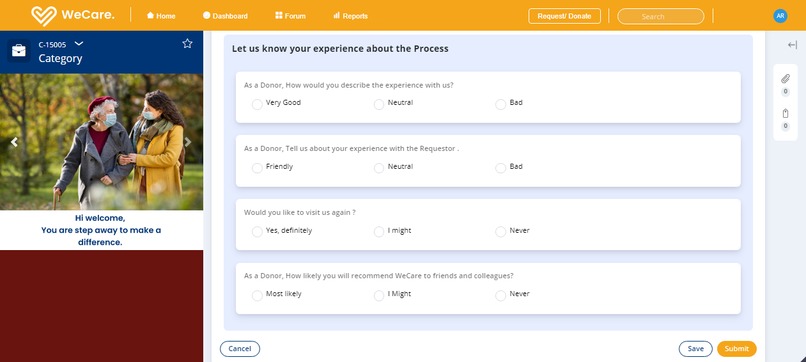
• Feedback: Once the receiver or Donor submits after either clicking on Is Suspicion or answering the question if the donation is made or received, then the user is prompted with feedback screen.
It is also routed to moderator if the feedback received by donor/Receiver is below average or some threshold value predefined in the system.


• Moderator Review: When the case is routed to moderator, the moderator check with the Receiver /Donor by contacting them on discrepancies raised by Donor/Requestor respectively.
If the moderator finds the user not genuine, then the user is blocked from receiving/donating items in the future by clicking on “Yes: for question “Want to disable user”?


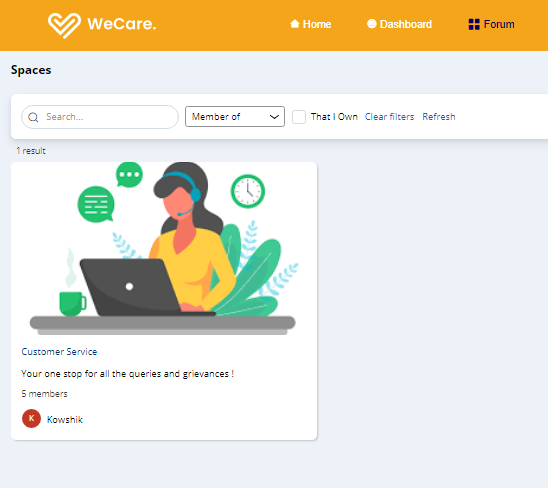
• Forum: We have used Pega’s latest feature Space for forum, where one can create and join different forums as per the need of Donor / Receiver. One such forum exists for customer service where they can search and join for all the queries and discrepancies.
Challenges we ran into
• Understanding how to find and integrate with the public APIs in order to get the latitude and longitude of the donor and the receiver party.
• Calculation of distance between the two parties using their respective latitude and longitude values.
Accomplishments that we're proud of
The following are the functionalities achieved based on the proposed solution.
• Help to humanity: By providing help to the needy people out there, we are trying to keep up the humanity in each individual.
• Basic need: Food is the basic need for survival. Looking at the various situations, we see there can be thousands circumstances where the older people have to live alone or anyone who is not keeping well.
• WeCare is not only restricted to basic essentials items but also, in near future we are planning to upgrade it with many other options.
What's next for WeCare.
• The application can be enhanced to be built into mobile devices with localization (language options) for better reach.
• State specific reports can be shown on Analyst dashboard.
• Pie chart will be shown in the dashboard based on number of people helping each other per state. Similar charts to be shown for each state/district.
• As of now, Donor and receiver will get in touch with each other and fulfil their request. In future, We can have third party delivery partner integration who makes their lives even easier.
• Different ways of communication might include
a) Data/communication channel such as WhatsApp messages.
b) Text messages sent via cellular networks.
c) Collection of data via google doc.
d) Dial in using contact number using cellular network.
e) Via exposed user portal over Internet etc.


Log in or sign up for Devpost to join the conversation.