-
-
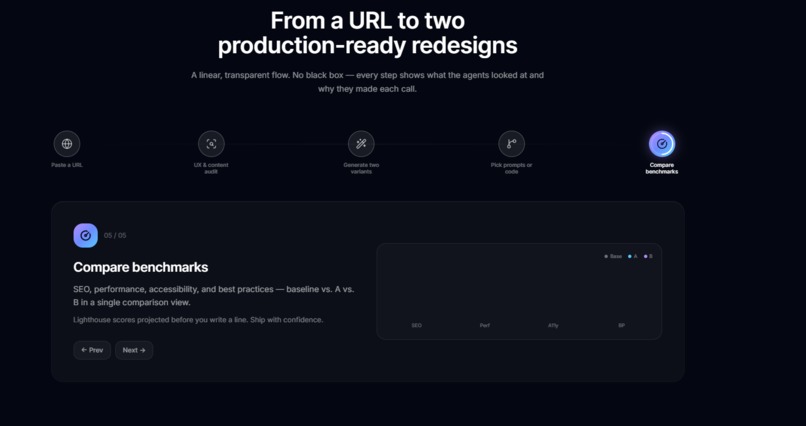
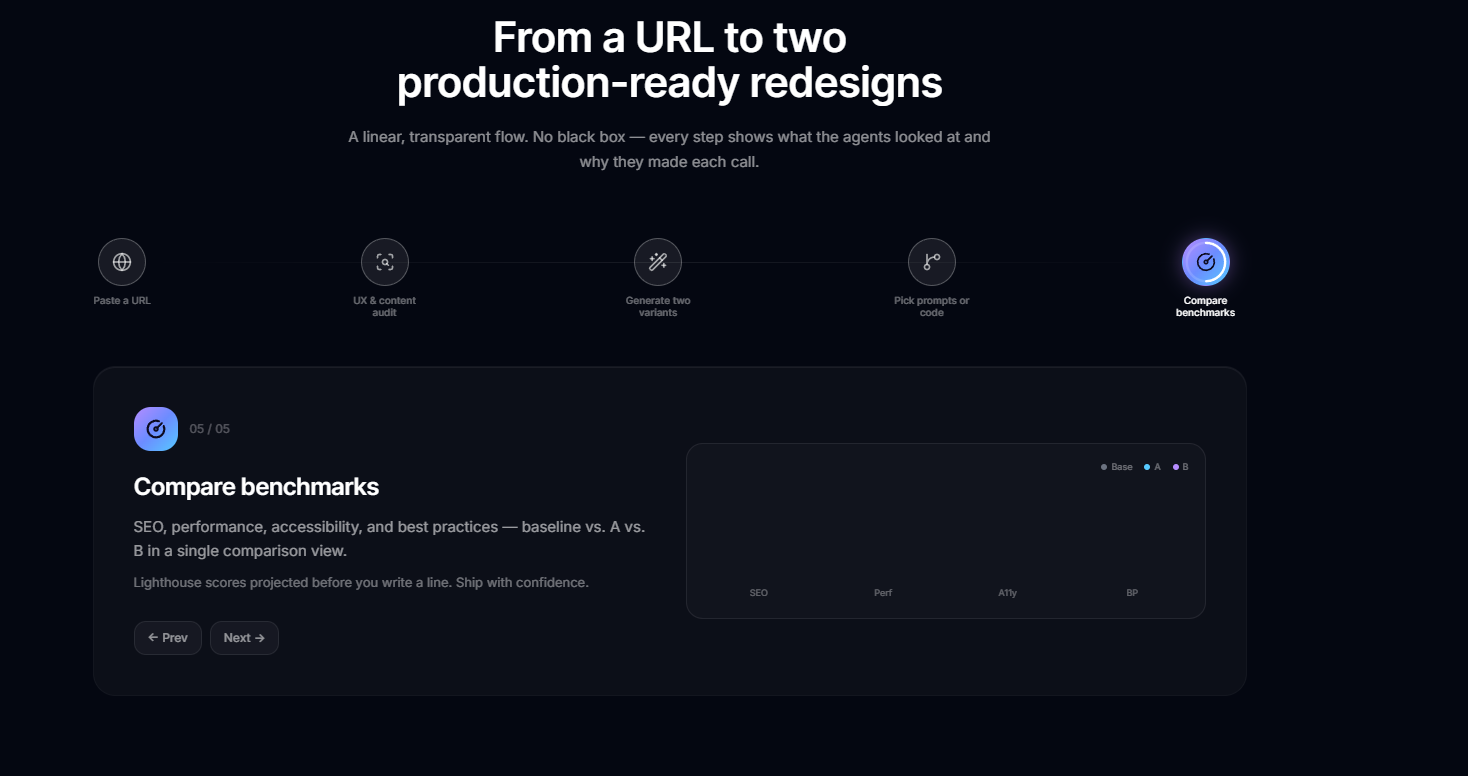
what it does
-
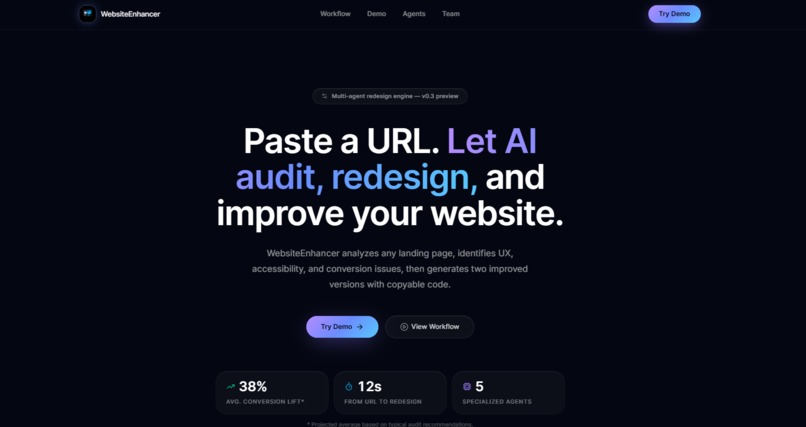
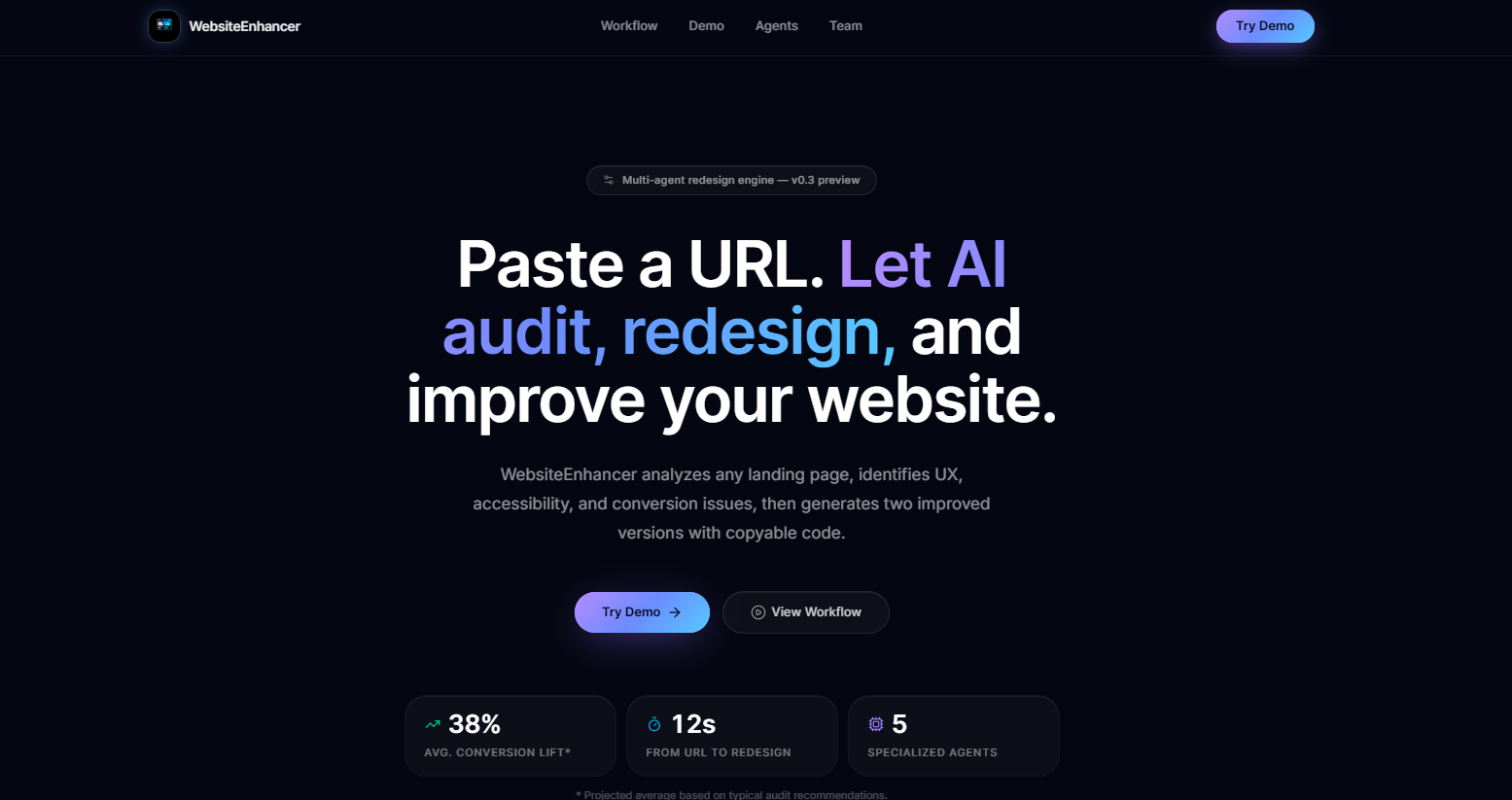
cover page
-
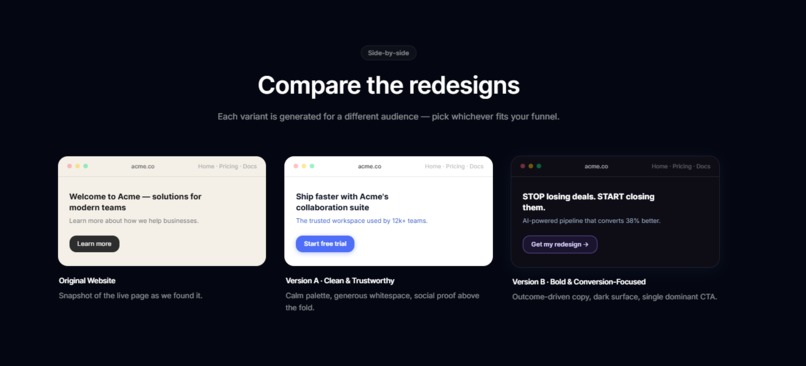
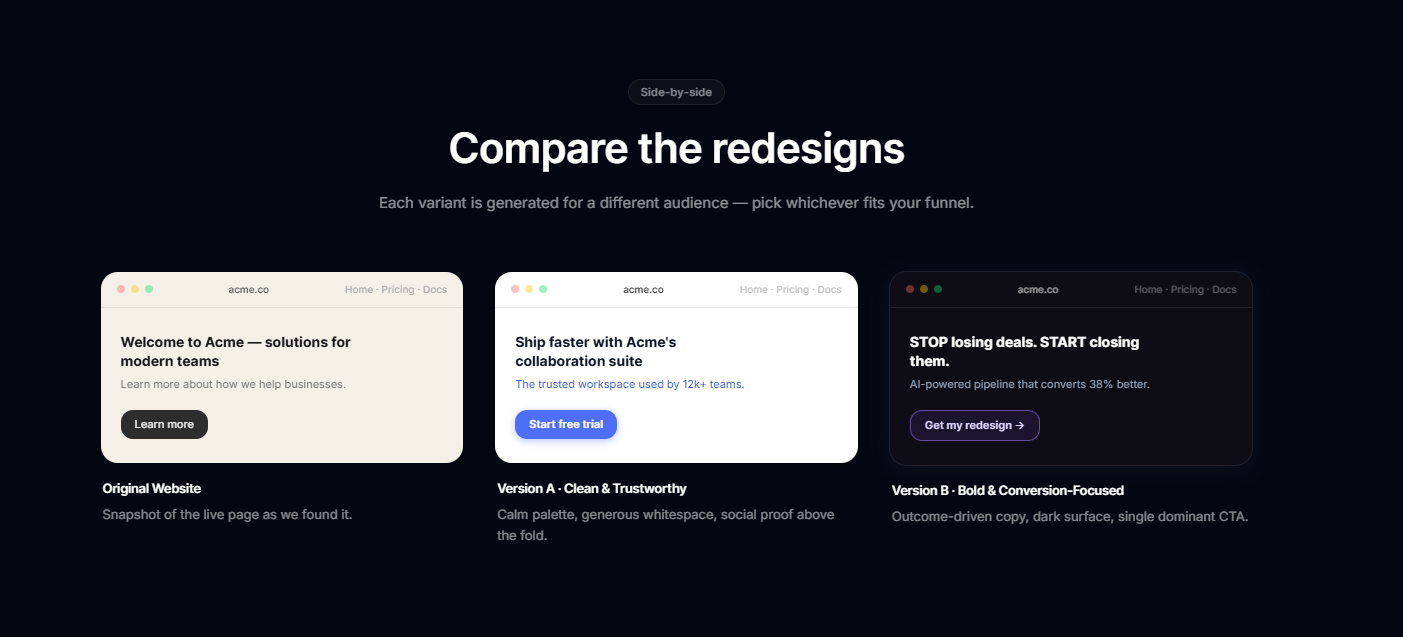
comaparison page
-
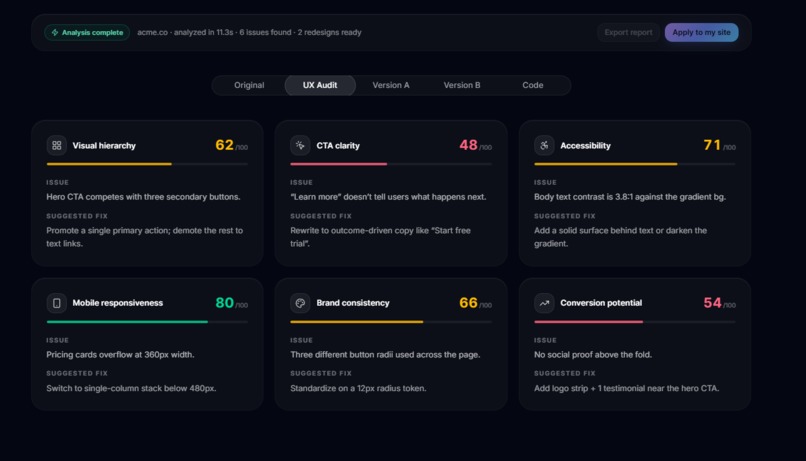
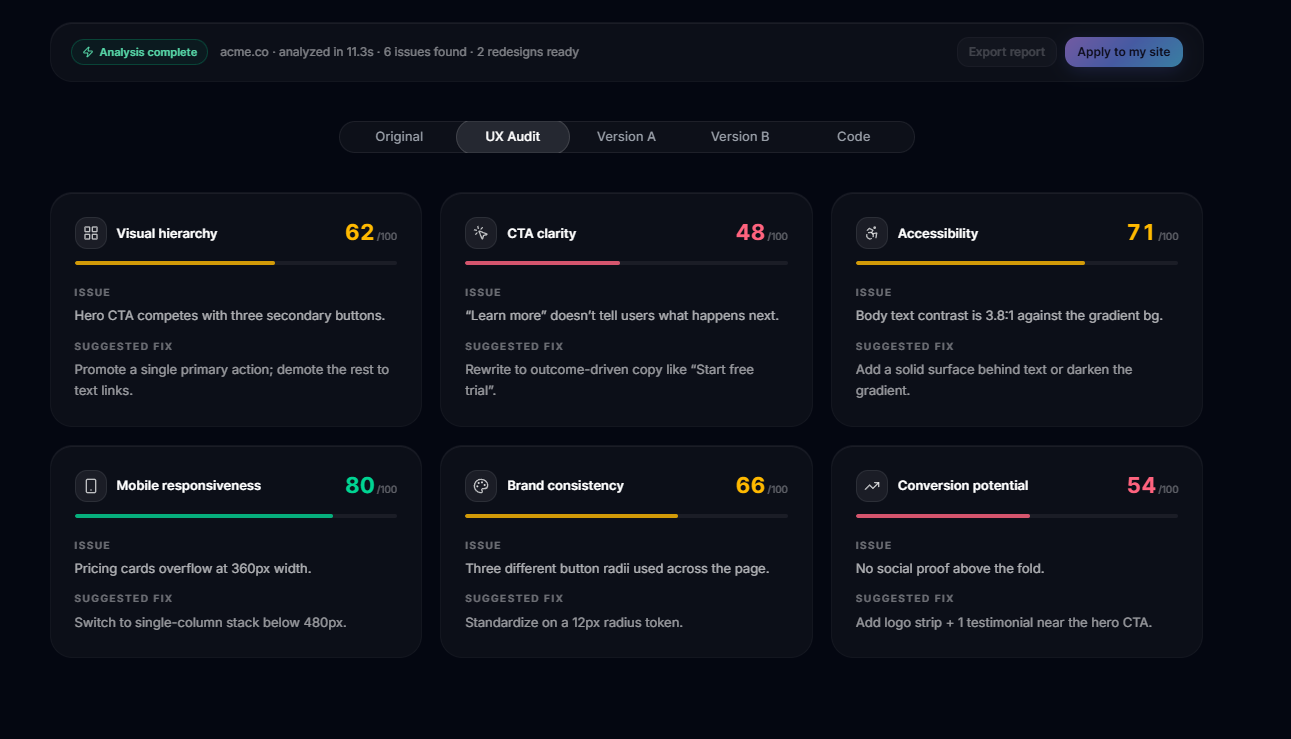
analysis
Inspiration
Businesses today are investing heavily in digital transformation through web platforms, automation tools, AI-powered experiences, branding, cloud infrastructure, analytics, and scalable software solutions. These tools help companies improve customer engagement, optimize workflows, and build stronger digital ecosystems. We were inspired by a simple but common problem: many businesses have websites that look outdated, unclear, or poorly structured, but they do not know exactly what to fix. A professional redesign can cost thousands of dollars and take weeks. For small businesses, founders, freelancers, and early-stage teams, that is often unrealistic. WebsiteEnhancer was built to make website improvement faster, more accessible, and more actionable. Instead of giving vague design advice, we wanted to create a system that analyzes a real website and produces agent-ready redesign prompts that users can paste directly into Cursor, Claude Code, or any AI coding agent.
What it does
WebsiteEnhancer takes any website URL and turns it into an AI-powered redesign plan in under 30 seconds. The app reads the website’s real code, including HTML, CSS, images, and page content. Then a team of AI agents works together:
- A scraper agent extracts the website content and structure.
- A UX Critic agent identifies design problems such as weak visual hierarchy, poor calls to action, bad contrast, unclear messaging, and layout issues.
- A Prompt Generator agent creates a clean and professional redesign prompt.
- Another Prompt Generator agent creates a bold and conversion-focused redesign prompt.
- An Unsplash Image Refresh agent fetches two curated image sets:
- Set A: clean and professional
- Set B: bold and dramatic Users can view the UX critique, compare both prompt directions, choose an image set, and copy the final prompt into Cursor or Claude Code to update their actual website.
How we built it
The flow works like this:
- User enters a URL
The user pastes any live website address into the input box and clicks Analyze Website. - The app scrapes the website
The backend fetches the raw HTML, CSS, page text, and image URLs from the target website. Instead of relying only on a screenshot, the system works with the actual website structure. - AI reads the page content
The scraped content is cleaned and sent to the AI model through CLōD. The system extracts important website elements such as the headline, subheadline, navigation links, body text, images, and calls to action. - The UX Critic Agent analyzes the website
The UX Critic Agent identifies specific design problems, including visual hierarchy issues, weak CTAs, poor spacing, contrast problems, and responsiveness gaps. - Prompt A is generated
Prompt Generator A creates a clean and professional redesign prompt. This version focuses on clarity, calm colors, strong typography, better spacing, and a polished modern layout. - Prompt B is generated
Prompt Generator B creates a bold and high-conversion redesign prompt. This version focuses on stronger visuals, a more energetic layout, prominent CTAs, and conversion-focused messaging. - Unsplash Image Refresh runs
The image agent fetches two curated Unsplash image sets. Users can choose between a clean/professional set and a bold/dramatic set. - The user previews and copies the result
The final prompts are shown side by side with critique context and selected image URLs embedded. With one click, users can copy the complete prompt and paste it into Cursor, Claude Code, or another coding agent. We used tools such as CLōD for AI model routing, Nia for agent knowledge and context, and Greptile as part of our exploration of code-aware AI workflows.
Challenges we ran into
One of the biggest challenges was narrowing the product idea. At first, the idea was broad: improve websites using AI. That was not specific enough. We had to define a clearer user, a sharper workflow, and a more practical output. We also had to decide whether the app should directly generate full website code or produce agent-ready redesign prompts. For a hackathon, the prompt-based workflow made more sense because it fits naturally with Cursor and Claude Code. It also gives users something practical they can immediately use in their own codebase. Another challenge was designing the multi-agent flow. We had to break the system into clear roles so it did not feel like one generic chatbot. Each agent needed a specific job: scraping, critique, prompt generation, image refresh, and final prompt assembly. We also had to think carefully about the target customer. WebsiteEnhancer is useful for small businesses, founders, developers, agencies, SaaS teams, and anyone who needs a better website quickly without starting from scratch.
Accomplishments that we're proud of
We are proud that WebsiteEnhancer feels like more than a simple design tool. It acts like a small AI design team. Instead of only saying “your website is bad,” it explains what is wrong, gives two redesign directions, recommends matching visuals, and produces a complete prompt that another AI coding agent can use to update the actual site. We are also proud of building a workflow that connects real business value with agentic AI. WebsiteEnhancer shows how multiple AI specialists can work together in seconds to do something that traditionally requires designers, developers, and consultants. The biggest accomplishment is the clarity of the product: paste a URL, get a critique, choose a direction, copy the prompt, and improve the website.
What we learned
We learned that building with AI agents is not just about adding more models. The real value comes from giving each agent a clear role and designing a workflow where each output helps the next step. We also learned how important it is to simplify the product. A hackathon project can become too broad very quickly. The strongest version of WebsiteEnhancer came from narrowing the flow and focusing on one clear outcome: an agent-ready redesign prompt. We learned how tools like CLōD, Nia, and Greptile can support agentic development in different ways. CLōD helps with AI model access and routing, Nia supports context and knowledge retrieval, and Greptile shows how code-aware AI can support developer workflows. Most importantly, we learned that the best AI products are not just impressive technically. They need to solve a real problem, for a clear user, with a workflow that is easy to understand.
What's next for Website Enhancer
Next, we want to turn WebsiteEnhancer from a prompt-generation tool into a full website improvement platform. Future features include:
- A live editing interface where users can request follow-up changes.
- A payment plan for advanced redesigns and premium edits.
- Direct integration with Cursor, Claude Code, and GitHub repositories.
- One-click pull request generation for website updates.
- More detailed accessibility and conversion scoring.
- Support for brand guidelines, custom colors, and company style preferences.
- Team accounts for agencies, SaaS teams, and consultants.
- A history dashboard where users can save and compare past redesigns. The long-term vision is to make WebsiteEnhancer an AI-powered digital transformation assistant for websites: a tool that helps businesses continuously improve their online presence without needing a full design and development team every time.


Log in or sign up for Devpost to join the conversation.