-
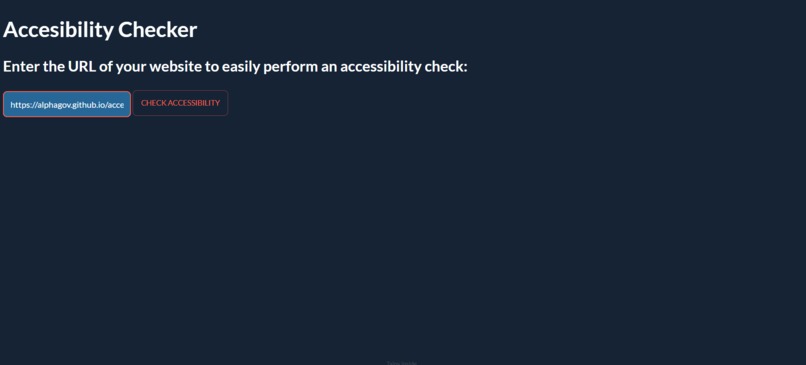
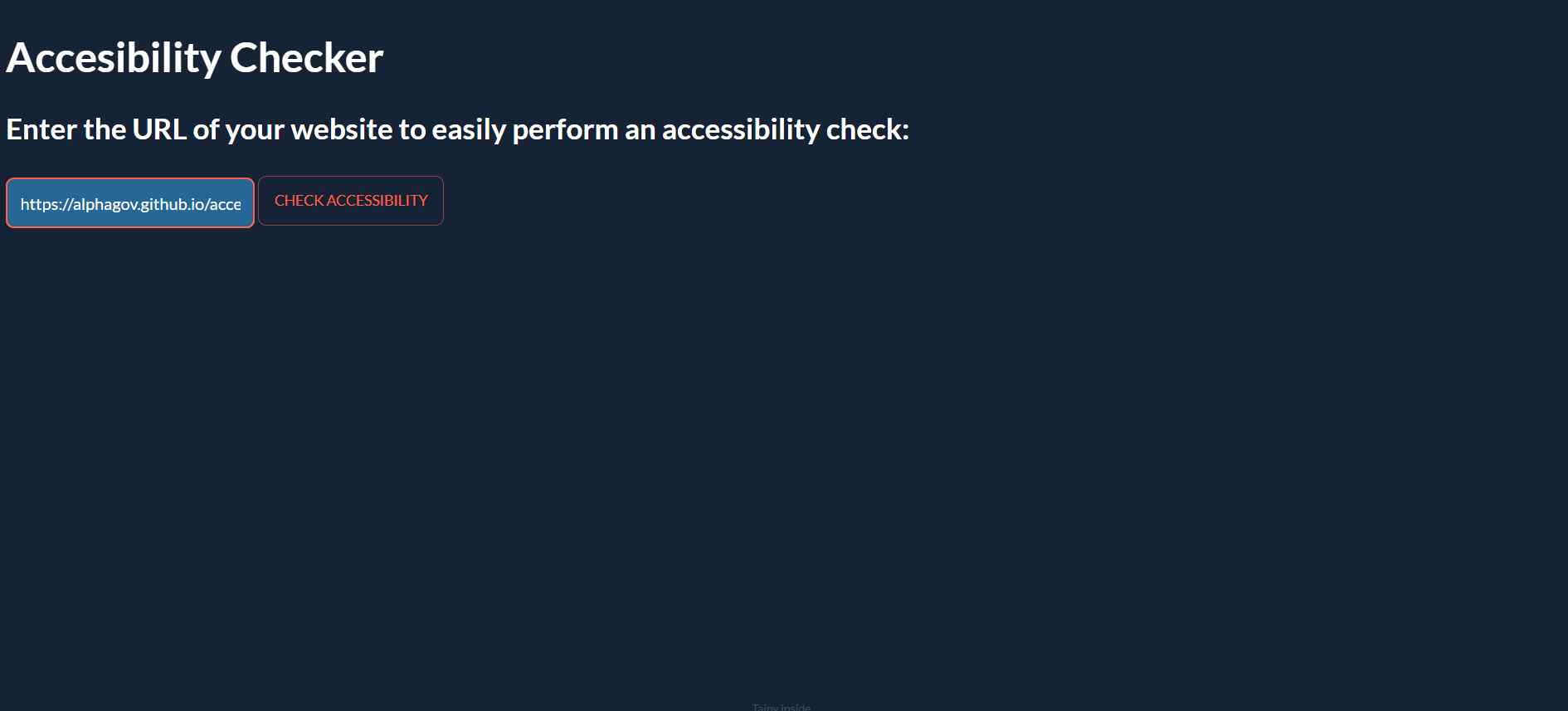
User inputs a URL
-
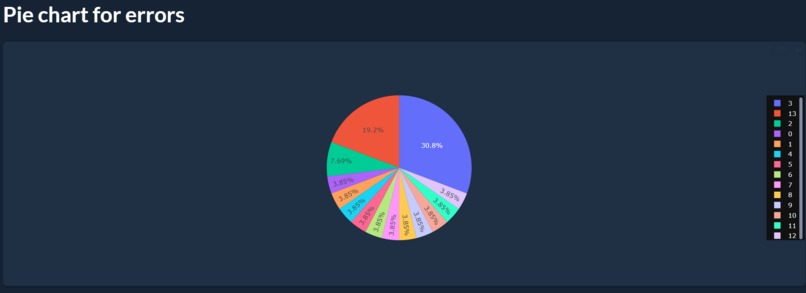
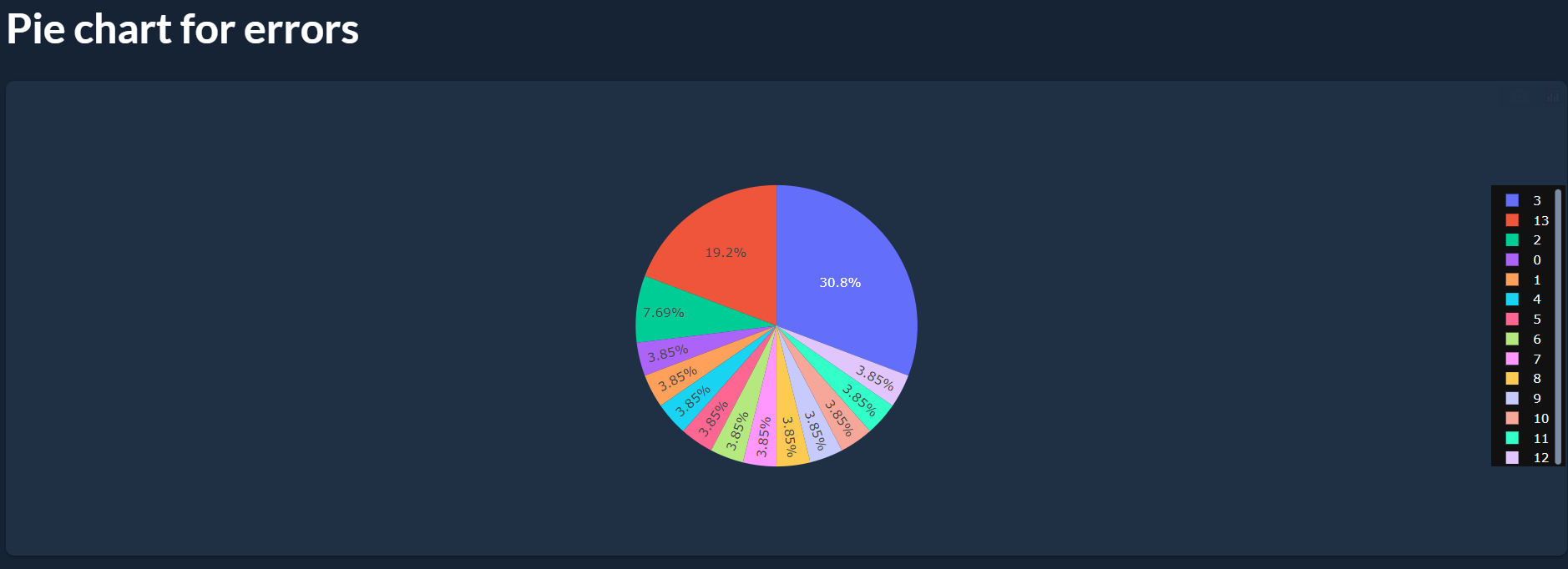
Pie chart displaying accessibility issues (errors)
-
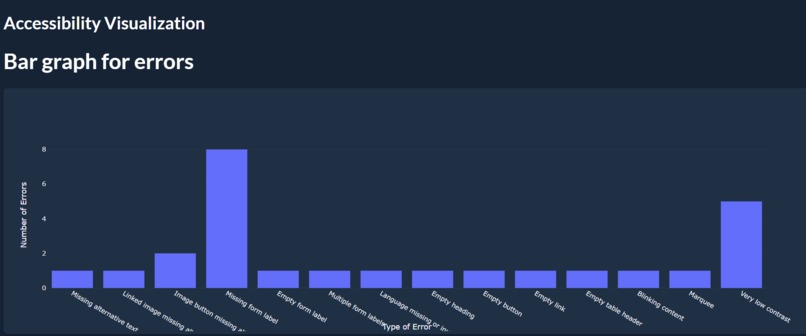
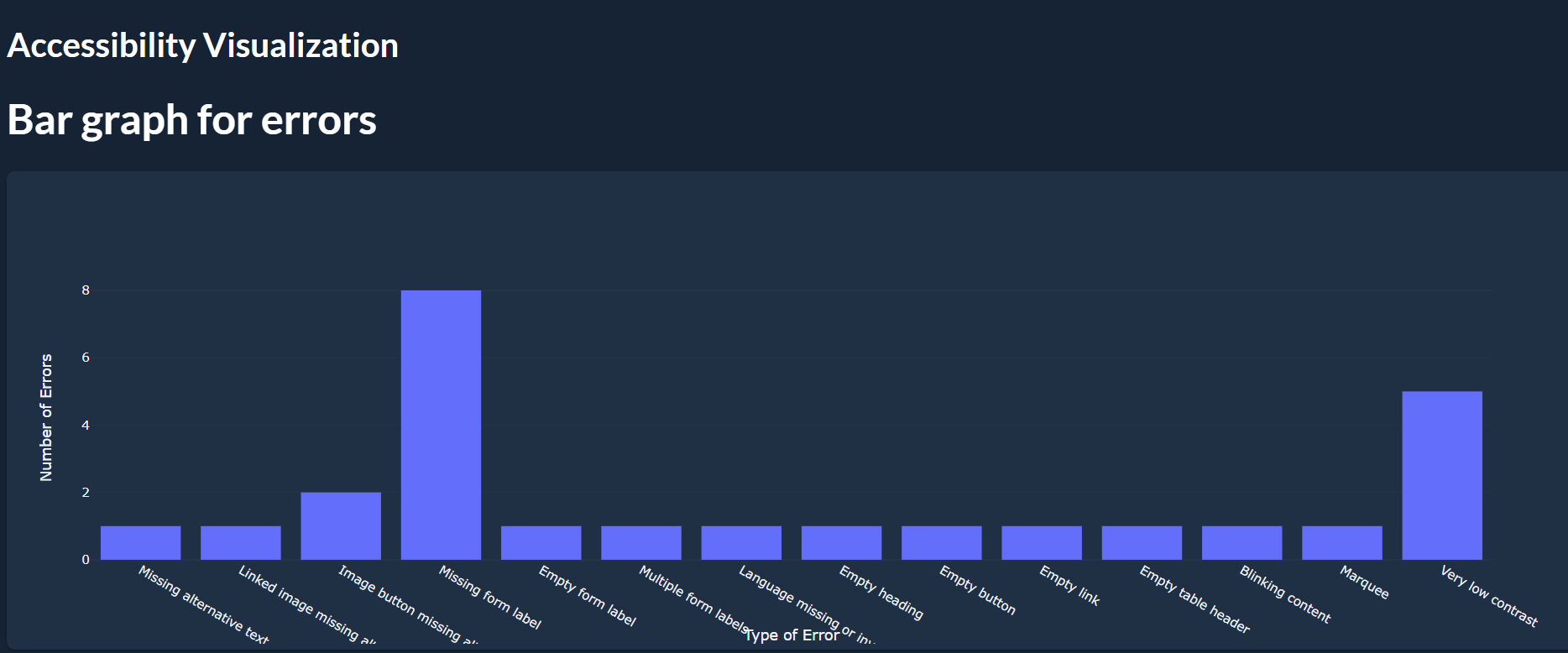
Bar graph displaying accessibility issues (errors)
-
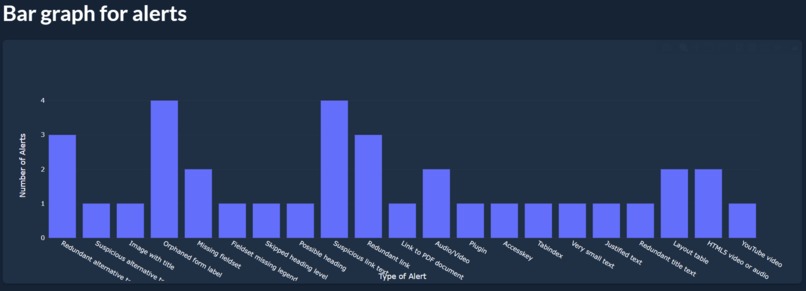
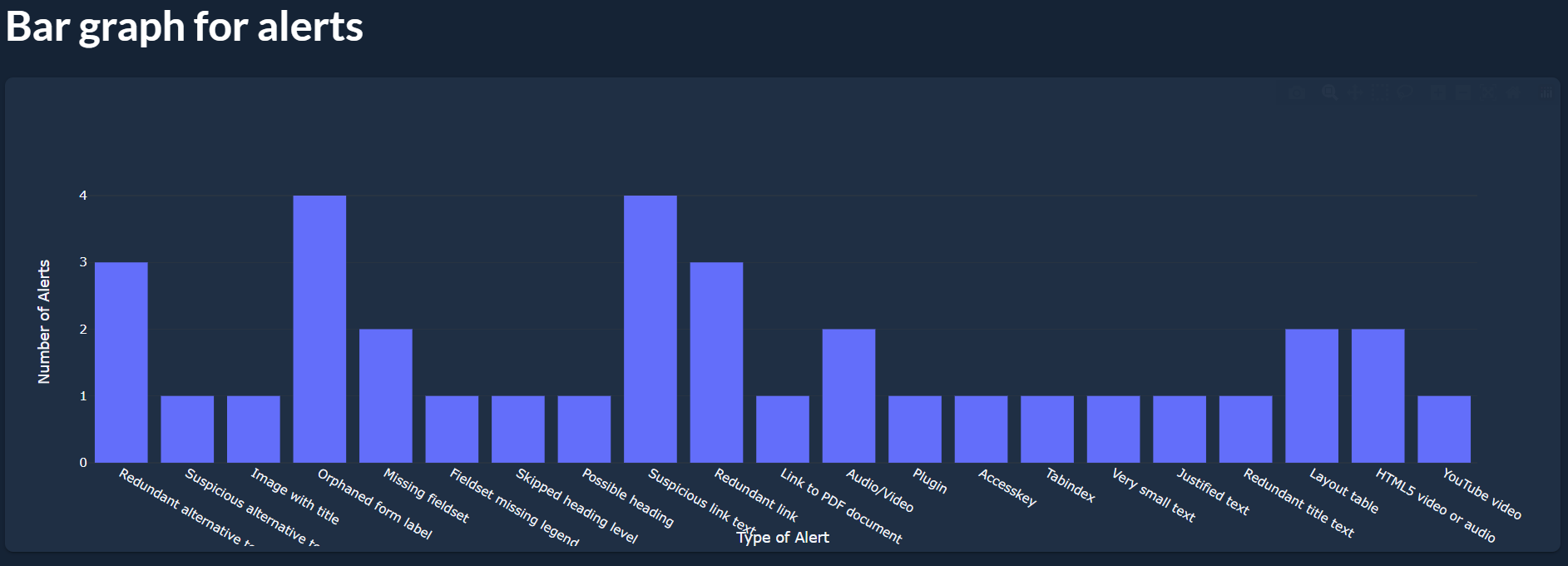
Bar graph displaying accessibility issues (alerts)
-
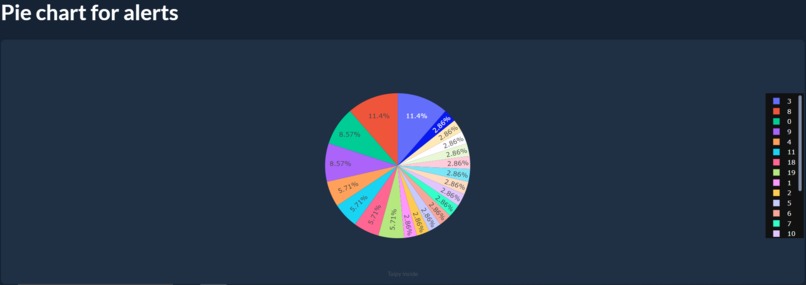
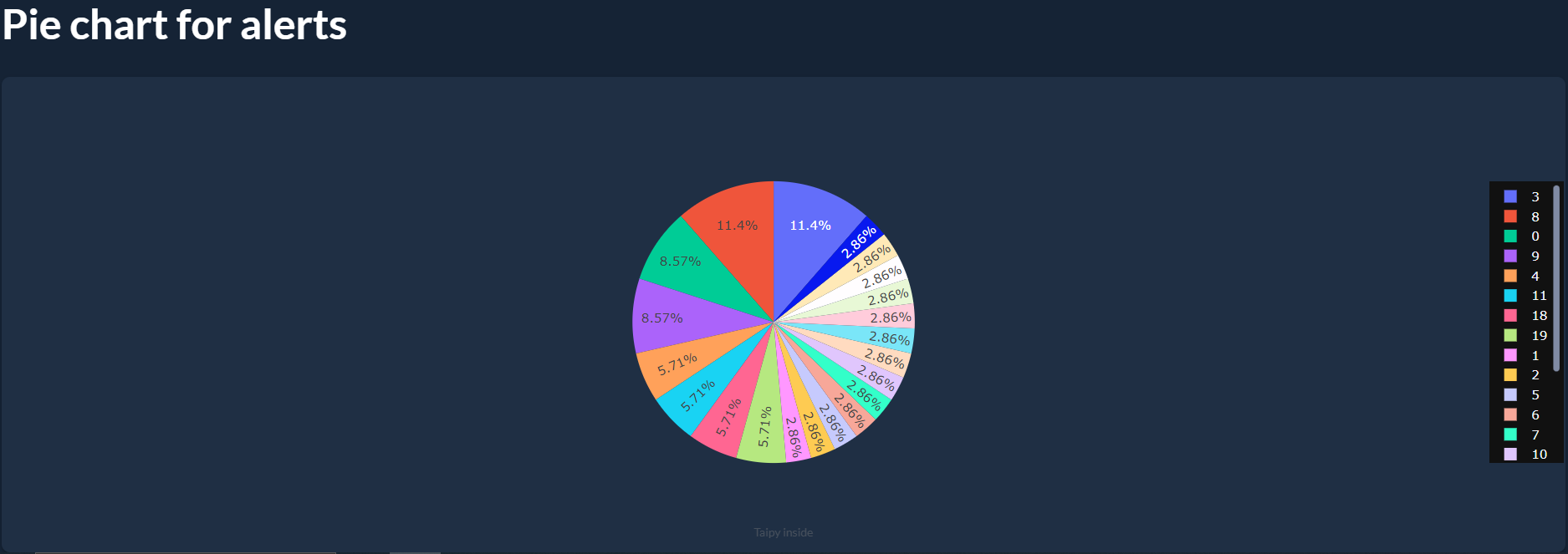
Pie chart displaying accessibility issues (alerts)
Inspiration
According to WebAim, in 2021, the top 1 million websites had an average of 51.4 accessibility errors on the homepage alone (https://webaim.org/projects/million/). After learning about the lack of website accessibility, we wanted to find a solution for improving the user experience for disabled individuals. Creating accessible websites ensures equal access for all, aligns with social responsibility and innovation, and benefits both users and businesses.
What it does
The user first inputs the URL of a website and after the click of a button, our web application identifies and displays various accessibility issues it finds on the web page through visual graphical elements (i.e. pie charts and bar graphs).
How we built it
We split up our project into frontend and backend tasks. The frontend was responsible for collecting a user-inputted website URL and displaying the accessibility data as graphical elements using Taipy’s chart GUI functionality. The backend consisted of a GET request to the WAVE API using the URL passed in from the data. Then, it returned the accessibility issues from the WAVE API, capturing the necessary data in JSON format. We captured the JSON data into arrays and fed the information to the Taipy chart functions to display the relevant fields to the user. Both the frontend and the backend leveraged Taipy’s full-stack development capabilities.
Challenges we ran into
As a relatively new library, we didn’t have many resources to consult when building our Taipy application. The biggest challenge was navigating the functionalities present in the library and making sure that we could return the right data to the user. One challenge we had was taking the user-inputted URL and using that in our GET request to the WAVE API. This was difficult as we could not get the data to update in real-time when a new URL was inputted. In the end, we resolved this by adding the JSON parsing functionality in an on_button_action function and realized that we had to update the state variable in order to have the data refreshed to accurately reflect the user-inputted URL field.
Accomplishments that we're proud of
We’re proud that we were able to debug our issues particularly since there was not a lot of support for using Taipy. We were also a new team and were quick to come up with an idea and start collaborating on the project. While we didn’t get as much sleep this weekend, we are proud that we were able to get some rest and participate in workshops alongside working on this project!
What we learned
Here are a couple of things we learned:
- How to develop a multi-page web application from scratch using Python
- How to handle HTTP requests using the WAVE API in Python
- How to parse and collect necessary data from a JSON file
- How to display information and datasets through Taipy bar graphs and pie charts
- How to break down a project into manageable tasks
- How to create PR templates on Github
What's next for AccChecky
As next steps, we would like to highlight areas of the website with colour contrasting issues through heatmaps so the user has more actionable items to work on to improve the accessibility. We would also look into storing previous accessibility checks to display gradual improvement over time through other graphical charts (i.e. line graphs). Lastly, to scale our app, we could compare inputted websites against large datasets to show severity of accessibility issues from the particular user-inputted URL to other websites that exist on the internet as a form of calibration.
Built With
- python
- taipy
- wave


Log in or sign up for Devpost to join the conversation.