-
-
-
-
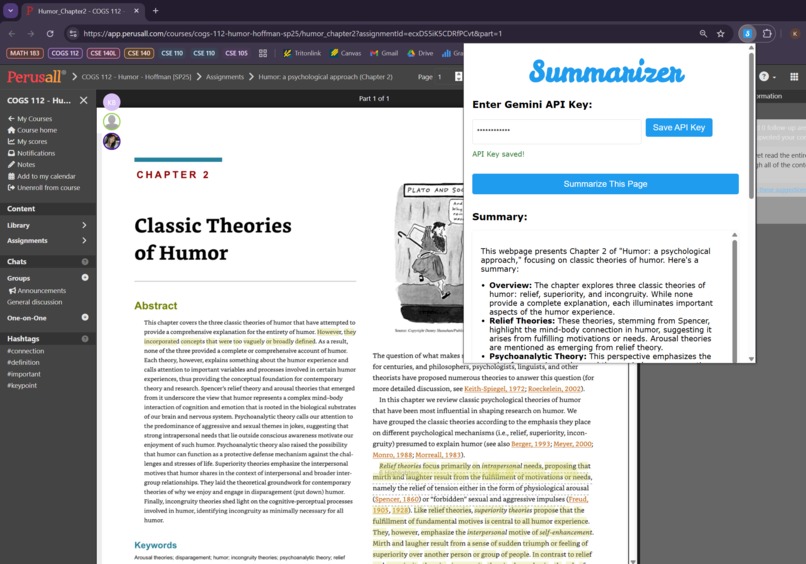
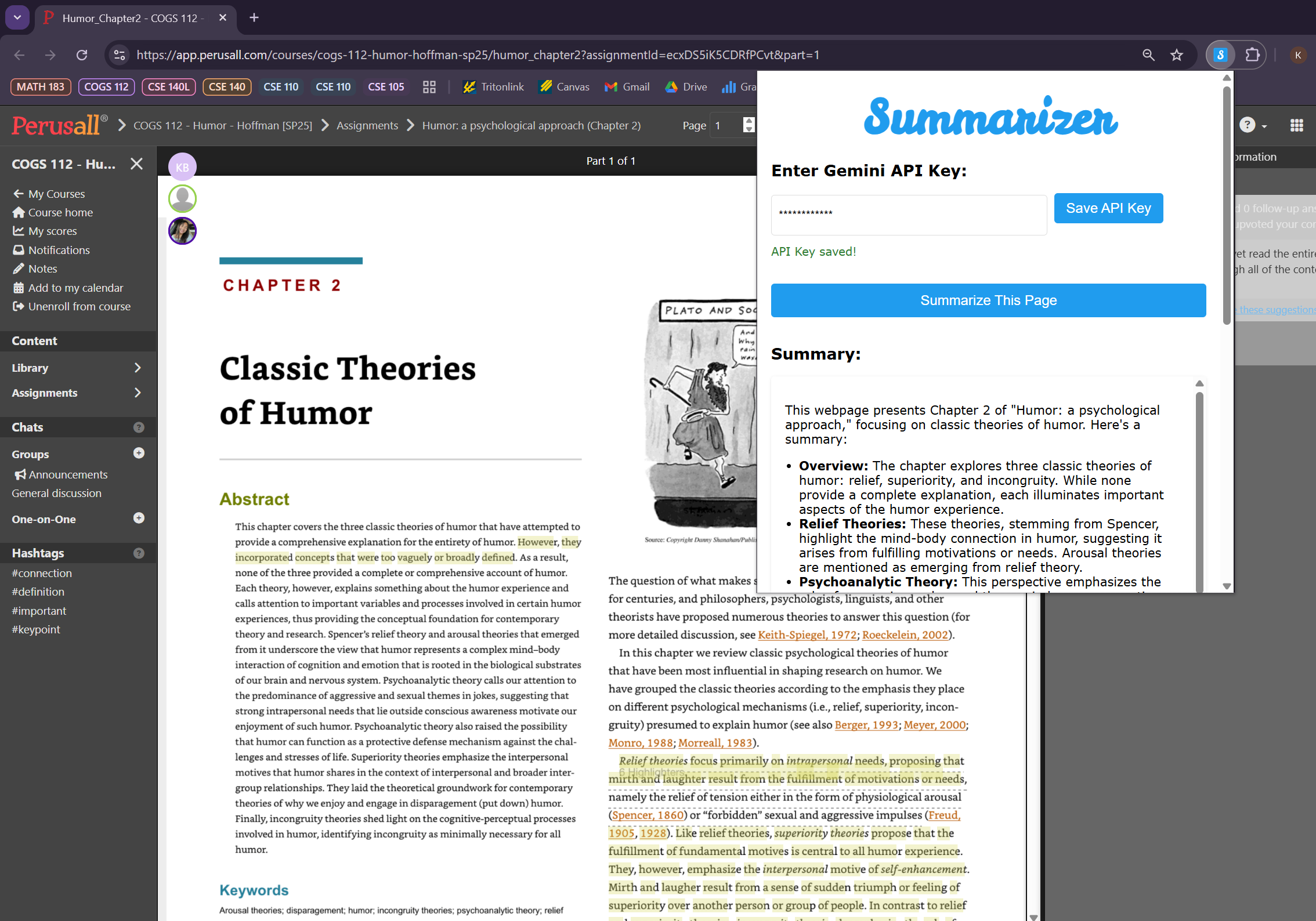
Using Summarizer on Perusall
Inspiration
Many assignments or research projects require sifting through tens of articles, blog posts, and research papers to determine if it is relevant to your topic of interest. We wanted a smarter way to quickly digest web content and thought: What if we could chat with the page like I would with generative AI? That led us to build a Chrome extension that integrates with Gemini API to summarize and interact with web pages directly.
What it does
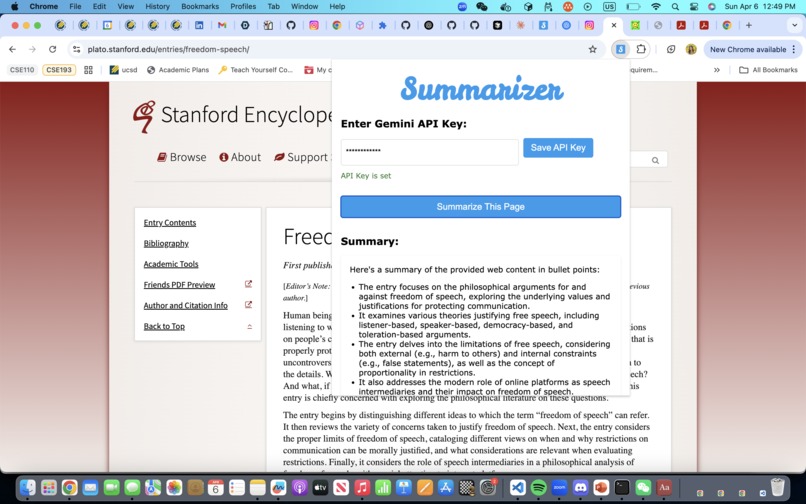
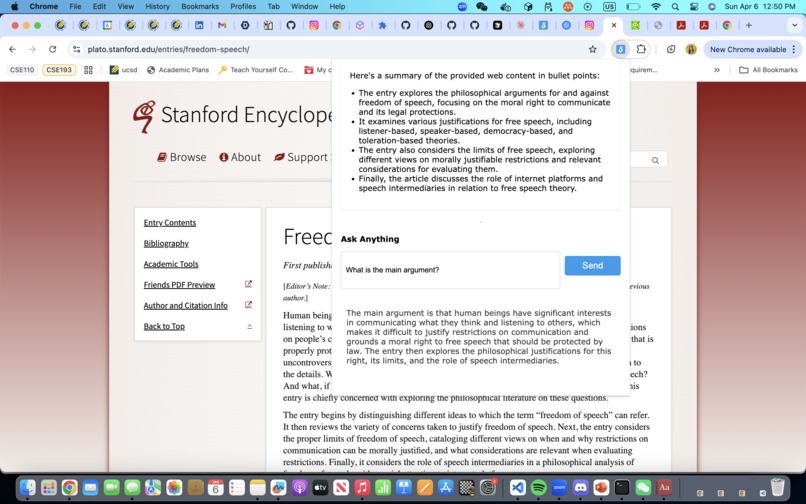
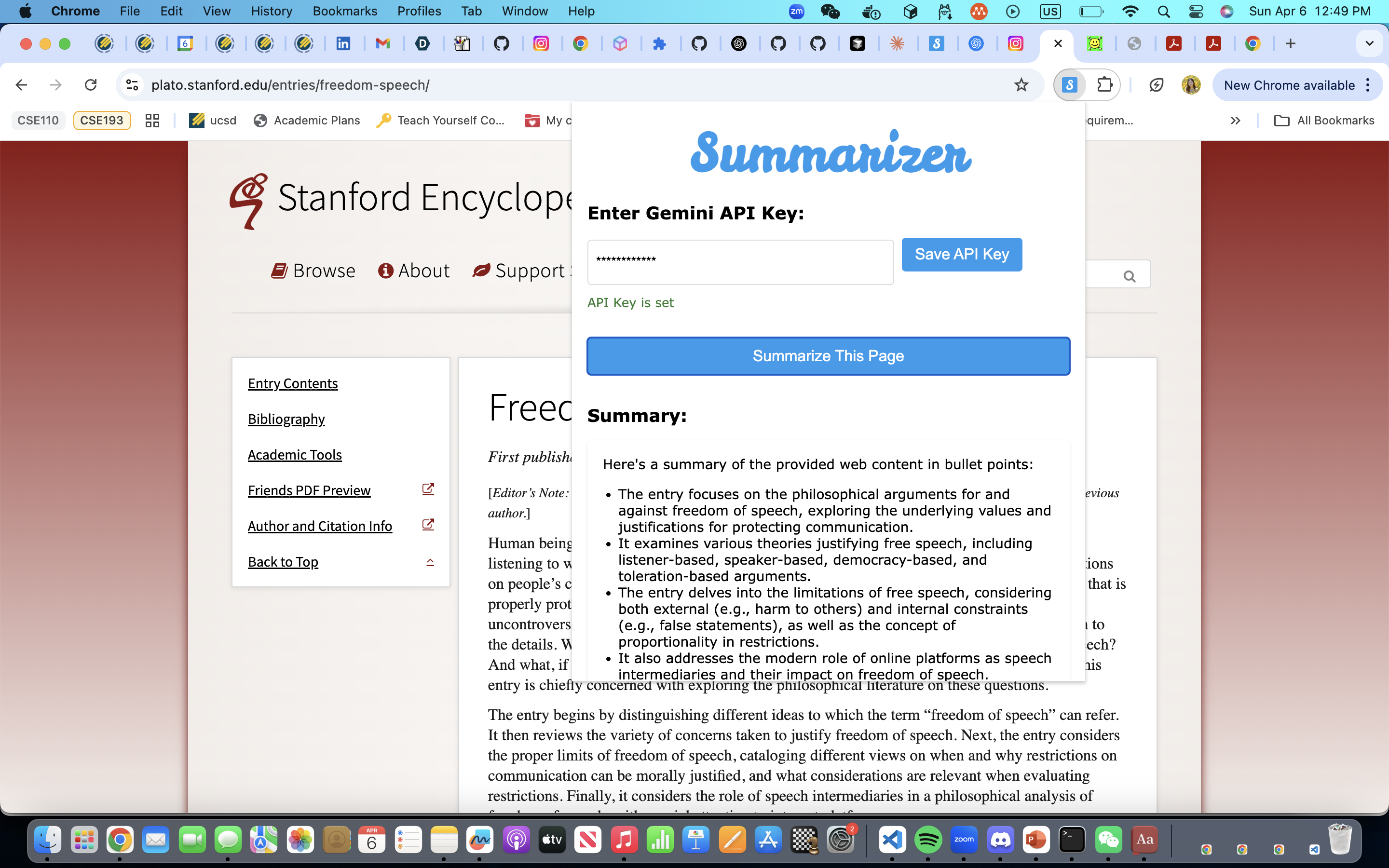
Our summarizer is a Chrome extension that:
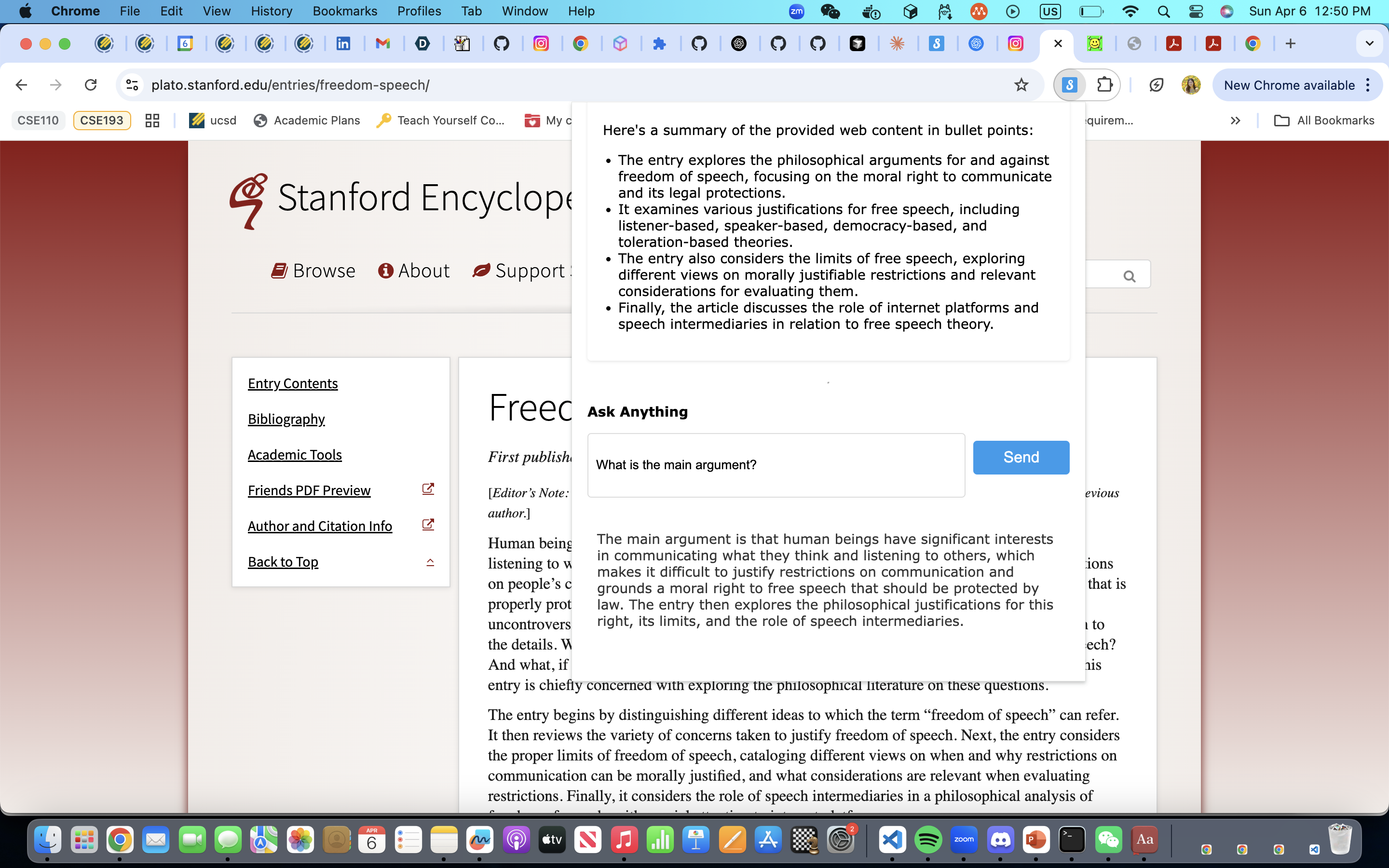
- Summarizes any webpage with a single click
- Lets users ask questions about the content of the current page
- Stores the user's Gemini API key locally
The extension turns any website into an interactive assistant powered by Gemini.
How we built it
We used HTML, CSS, and JavaScript along with Gemini API. It extracts the text from the current page and sends the content to the Gemini API using the user's Gemini API key. The page content is also sent when a user asks a question in order to output a relevant response. Frontend: HTML, CSS, and JavaScript for the popup UI
Challenges we ran into
- Handling token limits when sending long-form web content to the Gemini API
- Getting the right model version that supports the generateContent method with a free-tier API key
Accomplishments that we're proud of
- Built a functional, responsive Chrome extension using only web technologies and the Gemini API
- Created a smooth flow where users can summarize or ask questions without leaving the page
- Managed content size and token usage effectively to stay within Gemini’s API limits
What we learned
- How to build and structure Chrome extensions using background scripts, content scripts, and messaging
- How to call AI APIs from a browser extension using user credentials
- Prompt engineering strategies to make Gemini answer context-aware questions based page input
- How to troubleshoot real-world AI integration issues, including model access, API limits, and unpredictable outputs
What's next for Summarizer
- Add support for PDFs
- Introduce chat history and follow-up threading for more natural conversations
- Implement caching to reduce repeated API calls on the same content
- Add a settings panel to customize prompt tone and token limits

Log in or sign up for Devpost to join the conversation.