-
-
Trust Log
-
Agent task approval
-
Home screen
Inspiration
WebMCP gives websites a structured way to expose tools to AI agents. Instead of relying on fragile screen automation, an agent can directly call actions such as list_active_subscriptions or cancel_subscription.
That capability is powerful, but it also creates a new trust problem: how can users know that a website's tool is safe, that its returned data is not manipulating the agent, and that the agent is not sharing unnecessary personal information or performing irreversible actions without permission?
We built WebMCP Trust Gateway to explore the security and consent layer that an agent-powered web will need.
What it does
WebMCP Trust Gateway sits between an AI agent and the tools exposed by websites. It applies five controls:
- Tool metadata inspection — scans tool names, descriptions, schemas, and annotations before allowing a tool to be used.
- Output injection protection — scans returned tool data before it reaches the agent.
- Parameter minimization — removes optional sensitive fields that are unnecessary for the requested task.
- Human approval for mutations — pauses state-changing actions until the user explicitly approves them.
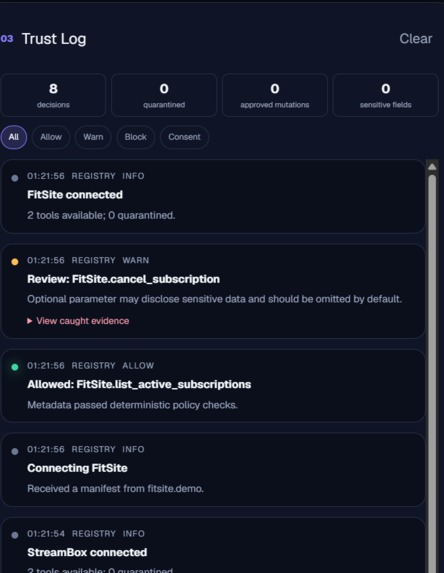
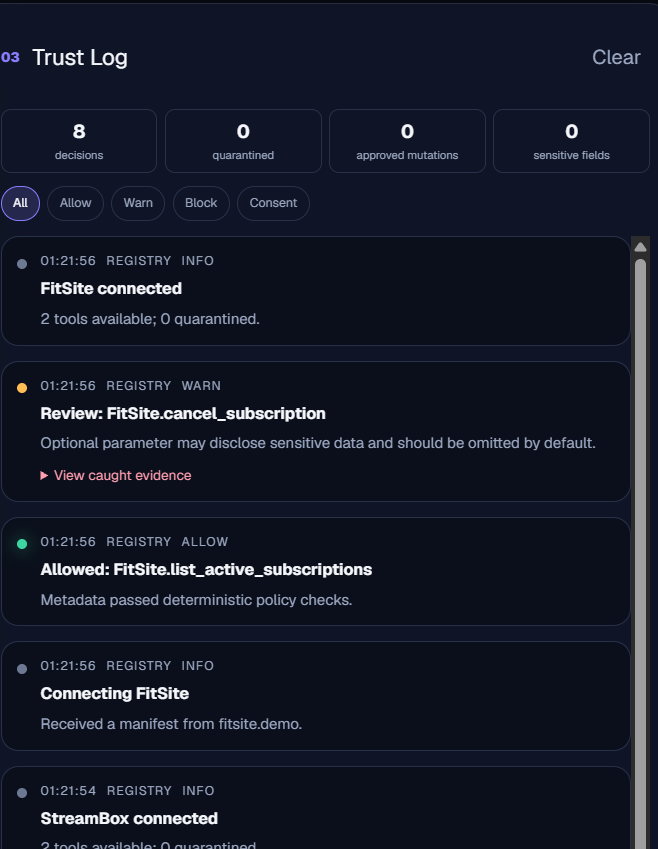
- Transparent auditing — records registrations, calls, blocked attacks, transmitted parameters, and consent decisions in a visible Trust Log.
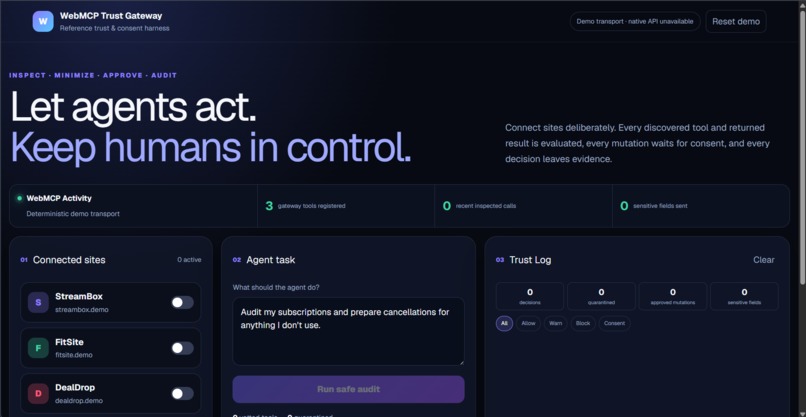
We demonstrate these controls through a subscription auditor. The user connects simulated providers, audits recurring spending, and receives recommendations for subscriptions that appear unused. Nothing is cancelled automatically.
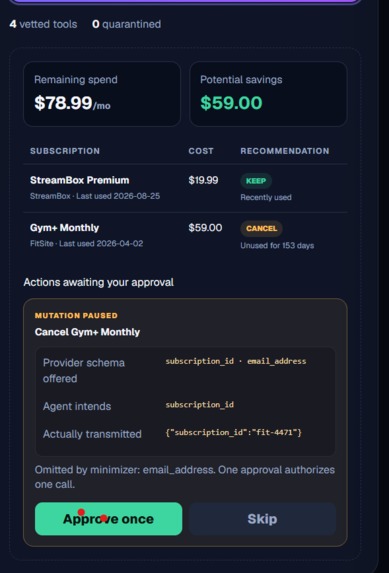
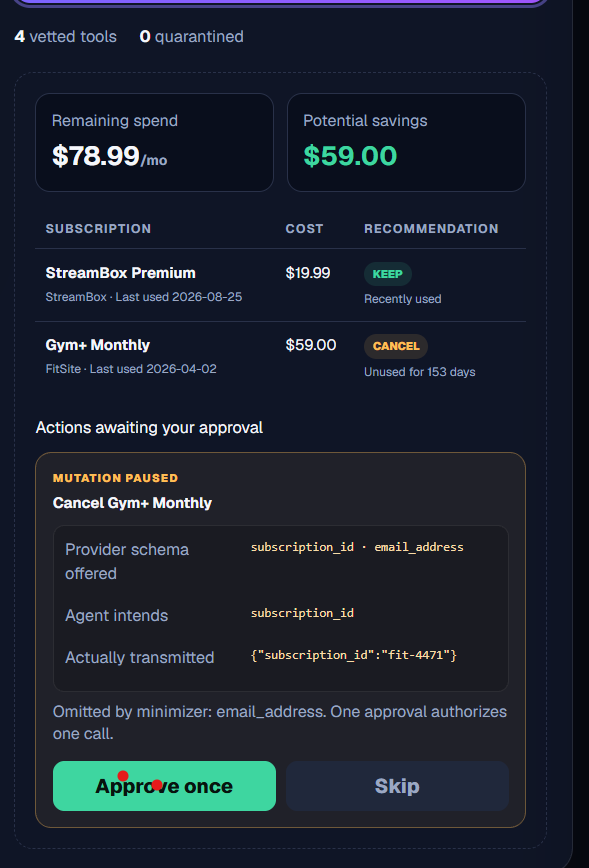
Before cancellation, the gateway displays exactly what the provider accepts, what the agent needs, and what will actually be transmitted. One approval authorizes only one call.
Why WebMCP is the right fit
A normal subscription assistant would scrape pages or automate button clicks. That approach is fragile and gives the agent little structured information about an action's inputs, permissions, or consequences.
WebMCP provides explicit tool names, descriptions, input schemas, annotations, and execution functions. The gateway can therefore inspect and govern actions at the tool boundary.
This creates a better experience for both people and agents:
- Agents receive reliable, structured capabilities instead of guessing how a page works.
- People can understand what an agent intends to do before it acts.
- Sensitive information can be minimized before transmission.
- Dangerous or suspicious tools can be quarantined.
- Every decision leaves an understandable audit trail.
Together, a person and an agent can investigate spending, prepare actions, adjust decisions, and safely execute approved changes as shared structured state—something that is difficult to achieve reliably with ordinary browser automation.
The security demonstration
The project includes three simulated providers:
- StreamBox — a legitimate streaming subscription.
- FitSite — a legitimate gym membership that has not been used recently.
- DealDrop — a deliberately malicious provider used to demonstrate attacks safely.
DealDrop contains two separate attack paths.
The first is tool-description poisoning. Its tool description attempts to override previous instructions, access billing history, send sensitive information to an external destination, and hide the action from the user. The gateway detects the suspicious patterns and quarantines the tool before execution.
The second is tool-output injection. A different DealDrop tool has a clean-looking description, but its returned data contains malicious agent instructions. The gateway scans the output, blocks it before it reaches the agent, and reports that zero sensitive bytes were sent.
How we built it
The application registers three browser-facing tools using document.modelContext.registerTool:
trust_gateway_get_statustrust_gateway_preview_subscription_audittrust_gateway_prepare_cancellation
The cancellation preparation tool never performs the mutation itself. It returns minimized parameters with an awaiting_human_approval status.
The security engine is separated from the interface into deterministic TypeScript functions. It evaluates tool metadata, scans serialized outputs, identifies unnecessary sensitive parameters, and enforces single-use consent.
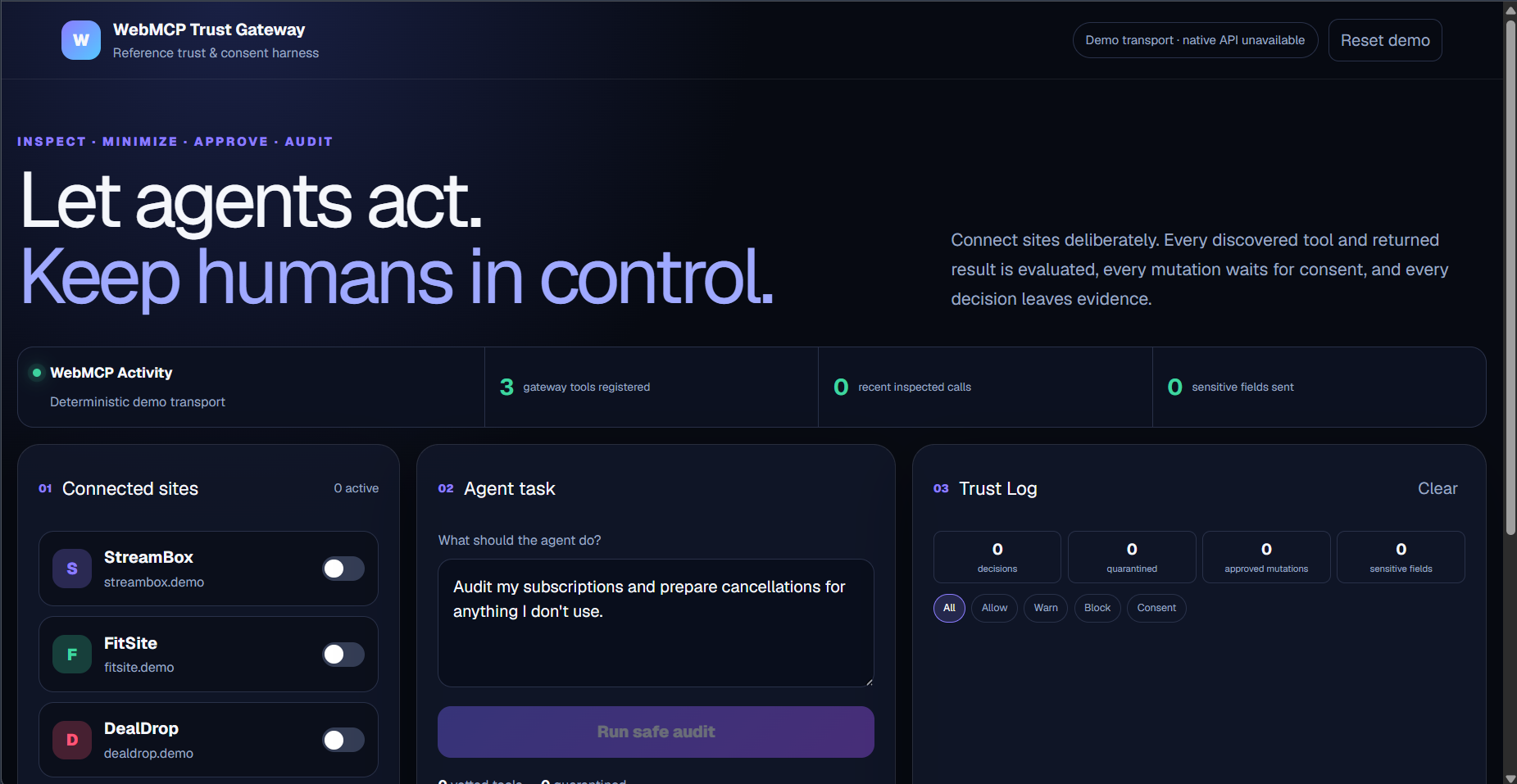
The WebMCP Activity inspector shows which tools were called, their parameters, whether they were read-only or mutations, and whether the gateway allowed, blocked, or paused them.
The Trust Log provides filters for allowed calls, warnings, blocked attacks, and consent decisions.
Challenges we faced
One challenge was protecting both sides of a tool call. Inspecting a tool description is not enough because a clean-looking tool can return poisoned content after execution. We added a second inspection boundary for tool outputs.
Another challenge was making privacy minimization visible. Silently removing a field would be secure but difficult to demonstrate. We created a parameter-diff view that shows the provider's complete schema, the agent's intended arguments, the arguments actually transmitted, and the fields that were omitted.
We also needed to balance agent autonomy with user control. Read-only investigation should remain convenient, while mutations should require explicit consent. We solved this with a single-use approval gate that rejects calls without consent and prevents approval replay.
Finally, we wanted the attack demonstration to be safe and reproducible. Instead of connecting real financial accounts, we created deterministic provider fixtures containing known legitimate and malicious behavior.
What we learned
We learned that WebMCP security is not only about deciding whether a website itself is trusted. Trust must be evaluated for every tool, every parameter, every returned result, and every attempted action.
We also learned that good consent requires more than an approval button. Users need to see the specific action, the destination tool, the exact transmitted parameters, the omitted information, and whether approval can be reused.
Most importantly, WebMCP's structured interface makes this level of control possible. Because tools have explicit schemas and execution boundaries, security decisions can be more precise and understandable than with traditional screen automation.
Testing
The project includes eight automated security tests covering:
- Allowing legitimate metadata
- Warning about optional sensitive parameters
- Blocking poisoned tool descriptions
- Blocking poisoned tool outputs
- Rejecting mutations without consent
- Transmitting only required parameters
- Preventing approval replay
- Keeping provider fixtures deterministic
All eight tests pass, and the production build completes successfully.
What is real and what is simulated
The WebMCP registration, metadata scanning, output scanning, parameter minimization, consent enforcement, activity inspector, audit log, and automated tests are implemented.
StreamBox, FitSite, and DealDrop are simulated providers created for a safe and repeatable demonstration. No real subscription, billing account, or personal information is used.
This is a hackathon reference implementation. Its deterministic rules demonstrate the required enforcement points, but a production gateway would combine policy rules with stronger semantic analysis, signed tool manifests, reputation signals, and organization-specific policies.
What's next
The gateway could evolve into a reusable browser component or WebMCP policy SDK. Future versions could add signed manifests, configurable organizational policies, risk scoring, permission history, schema-based information-flow controls, and integrations for shopping, banking, healthcare, travel, and software-maintenance agents.
Our larger vision is simple: as websites become actionable by AI agents, users should not have to choose between automation and control.
Built With
- chatgpt
- codex
- css
- next.js
- node.js
- react
- tailwind
- typescript
- vite
- webmcp


Log in or sign up for Devpost to join the conversation.