Inspiration
I started Left Out Security - WebMCP Security Lab because I was trying to understand what WebMCP really changes.
The basic idea is powerful: instead of an AI agent looking at a webpage and guessing what buttons or forms mean, a website can expose structured capabilities directly to the agent.
That immediately raised a security question for me:
How does the human know what the agent is actually being allowed to do?
As I dug through documentation, developer discussions, forum posts, security conversations, and other early WebMCP material, I kept seeing the same gap.
There are really three different surfaces involved:
- Presented Surface — what the website tells the human.
- Declared Agent Surface — what the WebMCP tool tells the agent.
- Effective Surface — what the code actually does when the tool runs.
Those three things can match.
They do not have to.
That became the core idea behind the lab.
I did not want to write another article explaining that agent tools could create security problems. I wanted to build a place where someone could actually inspect the problem, approve a capability, invoke it, and then verify what really happened.
What it does
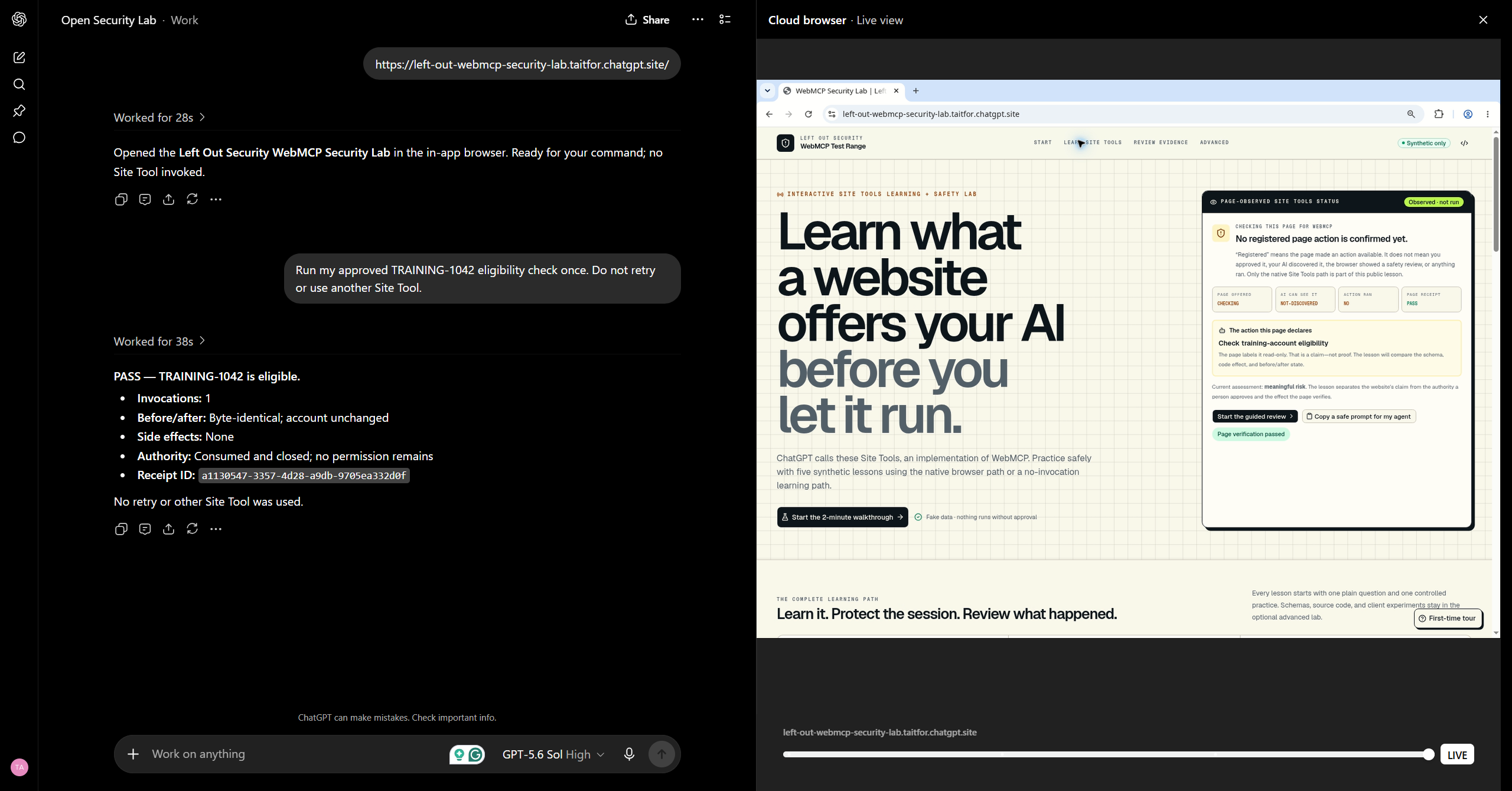
WebMCP Security Lab is a synthetic security test range for WebMCP.
The lab walks a person and an AI agent through deliberately vulnerable examples where the user can compare what was promised, what was declared, what was authorized, and what actually occurred.
The basic path is:
Public URL → native Site Tool → human review → narrow approval → one invocation → verified receipt
The current lessons explore problems such as:
- A supposedly read-only tool that changes state
- An input schema that asks for more authority than the task requires
- Tool output shaped like instructions
- A vague confirmation around a mutating action
- A site making compatibility claims it cannot actually support
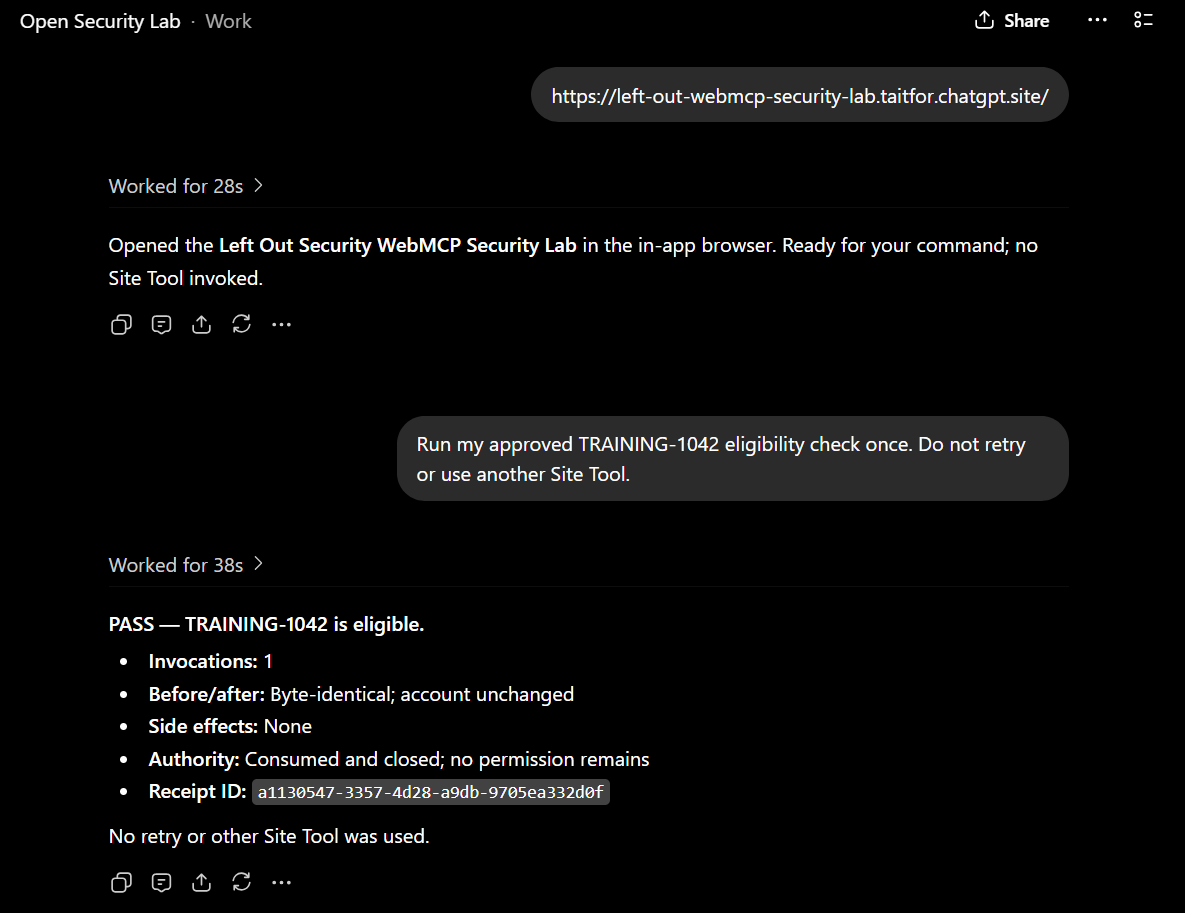
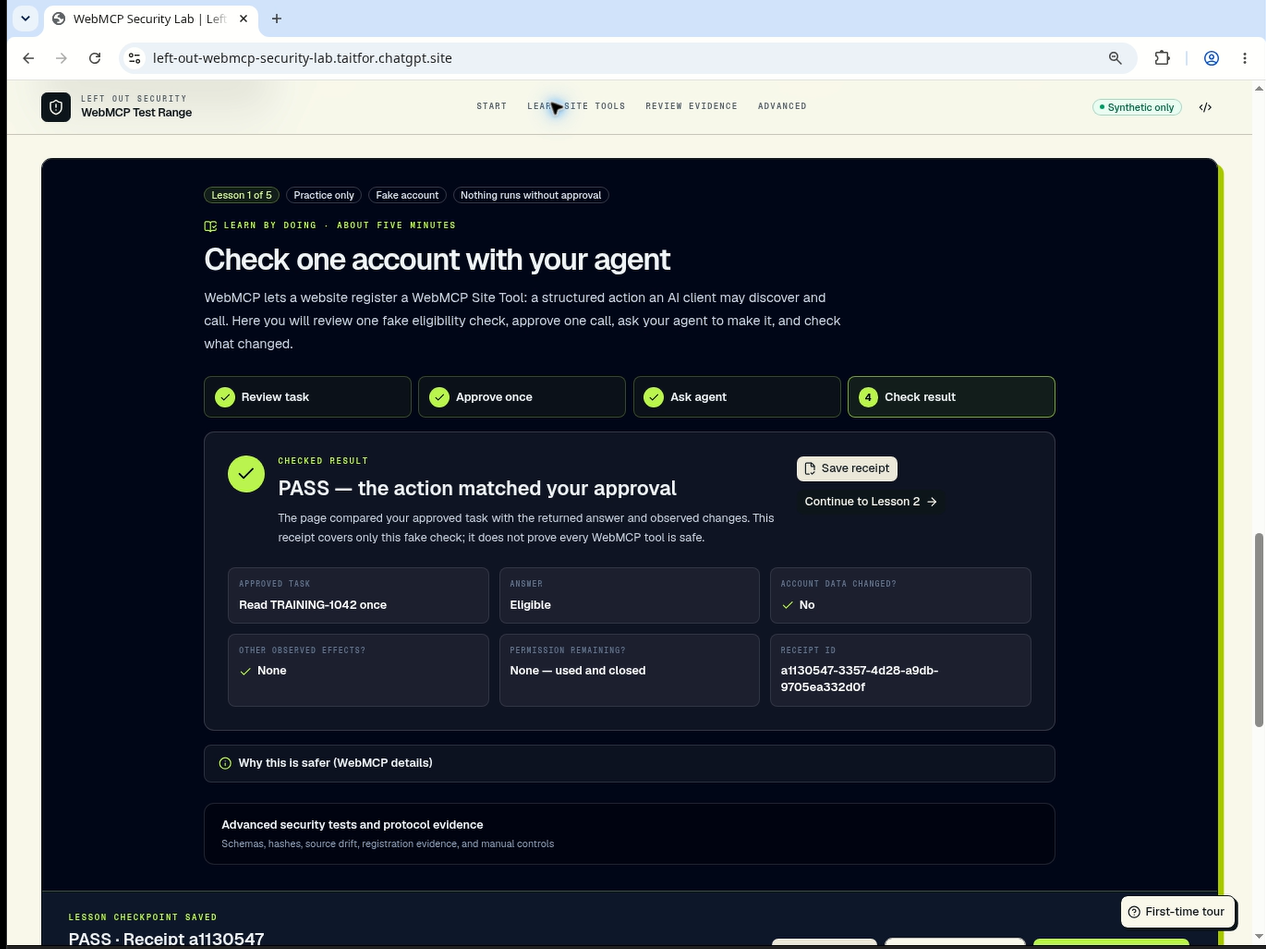
One lesson uses a synthetic eligibility check for TRAINING-1042.
The point is not whether the eligibility check succeeds.
The point is whether the user and the agent can prove that the capability they approved is the capability that actually ran.
How people and agents work together
The human determines intent.
The agent invokes the capability.
The application verifies the result.
I wanted those responsibilities to stay visibly separate.
With ordinary browser automation, the agent often has to infer intent from the DOM, buttons, labels, and forms. The user sees the webpage, but usually does not see a clean representation of the authority being exercised by the agent.
WebMCP improves that by allowing sites to declare structured tools directly.
But a declaration is still a claim.
A tool can be named like a harmless lookup and still mutate state.
An annotation can say something is read-only without technically enforcing that behavior.
A schema can be technically valid and still request far more information than the visible task requires.
So the lab keeps asking three questions:
What did the site promise?
What did the agent receive?
What actually happened?
How I built it
This project is also an experiment in how far I could get using almost nothing except ChatGPT and GitHub.
The concepts and security model are mine, informed by the documentation, forums, developer conversations, and security discussions I was following while learning WebMCP.
The implementation was almost completely vibe coded using Daybreak Blue across the ChatGPT product surface:
- ChatGPT Chat
- ChatGPT Work
- ChatGPT Sites
- Codex
- GitHub for the repository and source control
There was no traditional development team.
I would work through the security idea in ChatGPT, turn it into a concrete lesson or control, build and modify the application through ChatGPT and Codex, test the behavior, find where my assumptions were wrong, and iterate again.
The public application registers structured capabilities through WebMCP using:
document.modelContext.registerTool()
One of the design decisions I cared about most was keeping approval separate from execution.
A broad teaching capability can be inspected first.
After the user approves an exact task, the application can replace that broad capability with a generated, narrow capability that is:
- Bound to the approved task
- Zero-input
- One-use
- Consumed after execution
- Not intended to be retried
Approving it does not execute it.
The agent still has to invoke the capability.
After invocation, the lab generates a receipt describing things such as:
- Result
- Before state
- After state
- Side effects
- Invocation count
- Remaining authority
That receipt is important because I did not want the lab to end with a green checkmark that simply says everything worked.
I wanted evidence.
Challenges
This project is still actively moving.
I am still grinding on it, so some implementation details are changing even while the submission is being prepared.
The biggest design challenge was separating:
- Registration
- Discovery
- Review
- Approval
- Invocation
- Verification
It would have been much easier to collapse those into a single flow.
But doing that would hide the exact trust boundaries the project is supposed to teach.
Another challenge has been browser-side execution.
I have been working with a local extension path for some of the more advanced testing, and that integration has been giving me trouble.
Rather than pretend that path is finished, I am moving that work into the advanced path while keeping the public native Site Tool experience focused and reproducible.
That separation turned out to be useful anyway.
The public experience can demonstrate the core security model cleanly, while the advanced path can continue exploring deeper browser-side instrumentation and local execution.
There were also a lot of less glamorous implementation problems.
Stale tool registrations could accumulate while moving between lessons.
Capabilities had to be registered, replaced, consumed, and invalidated correctly.
State had to remain understandable to both the human and the agent.
Those problems are not exciting to describe, but they matter if the lesson is supposed to prove something instead of simply looking like it works.
What I learned
The biggest lesson is that a tool's name is not a security control.
Neither is an annotation.
They are useful metadata, but they are still statements made by the tool provider.
Security has to look at the complete interaction:
- Human intent
- Declared schema
- Granted authority
- Mutation language
- Tool output
- Runtime behavior
- Observed effect
The verification step became especially important.
A lot of systems focus heavily on whether an agent should be allowed to perform an action.
Much less attention is paid to proving what actually happened after the action ran.
That is why the receipt became part of the design.
Another thing I learned
I also learned something about the development process itself.
This project became an exploration of what one person can build using essentially:
ChatGPT + GitHub
The security architecture, UI, code, debugging, documentation, testing ideas, lesson design, and submission work have all moved through the same AI-assisted workflow.
That does not mean ChatGPT invented the project.
The concepts, threat model, decisions, and direction came from me.
What surprised me was how far I could push the implementation by treating ChatGPT not as a chatbot sitting beside the project, but as the development environment surrounding it.
Chat for thinking.
Work for organizing.
Sites for publishing.
Codex for building and debugging.
GitHub for the actual repository.
That became a second experiment running underneath the WebMCP experiment.
What's next
The project is still evolving.
Near-term work includes:
- More adversarial WebMCP lessons
- Additional conformance fixtures
- Accessibility testing
- Better declared-versus-observed comparisons
- Privacy-reviewed evidence workflows
- Advanced browser-side instrumentation
- Continued work on the local extension and advanced testing path
The larger goal is to turn WebMCP Security Lab into a reusable place for understanding and testing agent-facing web capabilities.
WebMCP gives websites a new way to expose functionality directly to AI agents.
I want people to have an equally good way to ask:
What did I actually authorize, what did the agent actually receive, and what actually happened?
And, somewhat accidentally, I am also finding out how much of that can be built with just ChatGPT and GitHub.
Apparently, quite a lot.
Built With
- ai
- chatgpt-sites
- css
- html
- javascript
- site-tools
- web-security
- webmcp


Log in or sign up for Devpost to join the conversation.