-
-
One machine, two users: WebMCP Computer
-
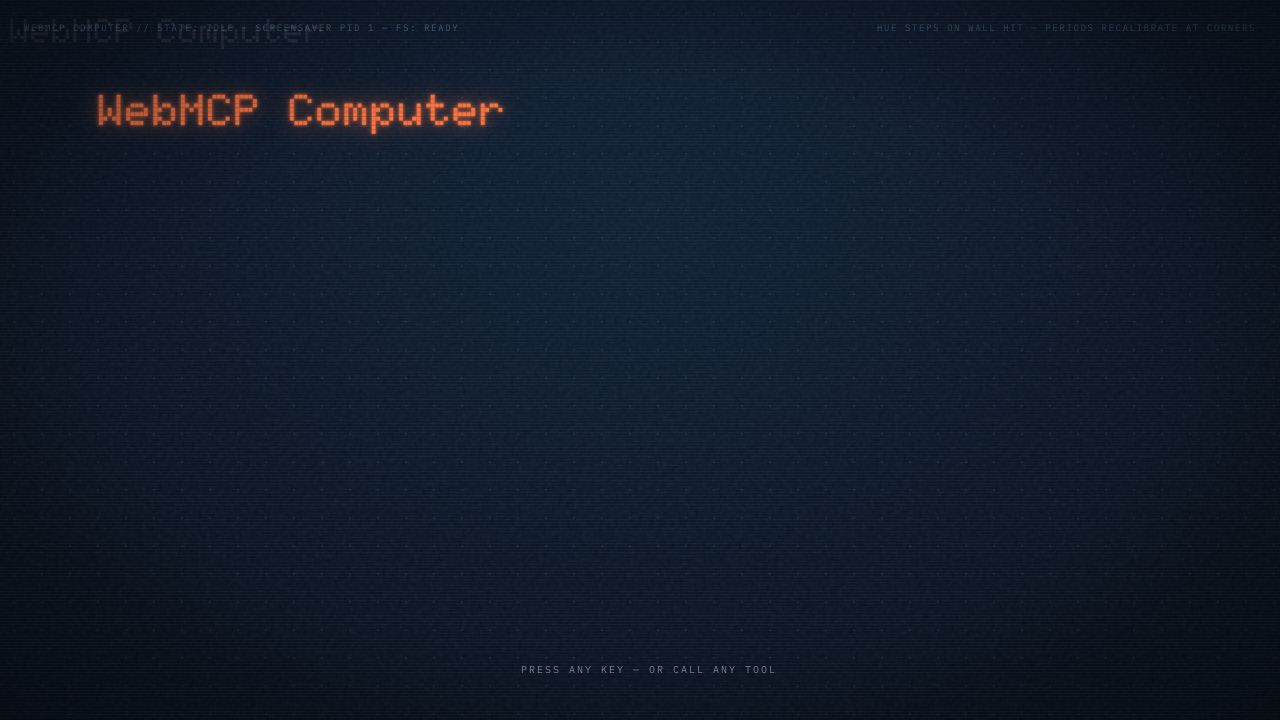
Press any key—or call any tool—to wake the machine
-
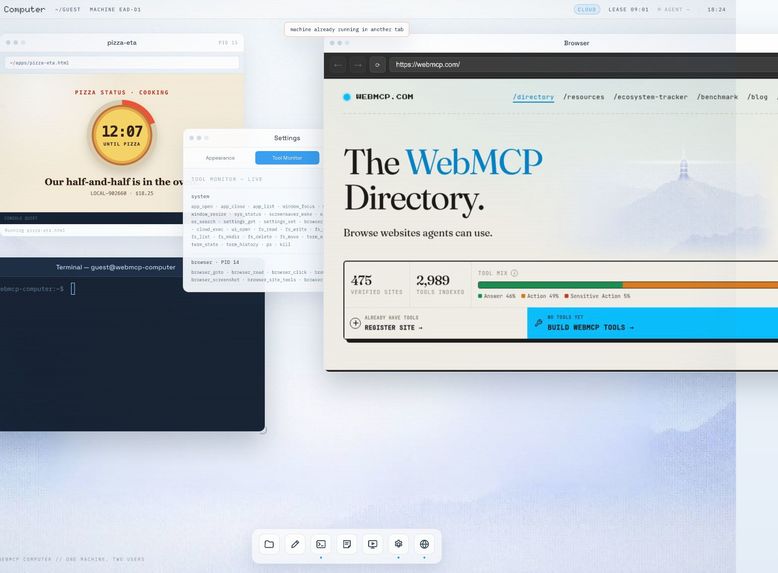
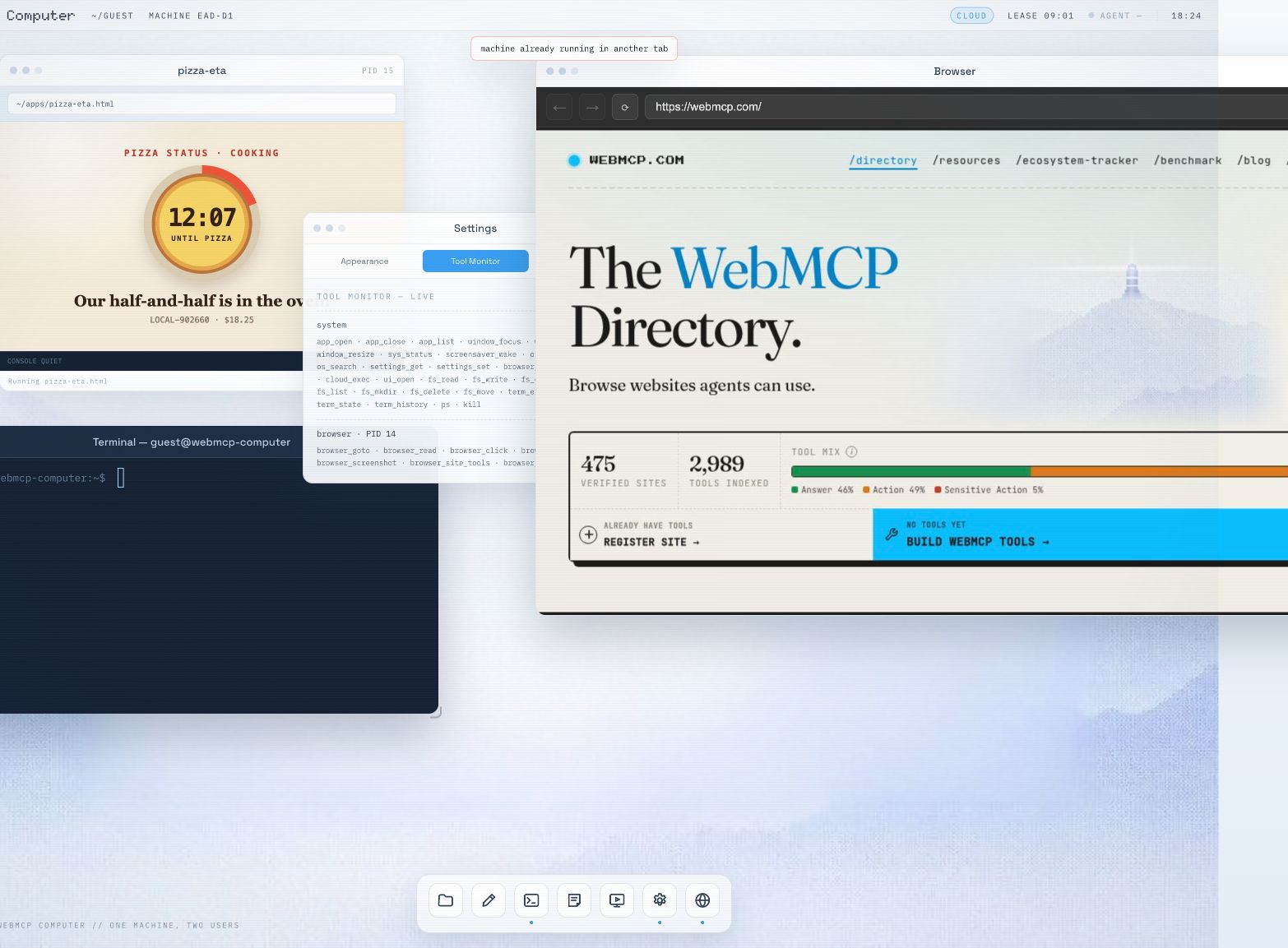
A real remote Browser, live Tool Monitor, Terminal, and agent-made app—one desktop
A computer built for agents as first-class citizens.
Instead of imitating humans with screenshots, mouse coordinates, and typing, agents control the machine directly through WebMCP - while the human watches and intervenes through the same desktop.
Inspiration
We wanted to see what a computer would look like if agents didn’t have to use it like humans.
Instead of looking at screenshots, moving a mouse, and typing into interfaces, the agent gets direct access to the computer through WebMCP. Files, apps, windows, processes, settings, and the terminal are all tools it can call.
The whole thing runs inside one browser tab. You see the same desktop as the agent, watch what it’s doing, and can take over at any point.
Run agent-generated code without giving the agent access to your computer. Watch what it does and jump in whenever you want.
The demo in 30 seconds
- Ask the agent to create a small website.
- Watch Files, Terminal, and Preview update in real time.
- The new page registers its own
site_*tools. - The agent calls those tools through the computer that created the page.
That is WebMCP inside WebMCP: tools appear when an app opens or a page is served, then disappear cleanly when it closes.
Why WebMCP
WebMCP gives a page a structured way to describe what an agent can do: named tools, JSON schemas, descriptions, and safety annotations. WebMCP Computer treats that surface like a syscall table. Instead of exposing one form, it exposes the operating system—app_open, fs_write, term_exec, window_move, settings_set, ps, kill, and dozens more.
For normal computer operations, the agent needs no screenshot and no coordinate. Every action is typed, bounded, and visible.
What humans and agents can do together
- Build in a fresh machine. Edit files, run shell commands, serve a folder, and preview the result without touching the host computer.
- Share one live workspace. Human and agent use the same files, windows, processes, and terminal.
- See every action. An agent cursor moves to the affected window, activity toasts name the verb, terminal rows are tinted, and Tool Monitor records the call.
- Operate the real web. The Browser app drives a shared remote Chrome and can discover and call another site's WebMCP tools.
- Opt into real Linux. The cloud kernel adds a temporary container with Git, Node.js, and Python, streaming command output into the visible Terminal.
- Publish from the machine. An agent can publish a text-only site and hand the human a public URL and QR code.
How we built it
- WebMCP layer:
@nekuda/webmcp-sdk, with strict schemas and ask/act/transact annotations. - Kernel: a pure-TypeScript Zustand store for processes, windows, settings, and the shared event stream.
- Local shell:
just-bashwith core utilities,awk, andjq; network and language runtimes stay in the opt-in cloud container. - Filesystem: ZenFS on OPFS with reload-safe session restore.
- Preview: a virtual in-tab server that runs pages in opaque sandboxed frames and bridges their dynamic tools to the host registry.
- Browser and cloud: capability-scoped Cloudflare Workers for remote Chrome, temporary Linux workspaces, and publishing.
The UI is React 18, Vite, strict TypeScript, and hand-written CSS—no UI kit. The current build is covered by 339 unit tests and 27 native-Chrome end-to-end tests.
Tool vocabulary
| Domain | Tools |
|---|---|
| Apps and windows | app_open app_close app_list window_focus window_move window_resize |
| Filesystem | fs_read fs_write fs_edit fs_list fs_search fs_mkdir fs_delete fs_move |
| Terminal and processes | term_exec term_read term_state term_history ps kill |
| System | sys_status os_manual os_search settings_get settings_set screensaver_wake |
| Browser (remote Chrome) | browser_open browser_goto browser_click browser_type browser_read browser_screenshot browser_site_tools browser_site_call |
| Cloud (opt-in) | cloud_exec os_publish |
| Agent-made apps | ui_open |
| Per-app, while the window is open | editor_open_file files_reveal notes_append notes_preview notes_stick preview_get_console preview_get_url preview_reload |
| Dynamic, from served pages | site_* (registered by the page itself; capped at 16 per Preview) |
Challenges and lessons
The hardest problem was tool lifecycle. Tools must register only while their window exists; a generated page must be isolated yet still able to publish safe tools; and local, browser, and cloud state must remain understandable to both users. We learned that WebMCP works best when it is more than an automation layer: it can be the computer's native interface.
Try it
Launch WebMCP Computer in ChatGPT's in-app browser or Chrome with WebMCP enabled. Wake the desktop, then ask:
Create a small website, serve it, and interact with its WebMCP tools.
Built With
- chatgpt-sites
- chrome-devtools-protocol
- cloudflare-browser-rendering
- cloudflare-containers
- cloudflare-r2
- cloudflare-workers
- codex
- durable-objects
- javascript
- node.js
- puppeteer
- react
- typescript
- vite
- webmcp


Log in or sign up for Devpost to join the conversation.