Inspiration - WebLite started because I kept noticing how much unnecessary stuff websites load.
Sometimes I only want to read something, especially when I am using mobile data or a hotspot, but the page is still loading videos, animations, fonts, embeds and lots of other things in the background.
At first I thought the solution would be simple: just block the heavy things.
It wasn't.
When I started actually testing it on real websites, I realised that if I blocked too much, the website became ugly or sometimes difficult to use. So the project slowly changed from "block as much as possible" to "save data without ruining the page."
For the CSC Back-to-School Hackathon, I also started thinking about this from a student's point of view. Students do not always have fast Wi-Fi. Sometimes we use a phone hotspot, shared school internet, or a slower connection at home.
That is where the idea for Study Mode came from.
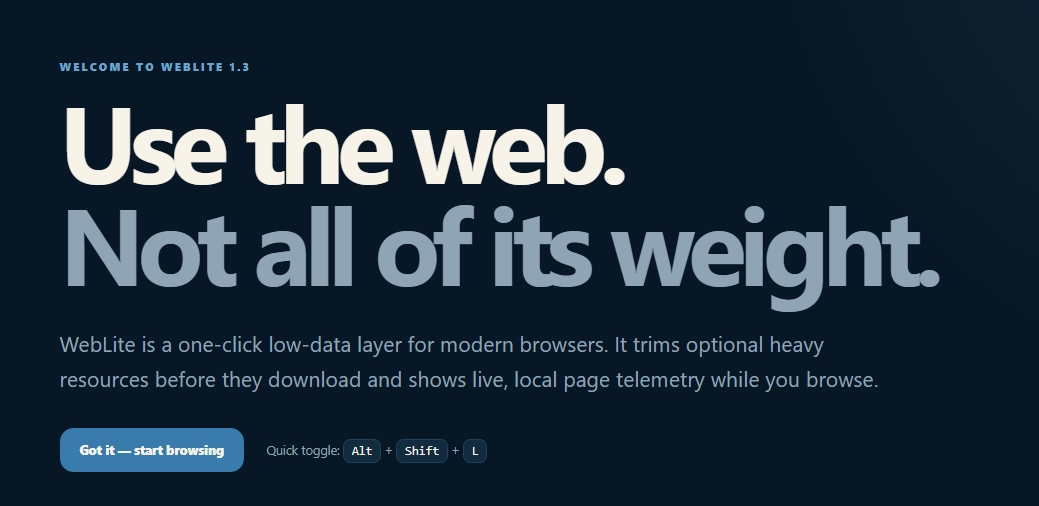
What it does - WebLite is a browser extension that gives you control over how heavy a website is.
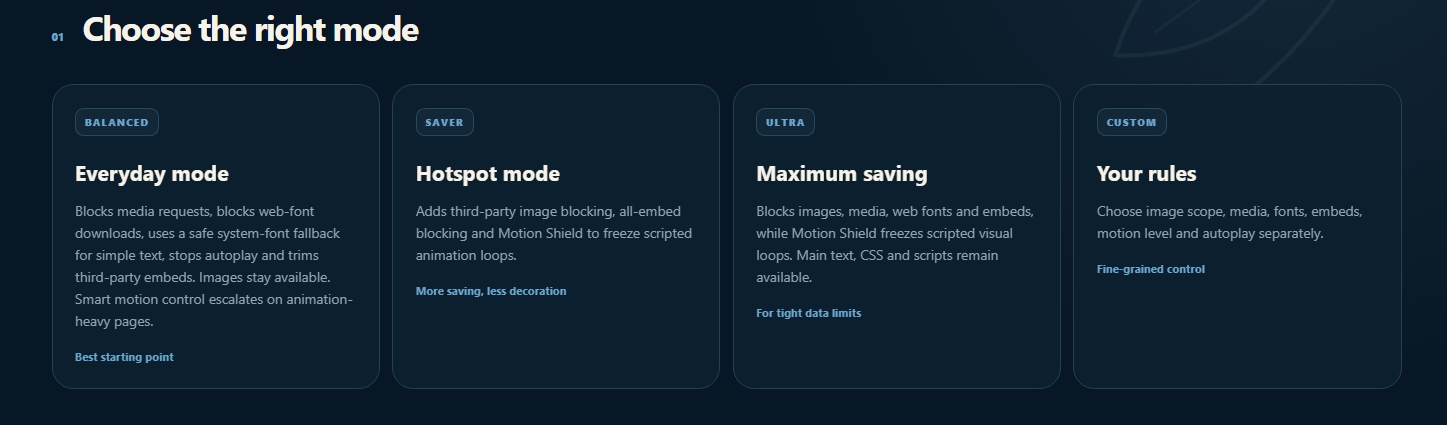
There are five modes:
- Balanced
- Study
- Saver
- Ultra
- Custom
Balanced is what I would normally use.
Saver and Ultra are for situations where saving data matters more than keeping every visual element.
Custom lets you choose things yourself.
Study Mode is the new mode I added for students.
It tries to keep the main content of a learning page, especially text and images from the same website, while reducing things such as third-party images, autoplay media, web fonts, embeds and unnecessary motion.
One thing I did not want was for WebLite to block something important and leave the user stuck.
So I added Load once.
For example, if a video or image is blocked but you actually need it for the lesson, you can load only that item without turning WebLite off completely.
How we built it - WebLite is made using JavaScript, HTML and CSS as a browser extension.
I worked with things like Manifest V3, content scripts, browser storage, service workers/background scripts, Declarative Net Request rules, Resource Timing and the Cookies API.
One thing that took me a while to understand was that hiding something is not the same as saving data.
If the browser already downloaded a video and I hide it afterwards, I have not actually saved anything.
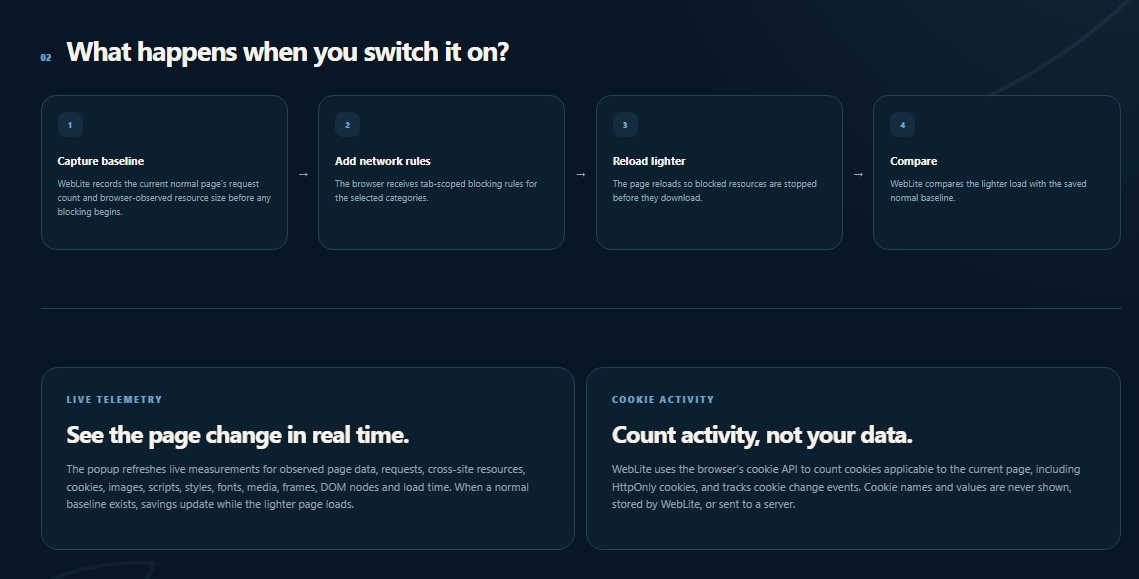
That is why WebLite uses browser network rules to stop some resources before they download, and then reloads the page with those rules active.
I also wanted the extension to show whether it was actually doing anything.
WebLite records a normal page load first and then compares it with the lighter version. It shows things like request count, observed transferred data, cross-site requests, resource types and measured savings.
I use the word measured because the browser does not give extensions perfect information about every single byte.
Challenges we ran into - The font system caused one of the funniest problems.
I originally forced system fonts much more aggressively because I thought it would be an easy way to stop web fonts.
Then I tested Apple.com.
The text started looking wrong and some parts of the page did not line up properly.
That made me realise that changing fonts can also change the size and spacing of text. I changed the system so WebLite is much more careful about where it replaces fonts.
Video was another problem.
At first I paused the video element, but some websites could just start it again with JavaScript.
So I ended up adding a Media Guard as well as blocking media requests.
Animations had a similar problem. CSS animations were easy to reduce, but then I found pages using JavaScript and requestAnimationFrame for motion. That eventually became the Motion Shield system.
A lot of the project was basically:
build something → test it → find a website that breaks it → go back and change the idea.
Accomplishments that we're proud of - We’re proud that WebLite grew from a basic idea into something that actually works across different browsers and real websites. A few things we’re especially happy with are building a proper Study Mode for students using slow Wi-Fi or mobile hotspots, adding Load Once so blocked content can still be opened when it is actually needed, making separate working builds for Chrome, Edge, Brave, and Firefox, fixing real problems we found while testing, like broken fonts, videos restarting through JavaScript, and heavy animations, adding live page stats instead of just claiming that data is being saved, and keeping everything local and privacy-focused without needing an account or server. The part we’re most proud of is that WebLite became more powerful without turning websites into unusable pages.
What we learned - Before this project, I did not really understand how much is happening behind a normal webpage.
I learned about browser extension permissions, network requests, content scripts, service workers, cookies, performance APIs and how websites dynamically create media and animations.
The biggest thing I learned was probably that the most aggressive solution is usually not the best one.
It is easy to make a website lighter if you do not care whether it still works.
Making it lighter and still usable is much harder.
That is why WebLite ended up with different modes instead of one giant "block everything" button.
What's next for WebLITE - I don't want WebLite to stop after this hackathon.
Some things I still want to improve are better automatic recommendations for different websites, more accessibility testing, better automated testing, easier installation through browser stores, and more detailed comparison history.
I also want to continue improving Study Mode instead of making it a one-time hackathon feature.
Testing
One of the main websites I used for stress testing was play.arc.gg because it gave WebLite a lot to deal with.
I also tested it on other websites, including Apple.com, normal article pages and pages with video and animation.
Testing on different websites is what caused several of the biggest changes in the project.


Log in or sign up for Devpost to join the conversation.