

Inspiration
Why should only large businesses be able to implement data analytics into personalizing website content through advanced targeting algorithms? WebLift.ai is the extension that allows clients to present each individual user with a unique, tailored version of a website. For the same product, small businesses will now be able to display different images and text that will capture the engagement of different audiences–for after all, you are far more likely to enjoy something that is uniquely made for you. Say goodbye to generic content: Say hello to dynamic websites and relevant user experiences.
What it does
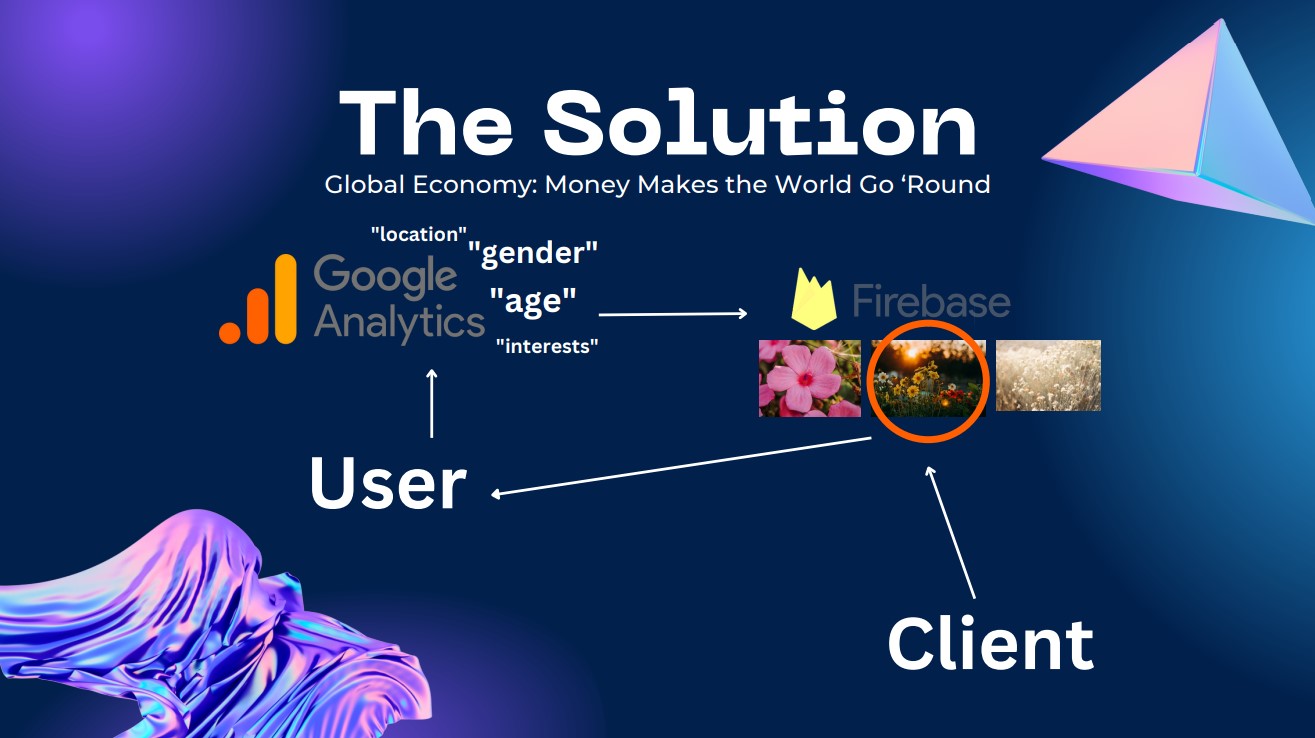
Clients upload and label potential manifestations of their website onto our Firebase database. We retrieve information about users through a pop-up survey, and based on that information, we then retrieve the most relevant web components to display to the user. While some businesses target a specific audience, there are others that target more broad ones. We provide an edge for the latter because through the WebLift extension we customize each user’s experience to one that is most relevant to them. A middle aged man searching for a spikeball set will see an advertisement image of a middle aged model playing spikeball, whereas when a young woman accesses the site, her end will display models and texts more relevant to her.
How we built it
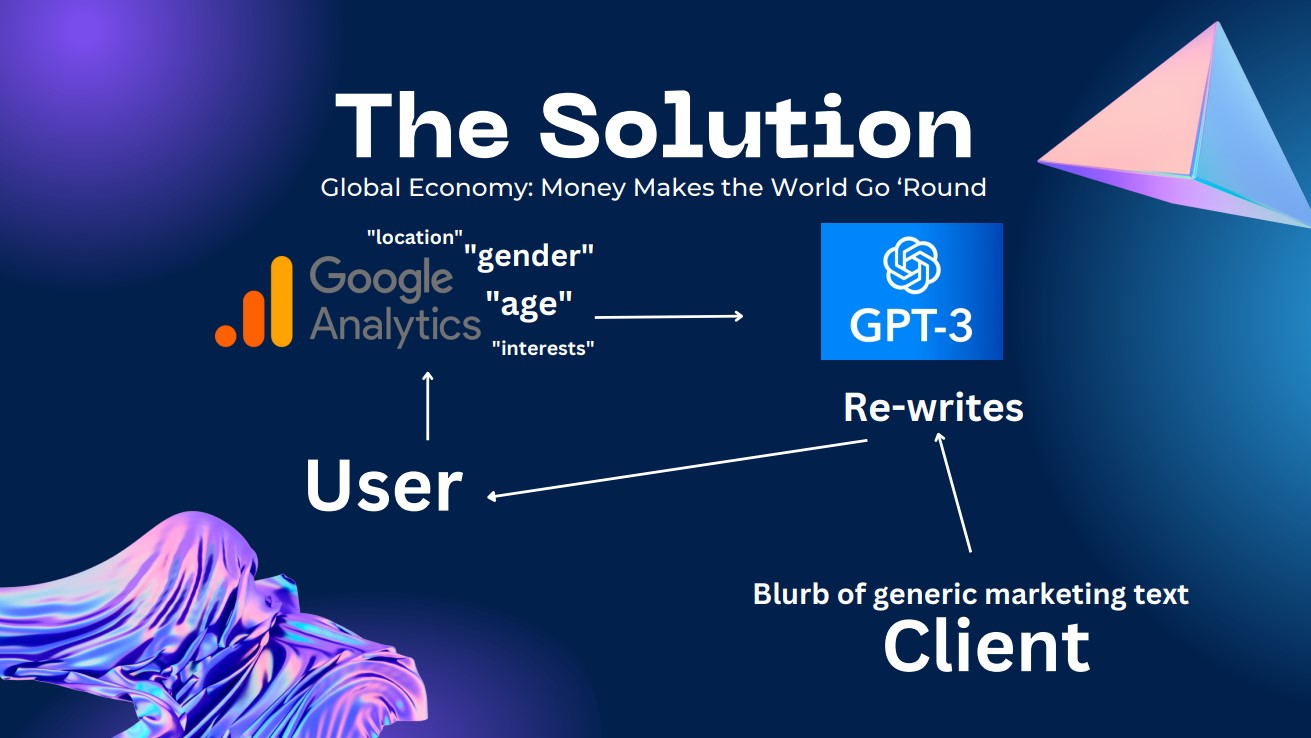
The project is hosted on Firebase and we used Firebase Firestore (NoSQL) to store businesses’ information. We used HTML, CSS, and Javascript to build a pop-up that will appear as a user enters a business website. This pop-up allows users to input their demographic information such as gender, age, and interests. We use those data to retrieve images and feed into the OpenAI API to generate new text by using Axios to make API requests. In the end, we inject the newly generated text and retrieved images into the store’s website to create a personalized experience for the visitor using pure Javascript.
Challenges we ran into
Referencing data from Firebase Realtime Database; OpenAI API; Google Analytics API; Remote Config Obstacles; Creating a user interface for front end; Enabling users to authenticate with Firebase using their Google Account.
Accomplishments that we're proud of
Getting images and text in Firestore Creating an integrated survey form Making calls to OpenAI API
What we learned
We learned how to use the NoSQL Firebase Firestore to store and access data such as texts and image urls. We also learned how to use modules like Axios and ExpressJS to make API requests and test our code on a local server.
What's next for WebLift.ai
We’re looking to add more features into the site that caters to a wider audience as well as deploy it onto shopify as an app. This way, stores can utilize the extension for their websites to increase user engagement and conversion.
We are looking to implement more advanced Artificial Intelligence functions into subsequent versions of WebLift. For instance, instead of needing the client to upload and label individual images, we will make it so that the client only needs to upload all of their data, and our AI systems will label and categorize the data in a way that is accurate and callable by our APIs. Next, we will update our code so that there is no need to even have a survey in the first place, for we will get this data naturally through Google Analytics. Currently on the client portal, we are implementing a drop down selection algorithm to label the data. In the future, we will allow the user to label the image whatever they want, and not have their labeling affect our categorization of the image because we will be employing a close captioning AI algorithm to label and store input data.


Log in or sign up for Devpost to join the conversation.