-
-
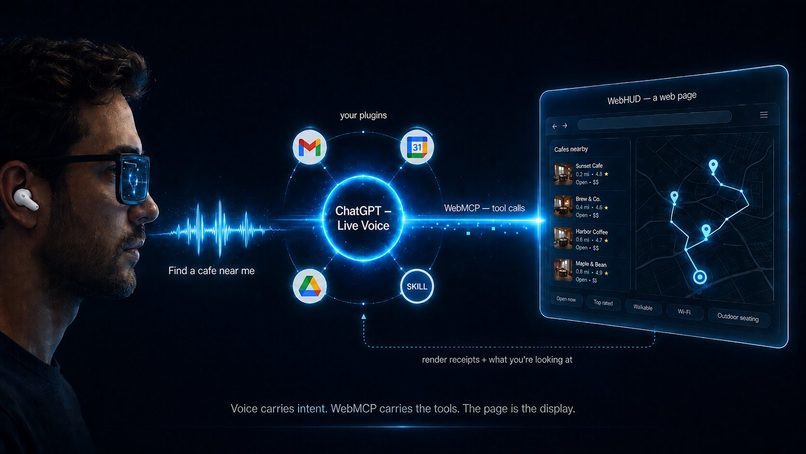
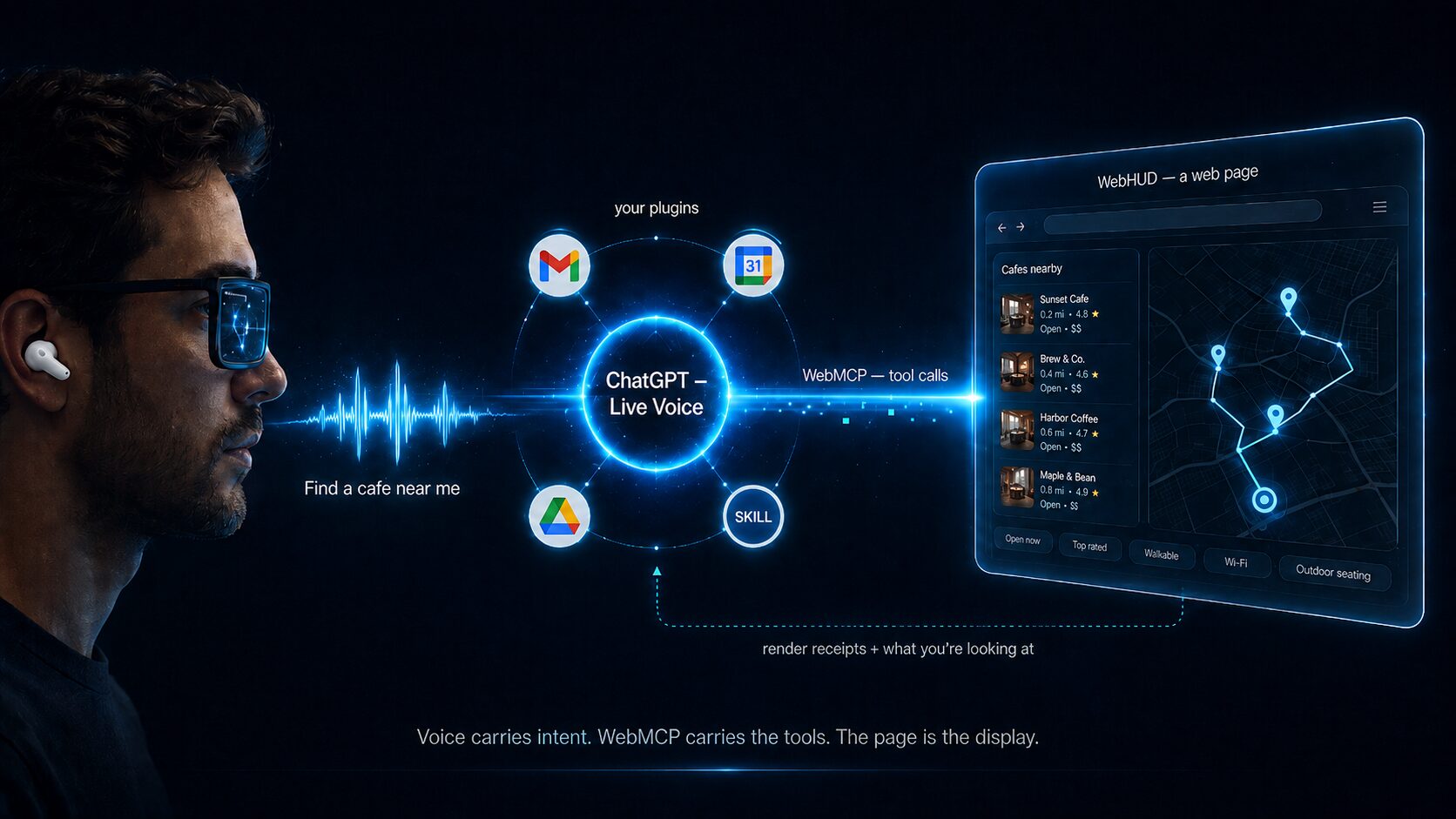
How WebHUD connects your agent, WebMCP, and any heads-up display.
-
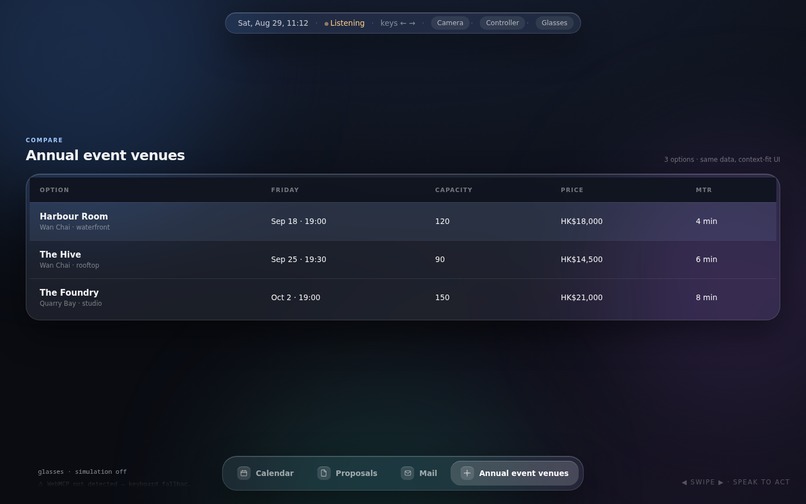
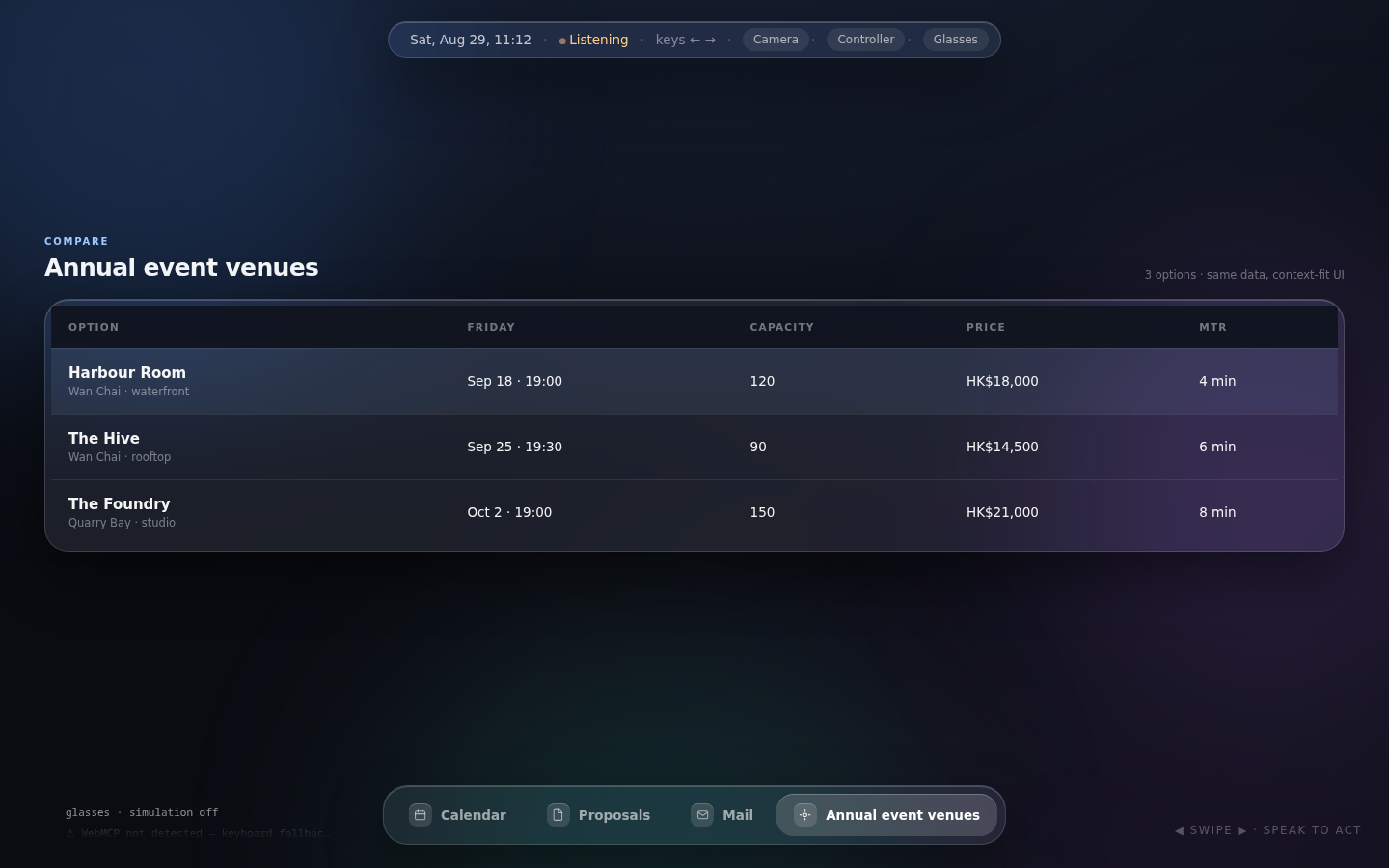
The compare intent renders as a full table on desktop
-
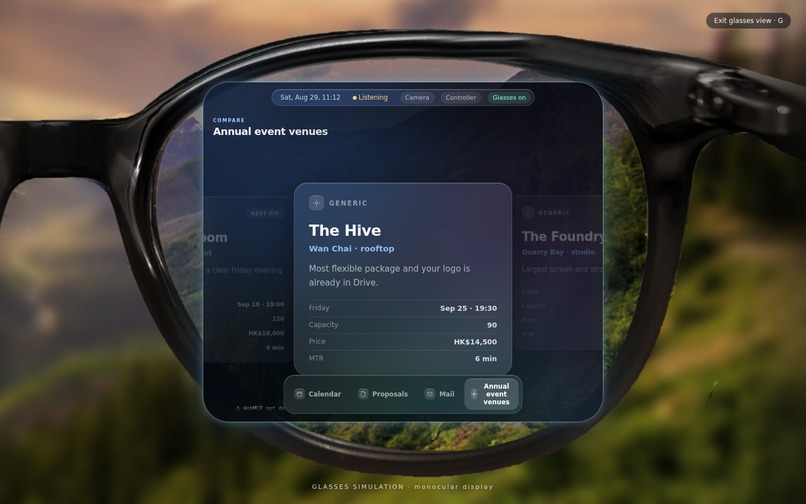
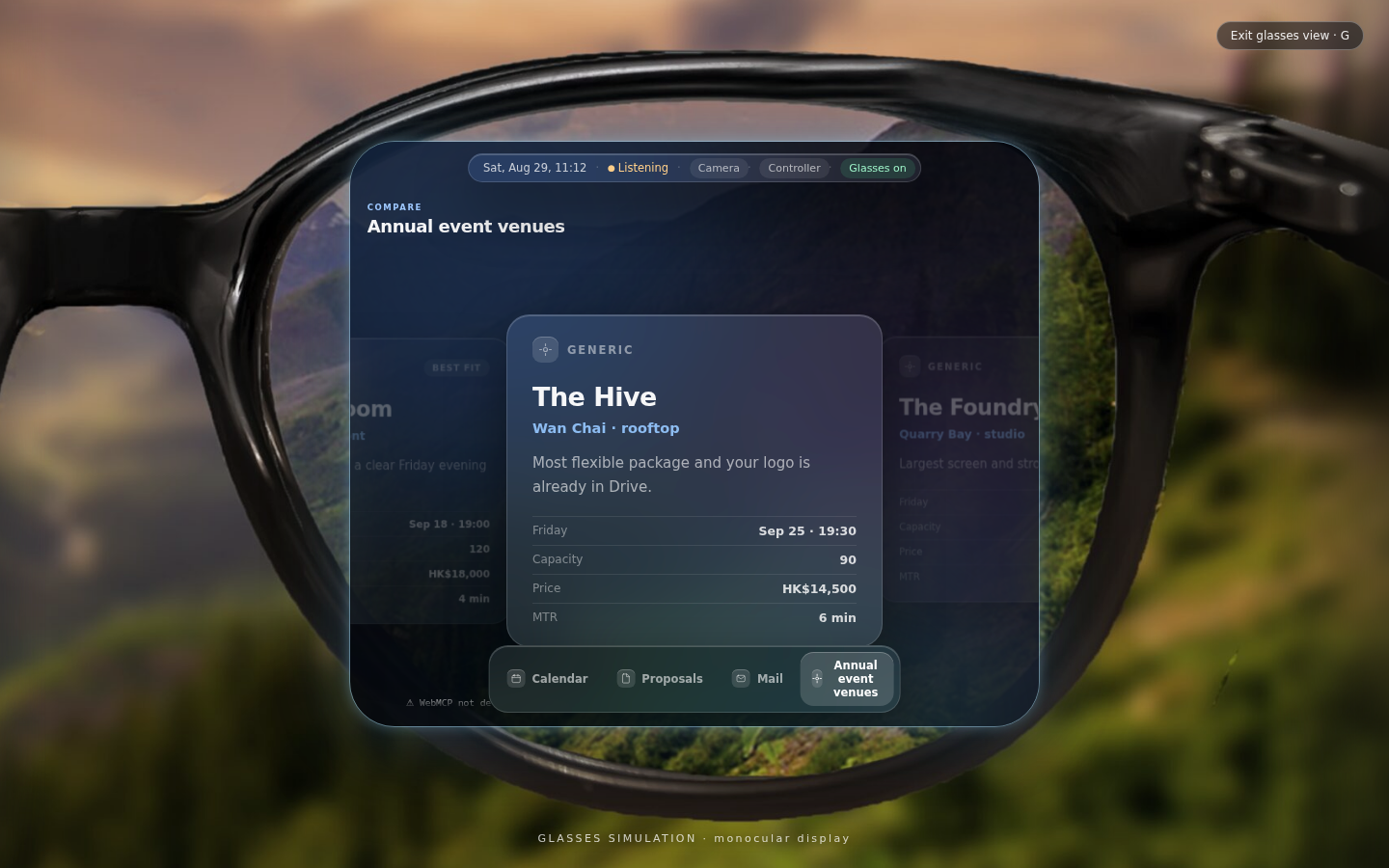
The compare intent renders as a swipe-able cards on glasses
-
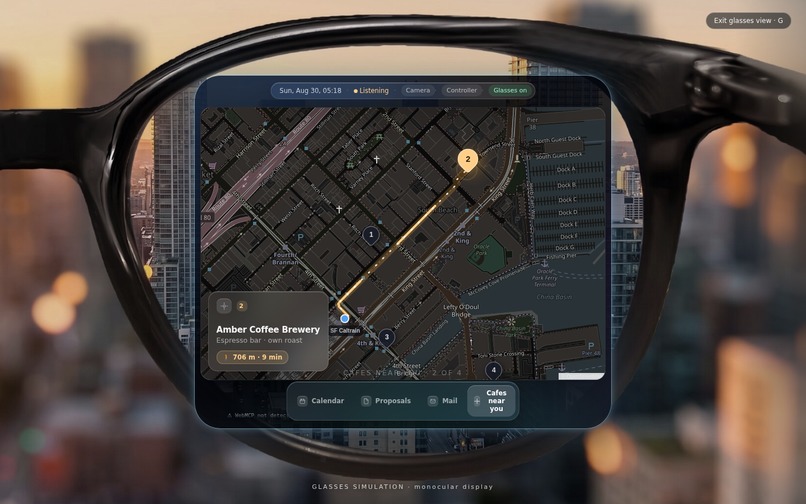
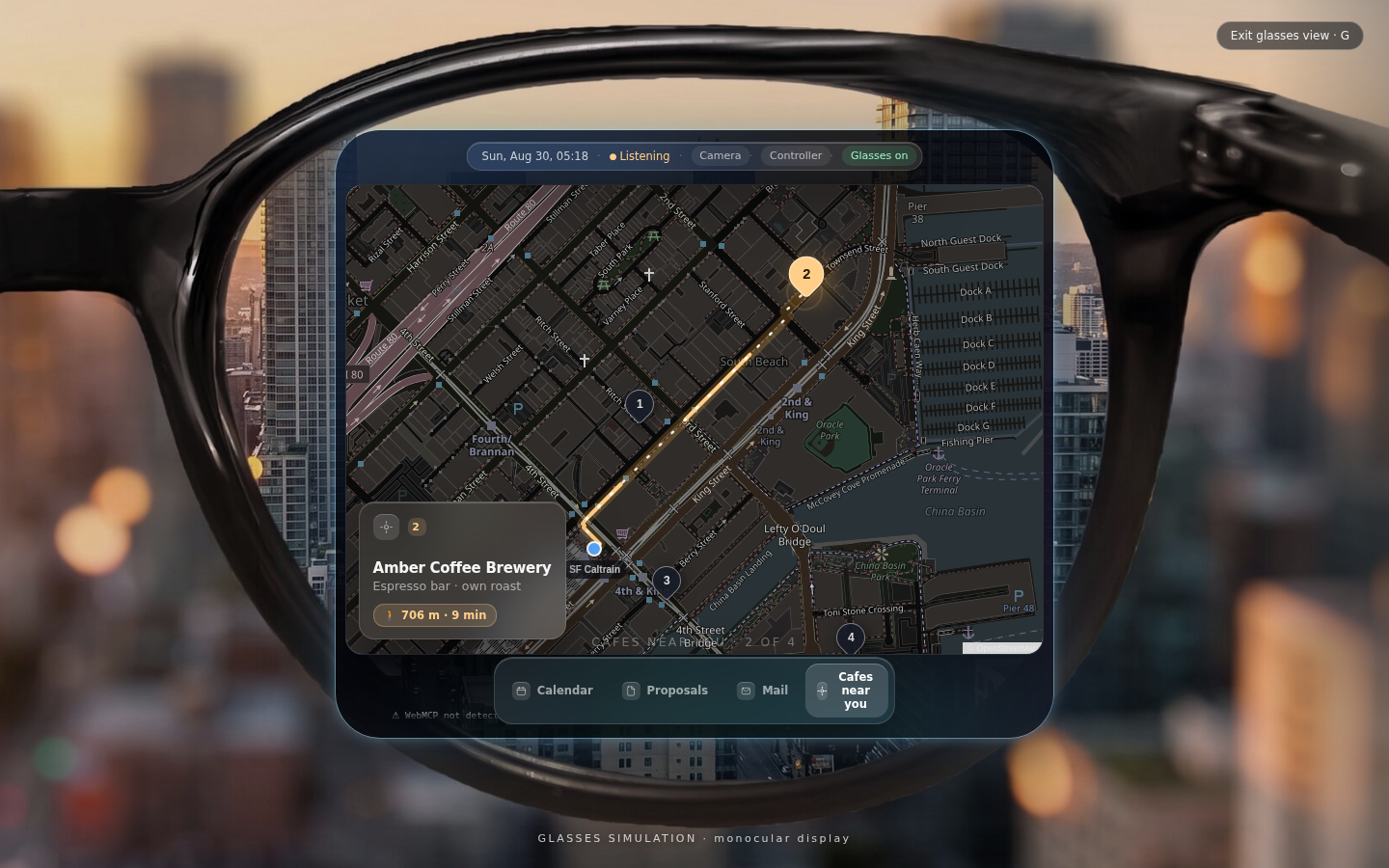
Tool registration is dynamic. For example, `map_show_route` exists only while a compatible map is active.
-
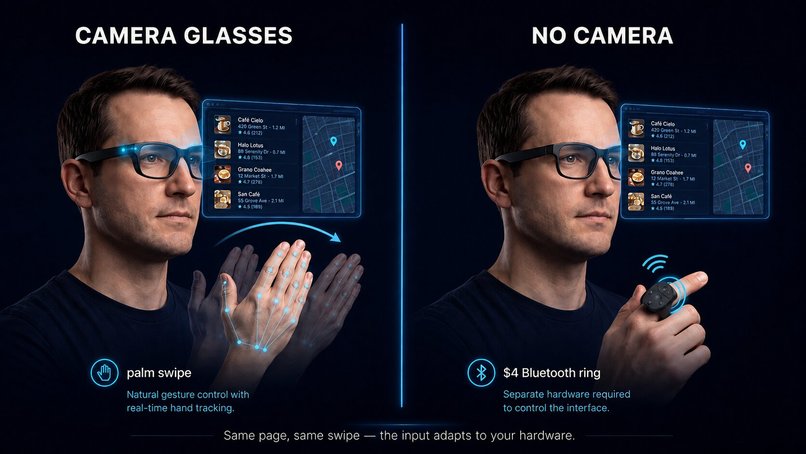
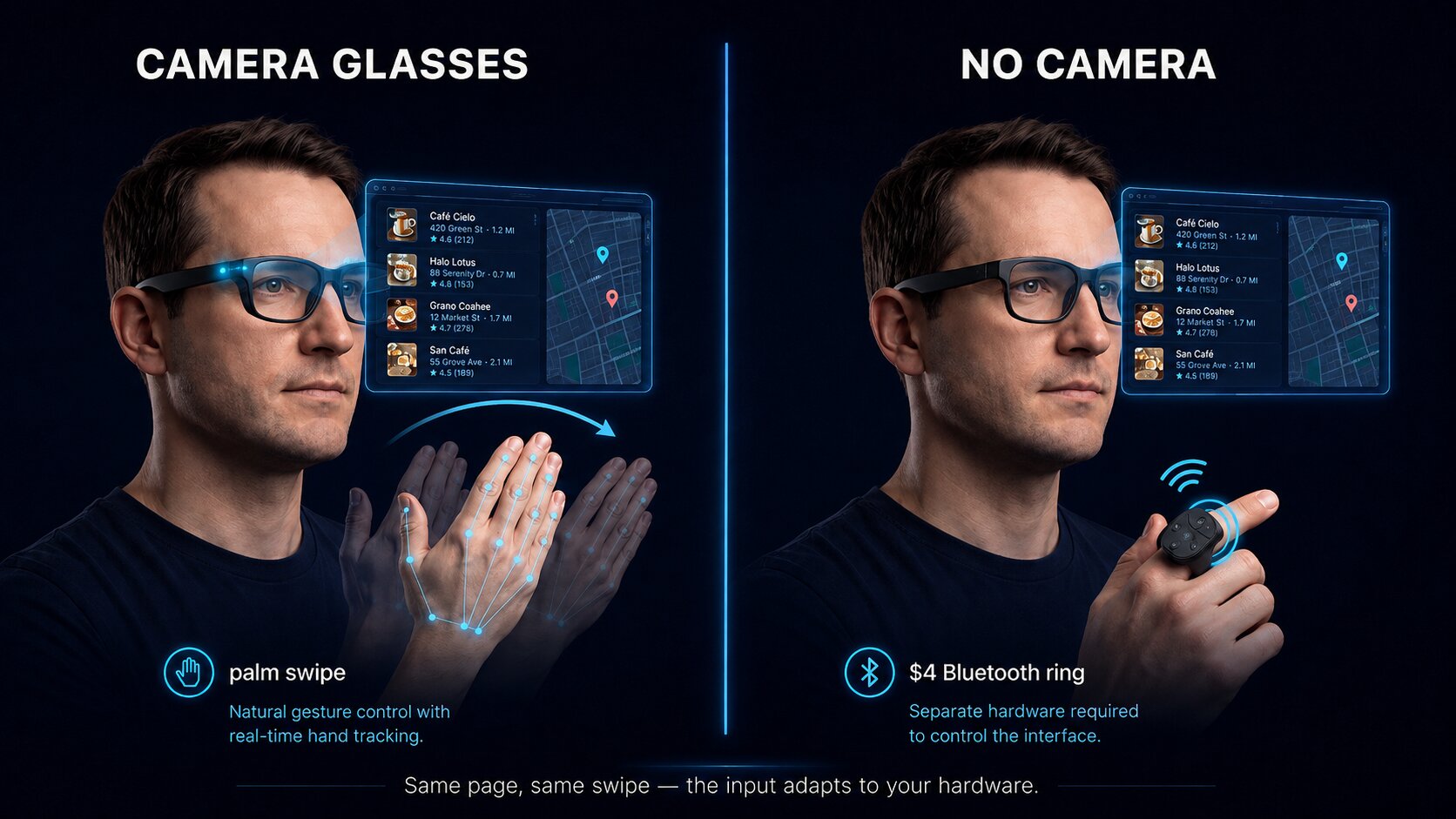
Not every pair of glasses has a camera, so WebHUD pairs a navigation input to whatever the hardware offers.
Inspiration
Smart glasses usually come bundled with a vendor-specific operating system, assistant, and app ecosystem. That creates a strange mismatch: the assistant on the glasses often knows less about the user than the agent they already use every day.
WebHUD flips that model. The glasses become a display, the web page becomes the adaptive interface, and the user keeps their preferred agent, memory, apps, and language.
What it does
WebHUD is an interactive WebMCP-enabled heads-up display. A WebMCP-capable agent supplies structured data and the user's purpose; WebHUD chooses the interface that fits the current context.
The same venue comparison becomes:
- a wide comparison table on desktop;
- focused, swipeable cards in a simulated glasses lens.
That reflow happens locally without another agent call.
People and agents co-drive the same surface:
- voice expresses intent;
- keyboard, touch, a Bluetooth ring, or a locally processed palm gesture changes focus;
surface_get_view_statetells the agent what the user is currently looking at, enabling references such as “this one.”
WebHUD can present calendars, email decks, documents, images, people, choices, comparisons, triage queues, maps, and walking routes.
Why WebMCP
WebMCP is central to the product rather than an added integration. The page registers structured tools through document.modelContext.registerTool, with a legacy navigator.modelContext fallback.
The main smart-responsive contract is surface_present. The agent declares one of six purposes—glance, browse, inspect, compare, choose, or triage—and provides semantic items. WebHUD maps that request to an appropriate renderer for desktop, phone, or glasses.
Tool registration is dynamic. For example, map_show_route exists only while a compatible map is active. The page emits tool changes as capabilities appear and disappear, reducing irrelevant or unusable actions.
Every presentation call returns a receipt describing what was rendered, giving the agent reliable feedback instead of forcing it to guess what appeared.
Better human-agent collaboration
Without WebHUD, the user must repeatedly describe which item they mean or ask the agent to navigate one step at a time. With WebHUD, the human can swipe to an email or venue and then speak naturally. Gesture supplies context; voice supplies intent.
This makes small displays practical without forcing every interaction through speech.
Privacy and safety
- Camera frames stay inside the browser tab and are processed locally.
- View-state responses expose identifiers and titles rather than email bodies or image pixels.
- Map location is supplied explicitly by the user; the page does not read device GPS.
- Sensitive actions remain agent-controlled and human-confirmed.
- WebHUD has no application backend.
How it was built
WebHUD is a static TypeScript and Vite application deployed using Cloudflare Workers static assets.
Key components include:
- WebMCP registration and dynamic re-registration;
- centralized surface and focus state;
- desktop, phone, and glasses renderers;
- keyboard, ring/controller, touch, and palm-input adapters;
- Leaflet maps with walking routes and fallback estimates;
- vendored MediaPipe assets for local hand tracking;
- automated tests and GitHub Actions verification.
Testing
Open the live URL in ChatGPT's in-app browser, or in a compatible Chrome build with WebMCP testing enabled.
- Confirm the page displays
WebMCP ✓. - Ask the agent to compare three venues with shared price, capacity, distance, and AV facts.
- Confirm the desktop table appears.
- Press G and confirm the same state reflows into glasses cards without another presentation call.
- Navigate with Left or Right, then ask about “this one.”
- Ask for nearby cafés and a route to number one to see the map-only route tool register dynamically.
The public repository includes source code, tests, setup instructions, screenshots, the WebHUD specification, an MIT license, and third-party notices.
Built with
TypeScript, Vite, WebMCP, Cloudflare Workers, Leaflet, MediaPipe, Vitest, and GitHub Actions.
Built With
- cloudflare-workers
- github-actions
- leaflet.js
- mediapipe
- typescript
- vite
- vitest
- webmcp