Website
Inspiration
I was inspired by the complexity of modern web interfaces and the growing trend of AI agents that take control away from users. We believe that there are cases where you are the best operator of your browser. Instead of an autonomous bot that clicks buttons for you (and often fails or breaks trust), we wanted to build an intelligent co-pilot—a "WebGuide" that sits next to you, sees what you see, and tells you exactly what to do, keeping you in the driver's seat while reducing cognitive load.
What it does
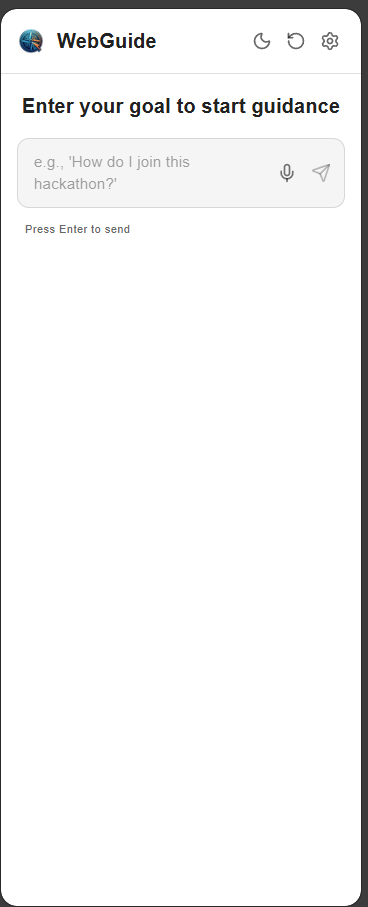
WebGuide is a privacy-focused Chrome Extension that acts as a real-time navigational assistant.
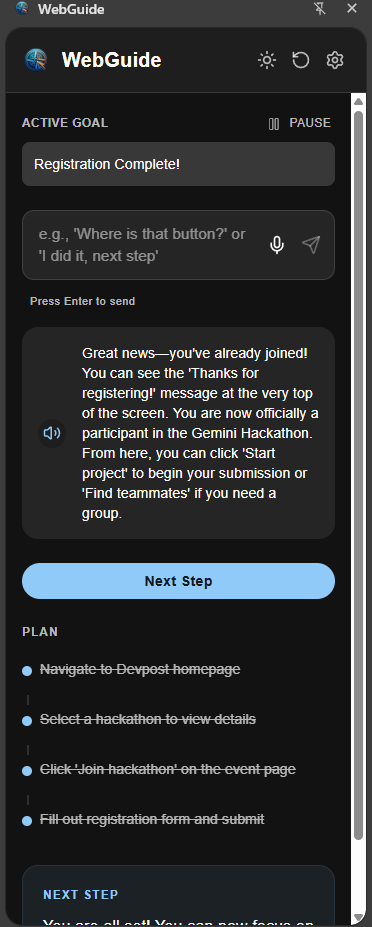
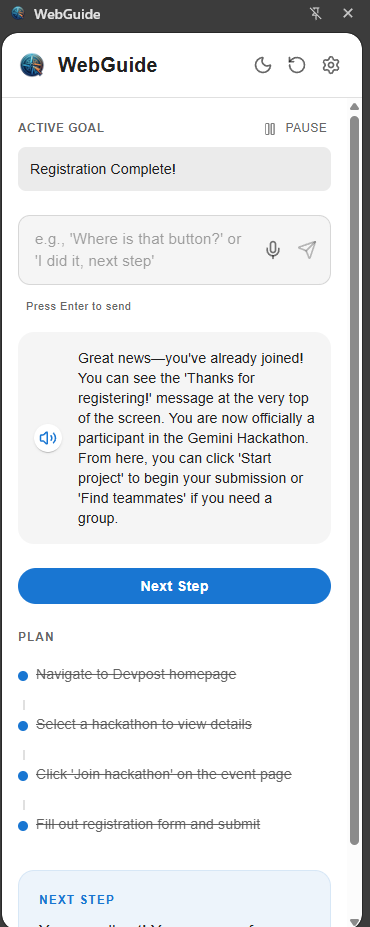
See & Understand: It uses Gemini 3.0 Flash to analyze your active tab visually, understanding layouts, menus, and context just like a human. Visual Overlays: It draws highlights directly on the page to show you exactly where to click or type. Spoken Instructions: It provides natural voice guidance, so you can follow along without constantly reading text. Step-by-Step Plans: It breaks down complex goals (e.g., "How do I apply for this hackathon?") into manageable steps and tracks your progress automatically.
How we built it
We built WebGuide using Plasmo, a modern framework for Chrome Extensions, to ensure a robust and type-safe development experience.
Frontend: React and TypeScript for a responsive Side Panel UI, styled with Material UI for a clean, professional look. AI Core: We integrated Google's Gemini 3 Pro/Flash models (version can be changed in .env) for their exceptional multimodal capabilities. The extension captures the visible tab area as an image and sends it directly to the Gemini API along with a system prompt optimized for spatial reasoning. Privacy Architecture: We designed it to be serverless. Your API keys are stored locally, and requests go directly from your browser to Google, ensuring no third-party server intercepts your data.
Challenges we ran into
Spatial Reasoning: Getting a text-based LLM to accurately predict [x, y] coordinates for visual overlays was difficult. We had to refine our system prompts significantly to encourage the model to "think" in terms of viewport percentages. Chrome Extension Constraints: Managing communication between the Side Panel (UI), Background Script (logic), and Content Script (DOM manipulation) required careful handling of message passing and asynchronous state
Accomplishments that we're proud of
Visual Precision: Successfully implementing a system where the AI can "point" to elements on the page with surprising accuracy though it isn't perfect yet. User Agency: Sticking to our philosophy of "Guide, Don't Take Over." The extension feels like a helpful friend, not a hijacking bot. Privacy First: Delivering a powerful AI tool that respects user privacy by design, requiring no backend infrastructure.
What we learned
Multimodal is Key: Text-only analysis of HTML is often insufficient for modern, dynamic web apps. Visual analysis (screenshots) is far more robust for understanding user intent and UI state. Prompt Engineering: We learned that giving the AI a "persona" (WebGuide) and strict output formats (JSON) drastically improves reliability and consistency.
What's next for WebGuide
Proactive Suggestions: detecting when a user is stuck and offering help before they even ask.
Built With
- mui
- next
- plasmo
- react
- typescript

Log in or sign up for Devpost to join the conversation.