Inspiration
Logitech’s MX Creative Console and MX Master 4 are powerful, but most current workflows focus on creative desktop apps. We saw a bigger opportunity: bring that same programmable power to the web, where a large amount of people spend most of their day.
The inspiration behind WebConsole is simple: make these devices useful for everyone, not just designers, by creating a reusable bridge between Logitech Actions SDK and browser-based workflows.
What it does
WebConsole is a foundation layer for web integrations using Logitech hardware. In other words, it is a Chrome Extension-based foundation layer that makes it easy to create and share web plugins for MX Creative Console and MX Master 4.
It connects:
- MX Creative Console + MX Master 4 inputs
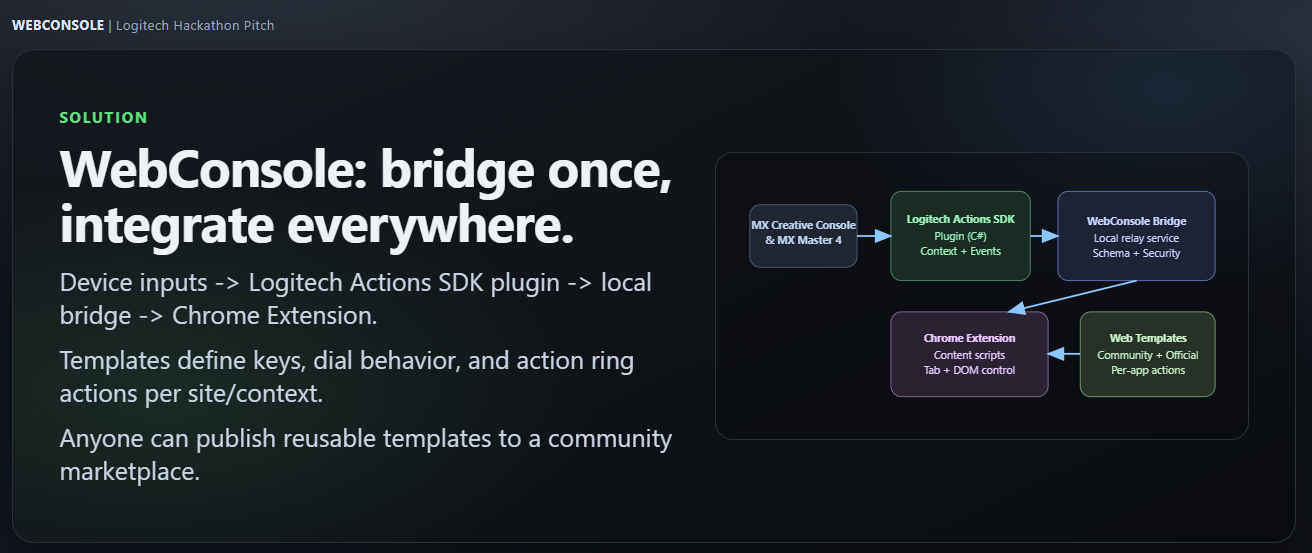
- Bridge leveraging Logitech Actions SDK and Chrome Devtools Protocol/Extension Relay
- A Chrome Extension that facilitates browser actions contextually
It bridges Logitech Actions SDK device events to browser actions, so hardware controls can drive web workflows contextually:
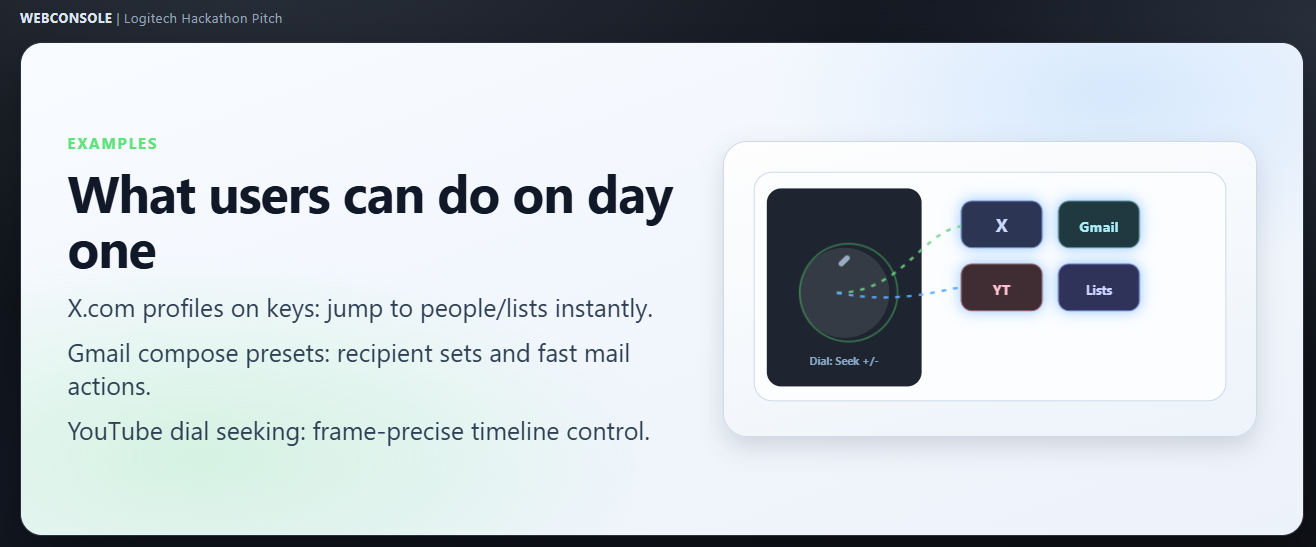
- MX Creative Console keys for one-touch web actions (for example: open favorite X profiles, open Gmail compose with preconfigured recipient groups, jump to YouTube/favorite channels).
- MX Creative Console dial for precise continuous control (for example: fine-grained YouTube video seeking).
- MX Master 4 Action Ring for cursor-position contextual web actions using the same template logic.
WebConsole supports two integration layers:
- Community templates for fast, user-created automations and shortcuts.
- Official provider templates for deeper backend-powered experiences (for example: X showing posts from selected groups, YouTube content-mode selection like entertainment/gaming/drama).
In short, WebConsole turns Logitech hardware into a programmable, shareable web control platform, not just an app-specific shortcut tool widening the use-case for these devices and making them a must have for a large chunk of the population.
The Process of Building
The project involves developing a Chrome extension and using Logitech Actions SDK to bridge and capture the interactions and channel them towards the browser for custom actions.
Templates can be shared and used by several people by installing them via marketplace, possibilities are endless for both independent individual creators and official web integration support by companies like Google, Youtube, X.com etc. Every web app in the world will be supported from day one, there's no gatekeeping, it's a general way to connect web to the power of Logitech devices.

Log in or sign up for Devpost to join the conversation.