-
-
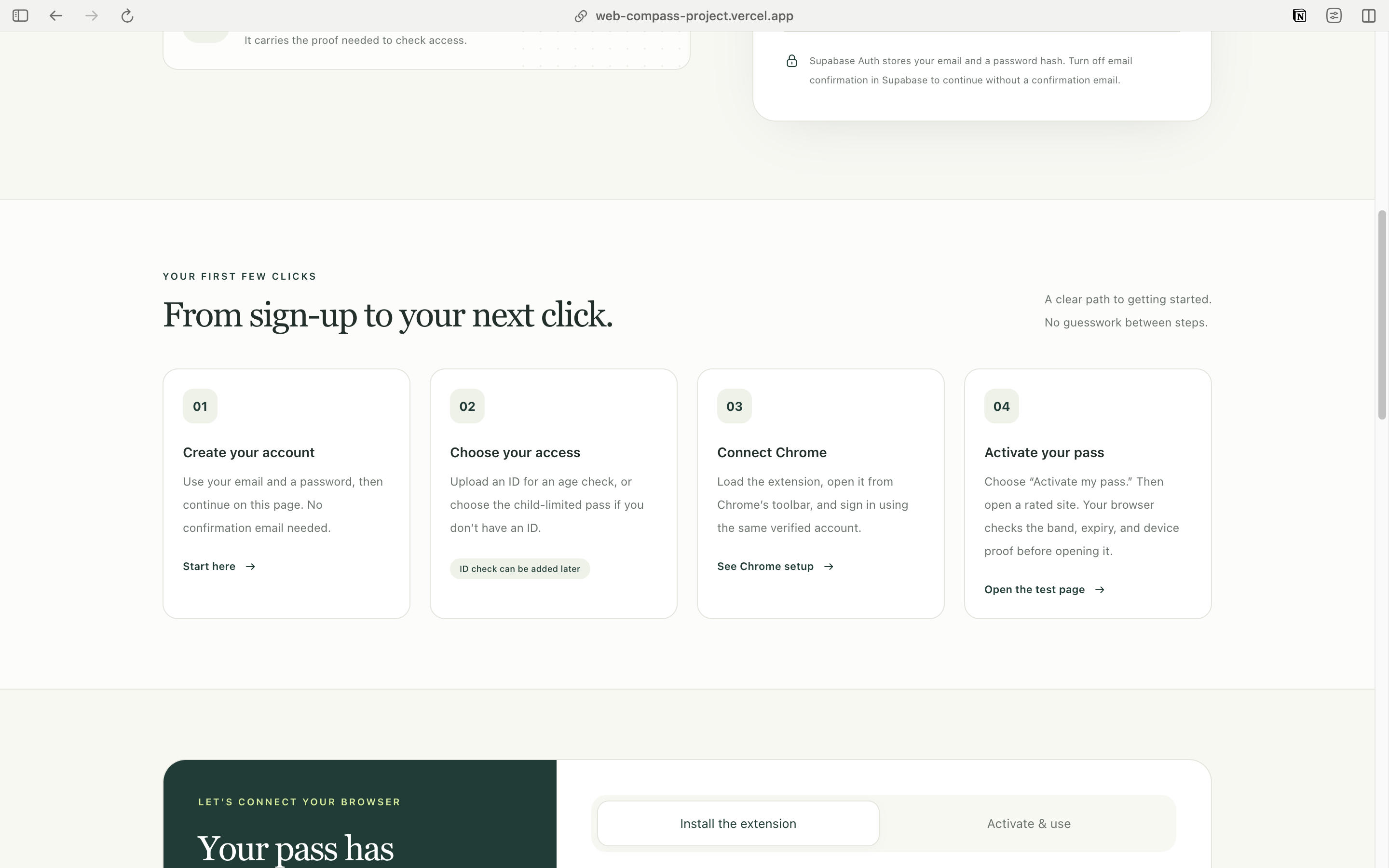
How the app works
-
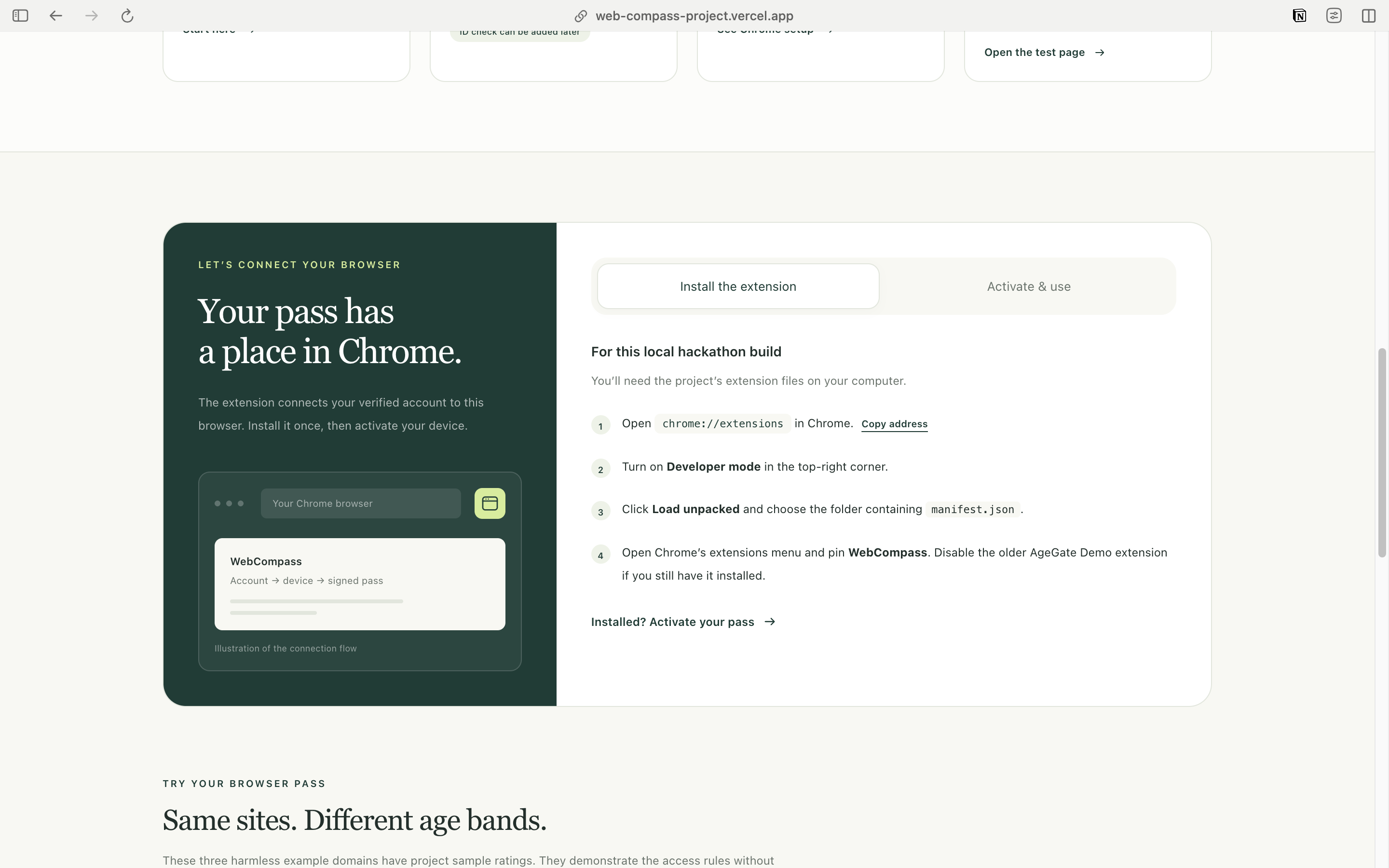
How can you download the extension and use it
-
Data Integrity & FAQs
-
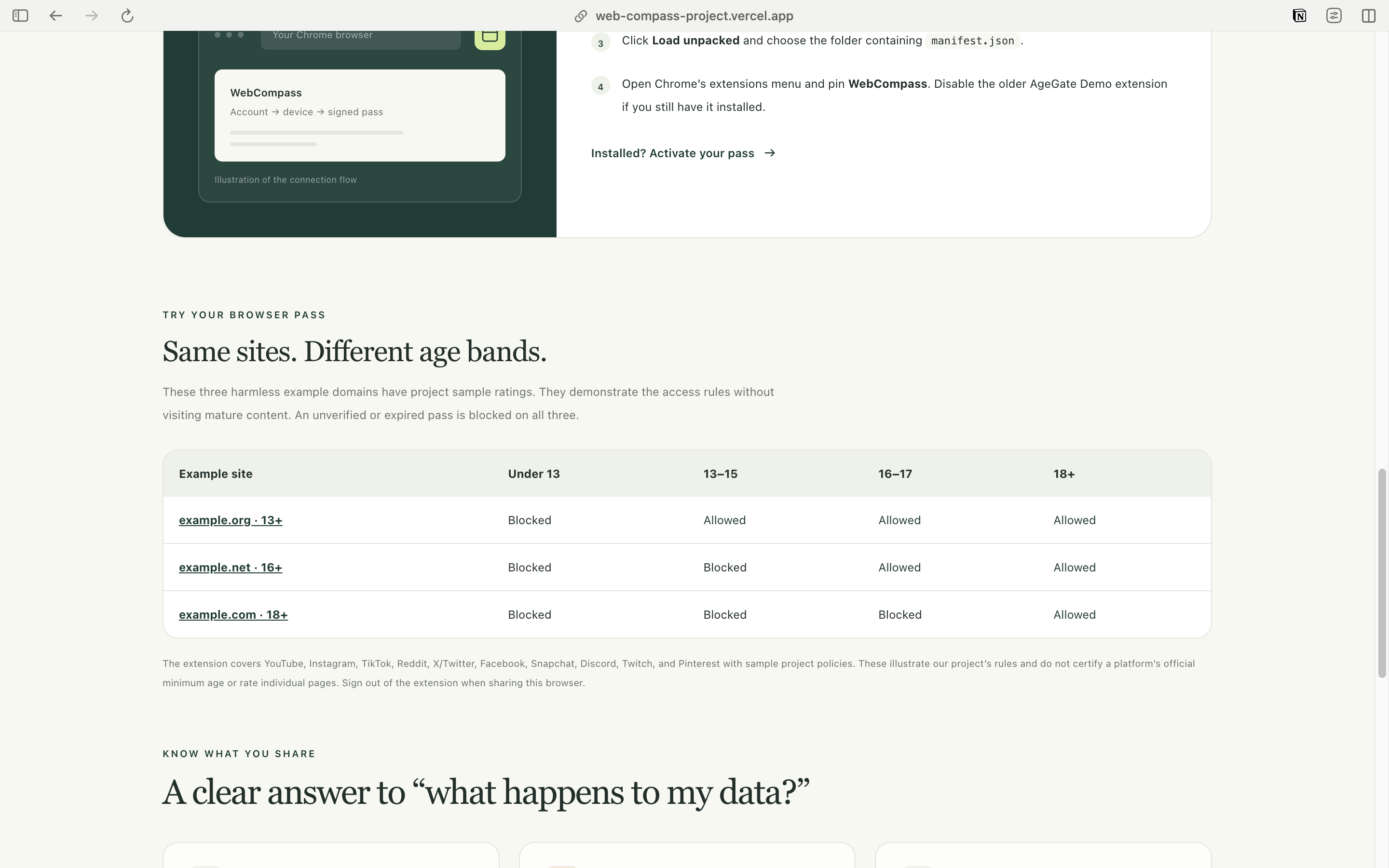
Age bands for websites
-
Home
-
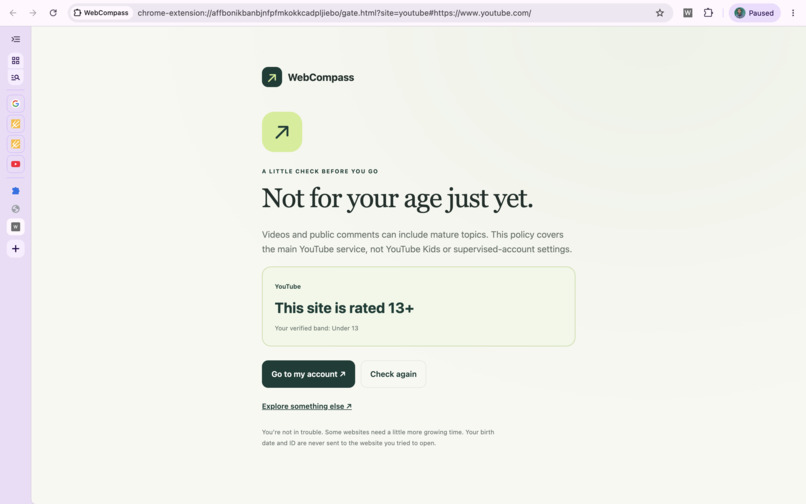
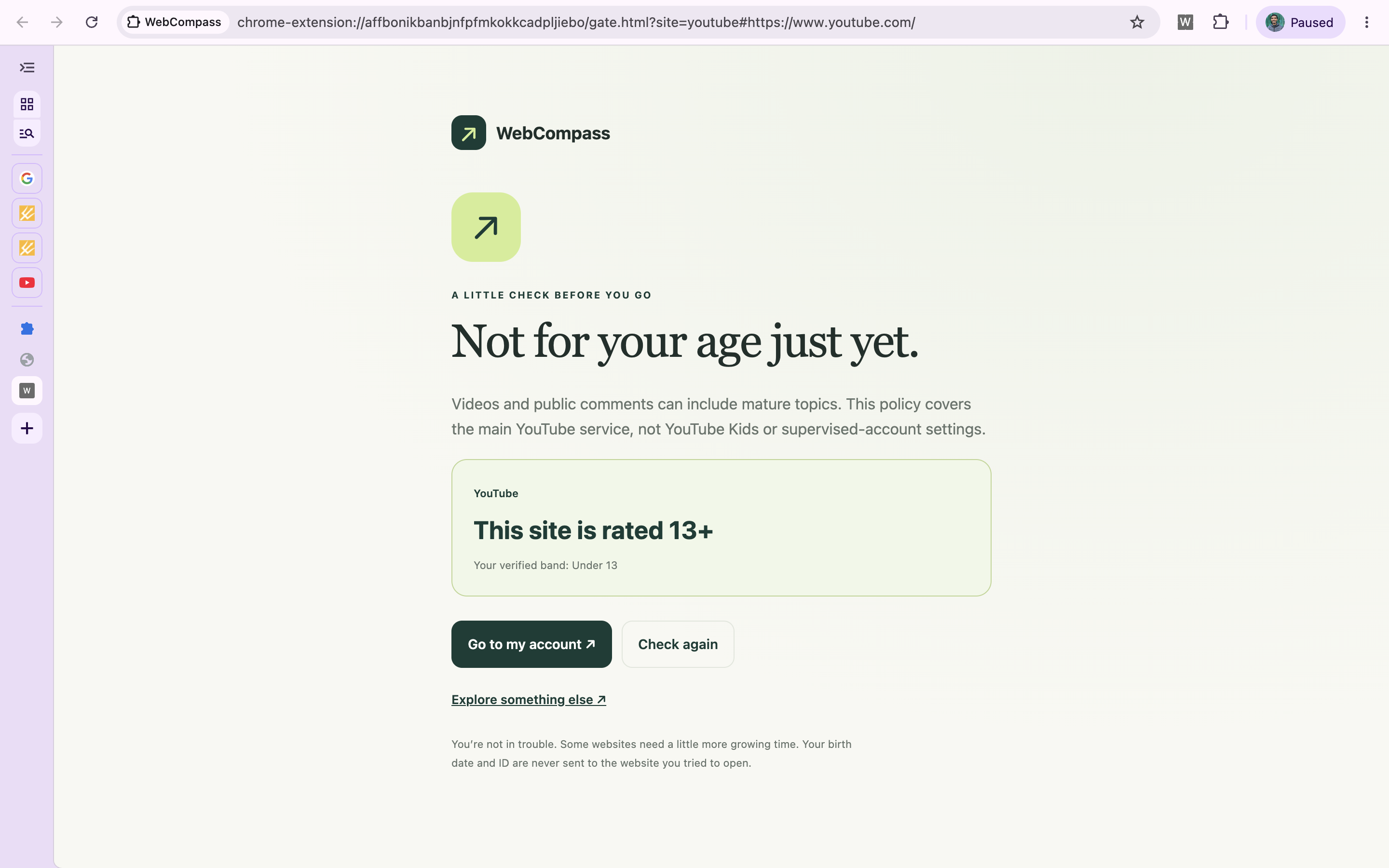
Our extension stopping a 13 y/o child from accessing YouTube
Inspiration
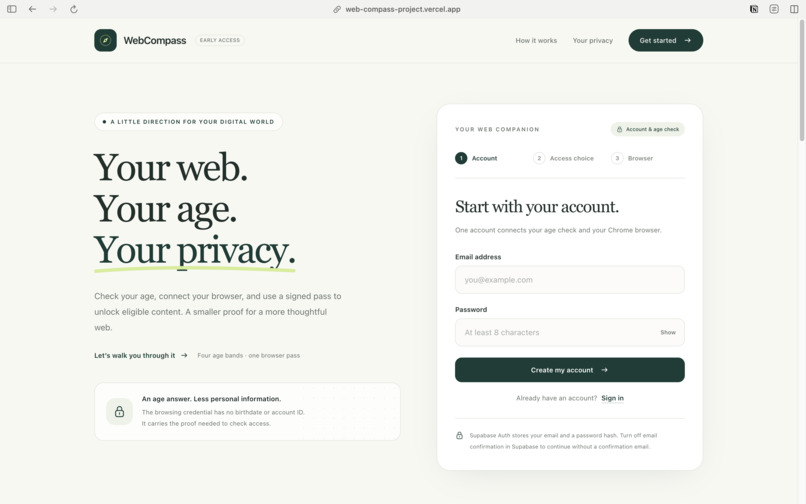
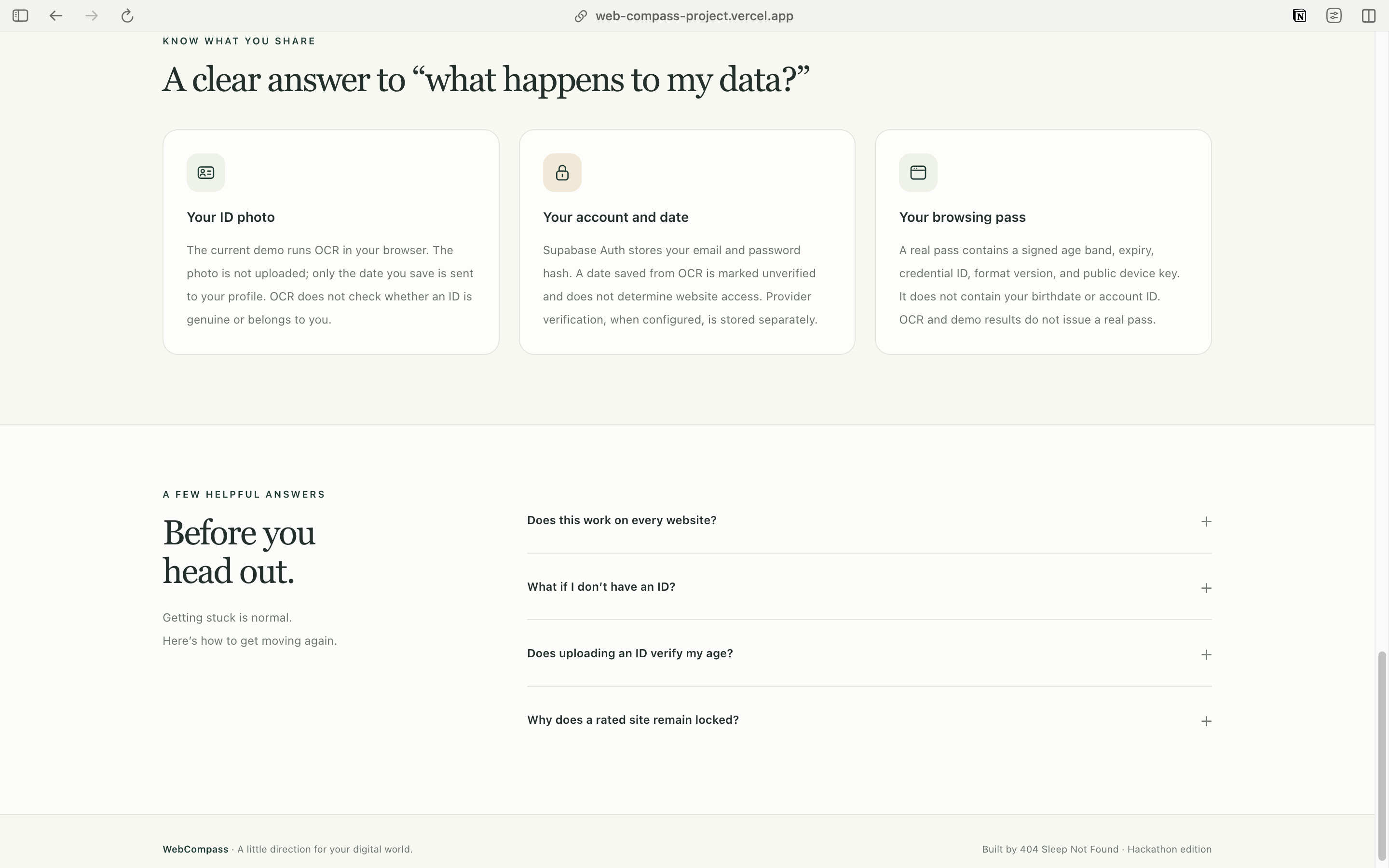
Many websites ask users to confirm their age with a checkbox or a birth date, which offers little assurance. Repeatedly uploading identity documents creates privacy concerns and makes access inconvenient. We built WebCompass to explore how age verification and browser-based access controls could work together while limiting the personal information used during browsing.
What it does
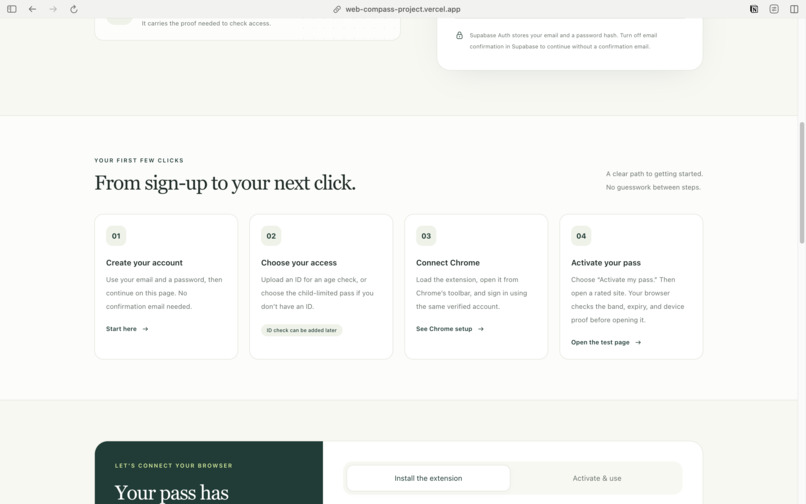
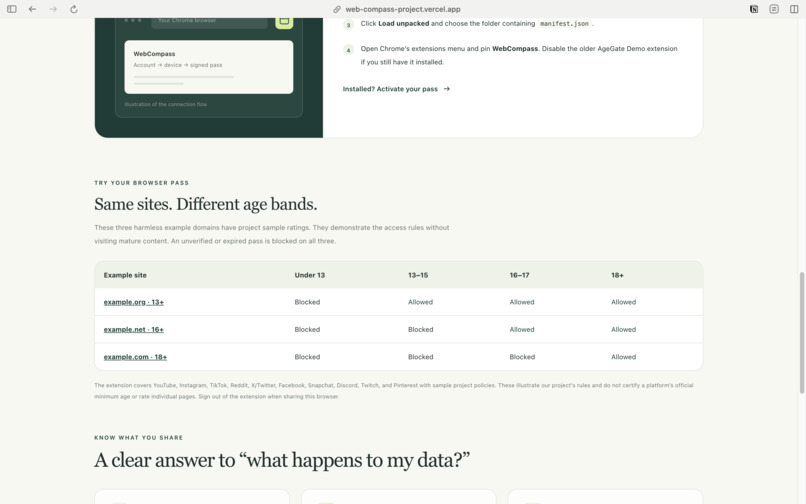
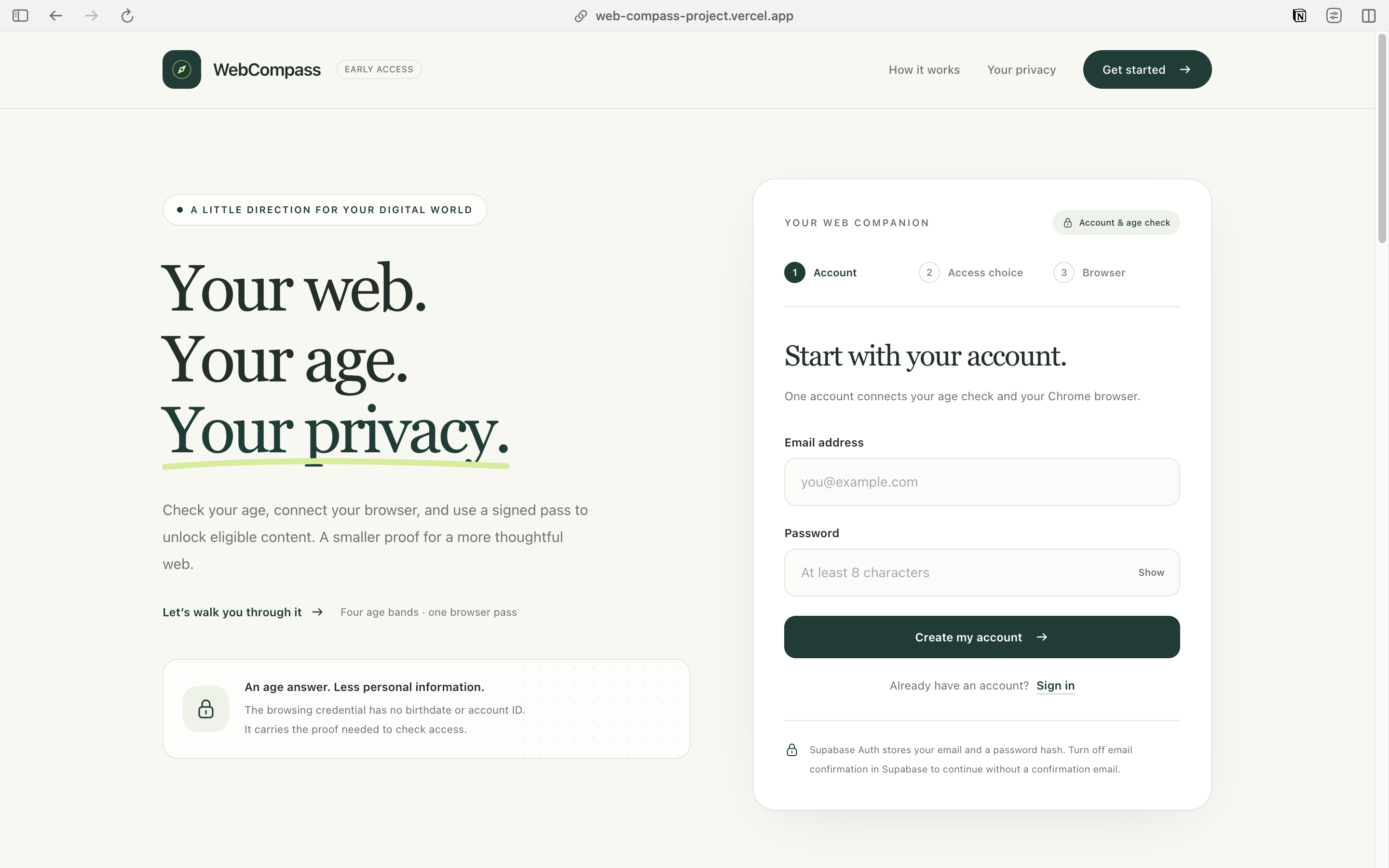
WebCompass is a web app and Chrome extension that helps users access age-appropriate content on selected websites. It groups users into four age bands: Under 13, 13 to 15, 16 to 17, and 18+.
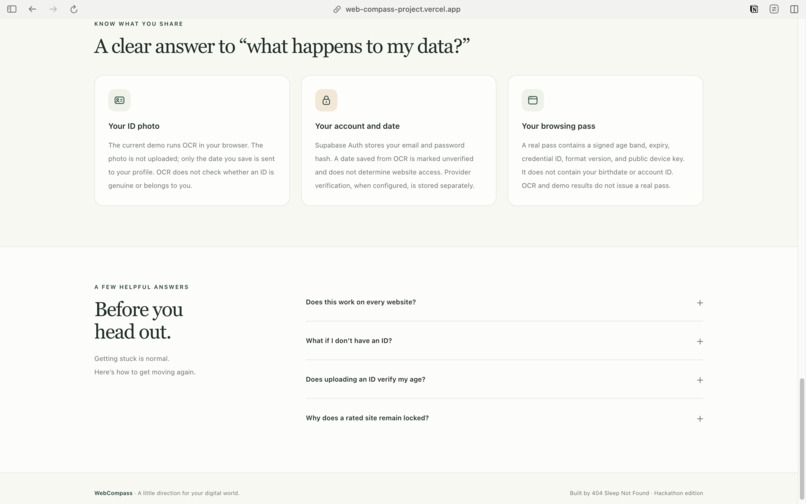
The project supports browser-based ID OCR, a child-limited profile, and integration with Veriff for document-and-selfie verification. OCR helps extract a birth date but does not verify identity or unlock restricted websites.
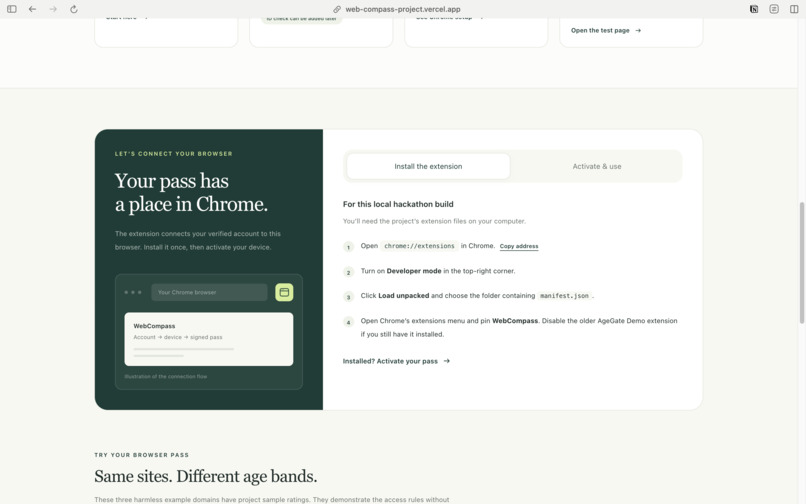
Eligible profiles can activate a digitally signed age pass linked to their browser. The extension checks the age band against configured website rules and validates the pass before allowing navigation.
How we built it
We built the web interface using HTML, JavaScript, and Tailwind CSS, with a Node.js backend and Supabase for authentication and profile storage.
The extension uses Chrome’s Declarative Net Request API to redirect selected websites to an age gate. Web Crypto generates an ECDSA P-256 key pair, and the backend issues a signed credential containing the age band, browser public key, and expiry.
For each access check, the browser signs a fresh, single-use challenge. The backend validates the credential and browser signature before the extension grants a temporary navigation permit. The project also includes a Veriff integration for trusted document-and-selfie verification.
Challenges we ran into
A key challenge was separating a birth date extracted through OCR from a genuinely verified age. We needed to ensure that user-entered dates and simulated approvals could not grant verified access.
Another challenge was making a copied age pass insufficient on its own. We addressed this by binding credentials to a browser key and requiring a fresh signed challenge for each check.
We also worked through credential expiry, revocation, database permissions, and temporary browser rules to keep access decisions consistent.
Accomplishments that we're proud of
We connected account management, age profiles, signed credentials, and browser access controls into one prototype.
We're particularly proud of the browser-bound age pass and single-use challenge flow. Access checks use an age band without including the user’s name, email, birth date, or document image in the credential.
We also implemented safeguards that prevent users from directly assigning themselves verified status and keep OCR-only profiles separate from provider-verified profiles.
What we learned
We learned that authentication, identity verification, and access authorization solve different problems. Signing in identifies an account, reading an ID extracts information, and a trusted verification result establishes the evidence needed for an age decision.
We gained practical experience with digital signatures, browser extensions, challenge-response authentication, Supabase access controls, and backend deployment. We also learned to describe privacy benefits precisely: reducing the data in a credential does not make the entire system anonymous.
What's next for WebCompass
We plan to complete and validate a live verification integration, improve extension onboarding, and test the system across more browsing scenarios.
We also want to improve credential renewal, make website policies easier to maintain, and explore direct integration with participating websites. Further work will focus on reducing retained personal data and strengthening the reliability of the verification and access flows.
Built With
HTML, JavaScript, Tailwind CSS, Node.js, Supabase, Chrome Extensions Manifest V3, Chrome Declarative Net Request API, Web Crypto API, ECDSA P-256, SHA-256, OCR, Veriff integration, Vercel.
Built With
- javascript
- node.js
- supabase
- tailwind
- vercel

Log in or sign up for Devpost to join the conversation.