-
-
Logo
-

Logo Icon
-
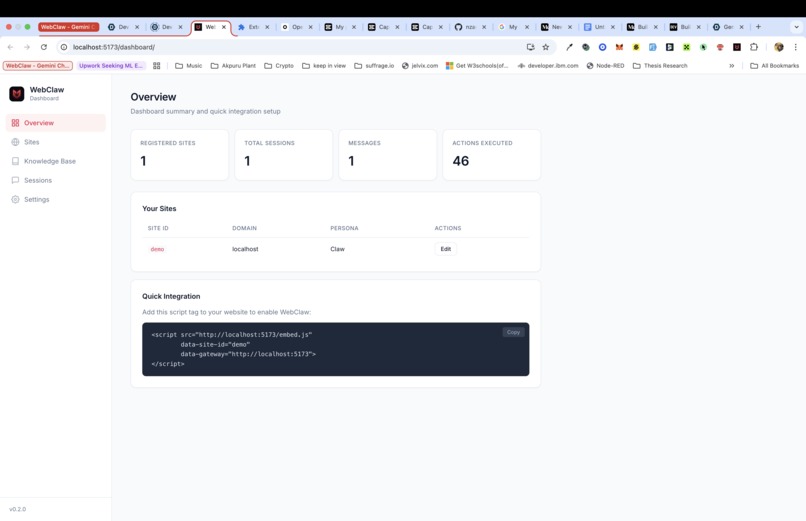
Site Owners Dashboard
-
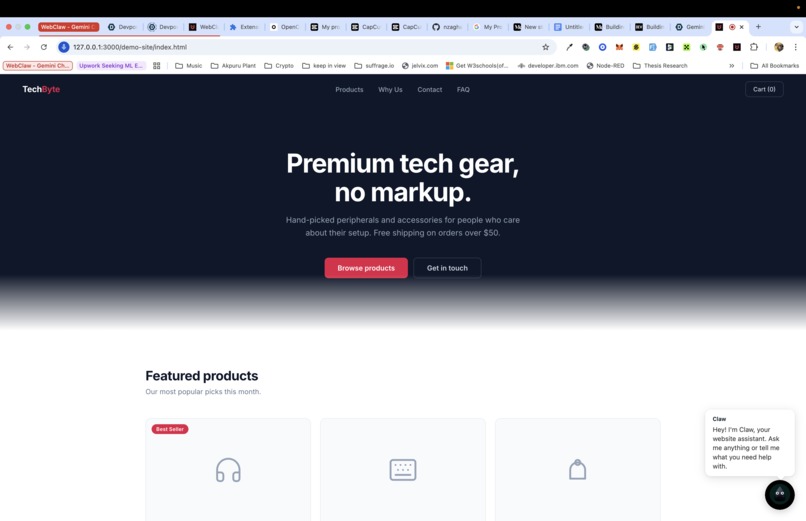
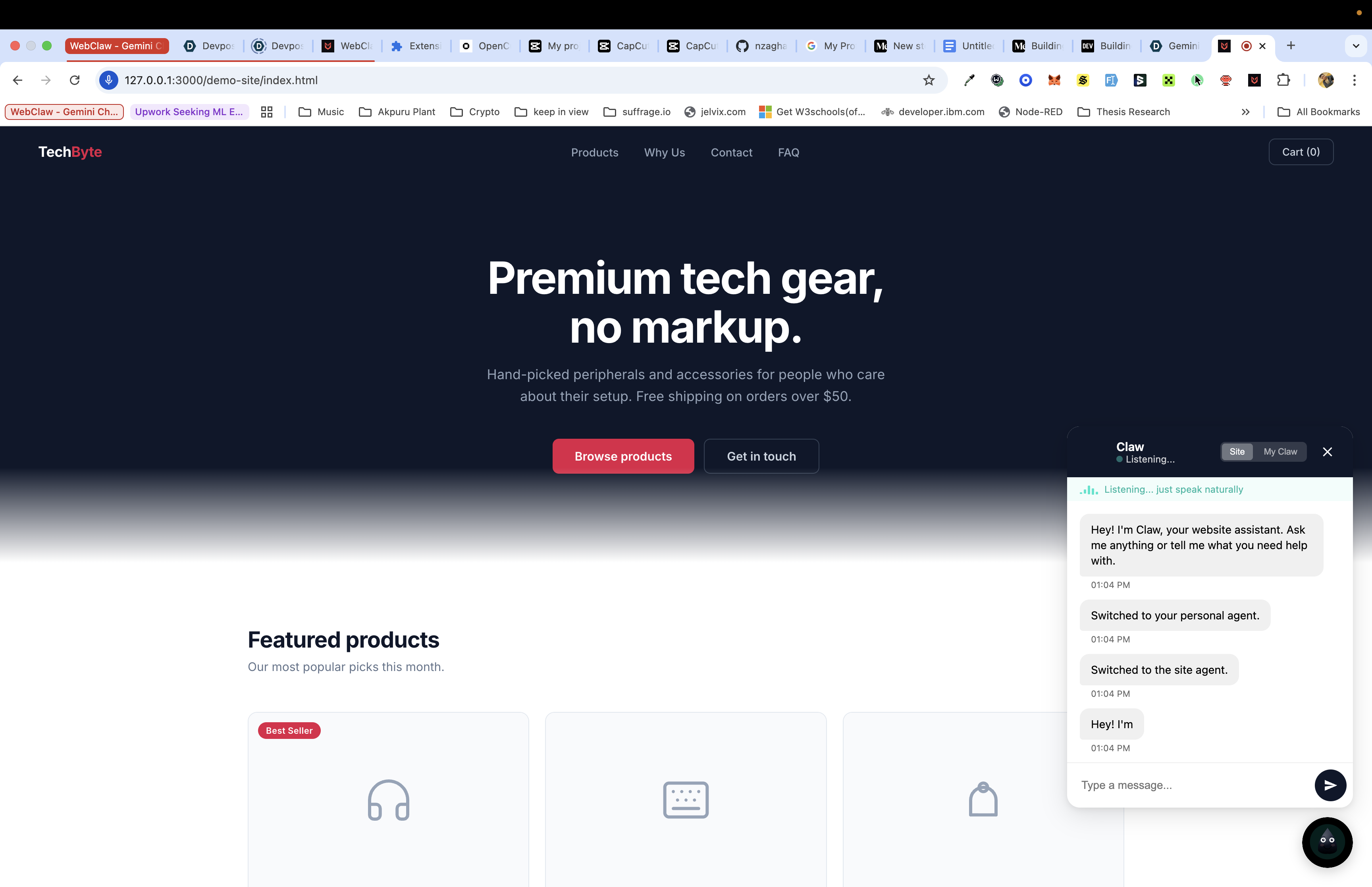
Demo Website
-
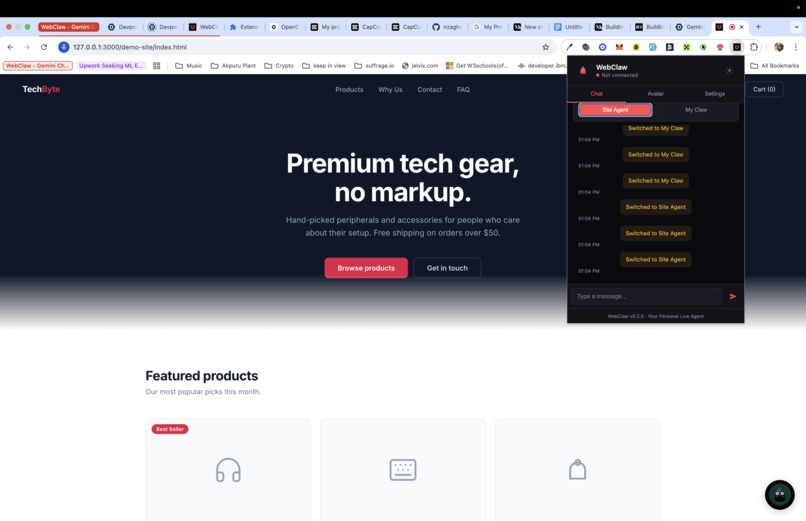
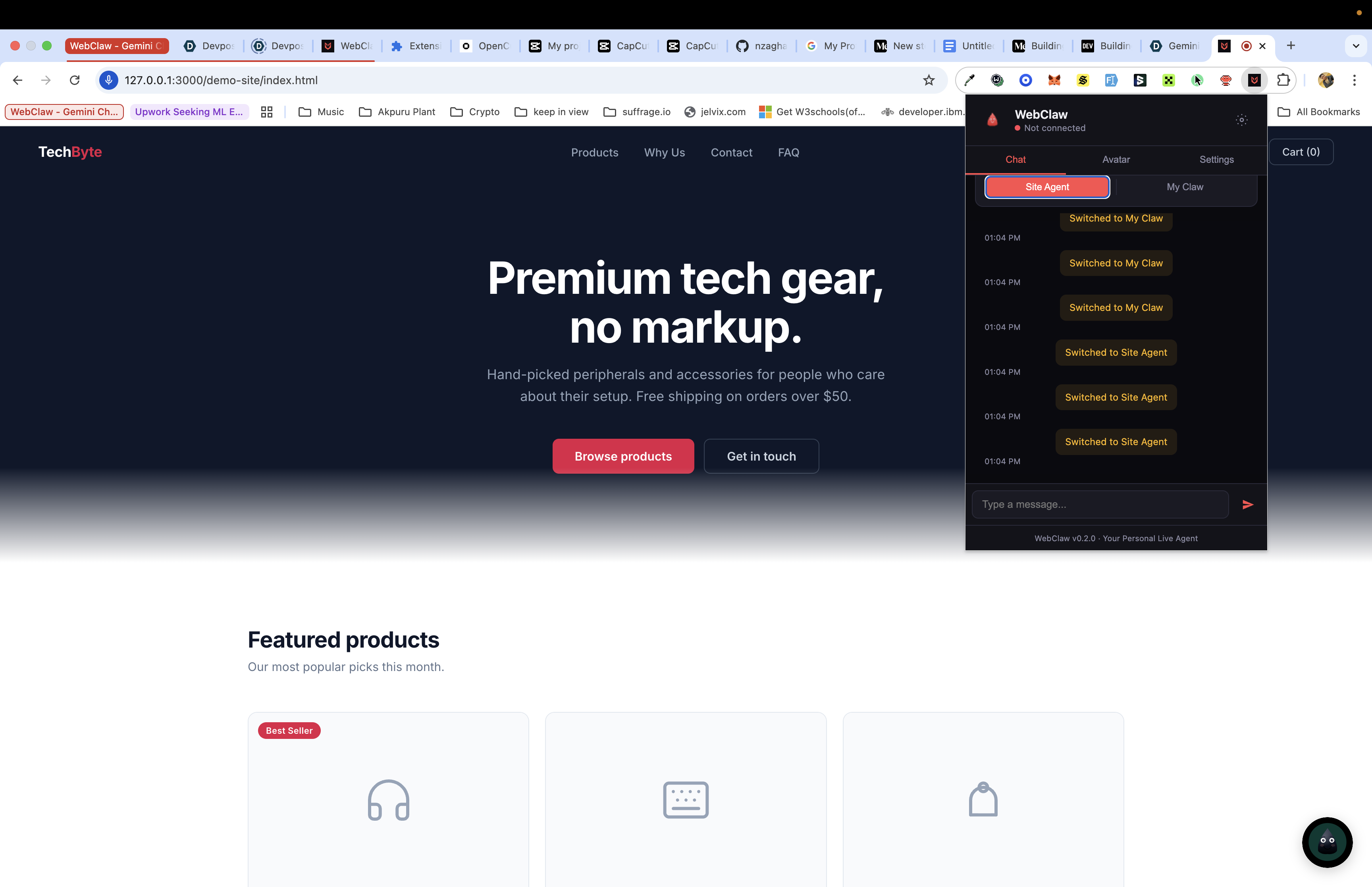
WebClaw Personal Chrome Extension
-
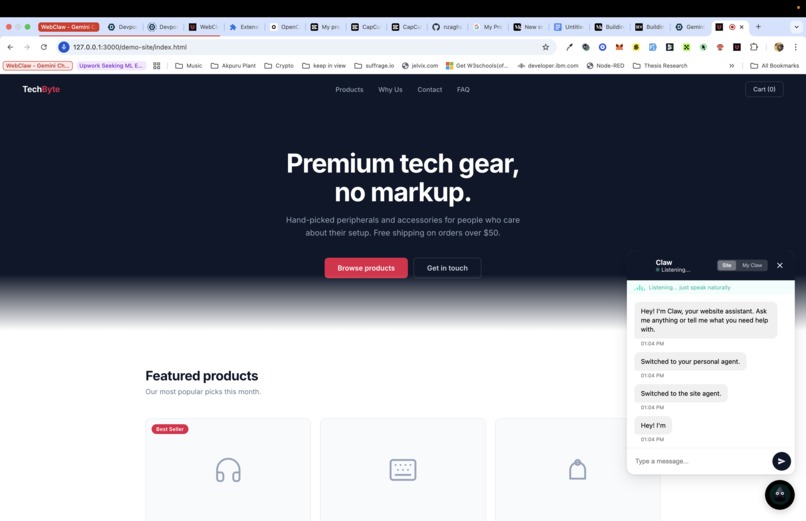
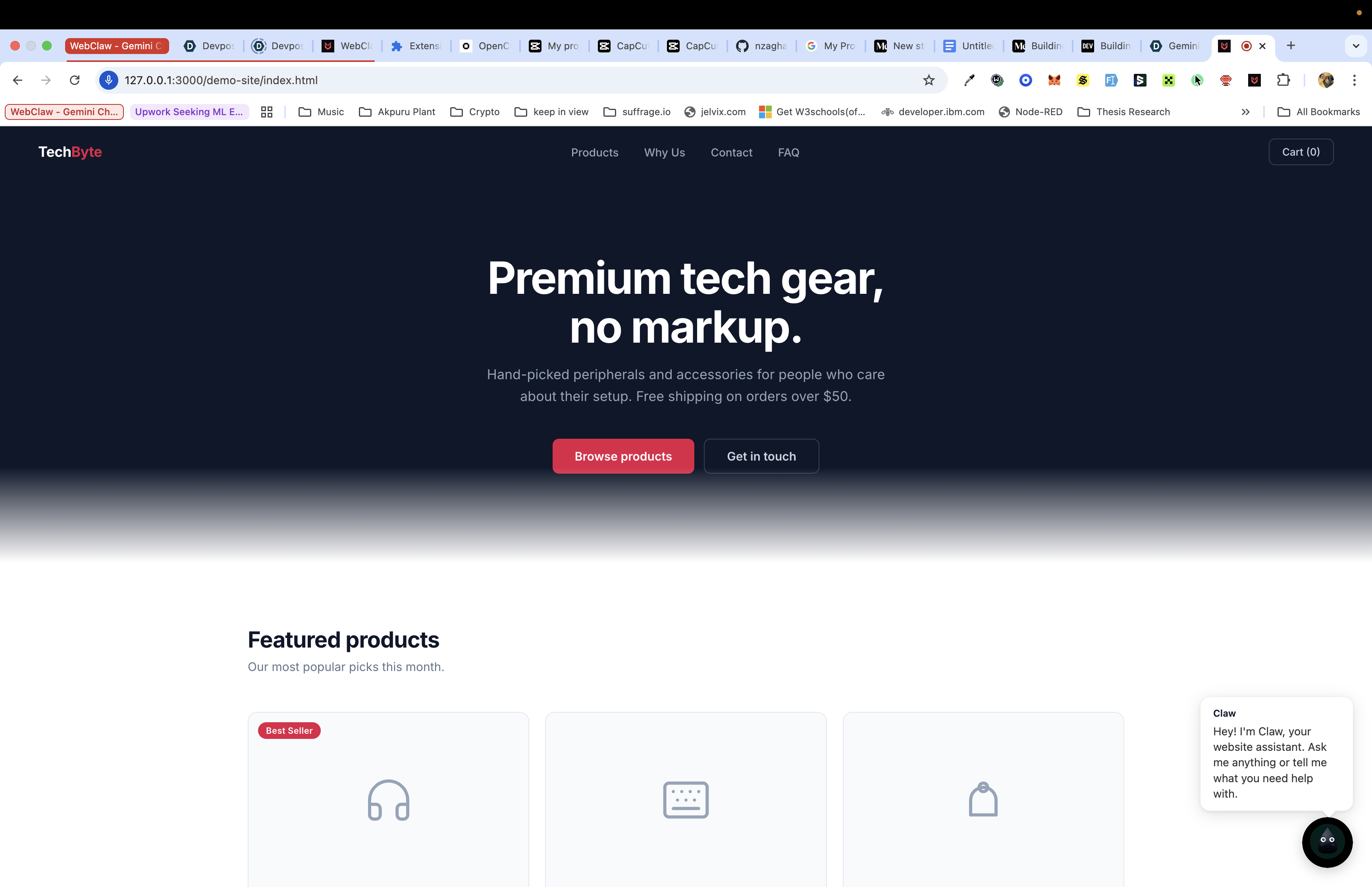
WebClaw Chathead In action

WebClaw: A Personal Live AI Support Agent That Actually Operates Websites
Inspiration
It started with a frustration that everyone recognizes, but no one fixes: website support is stuck in 2015.
You visit an e-commerce site. A chat bubble appears in the corner. You type a question. A bot responds with a canned answer, or you wait twelve minutes for a human who asks you to repeat everything you already typed. The interaction is text-only, turn-based, and completely disconnected from the actual website you're trying to use.
Meanwhile, the user is staring at a checkout form they can't figure out. The support agent on the other end says "Click the blue button on the top right," and hopes for the best. They can't see the page. They can't click anything for you. They can't guide you in real time.
The numbers are staggering. The Baymard Institute estimates the average cart abandonment rate at approximately $\sim 70\%$. Forrester Research reports that $\$18{,}000{,}000{,}000$ in annual revenue is lost to abandoned carts alone. Users aren't leaving because they don't want to buy; they're leaving because the experience fails them.
We asked a simple question: What if websites had an agent that could actually do things for you, not just answer questions into the void?
Not a chatbot. Not a canned FAQ widget. A live, voice-enabled AI companion that sees the same page you see, hears you speak, responds with natural voice, and operates the website on your behalf (clicking buttons, filling forms, navigating pages), all while explaining what it's doing.
That's what inspired WebClaw.
The second spark of inspiration was the asymmetry of the web. Site owners want intelligent support for their visitors, but users want something personal: an agent that knows their preferences, carries context across sites, and works for them, not the business. We wanted to build both: a Site Agent that any website owner can deploy with a single <script> tag, and a Personal Agent (Chrome Extension) that travels with the user across the entire web. When the two meet, knowledge flows to help the user, but user data never flows back to the site. Privacy by architecture, not by policy.
What We Learned
Voice-First Changes Everything
When you design for speech as the primary input modality, the entire UX shifts. Text input encourages short keyword queries. Voice input encourages natural conversation: "Help me check out", "What's the return policy?", "Fill in my address, it's the same as last time." We built the audio pipeline first and added text input second. Retrofitting voice onto a text-first design is far harder than the reverse.
The Gemini Live API Is Unlike Anything Before It
The bidiGenerateContent method isn't request-response; it's a persistent bidirectional stream. Audio flows in both directions simultaneously. The user can interrupt the agent mid-sentence (barge-in). The agent can call functions while speaking. This fundamentally changes what's possible in a web agent: the interaction feels like talking to a person sitting next to you, not submitting a form and waiting for a reply.
Tool Calls Require Gating All Realtime Input
One of the most subtle bugs we encountered: when the Gemini Live API issues a tool_call (function call), the session enters a state where it rejects all sendRealtimeInput frames — audio, video, activity signals, everything. If the client continues streaming microphone audio while the tool call is pending (which it will, because the mic is always hot), the server responds with 1008 (policy violation) and terminates the WebSocket. The fix is an asyncio.Event gate that blocks all real-time input between receiving a tool_call and sending the corresponding sendToolResponse. This is a client-side workaround for server-side behavior — the API should queue or ignore realtime input during tool calls, but until it does, explicit gating is essential.
DOM Serialization Is a Token Budget Problem
A full DOM tree for a typical webpage can exceed $50{,}000$ tokens. Feeding that into a language model alongside conversational audio would drown out the actual dialogue. We learned to think of DOM context as a compression problem: how do you capture the interactive surface area of a page in the fewest tokens possible?
Our solution: a serializer that includes only interactive elements (buttons, links, inputs) and semantic landmarks (headings, nav, main), skips scripts/styles/SVGs/iframes, caps depth at 3 levels, and limits output to $4{,}000$ characters. The result captures a page's functionality in roughly $\sim 500$ tokens, a $100\times$ compression ratio.
Shadow DOM Is Non-Negotiable for Embeds
We briefly tried CSS namespacing to isolate our overlay from the host page's styles. It failed immediately. A single rule like * { box-sizing: border-box; margin: 0; } on the host page destroyed our layout. Closed Shadow DOM solves it permanently: complete style isolation, while still being able to observe and act on the host page's DOM (unlike iframes).
Build the Dashboard Last
We almost built a React dashboard early in development. Instead, we finished all core features first, then wrote the dashboard as a single HTML file with vanilla JavaScript calling the same REST API. The result: 640 lines, no build step, no dependencies, ships in the Docker image. Sometimes the simplest solution is the right one.
How We Built It
Architecture: The Gateway Pattern
WebClaw follows a Gateway architecture where a central server mediates all communication between the user's browser and the Gemini Live API. We deliberately chose this over browser-direct-to-Gemini for four reasons:
- Privacy: The gateway enforces asymmetric context sharing. Site JavaScript cannot intercept user data.
- Security: DOM actions are validated against the site's permission list before execution.
- Scalability: Cloud Run auto-scales with session affinity for WebSocket stability.
- Analytics: Session history, message counts, and action metrics are centralized in Firestore.
Browser ──WebSocket──► Upstream Task ──► LiveRequestQueue ──► Gemini
                                                                │
Browser ◄──WebSocket── Downstream Task ◄── runner.run_live() ◄──┘
Each WebSocket connection spawns two concurrent asyncio tasks via asyncio.gather(): an upstream task (browser → Gemini) and a downstream task (Gemini → browser). This enables full-duplex communication: the user can speak while the agent responds, and DOM action results flow back while the agent continues processing.
Core Components
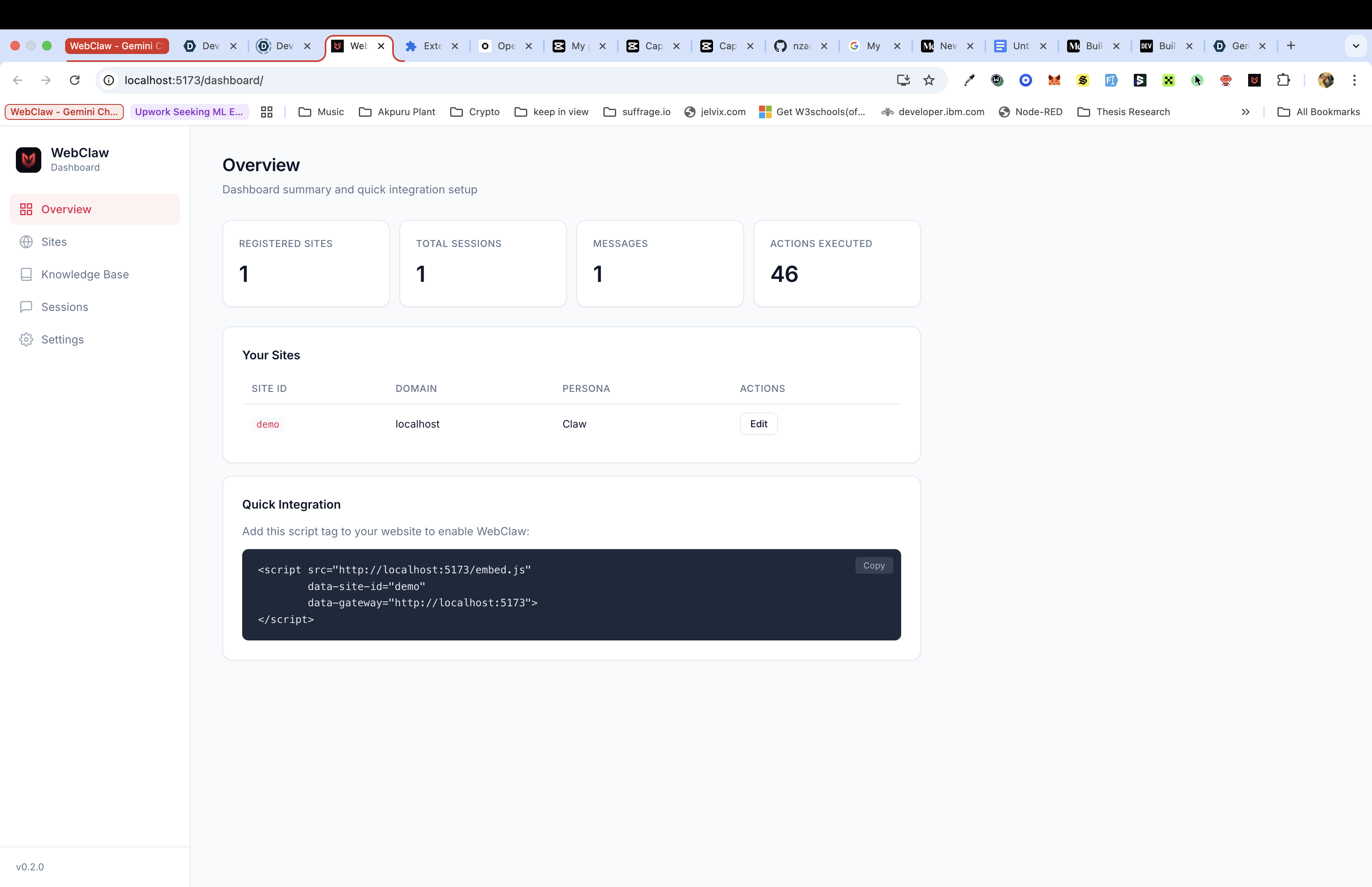
Gateway (FastAPI + Python): The backend serves four roles: REST API for site configuration CRUD, WebSocket server for real-time streaming, dashboard host, and static asset server. Session state is managed through ADK's InMemorySessionService for live sessions and Firestore for persistent history.
ADK Agent: The agent definition is clean: just a model, a system prompt, and eight DOM tools:
root_agent = Agent(
    name="webclaw_agent",
    model="gemini-2.5-flash-native-audio-preview-12-2025",
    instruction=WEBCLAW_SYSTEM_PROMPT,
    tools=DOM_TOOLS,
)
ADK handles the ceremony: session management, function-calling schema generation, and the LiveRequestQueue abstraction for feeding audio and text into the bidirectional stream.
Embed Script (TypeScript, 26.1KB): The client-side script runs inside a closed Shadow DOM for complete style isolation. It bundles in a single file with zero runtime dependencies:
- Animated Canvas 2D avatar with real audio-driven lip sync
- Action visualizer with Bézier-curve flight animation to target elements
- Screenshot capture for vision context
- Audio pipeline: $16\text{kHz}$ mic capture → PCM encoding → WebSocket → $24\text{kHz}$ playback
- Smart element finder: CSS selector → ARIA label → text content fuzzy match
We chose esbuild for bundling: 2ms build time, zero config. The avatar uses Canvas 2D instead of Lottie (+50KB) or Three.js (+150KB) because every kilobyte matters in an embed script loaded on every page view.
Chrome Extension (Manifest V3): The Personal Agent mode. It provides persistent microphone permissions (granted once at install), cross-site context continuity, and a negotiation protocol when meeting Site Agents. When a Personal Agent visits a WebClaw-integrated site, the negotiate / negotiate_ack handshake establishes what the site offers and what the agent may do, without exposing who the user is.
Infrastructure (Terraform + Cloud Run): One-command deployment. Terraform provisions Cloud Run (auto-scaling 0–10 instances), Artifact Registry (container images), Firestore (native mode), and IAM policies. A shell script wraps Docker build + push + deploy for quick iteration.
The Audio Pipeline
Audio flows as raw PCM (no codecs). The browser captures microphone input at $16\text{kHz}$ (16-bit mono), encodes it as raw PCM bytes, and streams it over WebSocket. The gateway forwards it to Gemini's bidiGenerateContent stream. Gemini responds with PCM audio at $24\text{kHz}$ which flows back through the WebSocket to the browser's AudioContext for playback. End-to-end, the pipeline involves:
$$ \text{Mic} \xrightarrow{16\text{kHz PCM}} \text{WebSocket} \xrightarrow{} \text{Gateway} \xrightarrow{} \text{Gemini} \xrightarrow{24\text{kHz PCM}} \text{Gateway} \xrightarrow{} \text{WebSocket} \xrightarrow{} \text{AudioContext} $$
We avoided Opus or WebM encoding deliberately. Gemini natively accepts and produces raw PCM. Adding a codec layer would introduce latency and complexity for zero benefit. The shortest path wins.
The DOM Action Engine
Eight tools, each registered as a typed Python function that ADK converts to a Gemini function-calling schema:
| Tool | What It Does |
|---|---|
click_element |
Clicks buttons, links, tabs, menu items |
type_text |
Types into inputs and textareas |
scroll_to |
Scrolls to elements or by pixel offset |
navigate_to |
Navigates to URLs within the site |
highlight_element |
Draws a glow border + tooltip on elements |
read_page |
Extracts text content from elements |
select_option |
Chooses from dropdown selects |
check_checkbox |
Toggles checkboxes |
The smart element finder tries three strategies in order: direct CSS selector, ARIA label match, then fuzzy text-content matching against interactive elements. This lets the agent handle both precise instructions ("click #add-to-cart") and natural language ("click the Buy button") with equal reliability.
Challenges We Faced
The Vanishing Model
We started development targeting gemini-2.0-flash-live-preview-04-09. Midway through building the gateway, we discovered it no longer existed in the API. No deprecation notice that we could find; the model was simply gone. We had to halt development, query every available model for bidiGenerateContent support, map their capabilities, and rebuild our agent configuration. This taught us to make the model configurable via environment variable (WEBCLAW_MODEL) in the current iteration so future migrations are a one-line change.
Full-Duplex WebSocket Concurrency
Getting bidirectional audio streaming right over WebSocket was harder than expected. The browser sends audio while simultaneously receiving agent responses. DOM action results need to flow back while the agent is still thinking. We went through several iterations of our concurrency model before settling on the asyncio.gather() pattern with separate upstream/downstream tasks. Edge cases (like handling a WebSocket disconnect mid-stream, or a Gemini stream error while audio is still playing) required careful exception handling and graceful teardown.
Token Budget vs. Page Comprehension
There is an inherent tension between giving the agent enough DOM context to understand the page and staying within the token budget so the conversation remains coherent. Too little context and the agent can't find elements. Too much and the audio response quality degrades as the model's attention is split. We iterated on the DOM serializer multiple times (adjusting depth caps, element filtering, and character limits) until we found the sweet spot of approximately $500$ tokens per snapshot.
Action Visualization That Feels Right
When the agent clicks a button, the user needs to see what happened. A status message ("Clicked Add to Cart") is informative but not satisfying. We built a Bézier flight animation: a glowing circle launches from the avatar, arcs upward with cubic ease-in-out timing, and lands on the target element with a pulse ring and expansion effect. Trail particles follow with staggered delay. The entire animation runs in $600\text{ms}$ using requestAnimationFrame. Getting the timing, easing curve, and particle behavior to feel natural took more iteration than any other visual feature.
The Tool Call Race Condition (Error 1008)
The most production-critical bug we hit was a race condition between Gemini's tool calling and our audio streaming. The architecture runs audio input, video input, and response processing as concurrent asyncio tasks. When Gemini emits a tool_call, the response task receives it — but by the time our code processes it, the audio task has already sent another sendRealtimeInput frame. Gemini's server immediately kills the connection with 1008 (policy violation): Operation is not implemented, or supported, or enabled.
The symptom was maddening: the agent could talk perfectly, but the moment it tried to do anything (click a button, navigate), the entire session crashed. The fix was a single asyncio.Event flag (realtime_input_allowed) that gates all realtime input senders. On receiving a tool_call, we clear the flag; in a finally block after send_tool_response, we set it again. Both send_audio() and send_video() check the flag before and after acquiring the send lock, dropping frames silently during the tool call window. The key insight: gate all realtime input types, not just audio — and always clear the flag in a finally block to avoid permanently blocking input if tool execution throws.
Asymmetric Privacy by Design
The conceptually simple idea ("user data should never flow to the site") is surprisingly hard to implement correctly when two agents need to share context. The negotiation protocol between Personal Agent and Site Agent required careful design: the site offers its knowledge base and allowed actions, the Personal Agent takes what it needs, but the gateway physically prevents user preferences, browsing history, or personal data from flowing back. This isn't a policy or a checkbox; it's an architectural constraint enforced by unidirectional data flow in the context broker.
The Embed Script Size Budget
Every byte of the embed script is loaded on every page view for every visitor. We set a target of $<30\text{KB}$ minified. This ruled out all animation libraries (Lottie, Three.js), all UI frameworks (React, Preact, Lit), and all audio codec libraries. The avatar is hand-written Canvas 2D (~3KB). The audio pipeline is raw AudioContext and MediaRecorder APIs. The overlay is manually constructed DOM elements in a Shadow DOM. The final bundle: 26.1KB. Every component was written from scratch to stay under budget.
What We Built: By the Numbers
| Component | Metric |
|---|---|
| Gateway | 18 REST endpoints, WebSocket bidi streaming, FastAPI |
| Embed Script | 26.1KB minified, 8 TypeScript modules, zero dependencies |
| Chrome Extension | Manifest V3, 4 files, negotiation protocol |
| Dashboard | Vanilla HTML/JS, 5 pages, no build step |
| DOM Tools | 8 operations (click, type, scroll, navigate, highlight, read, select, check) |
| Firestore | 4 collections (sites, sessions, knowledge, stats) |
| Infrastructure | Terraform + deploy script, Cloud Run auto-scaling |
| Documentation | 14 pages, 3,700+ lines |
Built With
- Gemini Live API: Real-time bidirectional audio streaming (
bidiGenerateContent) - Google Agent Development Kit (ADK): Agent lifecycle, function-calling tools, session management
- Google Cloud Run: Stateless container hosting with session affinity
- Google Cloud Firestore: Persistent storage for configs, sessions, and knowledge bases
- FastAPI: Async Python web framework for WebSocket + REST
- TypeScript + esbuild: Client-side embed script
- Canvas 2D: Animated avatar with lip sync
- Chrome Extension (Manifest V3): Personal Agent mode
- Terraform: Infrastructure as code
What's next for WebClaw
WebClaw is not just a hackathon project. It's a platform:
- Freemium SaaS for website owners (free tier: 1K conversations/mo)
- Personal agent subscription for power users
- Enterprise tier with custom deployment, SSO, compliance
- Marketplace for WebClaw skills (checkout optimization, onboarding flows, etc.)
- API access for programmatic agent configuration
The market for website support tools is $15B+ and growing. WebClaw replaces the entire category with something fundamentally better. For the next chapter of WebClaw, we'd commercialize this solution as an open-source Personal Live Agent if we receive positive feedback from the market.
Built by David Nzagha and the Nzagha Ventures team for the Gemini Live Agent Challenge.
Built With
- adk
- canvas
- chrome
- fastapi
- firestore
- gcloud
- gcp
- google-cloud
- google-cloud-firestore
- google-live-api
- python
- terraform
- typescript
Log in or sign up for Devpost to join the conversation.