-
-
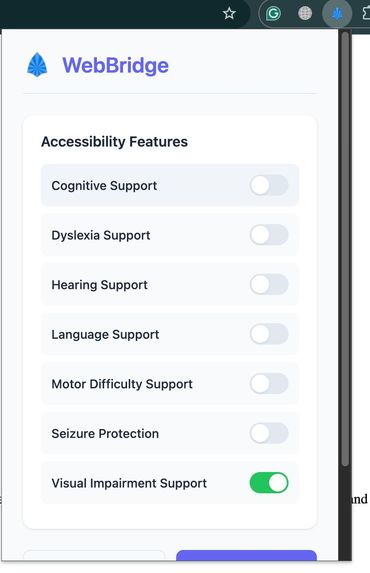
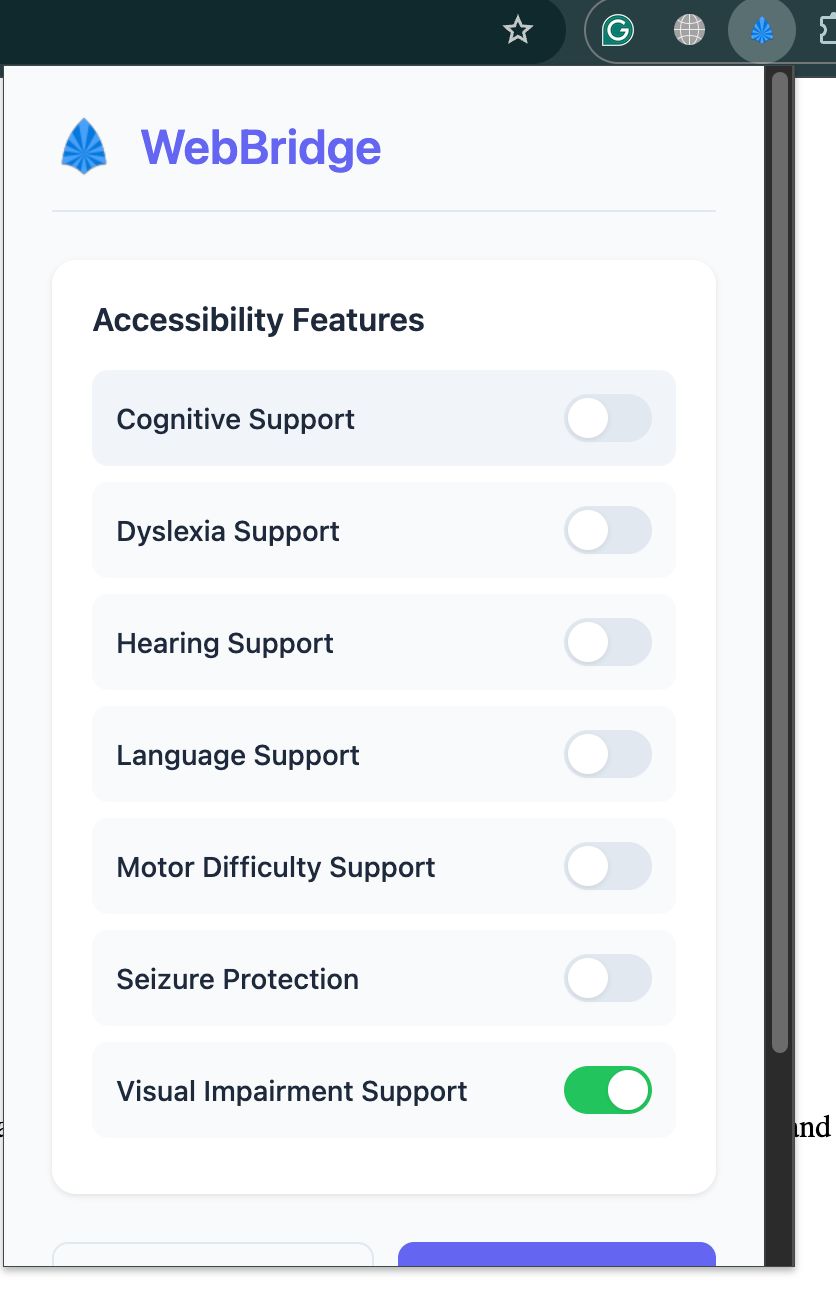
A screenshot of our extension popup
WebBridge: AI-Powered Accessibility Assistant
Making the web accessible for everyone, powered by AI.
🚀 Inspiration & What It Does
The internet should be for everyone, but millions of users with disabilities still face barriers online. WebBridge was born from the desire to bridge this gap—leveraging AI to make the web more inclusive, usable, and friendly for all.
WebBridge is a Chrome extension and backend analyzer that automatically detects, highlights, and fixes common accessibility issues on any website. It empowers users with visual, motor, cognitive, or language challenges to browse the web with greater ease and independence.
✨ Features
- Visual Impairment Support
- AI-generated alt text for images
- High contrast mode (with smart exclusions)
- Text-to-speech buttons for content
- Enhanced focus indicators
- Motor Difficulty Support
- Skip-to-main-content link
- Enlarged click targets
- Improved keyboard accessibility
- Cognitive Support
- AI-powered text simplification and summarization
- Easy-to-read summaries
- Dyslexia Support
- Dyslexia-friendly font
- Increased line spacing
- Reading guide overlay
- Seizure Protection
- Detects and disables flashing/animated content
- Reduces motion for sensitive users
- Hearing Support
- Adds captions to media
- Converts audio alerts to visual alerts
- Language Support
- Translation buttons for text
- Double-click for instant word definitions
🛠️ How We Built It
WebBridge is composed of two main components:
- Browser Extension (JavaScript/Chrome API):
- Injects a content script into web pages to analyze the DOM and apply accessibility enhancements in real time.
- Uses Together AI for text simplification, translation, and image captioning.
- Provides a user-friendly popup for toggling features and managing accessibility profiles.
- Backend Analyzer (Python/Flask):
- Receives HTML from the extension, runs advanced accessibility checks (inspired by WCAG), and returns a detailed report of issues.
- Enables deeper analysis than is possible client-side.
Tech Stack:
- JavaScript (ES6+), HTML, CSS
- Chrome Extensions API
- Python (Flask)
- Together AI API
⚡ Challenges We Ran Into
- Cross-origin and browser security: Handling permissions, CORS, and secure communication between extension, backend, and third-party APIs.
- Accurate accessibility detection: Ensuring reliable detection of issues like color contrast and missing alt text across diverse web designs.
- AI integration: Balancing meaningful, fast AI responses (for alt text, summaries, etc.) with smooth user experience, despite rate limits and latency.
- Accessible UI/UX: Designing overlays and controls that are themselves accessible and non-intrusive.
🏆 Accomplishments That We're Proud Of
- Real-time, seamless accessibility fixes on any website
- Robust AI-powered features (alt text, summaries, translation, definitions)
- Modular, extensible codebase for future accessibility tools
- Making a tangible difference for users with diverse needs
📚 What We Learned
- The complexity and nuance of true web accessibility—there's no one-size-fits-all solution
- How to leverage AI to fill gaps in traditional accessibility tooling
- The importance of user testing and feedback from people with disabilities
- Chrome extension development and secure API integration
🔮 What's Next for WebBridge
- Expanding support to Firefox and Edge
- Adding user customization for accessibility profiles
- Improving AI prompt engineering for even better results
- Crowdsourcing accessibility fixes and feedback
- Open-sourcing the project and building a community around it
📎 GitHub Link
https://github.com/Mrityunjay112358/WebBridge
📂 Project Structure
accessibility-assistant/content.js– Main content script for accessibility featuresbackground.js– Handles extension lifecycle and messagingpopup.html/popup.js– Extension popup UI and logicstyles.css,popup.css– Styling for extension and popup
backend-analyzer/analyzer.py– Flask backend for advanced accessibility analysistemplates/,static/– Web assets for backend
📝 Setup & Development
- Clone the repository and open in your editor.
- API Keys & Endpoints:
- Set your Together AI API key in
content.js(config.togetherApiKey). - Ensure local endpoints (e.g., image captioning) are running if used.
- Set your Together AI API key in
- Load the extension:
- Go to
chrome://extensions - Enable "Developer mode"
- Click "Load unpacked" and select the project folder.
- Go to
- Usage:
- Click the WebBridge icon in Chrome.
- Set up your accessibility profile.
- Toggle features as needed.
🛡️ Security & Privacy
- No user data is sent to third parties except for AI API calls (Together AI, local endpoints).
- All profile data is stored using Chrome's
storage.sync.
🙏 Credits
- Together AI for AI-powered text features
- OpenDyslexic font for dyslexia support
WebBridge – Making the web accessible for everyone.
Built With
- chromeextensionstore
- css
- flask
- html5
- javascript
- togetherai


Log in or sign up for Devpost to join the conversation.