-
-

WebBaseline Logo
-
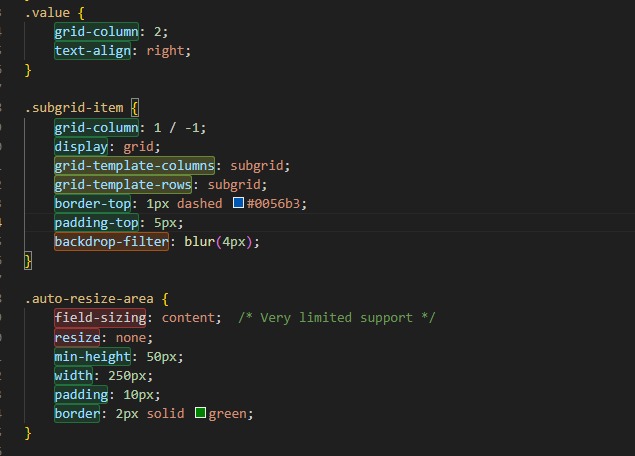
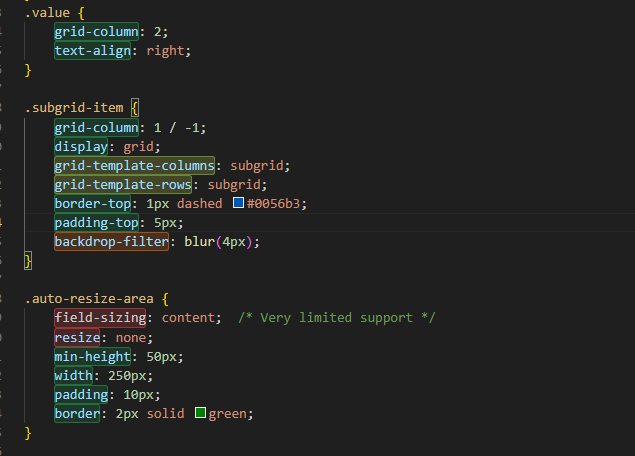
Highlights CSS properties and HTML elements in three categories: Green, Yellow, Green
-
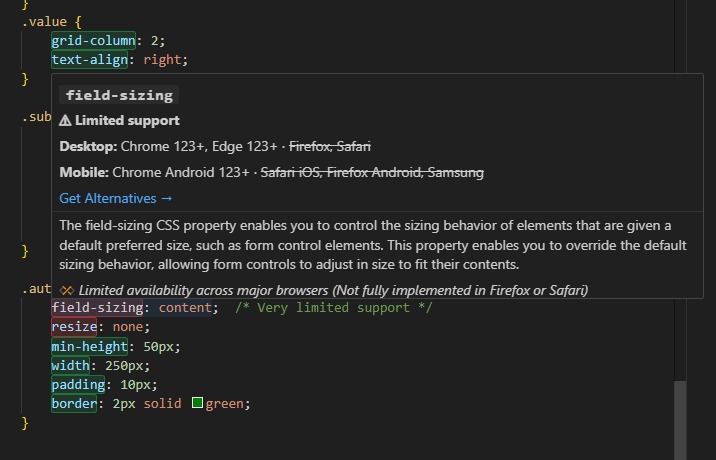
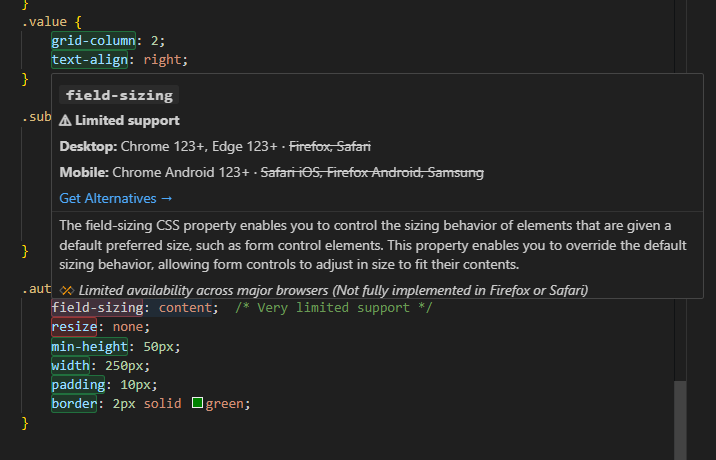
Hover over a CSS property or HTML tag to see: Baseline support level Browser compatibility “Get Alternatives” button for AI suggestions
-
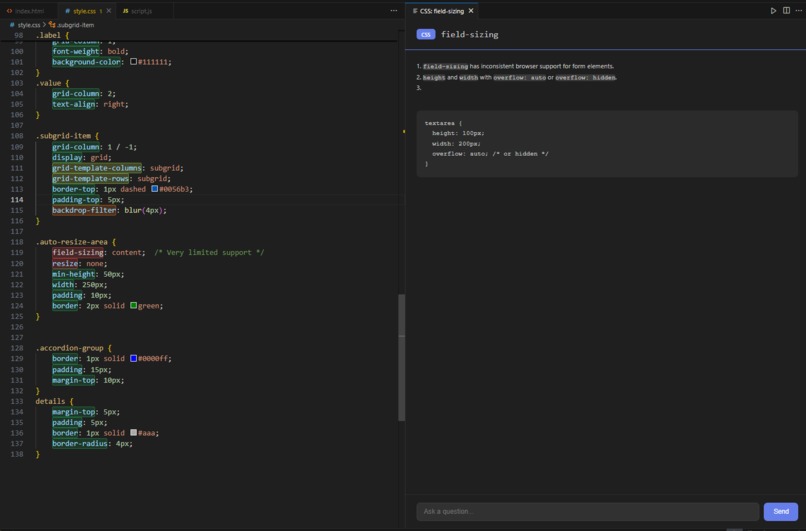
AI Chatbot for Alternatives

Inspiration
This idea started during a hackathon I participated in. While building a project one of the CSS features I used didn’t work on the browser provided by the organizers. That’s when I realized many developers face this same problem without even noticing it.
After checking discussions on Reddit, I found that there’s no proper solution that warns you about browser support directly inside VS Code. Then I came across the Baseline Hackathon and that was the cherry on top it pushed me to actually build this tool.
What it does
It all starts the moment you open your HTML or CSS file. WebBaseline automatically scans your code and highlights every feature based on its browser support whether it’s widely supported, newly available, or still limited.
But it doesn’t stop there. When you hover over a tag or CSS property it instantly shows detailed information about browser compatibility and baseline availability right inside your editor.
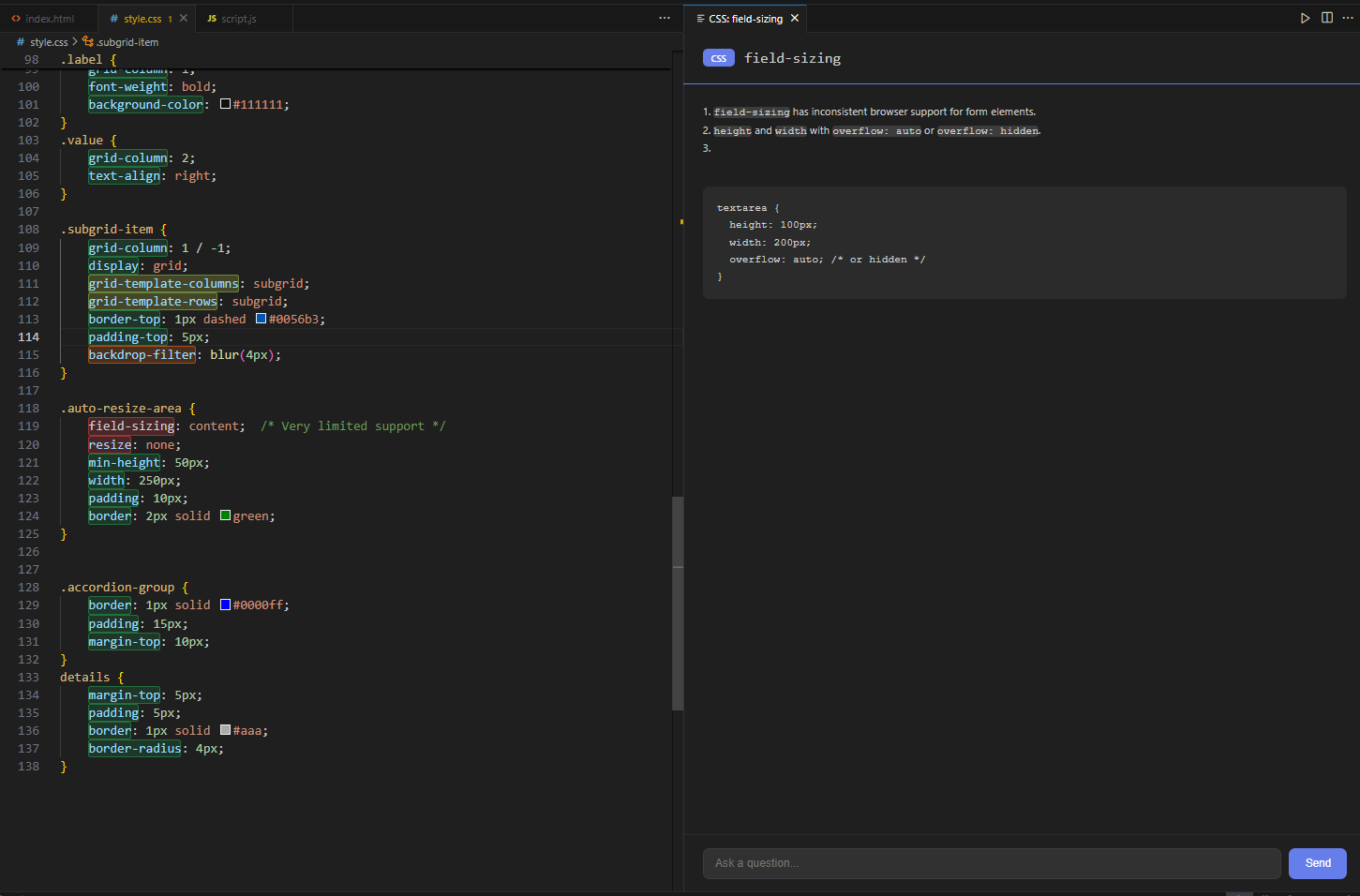
If a feature isn’t well supported, you don’t have to leave your code to search for alternatives. Click Get Alternatives , and an AI chatbot will suggest compatible replacements explain how they work and even share minimal code examples that fit your use case.
You can continue chatting naturally with the AI, ask follow-up questions, and it will remember the context of your conversation making the entire process feel seamless and developer friendly.
How i built it
I started by setting up a basic VS Code extension and explored how commands and activation events work. Then I used the web-features package to detect which HTML and CSS features are supported across browsers and highlight them inside the editor.
After that, I added the hover feature to show browser support info without leaving the code. To make it more helpful I integrated Google Gemini AI so users can ask for alternatives or code examples directly in VS Code.
Finally, I tested everything in the development host and deployed it to the Marketplace using vsce.
Challenges i ran into
At first, getting the highlighting and hover system to work together was tricky one change often broke the other. Integrating the Gemini API inside VS Code was another challenge especially keeping the chat context stable. Since VS Code extensions don’t have an environment file by default so i have to expose my Gemini api key
Accomplishments that i'm proud of
This is my first time building a VS Code extension. Made developers work easier by solving a real practical problem. Integrated AI-powered suggestions and a chatbot for alternatives.
What i learned
How to build a VS Code extension from . How to highlight code, show hover info, and integrate a chatbot in the editor. How to use AI API and provide context-aware responses. how to publish a vs code extension
What's next for WebBaseline
Add support for JavaScript, TypeScript, Tailwind CSS . Make the AI chatbot more smarter with more context-aware suggestions. Improve UI and UX .
Built With
- compute-baseline
- css3
- gemini
- html5
- javascript
- node.js
- vscodeextensionapi
- web-features


Log in or sign up for Devpost to join the conversation.