-
-
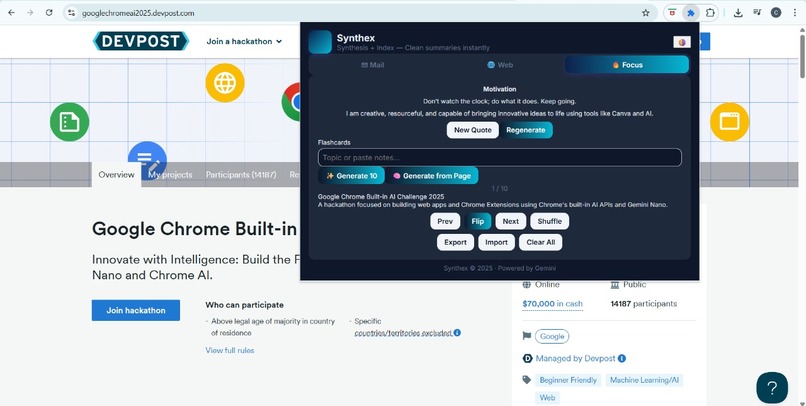
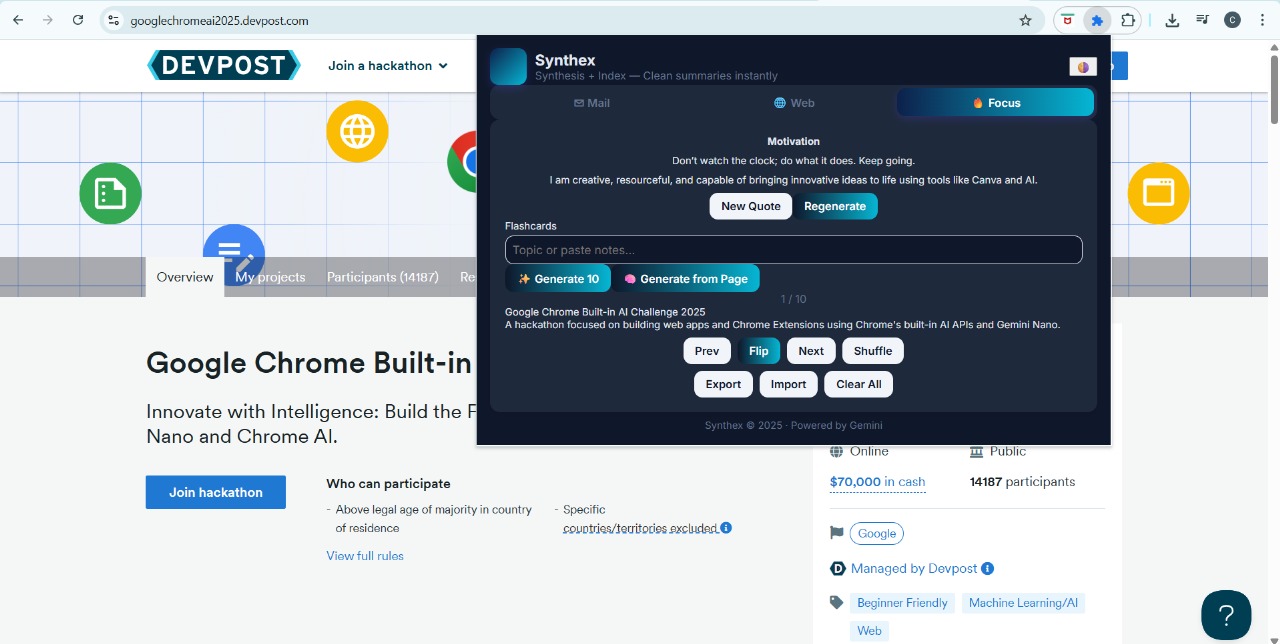
synthex ui
🧩 Synthex — Synthesis + Index “Clean summaries instantly. Gain insight fast.” 🚀 Inspiration
Every day, we’re buried in information — long emails, endless web pages, and study notes that seem to multiply overnight. We wanted something that could cut through the noise and give back time to people who read and learn online.
That idea became Synthex — a Chrome extension that helps users summarize webpages, understand emails, and generate flashcards using AI, all in one place.
We were inspired by tools like ChatGPT and Notion AI, but wanted a simpler, more integrated assistant that lives right inside the browser.
💡 What It Does
Synthex transforms your browsing and studying workflow by offering:
📨 Mail Assistant — Detects and summarizes emails, writes professional replies, and suggests subject lines.
🌐 Web Summarizer + Chat — Summarizes long web pages and lets you chat with the page context.
🧠 Flashcard Generator — Turns any topic or notes into concise study flashcards using AI.
🎯 Focus Mode — Displays motivational quotes and generates affirmations based on your browsing habits.
Everything runs directly from the extension popup, making it fast, clean, and distraction-free.
⚙️ How We Built It
Synthex is built with:
HTML, CSS, and JavaScript for the UI
Chrome Extension Manifest v3 APIs (scripting, tabs, storage)
Google Gemini 2.0 Flash API for AI summarization, rewriting, and flashcard generation
Content Scripts for webpage and email text extraction
Service Worker as the AI bridge between Gemini and the popup interface
The architecture follows a clear message-passing flow:
Popup.js → (chrome.runtime.sendMessage) → Service Worker → Gemini API → Back to Popup
We also used a custom parser to convert AI responses into structured flashcards.
🔬 Challenges We Faced
Model compatibility: Transitioning from gemini-pro to gemini-2.0-flash required adapting to Google’s new API schema, and we often encountered errors like
Error: models/gemini-pro is not found for API version v1
Fixing this taught us a lot about how evolving APIs impact real-world applications.
DOM extraction complexity: Extracting clean text from Gmail and Outlook required fine-tuned selectors and mutation observers. Handling content-editable fields, hidden menus, and dynamic updates was tricky.
Prompt reliability: Ensuring Gemini generated flashcards in valid JSON format took several prompt-engineering iterations.
UI constraints: Designing a modern, minimal popup that still felt like a productivity workspace was a creative and technical challenge.
🧠 What We Learned
How to connect frontend extensions to AI APIs securely using service workers.
Effective prompt engineering — especially to get structured data like Q&A pairs.
How small UX details (like showing “Summarizing...” or clean dark mode) significantly improve user engagement.
That sometimes, less is more — embedding AI tools into existing workflows can be more powerful than building new platforms.
We also learned to debug JSON parsing errors the hard way 😅
🧮 A Tiny Math Example (LaTeX Demo)
Since our app can summarize technical content, we tested it with equations too! For example, the quadratic formula:
x=−b±((b*2−4ac)*0.5)/2a Our summarizer can handle content like this and generate flashcards such as:
Term: What is the quadratic formula?
Definition: x=−b±((b*2−4ac)0.5)/2a used to solve ax*2+bx+c=0
🔮 What’s Next
🧩 Integrate Gemini 2.0 Pro Vision for summarizing videos and PDFs.
🗣️ Add speech summarization for podcasts or YouTube lectures.
☁️ Sync flashcards and notes across devices using Firebase.
🔐 Add local AI caching for offline summarization.
Our goal is to make Synthex the “AI sidekick” for anyone who learns, works, or communicates online.
Built With
- chrome-scripting-api
- chrome-storage-api
- css
- google-gemini-2.0-flash-api
- html5
- javascript
- json


Log in or sign up for Devpost to join the conversation.