-

WEB SERVERS
-
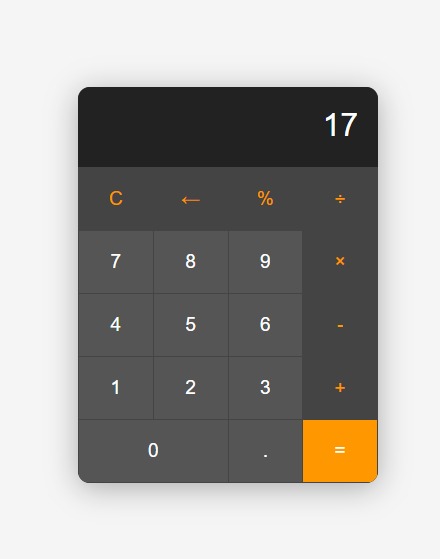
FINAL RESULT OF THE CALCULATOR PROJECT

Inspiration
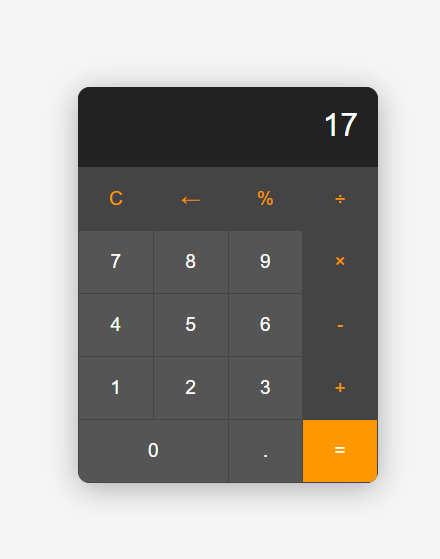
We built a simple calculator using HTML, CSS and JavaScript. It helps users do basic math online. We learned how to make interactive buttons and handle math operations in code. The hardest part was fixing errors when users pressed buttons too fast.
This PowerPoint explains how websites work behind the scenes. We researched topics like hosting, HTTP requests and server types. The challenge was explaining technical ideas in simple ways. We used diagrams and examples to make it clear.
What it does
The calculator shows our coding skills. The presentation shows we can teach technical topics. Both prove we can create useful things and explain them well.
How we built it
Calculator: -Designed layout with HTML -Styled buttons with CSS -Added math functions using JavaScript -Tested all operations
Web Server Slides: -i created a Repository in my github account and made it public -i added a Read me file option -inside my repo i initialized an index.html file as the entry point , i then enabled github pages configuring the Main branch as source -i then enabled github pages configuring the Main branch as source
Problems We Faced
- Calculator: Getting the "clear" button to work right took many tries
- Server slides: Honestly it was not that hard expect the first step of the project where we have to struct the slides and the ideas
Accomplishments that we're proud of
A working calculator website
An easy-to-understand server guide
Both projects are simple but effective
What we learned
-Better JavaScript skills
-Improved problem-solving
-creating educational content
What's next for WEB SERVERS AND MATH CALCULATOR
- Add scientific functions
- Add interactive quizzes

Log in or sign up for Devpost to join the conversation.