-
-
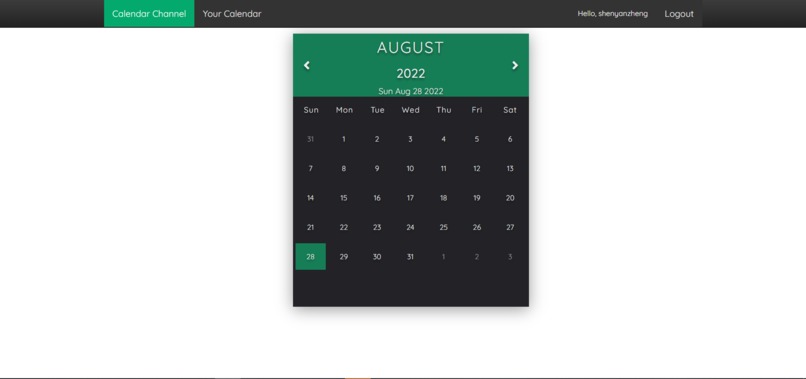
Calendar Page
-
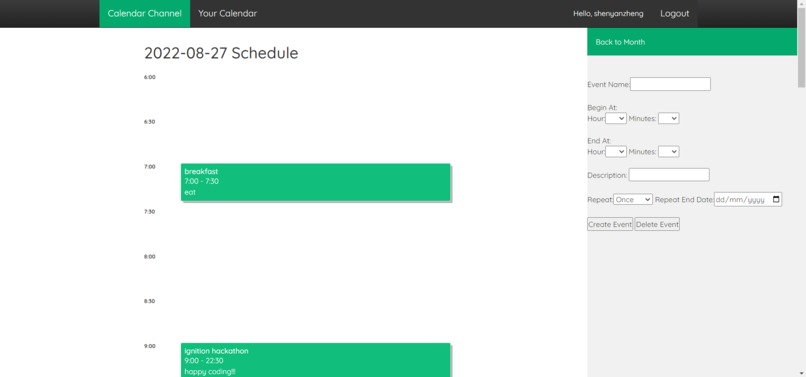
Daily Schedule


Inspiration
We got this idea at the beginning of this summer, as I (Shenyan Zheng) will be in grade 12 this September and my friend (also my teammate, Chenwei Shi) is entering his first year at the University of Waterloo. We attempted to succeed in the next important school by finding an online scheduler app in order to get better time management. After exploring on the internet, we had the idea that why not make one by ourselves? In the past two months, we have tried to teach ourselves some basic knowledge about Web Dev, Python, HTML, Javascript, and Ignition Hackathon gave us this opportunity to dive into this project and show it to other programmers.
What it does
The thing our program does is not very complex: it provides an online calendar where you can view and store your daily events. You can easily create new events by entering the event name, start time, end time, and description and delete them if you no longer need some of the events. We also have the function for customers to repeat one event on a daily, weekly, or monthly basis.
How we built it
As this project requires lots of object type conversions (ex. string to date object), it is hard to purely use HTML along with Javascript. Since my teammate and I are both more familiar with Python, we decided to code it under the Django web framework. The contribution of the work load is that, because I have more experience in using HTML and Javascript, I am mainly responsible for building up the UI and handling the data processing within the web pages, whereas my teammate, Chenwei Shi, works on the Python code and database setup. Once we complete a major milestone, we will upload it to our GitHub repository to have a backup if something goes wrong later in the project. Probably because we are close friends in real life, the collaboration goes well and we successfully finish our goal.
Challenges we ran into
The biggest challenges we faced were: 1. converting user input to some data types we could efficiently use; 2. restricting user input to prevent possible errors; and 3. sending specific notifications to users if they do mess up something. These three challenges were not those that we couldn't solve at all, but those that required plenty of time and strict logic, as they were also connected to web pages and databases.
Accomplishments that we're proud of
One feature that we are quite proud of is that we successfully made our website work along with a database. The existence of a database means a lot: we can not only build a user login system but also store and fetch user data using the database. Every time a user logs into our website, his previous records are still there, and his new events will be saved after being submitted.
What we learned
As two newcomers to web development, we've come to this hackathon to put our previous coding and teamwork skills to the test and obtain some of the newest tech, platforms, and trends in this field. Overall, we are satisfied with what we made and what we got from this hackathon.
What's next for Web Calendar
We agree that there are still lots of features that can be added to this project. For example, adding a weekly view, outputting a PDF schedule, having a follower system so other users can view your schedule, deploying the project to a public server, so on and so on. We either have no time to make these functions happen or we don't have the knowledge and ability to realize them. However, the one thing we are sure about is that we will keep working on this project and reach our project scope step by step in the near future.


Log in or sign up for Devpost to join the conversation.