-
-
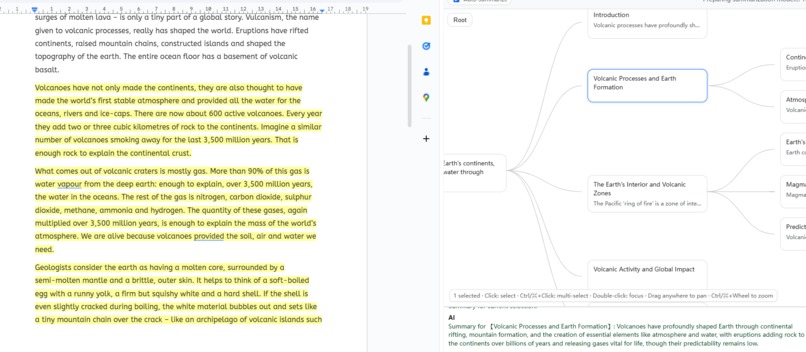
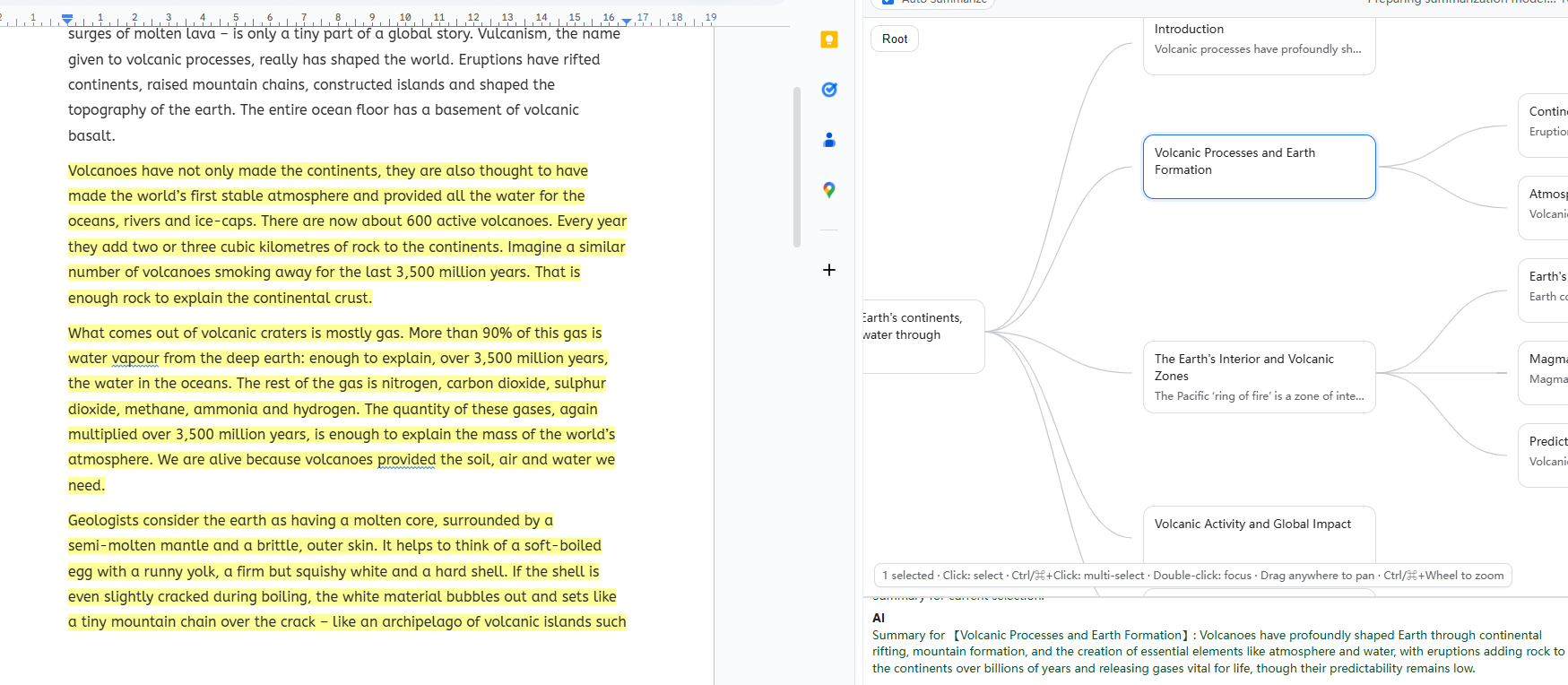
Visualization, Mapping, and Summarization
-
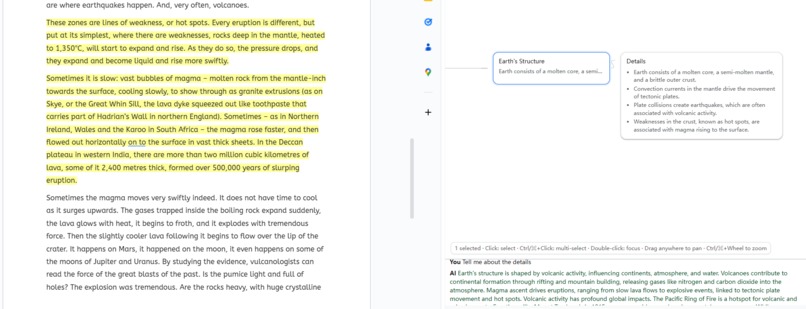
Ask questions base on nodes

Inspiration
As non-native English readers, we often struggle to extract structure and verify details from long English texts. We wanted a tool that gives a crisp outline fast and lets us iterate in dialogue against the original text. Instead of building a full editor, we piggy‑backed on Google Docs to prototype. Along the way we discovered strong performance and privacy properties (on-device models + minimal data sharing), and clear value in contract review, compliance checks, and research workflows. In the end, we plan to build a “Cursor for writing” inside Google Docs—a local, lightweight, privacy-first assistant that unifies structure extraction, information mining & summarization, and in-place editing.
What it does
- Sidepanel for Google Docs that generates an outline / mind map.
- Nodes “talk” to the source: select a node to reveal its passage; higher-level nodes aggregate child evidence.
- Friendly interface; Click to highlight, Ctrl/⌘-click to clear or multiple choice.
- Works offline with on-device Writer/Summarizer; exports outline.
How we built it
Pipeline (ASCII sketch)
Docs API -> Paragraph parsing -> Adaptive blocks (~60–180 words)
         -> Leaf list -> Writer (CSV) -> Disjointing + coverage repair -> DocsHighlighter
Key techniques
- Adaptive blockization: choose block size from total words and leaf count so the LLM sees only 10–30 blocks, not 100+ paragraphs.
- CSV protocol to the on-device Writer (robust to schema drift):
csv id,start_bid,end_bid,confidence "7",3,5,0.92 - Coverage repair to guarantee no gaps across blocks (inline math (s_k \le e_k)):
$$ \bigcup_k [s_k, e_k] = [0, B-1], \quad s_k \le e_k,\ \text{sorted by leaf order} $$
- Leaf-only mapping + parent union avoids parent/child “competing” for the same text.
- Reliable highlighting via Docs
batchUpdate, with a wrapper that merges ranges and supports full clear / selection-only clear. - Selection hooks:
selectedIds.add/delete/clearare proxied to repaint highlights immediately.
Challenges we ran into
- Google Docs API constraints: range math, rate limits, and no direct reverse-mapping require careful batching/merging and our own index bookkeeping.
- On-device LLM context: input/output length caps forced us to slice and summarize, then align against blocks instead of raw paragraphs.
- Stochastic alignment: both algorithmic heuristics and LLM output can drift; we added disjointing + coverage repair and keyword fallbacks.
- UI/gesture edge cases in the sidepanel (pointer suppression, drag vs. click, event ordering) and a classic
fetch Illegal invocationwe fixed by rebinding.
Accomplishments that we're proud of
- A working, installable extension that demonstrates the full core loop: outline → map → click‑to‑highlight → clear.
- High coverage mapping with deterministic repairs and privacy‑preserving, on‑device inference.
- A clean UX: responsive toolbar, highlight-on-selection, and robust clear.
- The design scales from study notes to contract/research review with traceable evidence.
What we learned
- How to visualize LLM output so people can trust and act on it (structure + provenance beats raw summaries).
- Practical trade-offs of on-device vs. cloud LLMs: latency & privacy wins vs. shorter context—solved with blockization and CSV I/O.
- Combining deterministic algorithms (range math, repairs) with probabilistic LLMs yields a system that is both flexible and dependable.
- Small interaction details (selection hooks, clear semantics) dramatically impact perceived quality.
What's next for Doc Mind Map
From “AI outline” to verifiable, structured data
- Entity/slot extraction → people, orgs, dates, places, metrics, sources, risks/assumptions → export to Sheets/CSV/JSON.
- Provenance → every finding carries a named range + quote; one‑click jump‑back.
- Actions/Decisions/Open questions → auto‑capture tasks and owners.
- Versioning & diff → multi‑version compare, delta summaries, “added/removed key points”.
- Cross‑doc merge → dedupe/cluster across documents; project‑level cards & glossary.
- Authorization management → Limit API used to a reasonable level.
Collaboration (async first)
- Node = discussion card (status, owner, due, comments).
- Anchor sharing: links encode
DocId + NamedRange. - Comment write‑back: sync node comments to Docs comments/suggestions (batchUpdate + Comments API).
- Review views: filter by owner/status, export checklists, “Needs my review”.
After we validate async loops and retention, we’ll add light realtime (presence, follow mode, selection‑following).
Appendix — tiny code sketch
// Leaf-only mapping with coverage repair
const blocks = buildBlocks(paras, autoMinWords(paras, leaves));
const csv = await writer.write(prompt(leaves, blocks));
let m = parseCSV(csv)               // [{id,start_bid,end_bid,confidence}]
        .map(normalize)
        .sort(byLeafOrder(leaves));
m = makeDisjoint(m, leaves);
m = repairCoverage(m, blocks.length); // union == [0..B-1]
paint(docId, toDocRanges(m, blocks, paras));


Log in or sign up for Devpost to join the conversation.