-
-

slide 1
-
slide 2
-
slide 3
-
slide 4
-
slide 5
-
slide 6
-
slide 7

Inspiration
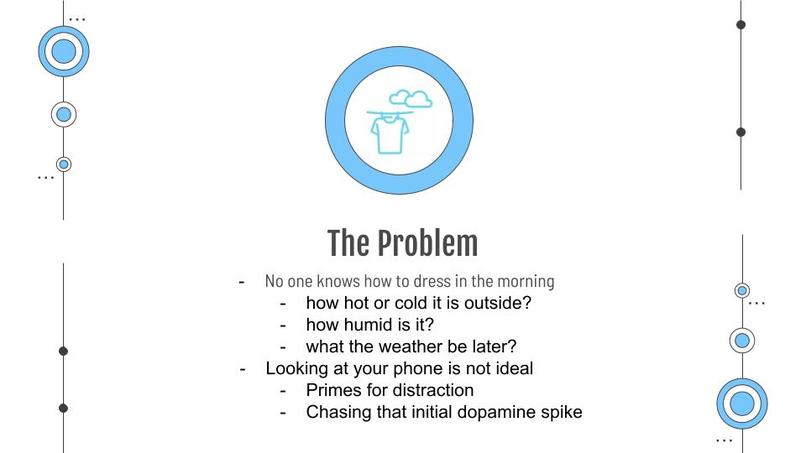
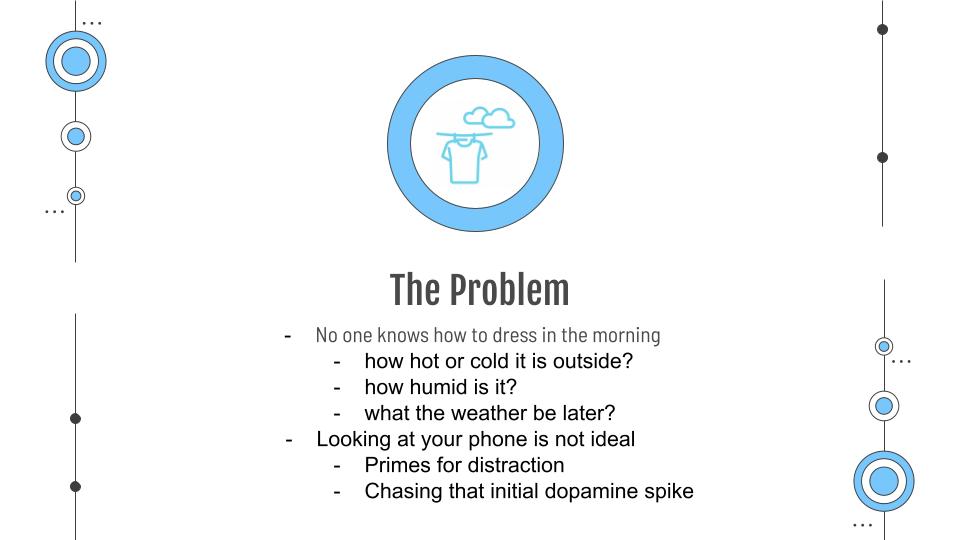
Everyday most people wake up and immediately check their phones. Studies have shown that this primes your brain for distraction for the rest of the day as you are constantly seeking the next small dopamine bump, and it is recommended to not look at your phone for 1 hour after waking up. When we tried that method, we ran into one little hiccup. We need to check our phones so we know what we should wear outside. Introducing WeatherWear.
What it does
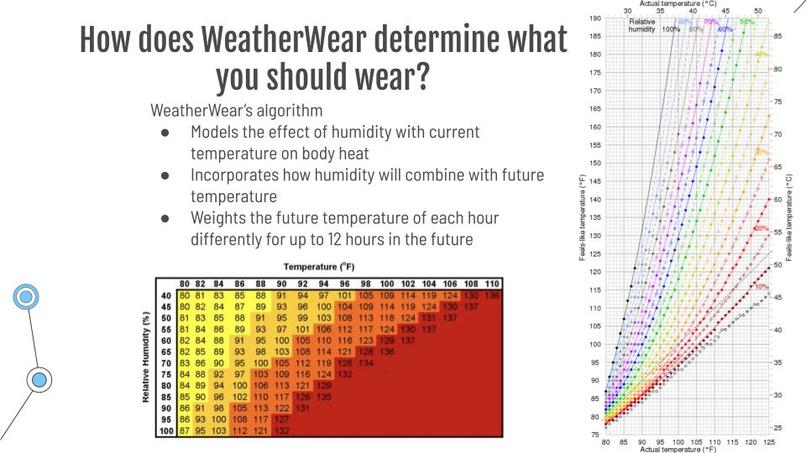
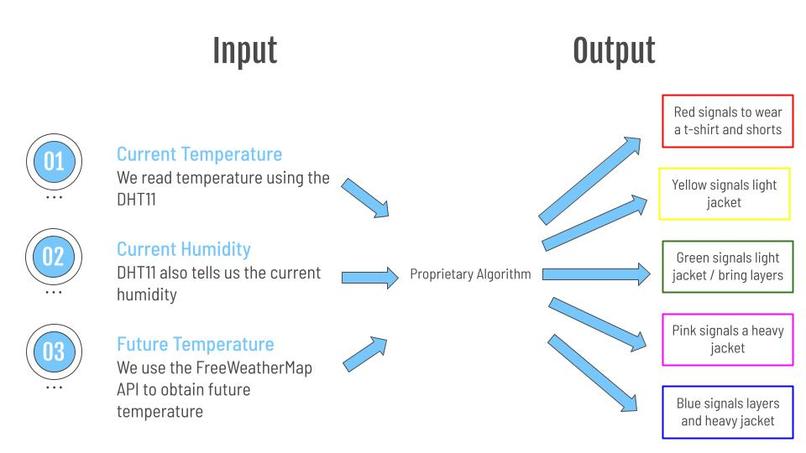
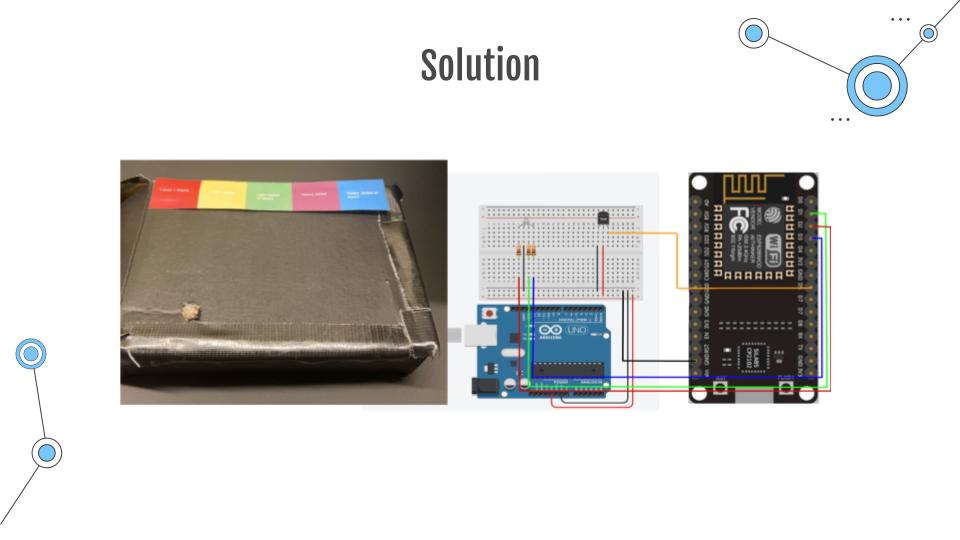
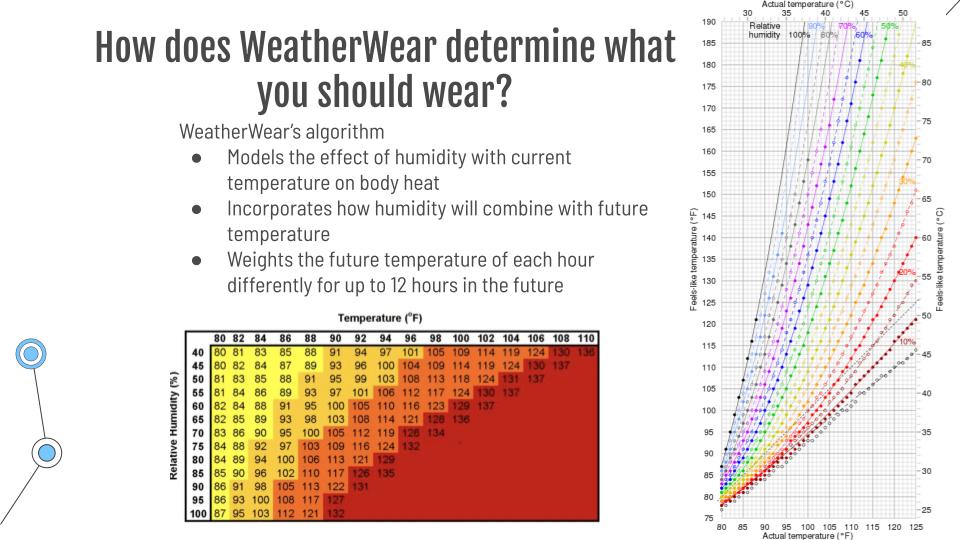
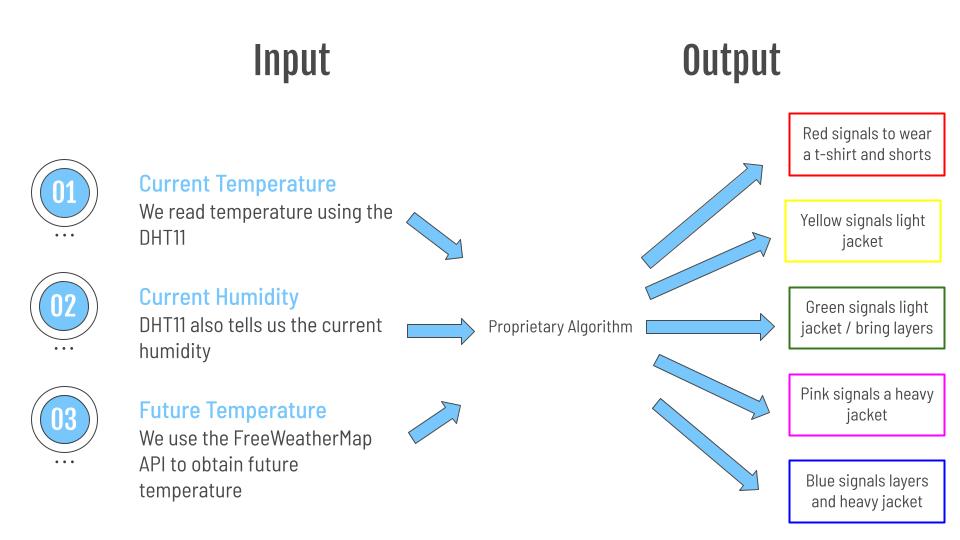
WeatherWear takes into account the current temperature, the current humidity, and the temperature for the next 12 hours. A mathematical equation models the chart of how humidity affects what temperature feels like with an error margin of plus or minus one degree celsius. This equation is then run through the next 12 hours of temperature obtained through the free weather map API. The combined temperature and humidity of each hour gets weighed into our model differently based on how far away that time is from the current time. WeatherWear ultimately displays one of five colors. Red signals to wear a t-shirt and shorts. Yellow signals to wear a light jacket. Green signals to wear a light jacket and bring layers. Pink signals to wear a heavy jacket, and blue signals to wear a heavy jacket and layers.
How we built it
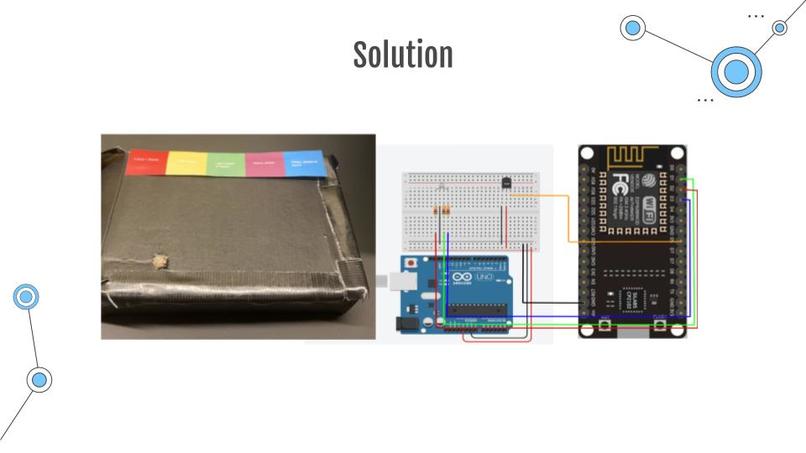
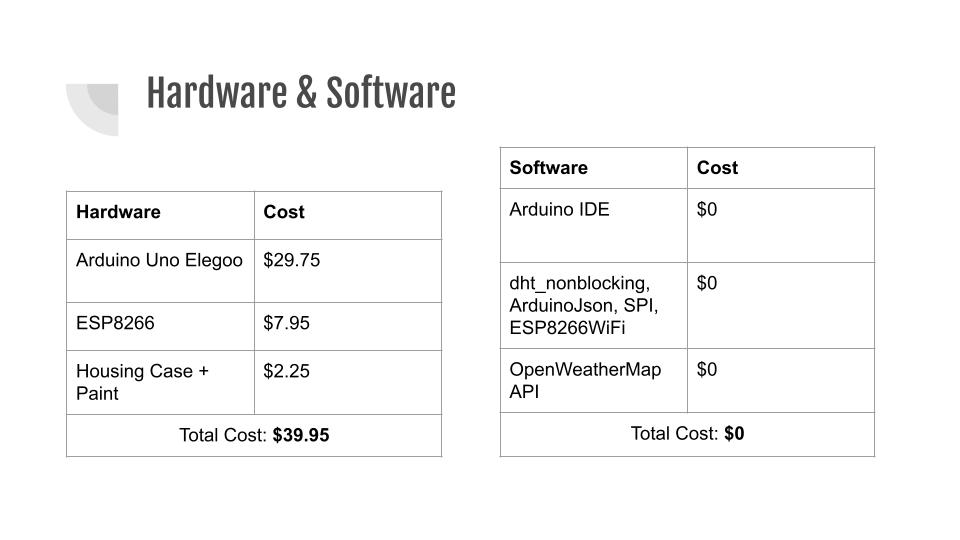
We connected the 5V power with the dht11 sensor which runs back to GND and digital pin 2 on the ESP2866. Our LED is connected to GND. Furthermore, the red pin is connected to pin 4, the green pin is connected to pin 8, and the blue pin is connected to pin 7. The code was written with for, while, and if/else loops to change the red, blue, and green colors to HIGH or LOW based on the desired color. We made an account with freeweathermap API and obtained secret keys to make API calls.
Challenges we ran into
The first challenge we ran into was that the DHT11 was not reading temperature and humidity properly as we could not print it to our serial monitor. We ended up fixing this by simply changing out the arduino and DHT11 we were using. The second challenge was that the freeweathermap API calls were not processing properly in our void loop(). We fixed this by creating the getWeather() function to call inside of the void loop(). Our final problem is that we are messy and chaotic people, which resulted in us breaking our project twice before demo day. We solved this by creating a box for our circuit that secured the circuitry inside.
Accomplishments that we're proud of
We're proud of making a useful, simple to understand and streamlined device that solves a real life problem for us. We’re also proud that even though we ran into many problems that sometimes felt unsolvable, ultimately our project turned out just like we wanted it to.
What we learned
We learned a lot about user-centric engineering. We also became much more adept with arduino and connecting information from APIs into our circuits.
What's next for WeatherWear
WeatherWear’s next step is to laser cut a box for the circuit. We also want to attach another light that would say if it is going to snow or rain, though we would need the premium version of the freeweathermap API.

Log in or sign up for Devpost to join the conversation.