-
-
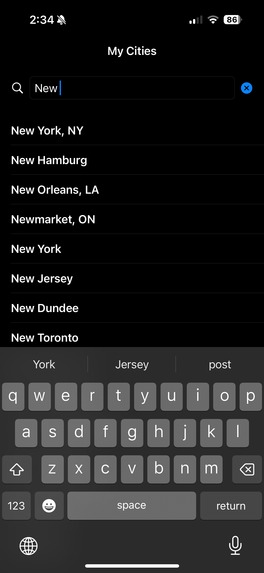
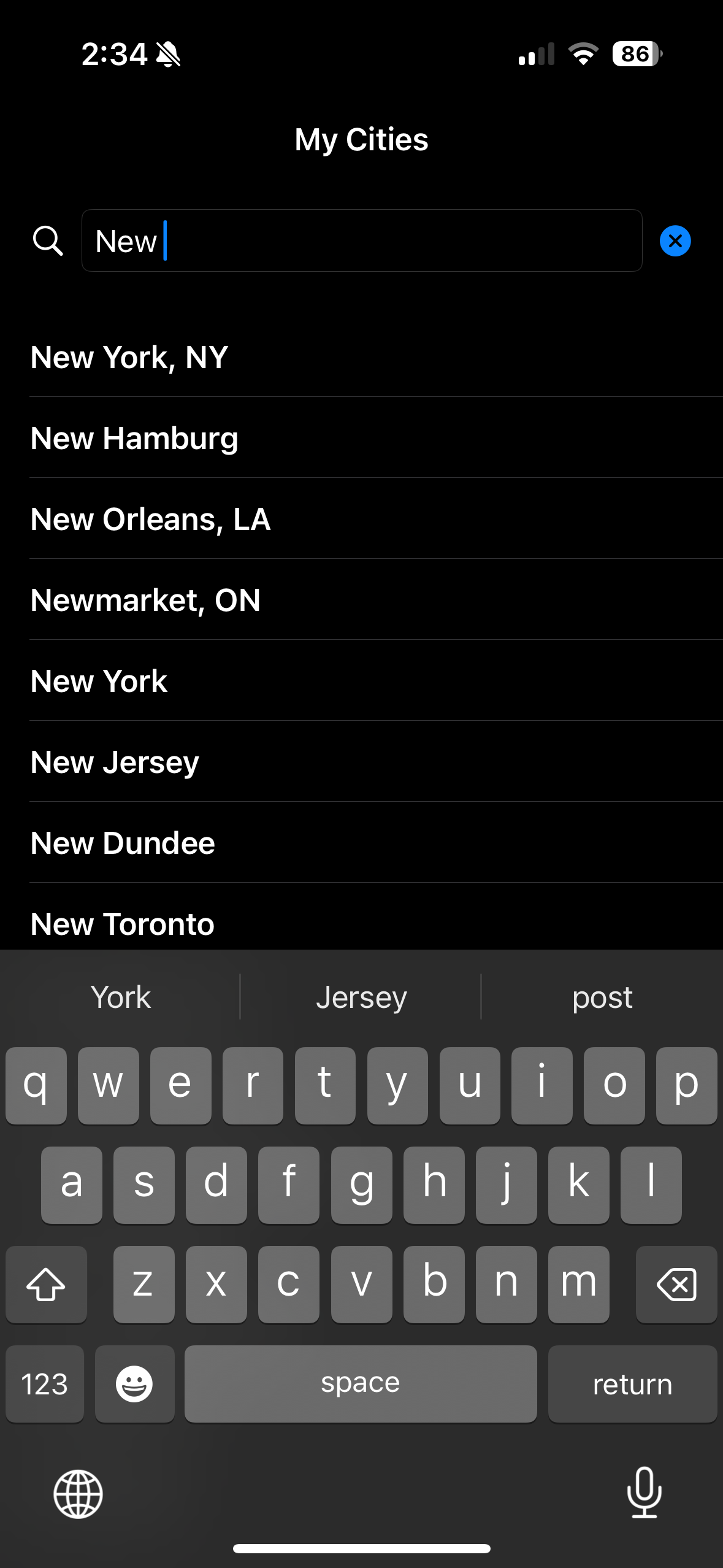
Location Searching
-
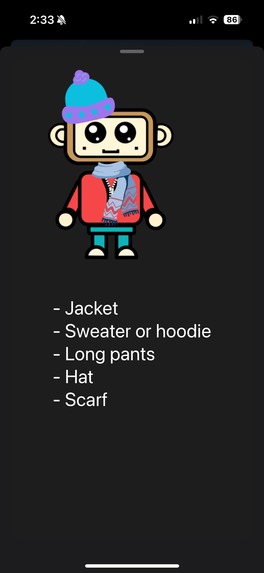
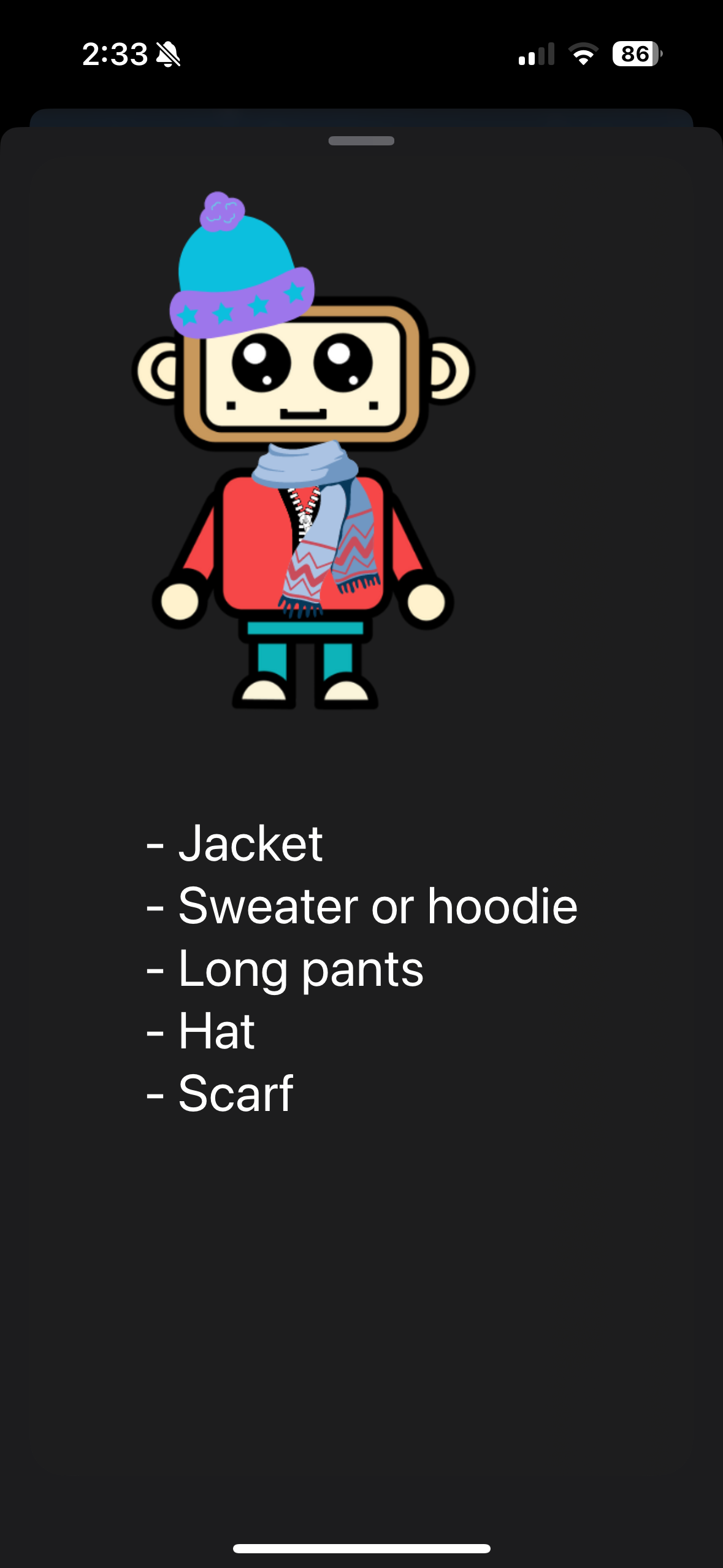
Close up on monkey avatar
-
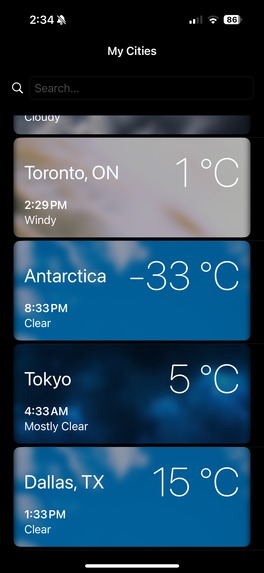
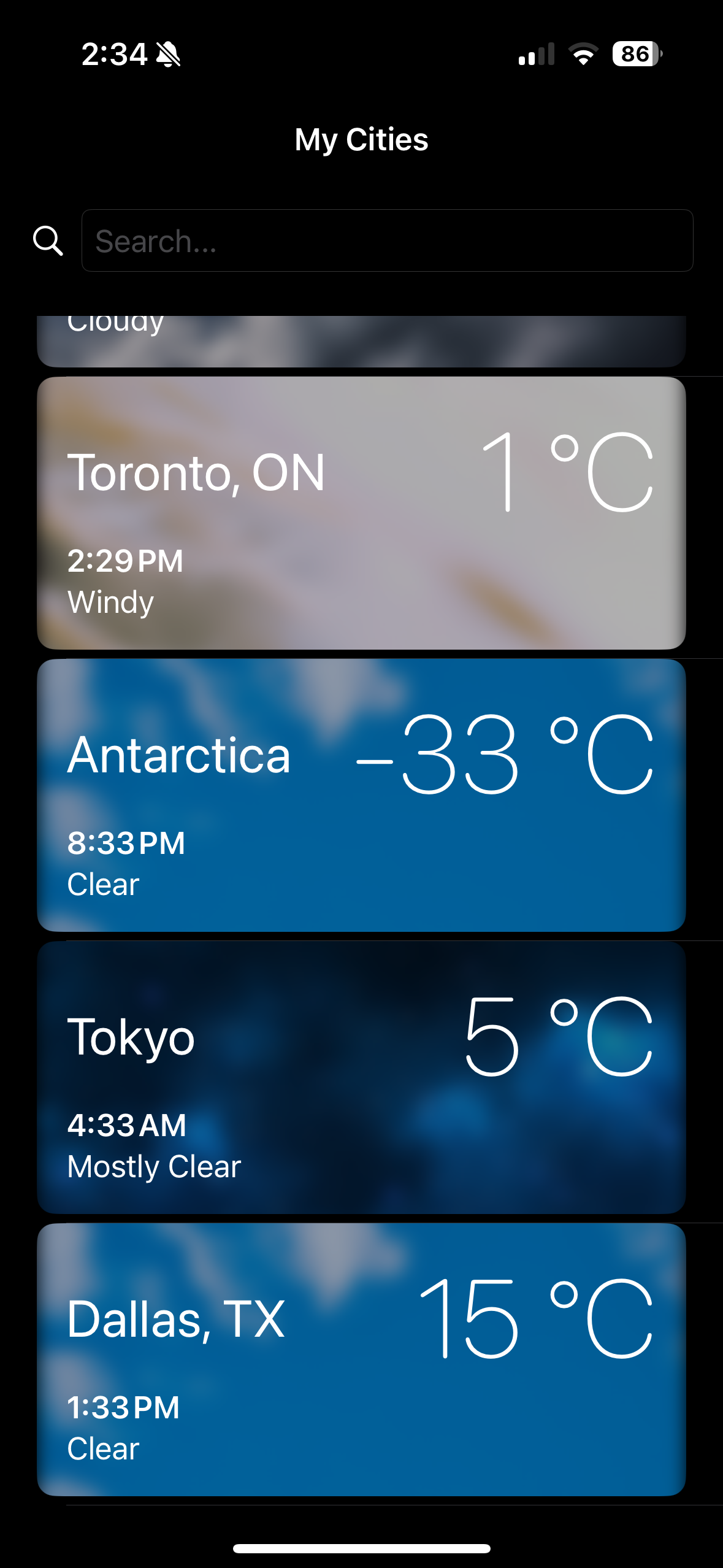
Location manager for swapping between cities
-
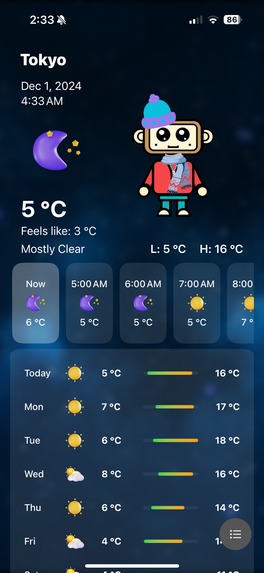
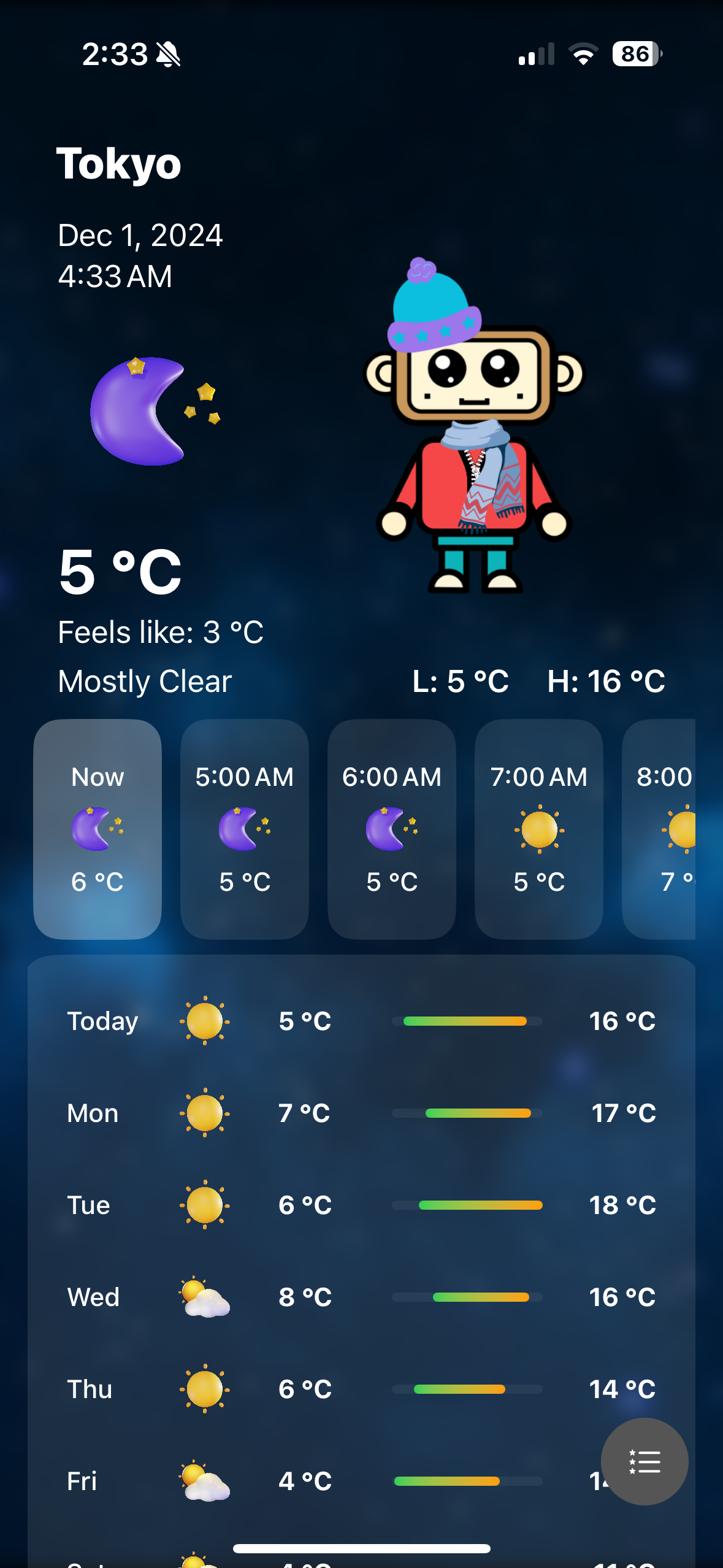
Main screen with all forecast and information
Inspiration
The idea for WeatherWear came from the ordinary daily struggle of deciding what to wear in the morning. When waking up early, deciding whether to dress warm or remember things like an umbrella is tough. This sparked the creation of an app that combines accurate weather forecasts with practical outfit recommendations to make mornings easier and ensure everyone is always prepared.
What it does
Weather Wear provides clothing suggestions based on weather conditions and temperature. It helps users plan their outfits for the day, ensuring comfort and style no matter the forecast.
Special Features
- A personal model, the Weather Monkey, to help you decide what to wear for the current weather outside.
- Click on the monkey avatar to get a list of what they suggest wearing
- Comprehensive weather forecast detailing the hourly and daily weather. The hourly forecast can help you plan for the changes in the weather as the day progresses. The daily forecast can help you plan for the week and long trips.
- An hourly forecast includes the probability of either rain or snow during each hour, so you'll always know when to pack an umbrella.
- Choose a location to display the weather using any city worldwide with a simple search or see the weather at your current location.
- Save multiple cities for easy access to the different locations you will visit. You can also add, remove, and rearrange the order of cities you save.
- See the high and low temperatures for the day and the next ten days.
How it was made
WeatherWear was developed using SwiftUI and Apple's WeatherKit API for real-time and reliable weather data. CoreData stores and saves user selections, and MapKit and CLLocation search and select locations together.
Challenges encountered
- Data Management: Ensuring smooth handling of user-added cities and maintaining their order after updates.
- Interactive Features: Designing and implementing the avatar feature with clear visuals and functionality.
- Weather Variability: Developing accurate clothing suggestions for diverse weather scenarios.
- CoreGraphics Issues: Debugging errors to improve app performance and avoid crashes.
Accomplishments
- Successfully implemented a dynamic clothing recommendation system based on complex weather conditions.
- Designed a user-friendly and visually engaging interface.
- Integrated robust location management features that adapt to user preferences.
What I learned
- The importance of balancing functionality with user experience in app design.
- Advanced SwiftUI techniques for building responsive and interactive UI components.
- Strategies for managing and optimizing real-time weather data.
- The value of user feedback in refining app features and addressing pain points.
What's next for WeatherWear
- Adding support for multi-day outfit planning. Display the avatar during the daily forecast to help plan throughout the week.
- Push notifications for sudden weather changes or special alerts such as earthquakes or heat warnings. Enhancing the avatar feature with more detailed styling options allows users to personalize their avatars more.
- Expanding weather insights to include air quality and UV index considerations.
- Launching on additional platforms, including Android smartphones and web browsers.
- Metric to imperial conversions to have an inclusive experience for more users.
- Create home screen widgets to get the weather info without opening the app.


Log in or sign up for Devpost to join the conversation.