
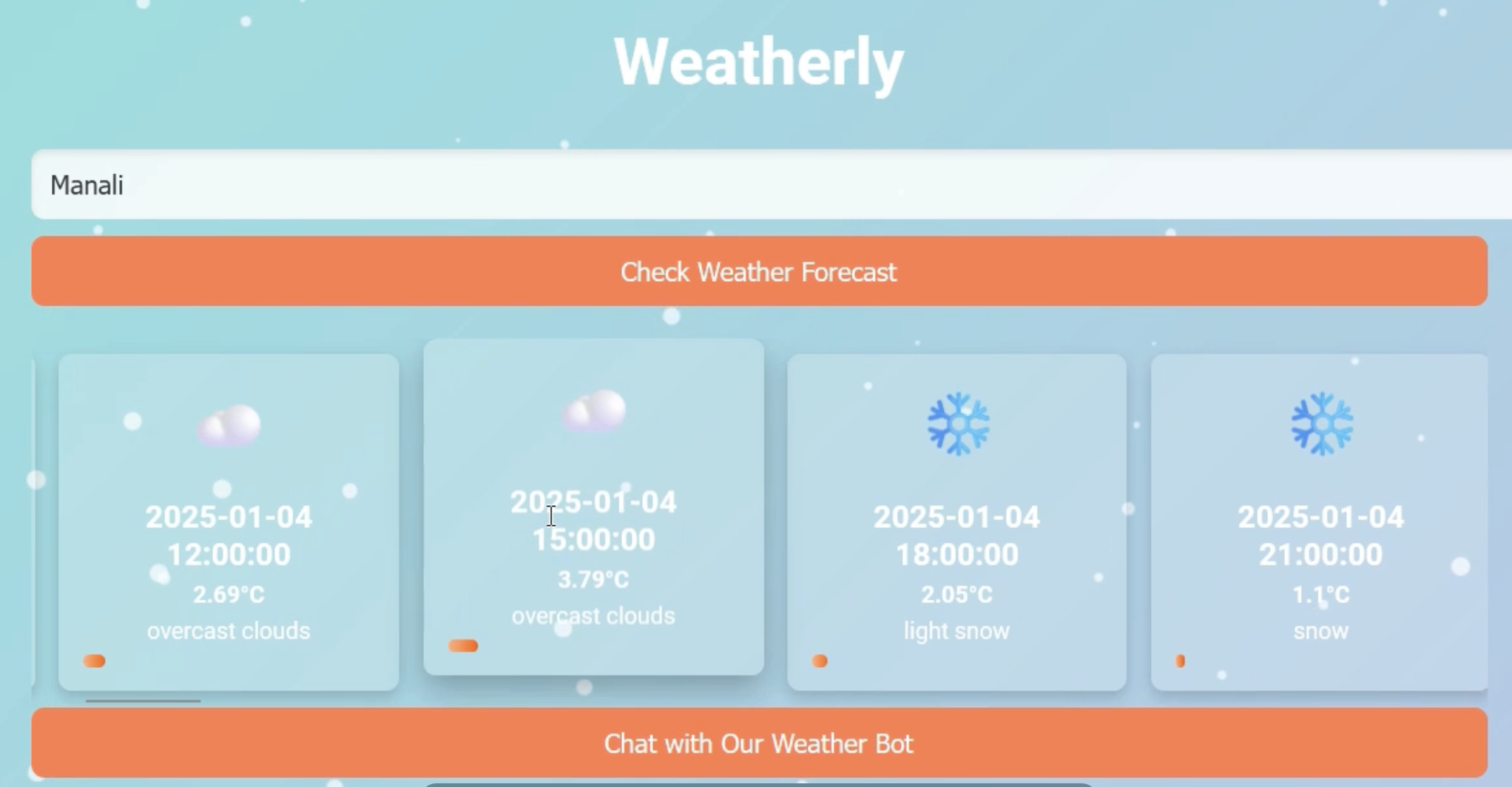

Inspiration Weatherly was created to bridge the gap between accurate weather predictions and a more personalized user experience. Many weather apps provide basic forecasts, but there’s an increasing demand for deeper insights into weather patterns and the ability to interact with weather data in more meaningful ways. We were inspired by the idea of creating a tool that not only gives users the weather data they need but also allows them to query that data, explore trends, and gain insights using natural language processing.
What it does Weatherly is a comprehensive weather forecasting platform that goes beyond just displaying weather data:
Real-time Weather Forecasting: Users can enter a city and get real-time weather updates, including temperature, humidity, weather descriptions, and more. AI-Powered Chatbot: Weatherly includes an AI-powered chatbot that uses Google Gemini to understand and respond to natural language queries. Users can ask about weather patterns, upcoming forecasts, or even get personalized suggestions based on the weather. Climate Data Visualizations: Interactive graphs and charts help users visualize temperature trends, allowing them to understand how temperatures are rising or falling over time. Vector Database for Enhanced Interaction: To make the chatbot’s responses more accurate and relevant, we integrate a Vector Database. This helps store and retrieve data efficiently, allowing for quick access to weather-related information based on user queries. How we built it Weatherly was built using a combination of frontend and backend technologies with cutting-edge AI and database solutions:
Frontend: HTML, CSS, and JavaScript were used for the frontend to create a clean and responsive design that is easy to navigate on both desktop and mobile devices. Chart.js for dynamic graphs and visualizations of weather data. Backend: Flask: This lightweight Python web framework powers the backend, handling user requests and generating API calls to fetch real-time weather data. OpenWeatherMap API: This provides current weather data, forecasts, and climate trends, ensuring accurate and up-to-date information for users. AI Integration: Google Gemini: We leveraged Google Gemini, an advanced language model, to create a chatbot that responds to user queries about the weather in natural language. This integration ensures that users can ask complex questions and receive personalized responses. Vector Database: We used a Vector Database to store and retrieve weather data more efficiently. This allows the chatbot to quickly access the most relevant responses based on the user's query and context, enhancing user experience. Deployment: Weatherly is deployed on Heroku (or another cloud service), making it globally accessible with minimal latency for users from around the world. Challenges we ran into While developing Weatherly, we encountered several challenges:
API Limitations: The OpenWeatherMap API has rate limits, which meant we had to manage the number of requests efficiently to avoid hitting those limits, especially when users query the system frequently. Natural Language Processing (NLP): Integrating a natural language processing model like Google Gemini into the chatbot required fine-tuning to ensure accurate responses to a wide variety of user queries. Responsive Design: We needed to ensure that Weatherly worked seamlessly across all devices, from desktops to mobile phones. Balancing performance and aesthetics was a challenge, especially with real-time weather data. Data Handling: With large amounts of climate data, ensuring quick retrieval of relevant information for the chatbot was a challenge. Using a Vector Database helped resolve this issue, but the integration had to be carefully planned. Accomplishments that we're proud of AI-Enhanced Experience: The integration of Google Gemini into the chatbot provides a unique AI-driven experience. It allows users to ask detailed questions and get relevant answers based on real-time weather data and long-term trends. Interactive Visualizations: We are proud of how well the interactive weather graphs turned out. These visualizations provide users with insights that are both informative and engaging. Seamless Integration: The combination of AI-powered chat, a real-time weather API, and vector database optimization creates a seamless and fast user experience. Everything works smoothly, even under heavy traffic. Cross-Device Compatibility: Weatherly is fully responsive, ensuring a consistent and high-quality experience across both desktop and mobile devices. What we learned AI Integration: We learned a lot about integrating powerful language models like Google Gemini, fine-tuning them for specific tasks like weather-related queries, and enhancing their understanding of natural language. Efficient Data Management: Working with large amounts of weather data taught us the importance of using technologies like Vector Databases to optimize data retrieval and ensure that user interactions are fast and responsive. Frontend-Backend Communication: Developing a robust communication pipeline between the frontend (for displaying data and handling user input) and the backend (for fetching weather data and chatbot interactions) was crucial to providing a seamless user experience. User-Centered Design: We learned the importance of designing with the user in mind. Every decision, from the layout to the AI's tone, was made with the goal of providing the best possible experience. What's next for Weatherly Extended Features: We plan to extend the chatbot’s capabilities to include more personalized weather recommendations, such as travel advisories based on upcoming forecasts. Improved Predictions: By incorporating machine learning algorithms, we aim to improve the accuracy of weather forecasts, particularly in predicting long-term trends and extreme weather events. Mobile App: We are planning to create a mobile app version of Weatherly to reach a broader audience and allow users to access weather data and interact with the chatbot on-the-go. User Account System: Adding a user account system so that users can save cities, set preferences, and track their own weather-related data will be a major future feature.


Log in or sign up for Devpost to join the conversation.