-
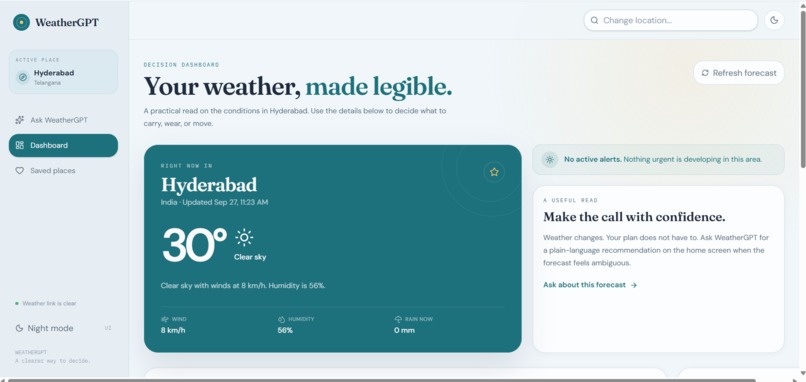
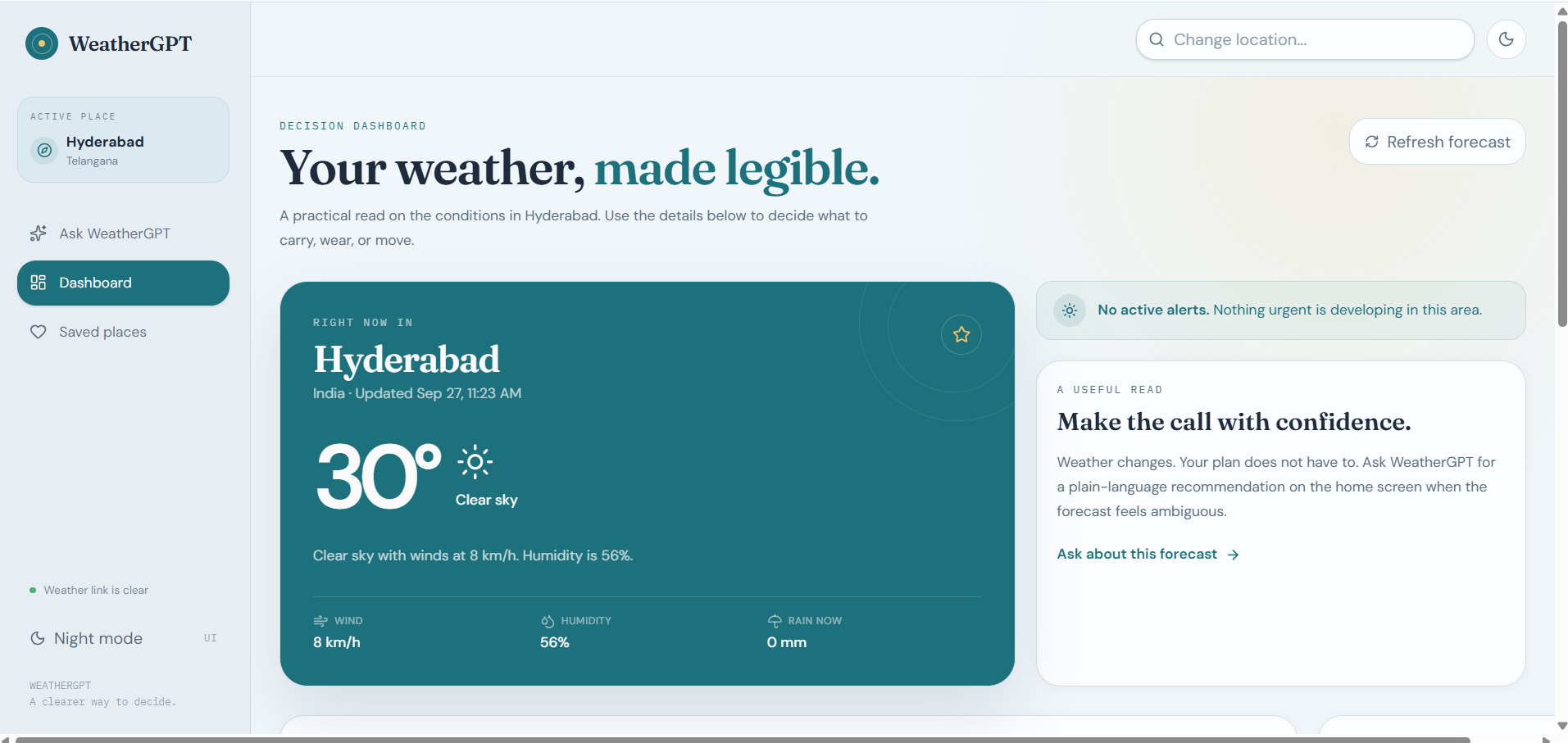
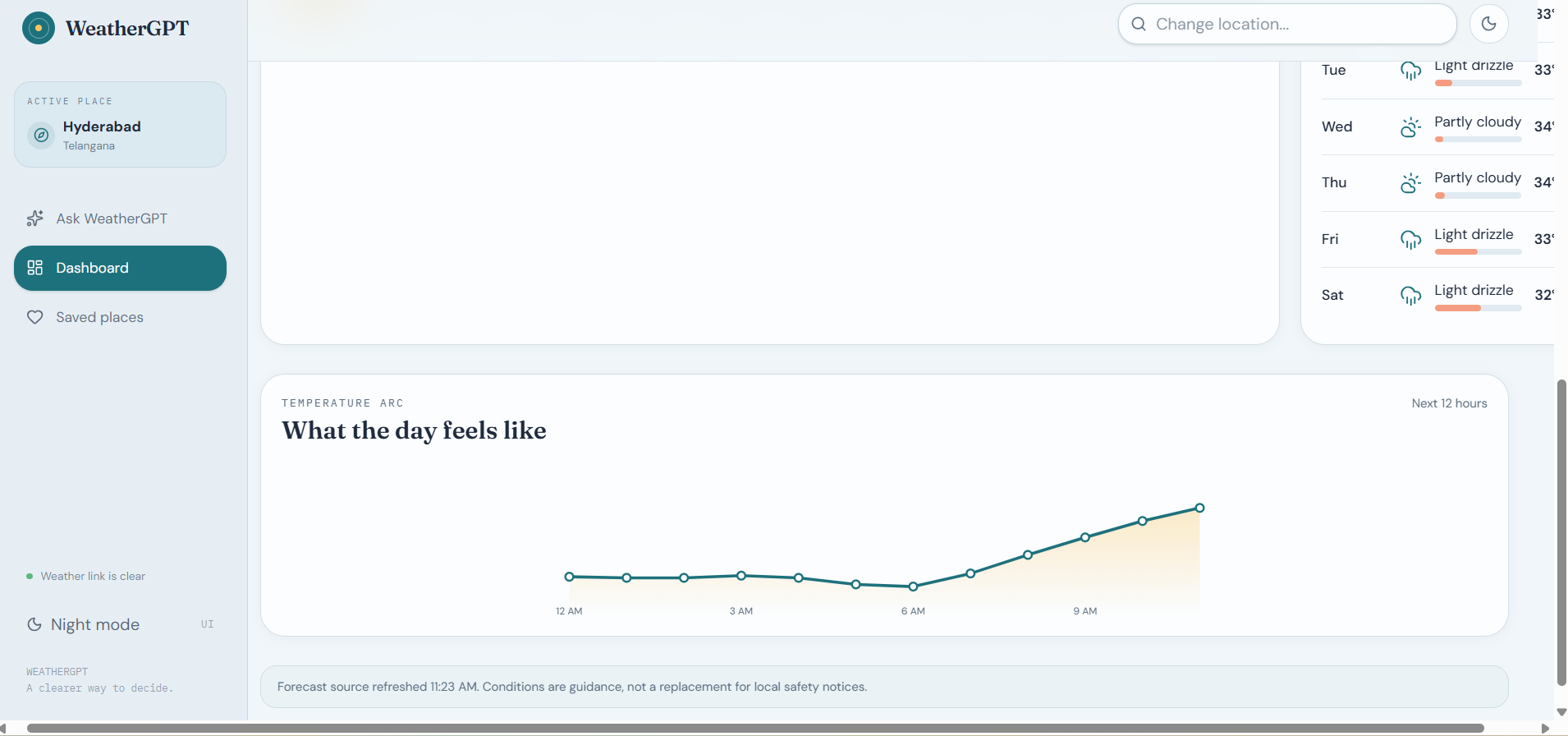
Dashboard A visual snapshot of current conditions, 7-day forecast, hourly trends, and live weather alerts — the full picture at a glance.
-
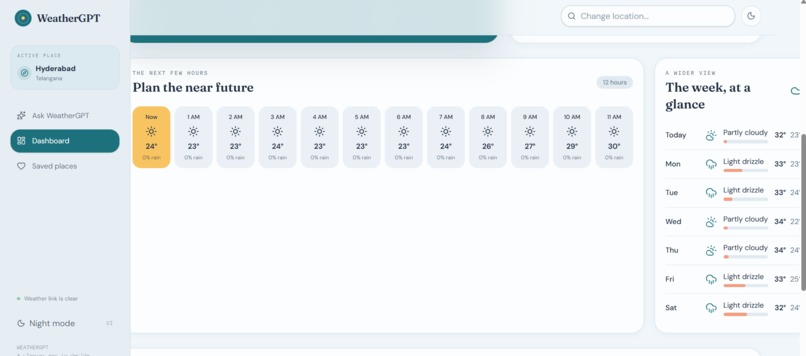
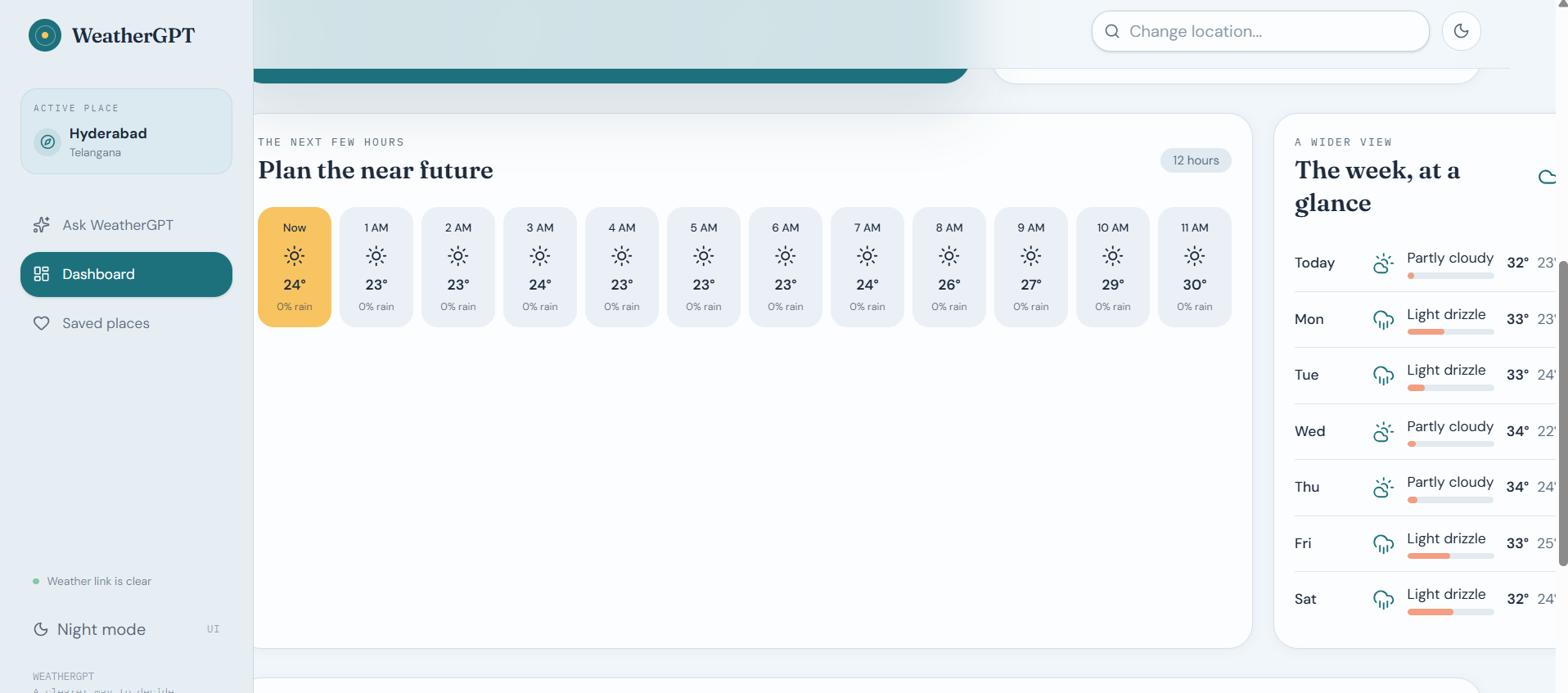
Hourly strip — 12-hour temperature and rain forecast. Weekly view — 7-day conditions and temperature range.
-
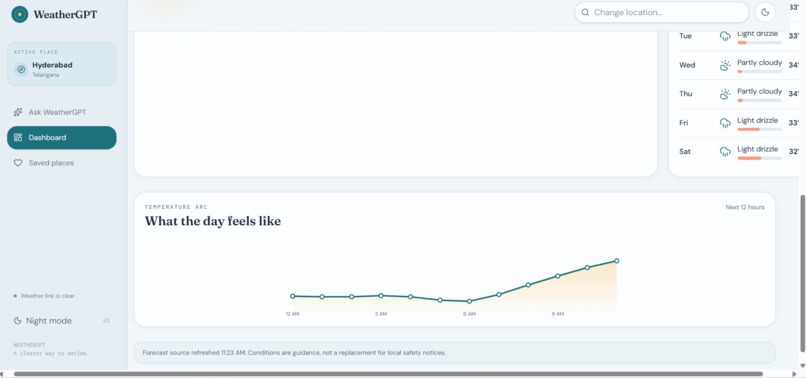
Temperature Arc — an interactive 12-hour chart visualizing rising and falling temperature trends across the day.
-
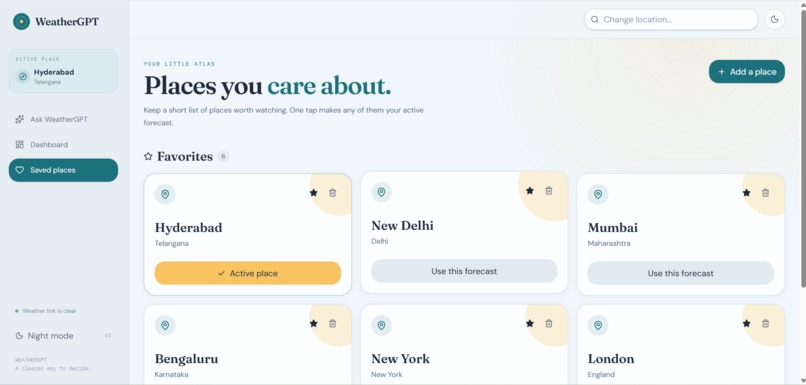
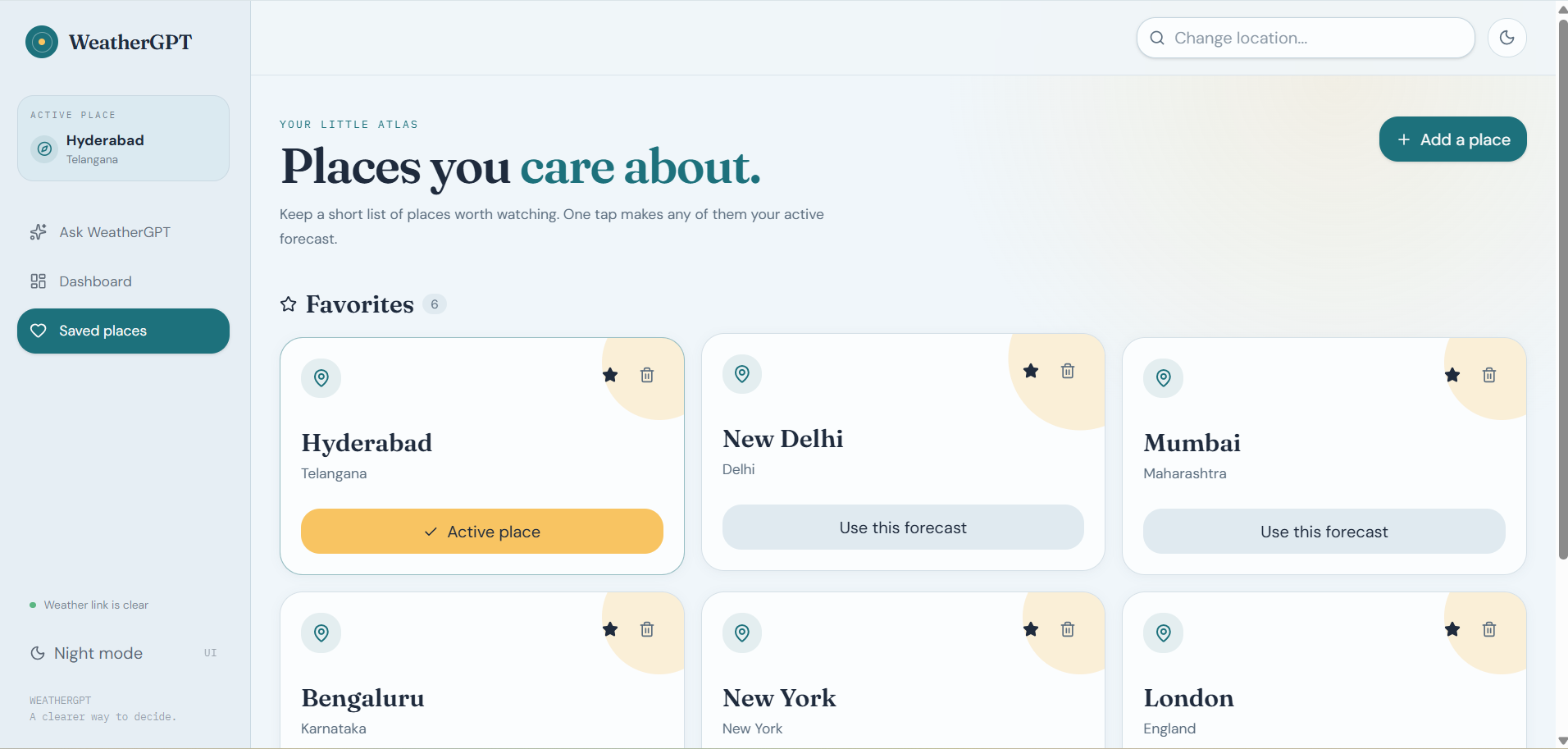
Saved Places — a favorites list of locations, letting users switch their active forecast with one tap.
-
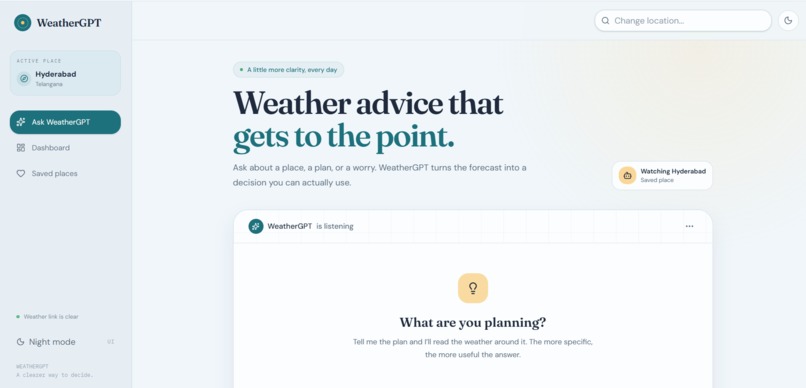
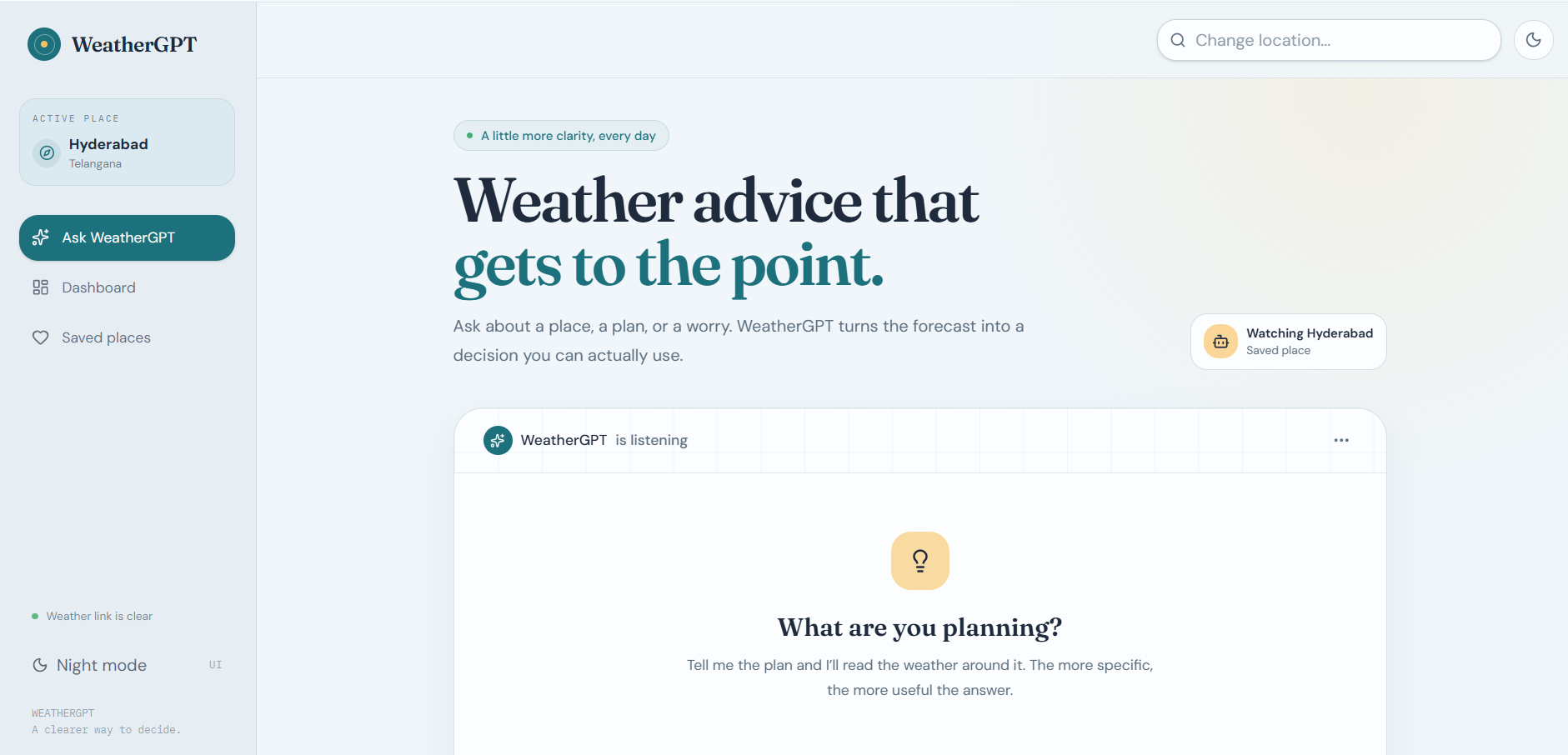
Ask WeatherGPT — a conversational chat interface where users describe their plans and get weather-based, actionable advice instantly.
-
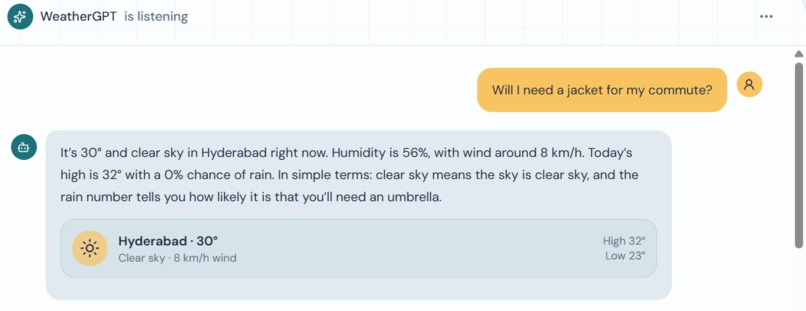
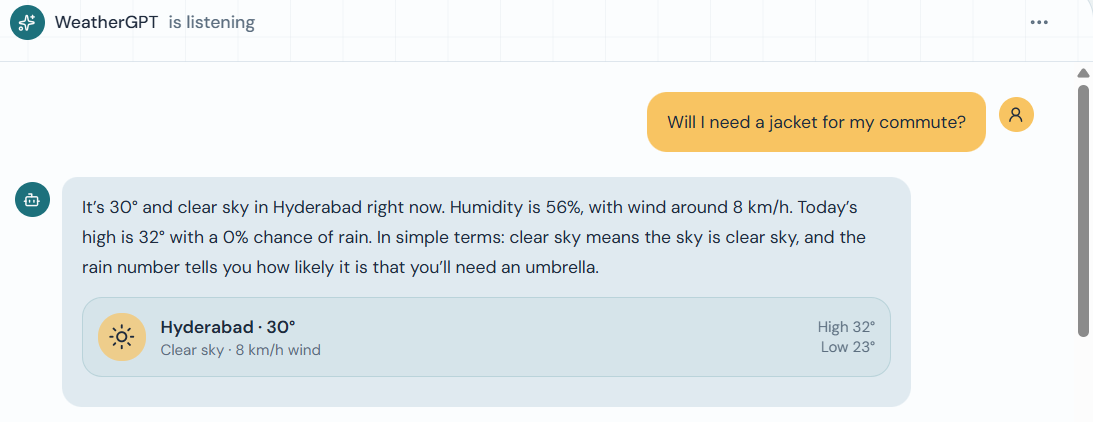
Chat Response Card — natural-language weather answers paired with a compact summary card showing conditions, wind, and high/low.
Inspiration
Weather information today is powerful but painfully fragmented. A farmer checking whether to spray crops has to cross-reference a government bulletin, a satellite loop, and a forecast app. A disaster management team tracking a developing cyclone juggles multiple portals just to get one clear answer. We kept asking: why does something this important require so much manual translation work between raw data and a decision?
That question became WeatherGPT — the idea that weather intelligence should feel like asking a knowledgeable friend, not decoding a dashboard.
What it does
WeatherGPT is a conversational AI platform that unifies real-time weather data, multi-day forecasts, severe weather alerts, and climate context into one natural-language chat interface. Users can:
Ask about current conditions or forecasts for any location, in plain language Get AI-synthesized summaries instead of raw numbers — "Should I carry an umbrella tomorrow?" instead of parsing a precipitation percentage See severe weather alerts surfaced automatically when relevant Interact in multiple languages, with the AI replying in whatever language the user asks in Compare weather across locations, save favorite cities, and view interactive forecast charts
How we built it
We split the system into three layers:
Data layer — Open-Meteo's free forecast and geocoding APIs supply raw weather and location data, normalized into a consistent schema on our Express backend. Reasoning layer — Claude interprets the user's question, decides which weather data it actually needs via tool-use (a get_weather(lat, lon, query_type) function), and turns the API response into a clear, conversational answer. Interface layer — A React + TypeScript frontend with a chat-first UI, backed by PostgreSQL (via Drizzle ORM) to persist chat history and saved locations, so context carries across sessions.
We deliberately built AI as an orchestrator rather than a black box — it decides when to fetch data and how to explain it, but the underlying numbers always come from a real meteorological source.
Challenges we ran into
Grounding the AI in real data. It's easy for a language model to "sound" confident about a forecast without actually pulling live data. We had to enforce tool-use so Claude must call the weather API rather than guessing — accuracy mattered more than fluency here. Multilingual consistency. Getting the model to reliably detect and respond in the user's language — without breaking structured outputs like charts or alert cards — took several rounds of system prompt tuning. Design under time pressure. Making a data-heavy app (forecasts, charts, alerts) still feel like a lightweight conversation, rather than a cluttered dashboard, required constant trimming of what we showed by default versus what we let the user ask for. API cost and access. Balancing a hackathon timeline against free-tier limits on LLM APIs pushed us to think carefully about caching and minimizing unnecessary tool calls.
What we learned
Conversational interfaces work best when the AI's job is synthesis, not data retrieval — keeping the model on rails via tool-use produced far more trustworthy answers than letting it free-associate. Small UX decisions (quick-action chips, inline mini-charts in chat) mattered more to first impressions than we expected — they lowered the barrier for users who didn't know what to ask. Designing for multiple, very different audiences (a farmer vs. a disaster response coordinator) forced us to keep language simple by default, with more technical detail available on request rather than always shown.
What's next
Expanding beyond current + 7-day forecasts into longer-range climate trend analysis, integrating more regional/government alert sources beyond the US-focused ones we used for the prototype, and adding offline/low-bandwidth support so the platform stays useful during the exact disaster scenarios it's meant to help with.
Built With
- anthropic-claude
- claude-api
- css3
- drizzle-orm
- express.js
- framer-motion
- function-calling
- html5
- javascript
- lucide-react
- node.js
- open-meteo-api
- postgresql
- pwa
- react
- recharts
- replit
- rest-api
- shadcn-ui
- tailwindcss
- tanstack-query
- typescript
- vite
- weather-gov-api
- web-speech-api

Log in or sign up for Devpost to join the conversation.