Inspiration our website
The purpose of a weather report is to provide as accurate as a possible prediction or the actual temperature is and to prepare the people to act accordingly. Without actually going out or waiting for the news to come in order to check what the temperature is today or using google to know the temperature of other places which actually provides everything but the required information in some corner. Having one specialised in the required field is the best way. Simply, a website to find the weather at any place in India.
What it does
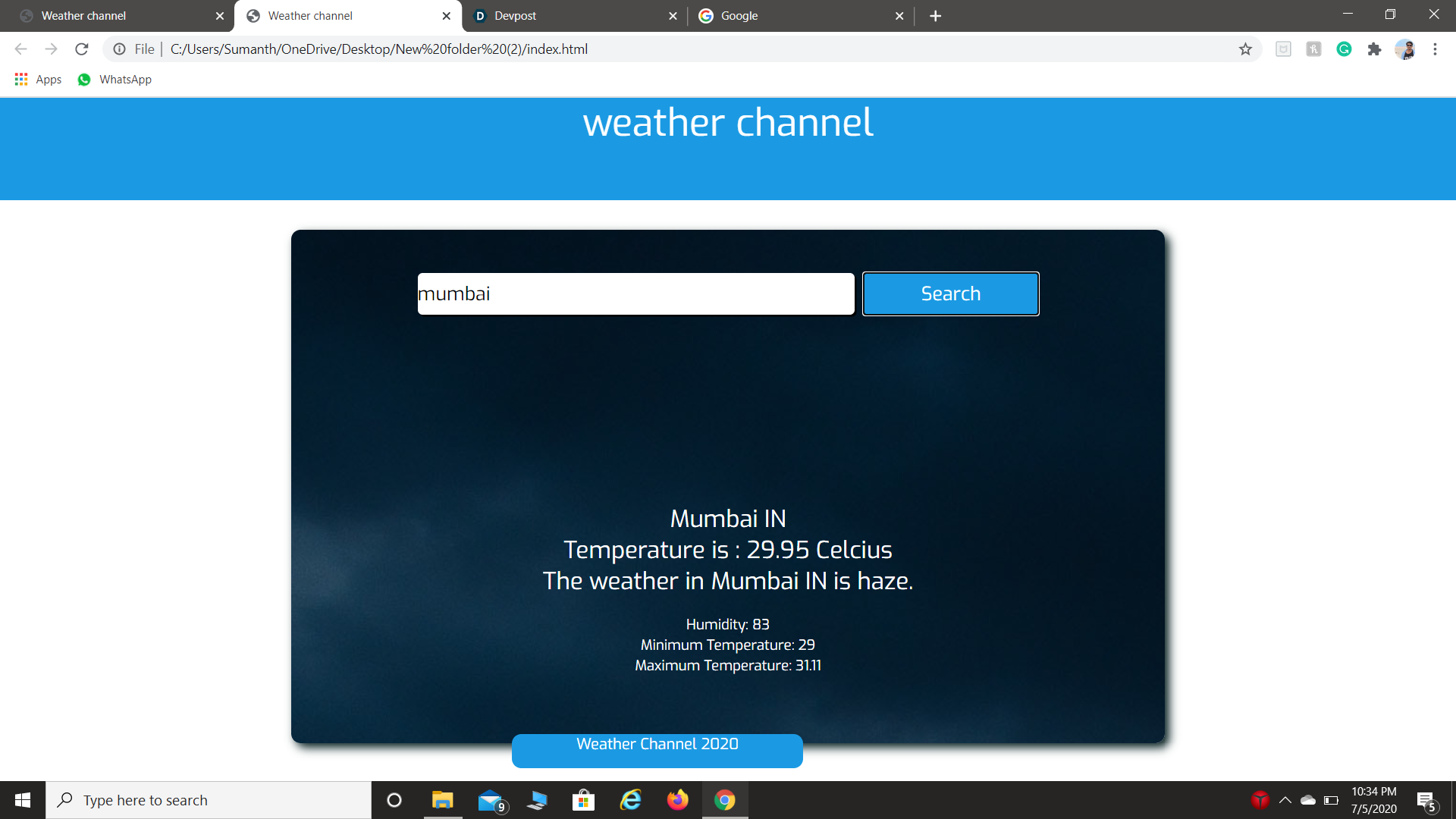
This website is used to show weather information about a location. It uses openweathermap.org’s API to return the weather information to the user. It displays the humidity, maximum and minimum temperature of the place entered by the user.
How we built it
With HTML and This function called main is used to connect to the API and call the Weather Callback function. The weather Callback function is used to gather the weather information received from the API and store it in variables. We are going to provide the name of the city as the input and once we click the button search we want to call the live weather service whose url is given and this is achieved through jQuery and ajax. If we click the link of the weather service this page is opened. There are two links in the first page JSON and XML the data which is already written produces the second page. In ajax, url is being written which calls the weather and the method ‘get’ to get the information whose data type is ‘json’. When we click url that's when we want to issue an ajax request. So finding is done by using jQuery id selector which executes some code on clicking: We need to retrieve the name of the city, so a variable is used equalizing with the id of the city textbox and to retrieve its value val function is used. This is the data that we want to send to the web servers. A new jQuery ajax function is called and options are specified.
- Url we want to call.
- And we want to issue a get request to which we use the method option.
- And the data that we want is being specified.
- And the type of data that we are expecting back from the server as JSON.
- And when the request successfully completes we want to associate a callback function (data). Now the JSON object that we are going to get back from the web server will be received by this data parameter. So this above-discussed method will contain all weather information. We want to display the main weather result within the ‘result div’. So id of ‘result div’ is copied and another variable is used which equals to div element by using jQuery id selector. When you type ‘abcdef’ sort of string in the city box we would return to the same page again as it repeats an error.
Challenges we ran into
Our website was perfectly running in our PC but git and other hosts are not able to support it
Accomplishments that we're proud of our website and thus able to give the report of all the cities and also the local places
What we learned we learned how to
With HTML and This function called main is used to connect to the API and call the Weather Callback function. The weather Callback function is used to gather the weather information received from the API and store it in variables.
What's next for the weather report
There are so many projects regarding weather reports and many apps available in the market, but among them, if our project has to survive it needs to have some uniqueness in it. So as time goes by, with the experience, we will have a better idea and then release our product. Hope by then, we will have a good response for our hard work.

Log in or sign up for Devpost to join the conversation.