-
Multi-City Weather Dashboard for Jira
-
Multi-City Weather Dashboard for Jira 2
Inspiration
I was inspired to create this weather gadget after receiving an email of an interesting competition posted by Devpost. What started as a simple "hello world" app evolved into a comprehensive multi-city weather dashboard that showcases the power of Atlassian's Forge platform. (ari:cloud:ecosystem::app/29b3481c-ce86-4512-8a9e-95a551476d3d)
Throughout this project, I learned the fundamentals of Forge development, from setting up the CLI and managing environment variables to integrating external APIs and creating professional user interfaces. The building process involved multiple iterations starting with basic city/country input, then adding real weather data, icons, styling, and finally expanding to support multiple cities with 5-day forecasts.
The biggest challenge was debugging API integration issues and handling React state management for multiple asynchronous API calls. However, overcoming these obstacles taught me valuable lessons about error handling, promise management, and creating robust applications that can gracefully handle failures.
What it does
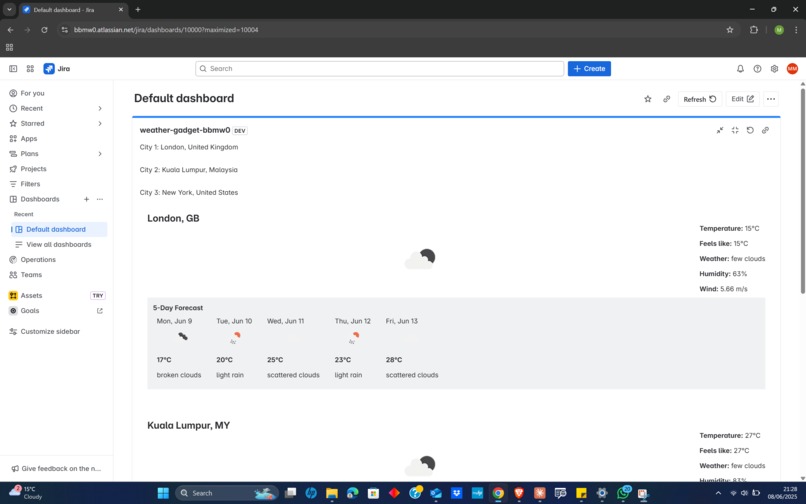
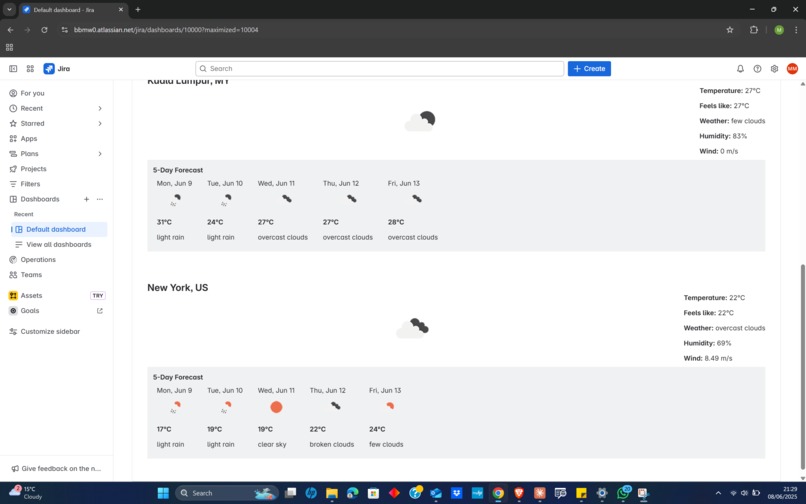
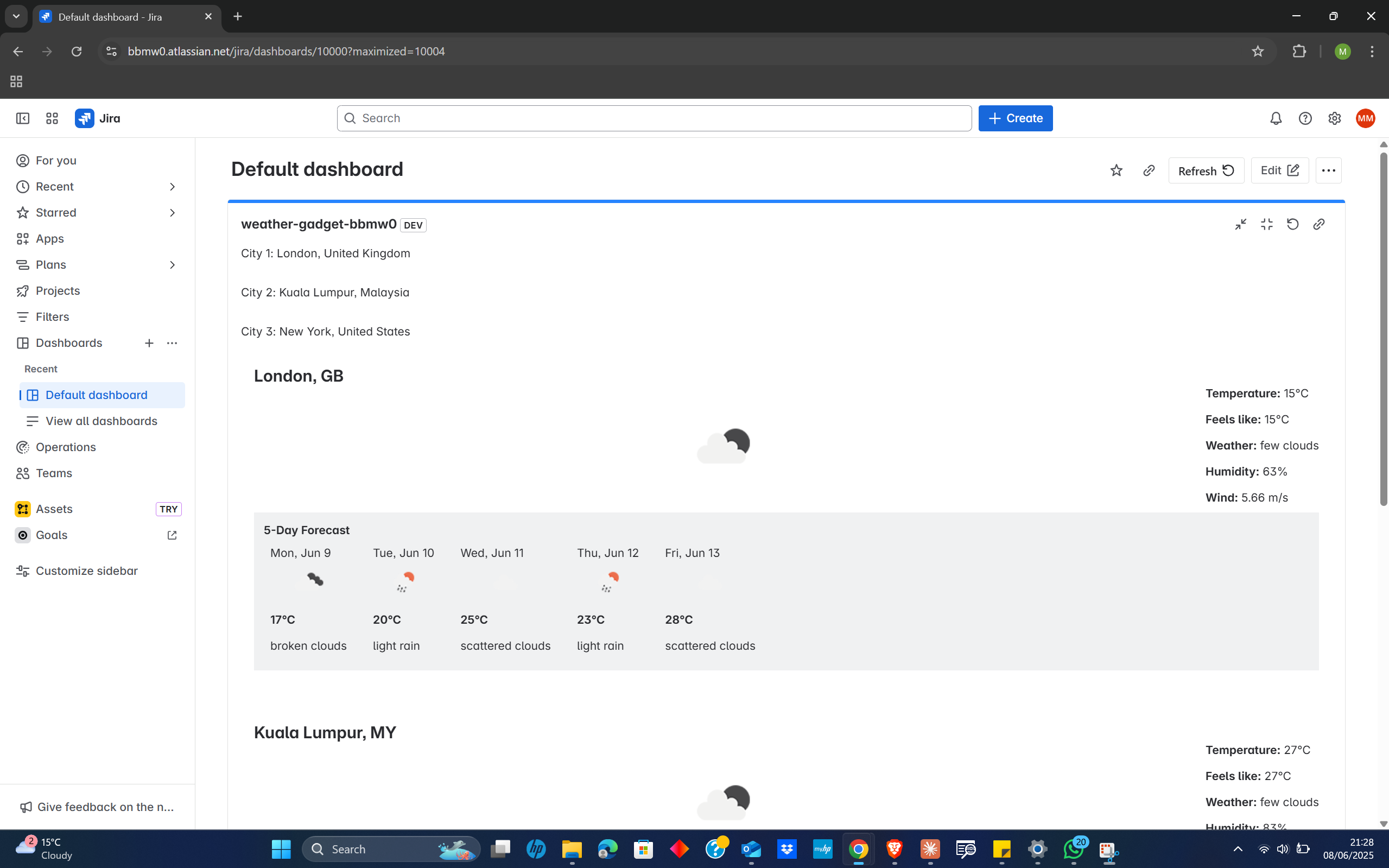
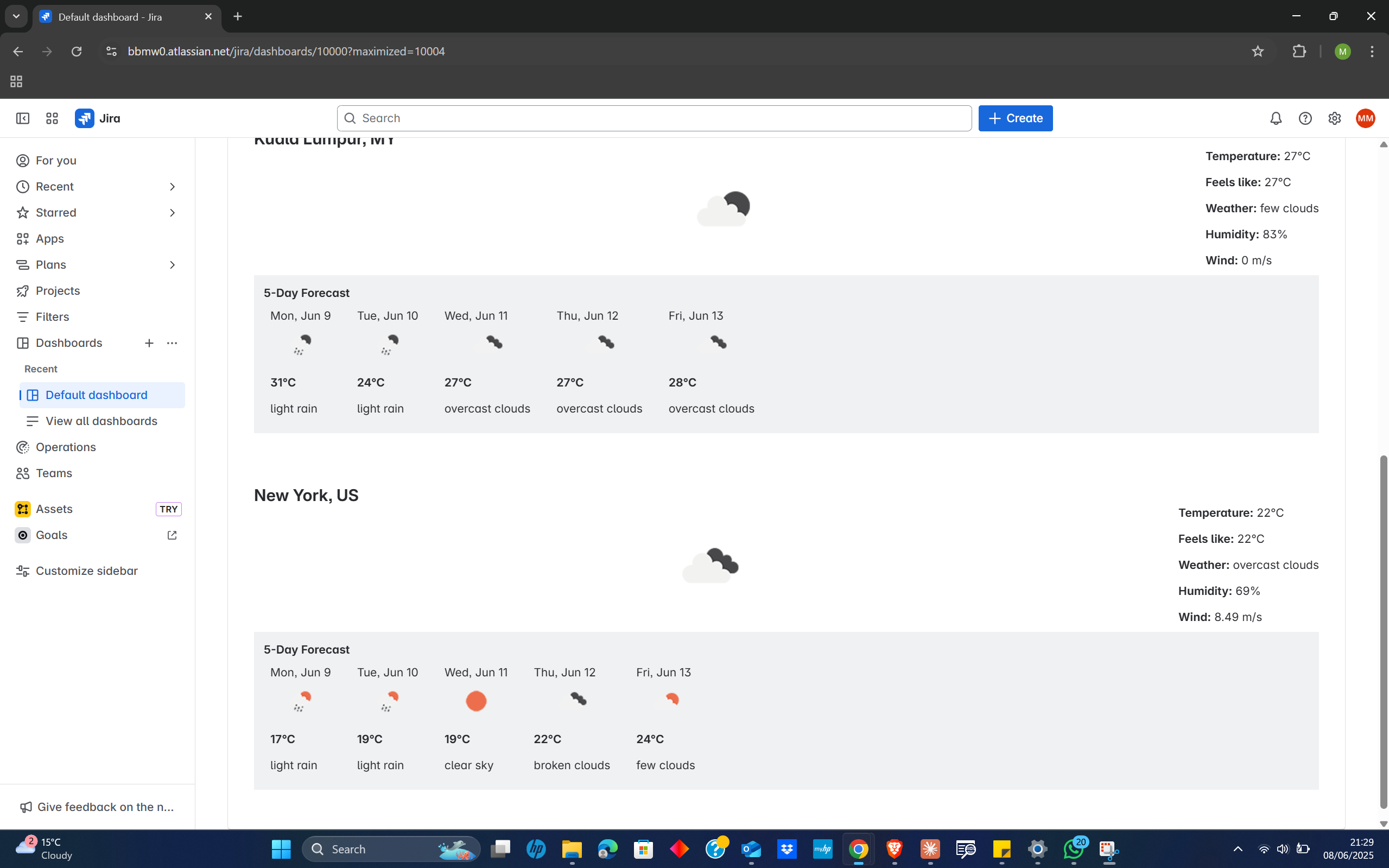
The Multi-City Weather Dashboard transforms any Jira dashboard into a comprehensive weather information centre. Users can configure up to three different cities worldwide and instantly view:
- Real-time weather data including current temperature, "feels like" temperature, humidity, and wind speed
- Professional weather icons that dynamically reflect current conditions 5-day weather forecasts with daily temperatures and condition summaries
- Beautiful, responsive design that integrates seamlessly with Jira's native interface
- Configurable locations allowing to monitor weather in multiple 3 destinations.
How we built it
The application is built using Atlassian Forge, leveraging the UI Kit framework for consistent design and the Forge API for secure external integrations. The architecture consists of:
Frontend Components: React based UI using Forge UI Kit components (Text, Image, Box, Inline, Stack) Custom styling with xcss and Atlassian Design Tokens Form handling for city/country configuration Responsive layout that displays 3 cities elegantly
Backend Resolvers: Node.js resolver functions handling API orchestration Parallel API calls to OpenWeatherMap for efficiency Data processing to extract 5-day forecasts from hourly data Error handling and fallback mechanisms
External Integration: OpenWeatherMap API for current weather and forecast data Secure API key management using Forge environment variables Image permissions for weather icon display
Challenges we ran into
API Integration Complexity: Initially struggled with environment variable configuration and external API permissions. The learning curve involved understanding Forge's security model and proper manifest configuration.
React State Management: Managing asynchronous API calls for multiple cities while maintaining proper loading states and error handling required careful consideration of React hooks and promise handling.
Data Processing: Converting OpenWeatherMap's hourly forecast data into a clean 5-day forecast required filtering and transformation logic to extract meaningful daily summaries.
UI Layout Challenges: Creating a responsive design that elegantly displays three cities with their respective forecasts while maintaining readability across different screen sizes.
Accomplishments that we're proud of
- Successful multi-city integration that fetches and displays weather data for three configurable locations simultaneously
- Professional UI design that matches Atlassian's design standards and feels native to Jira
- Robust error handling that gracefully manages API failures and provides meaningful user feedback
- 5-day forecast functionality that processes complex API data into user-friendly daily summaries
- Complete end-to-end implementation from initial setup through deployment and testing
What we learned
Forge Platform Mastery: Gained comprehensive understanding of Forge CLI, manifest configuration, environment management, and deployment processes.
External API Integration: Learned proper techniques for integrating third-party APIs within Forge's security model, including permission management and error handling.
UI Kit Proficiency: Developed skills with Atlassian's design system, learning to create professional interfaces using Box, Inline, Stack, and xcss styling.
Async JavaScript: Enhanced understanding of Promise.all(), error handling patterns, and managing multiple concurrent API calls effectively.
React Hooks: Improved proficiency with useState, useEffect, and managing complex state for multiple data sources.
What's next for Multi-City Weather Dashboard for Jira
- Enhanced Personalization: Add support for favourite locations, temperature unit preferences (Celsius/Fahrenheit), and customizable refresh intervals.
- Advanced Weather Features: Integrate weather alerts, air quality data, UV index, and detailed hourly forecasts for more comprehensive weather monitoring.
- Team Collaboration Features: Add shared team locations, weather-based meeting suggestions, and integration with calendar events.
- Analytics and Insights: Implement weather pattern tracking and historical data analysis to help teams make better weather-informed decisions.
- Mobile Optimisation: Enhance responsive design for mobile devices and add push notifications for weather alerts.
Built With
- atlassianforge
- forgecli
- forgeuikit
- javascript(node.js)
- openweathermapapi
- react
- xcss&atlassiandesigntokens

Log in or sign up for Devpost to join the conversation.