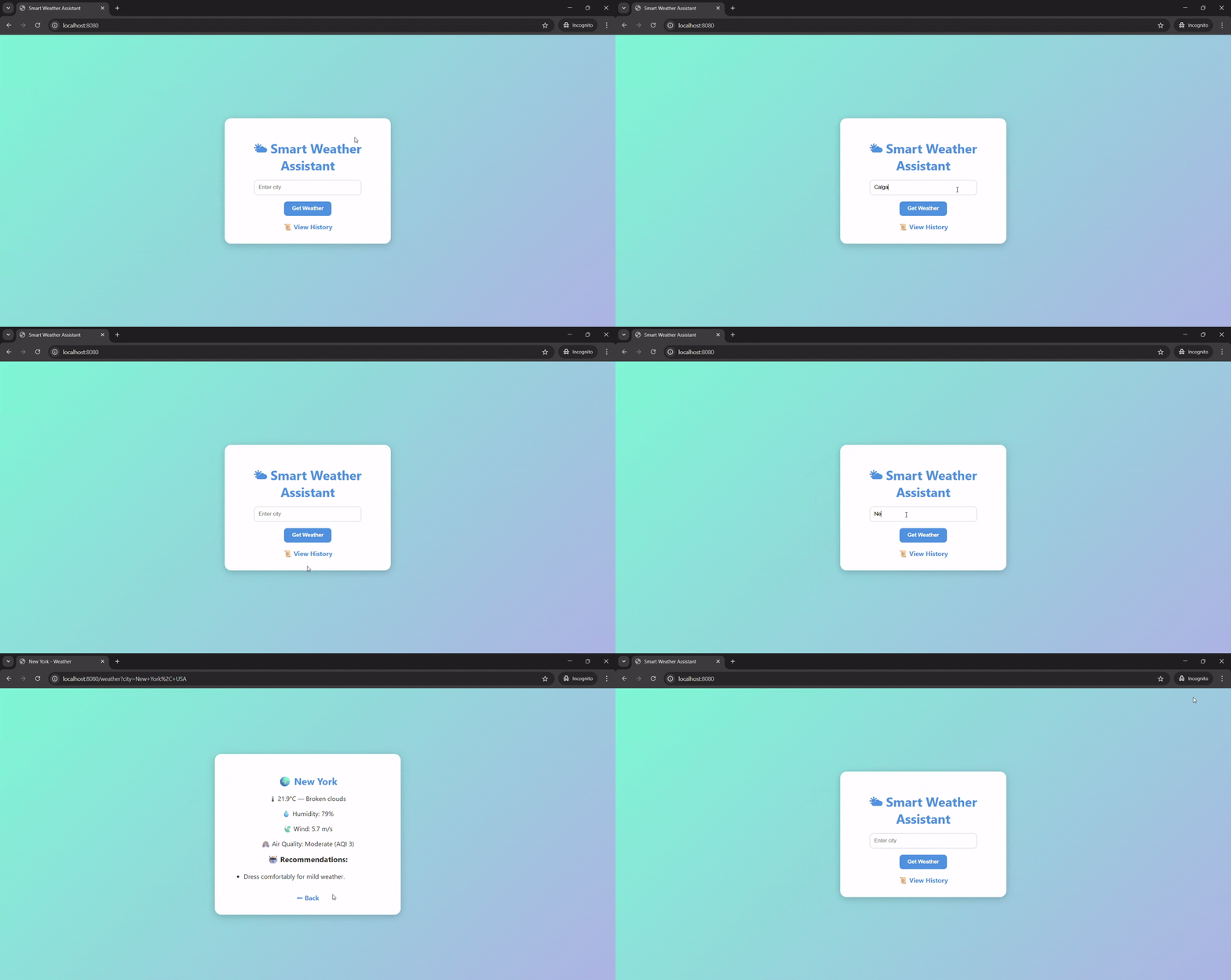
Smart Weather Assistant
Inspiration
I was inspired to create a tool that not only gives users the current weather but also provides air quality information and personalized recommendations. During my research, I noticed that while many weather apps exist, few combine real-time weather, AQI, and actionable advice in one simple interface. I wanted a lightweight solution that anyone could run locally to quickly get a snapshot of the environment in their city.
What I Built
Smart Weather Assistant is a Java-based web application that:
- Fetches current weather data using the OpenWeather API.
- Retrieves air quality index (AQI) for the user’s location.
- Provides recommendations based on temperature, weather conditions, and air quality.
- Stores a history log of previous queries for easy reference.
All pages are served through a lightweight Spark Java web server, with pretty HTML/CSS styling for a clean, responsive user interface.
What I Learned
Through building this project, I learned:
- How to integrate REST APIs in Java using
HttpClientandJSONObject. - Dynamic HTML rendering in Spark Java and how to use templates with embedded data.
- File I/O in Java for history tracking.
- Best practices in UX design, such as readable layouts, icons, and responsive cards.
- Handling network errors and API failures gracefully.
Challenges
- Working entirely locally, without deploying to a cloud server, made testing a bit tricky.
- Formatting dynamic HTML output in Java while keeping the interface modern and readable.
- Integrating AQI data with weather data and providing meaningful recommendations.
- Ensuring the project is self-contained, so anyone can run it locally without extra setup.
Overall, this project gave me a chance to combine Java programming, web development, API integration, and UX design into one cohesive tool.

Log in or sign up for Devpost to join the conversation.