Inspiration
I wanted to create a practical tool to help people easily check the weather in any city, while learning more about API integration and frontend development.
What it does
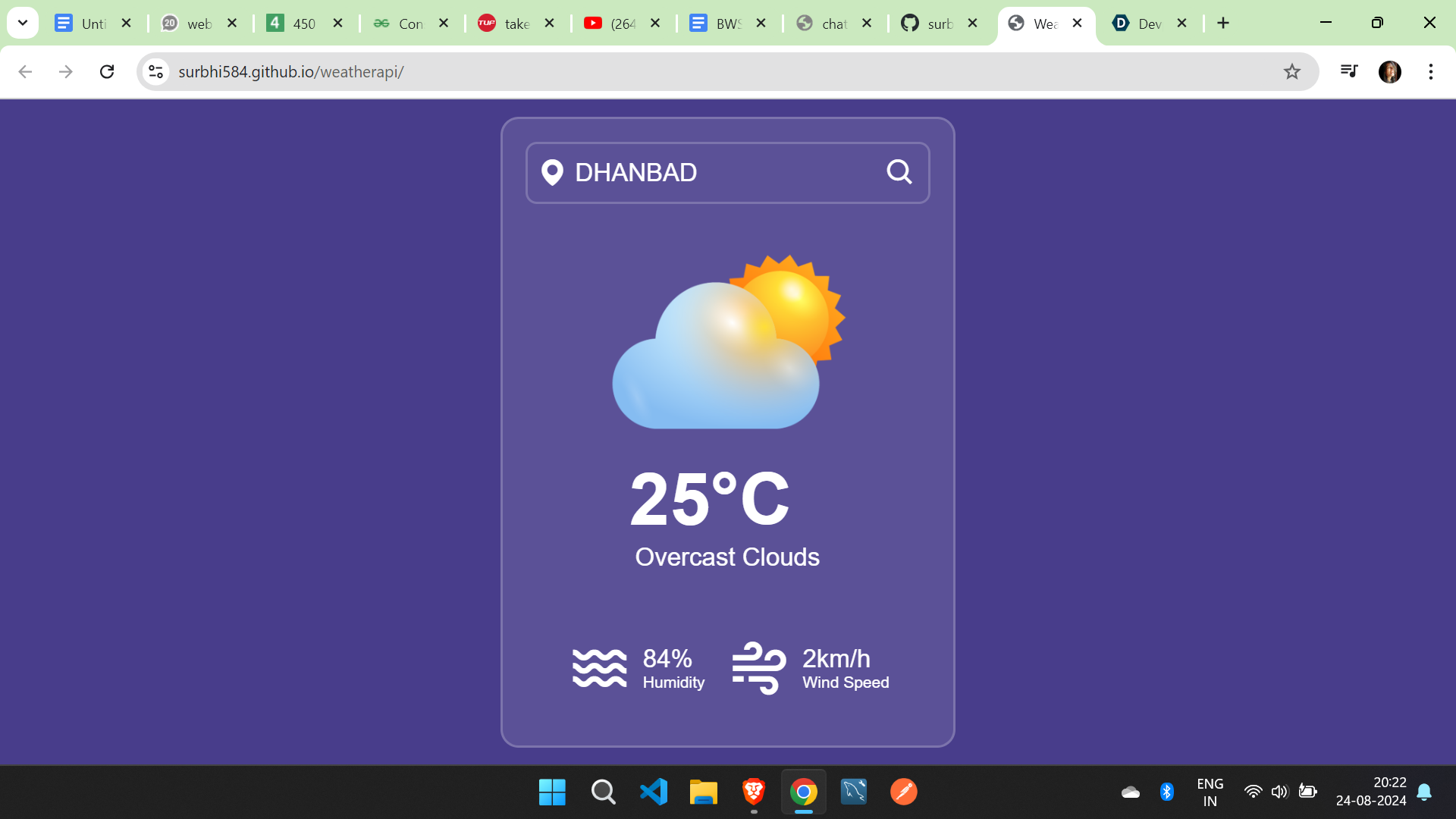
The app allows users to enter a city name and get the current weather details, like temperature, humidity, and weather conditions, by fetching data from the OpenWeatherMap API.
How we built it
I used HTML, CSS, and JavaScript for the frontend. The app makes API calls to OpenWeatherMap to retrieve weather data and displays it dynamically on the page.
Challenges we ran into
One of the main challenges was handling errors, like invalid city names or API request failures. I also had to work on making the app responsive and ensuring smooth user interaction.
Accomplishments that we're proud of
I successfully integrated a third-party API and built a functional weather app that is both user-friendly and responsive.
What we learned
I learned how to work with APIs, handle JSON data, and improve our frontend development skills, particularly in JavaScript.
What's next for Weather API
I plan to add features like a five-day weather forecast, location-based weather detection, and improve the overall UI/UX of the app.

Log in or sign up for Devpost to join the conversation.