WearIQ 🌩️✨
The intelligent layer between your local weather and your personal wardrobe.
Inspiration
Every morning, millions of people open a weather app, see "43°F, overcast," and still have no idea what to wear. Weather apps give you data. Fashion apps give you aesthetics. Nobody connects the two.
The problem is even more acute for international students, people moving to a new city, or anyone unfamiliar with local climate patterns. A student from Chennai arriving in Chicago in January genuinely doesn't know what "feels like 12°F" means to dress for. WearIQ was built to close that gap — combining live hyperlocal weather, your personal wardrobe, and AI's reasoning into one seamless outfit recommendation.
The core insight: dressing well isn't a fashion problem, it's a reasoning problem. You need to understand temperature, wind chill, humidity, your own closet, and your day's context — simultaneously. That's exactly what WearIQ is built for.
What it does
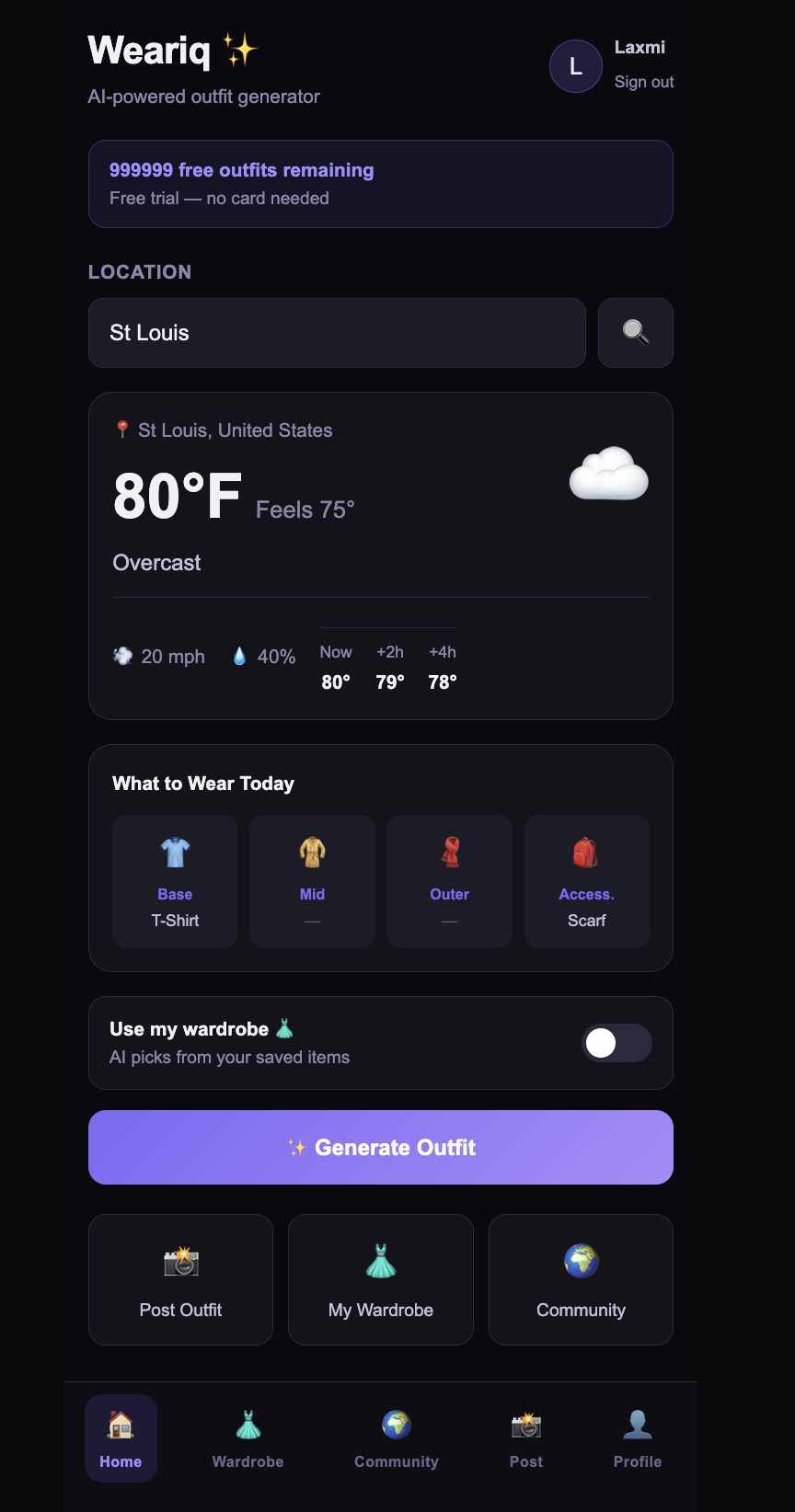
WearIQ is a mobile-first web app that auto-detects your location, fetches live weather, and generates contextually intelligent outfit suggestions using our AI stack.
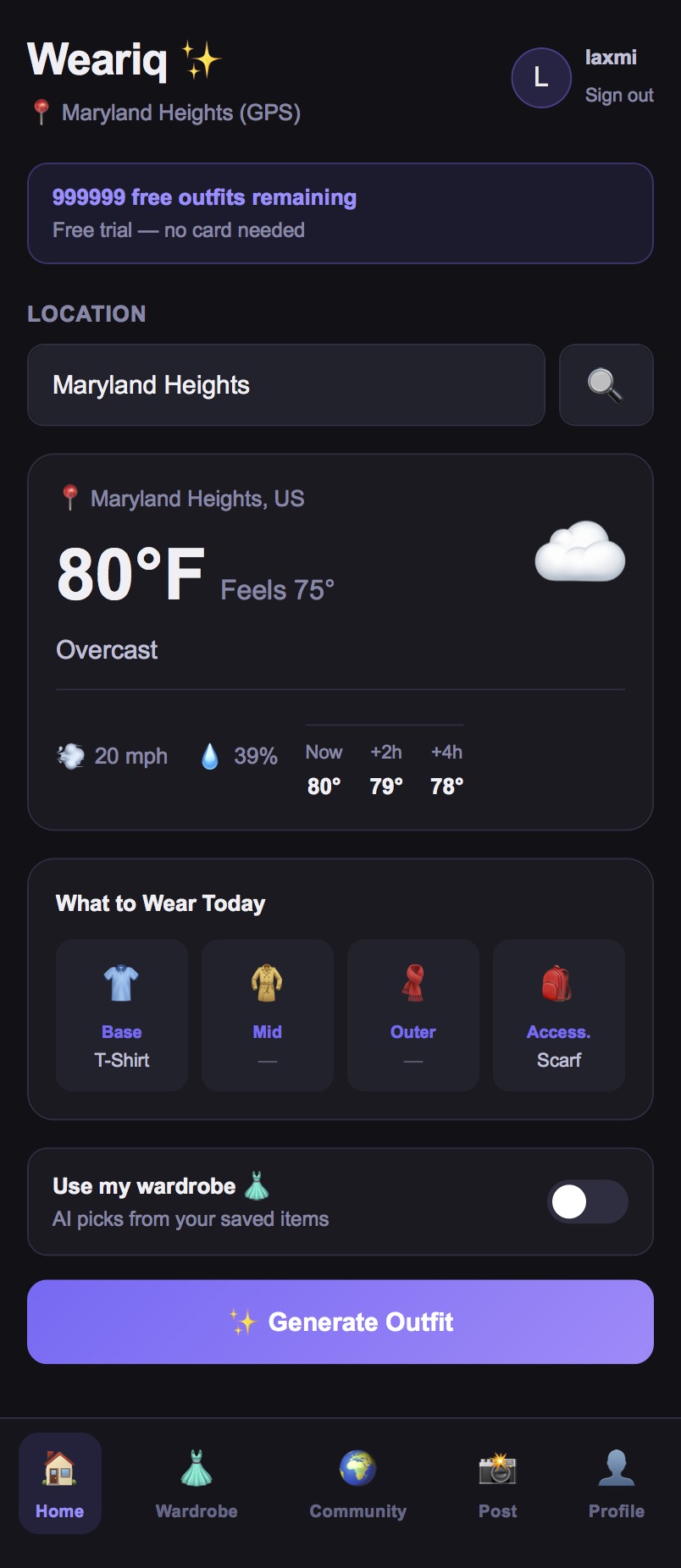
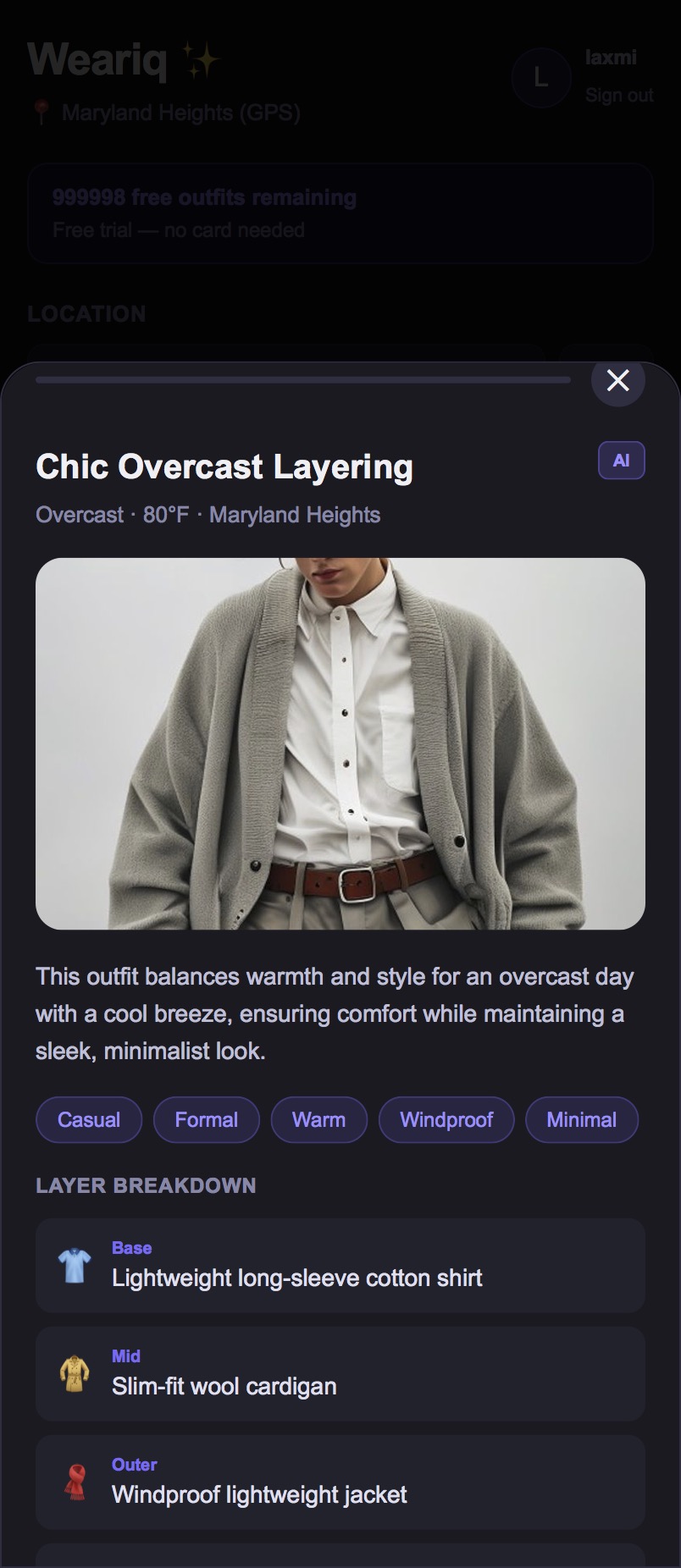
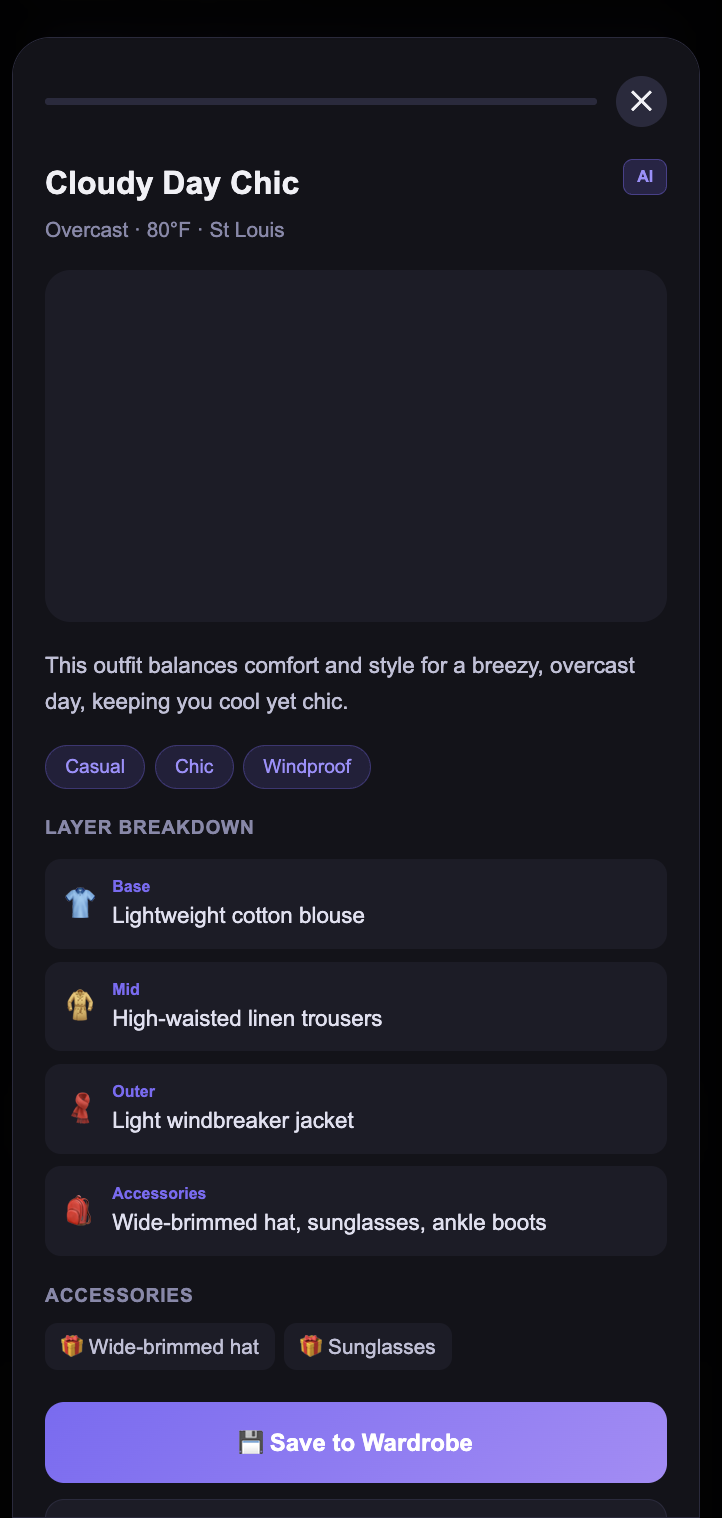
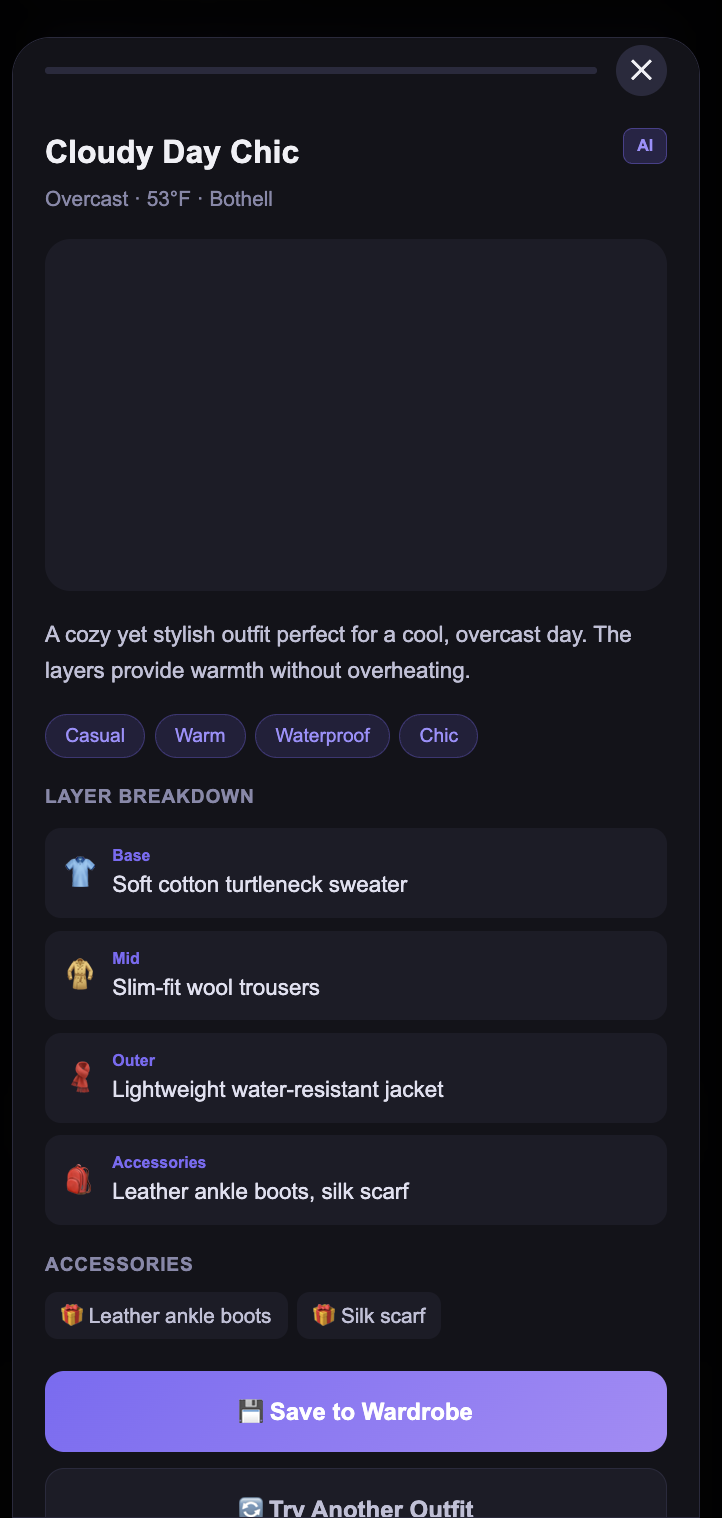
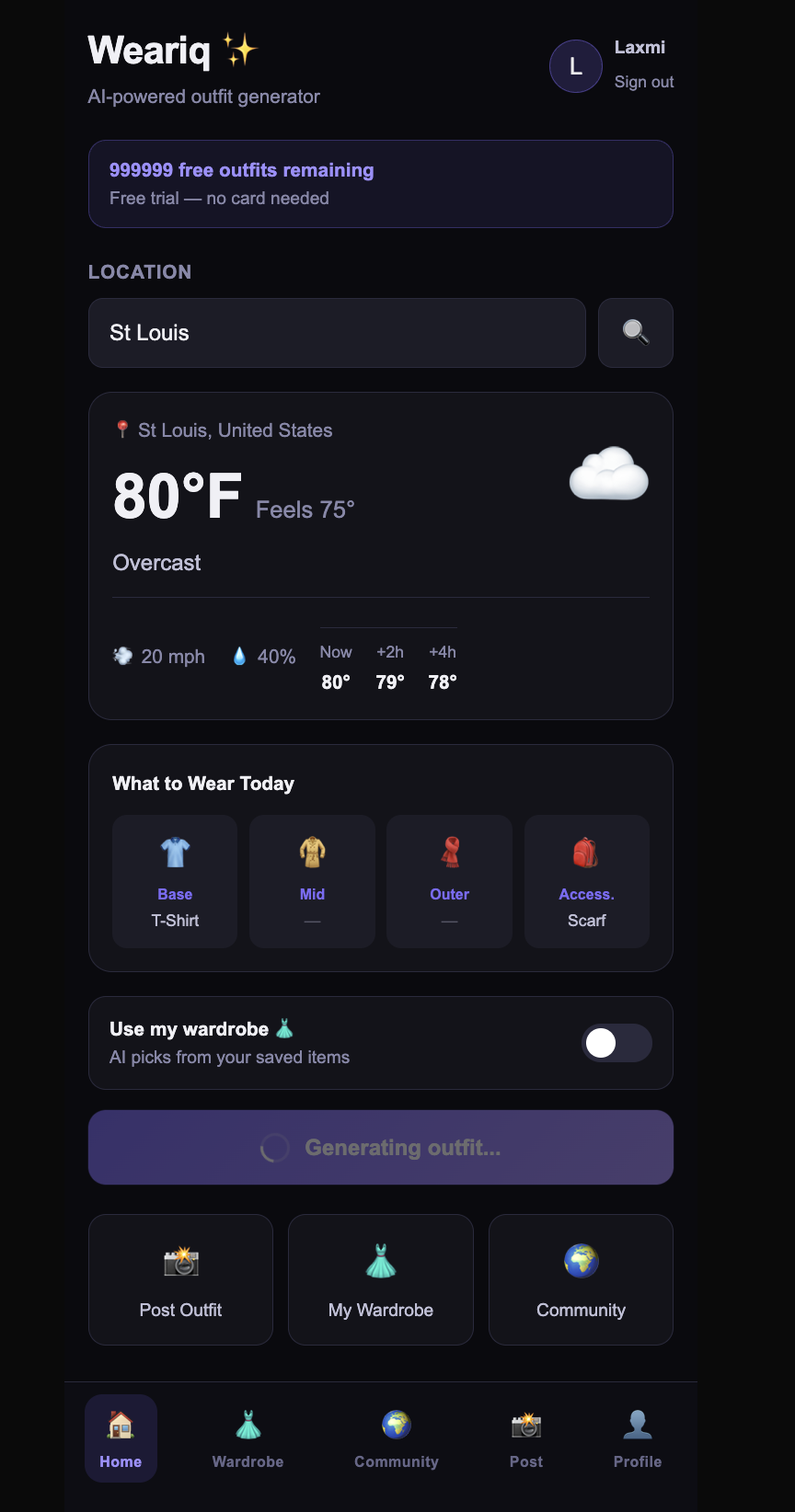
- AI Outfit Generation — Enter your city (or allow GPS auto-detect) and the AI reasons about temperature, wind, humidity, and weather condition to suggest a full layered outfit: base, mid, outer layer, and accessories. Each outfit comes with an AI-generated fashion image and a full breakdown.
- Wardrobe Toggle — Add your own clothes to your personal wardrobe. Toggle "Use my wardrobe" before generating and the AI picks from what you actually own.
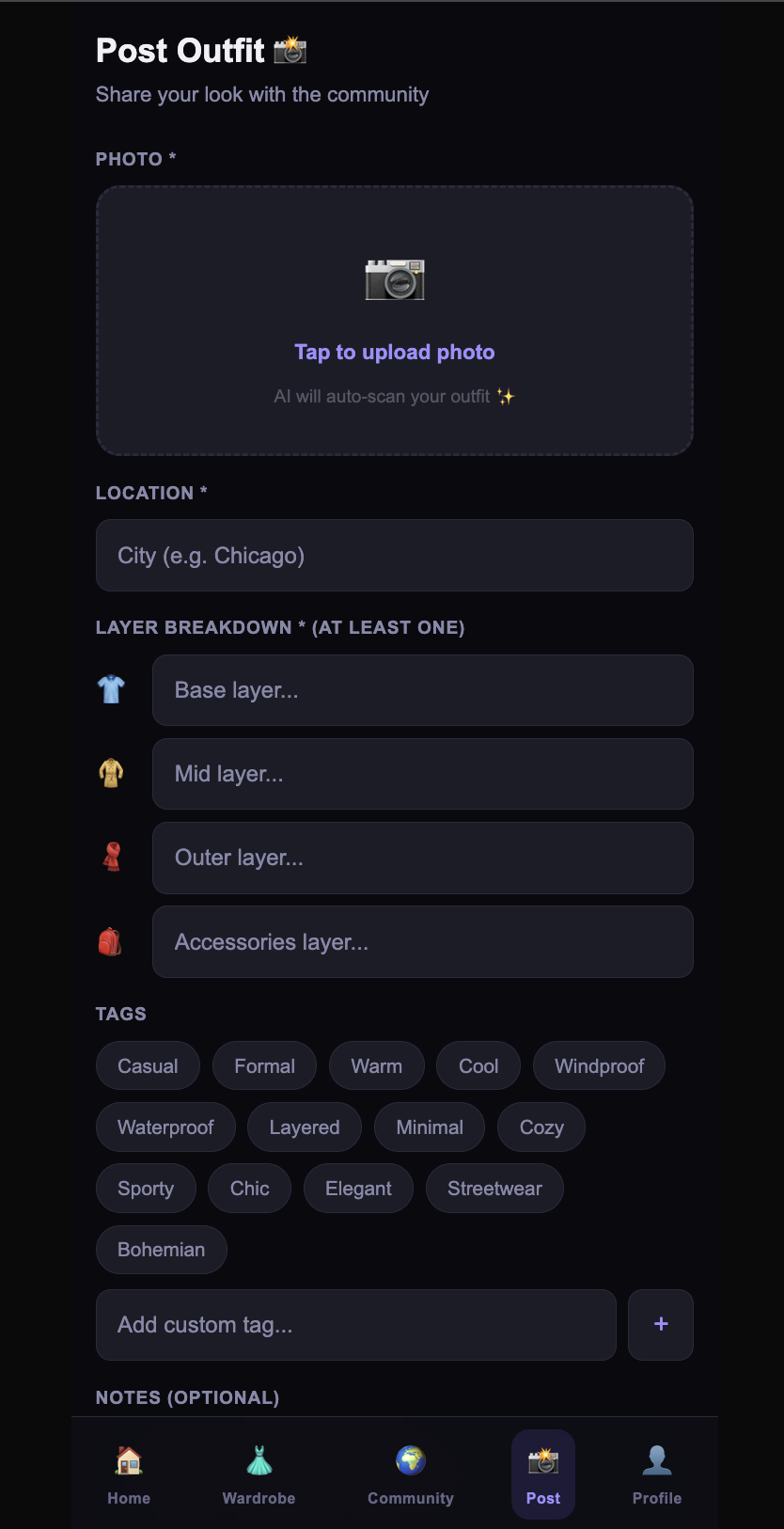
- AI Vision Scanner — Upload an outfit photo to the community post screen. The multimodal AI auto-detects the clothing layers, suggests style tags, and pre-fills the form — you just review and post.
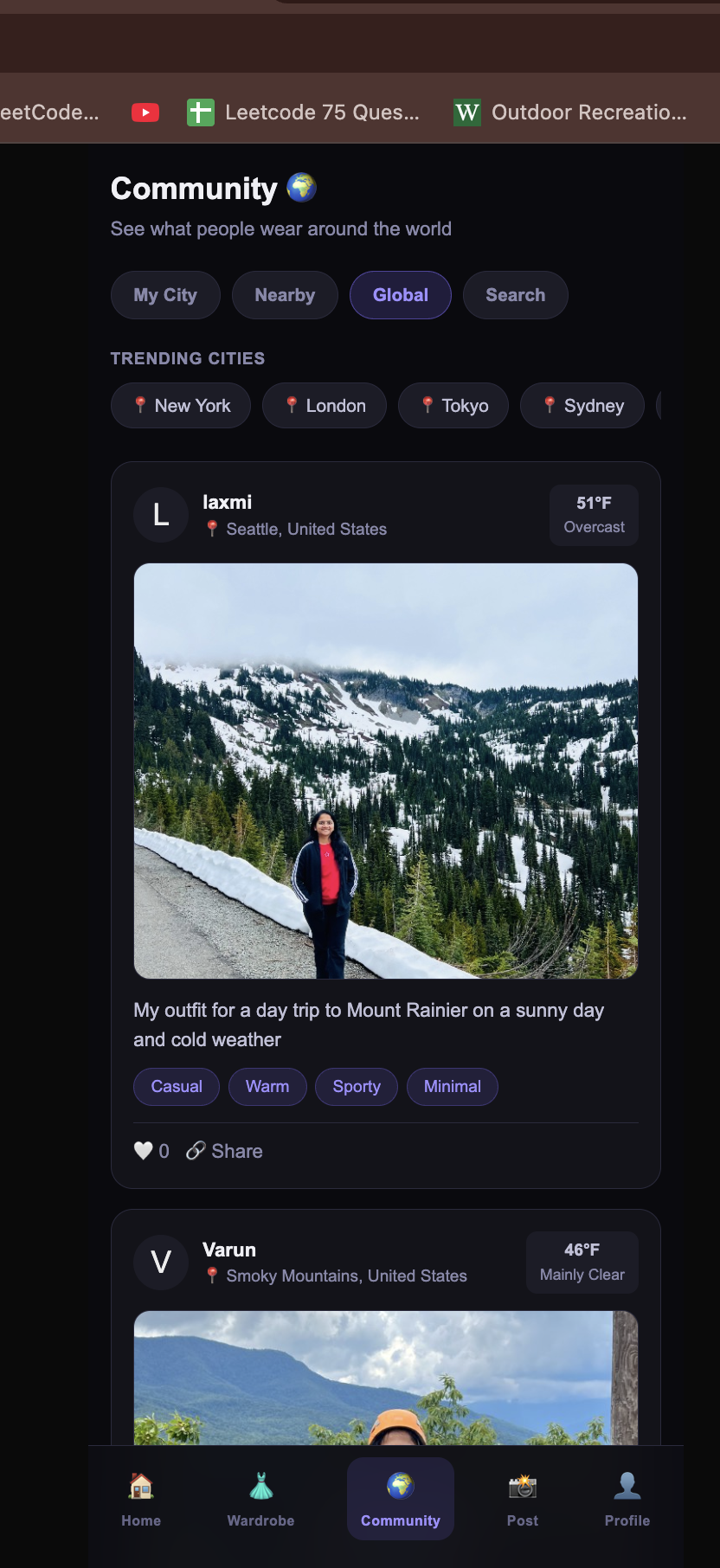
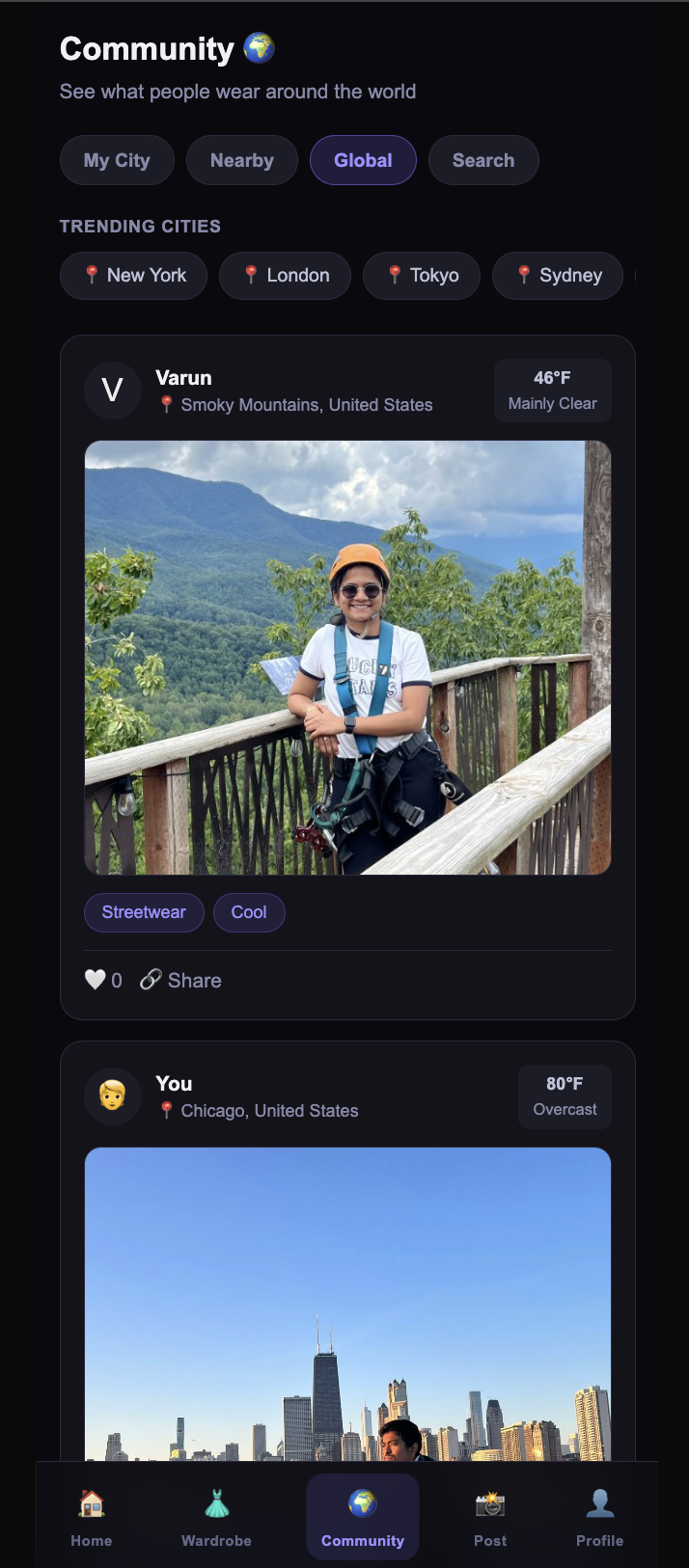
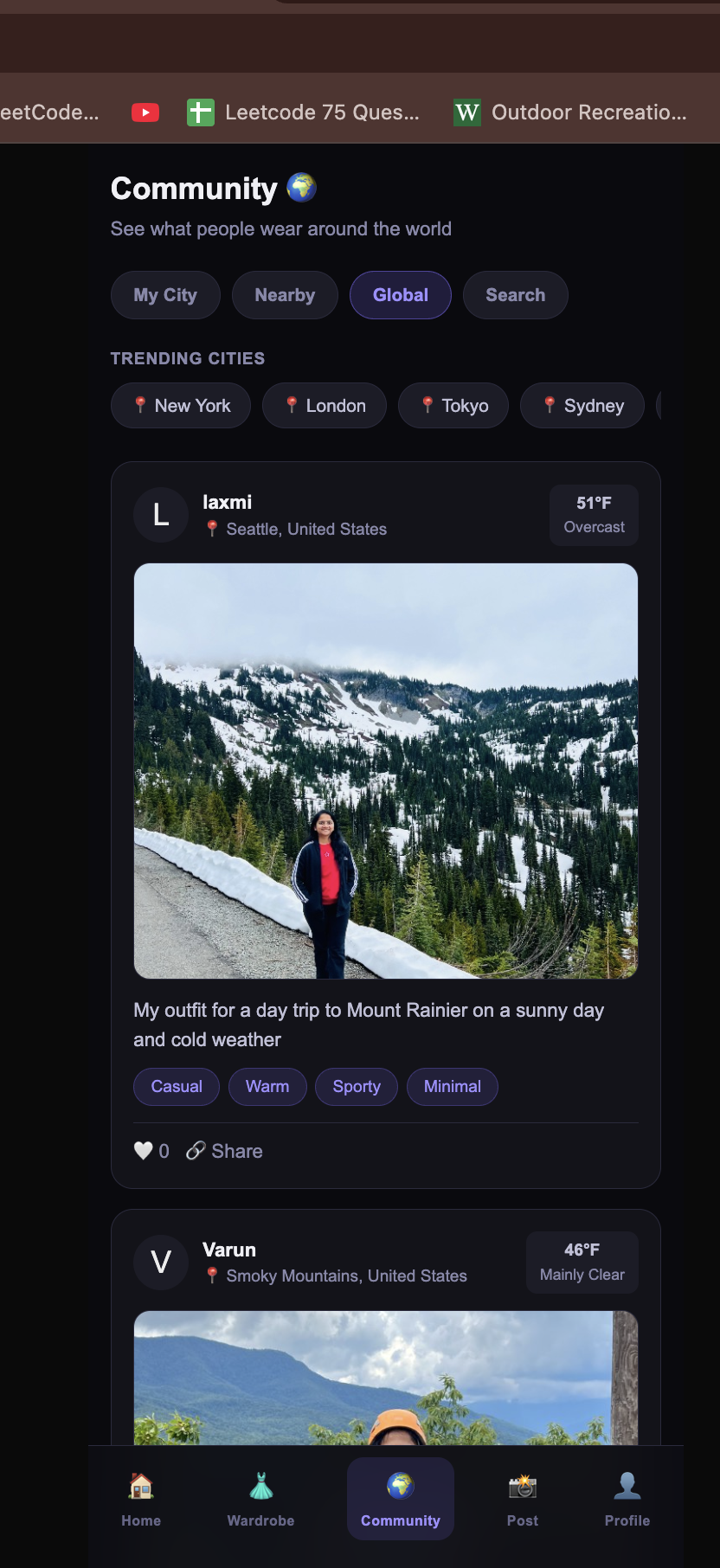
- Community Feed — Browse what people wear in different climates. Filter by city, nearby, or global. Every post shows real weather context so you can see what's appropriate for 34°F in Chicago vs. 95°F in Chennai.
- "What to Wear Today" Grid — On every weather load, the home screen instantly shows a 4-layer quick reference (base/mid/outer/accessories) based on the live temperature — no generation required.
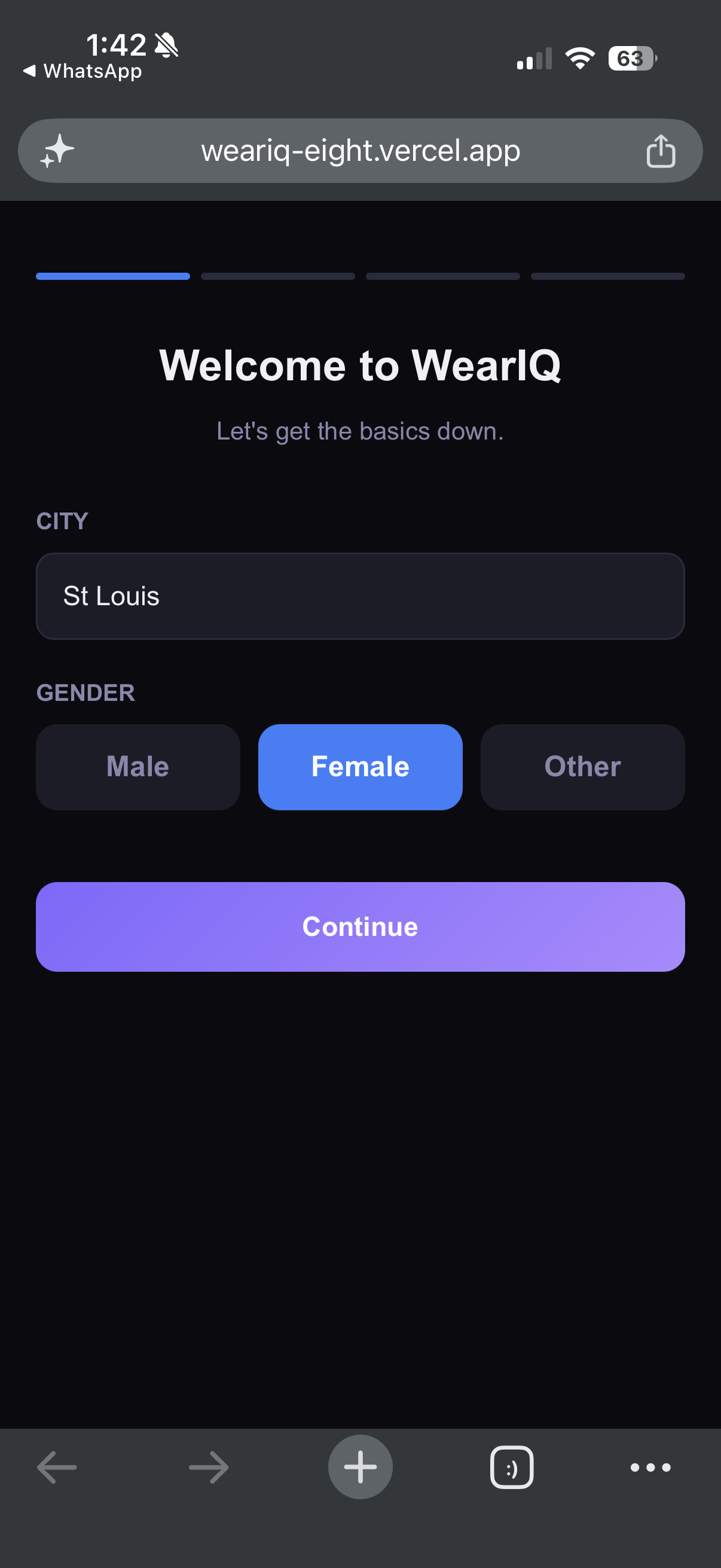
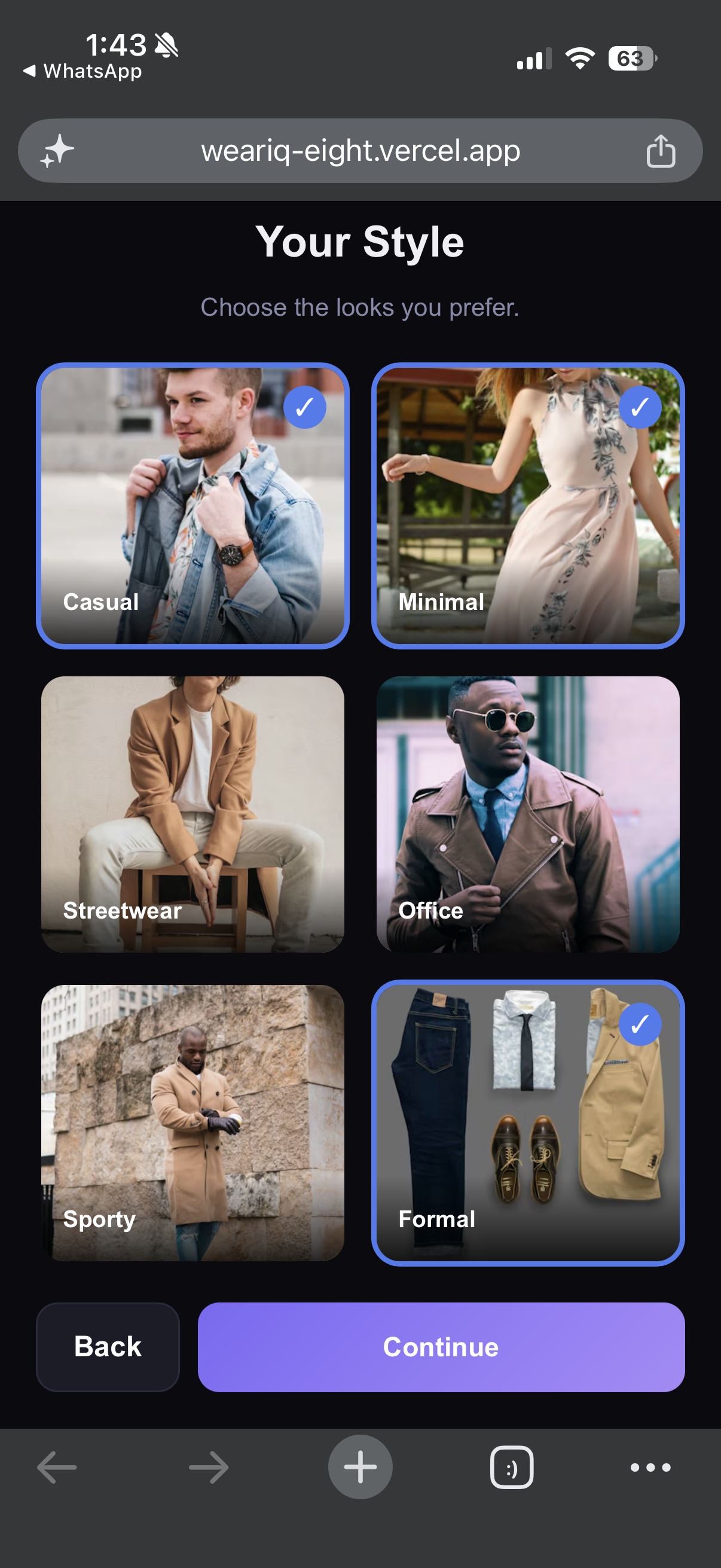
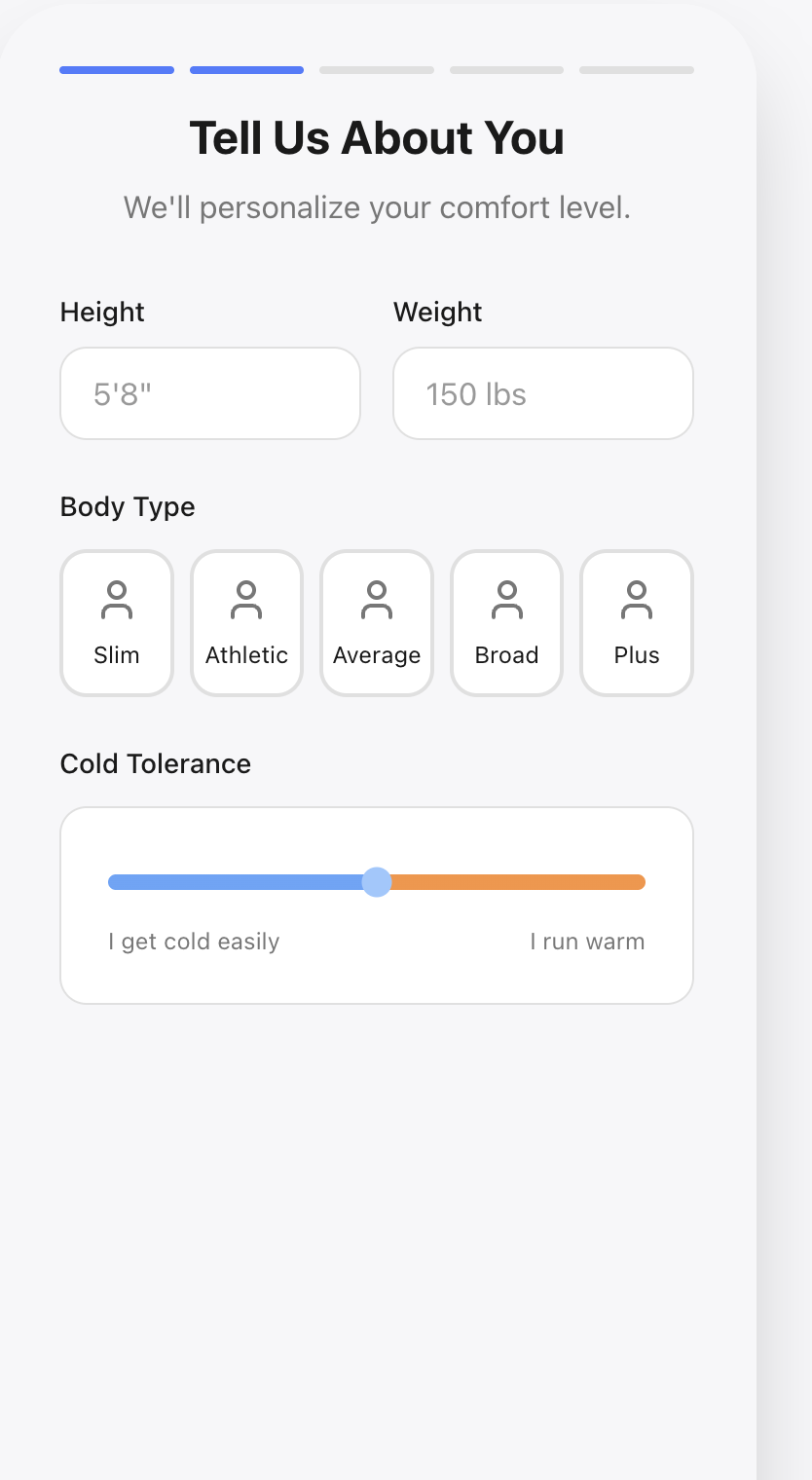
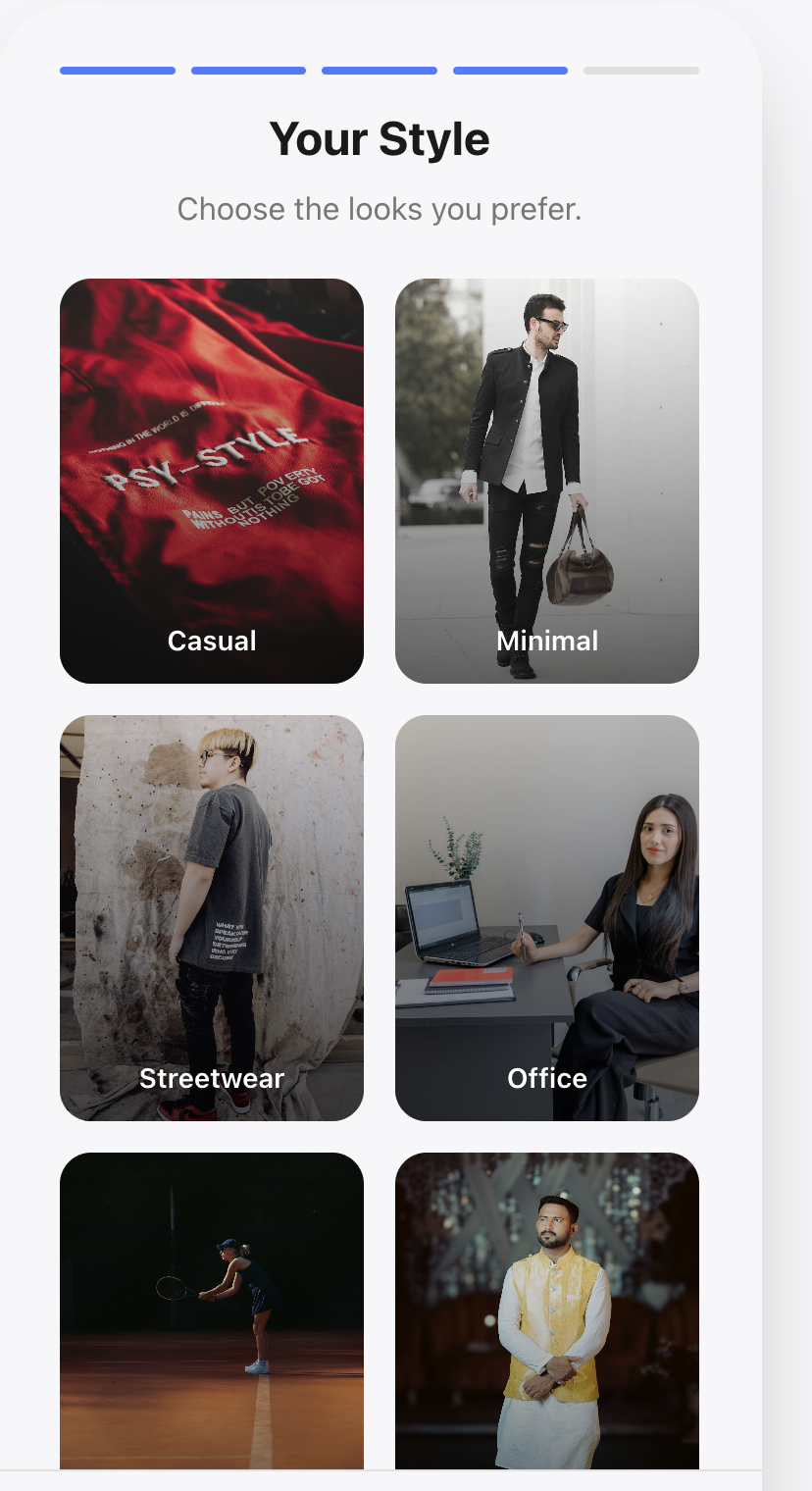
- Comfort Profile Onboarding — Complete, fully interactive 4-step user onboarding flow that maps out your ideal aesthetics, physical height-weight profile, and precise cold tolerance so the AI knows exactly how you prefer to build your layers.
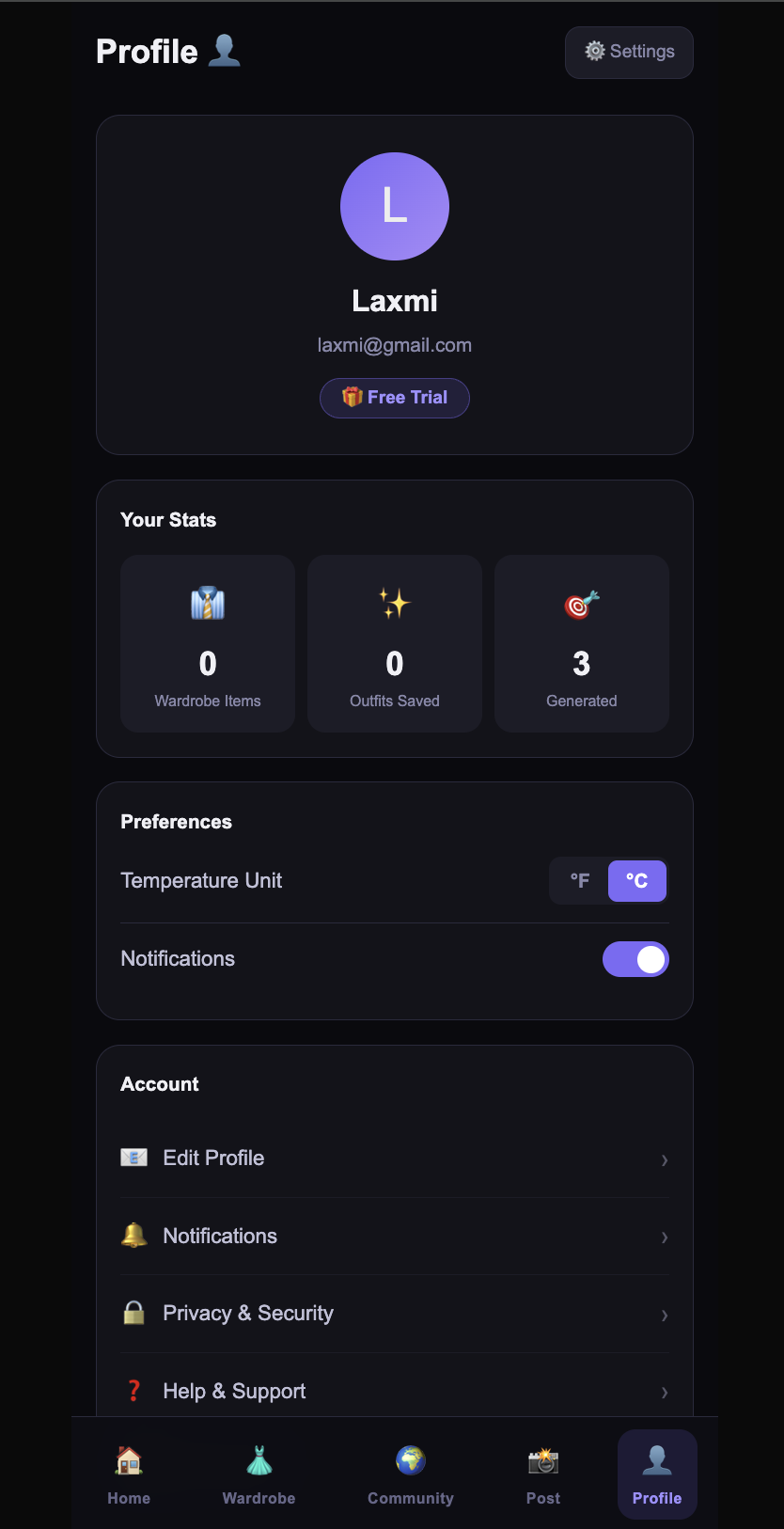
- Trial + Subscription — Clean subscription gating preventing API abuse, with weekly, yearly, and lifetime plan structures.
How we built it
Frontend: Next.js 16 (App Router) with React 19, TypeScript and Tailwind CSS. Mobile-first responsive design with a persistent bottom navigation, bottom-sheet modals, and a dark theme tailored around glassmorphism and modern UI elements. Hosted directly on Vercel.
AI — Generative Models: Used primarily for core logic analysis on Outfit Generation. We map the physical state of your world (temperature, feels-like, wind speed, humidity, condition) alongside your secret Onboarding profile and hidden closet items. The AI returns a synthesized hyper-structured JSON object strictly dictating layers, styling strings, and logic.
AI — Vision Scanner: For the "scan my outfit" feature on the Post screen. We apply lightweight 800px html Canvas compressions securely converting image bytes into Base64 formats directly passed downstream alongside a targeted prompt requesting layer isolation and visual tags.
Weather: Open-Meteo API (completely free endpoint). Geocoding via Nominatim OpenStreetMaps open-source endpoint for City autocomplete suggestions as you allow GPS. Live context instantly updates the UI logic grid.
Storage: Google Cloud Storage acts as a serverless database backend for storing generated community JSON posts as well as globally hosting image uploads. Service account credentials are safely bypassed across Vercel layers with dynamically buffered Base64 environment configurations.
Outfit Images: Pollinations.ai generates completely free editorial fashion photography instantly extrapolated from the core generation AI's weather/fashion tags!
Challenges we ran into
1. Node.js version incompatibility — Next.js 15+ required Node ≥ 20.9. We initially had an older node installation. The obscure "unsupported engine" issues threw us off early into development.
2. LLM model gating (403 error) — Our first model testing endpoints were harshly guarded behind HuggingFace authorization blocks. Bouncing across models efficiently taught us the true nature of designing robust abstraction layers for LLM integrations so that swapping model pipelines wasn't a nightmare.
3. GCS credentials fail implicitly on serverless — Vercel's serverless environment has no persistent filesystem, meaning the standard GOOGLE_APPLICATION_CREDENTIALS file mapping silently shattered! We elegantly beat this constraint by migrating entirely to a Buffer-encoded Base64 parsing technique directly via Next.js REST API routes logic.
4. 5MB LocalStorage browser limits breaking Base64 caches — When Vercel hit endpoint request payloads limitations on raw camera photos, the code naturally fell back to browser-history saving mechanism... which promptly choked on multi-megabyte encoded camera string sizes. Fixed completely by executing a purely functional HTML5 Canvas Resizer inside React directly trimming massive images prior to triggering fetches!
5. GPS mapping logic wiped frontend data states — Fetching raw Latitude/Longitude via GPS was passing undefined keys straight into formatting equations across React's component tree. Caused major NaN blowouts globally across the screen! Easily resolved via stricter runtime Typescript checks alongside rigorous session purges if memory data evaluates as stale or fundamentally corrupted.
Accomplishments that we're proud of
- Actually bridging the gap between weather functionality and high-level fashion aesthetics cleanly.
- Highly functional AI integration pipeline natively rendering structured JSON, string parsing, and Base64 Vision.
- Auto-routing REST API paths specifically to intercept complex cloud limitations natively on the frontend without relying heavily on massive libraries.
- Client-side Image compression engine preventing Next.js 413 Payload timeouts efficiently.
- An inherently social infrastructure allowing Users to dynamically categorize outfit inspiration based exclusively around localized climates.
- Responsive, flawless 4-step onboarding pipeline that genuinely bridges physical human constraints to AI inputs.
What we learned
- Next.js 14+ aggressively caches standard GET endpoints silently during build layers. This famously locks live server connections to stale deployment data until explicitly defining
export const dynamic = 'force-dynamic'! - Modern cameras have severely outpaced standard Vercel 4.5MB endpoint quotas. Front-side byte limitations/downscaling procedures are absolute non-negotiables.
- You simply cannot trust
sessionStoragestrictly due to users potentially disrupting data boundaries during a refresh or navigation—You must dynamically check definitions constantly or risk crashing whole UI subtrees.
What's next for WearIQ
- Imagen 3 via Vertex AI — Upgrade generation algorithms directly to Google's Imagen 3 for pristine photorealistic aesthetic models rendering completely tailored outfits without the odd artifacts generic generators provide.
- Cultural/Occasion filters — Dress codes differ significantly if you want a formal look in Paris vs. a casual meeting in Mumbai. Expanding context sliders!
- Weekly Predictive Engine — Extrapolate generation automatically over a 7-day forecast grid rather than solely isolated to 24-hour periods.
- Firebase User Synchronization — Solidifying auth structures migrating completely away from local machine configurations to enable massive scale access mapping.
Built with
Next.js 16 React 19 TypeScript Tailwind CSS Open-Meteo API Google Cloud Storage Vercel Nominatim OpenStreetMap Pollinations.ai

Log in or sign up for Devpost to join the conversation.