Testing access: Judges can find the live-preview access code and testing instructions at https://github.com/tokoh-ai/wearform/issues/1 after accepting the GitHub repository invitation.
Inspiration
A piece can look perfect in an online shop and still be difficult to wear with anything you own. Most product pages present it in someone else's outfit. WearForm starts with a more personal question: would this new piece earn a place in your wardrobe?
What it does
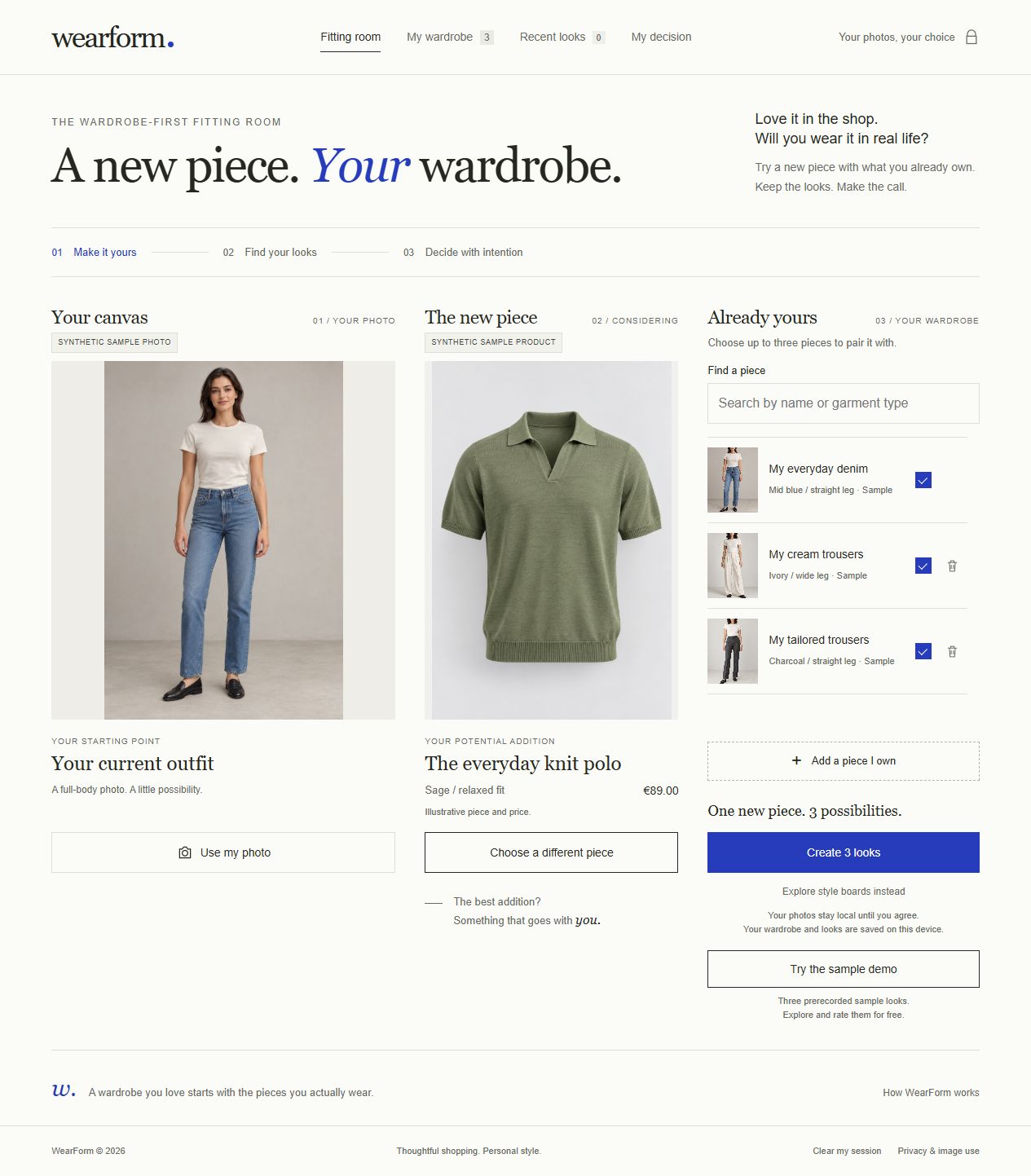
WearForm is a wardrobe-first virtual fitting room. Start with a photo, add a piece you are considering, and choose up to three pairings with clothing you already own. The YouCam AI Clothes V4 API generates outfit previews for you to compare with the original photo.
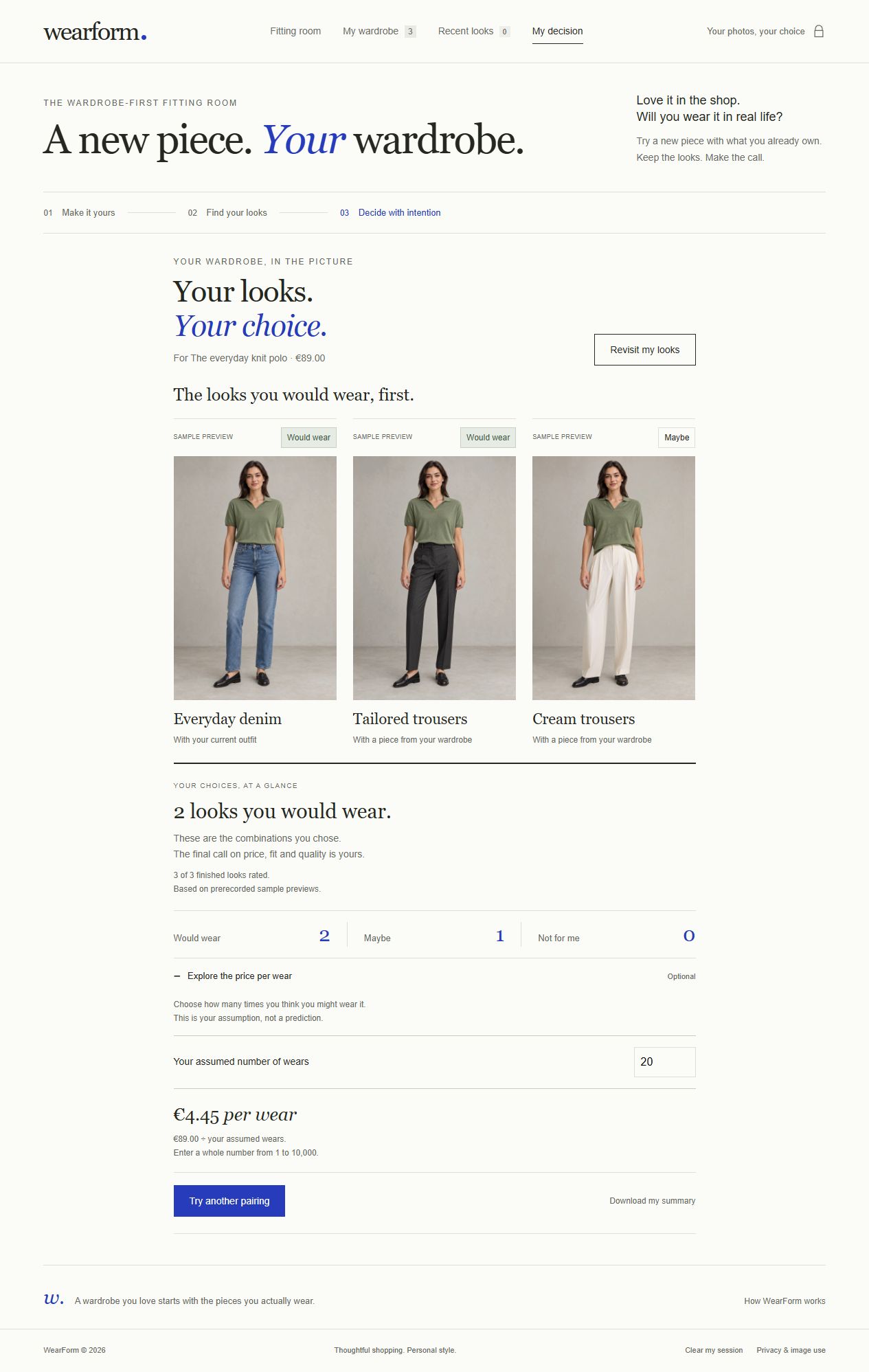
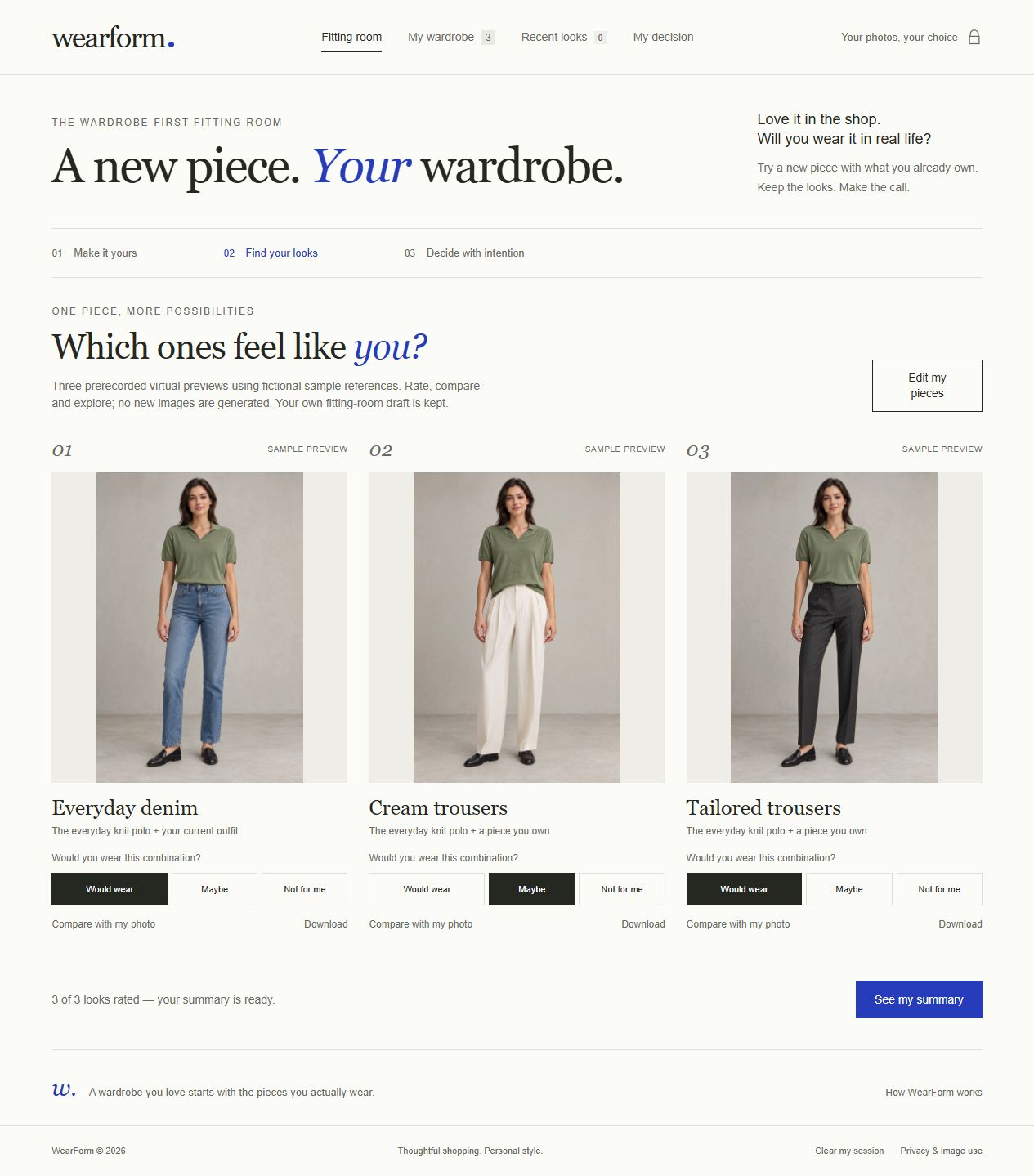
Mark each look as Would wear, Maybe, or Not for me. My decision brings those choices together, with an optional price-per-wear scenario based on your own assumptions. Download a preview or decision report, manage pieces in My wardrobe, and reopen saved results through Recent looks.
Bring items in through public shop links, the optional Chrome/Edge browser button, or screenshot paste and cropping. Supported categories include tops, bottoms, outerwear, dresses and one-piece outfits, and shoes. Previously completed combinations can be reused without generating them again.
The free sample demo contains three prerecorded, real YouCam previews using fictional adult references. It lets visitors explore comparisons, ratings and the decision workflow without uploading a personal photo or starting a new generation. Local style boards provide a separately labeled view of reference images side by side.
How it was built
WearForm uses JavaScript, HTML and CSS in the browser and a Node.js server, without third-party application packages. The server integrates the YouCam AI Clothes V4 API for image upload, task creation and result retrieval. Shared intermediate results reduce repeated transformations where possible, while garment order accounts for clothing, outerwear and footwear.
Browser storage keeps wardrobe pieces, completed previews and ratings on the user's device. The server protects credentials and temporary results. A Supabase ledger preserves generation-budget counters across server restarts. The application runs on Render, and the browser extension hands product information or screenshots into the fitting room.
Challenges
Reference requirements matter: lower-body images must show the complete garment worn by a standing person with a visible face. Shop pages can block imports or provide incomplete metadata, so the browser button and screenshot workflow provide alternatives.
Generative edits can change visual details, and previews cannot guarantee sizing or fit. WearForm explains these limitations and asks for consent before sending photos to the provider. It also distinguishes prerecorded samples and local style boards from newly generated previews.
Accomplishments
WearForm connects an actual virtual try-on integration to a complete decision workflow: bringing in an item, pairing it with existing clothes, comparing results, expressing personal preferences and saving the decision. The hosted live integration, restart behavior and both browser-extension handoff routes have been tested.
Lessons from building WearForm
The useful result is more than a generated image. Reference guidance, clear progress, reusable results and transparent image handling all contribute to a fitting room people can understand. Personal ratings keep the decision with the shopper instead of turning visual previews into an unsupported compatibility score.
What's next
Validate the workflow with shoppers and retailers, improve generation consistency, and explore a consent-based fitting-room experience inside online shops. Measuring effects on purchasing decisions, returns or wardrobe use would require real user studies.
Try WearForm
Open WearForm. After inactivity, the free Render host may take about one minute to start. If you see Render's loading page, please keep the tab open while the service starts. The sample demo is available without an access code or new generation.
Built With
- css3
- html5
- javascript
- node.js
- render
- supabase
- youcam-api

Log in or sign up for Devpost to join the conversation.