-
-
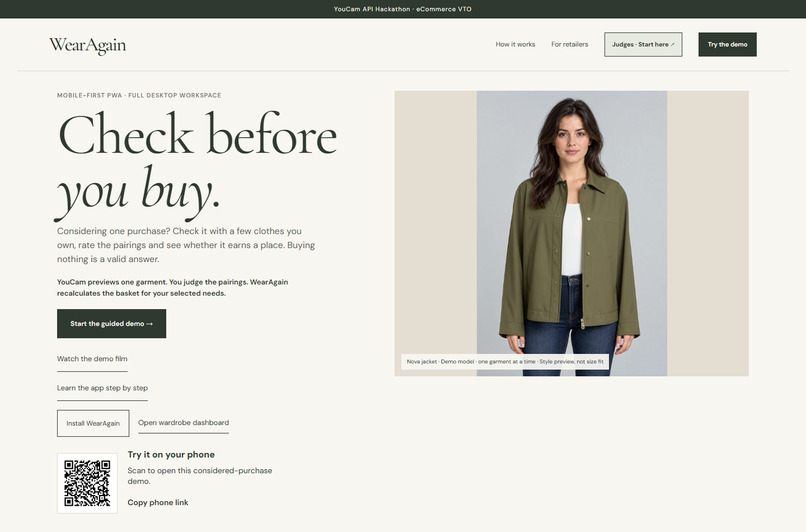
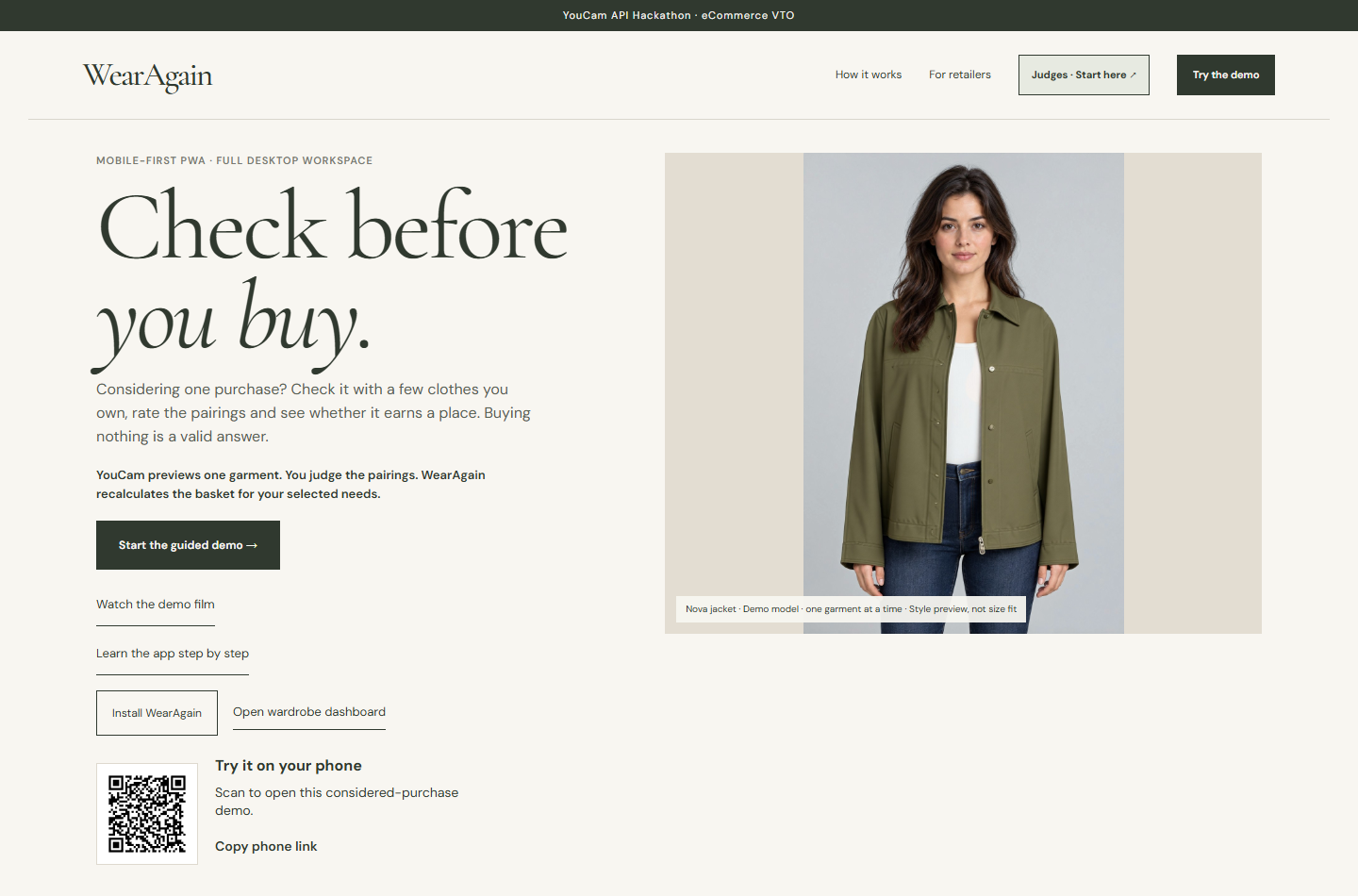
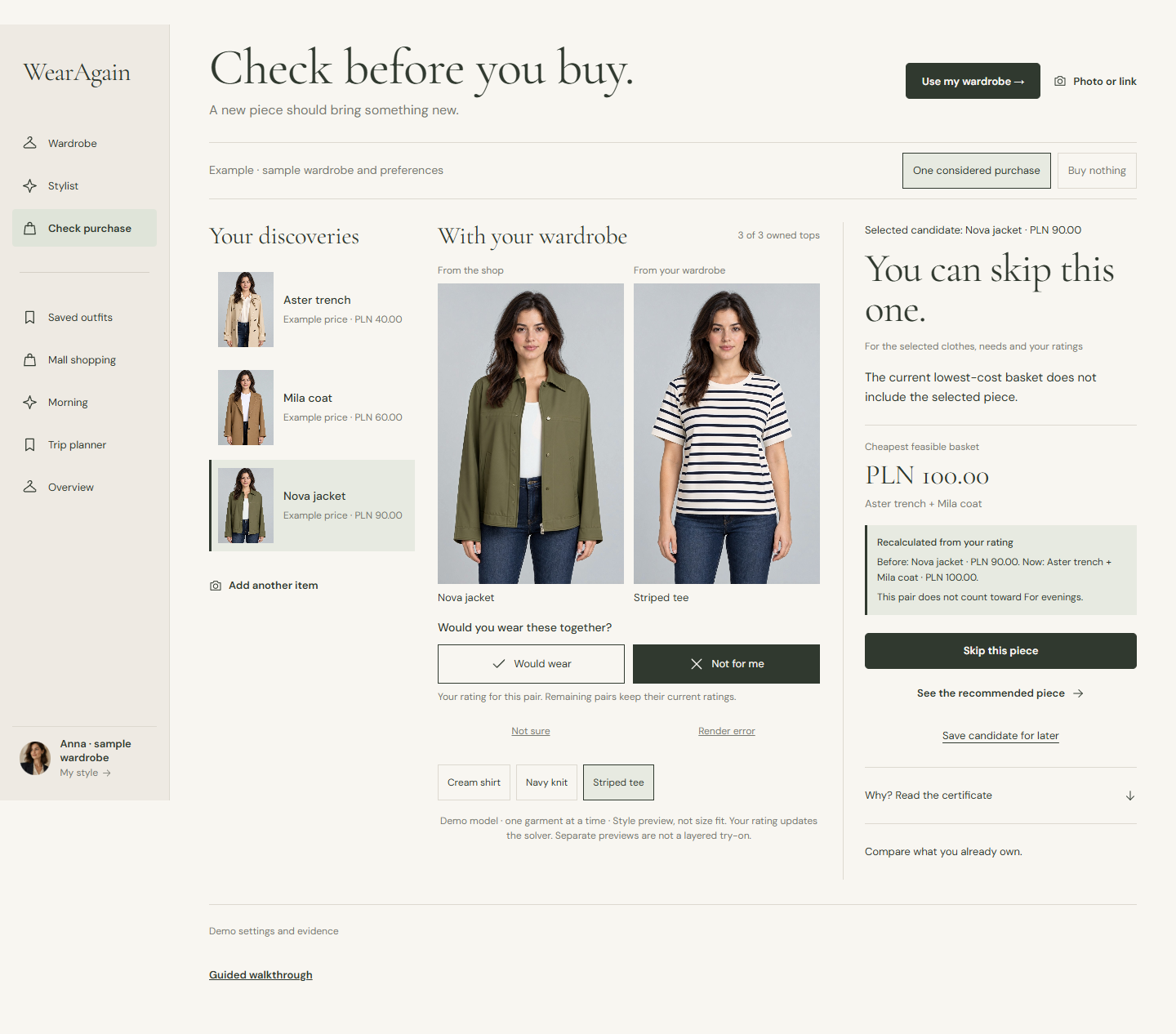
Mobile-first shopping: a real YouCam single-garment preview on a demo model, connected to clothes you already own.
-
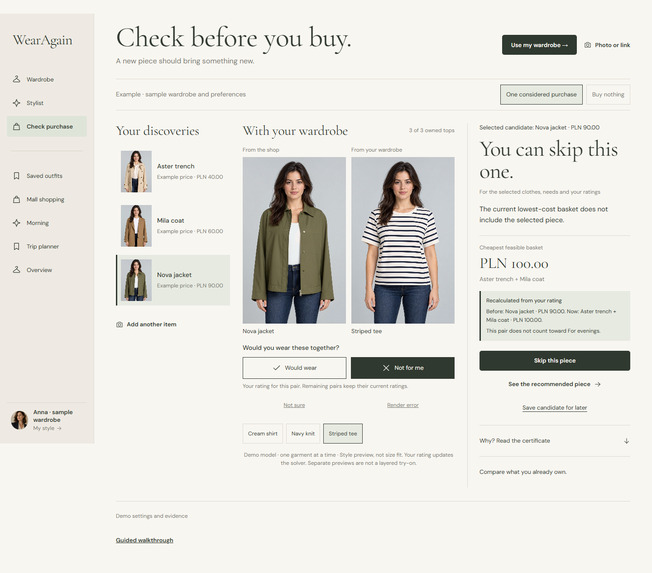
Your rating changes the basket: Nova PLN 90 → Aster + Mila PLN 100. Nova remains the piece being reviewed.
-
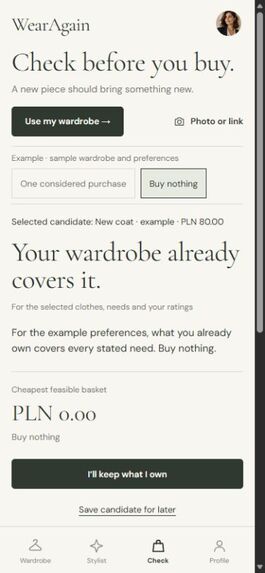
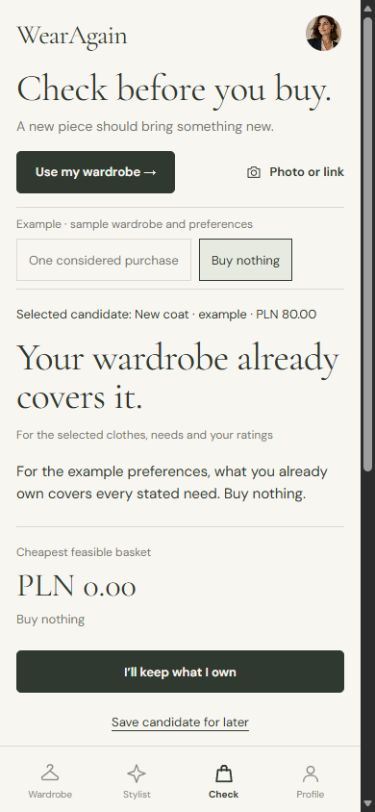
Buy nothing is valid: this separate example covers every declared need with owned clothes, for PLN 0.
Inspiration
WearAgain began with preparing a wardrobe for a London trip: afternoon tea, museums and theatre. Hours went into pasting clothes into a chat, checking what suited each occasion, then searching for suggested purchases. A recommendation was only useful if it worked with the clothes already owned.
WearAgain starts with that decision: does this purchase earn a place in your wardrobe?
What it does
Photograph a garment while shopping, keep browsing, and review your shortlist over coffee. YouCam creates separate, single-garment previews on a synthetic demo model. Put a shop candidate beside wardrobe pieces and decide which pairings you would wear.
Those human ratings become inputs to a deterministic purchase check. WearAgain combines the selected clothes, declared needs, availability and item prices to find the basket with the lowest item cost. Its explanation shows which needs are covered and why cheaper choices fail. If decisive ratings are missing, the answer remains provisional.
The sample makes the effect visible. Nova initially covers the declared needs for PLN 90 using labelled preset ratings. Rejecting a required pairing changes the checked basket to Aster plus Mila at PLN 100. Nova stays visible as the garment being reviewed, so the shopper can understand why the current recommendation differs. A separate example shows the equally useful result: the existing wardrobe covers everything, so buy nothing.
The wardrobe, AI stylist, saved outfits, wear log and packing tools support this same decision. Preferences stay editable, and suggestions can be refined before saving an outfit.
How we built it
The mobile-first PWA uses TypeScript and IndexedDB for separate local wardrobes and clothing photos. Cloudflare Workers keep provider keys out of the browser. The YouCam AI Clothes Try-On integration uses cloth-v4, with a reservation ledger to track render units and prevent duplicate submissions.
The purchase solver evaluates explicit inputs and produces a checkable explanation. Claude Sonnet 5.5 supports the stylist through tools connected to the current wardrobe, preferences and available evidence. Wear ratings always come from the person using the app.
Saved examples provide a repeatable judging path without a provider key or a paid render. Live processing is a separate, explicit choice.
Challenges
Visual previews illustrate style; they do not establish size fit. The demonstrated API path renders one garment at a time on a synthetic model. Merchant stock, delivery and fees require separate evidence. The prototype has no merchant checkout, and reduced spending or returns remain benefits to test.
Accomplishments
We connected an actual YouCam job and result to a coherent purchase workflow, then made the effect of a human rating easy to inspect. The final release passes 348 offline tests, strict type checks and both builds. Judges can repeat the preview, rating and verdict journey, including the zero-purchase case.
What we learned
A useful shopping assistant must make its reasoning inspectable. The preview helps someone judge a combination; her judgement determines whether that combination counts. Keeping uncertainty visible and treating buy nothing as success made the product clearer.
What's next
Observe shoppers using one real purchase shortlist. Record which steps are unclear, whether a preview changes a stated pairing judgement, and whether the resulting basket is useful. Compare that experience with their existing photo-and-chat workflow. Our initial business hypothesis keeps the wardrobe and purchase check free, with paid occasion styling and packing. Test willingness to pay and a small retailer pilot before expanding merchant integrations.
Built With
- claude-sonnet-5-5
- cloudflare-pages
- cloudflare-workers
- durable-objects
- indexeddb
- pwa
- sqlite
- typescript
- youcam
- youcam-api

Log in or sign up for Devpost to join the conversation.