-
-
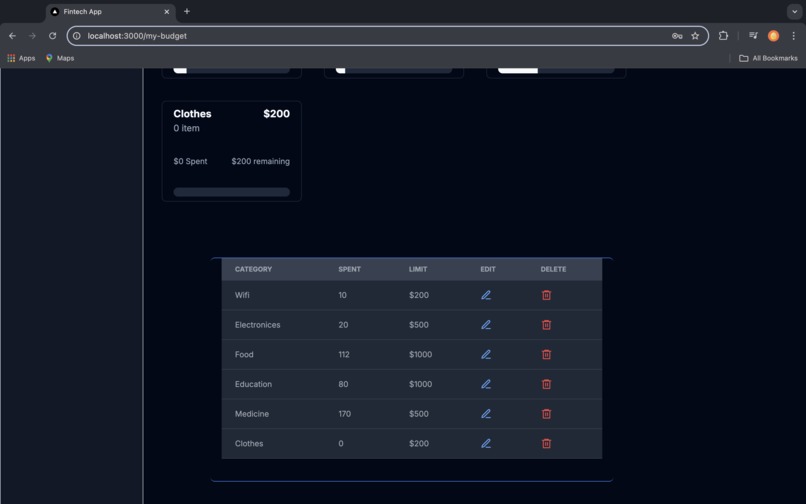
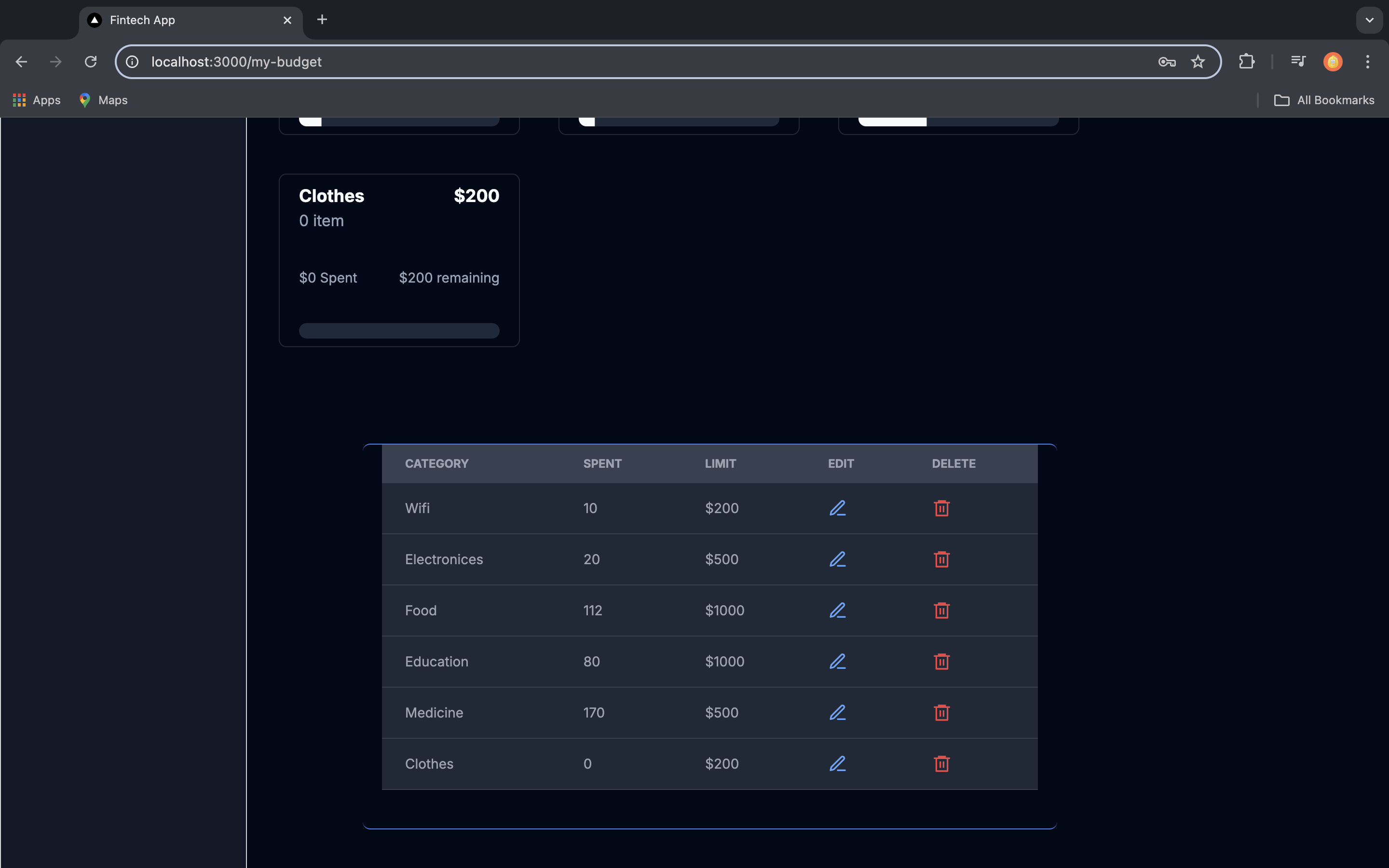
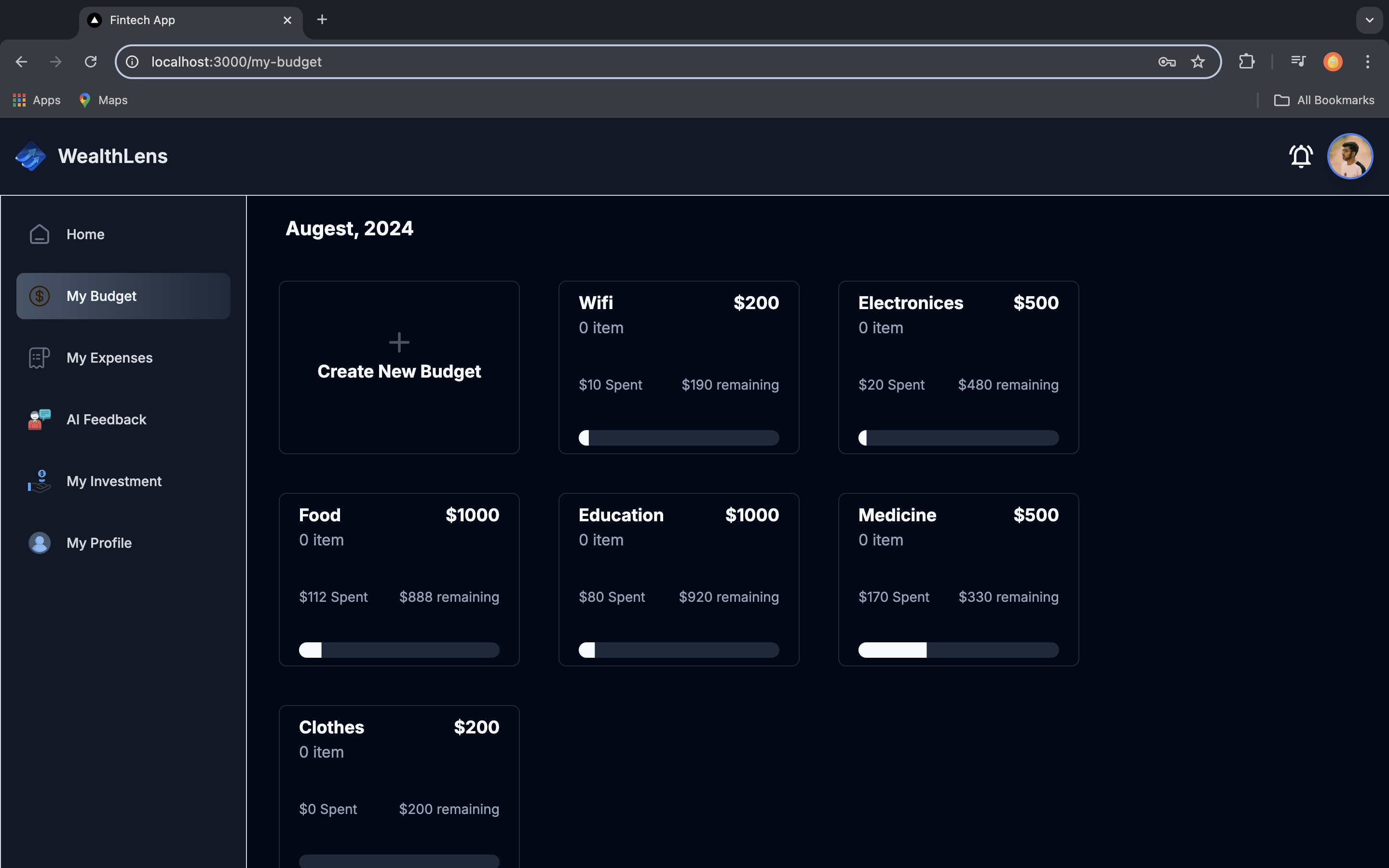
Details of created budget category
-
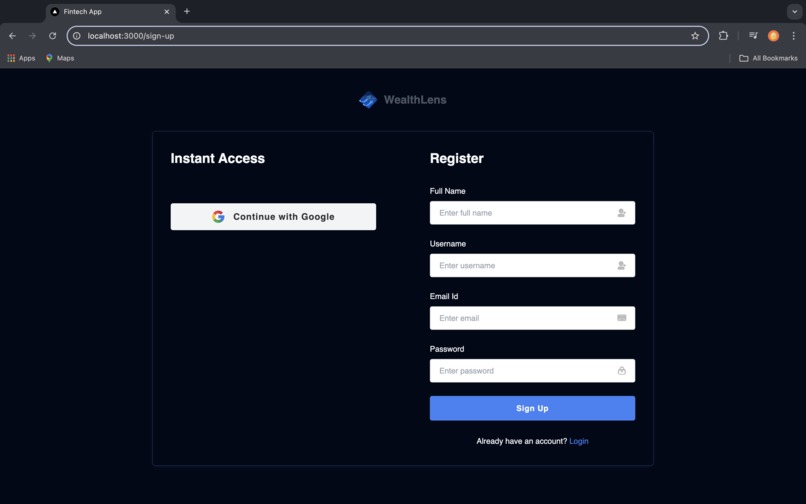
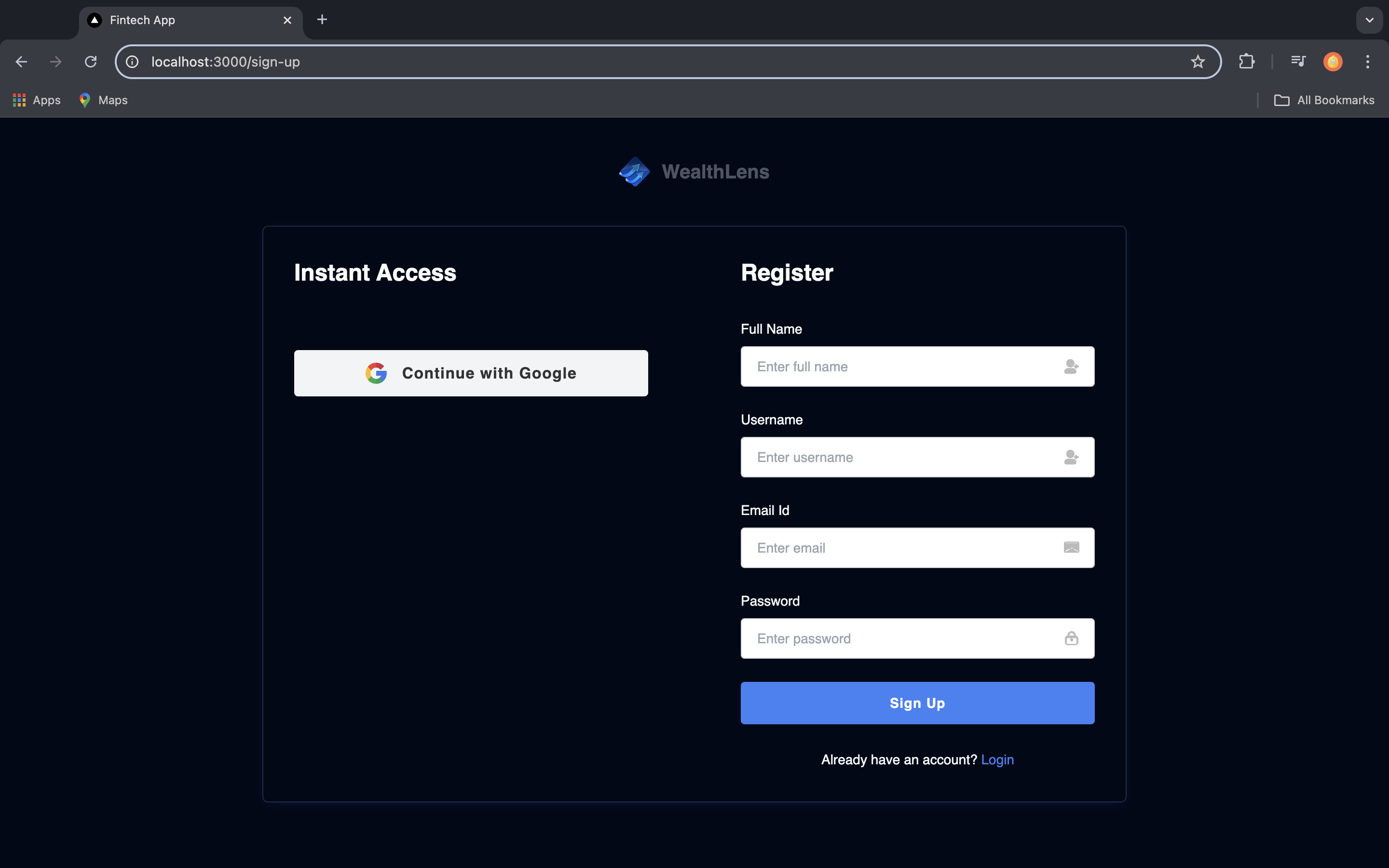
Register page
-
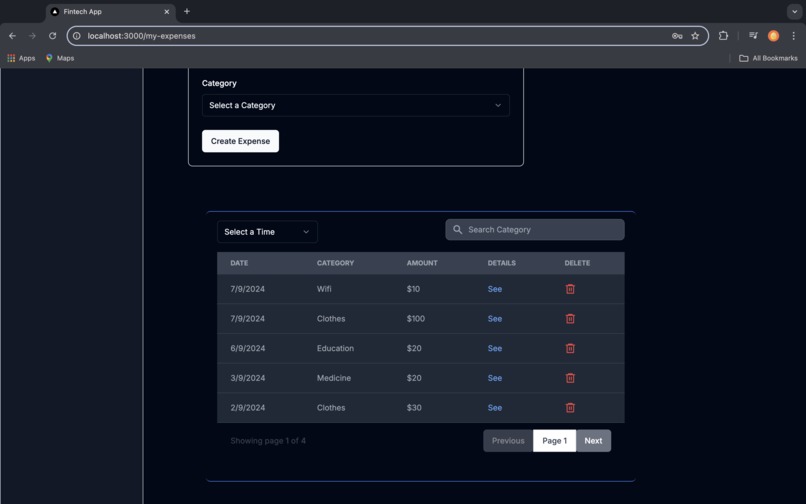
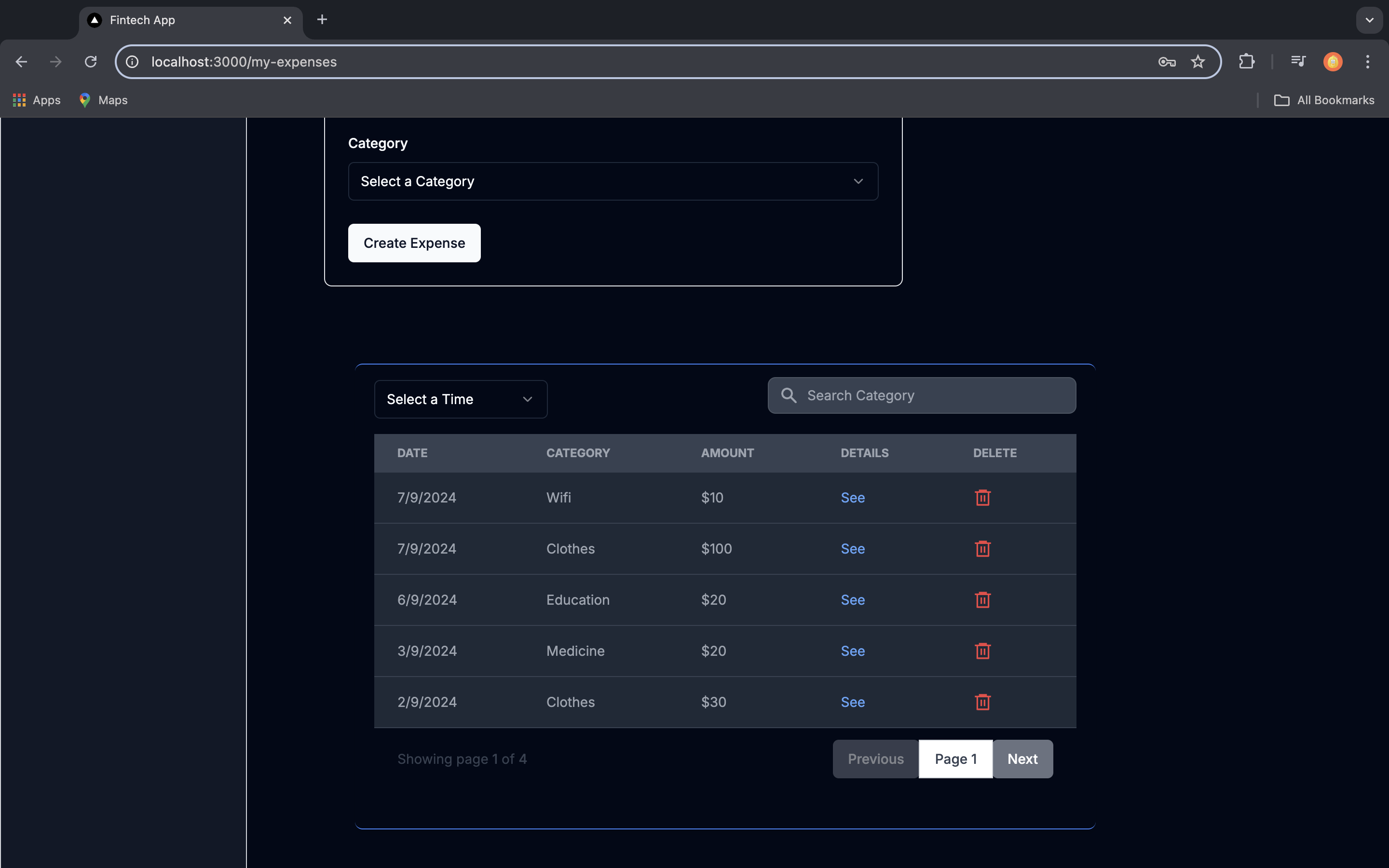
Details of expense details with real time search functionality and filter option
-
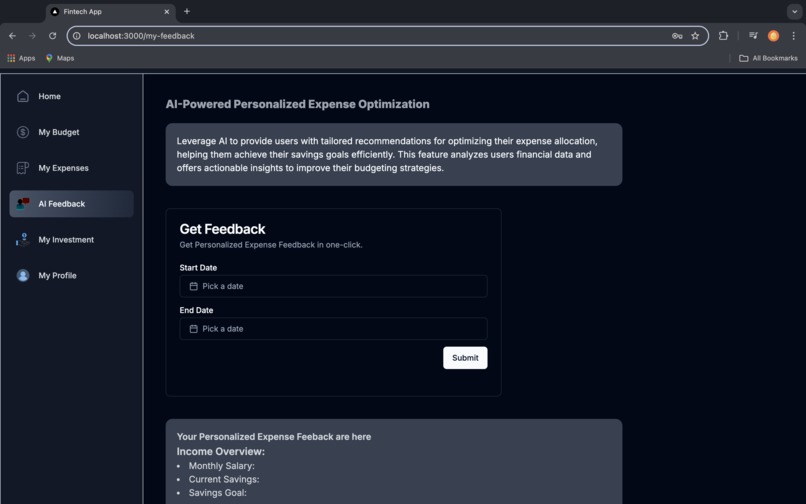
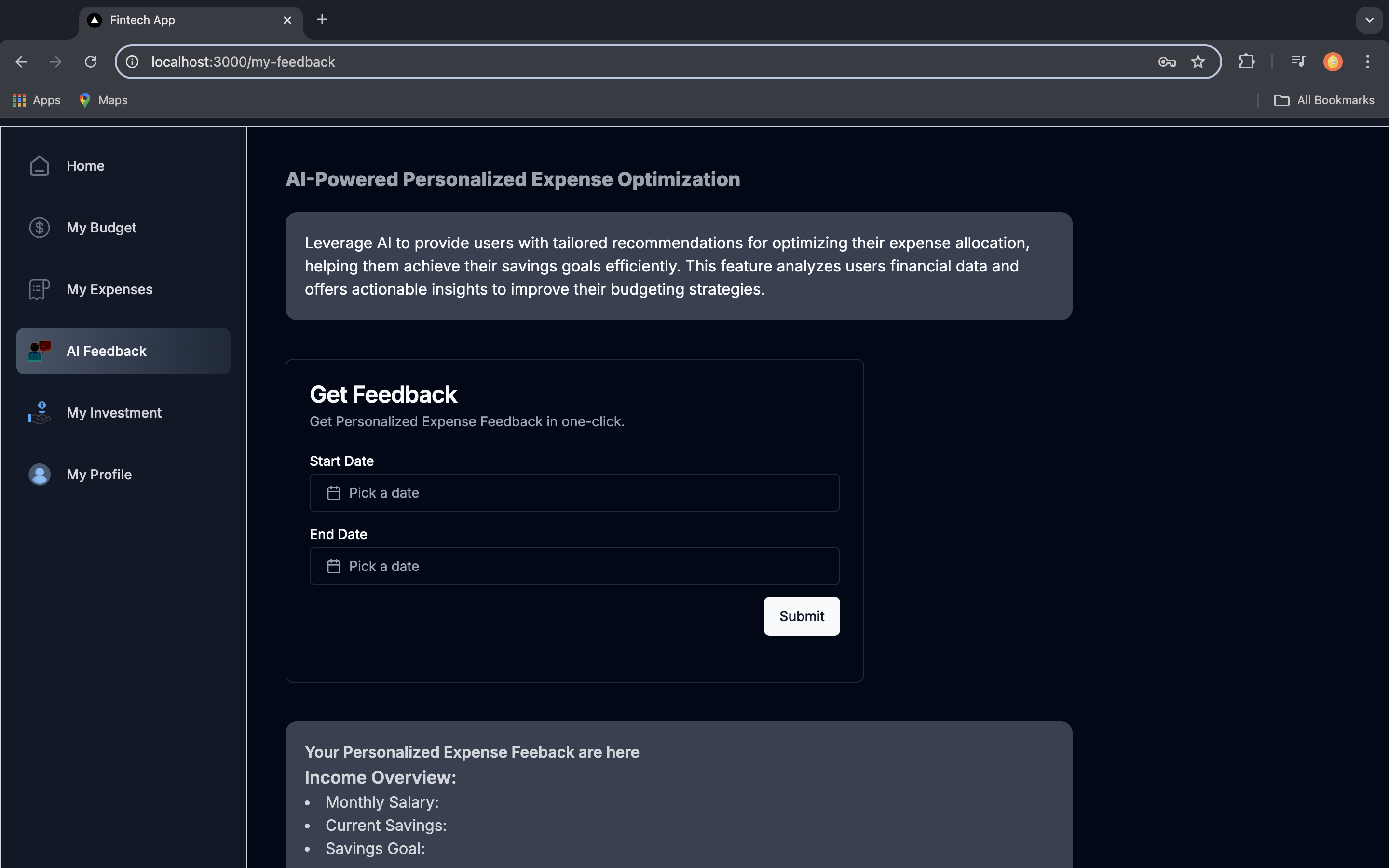
AI-Powered Personalized Expense Optimization page
-
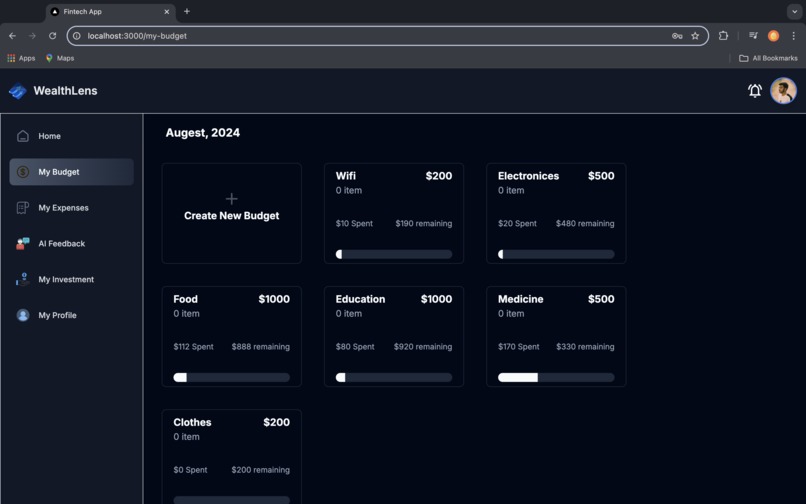
Create budget category and added budget category
-
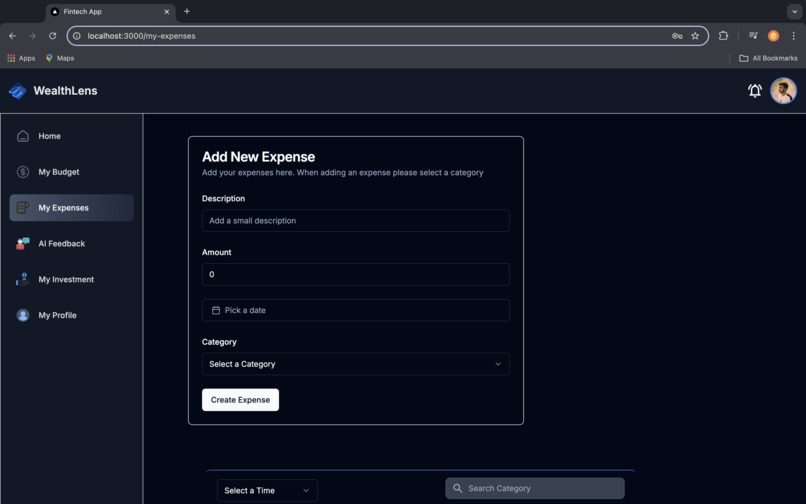
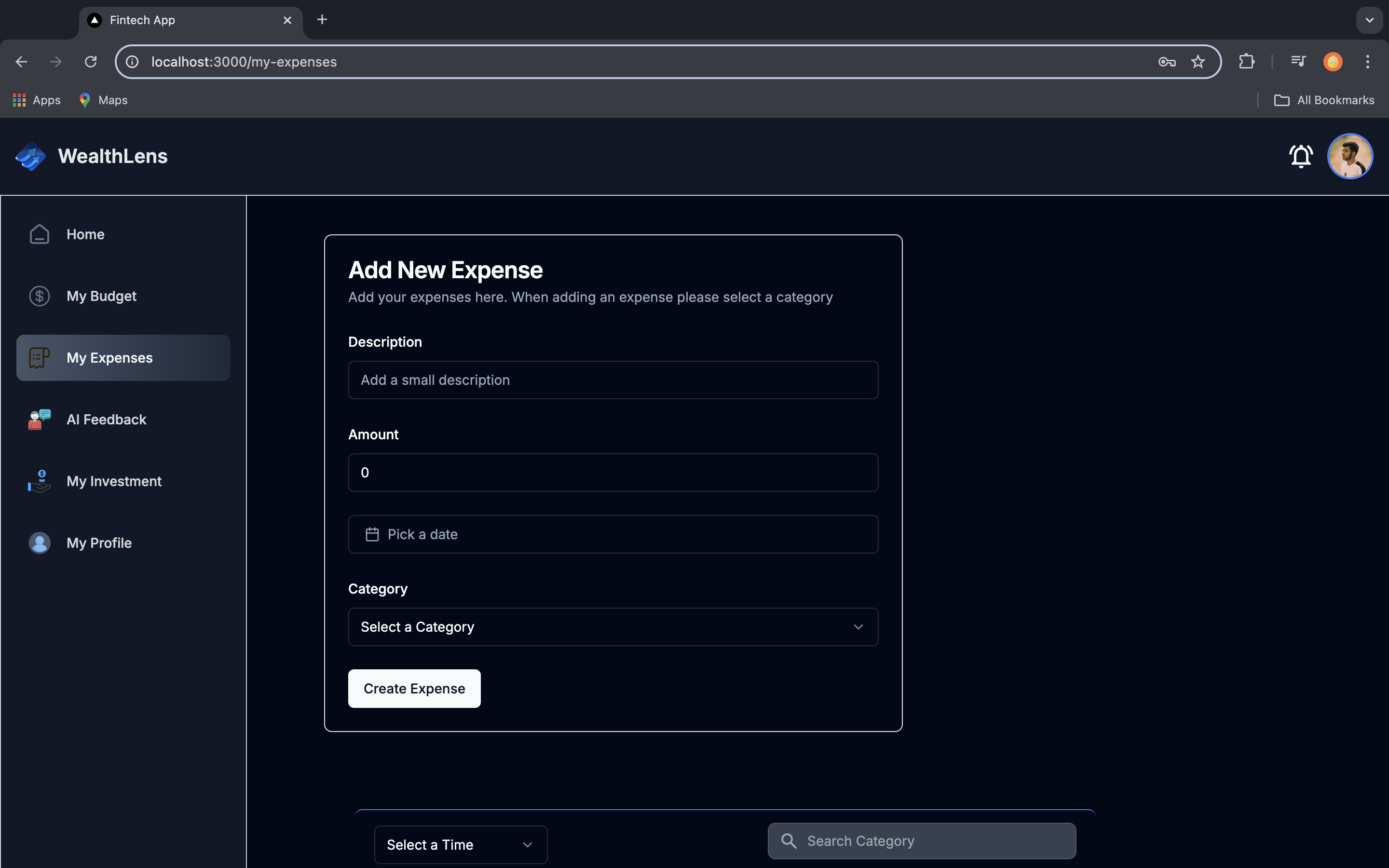
Add new Expense page
-
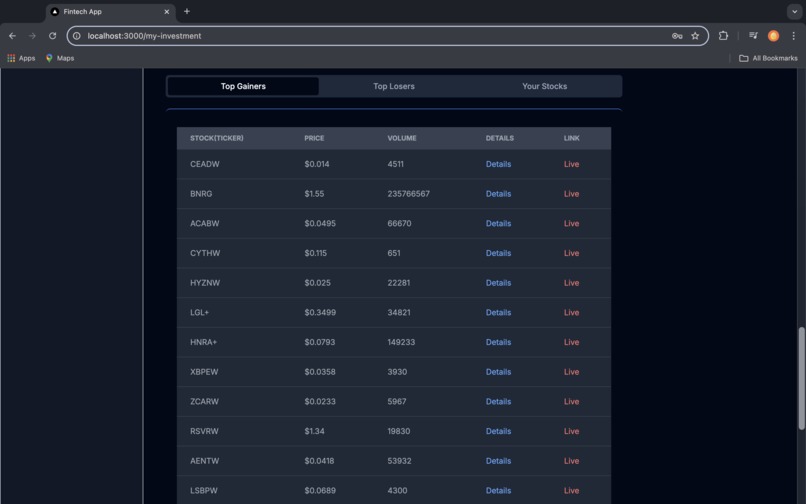
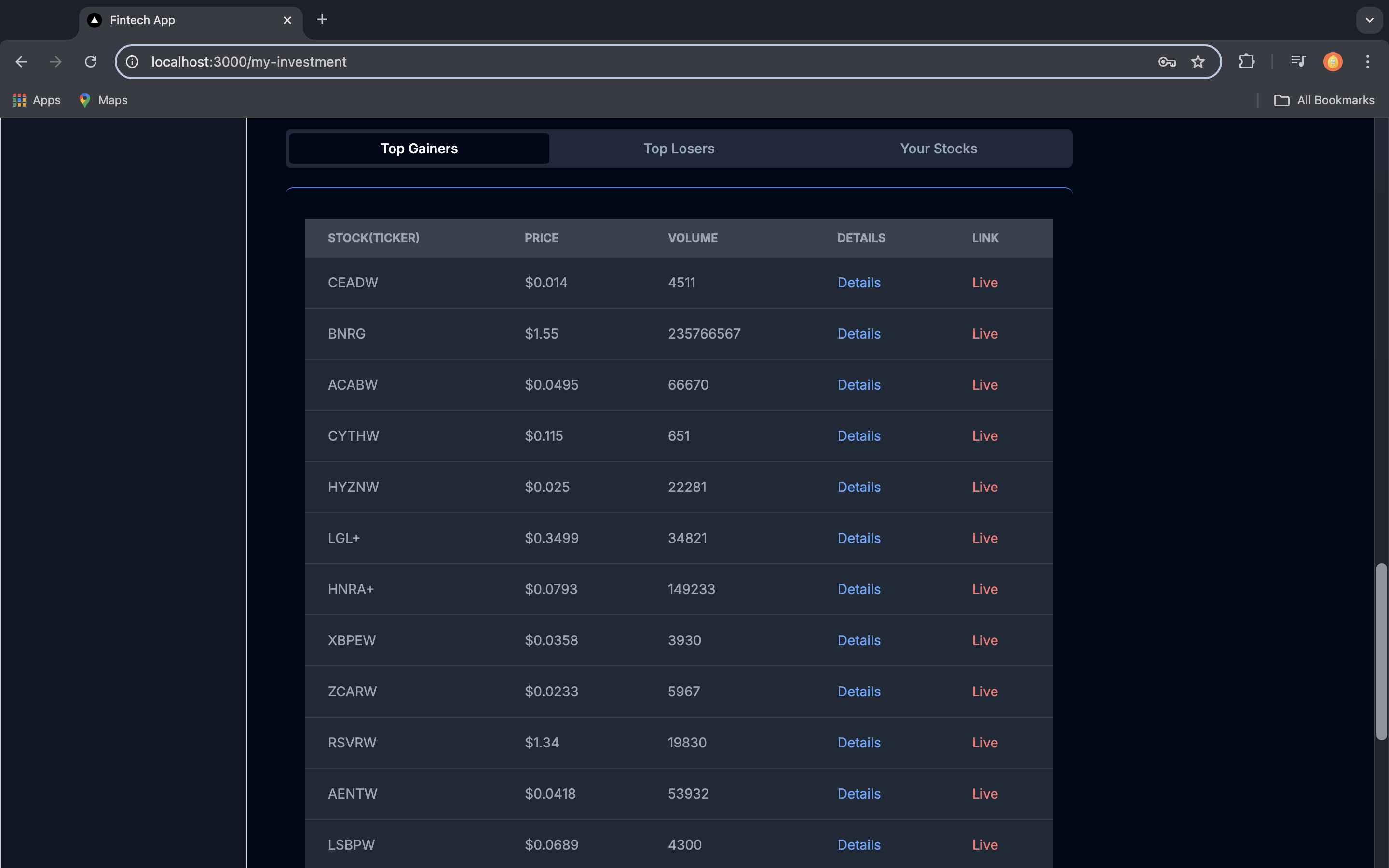
See a table of TopLosers and TopGainers and user added stocks
-
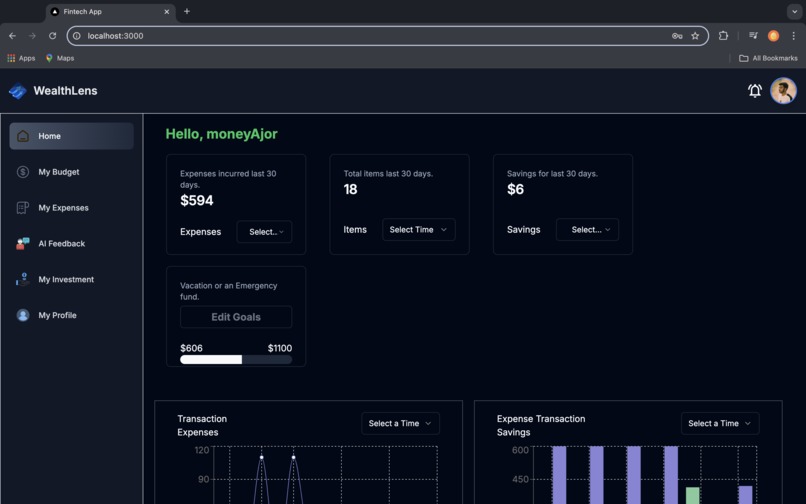
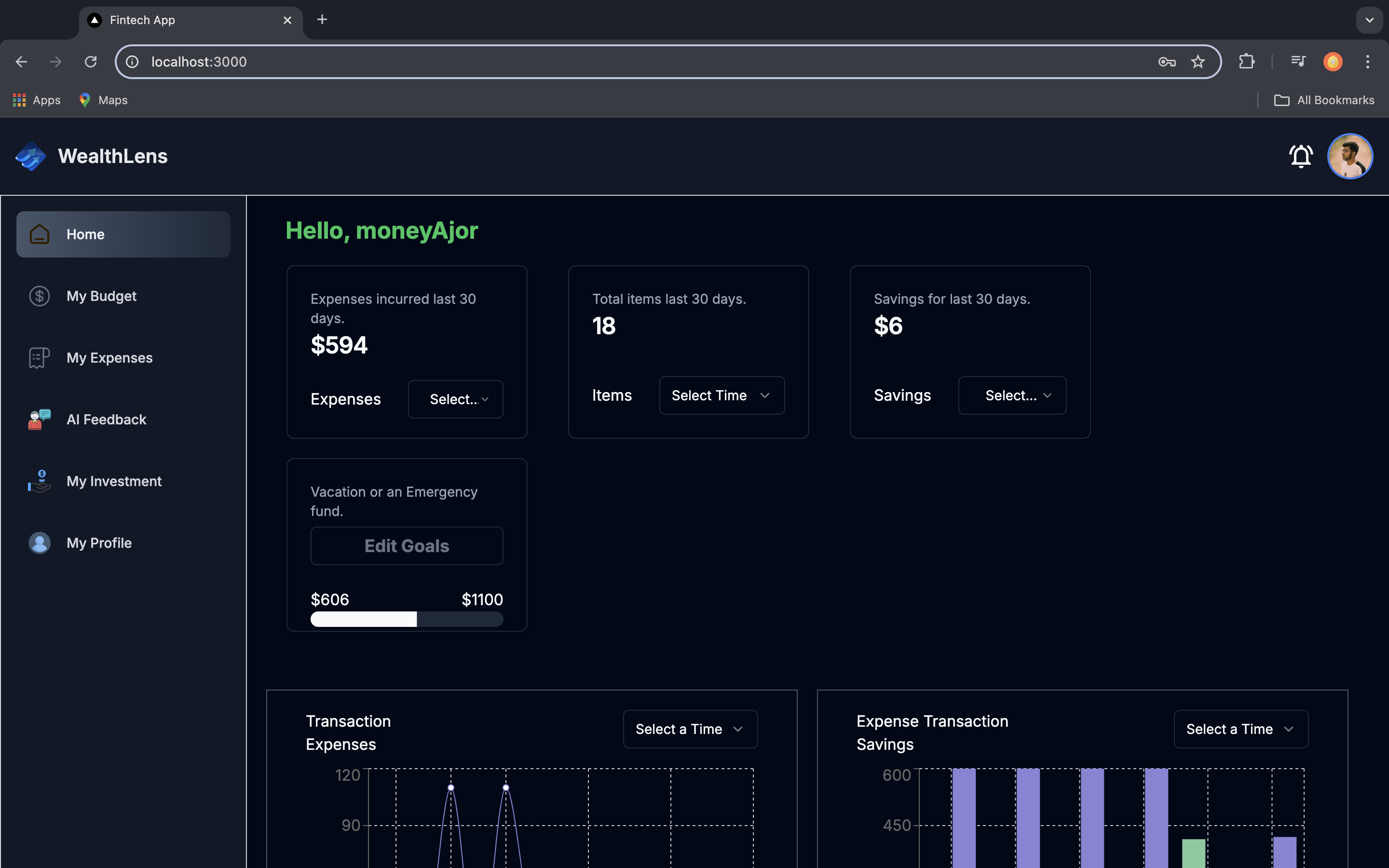
Dashboard
-
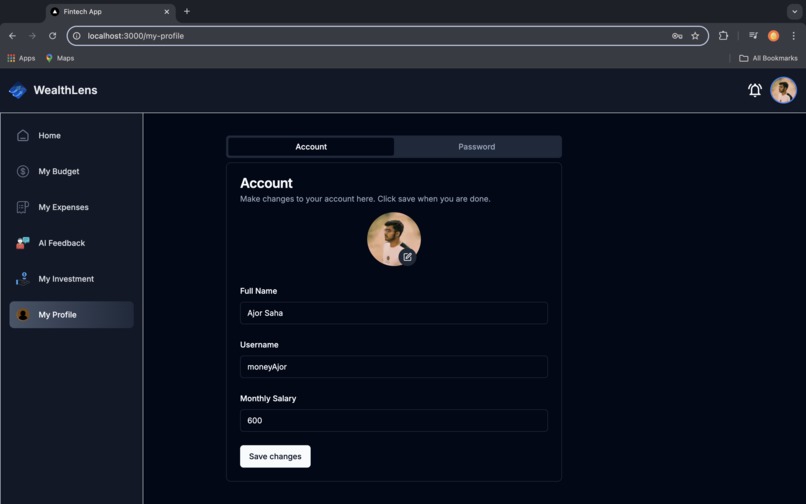
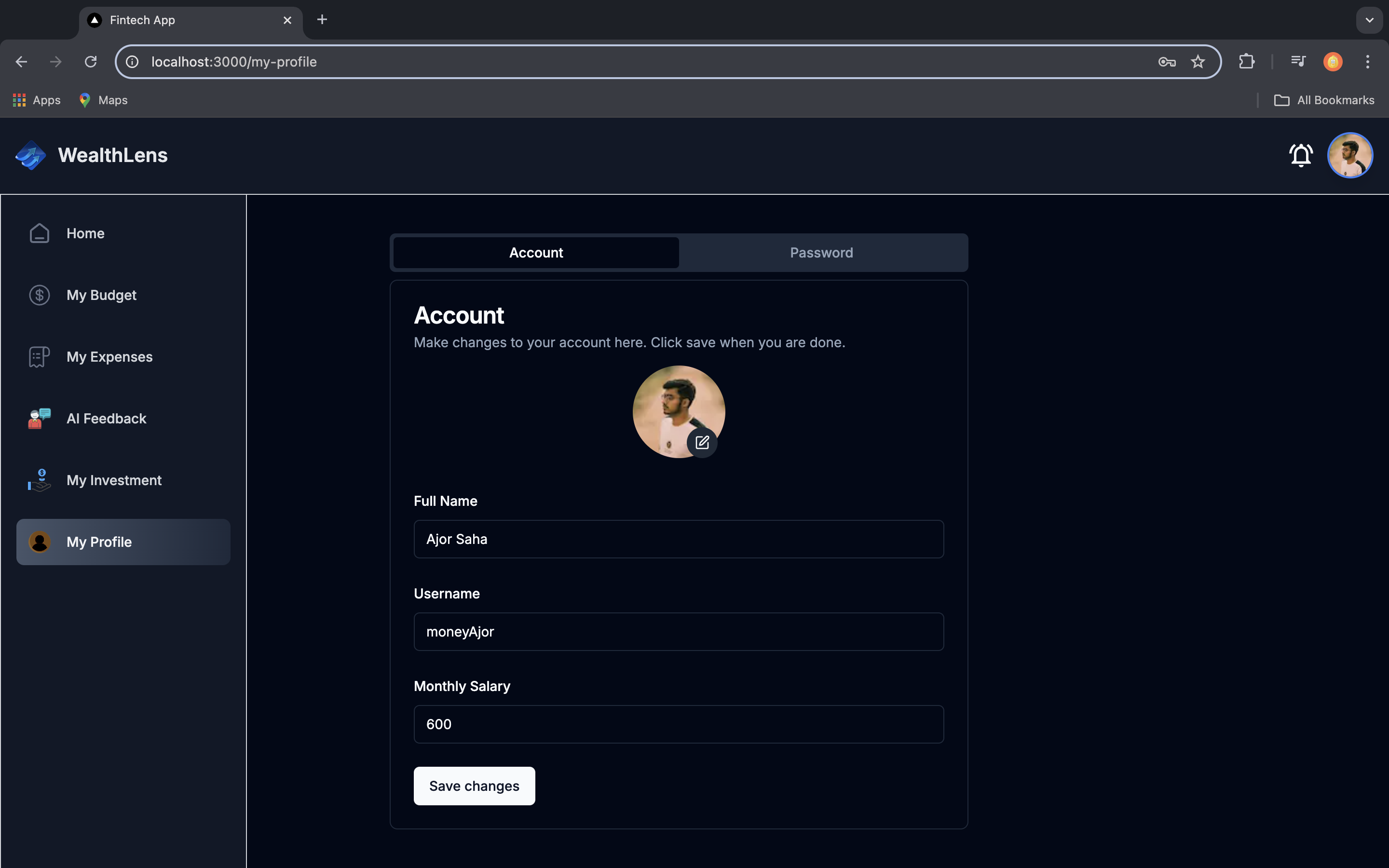
Profile page to update user details and also change password
-
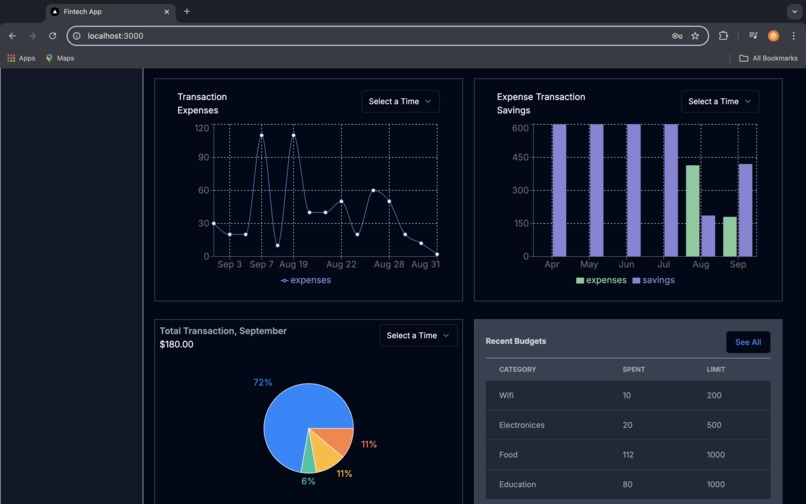
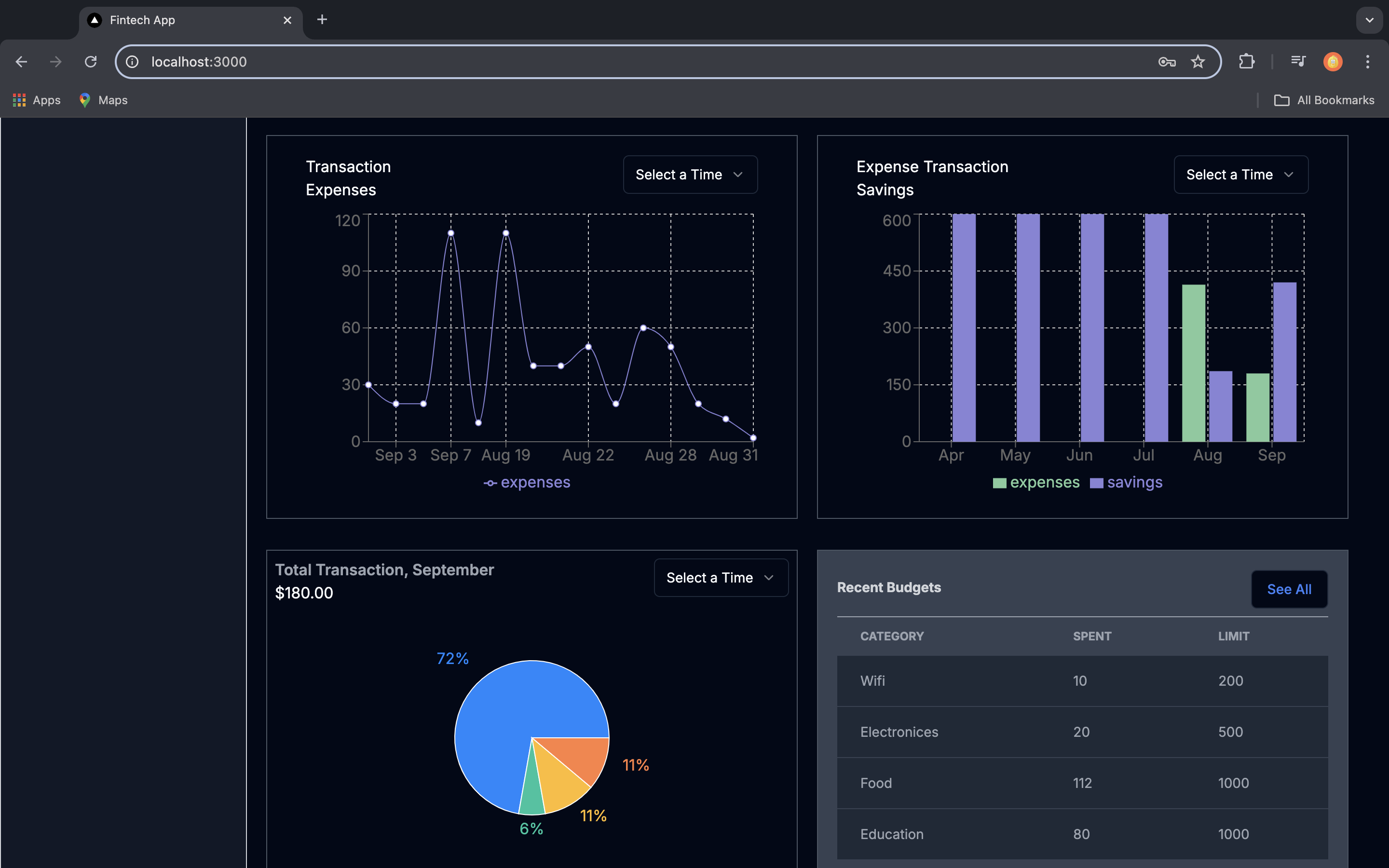
Charts on Dashboard
-
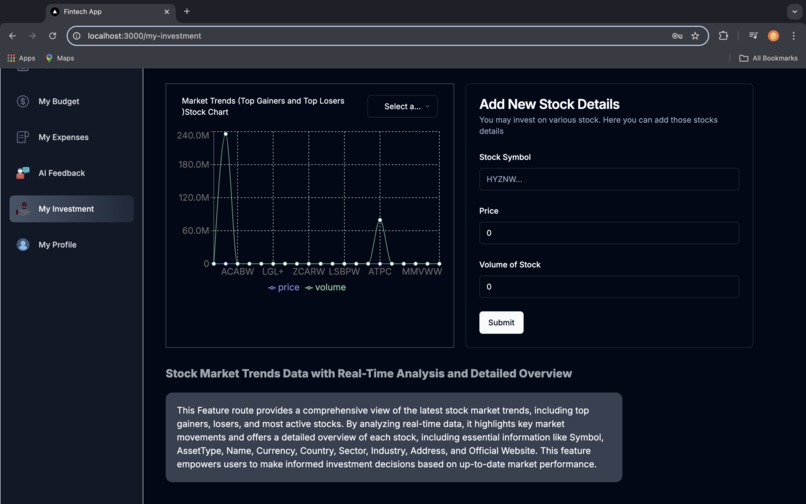
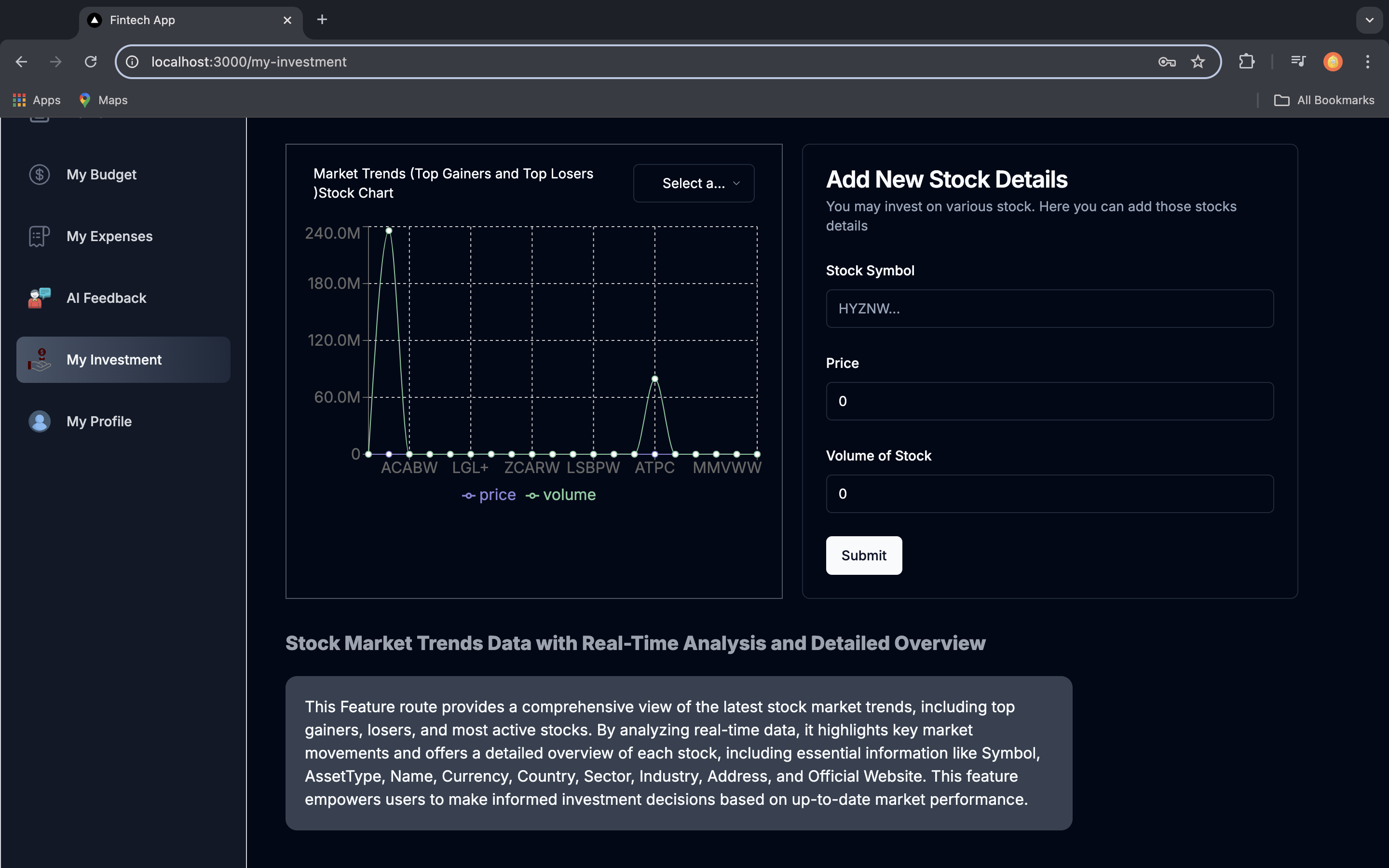
Chart data on stock topGainers and TopLosers and Add user stock details page
-
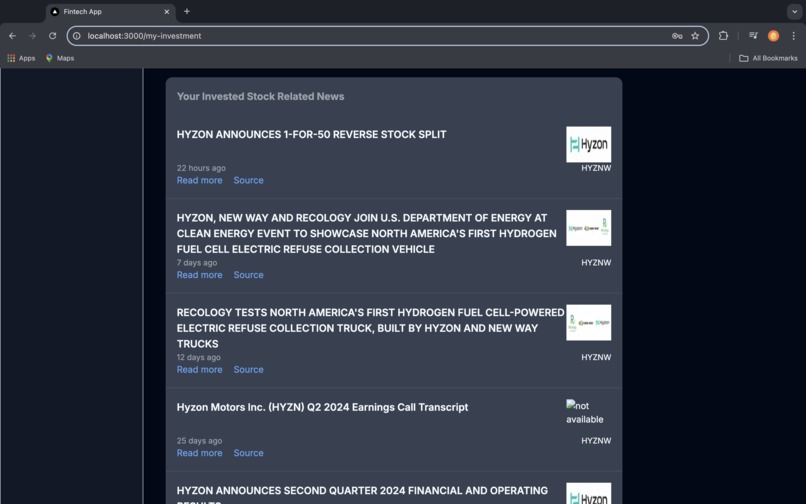
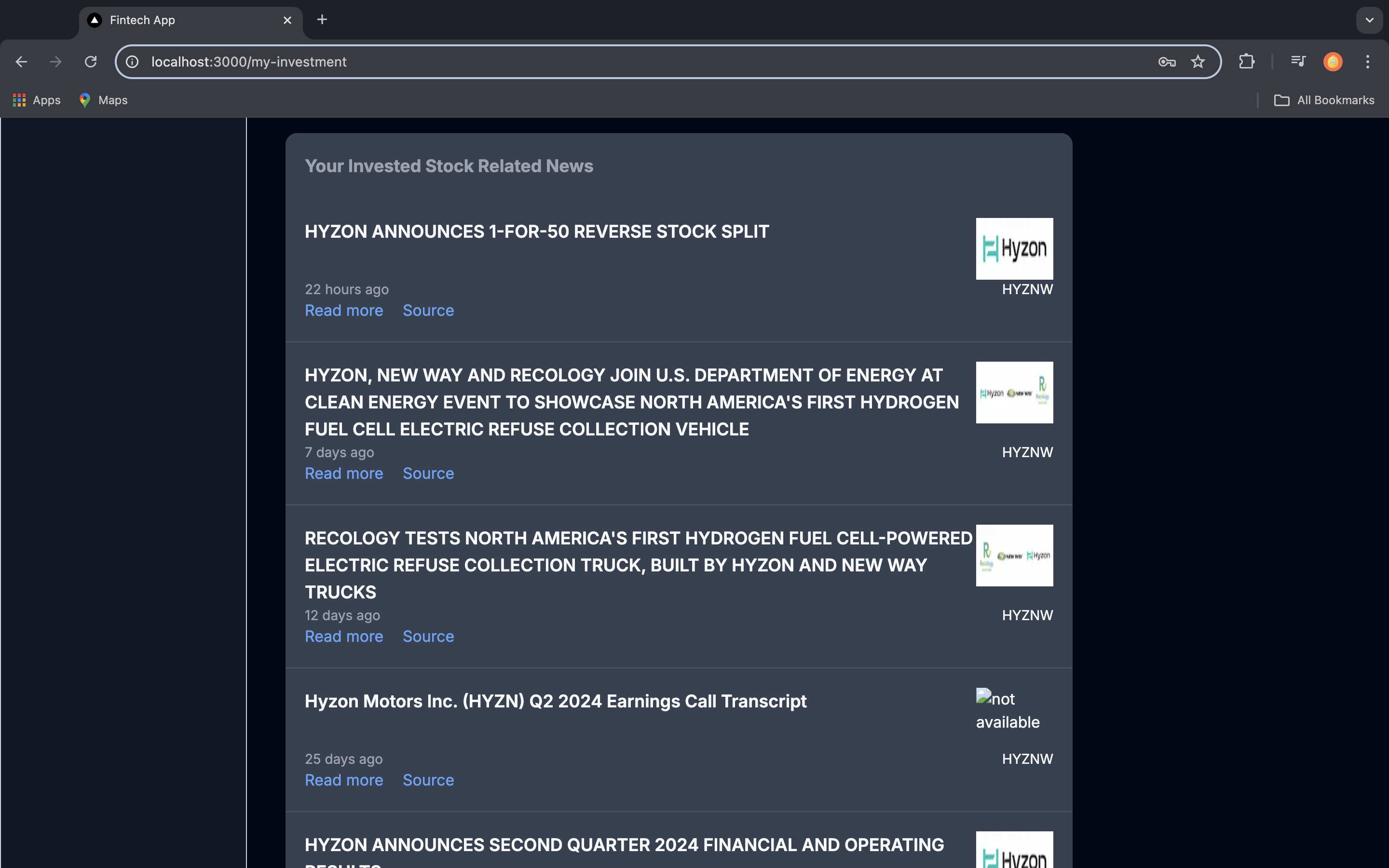
See market trends and also see user added stock latest news
-
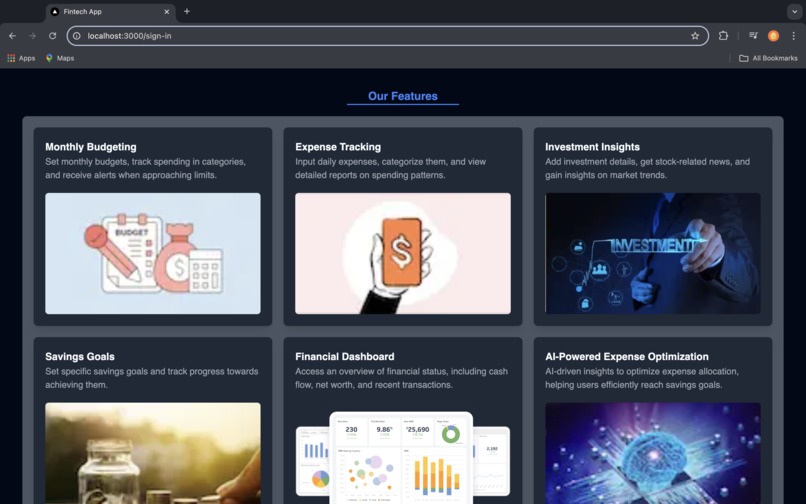
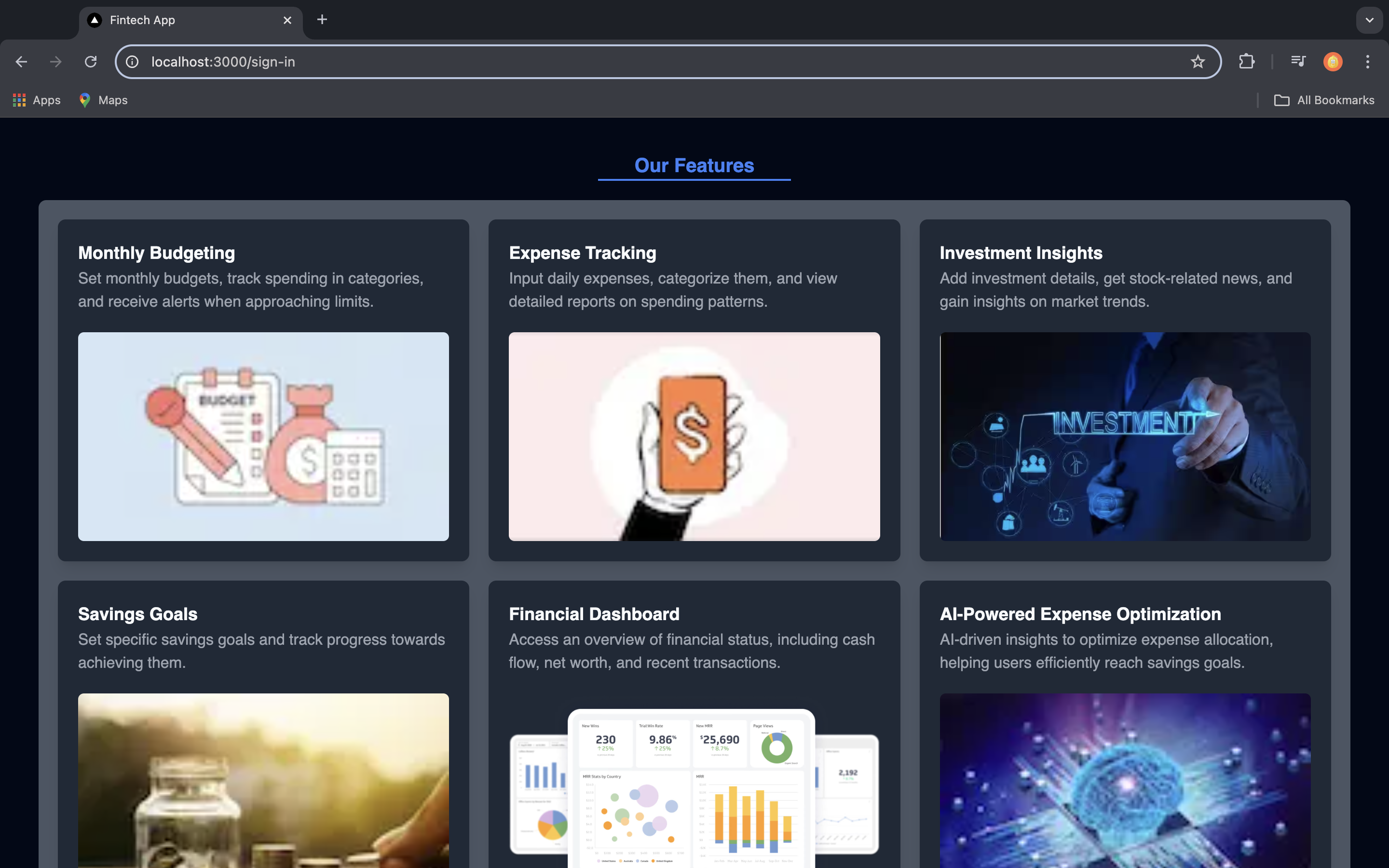
Login Page with Overview
Inspiration
WealthLens was inspired by the need for a comprehensive and user-friendly platform to help individuals take control of their financial well-being. With so many people struggling to manage budgets, track expenses, and stay updated on investment trends, I wanted to create a solution that integrates all these tools into a single, accessible dashboard. My goal was to provide users with an easy way to monitor their financial status, make informed decisions, and optimize their spending habits using AI-driven insights. WealthLens is designed to empower users to build better financial habits and achieve their savings goals effortlessly.
What it does
WealthLens is a powerful financial management web application designed to simplify the way users manage their money. The platform allows users to:
Set Monthly Budgets
Create budget categories and set limits to track spending, with alerts when approaching the limit.
Track Expenses
Input daily expenses, categorize them, and view detailed reports on spending patterns.
View Financial Dashboard
Access an overview of financial status, including total expenses, savings, cash flow, net worth, and recent transactions.
Analyze with Charts
View expense and savings data through line charts, bar charts, and pie charts to get a visual breakdown over various time ranges.
AI-Powered Insights
Receive personalized insights that help optimize spending and savings goals.
Manage Investments
Stay informed about market trends, track top gainers and losers in the stock market, and receive news and trends on saved stocks.
Savings Goals
Set specific savings targets and track progress.
How we built it
WealthLens was built using Next.js, a powerful React framework that allows for efficient server-side rendering and API handling. The core technologies and tools that were leveraged in building this app include:
- Next.js: Used for building the frontend and backend API routes, ensuring high performance and seamless integration between server-side rendering and dynamic routing.
- React: Enabled the creation of dynamic and interactive user interfaces, allowing for a smooth user experience.
- Tailwind CSS & ShadCN: These tools were used to design a clean, minimalist user interface with responsive and modular components, making the app visually appealing.
- JavaScript/TypeScript: The primary programming languages for building the application, ensuring type safety and scalability.
- Next-Auth: For secure and seamless user authentication and session management, allowing users to log in and sign up easily.
- Gemini AI Model & ChatGPT: Integrated AI-powered insights for expense optimization and budgeting assistance, offering users personalized financial guidance.
- Alpha Vantage & Finnhub APIs: Used for fetching real-time market trends, stock data, and stock-related news, helping users stay informed about their investments. Alpha-Vantage Finnhub API
- MongoDB & Mongoose: A NoSQL database was used for securely storing user data such as expenses, budgets, and investments, with Mongoose handling schema validation and database operations.
By combining these technologies, WealthLens provides a feature-rich, client-centric financial management solution with secure authentication, AI-driven insights, and up-to-date stock market information, all while ensuring scalability and high performance.
Challenges I ran into
Building WealthLens came with its own set of challenges:
Data Synchronization: Managing and synchronizing financial data between the client-side storage and MongoDB while maintaining performance and consistency proved to be tricky, especially when dealing with real-time updates.
API Rate Limits: While fetching stock data and news from Alpha Vantage and Finnhub APIs
Chart Rendering: Displaying large datasets of expenses and investments using Recharts presented some performance challenges, especially when rendering multiple types of charts (line, bar, pie) simultaneously on the financial dashboard.
AI Integration: Incorporating AI-powered insights using the Gemini AI model and ChatGPT was challenging, especially when selecting the right AI model. Many advanced versions required subscriptions, so balancing cost-efficiency with functionality was key. Additionally, prompt engineering was crucial to ensure users received accurate and personalized feedback. It required careful tuning of the AI prompts to generate insights that were both practical and aligned with users' financial goals.
User Experience Design: Ensuring the UI remained intuitive and user-friendly while incorporating complex financial data visualization and functionalities required careful planning and multiple design iterations. When integrating AI-generated feedback, the text often lacked formatting and categorization, which could hinder the user experience. To address this, I utilized the npm
react-markdownlibrary to render and format the text, enhancing readability and ensuring that data was properly categorized. This approach provided a more polished and organized presentation of feedback and financial insights.
Accomplishments that I am proud of
Seamless AI Integration: Successfully integrated AI models like Gemini AI to provide personalized financial insights. This feature offers users tailored suggestions for optimizing their expenses and achieving savings goals, elevating the app's value.
Real-Time Market Data: Implemented real-time stock market data and news using Alpha Vantage and Finnhub APIs, giving users up-to-date insights on their investments, which enhances decision-making.
User-Friendly Financial Dashboard: Developed a visually appealing and intuitive dashboard that allows users to easily track their expenses, budgets, and savings. The use of charts and visualizations helped make complex financial data understandable at a glance.
Responsive Design: Leveraged Tailwind CSS and ShadCN to ensure a clean and responsive UI that works seamlessly across devices, offering a consistent and enjoyable experience for users.
Secure Authentication: Integrated Next-Auth for secure user authentication, ensuring that users can log in and manage their financial data safely.
Efficient Data Management: Utilized MongoDB and Mongoose for storing user data, ensuring scalability while maintaining data integrity and security.
What I learned
AI and Machine Learning Integration: I deepened my understanding of AI integration in web applications, particularly when working with models like Gemini AI and ChatGPT. I learned the importance of choosing the right AI model based on functionality and subscription constraints, as well as the nuances of prompt engineering to provide meaningful and accurate feedback for users.
Data Visualization: Through this project, I improved my knowledge of data visualization using Rechart. I learned how to convert raw financial data into meaningful charts, graphs, and visual elements that enhance user understanding and interaction with the app.
User Experience Optimization: I gained insights into the importance of balancing complex functionality with an intuitive user interface. By incorporating libraries like
react-markdownfor AI-generated feedback and categorizing financial data, I learned to enhance user interaction and experience.
What's next for WealthLens
Multi-Currency Support: Implementing multi-currency functionality to allow users from different regions to track expenses and manage budgets in their local currency, enhancing the app’s global appeal.
Collaborative Budgeting: Adding features that allow users to share and collaborate on budgeting with family members or partners. This will make it easier to manage joint finances, shared expenses, and common savings goals.
Automated Bill Payment Reminders: Introducing automated reminders for bill payments to help users avoid missed payments and late fees. This feature could integrate with email or calendar services to streamline notifications.
Integration with Banking APIs: Allowing users to connect their bank accounts directly to WealthLens via open banking APIs, making it easier to track income, expenses, and balances in real time.
Personalized Financial Insights: Feature: Use AI to provide personalized financial insights and actionable recommendations based on users’ spending patterns, investment behavior, and savings goals. Use Case: Users receive tailored advice on how to optimize their spending, adjust their investment strategy, or achieve their savings goals more effectively.
Tax Optimization Tools: Feature: Implement features to help users optimize their tax strategies based on their financial and investment activities. Use Case: Users can receive suggestions on tax-saving opportunities and strategies to minimize their tax liability while managing their investments.
Getting Started with Hack4Good Fintech Hackathon Project
Steps to Start the Project Locally
Clone the Repository
git clone https://github.com/Ajor-Saha/Hack4Good-Fintech-Hackathon.git
Navigate to the Project Directory
cd Hack4Good-Fintech-Hackathon
Install Dependencies
npm install
Set Up Environment Variables
CLOUDINARY_CLOUD_NAME = cloudinary
CLOUDINARY_API_KEY =
CLOUDINARY_API_SECRET =
MONGODB_URI = mongodbAltas
GOOGLE_CLIENT_ID = googleCloud
GOOGLE_CLIENT_SECRET =
NEXTAUTH_SECRET = NextAuth.js
EMAIL_USER =
EMAIL_PASS =
YOUR_API_KEY = AlphaVantage
GEMINI_API_KEY = googleGeminiAi
FINNHUB_API_KEY = FinnhubApi
Start the Project
npm run dev
Note: This application uses the free tier versions of the Gemini AI model, Alpha Vantage API, and Finnhub API. As a result, it may exceed its daily usage limits while in use.
Demo user data for test purpose
username : moneyAjor
password: abc123
Built With
- mongodb
- mongoose
- nextauth.js
- nextjs
- react-hook-form
- tailwindcss
- typescript
- zod

Log in or sign up for Devpost to join the conversation.