-
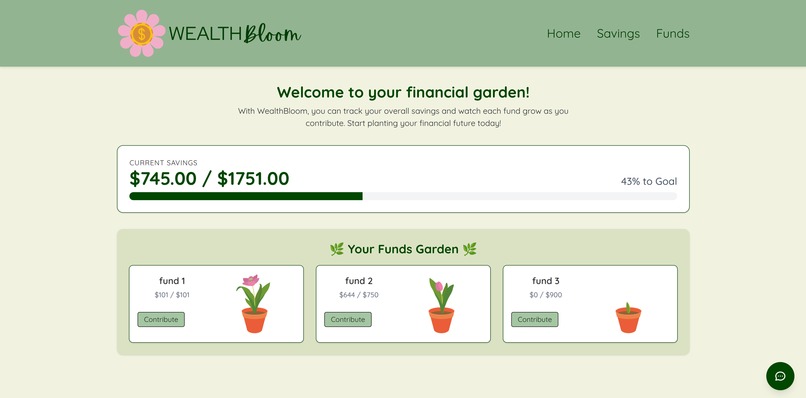
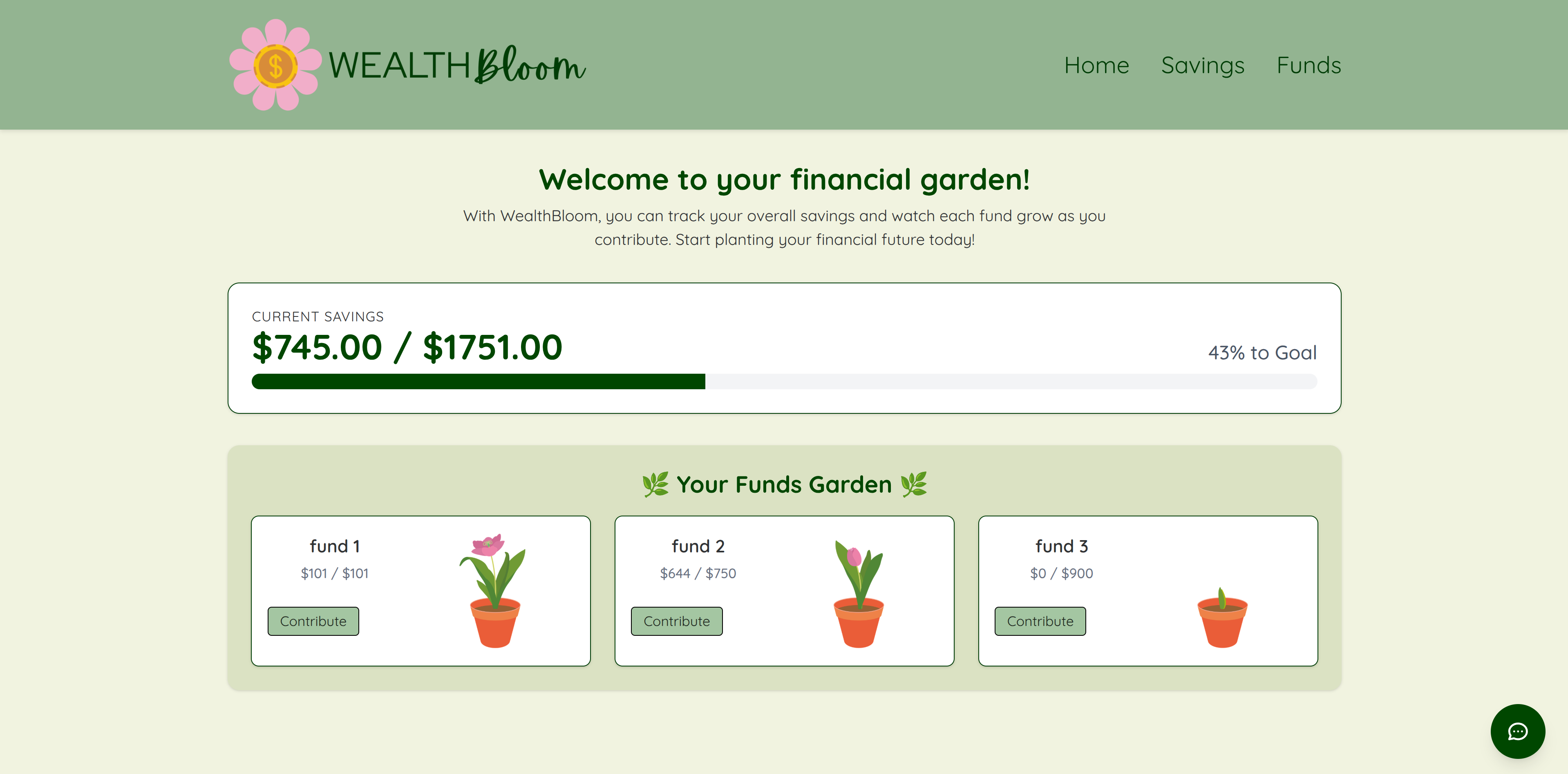
Home page
-
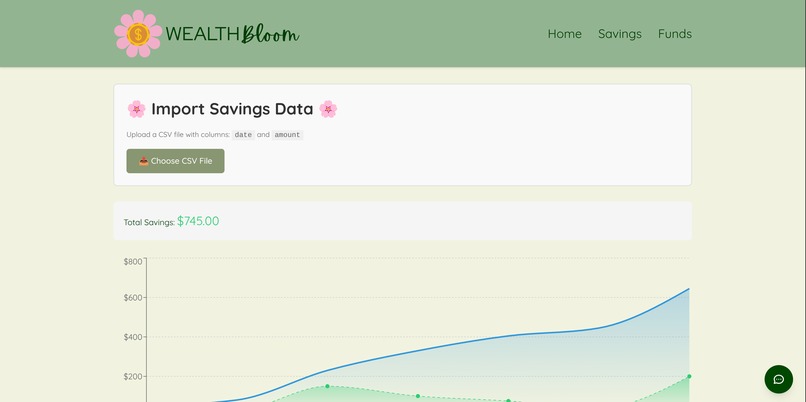
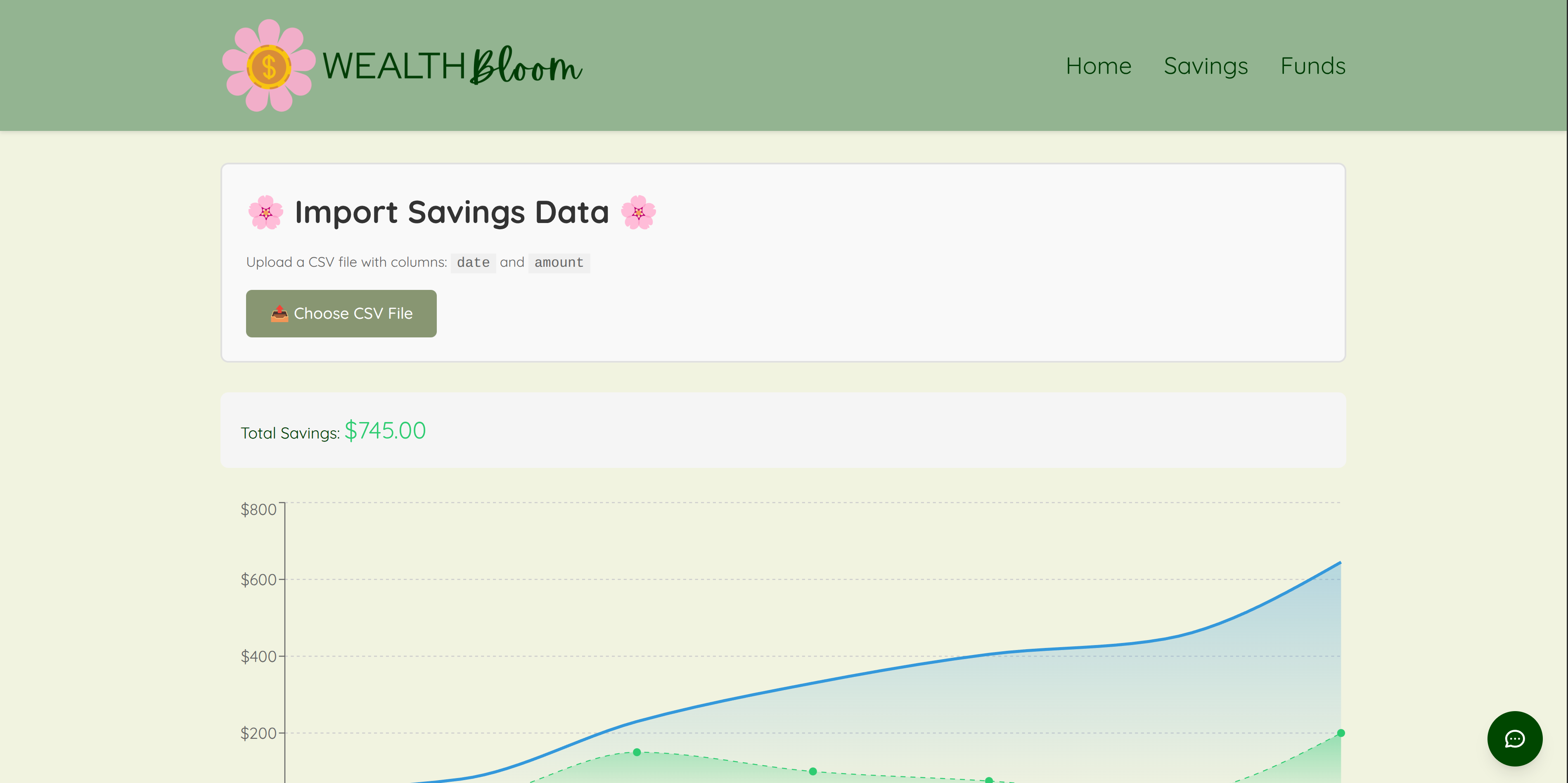
Savings page
-
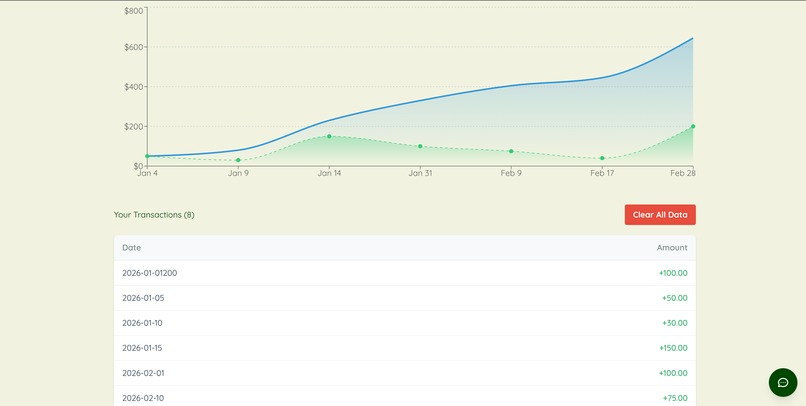
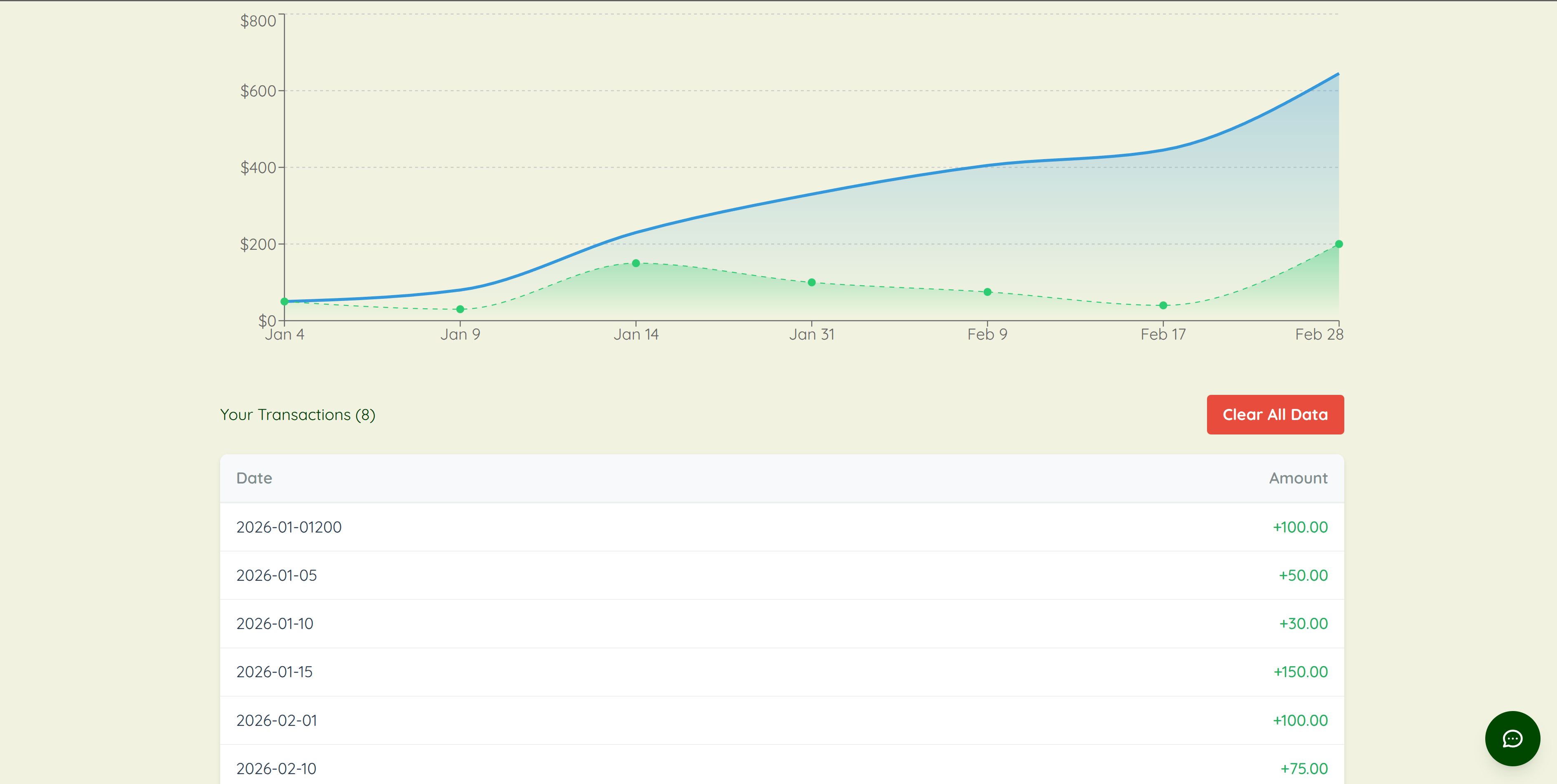
Saving page continued
-
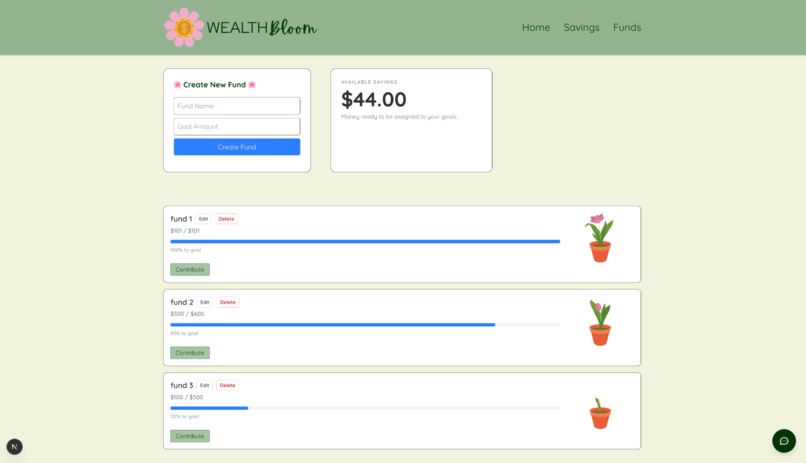
Funds
-
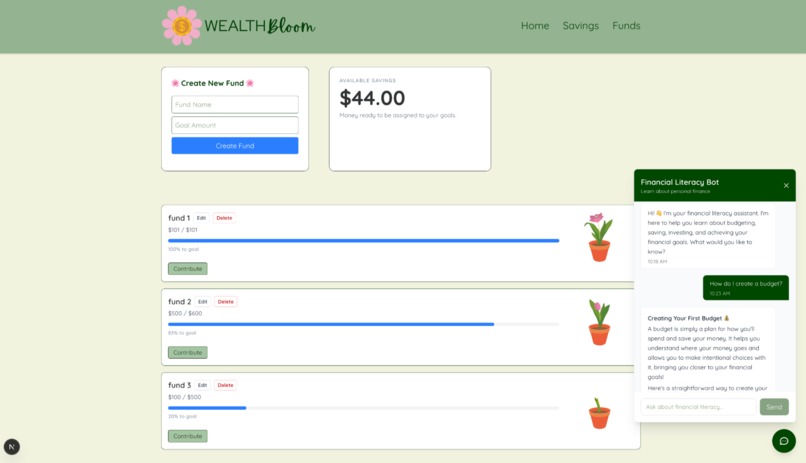
Chatbot helper
Welcome to WealthBloom!
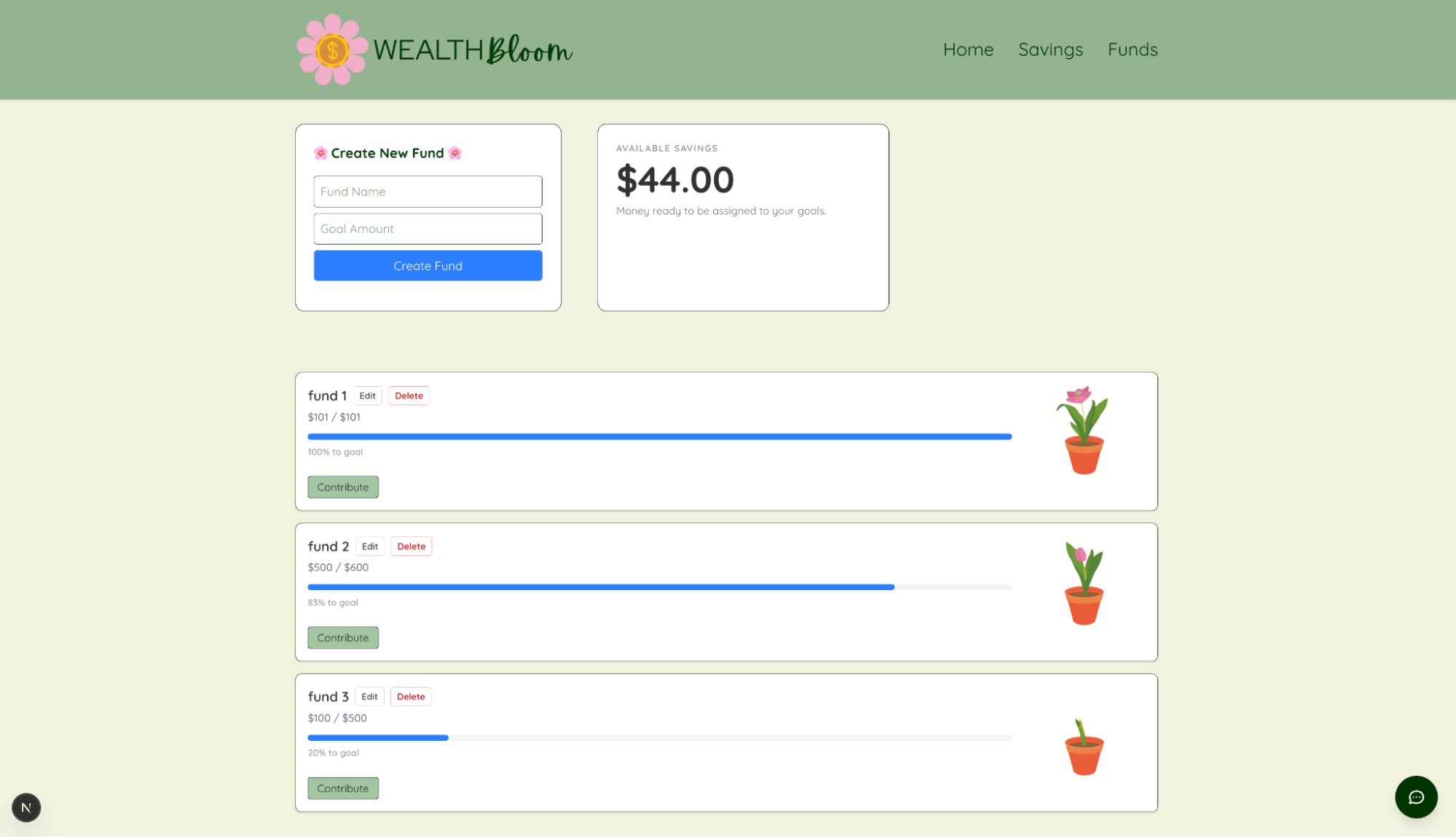
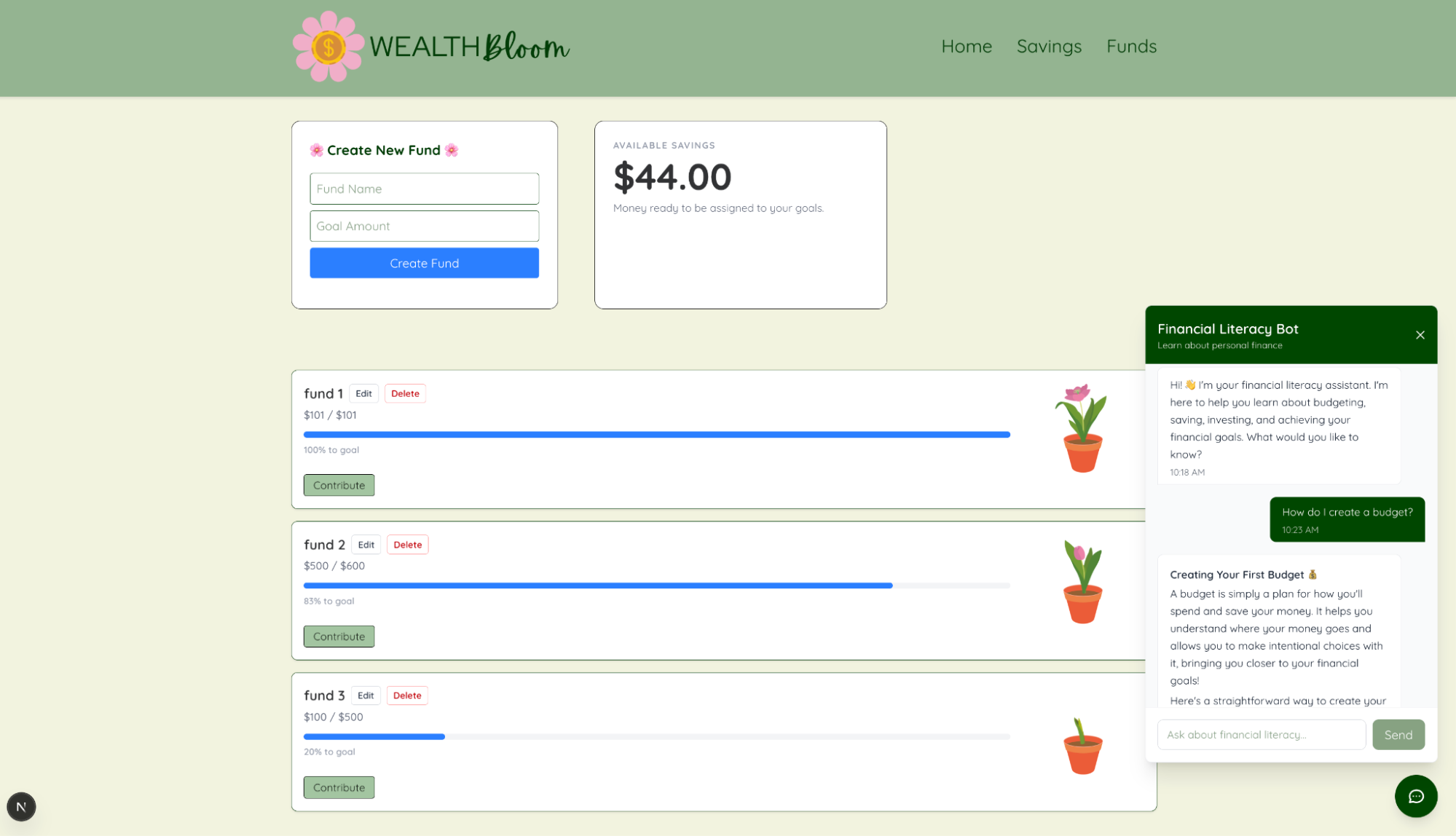
We set out to make an accessible, simple, and floral financial planner application. With WealthBloom, users' saving goals are represented by beautiful flowers that bloom as more funds are contributed toward their goal. Our primary objective was to increase engagement by gamifying money management while making the process feel less overwhelming. With WealthBloom, saving is made easy for those new to managing finances, such as college students or teens, with our simplified interface. Designed especially for beginners—such as college students and teens—WealthBloom features a clean, intuitive interface that simplifies personal finance. By uploading their financial data, users receive personalized charts, tailored milestones, and adorable growing plants that visually track their progress. Improving financial literacy among our users was also a top priority, which is why we set up Gemini Chatbot to answer any financial-related questions and streamline a personalized user experience.
How we built it
We started with a create-next-app Next.js app using the App Router, TypeScript, and Tailwind packages. We structured the application into three separate feature pages: the dashboard with the Funds Garden, the savings tracking page, and the funds management page. We built backend API routes in Next.js to handle the uploaded CSV files containing savings data. We then added the CSV import function on the frontend with PapaParse and connected our frontend using an API route. Our data was stored locally in JSON files rather than a database server for simplicity. Once the data was able to be read, we worked on adding a progress bar to our homepage, which computed overall progress computes overall progress (current savings/total goals), and a garden-themed funds overview. To the Savings page, we added visualizations and progress UX using Recharts to graph savings trends over time, as well as a table to track fund growth. Finally, we integrated an AI financial literacy chatbot with Gemini API. This bot was tailored to our application by specifying prompt format rules and model fallback handling.
What we learned
The experience of brainstorming, converting our thoughts to code, and fixing our errors taught us a lot about patience and persistence. Once we brainstormed some ideas for our financial planner concept, we had to figure out where to start and how to do it. During this process, we learned how to utilize Next.js to bring our idea to life. Also, we learned how to break apart an idea into smaller, more achievable steps. This way, the accomplishment of each smaller portion was motivating to complete the entire project. We learned how to create an AI chatbot and how to prevent API key leakage. Once we completed most of the code, we learned how to collaborate to spot errors in Git and logical functionality issues. Ultimately, we learned a lot about how to work on a website-based project from start to finish, and, in the end, the main thing we learned was how to continue to work together after various obstacles.
Challenges we ran into
Initially, we believed that setting up an accessible financial planner would be simple. We soon realized this was not the case. One of our biggest challenges was the steep learning curve associated with Next.js and building a full-stack application from scratch. Integrating the frontend with the backend, managing data flow through CSV and JSON files, and handling API routes pushed us outside our comfort zone. We also ran into issues with deployment, environment variables, and debugging unexpected errors, which often took more time than anticipated. Additionally, incorporating the AI chatbot into our project introduced a different set of challenges, including producing helpful responses and integrating it smoothly with the rest of the application. Despite these obstacles, each challenge strengthened our technical skills and helped us better understand how to design and build a complete, real-world application.
Built With
- gemini-api
- next.js
- tailwinds-css
- typescript


Log in or sign up for Devpost to join the conversation.