Inspiration
When I first arrived in New York City as an international student, I quickly realized that navigating an unfamiliar city is not only about getting somewhere quickly, but also about feeling safe along the way. One night, I followed Google Maps to a theater using the fastest route it suggested. During a transfer, I suddenly felt very uncomfortable. People on the street were staring at me, and a stranger approached me in a way that felt threatening. I was extremely scared. Later that night, I searched online and found that the area I passed through had a high rate of gun violence. That experience made me realize that most navigation tools today focus almost entirely on speed. They rarely consider how safe a route might feel, especially for newcomers, students, or anyone traveling alone at night. After talking with friends and local residents, I learned that this need is widely shared. Many people want more safety context when navigating places they do not know well.
This experience inspired us to build WaySafe.
What We Built
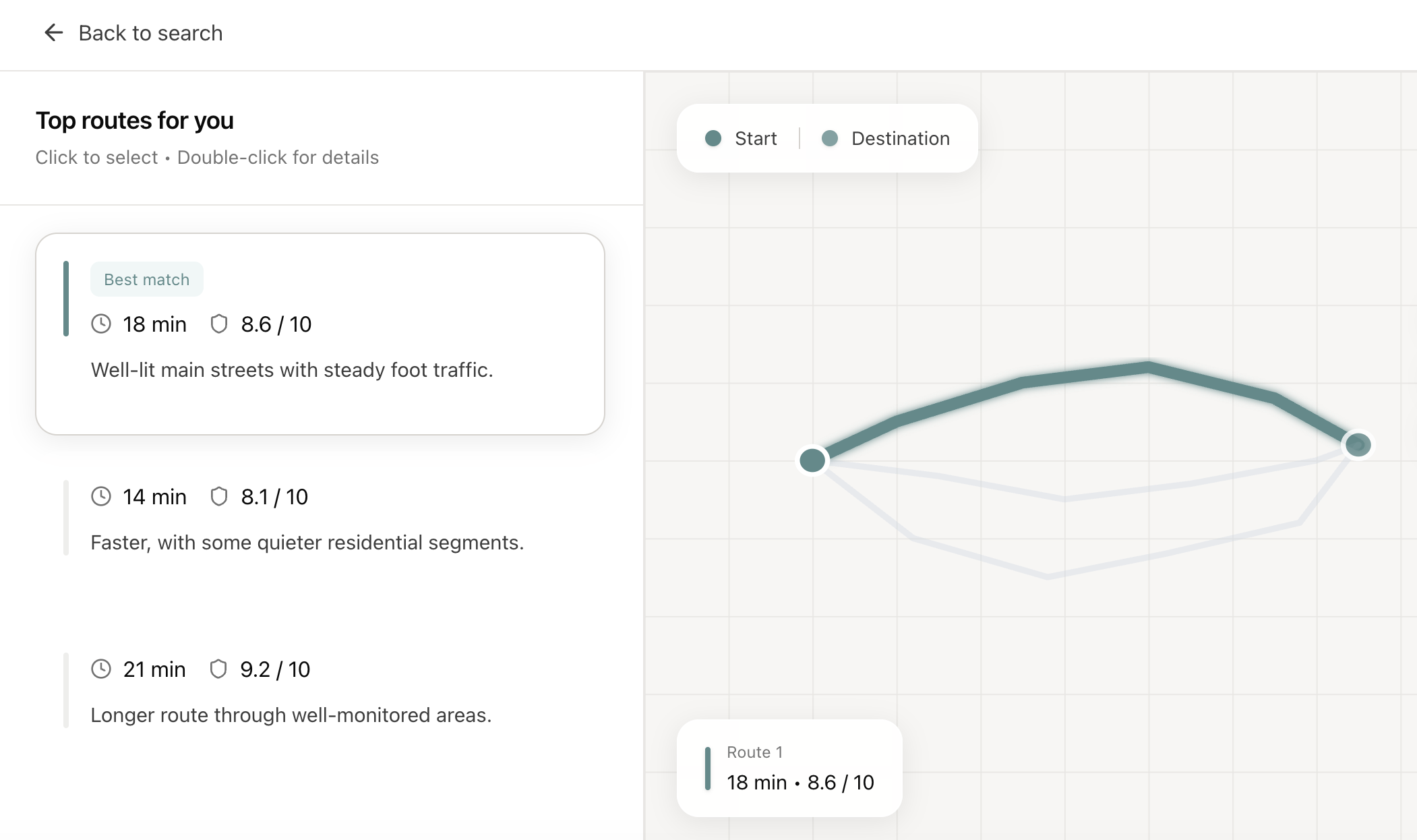
WaySafe is a navigation tool that helps users choose routes based on how safe they feel, not just how fast they arrive. Instead of showing only the fastest option, WaySafe analyzes historical crime data and combines it with the user’s personal preference between safety and speed. Based on these factors, WaySafe evaluates multiple route options and ranks the top three routes using a composite score that reflects overall suitability. For each route, WaySafe also provides a safety score to help users understand the relative safety level of that option, along with estimated travel time and a short explanation of why the route was selected.
How We Built It
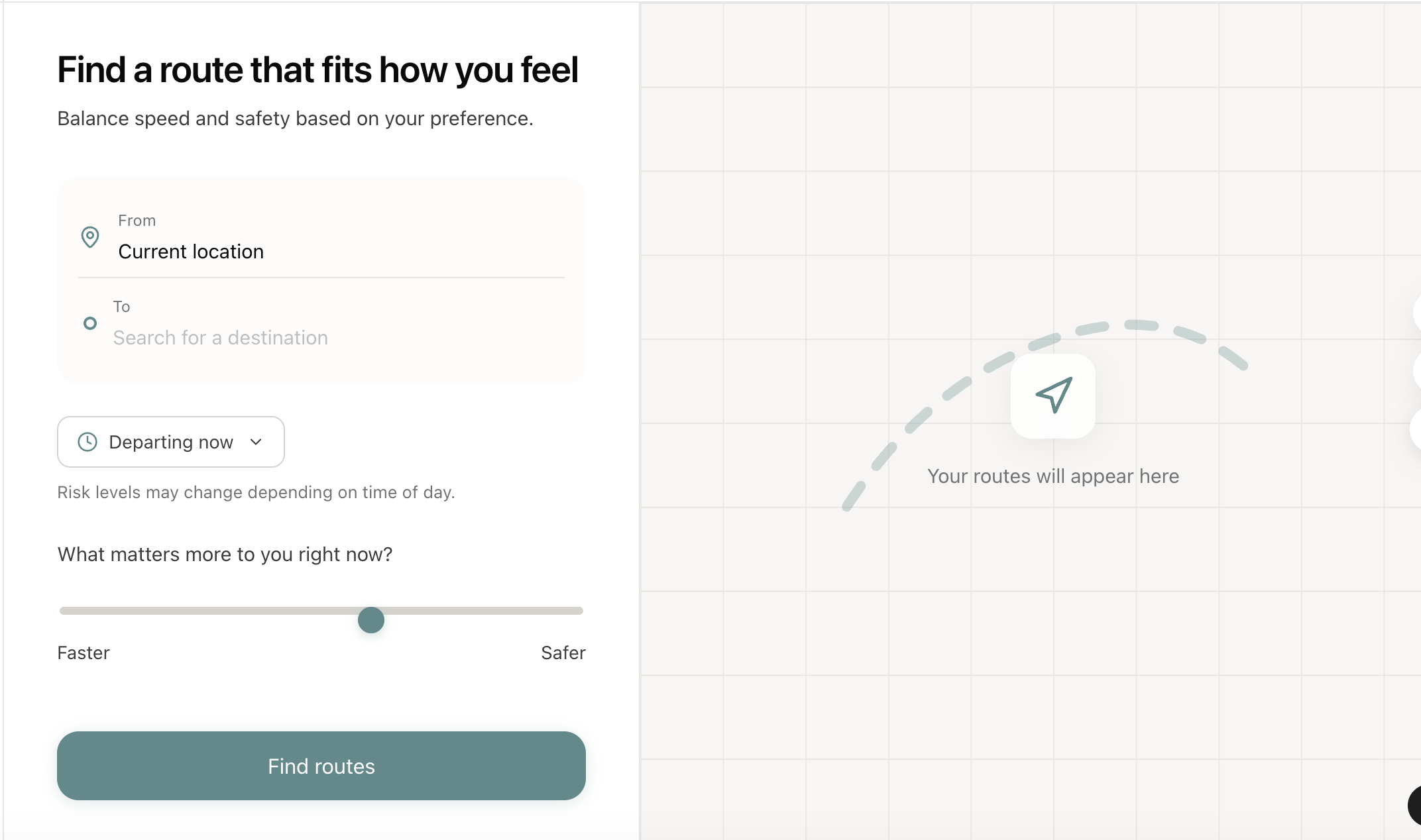
To use WaySafe, users enter their starting point and destination. They then adjust a comfort slider to indicate how much they want to prioritize safety versus speed. After clicking the Find Routes button, the system evaluates possible routes using weighted factors based on the user’s preference and historical crime data along each path. WaySafe presents the top three recommended routes ranked by a composite score. Each route also includes an estimated travel time and a safety score for reference. When users select a route, the map highlights that route while an expanded panel appears nearby. This expanded view provides more detailed information, including a brief safety summary, key risk factors inferred from historical data, and practical safety tips. The map and the detail panel update together so users can clearly connect the information with the route’s spatial context.
Built With
- api
- css
- digitalocean
- python
- react.js
- typescript

Log in or sign up for Devpost to join the conversation.