Inspiration
When we try to learn something online, we usually end up with a bunch of tabs and no clear order. We know the topic, but not what to read first, or how to tell if we actually got it. We wanted Waypoint to work more like directions. You start with a question, and it gives you a path through the ideas instead of leaving you to figure that out alone.
What it does
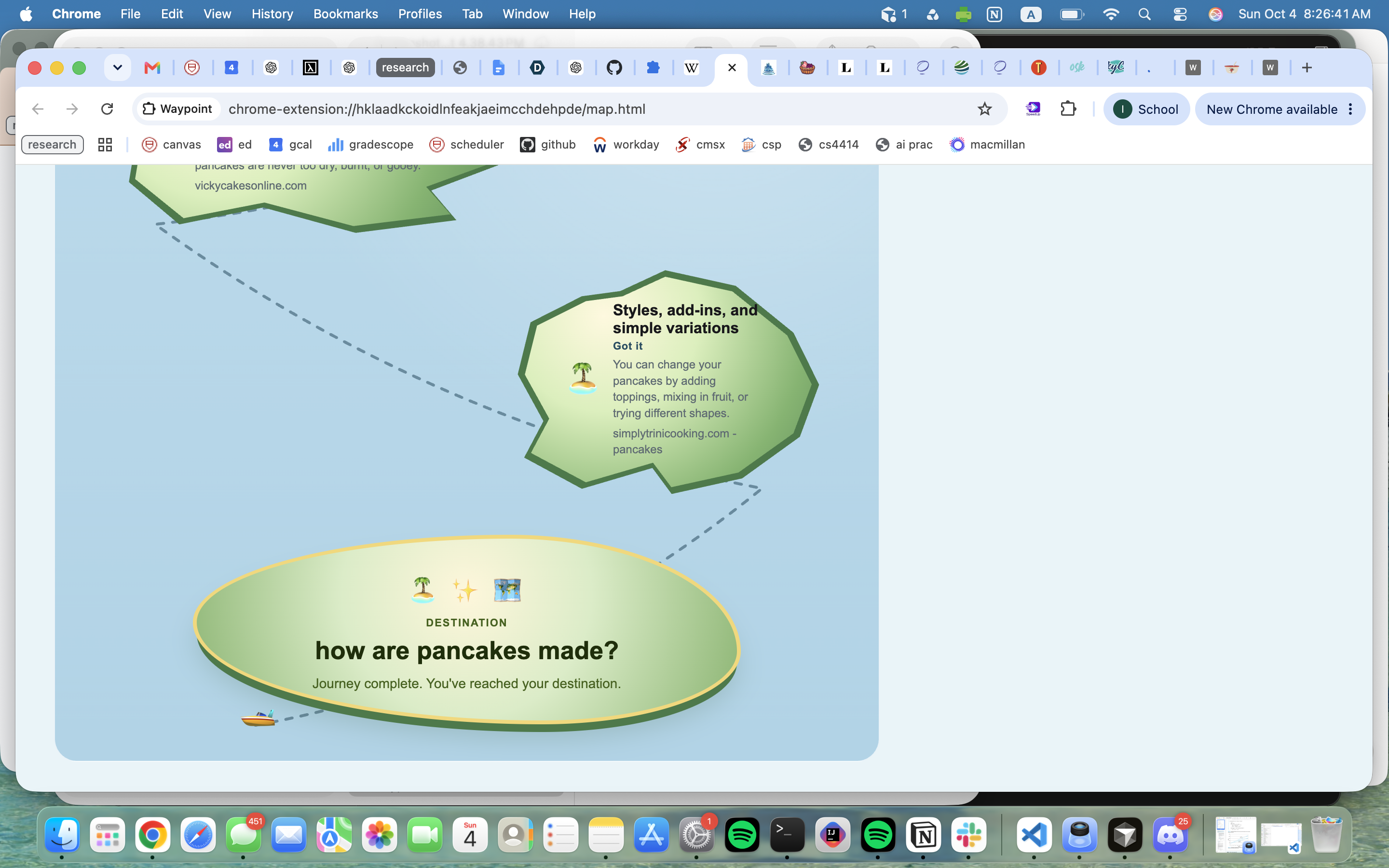
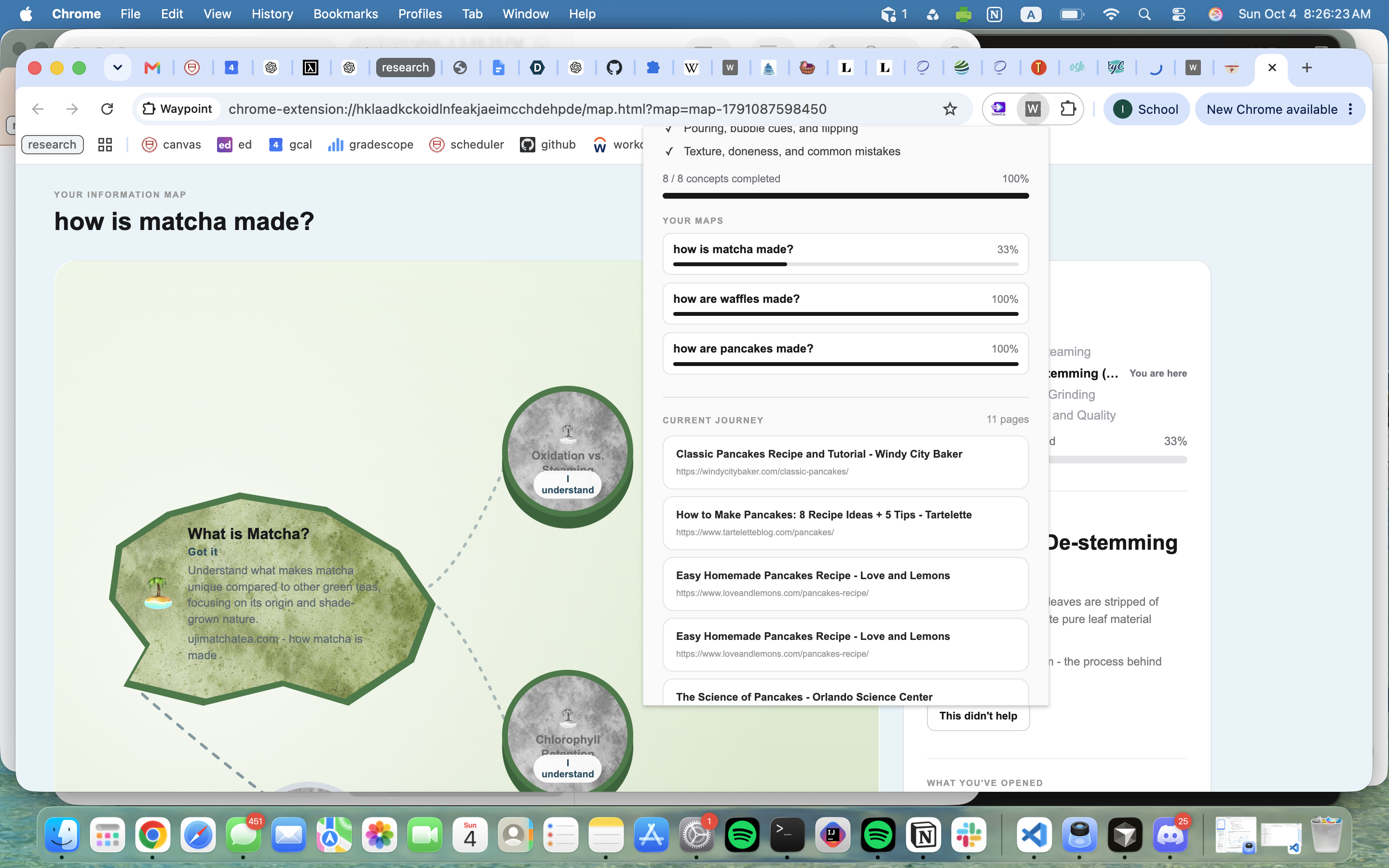
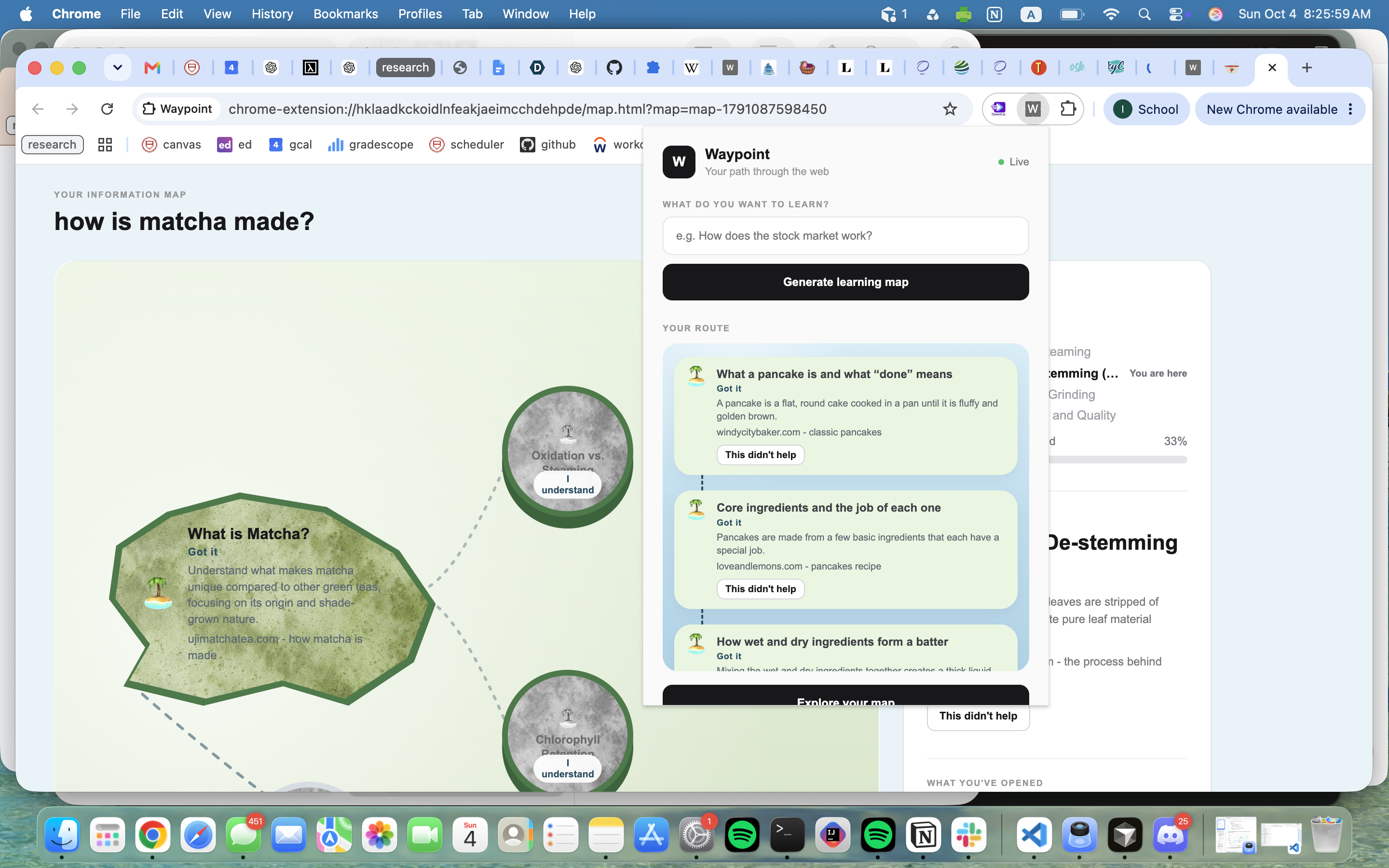
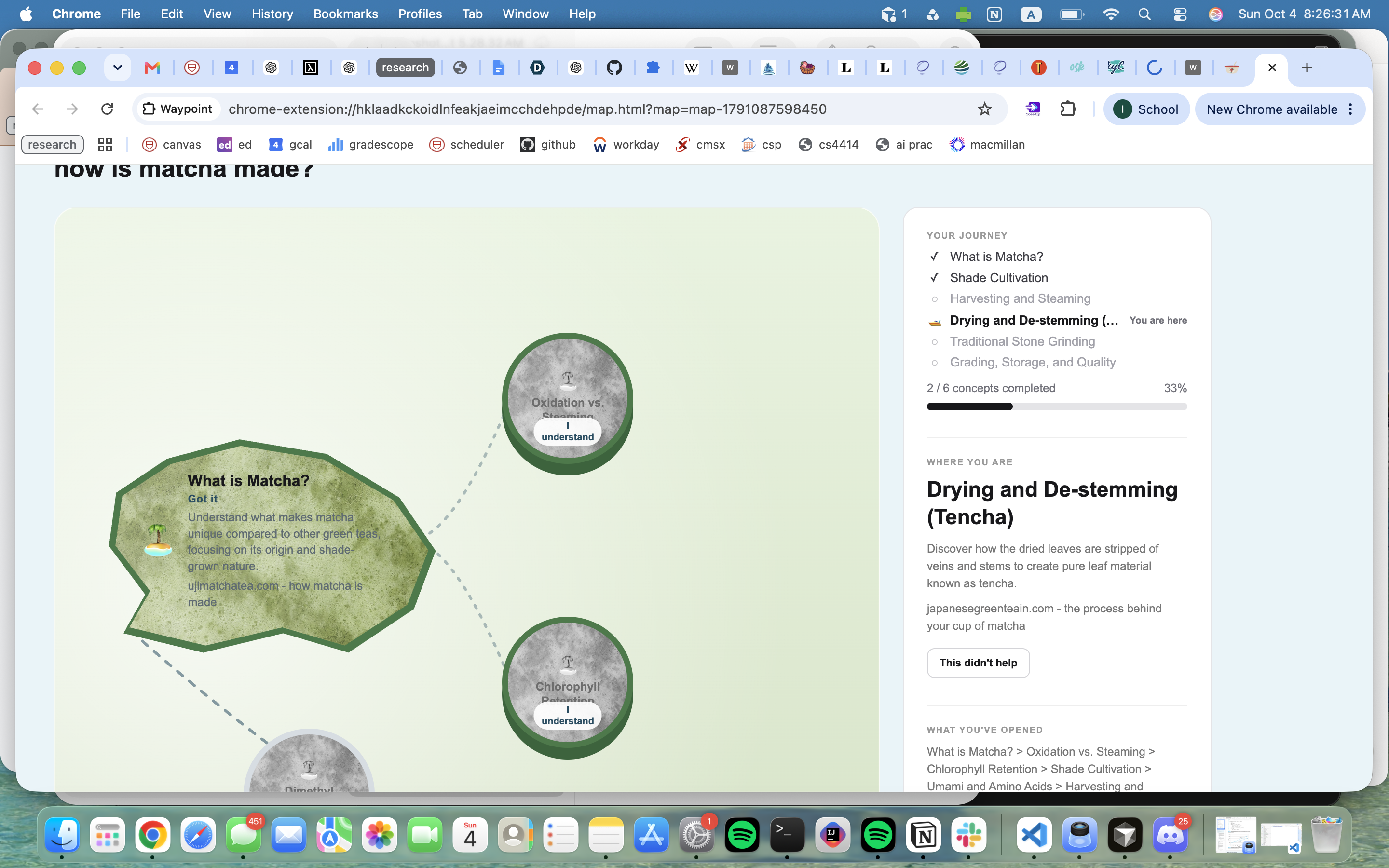
Waypoint is a Chrome extension. You type what you want to learn, and it makes a short map of concepts in a sensible order, with a real article for each one. The route shows up in the extension and on an explore page that looks like a trip across the water.
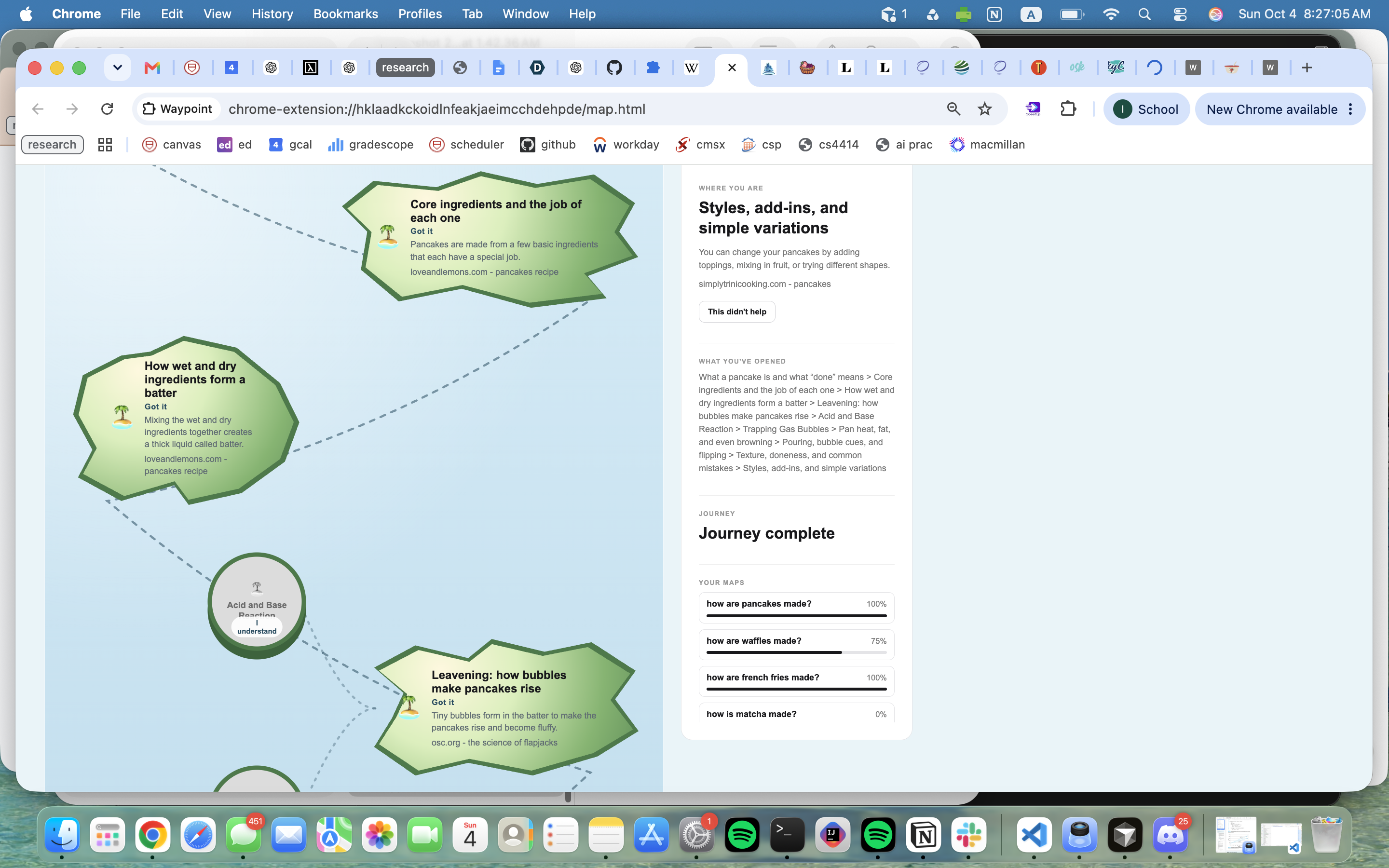
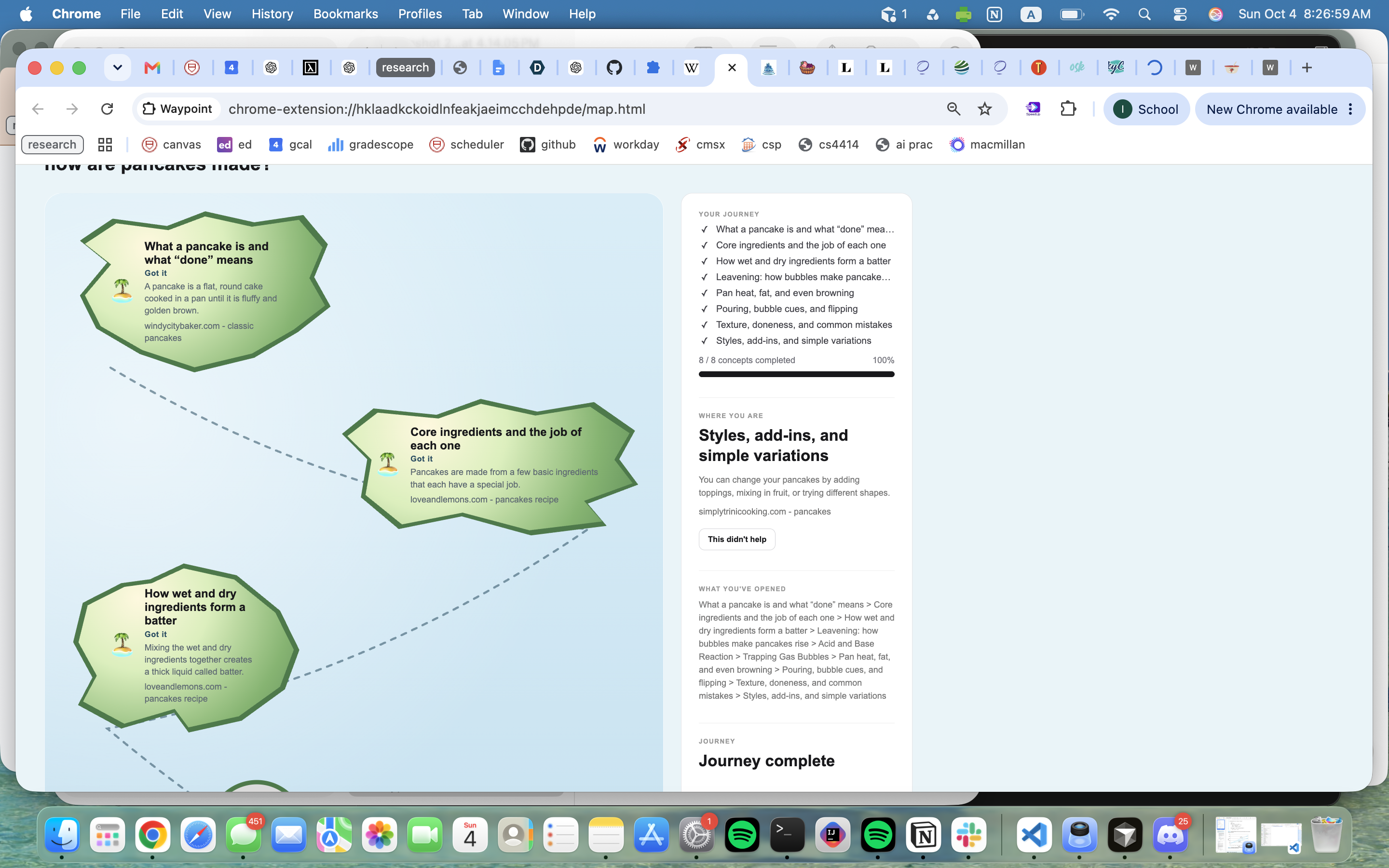
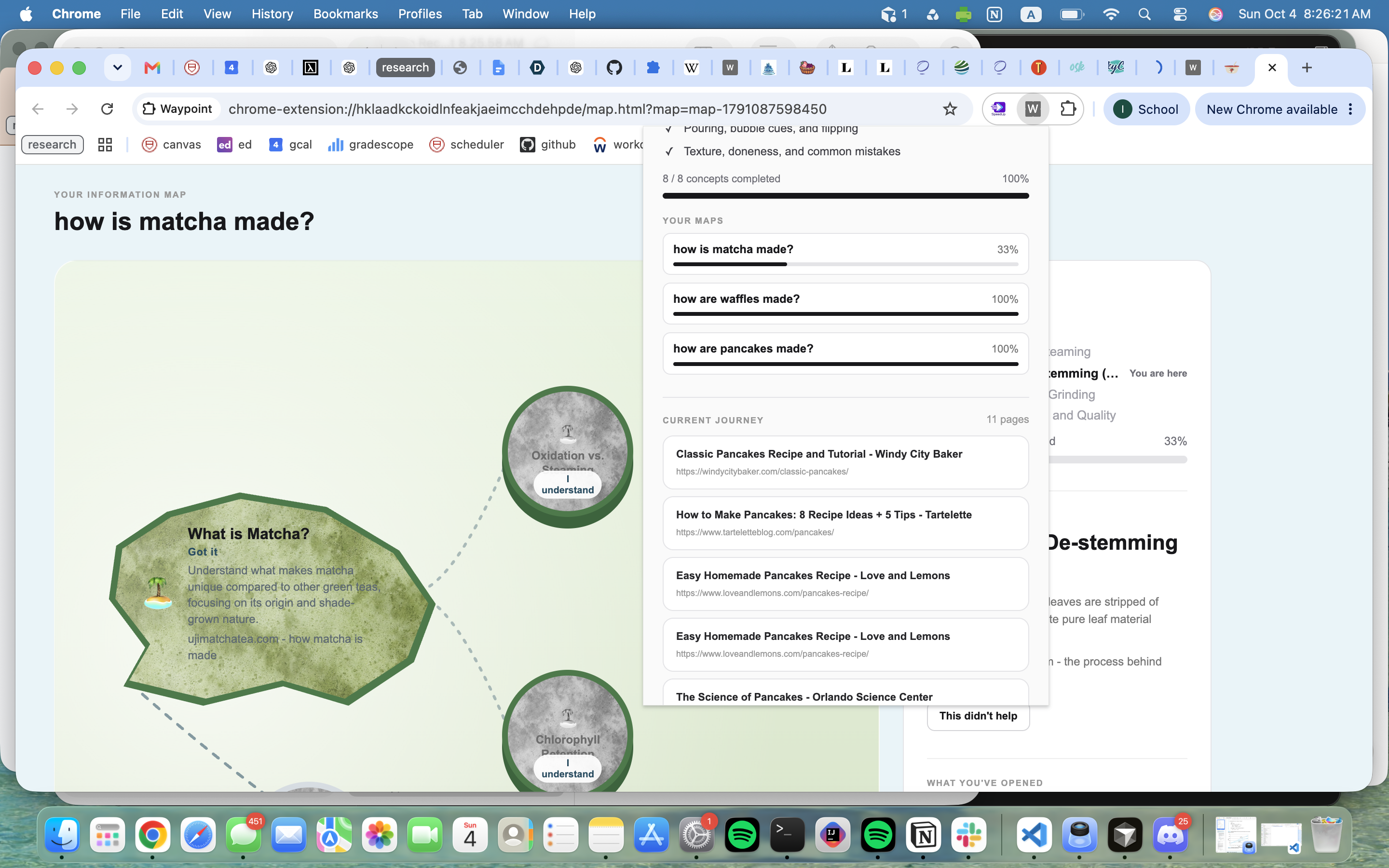
You move from island to island as you read. Opening an island marks the edge. The island fills in, and counts as done, only after you click I understand. If a lesson does not help, you can get another explanation, or smaller islands for the part you are missing. You can skip a big island you never opened. If you did open it, or one of its smaller islands, you have to mark that big island before you go on to a later one. Old journeys stay in a list, with your progress.
How we built it
The extension has a small popup and a full map page. A FastAPI backend handles the model calls, so the API keys stay out of the extension.
Grok plans the route. It picks the concepts, puts them in order, and chooses the next stop after you have read a few pages. Gemini writes the short explanation on each island, and the smaller lessons when you say you are lost. Tavily finds the articles. We leave out videos and pages that are mostly discussion. The island pictures are saved in the extension and chosen from words in the question, so a baking topic and a space topic do not get the same background.
Challenges we ran into
Most of the hard part was the map. At first the boat moved too fast, and when smaller islands were close together it looked like it was going to the wrong one. We also had to separate opening an island from actually understanding it. That got trickier once smaller islands were involved, because leaving a small island for the next big one still had to require a mark on the big island it belongs to.
The themes were easy to mess up. A baking question picked up the word "king" inside "baking" and came out looking like a castle. The stock-market picture was detailed enough that the titles were hard to read. We kept a theme for each topic, but switched to lighter pictures so the words still worked.
Figuring out where to use Grok and where to use Gemini took a while too. It felt forced until we gave them different jobs. Grok plans the path. Gemini explains the stops.
Accomplishments that we're proud of
We are happy with how the explore map turned out. The boat, the islands, and the destination make it easier to see where you are in a topic, and the progress bar matches that instead of just counting clicks. An island you have opened looks different from one you have marked with I understand, which took a while to get right and ended up being one of the parts we care about most.
We also like that each stop links to an actual article. Early on it would have been easy to send people to a search page, but a real lesson makes the route feel usable. Getting stuck can add smaller islands beside the one you are on, so a missing idea does not restart the whole map. Old journeys stay in a list with a percent, and opening one again brings you back to that same map.
The theme was another piece we had to earn. A stock-market question, a baking question, and a space question now read as different trips, and the words on the islands are still readable. Splitting the models the way we did also feels like a real choice. Grok plans the path, and Gemini writes the explanations, so both are doing work the product actually needs.
What we learned
Opening a page is not the same as understanding it. We first marked an island done as soon as someone clicked it, and that made the trip look finished while they were still confused. Making I understand its own step changed how the rest of the map had to work, including the smaller islands. If you can leave a big island only after you mark it, you also have to block a jump from one of its smaller islands to the next big one.
We learned that a themed background only works if the text is still easy to read. The first themed pictures were detailed, and on the stock-market island the titles were hard to see. Lighter pictures kept the topic without covering the words. Topic matching had to be exact too. "Baking" was getting treated like history because the word "king" sits inside it, so a baking question showed up as a castle. Checking whole words fixed that.
On the model side, the split made more sense once each model had a job that fit it. Using both just so the project mentioned both felt awkward. Planning a route and explaining a stop are different kinds of writing, and separating them that way was easier to explain and easier to build.
What's next for Waypoint
Right now, questions about the same kind of topic share one island picture. We want a new question to get its own picture, made for that topic and saved with the map, so two journeys in a similar subject can still look a little different. We would only generate it once, when the map is first created.
We also want the next stop to depend more on the pages someone actually read. The map already has an order, and after a few pages it can suggest what comes next, but we would like that suggestion to notice when a page was a bad fit instead of always moving down the list.
Coming back to an old journey could be clearer too. The history list has the question and a percent, and opening it loads that map, but we want the boat and the side panel to make it obvious which island you left off on, including when you stopped on a smaller island.


Log in or sign up for Devpost to join the conversation.