-
-
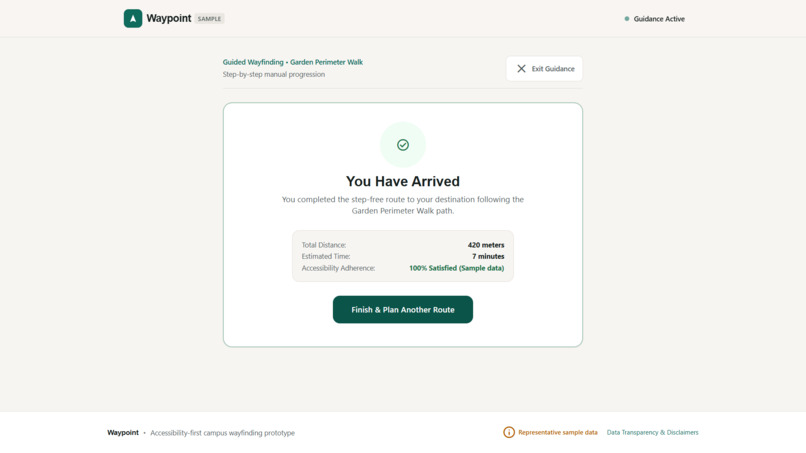
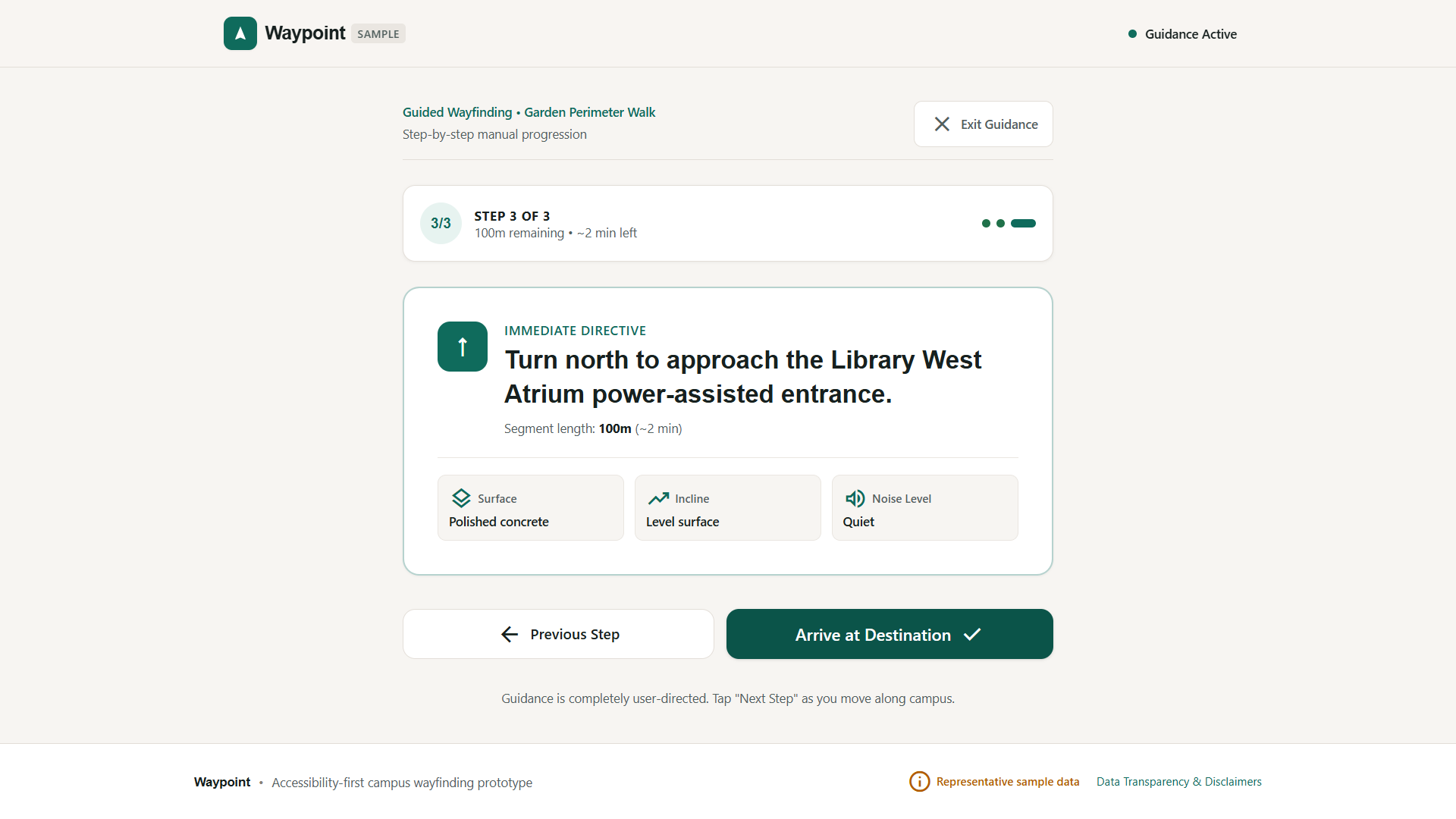
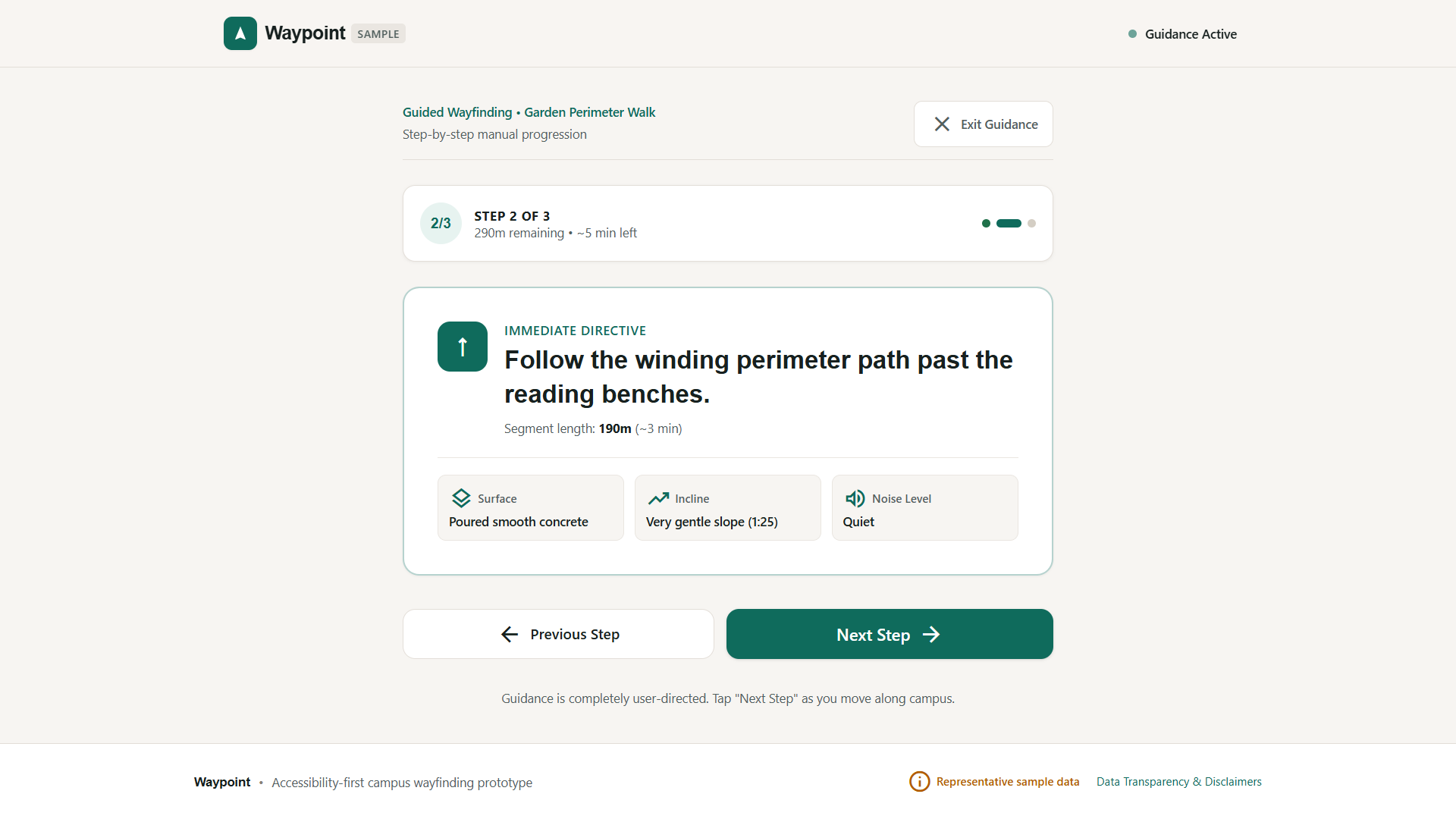
Arrived
-
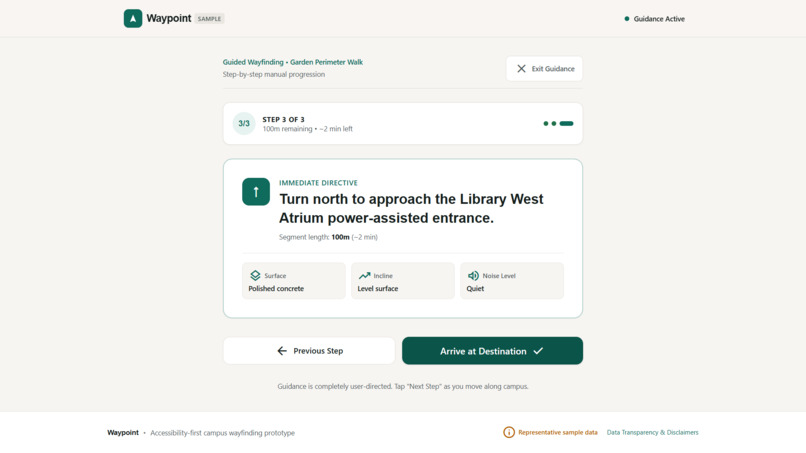
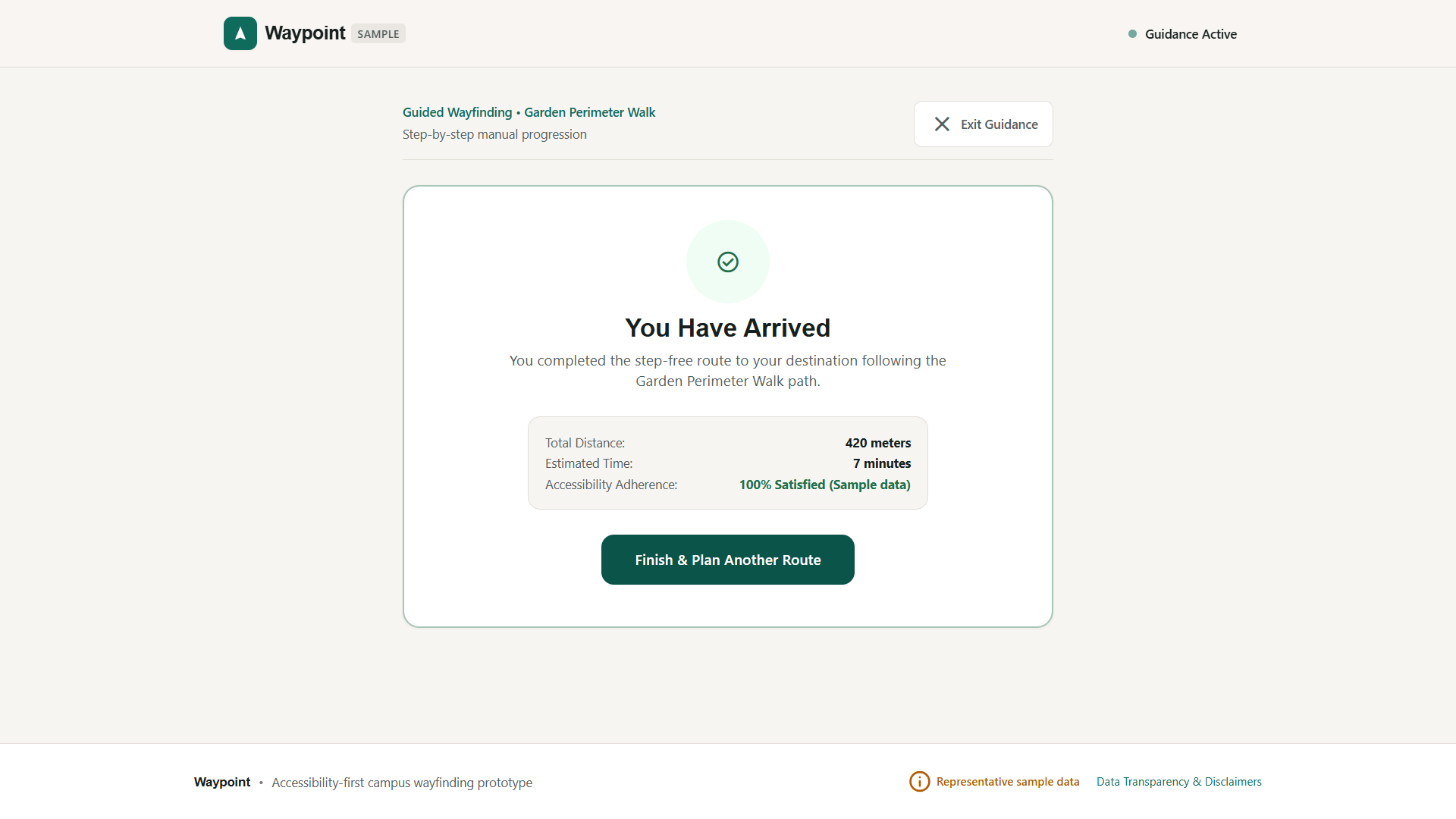
Third step path
-
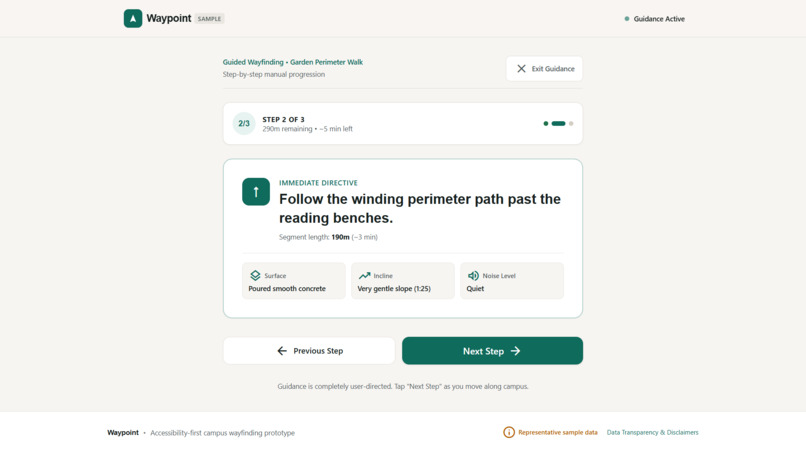
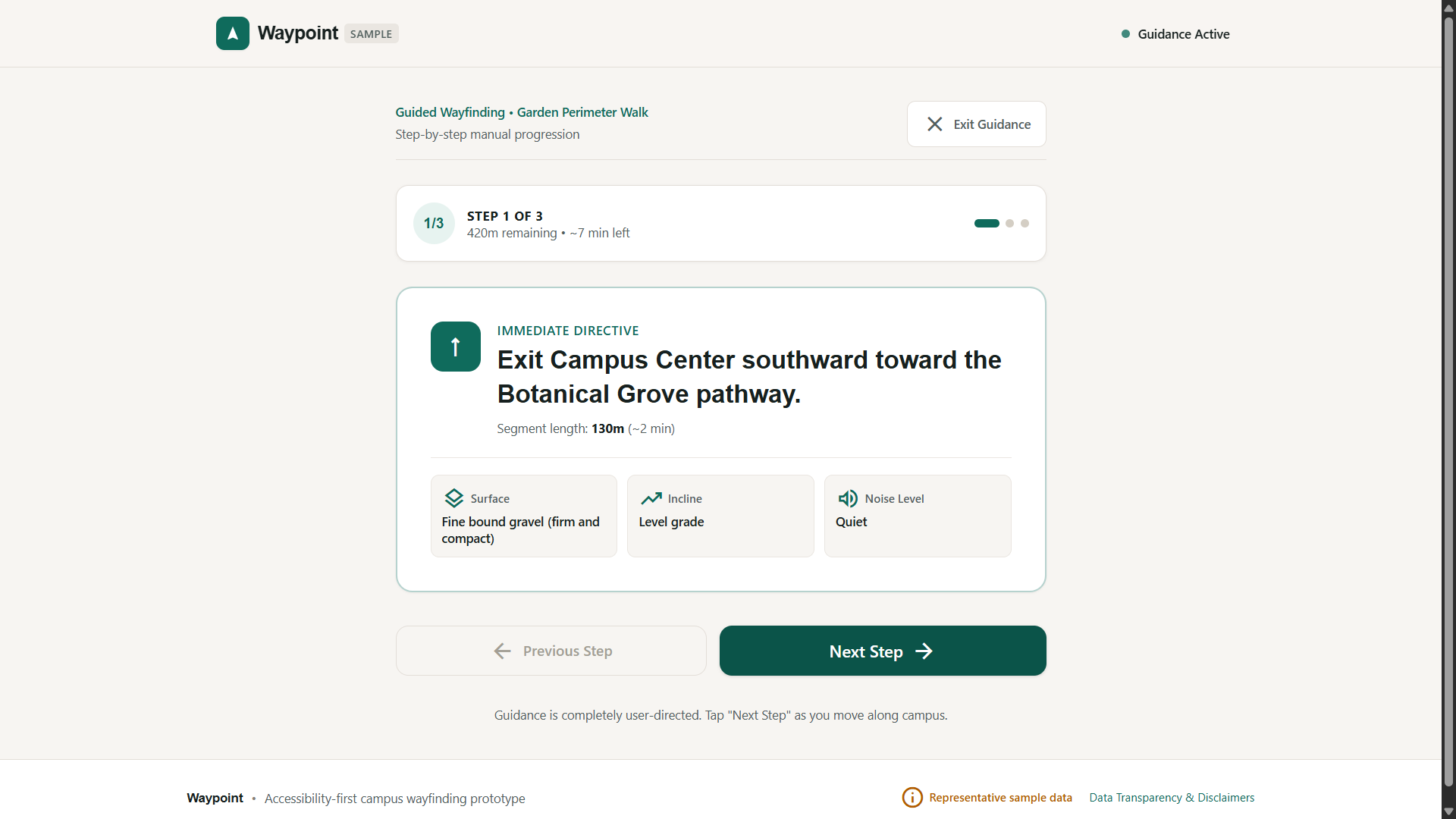
second step path
-
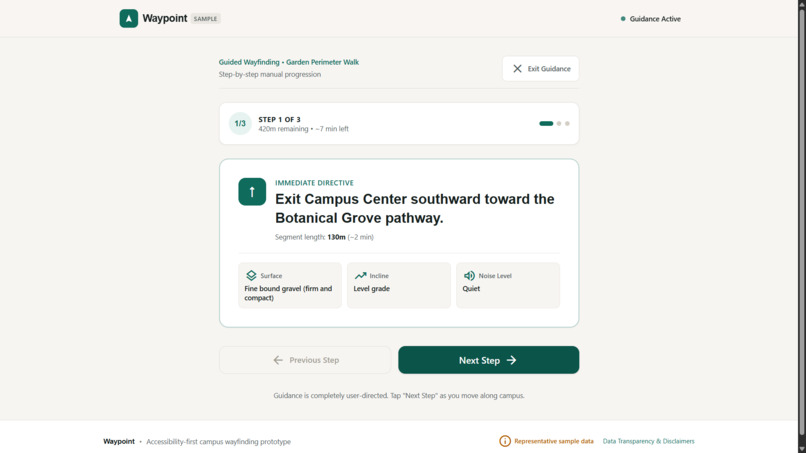
first step path
-
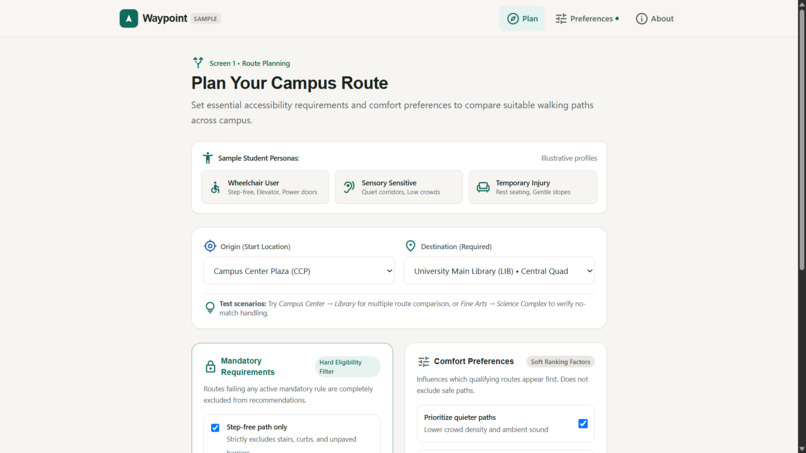
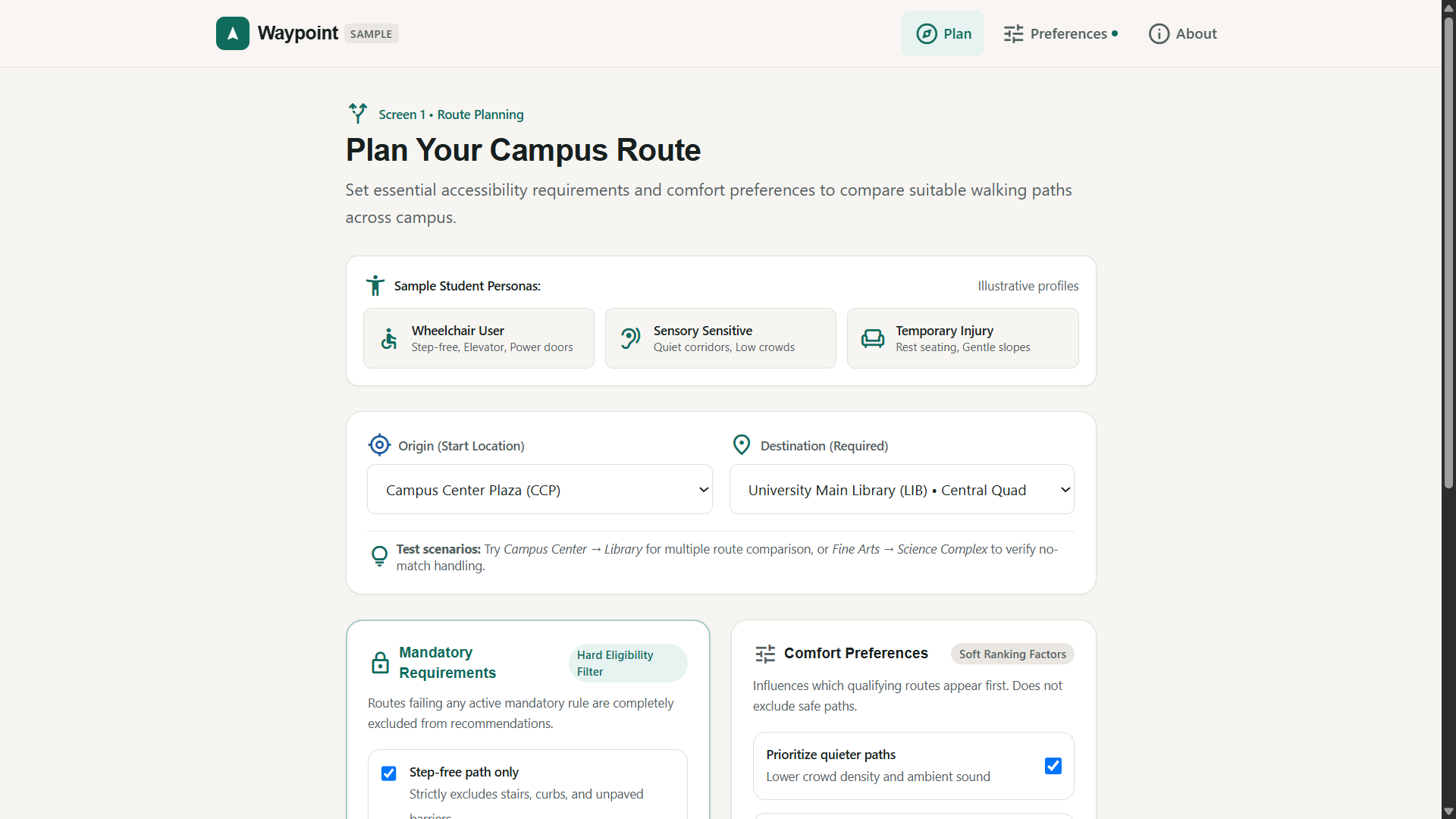
Landing page
-
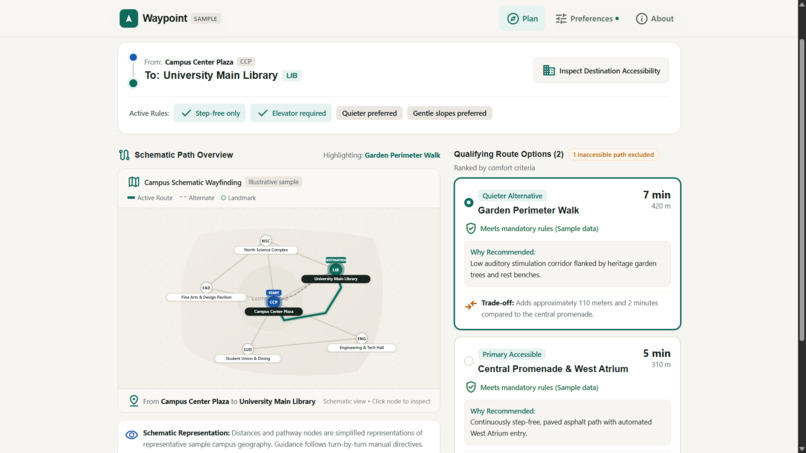
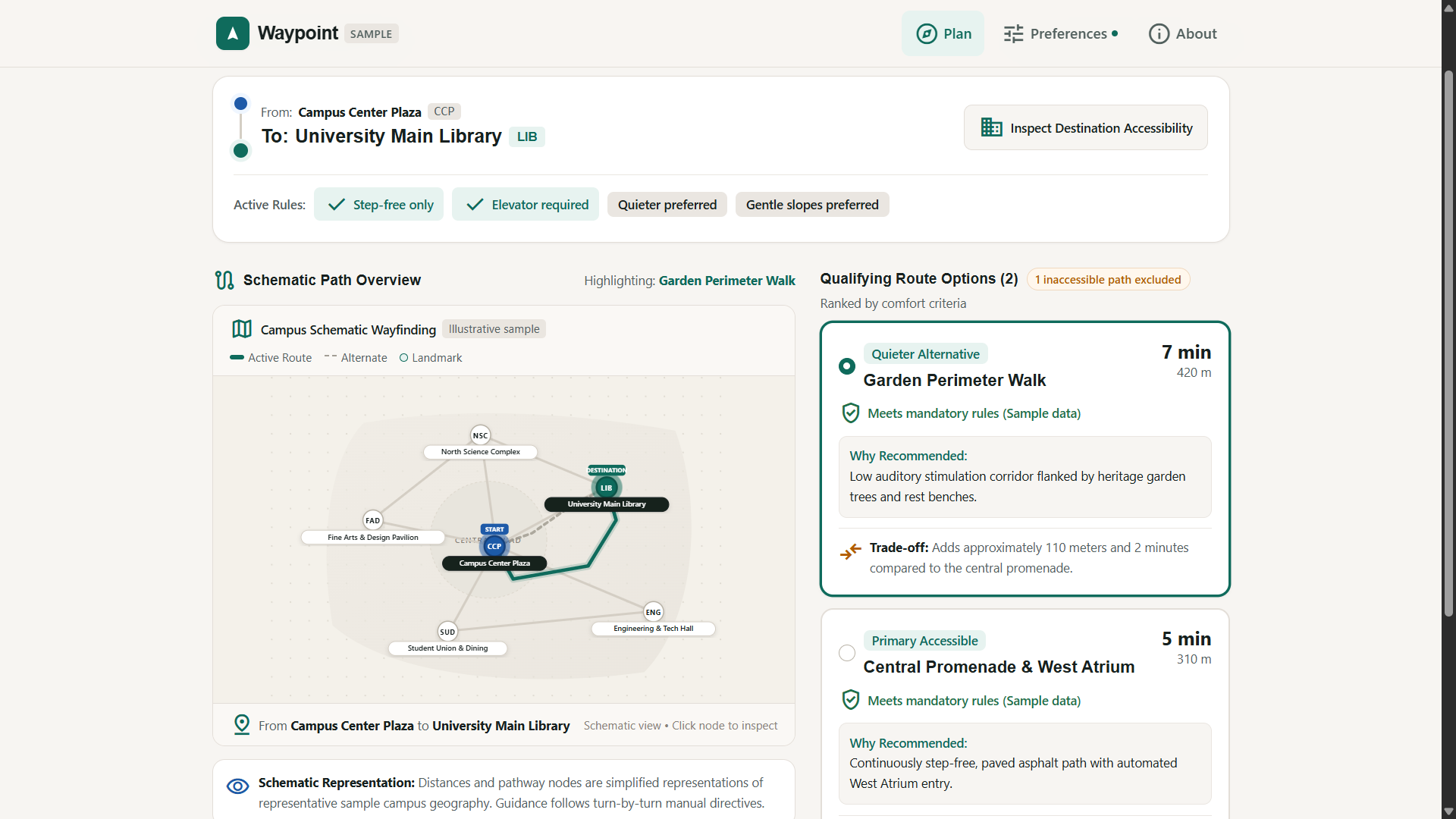
Path suggestion
Waypoint — Accessible Campus Navigation
Find your way, your way.
💡 Inspiration
Navigating a university campus is not equally easy for everyone. A route that looks short on a map may include stairs, inaccessible entrances, steep paths, or noisy corridors. For wheelchair users, students recovering from injuries, and people who prefer lower-sensory environments, these details can make a significant difference.
This inspired me to build Waypoint, an accessibility-first campus navigation prototype that puts users' access requirements ahead of simply choosing the shortest route.
🎯 What it does
Waypoint helps users plan campus journeys using two distinct layers of decision-making:
- Mandatory accessibility requirements: Options such as step-free access, elevator requirements, and power-assisted doors determine whether a route qualifies.
- Comfort preferences: Options such as quieter paths, sheltered walkways, gentle slopes, and seating help rank routes that already satisfy the mandatory requirements.
A key design principle is that unknown critical accessibility information must not be treated as confirmed access. When no route meets the selected requirements, Waypoint presents a clear no-qualifying-route state rather than recommending a route that fails those requirements.
The prototype also includes step-by-step route guidance, route comparisons, location details, saved preferences, and an About & Data Transparency screen.
✨ What makes Waypoint different?
Many navigation experiences emphasize distance and travel time. Waypoint explores a different approach: accessibility first, comfort second, and convenience within those constraints.
For example, in our representative campus scenario, the shortest route is excluded because it contains steps. The application instead presents qualifying alternatives and explains the trade-offs between a shorter journey and a quieter route.
If no route qualifies, the application communicates the identified barriers and allows the user to reconsider the journey.
🛠️ How I built it
I developed Waypoint as a responsive, frontend-only web application using:
- React 19 and TypeScript
- Vite and Tailwind CSS
- Google Material Symbols
- Vitest for unit testing
- Playwright for end-to-end testing
- GitHub Actions for continuous integration
The application uses deterministic routing logic and representative campus sample data. Preferences are stored in browser local storage, so the prototype does not require an account or backend service.
🧩 Challenges and design decisions
One of the main challenges was distinguishing requirements that must never be violated from preferences that can be balanced.
I designed the routing logic so that mandatory requirements act as eligibility filters, while comfort preferences influence the ranking of qualifying routes. I also addressed cases involving unknown accessibility information and journeys for which no qualifying route exists.
Another challenge was making the experience understandable across different screen sizes. I focused on clear information hierarchy, readable text, accessible interaction targets, keyboard interaction, and responsive layouts.
🧪 Testing and validation
According to the project's implementation test report, Waypoint passed 68 automated tests:
- 20 Vitest unit tests covering routing and preference storage.
- 48 Playwright end-to-end tests covering application flows and responsive behaviour.
The reported responsive test viewports ranged from 320px mobile screens to 1440px desktop screens.
📚 What I learned
Building Waypoint strengthened my understanding of accessibility-focused product design, constraint-based routing, responsive interfaces, automated testing, and transparent product communication.
Most importantly, I learned that inclusive design is not just about adding accessibility settings. It requires making accessibility part of the underlying decision-making process.
🔍 Current limitations and future scope
Waypoint is currently a prototype that uses synthetic representative campus data, not independently verified campus accessibility audits. It does not provide live GPS tracking or real-time elevator and facility status. WCAG 2.1 AA is an engineering design target, not a claim of certified compliance.
Future improvements could include verified campus accessibility datasets, campus map data integration, temporary obstacle reporting, and facility-status updates.
🌱 Final thought
Waypoint is built around a simple principle: every student deserves a more informed way to navigate their campus.
Find your way, your way.
Built With
- accessibility
- css
- githubactions
- html
- javascript
- playwright
- react
- responsivedesign
- tailwindcss
- typescript
- ui/uxdesign
- vite
- vitest
- webdevelopment

Log in or sign up for Devpost to join the conversation.