-
-
Waylo
-
How it works
-
Now on the notch
-
points at buttons
-
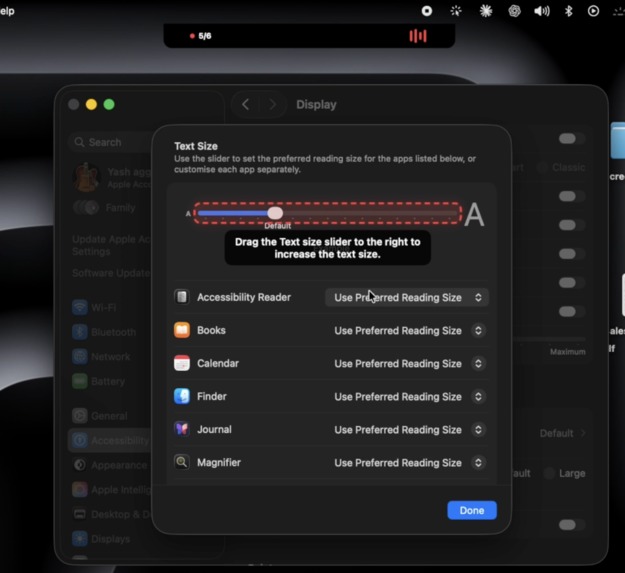
components detection
-
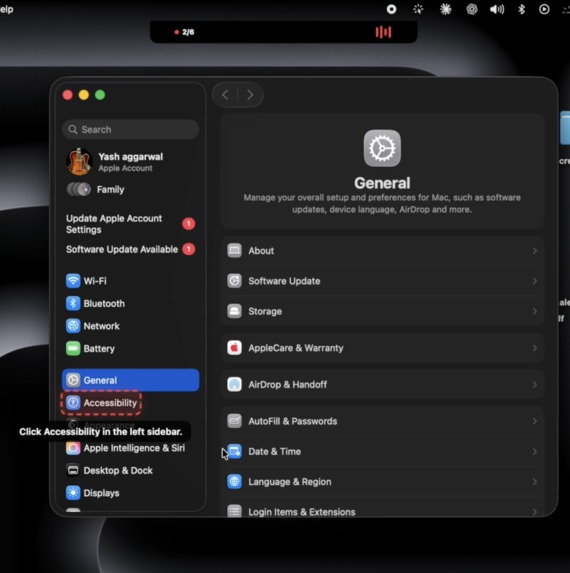
Text detection
-
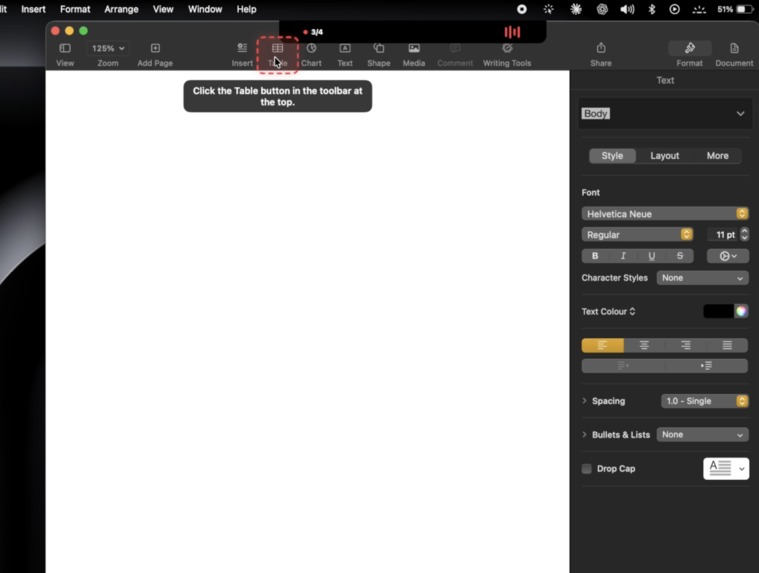
Learn actual skills
-
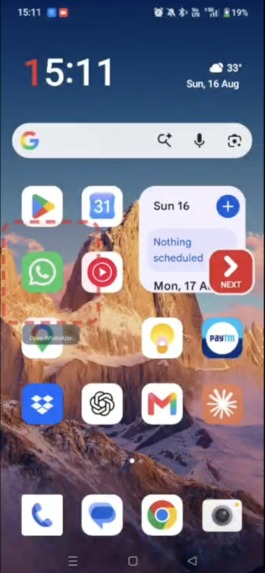
works on android
-
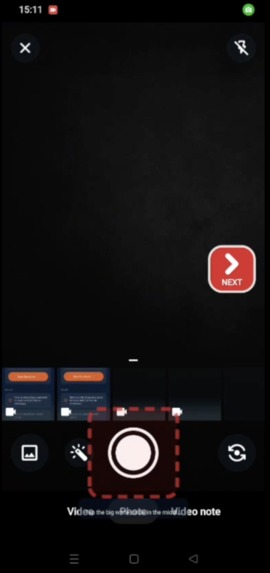
points buttons on android
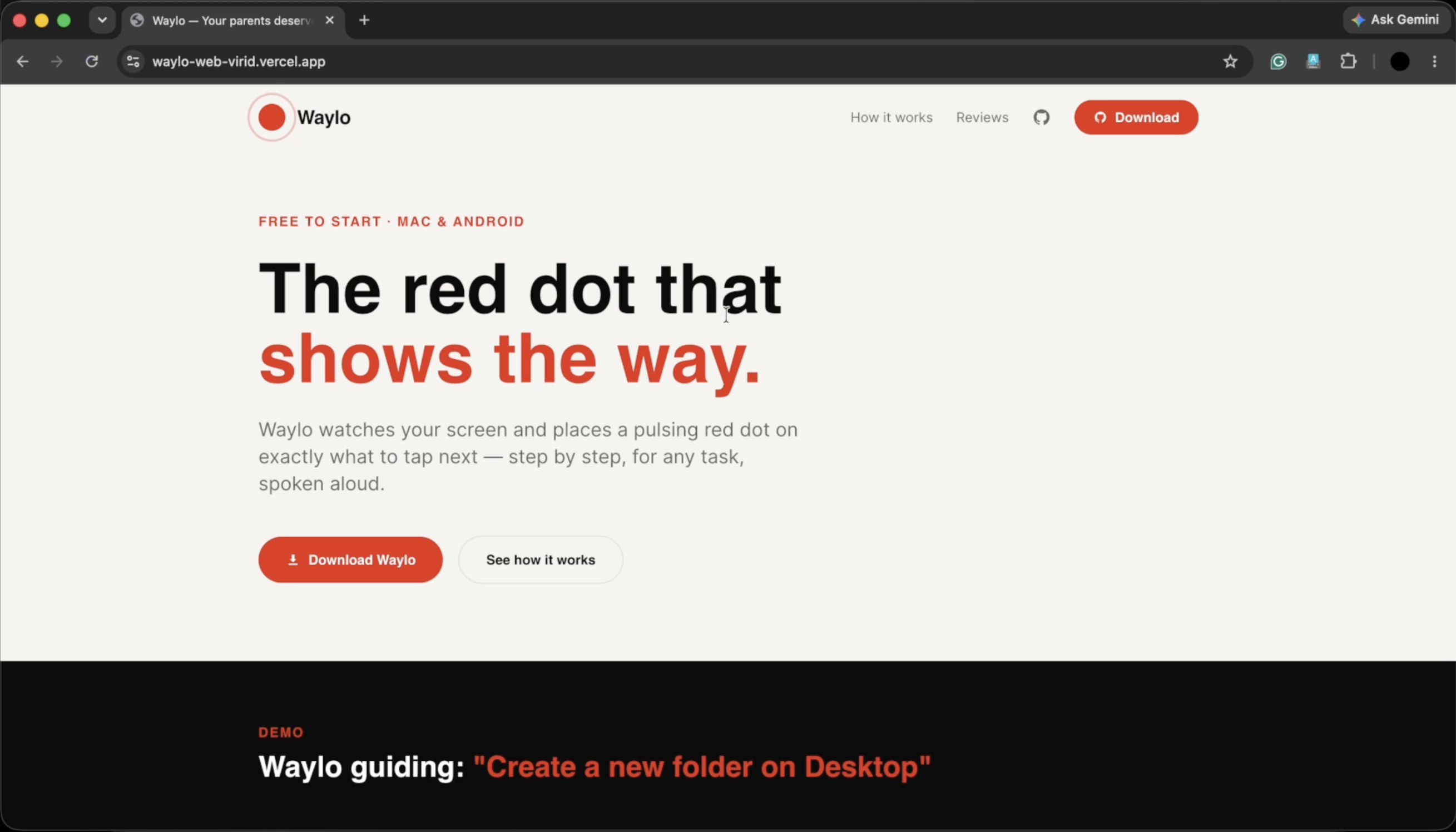
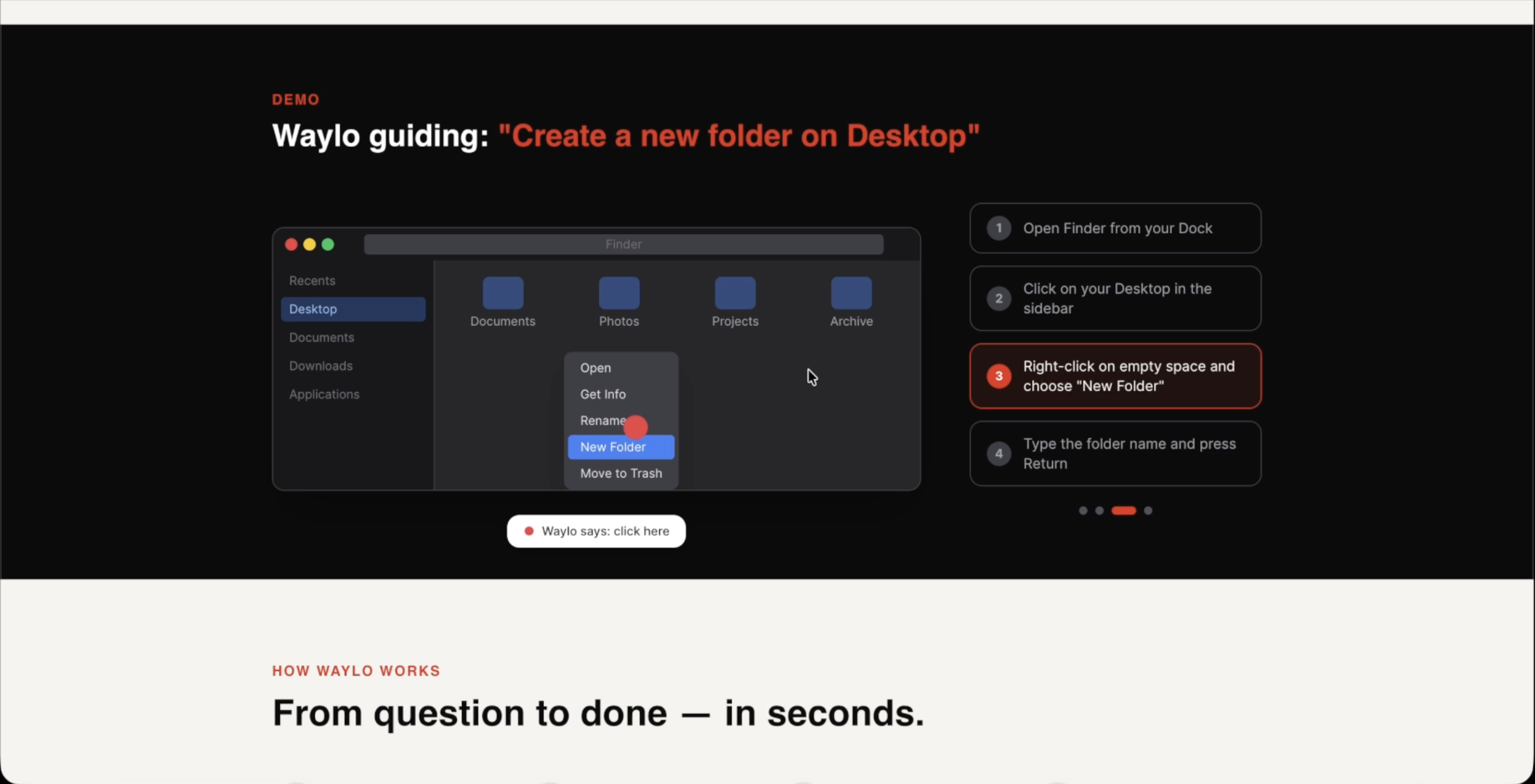
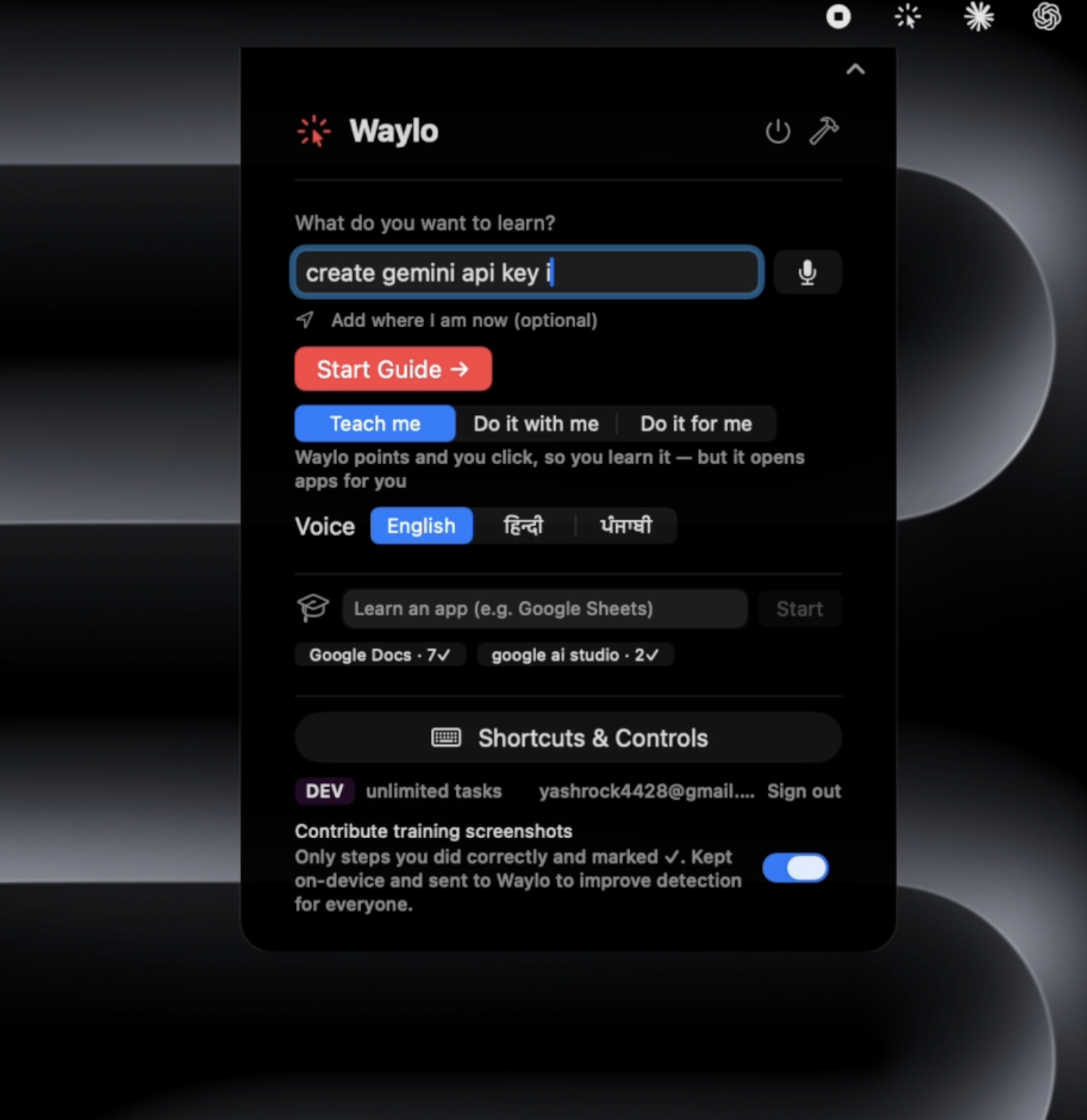
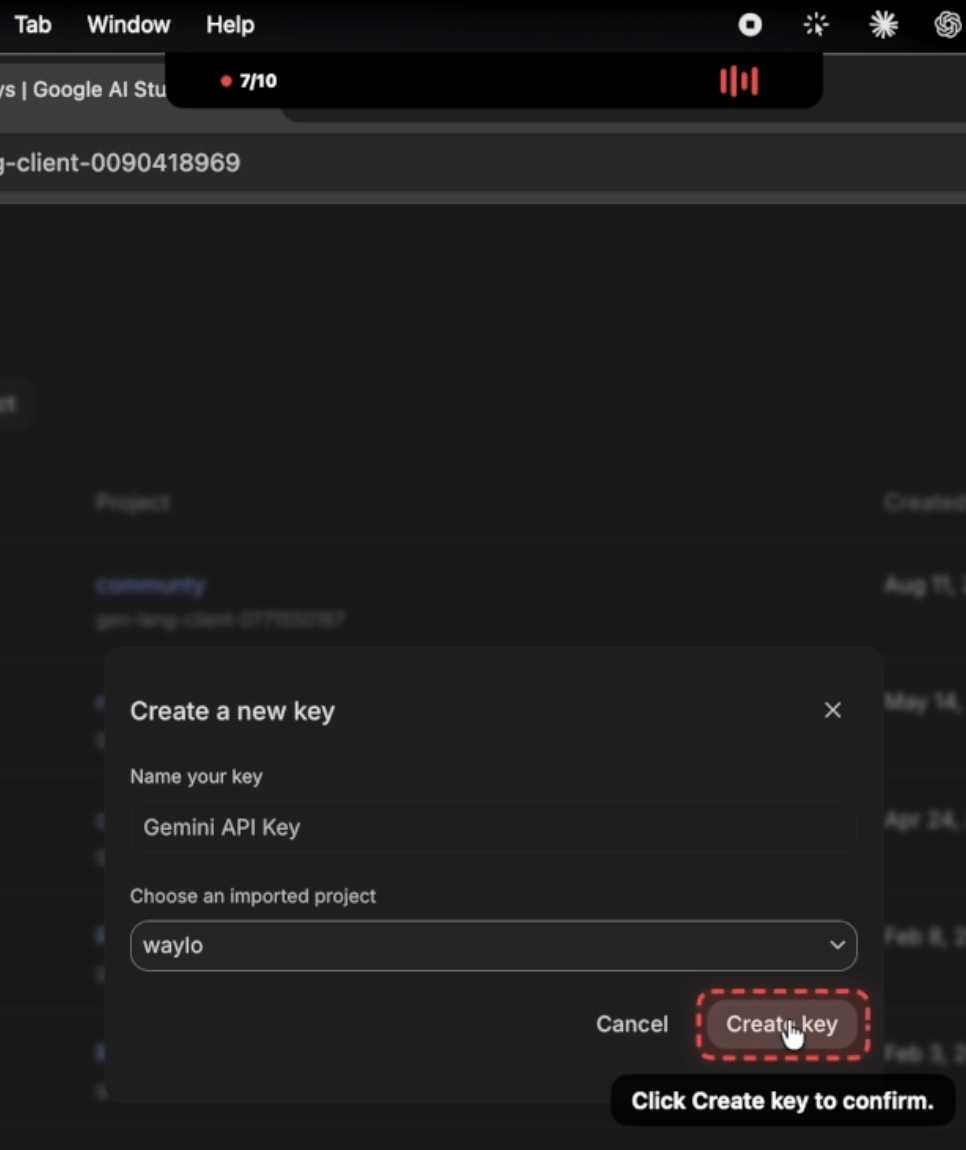
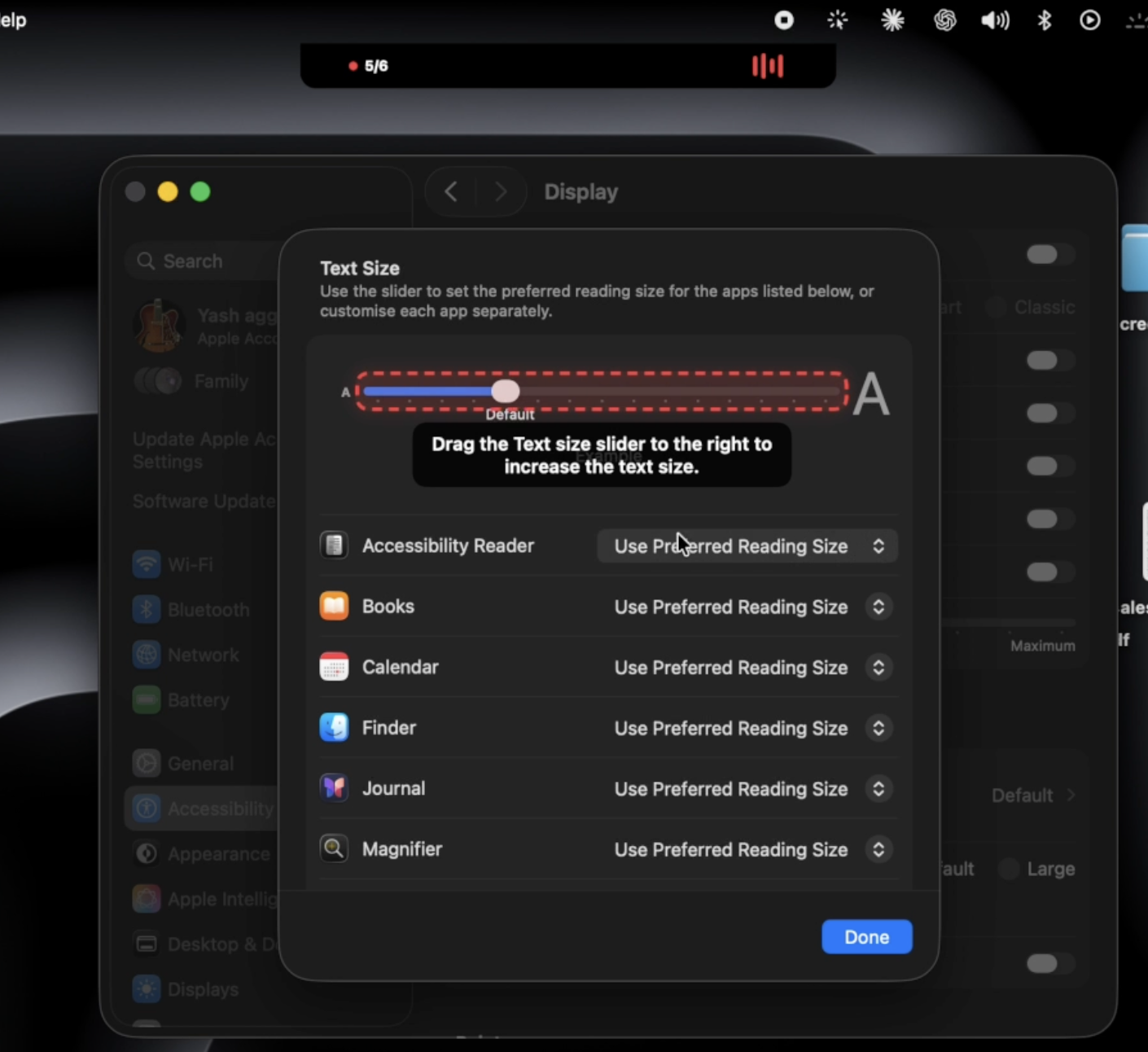
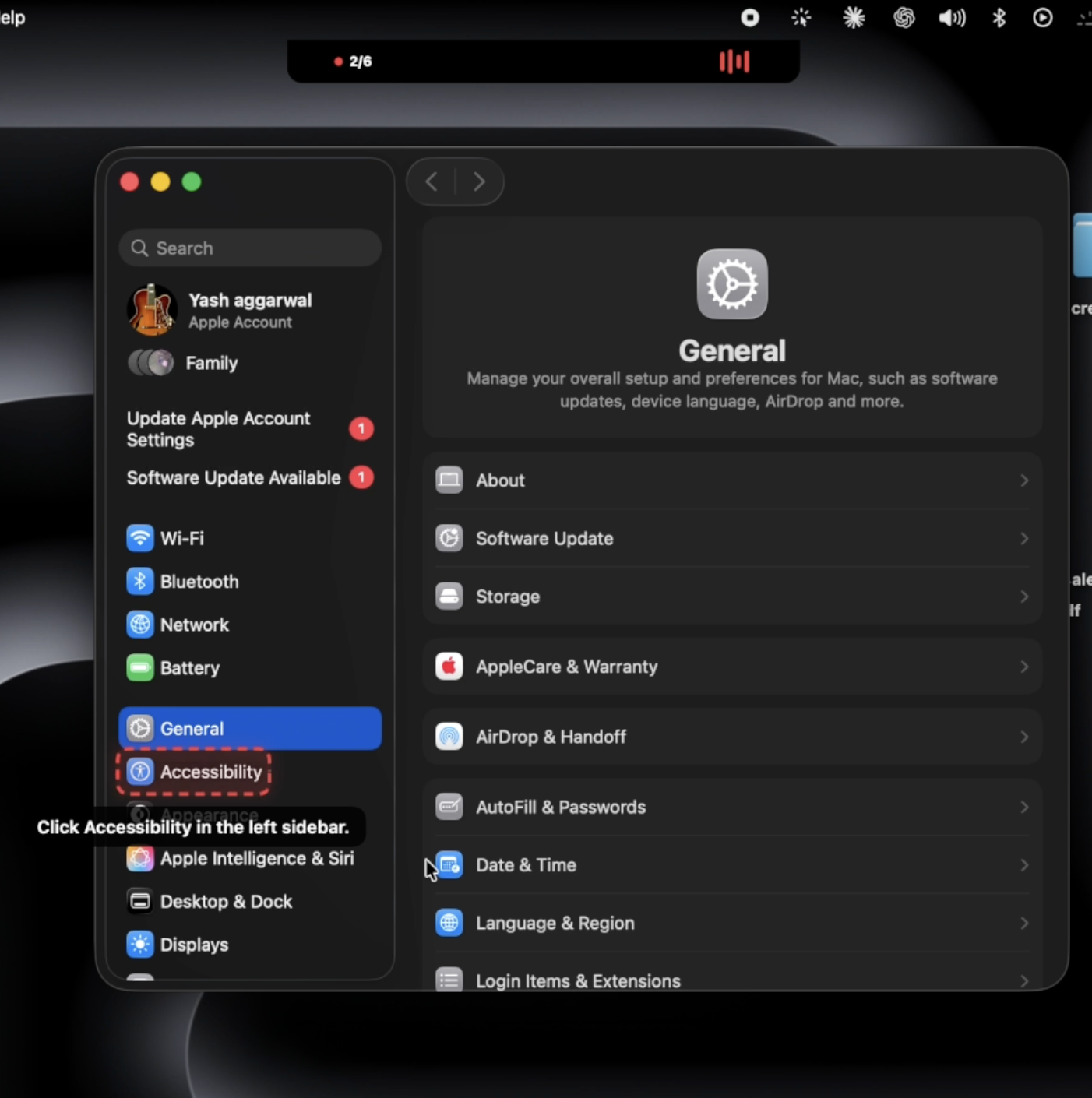
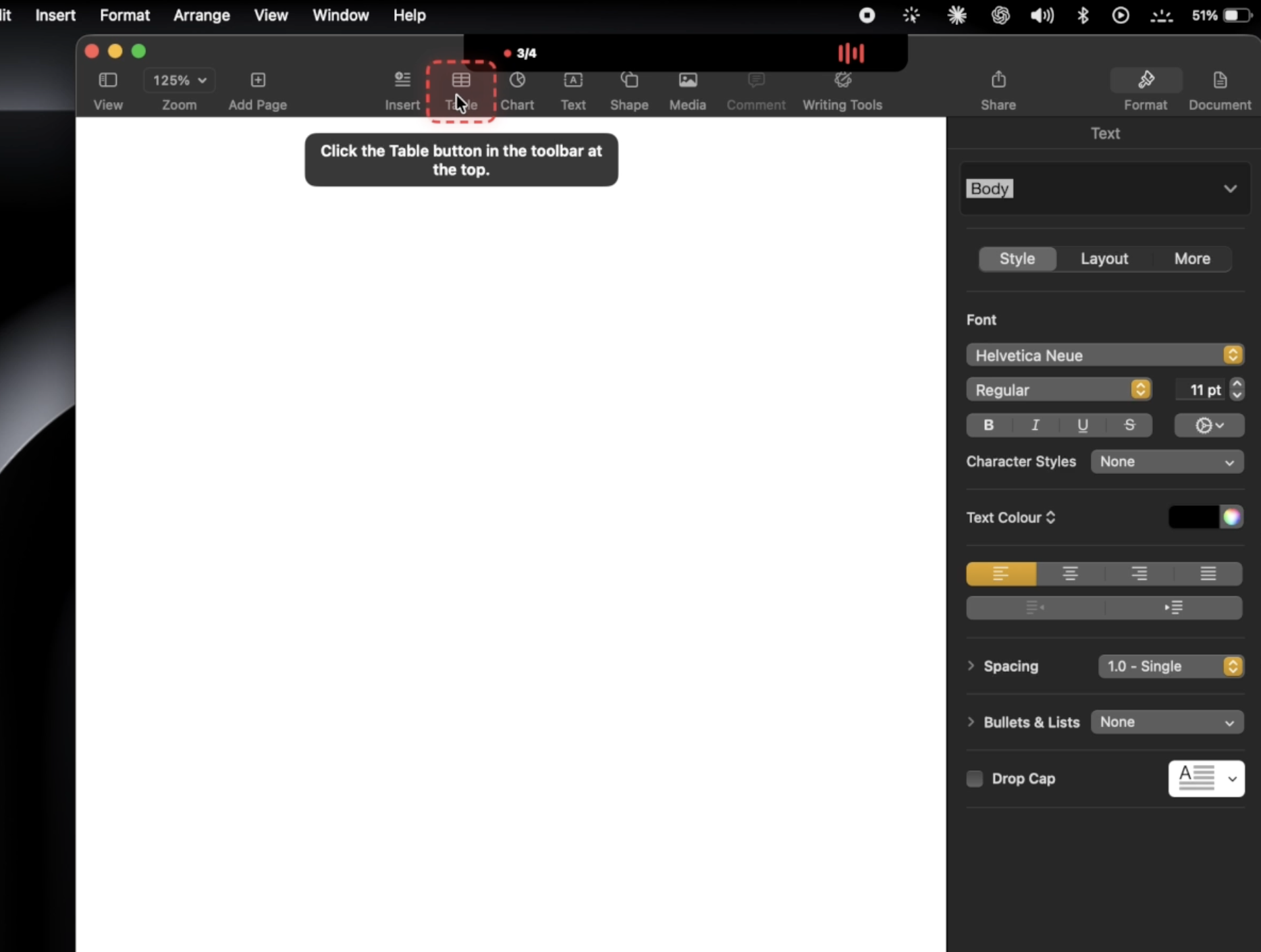
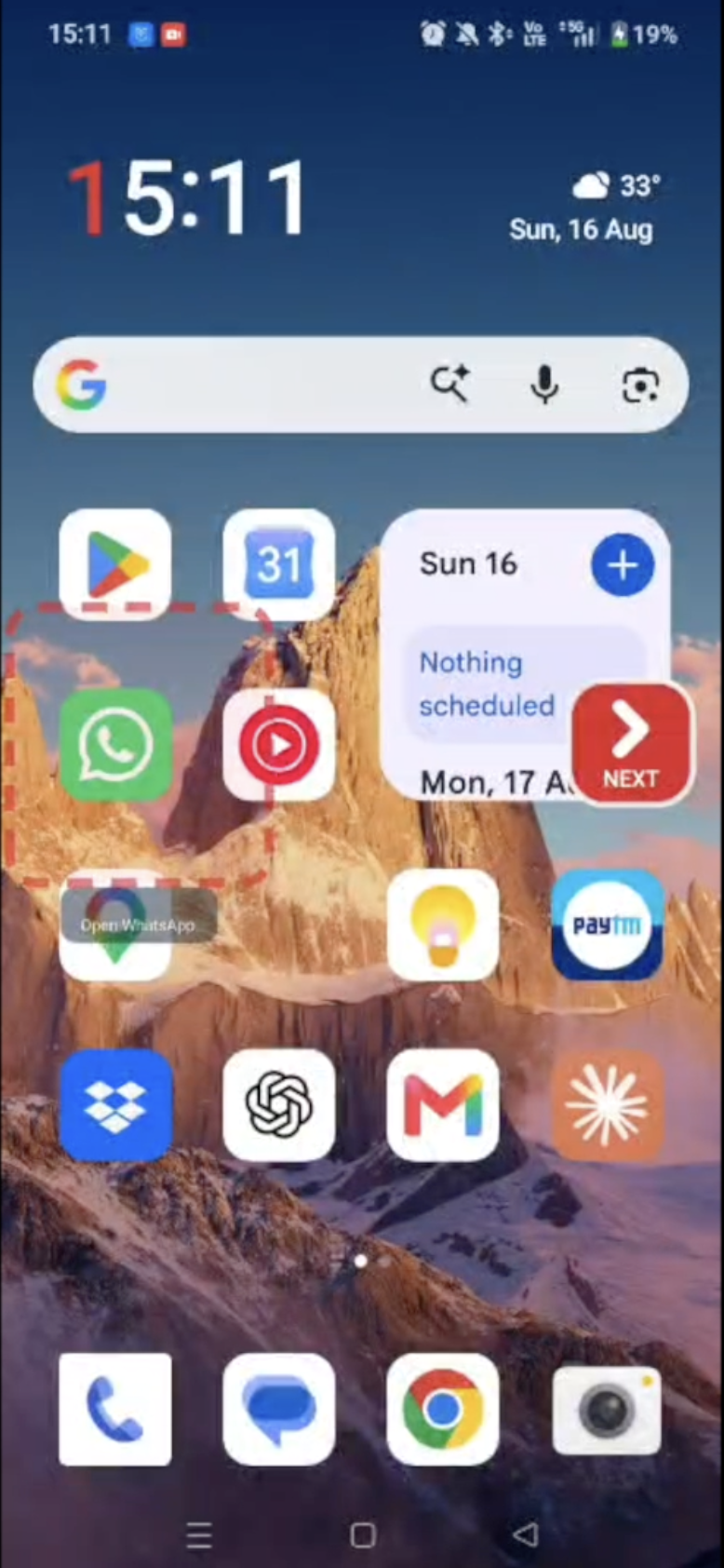
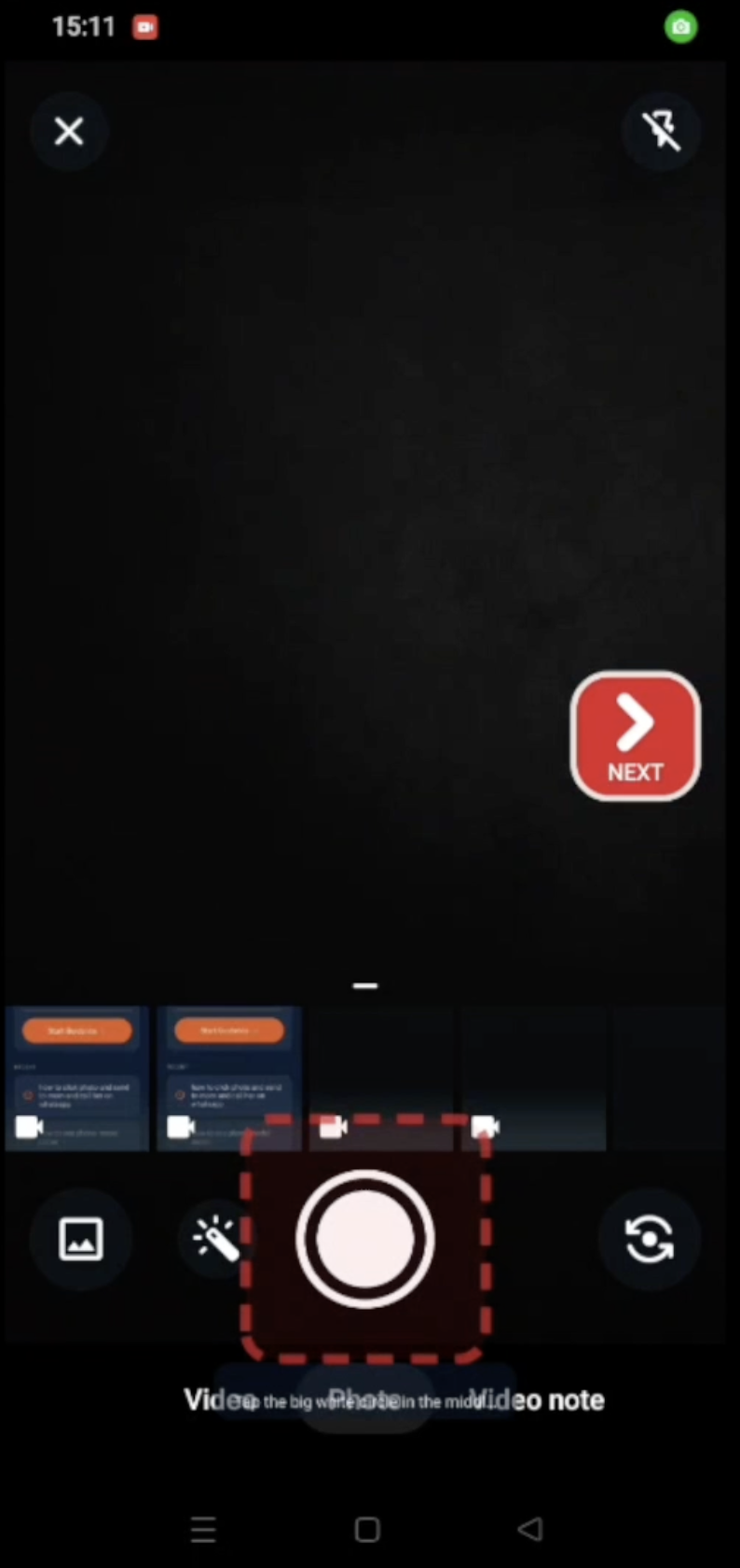
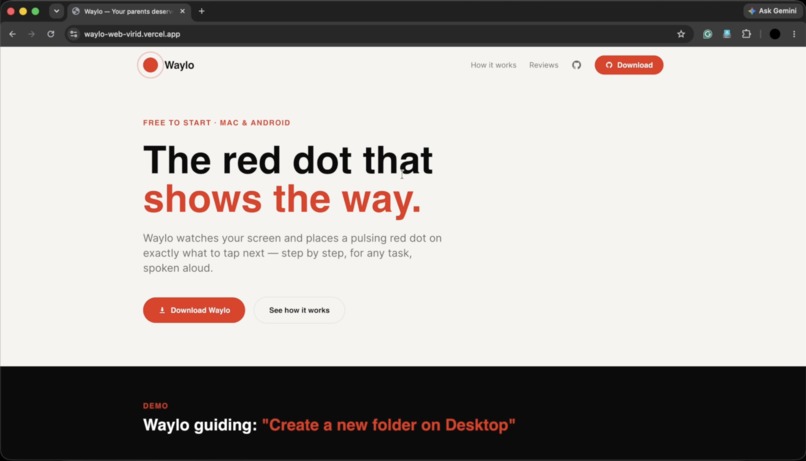
Waylo is an AI guide that points a glowing red dot at exactly what to tap next, inside any app, on macOS and Android, so anyone can learn to do things on their phone or computer by doing them themselves.
How we run Waylo: humans, AI, and the opportunity it creates
Waylo is built and operated by a two-person team, and AI does the work that used to need a department.
How we use AI, day to day. AI is in our workflow from the first commit to every live user request. We build with AI pair-programmers: Claude Code and Antigravity write, refactor, and debug alongside us, and Vercel v0 generated our website and download flow, which is how two people shipped native macOS and Android apps, a Node backend, a Python vision service, and payments in weeks. But the deeper point is that AI doesn't just help us build Waylo; AI is Waylo. For every request, Google Gemini takes a live structured read of the user's screen, decomposes the goal into an ordered, screen-grounded, multilingual plan, and then acts as the final vision layer that grounds the exact element to tap when on-device signals fall short. A shared semantic cache means one person's planned task gets faster and cheaper for everyone who asks something similar afterward.
What humans do vs. what AI does. Humans set direction and build the rails: we design the product, write the code (with AI), handle distribution, sign-ups, and partnerships, and make the judgment calls such as pricing, which surfaces to support, and when to right-size infrastructure. What we do not do is touch individual tasks. Once a user asks, Waylo plans, guides, and verifies entirely on its own, with no human in the loop, no manual work per request, and no operator deciding steps or locating buttons. That is the whole point: a two-person team can serve every user's every task because the AI, not a human, does the per-request labor. Risky actions such as send, delete, or pay pause for the user's confirmation, but the guidance itself is AI-decided end to end.
The jobs and economic opportunities we create, beyond the two of us. Two ways. First, Waylo directly unlocks human potential: its entire purpose is to turn "I can't figure this out" into "I did it myself." For the roughly 300 million Indians who own a smartphone but struggle to use one, and for new developers learning their first real tools, every completed task (getting an API key, sending a photo, enlarging text, building a résumé) is a small unlock of economic participation. A first-time user who can now navigate government services, payments, or a job application independently is the outcome this category exists for.
Second, Waylo lets operators deliver that help at scale without engineers. Because it needs no per-app integration and gets more accurate the more anyone uses it, an NGO, an elder-care provider, a telco, or an accessibility program can put a patient teacher in their users' hands without building anything, and the people who staff those programs (community digital-literacy trainers, support workers, local-language operators) each become able to help many more people than they could one-on-one. Our B2B path is exactly this: partners who pay to serve their communities with Waylo. As we add authored curricula and Hindi and other Indian-language voice, the opportunity to employ local curriculum authors and language operators grows with it. The model scales help, not headcount.
The story of building it this way. We started on June 8, 2026 with no pre-existing customers, audience, or partnerships. In roughly two months, with AI writing much of the code and AI running every task, two people put a real product into production, native on two platforms, guiding apps it had never seen. We acquired 104 users purely through word of mouth and our own Instagram, and converted 11 to paying, entirely organically. Our only cash cost over the period was about $6 of Gemini API usage (our AWS infrastructure ran on promotional credits), against real UPI revenue, at a ~65% cash gross margin that improves as more guidance resolves on-device. Two arms-length customers each bought Waylo for their whole household. Strangers paying real money, then paying again for their families, is the clearest signal we have that this is a business, not a demo. That is what we're proving: a lean, AI-native business where humans set the mission and AI does the labor, so a tiny team can profitably give digital confidence to the people the software industry usually leaves behind, and, as it grows, hand that same leverage to every operator working to close the digital divide.
Inspiration
We kept watching the same scene play out. A parent calling to ask "where's the button to attach a photo?" A grandparent giving up on an app because one screen looked unfamiliar. A friend learning to code, stuck for an hour because nobody told them the "Create API key" button was hidden behind two menus.
The knowledge to do the thing exists. What's missing is someone patient, sitting beside you, pointing at the screen and saying "tap that one." That person isn't always available, but an AI can be. This is squarely Education & Human Potential: transforming how we learn, grow, and achieve our best. We built Waylo so anyone, a new developer or a nervous first-time user, can learn any app by doing it themselves, with a guide that's always there.
What it does
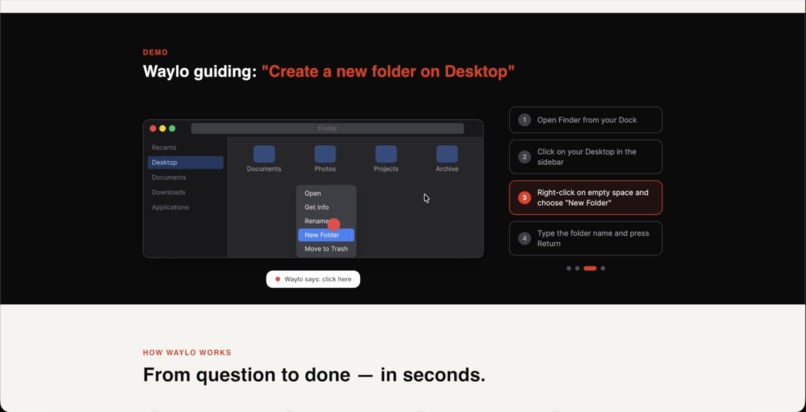
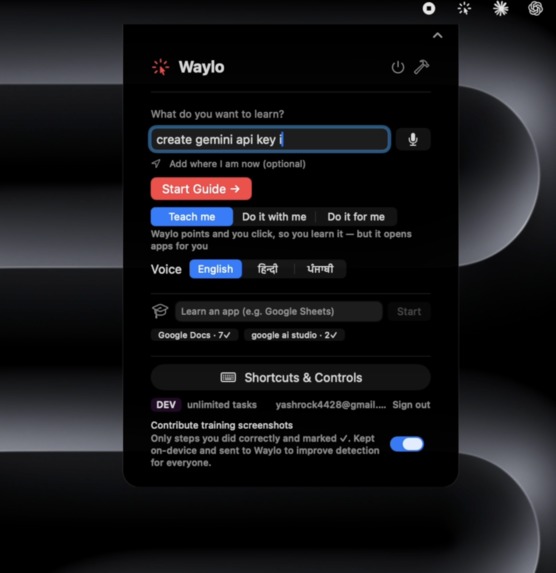
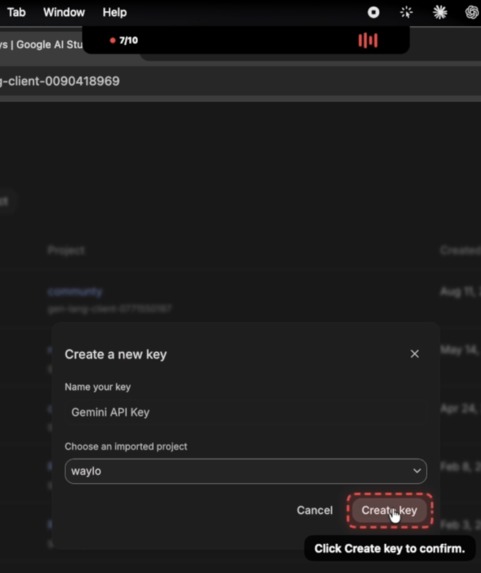
Waylo is an AI guide that points a glowing red dot at exactly what to tap next, inside any app, on macOS and Android. You say what you want in plain words ("get me a Gemini API key", "make the text bigger", "send this photo on WhatsApp"), and Waylo walks you there step by step, on your real screen, in real time. It needs no integration with the apps it guides (no SDK, no plugin), so it works on software it has never seen.
Crucially, it teaches rather than takes over: it points, you click, and you learn. You choose the level of help, and risky actions always pause for your confirmation. It talks you through each step in your own language, remembers what you just did across apps, and gets more accurate every time anyone uses it.
How we built it
Two front-ends over one AI brain:
- macOS: native Swift/AppKit menu-bar app built on the macOS Accessibility API for cross-app awareness and control.
- Android: native app with the same guidance model, using the Android AccessibilityService and a screen-overlay red box.
- Backend: Node/Express on AWS EC2, Google Gemini for planning and vision, a Python UI-element detection service (OmniParser/YOLO for detection, SigLIP for visual matching), text-to-speech for a natural spoken voice, and PostgreSQL + pgvector for the semantic plan cache, learned memory, and accounts.
The core is a cost-first, correct-first cascade. When you ask, Gemini takes a live structured read of your screen and generates the detailed, ordered, multilingual step plan, and that plan is cached semantically (by meaning, via embeddings) so a task planned once is reused for everyone who asks something similar. Then, for each step, Waylo locates the target through a layered cascade, cheapest and most certain first: the accessibility tree, on-screen text (OCR), and a perceptual-hash memory of icons, all on-device, instant, and free. When those miss, the UI-element detection service proposes and matches candidates, and Gemini becomes the final vision fallback, reasoning about the actual pixels to decide where the dot lands. The heavy model runs only when truly needed:
$$\mathbb{E}[\text{cloud cost per step}] = P(\text{local miss}) \times \text{cost}_{\text{Gemini}}$$
and because most steps resolve locally, that probability, and the cost, stays small.
It improves itself: every verified click and labelled icon is saved to the database and shared across users, so a target found once is recognized on-device the next time. The more anyone uses Waylo, the more it resolves locally and the less it leans on the cloud.
Challenges we ran into
- Working in any app with zero integration. Web icons often have no visible label, so we read ARIA/accessible names deep in the tree, the same signal a screen reader uses to ground our dot.
- Never being confidently wrong. Early on, Gemini would return a confident but wrong coordinate. We added confidence floors, a Set-of-Mark disambiguation step (numbered badges Gemini picks from), and a "describe the region instead of guessing" safety net.
- Native modals and overlapping controls. A settings sheet's slider sat behind a same-named control that overlapped its rectangle, so a rectangle filter couldn't tell them apart; we search the modal's element subtree instead. On Android, a resolution-override display threw off dot placement until we corrected the coordinate space.
- Cost and latency. Calling Gemini on every step would be slow and expensive; the tiered cascade fixed both.
- Cross-platform accounts + shipping. Unifying entitlement across Mac and Android, and distributing outside the app stores (a self-signed macOS build past Gatekeeper, a sideloaded Android APK past restricted-settings), took real coordination.
Accomplishments that we're proud of
- It's live in production: real users, real revenue via one-time UPI purchases, and an analytics dashboard tracking it.
- Google Gemini makes the key decisions on every task: planning the path and grounding the vision, not as a demo, but on real user requests.
- It works first-try on apps it has never seen: Gmail, Google AI Studio, macOS System Settings, WhatsApp.
- A genuine self-improving loop: a shared memory of verified interactions makes the product measurably better with use, across all users at once.
- One brain, two platforms: the same intelligence drives native Mac and Android.
What we learned
The accessibility tree is a superpower most apps ignore. That cost-tiering AI (cheap-and-certain first, expensive-and-smart last) beats "throw the biggest model at everything" on speed, price, and accuracy. That for non-technical users, an honest "it's around here" builds more trust than a confident wrong click. And that a small correction from one person, shared, can teach the whole fleet.
What's next for Waylo
- More surfaces: Windows and iOS on the same brain.
- Richer curricula: guided, multi-lesson "learn this app" tracks for skills and first-time developers.
- More on-device, less cloud: as the shared memory grows, cost drops further and Waylo works offline.
- Multilingual voice: deepening Hindi and other Indian languages, so a guide in your own language reaches the people who need it most.
- Accessibility partnerships: putting a patient, always-available teacher in the hands of the elderly and people with disabilities at scale.
Built With
- accessibility-api
- android
- appkit
- aurora
- aws-ec2
- express.js
- gemini-api
- gemini-vision
- google-cloud-tts
- google-gemini
- kotlin
- ml-kit
- next.js
- node.js
- pgvector
- postgresql
- python
- siglip
- swift
- tailwindcss
- typescript
- vercel
- yolo


Log in or sign up for Devpost to join the conversation.