-
-
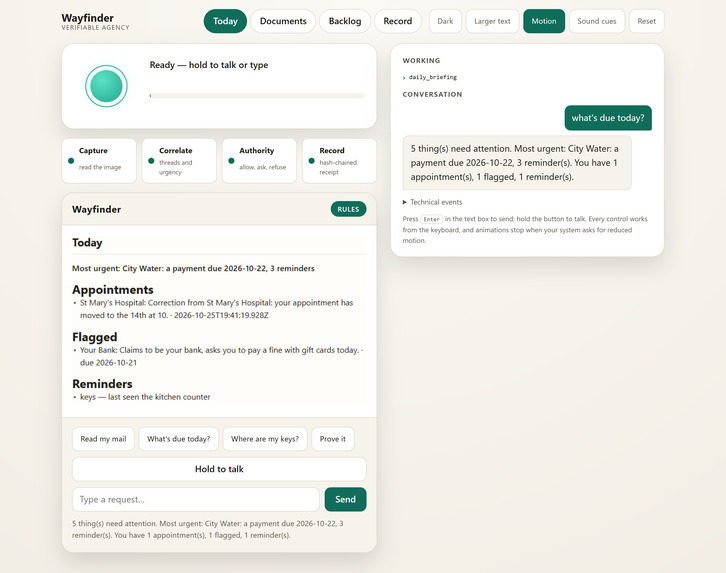
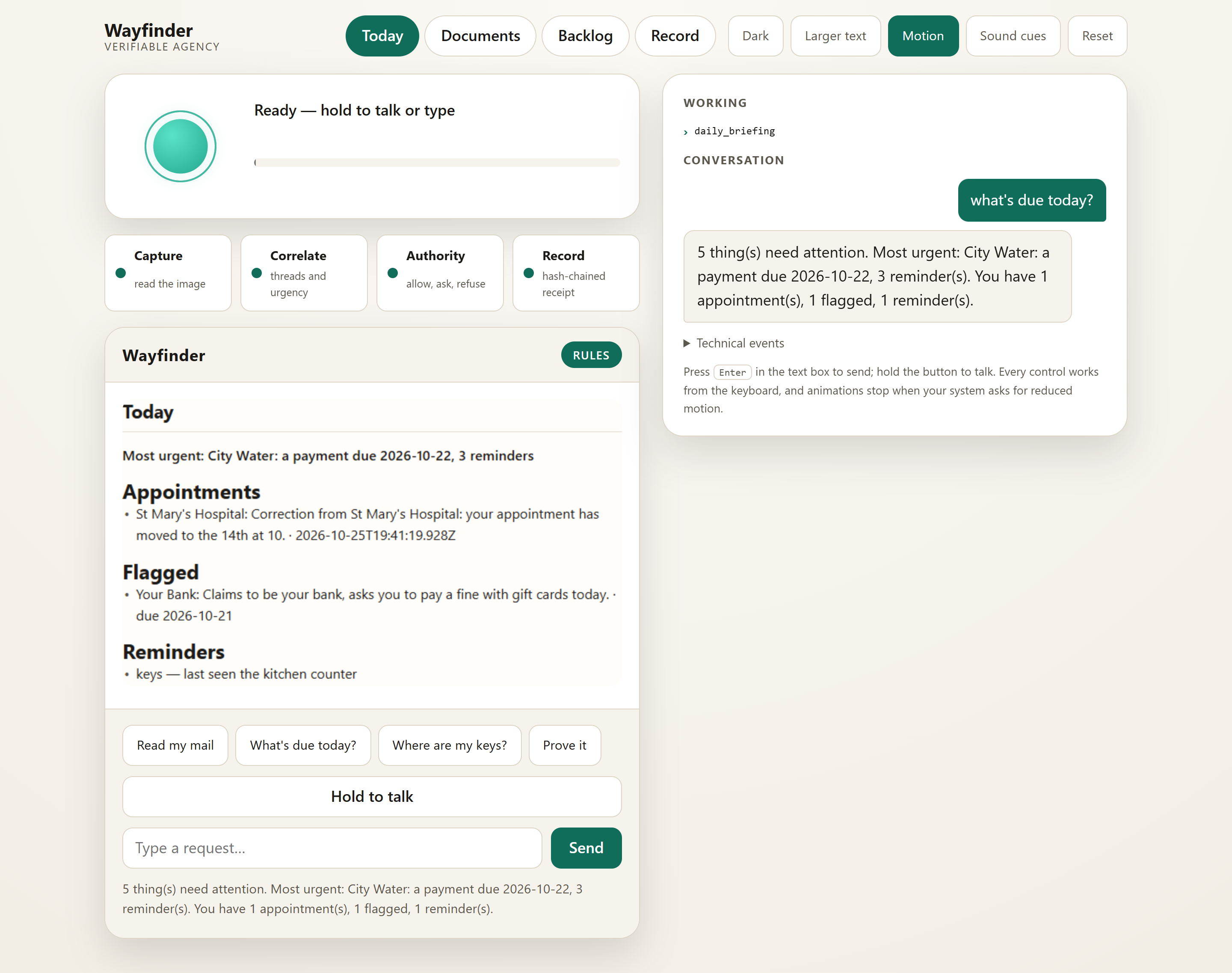
A voice-first daily briefing brings urgent paperwork, appointments, flagged documents, and everyday reminders together.
-
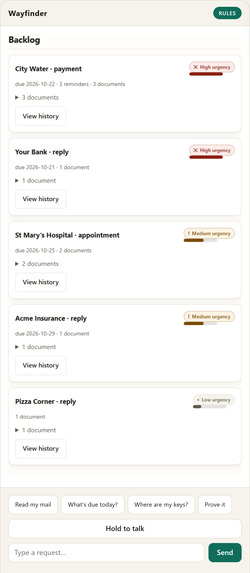
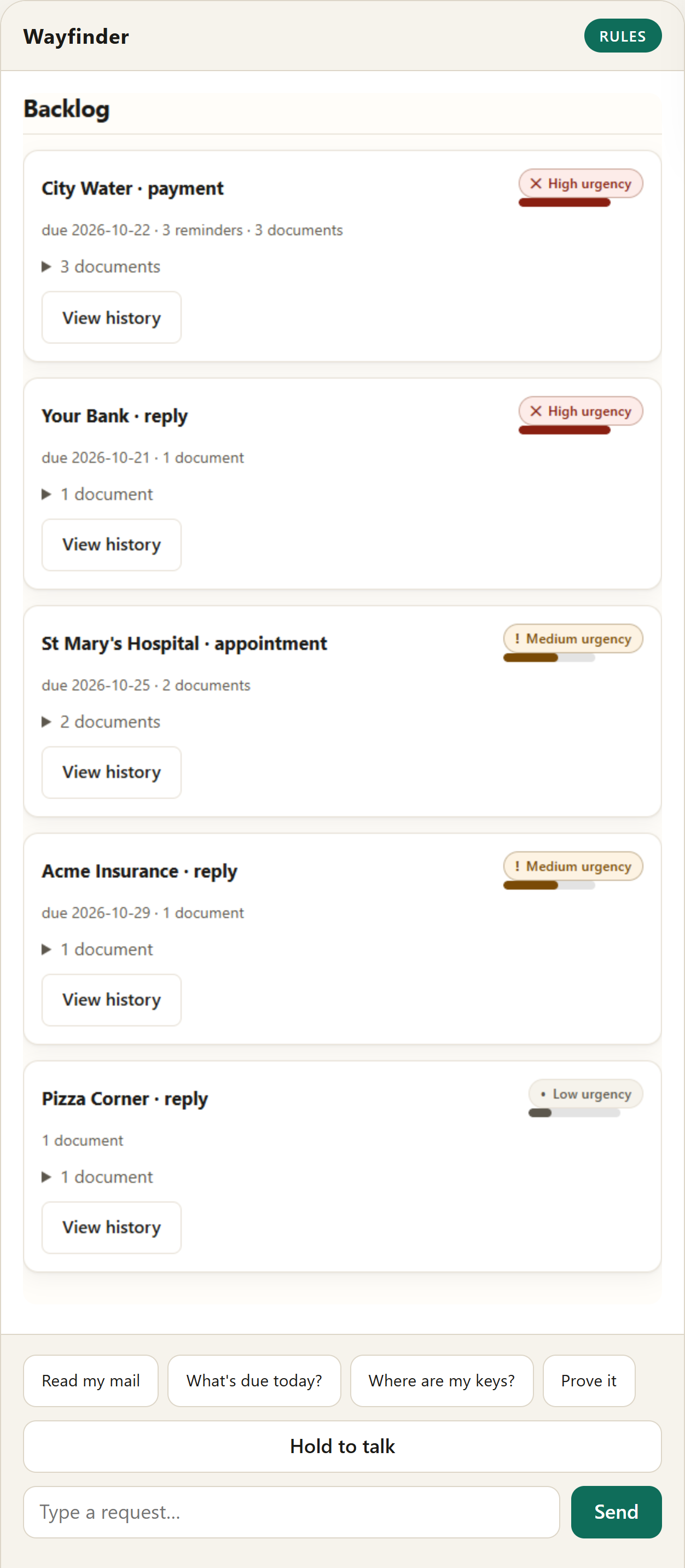
Related letters become threads ranked by urgency, with deadlines, reminder counts, and accessible document histories.
-
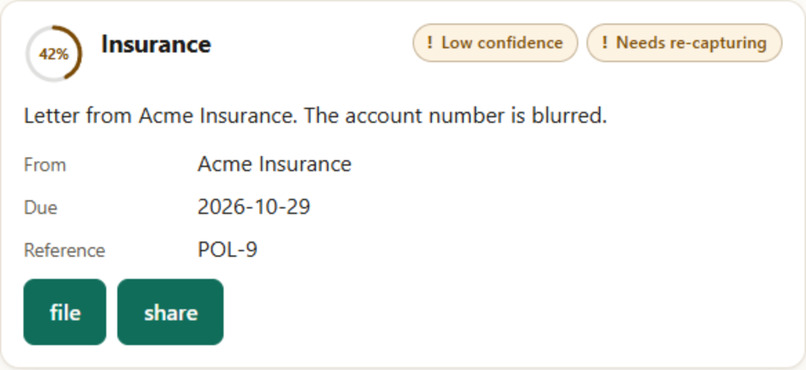
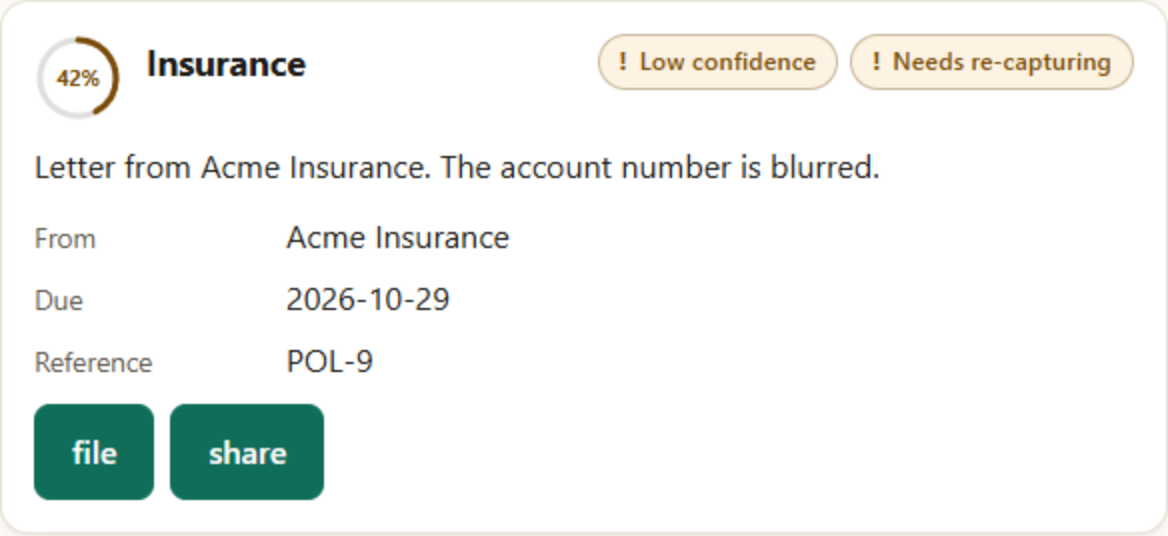
ow-confidence information is clearly labeled, with a request to recapture the document rather than guess at unreadable details.
-
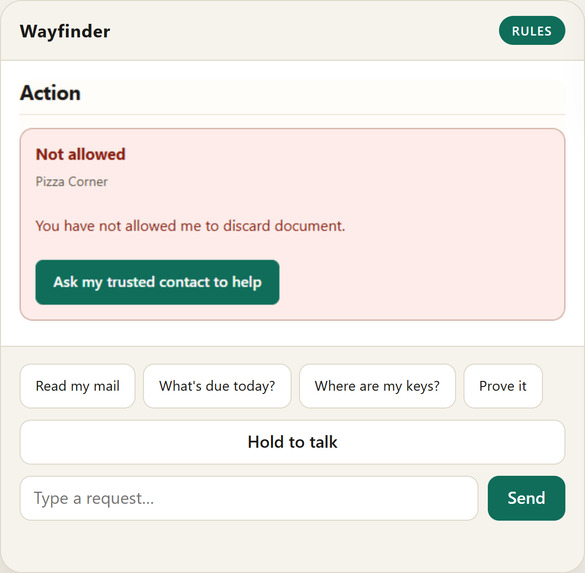
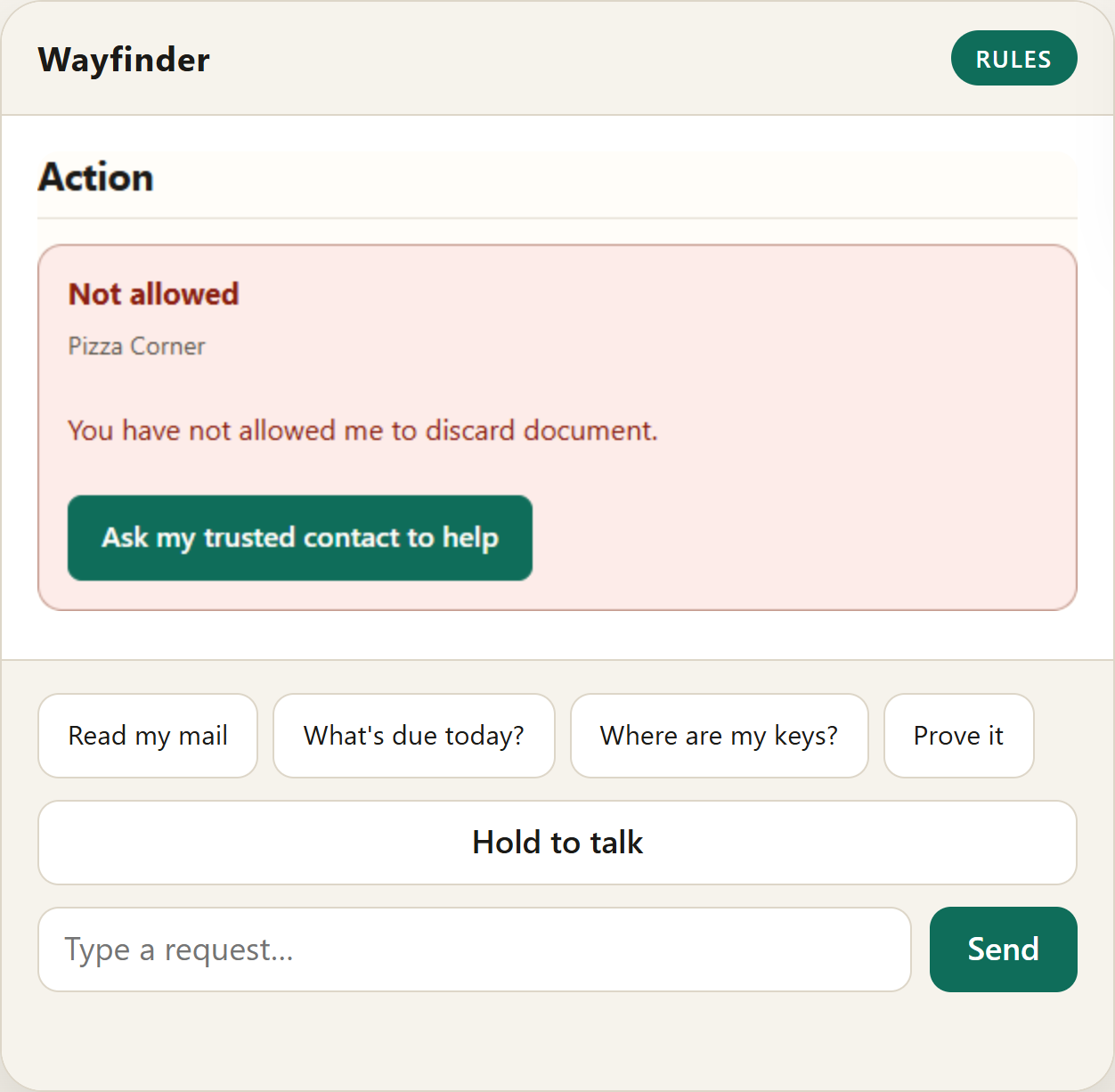
Your permissions set the boundaries: forbidden actions are refused with an explanation and an option to ask a trusted contact for help.
-
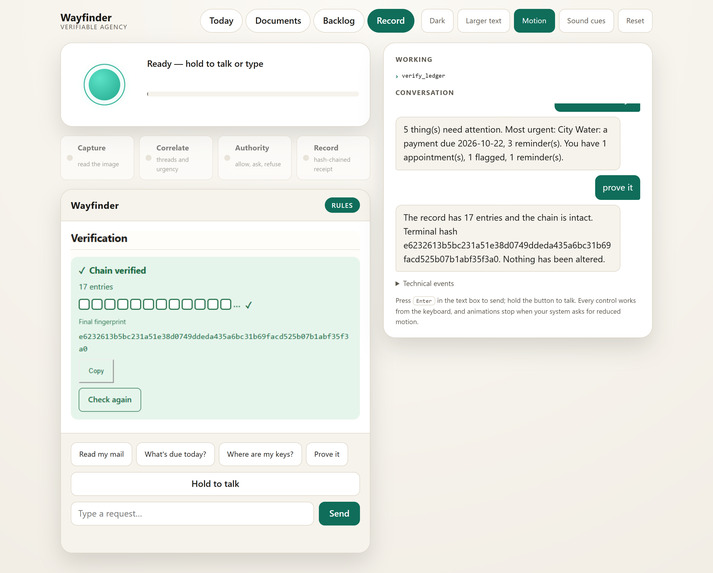
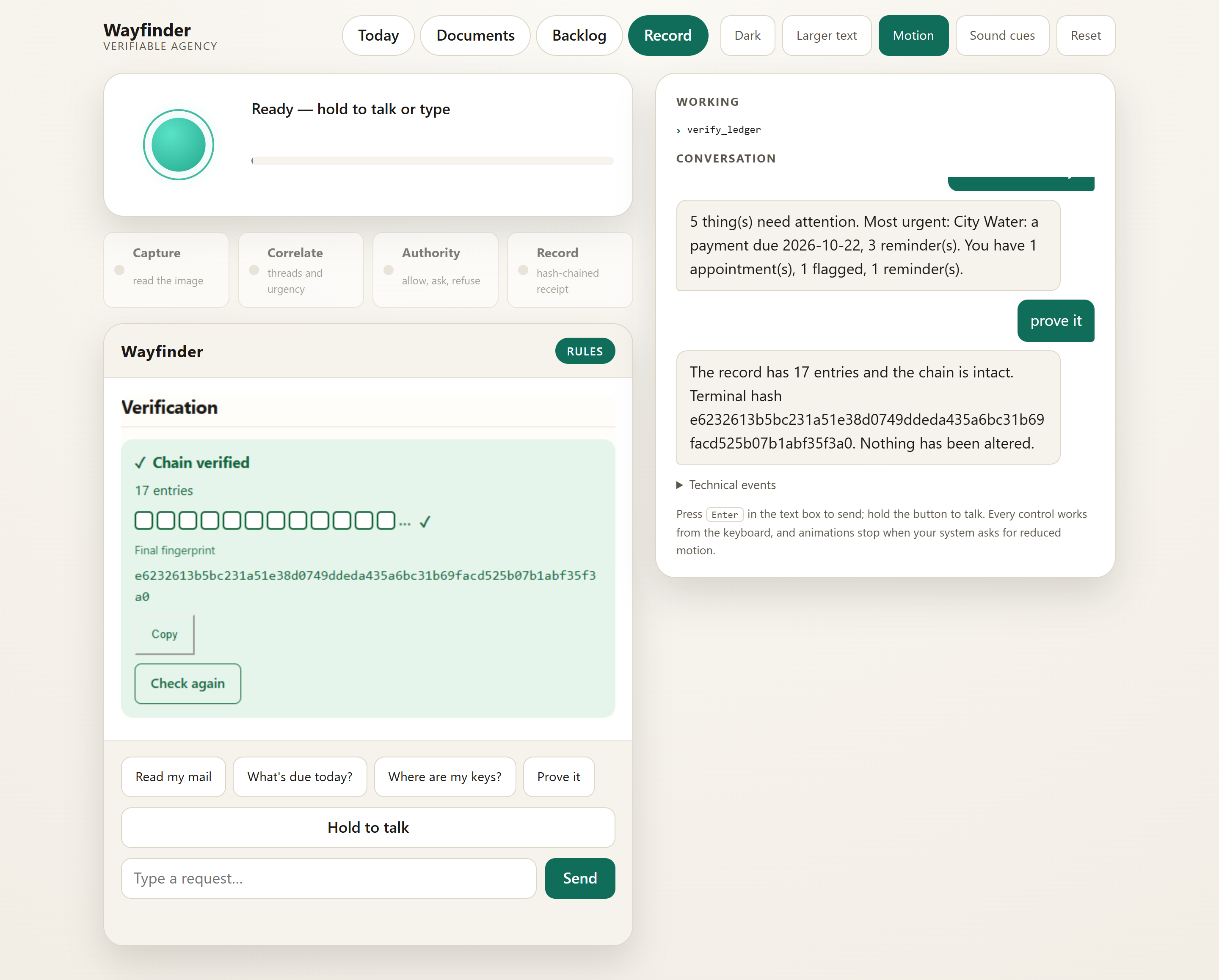
“Prove it” checks the hash-chained record and displays its final fingerprint, making changes to recorded entries detectable.
-
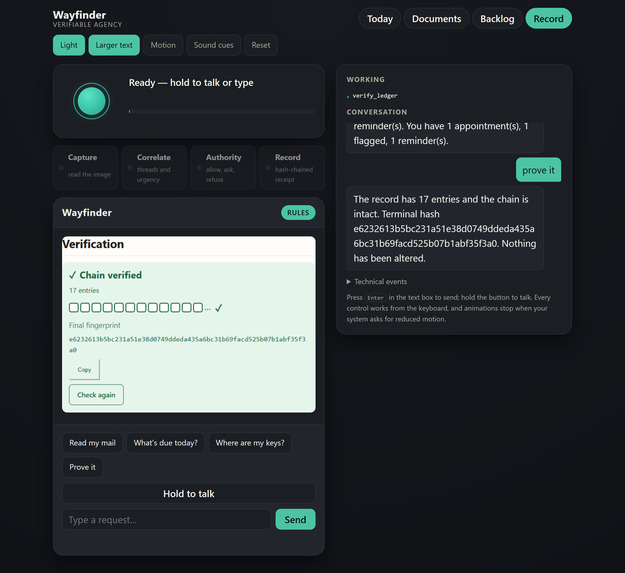
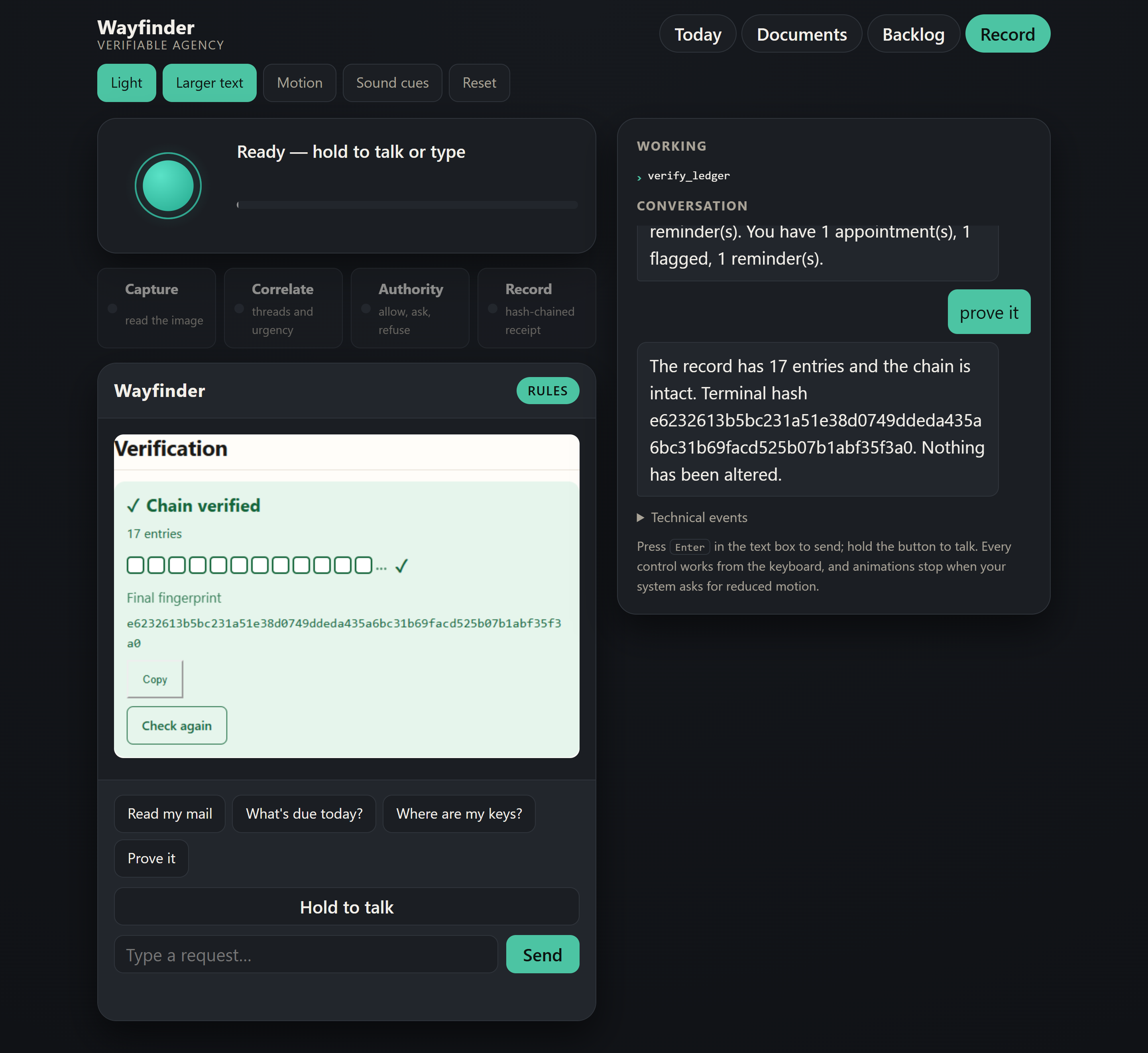
Large text, a dark host theme, reduced-motion controls, and matching text responses support different access needs.
-
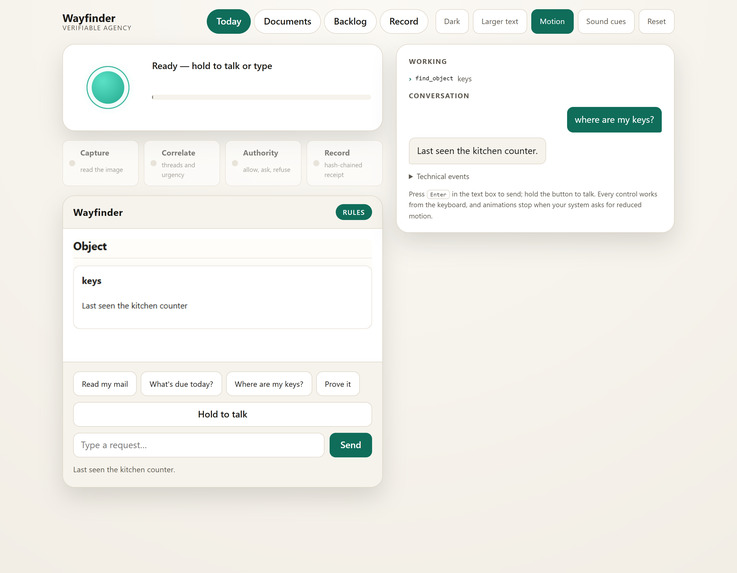
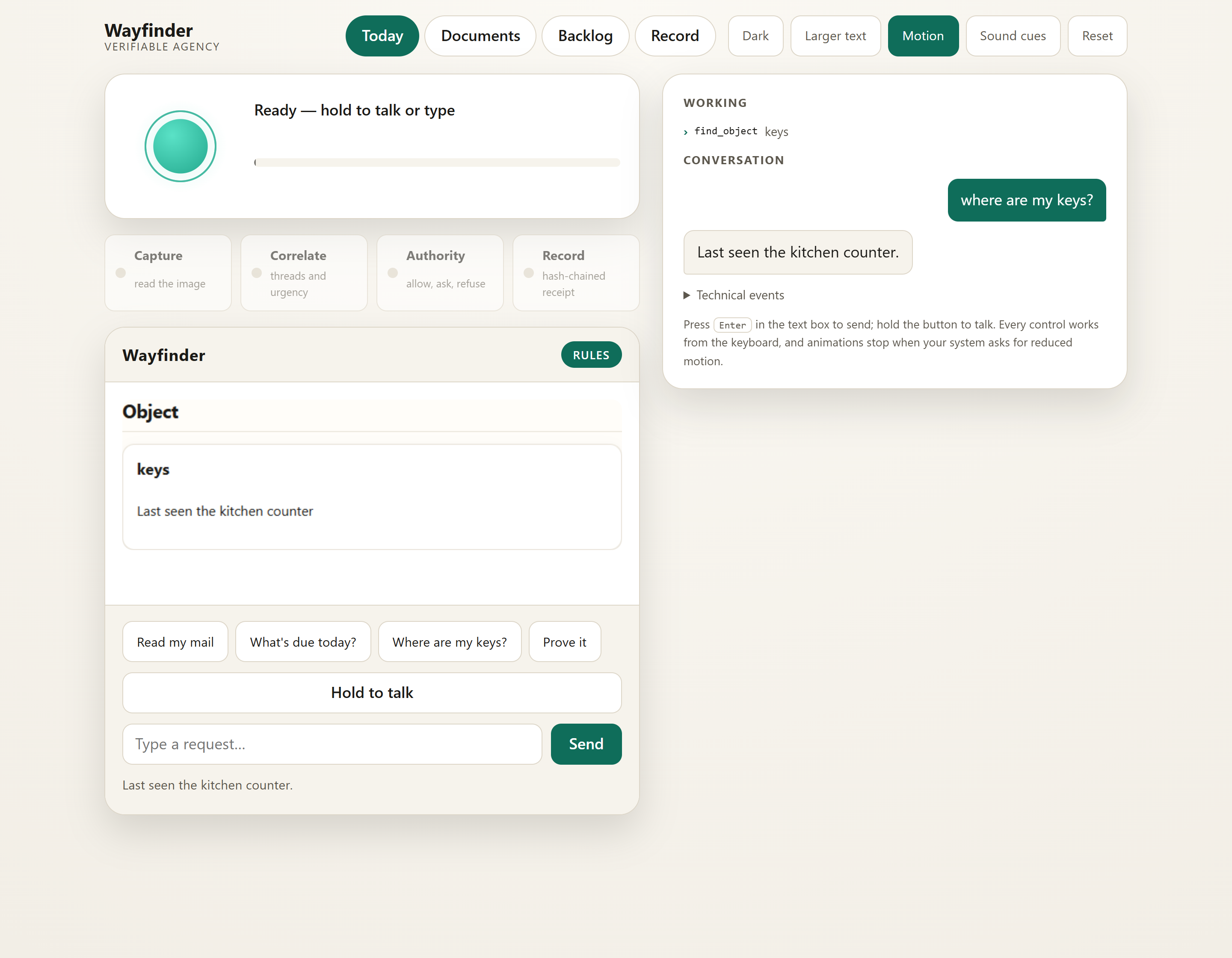
Everyday object memory answers “Where are my keys?” using the location the user previously recorded.
-
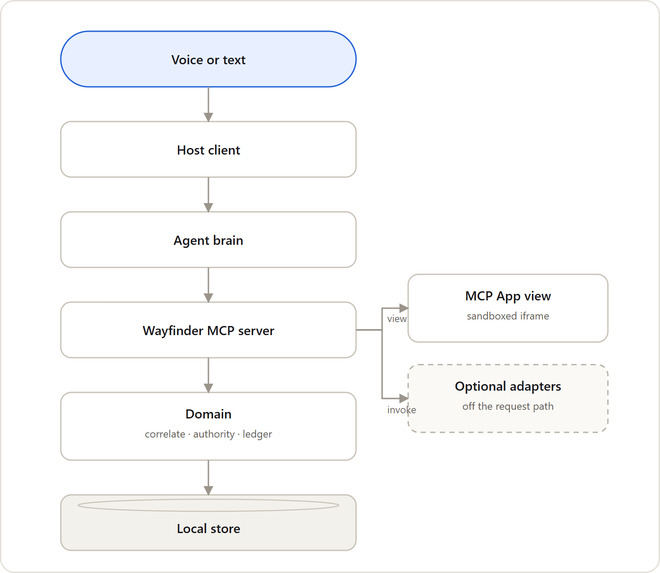
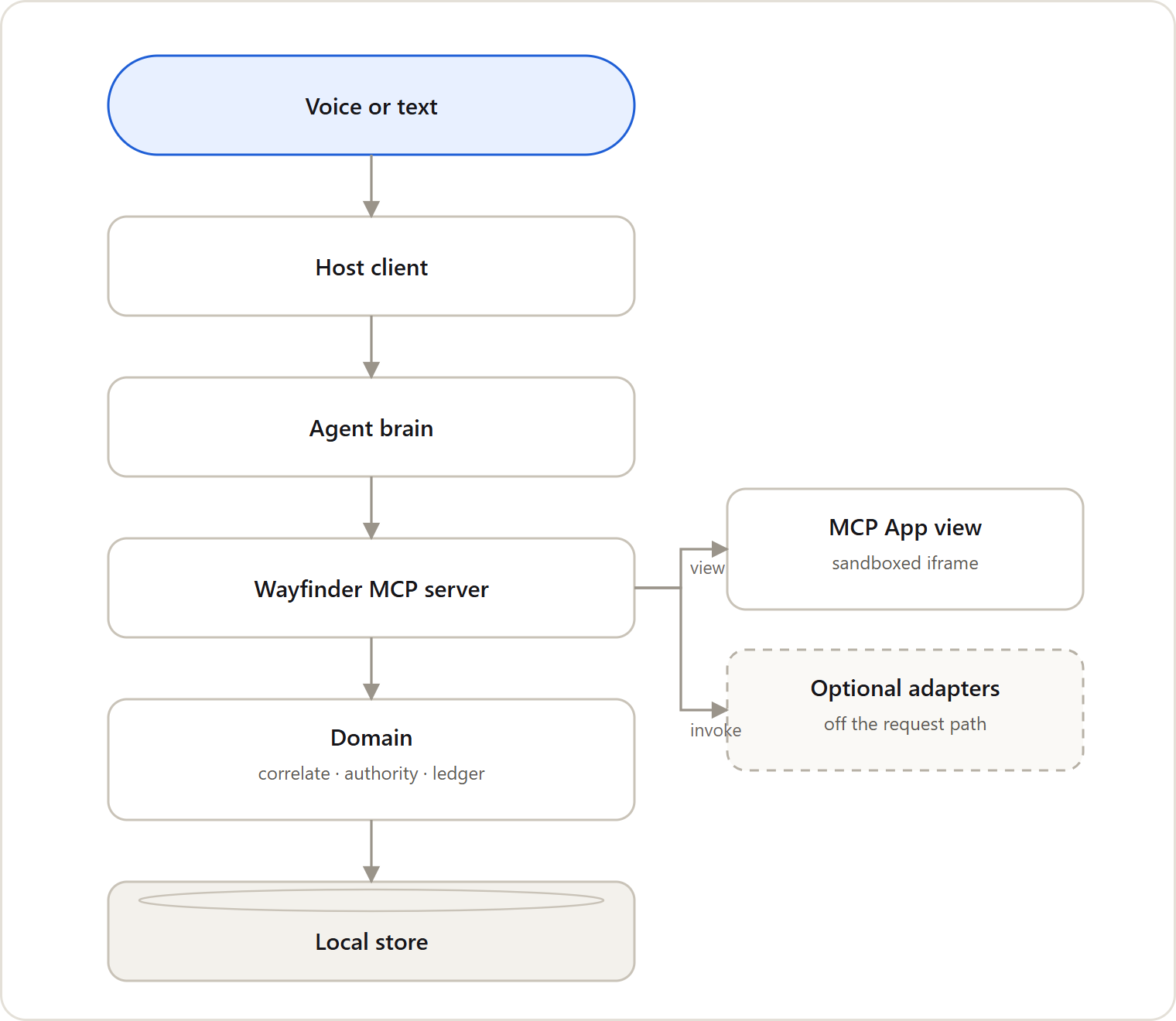
A self-hosted MCP server connects voice requests, deterministic domain rules, a local store, interactive MCP App views and optional adapters
Inspiration
Sighted people can check a bill, revisit a letter, or notice a reminder with a quick glance. For blind and low-vision people, those small acts of verification can require another person’s help. Reading a document aloud solves only part of the problem: someone still needs to remember it, connect it to earlier correspondence, track the deadline, and explain what happened afterward.
That gap inspired Wayfinder. We wanted to move beyond “AI that reads your mail” toward an assistant that helps people manage their paperwork while preserving their independence. Our guiding question was: What if an assistant could remember what matters, act only within limits you choose, and give you a verifiable record of its decisions?
What it does
Wayfinder is a voice-first assistant for managing documents and everyday information. With document vision configured, it turns photos or uploads into structured records containing details such as the sender, amount, deadline, and reference number.
It connects related documents into threads, so a third reminder increases urgency, a corrected letter replaces outdated information, and duplicate correspondence does not become multiple demands. Users can ask, “What do I need to deal with?” and receive a prioritized briefing.
Before taking an action, Wayfinder checks an authority envelope: the permissions, confidence requirements, and limits the user has set. It can proceed, request confirmation, refuse with an explanation, or offer escalation to a trusted contact.
Every decision is recorded in a tamper-evident ledger. Users can ask “Prove it,” review the history, or export a report. Wayfinder also remembers object locations and can prepare payment instructions and a SEPA QR code for completion in the user’s own banking app.
How we built it
I built Wayfinder with TypeScript, Node.js, and Express, exposing its capabilities through a self-hosted Model Context Protocol (MCP) server. Its interactive screens use MCP Apps, with a Vite-based demonstration host handling voice input, spoken responses, and the surrounding interface.
I separated document correlation, permission checks, deadline ranking, and ledger verification from the language model. This keeps the important rules predictable and testable, regardless of which model interprets the user’s request.
Amazon Textract provides document extraction, while the model layer supports hosted providers and a deterministic, credential-free rule-based fallback. The core document-management workflows run offline against stored records; reading new images requires a configured vision service.
O also implemented a classic Alexa Skill endpoint with request verification, SSML responses, cards, and APL support. Automated tests, type checks, linting, and demo preflight and smoke scripts help verify the system across these layers.
Challenges we ran into
One major challenge was platform access. The Alexa+ tooling we initially expected to use was in private preview, so I built our own MCP host to demonstrate the voice-and-screen experience. Amazon Bedrock access was also blocked by account verification and zero effective daily token quotas. That pushed me to make the system provider-independent and preserve a working offline path.
Another challenge was drawing the boundary between AI interpretation and reliable action. A misread amount or uncertain account number should never quietly become an instruction. I made confidence checks and authority decisions explicit, with refusals treated as useful outcomes.
Accessibility also required practical iteration. The sandboxed MCP App view could not own microphone capture, so speech stayed in the host. Browser checks caught small touch targets and incomplete empty states, while voice testing exposed duplicate submissions and microphone-handling issues.
Accomplishments that we're proud of
I am proud of building a complete workflow that connects capture, correlation, prioritization, bounded action, and verification. Wayfinder does more than summarize individual documents: it maintains a picture of what remains unresolved and why it matters.
The ledger is especially important to me. It gives users an inspectable history of what the system recorded and did, with verification that can detect altered entries. I kept that claim precise: internal consistency and tamper evidence do not mean a bank independently confirmed an action.
I am also proud that accessibility shapes the interaction throughout. Spoken results, keyboard-accessible controls, large text, labeled states, and reduced-motion support are part of the experience. The project is MIT-licensed and includes documentation, integration recipes, and a reproducible demo setup.
What we learned
I learned that accessibility is about more than making information readable. It is also about giving people control, continuity, and a way to check what happened without depending on someone else.
I also learned that a trustworthy assistant needs to communicate uncertainty clearly. Saying “I’m not confident enough to act” can be more valuable than producing a fluent answer.
Technically, keeping models and integrations behind clear interfaces made the project more resilient. Platform restrictions became manageable when the core logic could operate independently. I also learned to verify service access early and measure accessibility in a real browser rather than relying only on automated unit tests.
What's next for Wayfinder
My next priority is usability testing with blind and low-vision users, particularly around spoken briefings, confirmation prompts, and reviewing document histories. Their feedback should guide the next iteration.
I also want to complete additional model-provider integrations, improve document extraction across more layouts, and expand document intake through watched folders or email adapters.
Further work includes deploying and pursuing certification for the Alexa Skill, refining trusted-contact and calendar integrations, and exploring externally anchored ledger signatures.
Throughout that work, the goal stays the same: help people handle everyday paperwork with greater independence, clear boundaries, and a record they can inspect.
Built With
- alexa-presentation-language
- alexa-skills-kit
- amazon-bedrock
- amazon-textract
- amazon-web-services
- css3
- esbuild
- eslint
- express.js
- html5
- javascript
- mcp
- mcp-apps
- node.js
- prettier
- sha-256
- typescript
- vite
- vitest
- web-audio-api
- web-speech-api
- zod

Log in or sign up for Devpost to join the conversation.