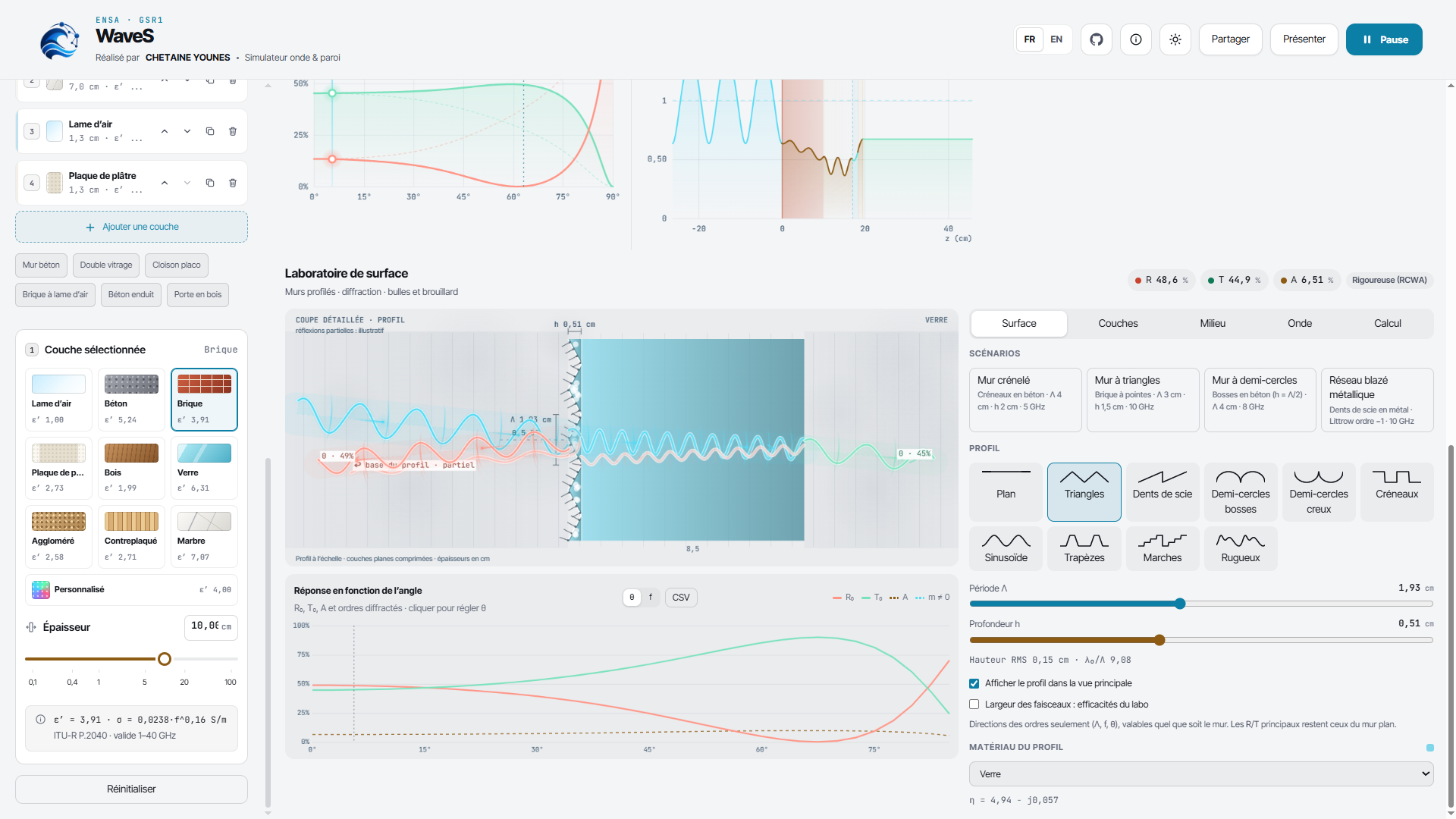
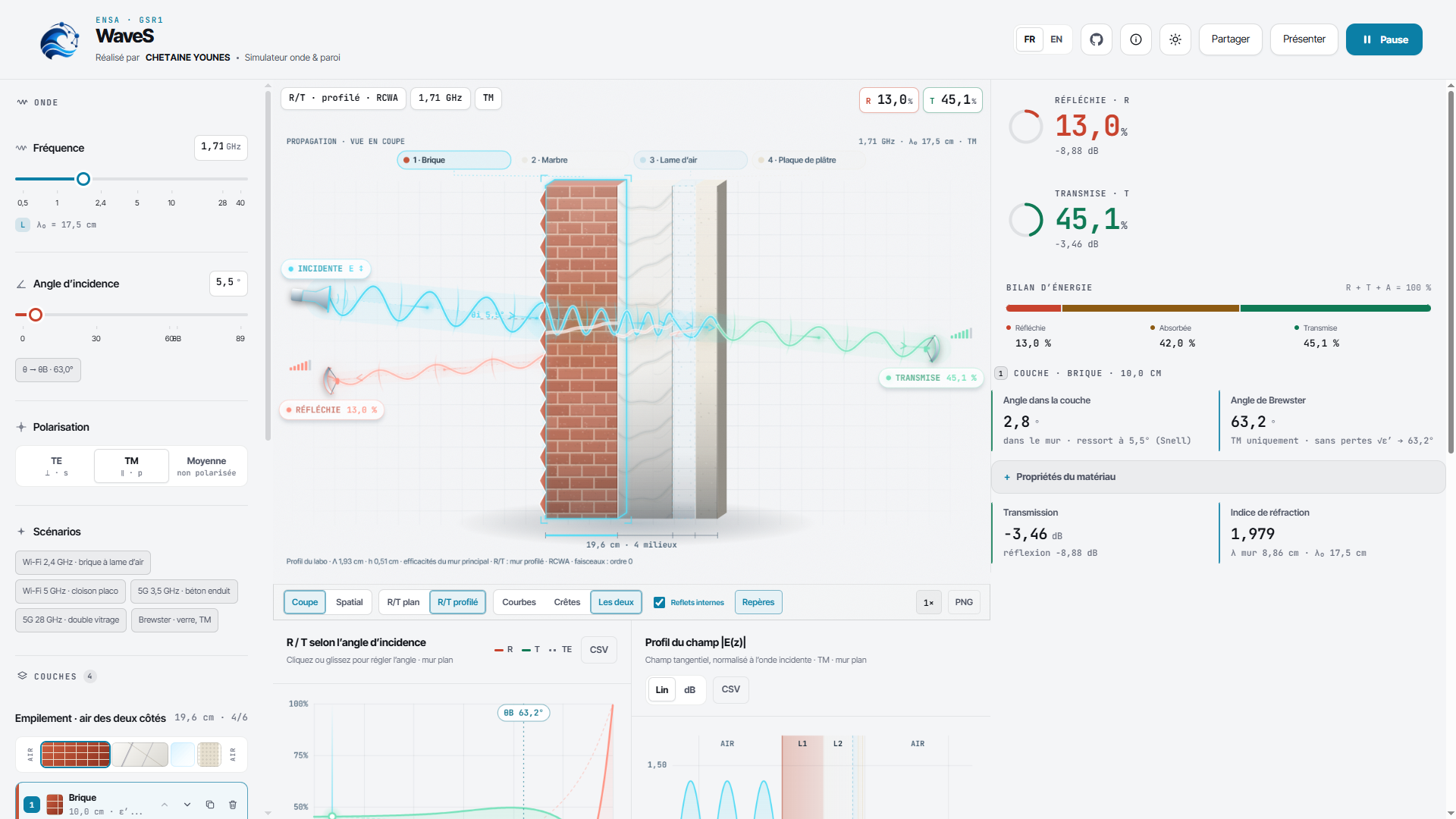
About the project Inspiration Electromagnetic waves are all around us—from Wi‑Fi and 5G signals to radar and wireless communication systems—but their behavior inside buildings is often difficult to visualize. A wall is not simply “blocking” or “letting through” a signal: its material, thickness, frequency, angle of incidence, polarization, and layer structure all affect how much energy is reflected, transmitted, or absorbed.
We built WaveS to make these concepts interactive and understandable. Instead of relying only on equations or static diagrams, WaveS lets users experiment with realistic multilayer walls and immediately see how electromagnetic waves behave.
The project was inspired by the physics of reflection, refraction, Fresnel coefficients, Brewster angles, and material absorption described in the ITU-R P.2040 recommendation. We wanted to transform that theory into an intuitive tool for students, engineers, researchers, and anyone curious about wireless propagation.
What we built WaveS is an interactive electromagnetic wave and wall simulator. Users can:
Build walls with up to six layers, including air gaps. Choose from real-world materials such as concrete, brick, glass, wood, plasterboard, plywood, and marble. Adjust frequency from 0.5 to 40 GHz. Change the angle of incidence and polarization: TE, TM, or average. Visualize reflections, transmissions, internal wave behavior, and field intensity. Explore reflection and transmission curves across incidence angles. Identify pseudo-Brewster angles for lossy materials. Inspect energy distribution through reflection, transmission, and absorption. Compare practical scenarios such as Wi‑Fi walls, 5G partitions, double glazing, and Brewster-angle experiments. Export charts as CSV files, capture visualizations as PNG images, and share exact configurations through encoded links. Use the application offline through an Android APK. The core physics engine is implemented as a pure, DOM-free TypeScript module. It models complex permittivity using the ITU-R P.2040 material equations:
η
ε ′ − j ⋅ 17.98 σ f
The simulator then applies complex Fresnel equations, lossy-slab calculations, and stable transfer recursion for multilayer stacks. This makes it possible to calculate reflection, transmission, absorption, and the electric-field profile | E ( z ) | across the wall.
What we learned One of the biggest lessons was that scientific visualization requires both mathematical accuracy and careful user experience design. A correct formula is not enough if the result is difficult to interpret. We therefore combined:
A reusable physics engine. Interactive React controls. Canvas-based wave and spatial renderers. Reflection/transmission charts. Energy-budget visualization. French and English localization. Responsive layouts for desktop and mobile. Keyboard shortcuts and a presentation mode for teaching or demonstrations. We also learned how important numerical stability is when working with complex values and lossy materials. Multilayer electromagnetic calculations can become unstable if implemented naively, especially for thick or highly absorbing walls. To address this, WaveS uses bounded exponentials and a stable recursive multilayer solver.
Testing was another important part of the project. We created regression tests for known configurations and verified that:
R + T +
A
1
for the modeled systems, where (R) is reflected energy, (T) is transmitted energy, and (A) is absorbed energy. The test suite also checks multilayer absorption, field calculations, polarization averaging, angular sweeps, and Brewster-angle behavior.
How we built it WaveS was built with React, TypeScript, and Vite. The application is structured around a reusable physics layer and a visual interface:
src/physics.ts contains the complex arithmetic, material models, Fresnel calculations, slab solver, multilayer transfer recursion, field solver, and Brewster-angle search. src/App.tsx connects the simulation engine to the interactive interface. src/waveRays.ts renders the cross-sectional wave visualization. src/spatialScene.ts renders the spatial wall scene. src/share.ts provides tested share-link encoding and decoding. src/physics.test.ts and src/share.test.ts protect the physics and sharing behavior from regressions. Capacitor packages the web application as an offline Android app. The application has no runtime backend and does not require network access during use. This makes it easy to run in a browser, demonstrate in a classroom, or install as an offline Android application.
Challenges we faced Translating complex physics into an intuitive interface Electromagnetic propagation involves complex numbers, material losses, polarization, angular dependence, and multiple interacting waves. We had to decide which concepts should be shown directly and which should be simplified visually without losing scientific meaning.
Maintaining numerical stability The multilayer solver needed to work across a broad frequency range and with materials that can strongly attenuate waves. Direct calculations can overflow or produce misleading results, so we designed the recursion and field solver around stable bounded exponentials.
Connecting calculations to live visualizations Every change to the frequency, wall structure, material, thickness, angle, or polarization can affect several outputs at once. The UI needed to keep the cross-section, spatial scene, curves, field profile, and energy budget synchronized in real time.
Supporting both education and engineering exploration A beginner may want a simple preset such as “Wi‑Fi through a brick wall,” while an advanced user may want to define a custom material and inspect exact field behavior. We addressed this with guided scenarios, detailed controls, multilingual labels, warnings, and multiple visualization modes.
Making the application work offline and across devices We wanted WaveS to be useful beyond a desktop browser, so we added responsive behavior, bundled fonts, mobile-safe layouts, and an Android build through Capacitor. This introduced additional considerations around performance, screen size, keyboard controls, and offline packaging.
Future plans Our next steps include native Android sharing for PNG and CSV exports, improved Android status-bar and back-button handling, a signed release build, and a future plasma-dispersion model based on:
k
2
ω 2 − ω p 2 c 2
This would extend WaveS beyond static material walls into more advanced electromagnetic propagation scenarios.
Built with React TypeScript Vite Capacitor Android Vitest KaTeX HTML Canvas CSS ITU-R P.2040 material models Complex Fresnel equations Multilayer transfer recursion
WaveS began as a class project that I built to better understand electromagnetic wave propagation and multilayer materials. I presented it to my classmates and professors, demonstrating both the underlying physics and the interactive simulator. The project was well received and ultimately allowed me to complete the course and pass without taking a traditional final exam, serving as a practical demonstration of what I had learned.
A slightly more polished version for the full story:
Personal motivation I originally built WaveS for a class focused on electromagnetic propagation and applied physics. Rather than submitting only a written report or taking a traditional exam, I wanted to create something tangible that could demonstrate the concepts in an interactive way.
I presented WaveS to my classmates and professors, showing how frequency, material composition, wall thickness, incidence angle, and polarization affect electromagnetic waves. The project was well received and was accepted as a practical demonstration of my understanding, allowing me to complete the course and pass without taking a conventional final exam. This experience showed me how software and visualization can turn complex theoretical concepts into something that people can explore directly.

Log in or sign up for Devpost to join the conversation.