-
-
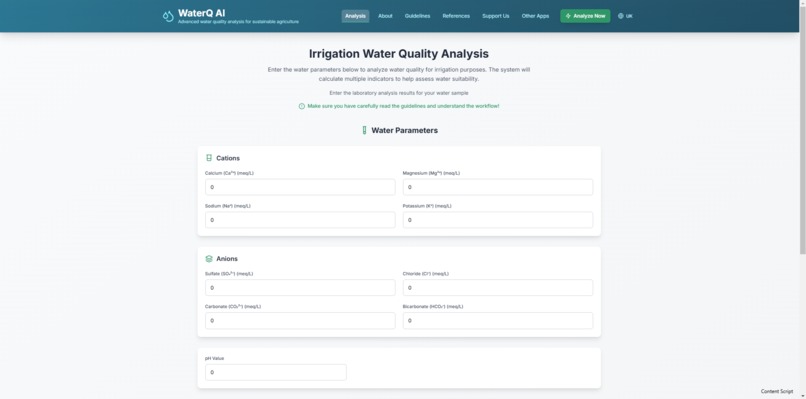
WaterQ AI web application for smart irrigation water quality management
Inspiration
As a Doctor of Agricultural Sciences specializing in agricultural melioration, I’ve seen firsthand how manual assessment of irrigation water quality is often laborious, error-prone, and time-consuming. Calculating multiple quality indices by hand and interpreting them according to various international and national standards (such as FAO methodologies and DSTU 2730:2015) is a tedious task — especially for farmers, students, and researchers who don’t have the tools to streamline this process. That’s what inspired me to create a rule-based AI web application that automates both the calculation and interpretation of irrigation water quality indicators.
What it does
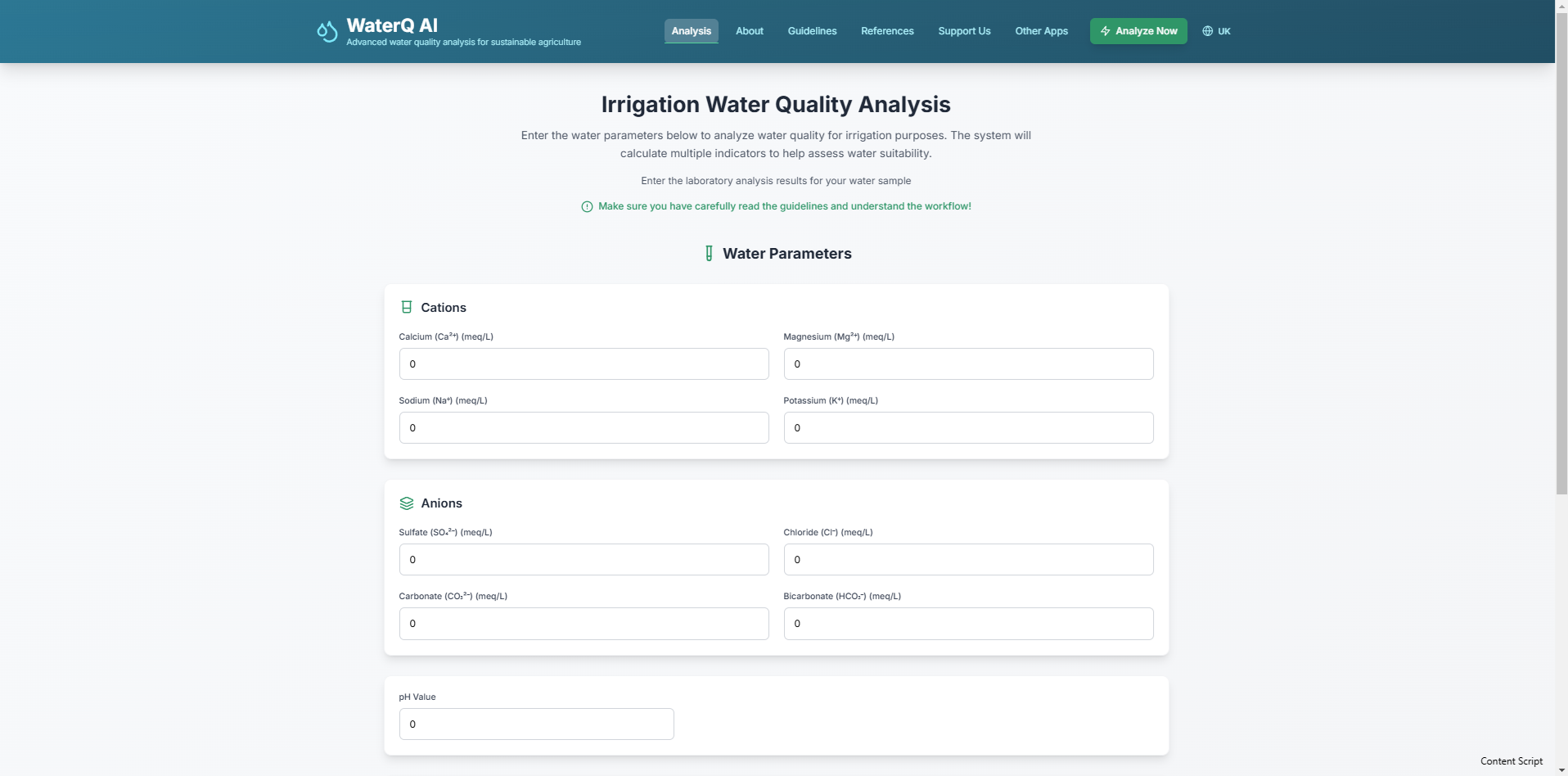
WaterQ AI is a rule-based AI web application for the assessment of irrigation water quality based on agronomic criteria. It automates the calculation of 16 different quality indices using laboratory input data (pH and ion concentrations) and interprets the results according to internationally recognized standards (e.g., FAO guidelines) and Ukrainian national standards (DSTU 2730:2015).
The app provides:
- Instant calculation of water quality indicators
- Clear interpretation based on global and local methodologies
- A clean, intuitive interface with built-in guidance and bilingual support
Its goal is to empower farmers, students, and scientists to make informed irrigation decisions — without the need for manual calculations or expertise in complex water quality frameworks.
How we built it
To create WaterQ AI, I first learned the fundamentals of:
- JavaScript, TypeScript
- HTML5, CSS3
- React for component-based frontend architecture
- Prompt engineering to accelerate code generation with tools like bolt.new
I used bolt.new to scaffold the core logic and layout of the app, including the rule-based engine and responsive UI. The final version was refined and extended manually using Visual Studio Code, focusing on precision, accessibility, and adherence to scientific standards.
Challenges we ran into
One of the biggest hurdles was implementing internationalization (i18n) correctly. Some UI components translated as expected, while others failed to render the correct language. This was caused by inconsistencies in translation key naming and class structures across components.
Solving this required:
- Auditing all components for consistent translation key usage
- Refactoring the structure of translation JSON files
- Carefully debugging the rendering logic for multilingual support
Accomplishments that we're proud of
- Built a fully functional scientific tool from scratch as a solo developer
- Created a working AI-driven rule-based system aligned with FAO and DSTU standards
- Delivered a bilingual web application with a smooth and professional user interface
- Bridged academic science with real-world application to help support sustainable agriculture
What we learned
Throughout the development of WaterQ AI, I gained:
- A working command of the React ecosystem and TypeScript
- Insights into building structured and reusable UI components
- Practical skills in multilingual app development using react-i18next
- Experience integrating prompt engineering into the dev process to improve efficiency Most importantly, I learned how to translate scientific expertise into functional, user-oriented software that solves real-world problems.
What's next for WaterQ AI
WaterQ AI is just the beginning. Planned next steps include:
- Adding support for more languages (e.g., Polish, Spanish)
- Expanding the rule engine with additional national standards and methodologies
- Publishing the tool as an open-access resource for farmers and educators
Ultimately, WaterQ AI aims to become a trusted tool for agronomic water decision-making in both local and international contexts.
Built With
- bolt.new
- css3
- html5
- react
- typescript

Log in or sign up for Devpost to join the conversation.