Inspiration
Our inspiration for building Watermark Remover (watermarkremover.top) stemmed from a widespread frustration among content creators, e-commerce sellers, and everyday users: removing watermarks was either prohibitively time-consuming, required advanced technical skills (like mastering Photoshop), or relied on tools that sacrificed image quality or privacy. We noticed that existing solutions often left blurry patches, added secondary watermarks, or stored user images indefinitely—creating barriers for small businesses editing product photos, individuals restoring personal images, or designers preparing materials.
We set out to create a tool that redefined watermark removal by prioritizing three core values: precision, accessibility, and trust. Our vision was an AI-powered platform that removes watermarks naturally (preserving original details), requires no professional skills, and protects user data—making high-quality image editing accessible to everyone, anywhere.
What it does
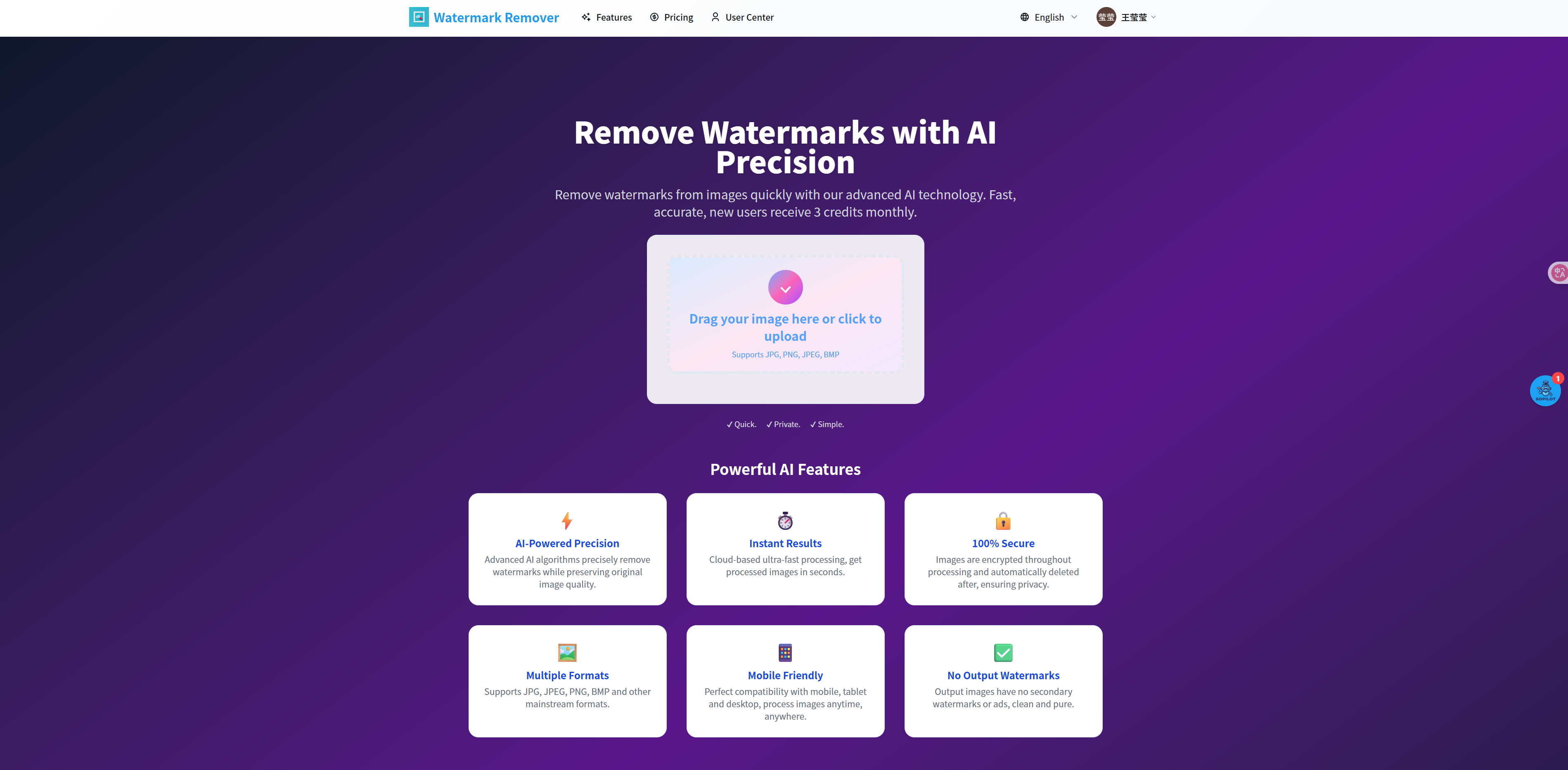
Watermark Remover is a user-friendly, AI-driven tool designed to eliminate watermarks from images quickly and seamlessly. Its key functionalities include:
- AI-Powered Precision Removal: Advanced algorithms detect and erase various watermarks (text overlays, logos, stamps) while preserving the original image’s quality, texture, and details—avoiding the "blotchy" results common in basic tools.
- Fast, Cloud-Based Processing: Images are processed in seconds via cloud infrastructure, delivering watermark-free results instantly without lag, even for high-resolution files.
- Broad Format Support: Works with all mainstream image formats, including JPG, JPEG, PNG, and BMP, accommodating use cases from social media content to e-commerce product shots.
- Cross-Device Accessibility: Fully compatible with mobile, tablet, and desktop devices, letting users process images on the go without downloading software.
- Privacy-First Workflow: Uploaded images are encrypted during processing and automatically deleted afterward—no permanent storage or third-party sharing. New users get 3 free monthly credits, with no hidden costs or mandatory subscriptions.
- Clean Output: Processed images have no secondary watermarks, ads, or branding—ready for immediate use in social media, e-commerce, or personal projects.
How I built it
- AI Model Development: We collaborated with computer vision experts to train a custom deep learning model specialized in inpainting (the technique of filling in removed regions with contextually relevant pixels):
- The model was trained on millions of labeled images with diverse watermarks (text, logos, semi-transparent overlays) to learn to distinguish watermarks from the underlying image content.
- We optimized it for "contextual restoration"—ensuring that removed watermarks are replaced with pixels that match the surrounding background (e.g., textures, colors, patterns) for natural-looking results.
- The model was trained on millions of labeled images with diverse watermarks (text, logos, semi-transparent overlays) to learn to distinguish watermarks from the underlying image content.
- Cloud Infrastructure Setup: We deployed the AI model on scalable cloud servers (AWS) with load balancing to handle concurrent users and maintain sub-second processing times. This infrastructure also enables seamless access across devices by centralizing processing.
- User Interface (UI/UX) Design: We built a minimalist, intuitive interface using HTML5, CSS3, and JavaScript:
- A 3-step workflow (Upload → Process → Download) with drag-and-drop uploads and a visual "before/after" slider to demonstrate results.
- Mobile-responsive design with touch-friendly controls, ensuring usability on smartphones and tablets.
- A 3-step workflow (Upload → Process → Download) with drag-and-drop uploads and a visual "before/after" slider to demonstrate results.
- Privacy & Security Integration: We implemented end-to-end encryption for image transfers and built an automated deletion script that erases all user images and processed results within minutes of download. A clear copyright notice was added to emphasize compliance and responsible use.
Challenges I ran into
- Natural-Looking Inpainting for Complex Backgrounds: Early model iterations struggled with watermarks overlapping detailed backgrounds (e.g., a logo on a textured fabric or a text overlay on a landscape). We resolved this by expanding the training dataset to include more complex场景 and adding a "context analysis layer" that maps surrounding pixels before removing the watermark.
- Balancing Speed & Precision: Initially, prioritizing fast processing led to shallow inpainting (blurry patches). We fixed this by optimizing the model to focus only on watermark regions (instead of the entire image) and using lightweight cloud GPUs to accelerate computation without sacrificing quality.
- User Trust & Copyright Compliance: Concerns about misuse for copyright infringement were a key challenge. We addressed this by adding a prominent copyright notice, limiting free credits to discourage bulk unauthorized use, and clarifying that the tool is for personal/authorized commercial images only.
- Mobile Compatibility: Ensuring smooth performance on mobile devices (especially low-bandwidth ones) required optimizing image upload sizes and simplifying the interface—we added adaptive image compression that reduces file size without compromising processing quality.
Accomplishments that I'm proud of
- User Trust & Satisfaction: The tool has earned praise from diverse users—from e-commerce sellers who save hours editing product photos to individuals restoring old personal images—with reviews highlighting "natural results" and "time-saving convenience."
- Industry-Leading Quality: Our model consistently outperforms basic watermark removers by preserving image details; users frequently note that processed images are indistinguishable from those edited manually.
- Privacy as a Differentiator: The "auto-delete" feature and transparent security policies have made the tool a top choice for users wary of uploading sensitive images to online platforms.
- Accessibility for Non-Experts: By eliminating the need for Photoshop skills or software downloads, we’ve empowered users with no design experience to create professional-looking, watermark-free images.
What I learned
- Inpainting Precision Depends on Context: The key to natural watermark removal isn’t just erasing the watermark—it’s restoring the background in a way that matches the image’s context. Investing in context-aware AI training was critical to user satisfaction.
- Privacy Is a Must-Have, Not a Bonus: User surveys ranked "data security" as the second-most important factor (after result quality) for choosing the tool. Building privacy into the core workflow, not just as an afterthought, drove adoption and loyalty.
- Simplicity Beats Feature Bloat: We initially considered adding advanced editing tools (e.g., cropping, filtering), but feedback showed users only wanted fast, reliable watermark removal. Focusing on this core function made the tool more usable and memorable.
- Clear Communication Builds Trust: Addressing copyright concerns upfront with a prominent notice reduced user hesitation and positioned the tool as responsible—critical for long-term credibility.
Built With
- remove
- remover
- watermark
- watermarks

Log in or sign up for Devpost to join the conversation.